Vobot AI Voice Recorder is my best overall pick in this roundup for pairing voice capture with transcription and summaries, while AI VoiceWriter stands out for people who dictate directly into Windows or Mac. For meeting-heavy desks, HiDock H1E combines note-taking with a docking station, though its extra hardware makes it a more specialized choice. These options differ in where and how they capture speech: a dedicated recorder, computer-based dictation, or a desk-centered meeting setup. Buyers should weigh transcription workflow and portability against device complexity and extra features. Read on for the full breakdown and a guide to choosing the right fit.

Get business pricing on tech for your team
- Business-only prices and quantity discounts
- Tax-exempt purchasing
- Multiple users, one account, clear invoices
Key Takeaways
- Vobot earns the overall spot by combining recording, transcription, summaries, and an NFC business card, giving it a broader capture-to-follow-up workflow than a basic recorder.
- AI VoiceWriter is the clearest fit for computer dictation; it serves a different job from the portable recorders, which are designed to capture speech away from a typing setup.
- HiDock H1E is the premium, desk-based option because it combines meeting notes with an 8-in-1 docking station, but that combination makes less sense for buyers who only need transcription.
- Tupuniu’s 64GB storage points to a recording-first choice for people who want substantial onboard space, while OLZO‘s transcription and summaries emphasize a more processed-note workflow.
- Real-time translation gives the fourth recorder a distinct use case, but buyers should prioritize that feature only if multilingual conversations are part of their regular work.
| Vobot AI Voice Recorder with Transcription, Summaries, and NFC Business Card |  | Best for Call Recording | Microphone system: Bone-conduction mic for calls; dual noise-reduction mics for meetings | Microphone pickup range: Up to 16 ft | Transcription languages: 145 | VIEW LATEST PRICE | See Our Full Breakdown |
| AI VoiceWriter Dictation and Writing Assistant for Windows and Mac |  | Best for Desktop Dictation | Compatible devices: Laptop and desktop | Hardware interface: USB dongle | Microphone form factor: Lavalier | VIEW LATEST PRICE | See Our Full Breakdown |
| Tupuniu AI Voice Recorder with 64GB Storage and Transcription |  | Best for Multilingual Transcription | Storage: 64 GB | Display: 1.3-inch OLED | Battery life: 10 hours | VIEW LATEST PRICE | See Our Full Breakdown |
| AI Voice Recorder with Automatic Transcription and Real-Time Translation |  | Best Battery Life | Storage: 32 GB | Microphones: 1 bone-conduction and 4 omnidirectional microphones | Pickup range: Up to 5 meters | VIEW LATEST PRICE | See Our Full Breakdown |
| OLZO AI Voice Recorder with Transcription and Summaries |  | Best Included Transcription Allowance | Storage: 16 GB | Monthly transcription and summary minutes: 1,200 | Microphones: Dual built-in ECM stereo | VIEW LATEST PRICE | See Our Full Breakdown |
| HiDock H1E AI Meeting Note-Taker & 8-in-1 Docking Station |  | Best for Desk Setups | Model: H1E | Transcription languages: 75 | AI models: ChatGPT 4.1, Claude 3.5 Sonnet | VIEW LATEST PRICE | See Our Full Breakdown |
| AI transcription software | Storage | Export formats | Weight |
|---|---|---|---|
| Vobot AI Voice Recorder with T | 8 GB | MP3, PDF, DOCX, and more | — |
| AI VoiceWriter Dictation and W | — | — | 75 g |
| Tupuniu AI Voice Recorder with | 64 GB | PDF, TXT, DOCX, and SRT | 30 g |
| AI Voice Recorder with Automat | 32 GB | — | 40 g |
| OLZO AI Voice Recorder with Tr | 16 GB | .txt, .srt, .pdf, .md, .m4a, and .mp3 | — |
| HiDock H1E AI Meeting Note-Tak | 32 GB | — | — |
More Details on Our Top Picks
Vobot AI Voice Recorder with Transcription, Summaries, and NFC Business Card
Vobot stands out for capturing phone calls through bone conduction, so you can record without switching to speakerphone. Its dual noise-reduction microphones also handle meetings, while transcription in 145 languages and AI summaries, action items, and mind maps turn recordings into more usable notes. Compared with the OLZO recorder, Vobot adds direct call capture and sentence-level audio replay, while OLZO includes a set monthly allowance of transcription and summary minutes. Vobot’s slim aluminum body and magnetic attachment suit people who want a discreet recorder on hand. The tradeoff is that additional AI transcription minutes require a paid plan, and its mono microphone operation offers less channel detail than OLZO’s stereo pair. It makes the most sense when recording calls matters more than having a bundled monthly transcription allowance.
Pros:- Captures calls through phone vibrations without speakerphone
- Transcribes in 145 languages and generates summaries, action items, and mind maps
- Slim aluminum body weighs 33.4 g and supports magnetic attachment
- Supports sentence-level audio replay and exports including MP3, PDF, and DOCX
Cons:- Additional AI transcription minutes require a paid plan
- Mono microphone operation provides less channel detail than stereo recorders
Best for: Professionals who need to record phone calls without speakerphone and turn calls or meetings into searchable notes
Not ideal for: Buyers who want stereo microphone capture or a predictable included monthly transcription allowance
- Microphone system:Bone-conduction mic for calls; dual noise-reduction mics for meetings
- Microphone pickup range:Up to 16 ft
- Transcription languages:145
- Storage:8 GB
- Recording time per charge:Up to 30 hours
- Dimensions:0.16 × 2.15 × 3.37 in
- Weight and body:33.4 g; aluminum alloy
- Export formats:MP3, PDF, DOCX, and more
Our verdict“Choose Vobot if direct call recording and multilingual AI notes matter more to you than stereo capture or included monthly transcription minutes.”
AI VoiceWriter Dictation and Writing Assistant for Windows and Mac
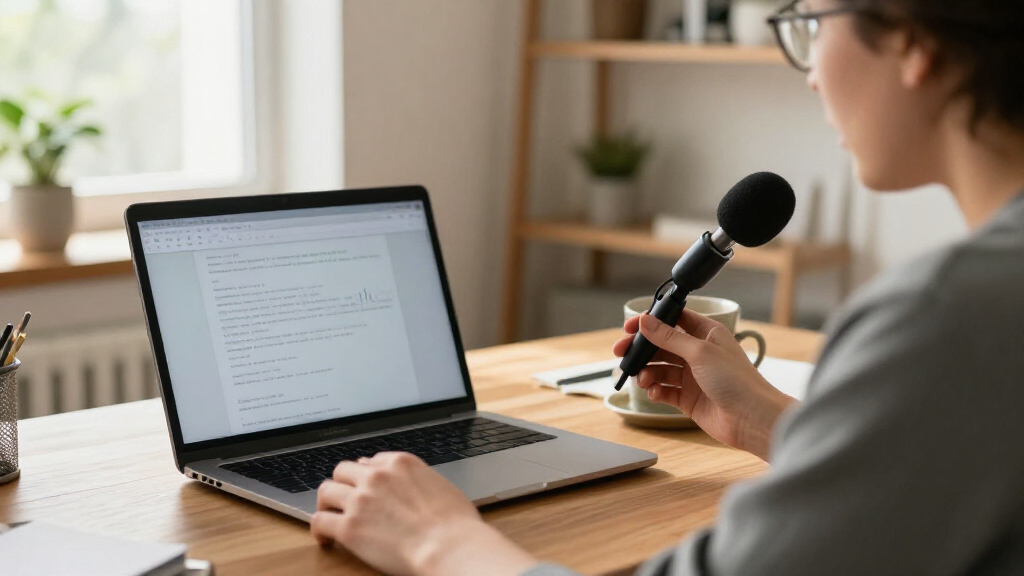
AI VoiceWriter is aimed at writing into desktop apps, rather than recording meetings for later transcription. Its USB dongle sends dictation into text fields across Windows and Mac, and its proofreading, rewriting, and formatting tools help turn spoken drafts into cleaner copy. The mobile app can use a phone’s microphone for desktop input, which gives it a different role from recorders like the Tupuniu, whose strengths are storing meetings and producing transcripts, summaries, and translation. VoiceWriter supports dictation in 33 languages, but its listed AI feature languages cover only nine. The hardware setup also takes more effort than a standalone recorder: it requires the dongle and app, and listed digital recording time is under an hour. Its one-time purchase with lifetime software updates may appeal to frequent desktop writers who value ongoing dictation over long-form audio capture.
Pros:- Dictates directly into text fields across desktop applications
- Mobile app can use a phone microphone for desktop dictation
- Includes proofreading, rephrasing, and formatting tools
- Offers lifetime software updates with a one-time purchase
Cons:- Requires a USB dongle and mobile app setup
- Digital recording time is listed as less than one hour
- AI features support fewer languages than dictation
Best for: Windows and Mac users who regularly dictate drafts into desktop apps and want built-in proofreading and formatting help
Not ideal for: People who need long meeting recordings, broad AI feature language support, or a standalone recorder
- Compatible devices:Laptop and desktop
- Hardware interface:USB dongle
- Microphone form factor:Lavalier
- Dictation languages:33
- AI feature languages:Chinese, English, Japanese, Korean, French, German, Spanish, Italian, and Swedish
- Digital recording time:Less than 1 hour
- Supported operating systems:Windows 10 or above; macOS 13 or above
- Weight:75 g
Our verdict“Pick VoiceWriter for everyday desktop drafting and editing by voice, but choose a dedicated recorder such as Tupuniu for meetings and long recordings.”
Tupuniu AI Voice Recorder with 64GB Storage and Transcription
Tupuniu puts language coverage first, pairing real-time transcription and translation in 255 languages with live interpretation subtitles, AI summaries, and mind maps. That breadth makes it a stronger fit for multilingual conversations than the Vobot, which supports 145 transcription languages and adds direct call capture. The 64 GB of storage and 1.3-inch OLED display give Tupuniu room for recordings and let you view transcripts on the device, while Bluetooth 5.0 and USB-C support transfers. It also exports SRT, a useful option for subtitle workflows alongside PDF, TXT, and DOCX. The compromise is runtime: battery life and recording time are each listed at 10 hours, well below the OLZO’s stated 45-hour recording time. Free transcription minutes are limited after the first year, so frequent users should factor ongoing service access into their choice.
Pros:- Transcription and translation support 255 languages
- Includes live interpretation subtitles, AI summaries, and mind maps
- 64 GB storage and an OLED display support on-device use
- Exports PDF, TXT, DOCX, and SRT files
Cons:- Battery life and recording time are each listed at 10 hours
- Free transcription minutes are limited after the first year
- Designed for smartphone compatibility, with no direct phone-call recording feature listed
Best for: People who record multilingual meetings or interviews and need live translation, subtitles, and on-device transcript viewing
Not ideal for: Users who record for long stretches between charges or want direct phone-call capture
- Storage:64 GB
- Display:1.3-inch OLED
- Battery life:10 hours
- Recording time:10 hours
- Transcription and translation languages:255
- Connectivity:Bluetooth 5.0 and USB-C
- Weight:30 g
- Export formats:PDF, TXT, DOCX, and SRT
Our verdict“Choose Tupuniu when multilingual transcription and subtitle export outweigh longer recording time or call-specific capture.”
AI Voice Recorder with Automatic Transcription and Real-Time Translation
This card-sized recorder is the endurance pick: it lists up to 50 hours of continuous recording, more than the OLZO’s 45 hours and far beyond Tupuniu’s 10. A one-touch button and standalone recording make it practical to start capturing audio without first connecting a phone; the companion app handles transcription, meeting summaries, and translation across more than 140 languages afterward. Four omnidirectional microphones and a bone-conduction mic give it a broader capture setup than Vobot’s mono operation, while its slim 40 g card format keeps it portable. Buyers should weigh that flexibility against app dependence: transcription and summaries require the companion app. Voice cloning and cross-app translation add specialized tools, but may matter less to someone who mainly needs straightforward transcript exports. No headphone jack is listed.
Pros:- Lists up to 50 hours of continuous recording
- Can record standalone without Wi-Fi or a smartphone connection
- Combines four omnidirectional microphones with a bone-conduction microphone
- Compact 40 g card-sized design with NFC-compatible case
Cons:- Transcription and AI summaries require the companion app
- Voice cloning depends on recorded or uploaded audio and proprietary AI technology
- No headphone jack
Best for: Travelers and professionals who need long recording sessions, multilingual translation, and a compact recorder that can capture audio standalone
Not ideal for: Buyers who want transcripts and summaries directly on the recorder or do not want to rely on a companion app
- Storage:32 GB
- Microphones:1 bone-conduction and 4 omnidirectional microphones
- Pickup range:Up to 5 meters
- Battery and recording time:Up to 50 hours of continuous recording
- Translation languages:More than 140
- Dimensions:54 × 86 × 5.3 mm
- Weight:40 g
- Connectivity and charging:Bluetooth 5, Wi-Fi, and USB Type-C
Our verdict“Pick this recorder for long standalone capture and app-based multilingual tools, especially if Tupuniu’s 10-hour recording limit is too short.”
OLZO AI Voice Recorder with Transcription and Summaries
OLZO’s standout is its included monthly transcription allowance: 1,200 minutes for transcripts and summaries without a subscription. That gives regular meeting users a defined amount to work with, unlike Vobot, where additional AI transcription minutes require a paid plan. Its dual stereo microphones capture audio from up to 20 feet, and the recorder lists up to 45 hours per charge, so it suits longer meetings and interviews better than Tupuniu’s 10-hour recording limit. Speaker labels and support for more than 100 languages help make group conversations easier to review, while Wi-Fi and Bluetooth syncing and Notion integration fit a digital note workflow. The key limitation is no direct phone-call recording, which makes Vobot a better match for call-heavy work. There is also no headphone jack for wired listening.
Pros:- Includes 1,200 transcription and summary minutes per month without a subscription
- Dual stereo microphones capture audio from up to 20 feet
- Lists up to 45 hours of recording per charge and up to 180 days of standby
- Supports Wi-Fi and Bluetooth syncing, several export formats, and Notion integration
Cons:- Does not support direct phone-call recording
- Has no headphone jack
- The monthly transcription allowance is limited to 1,200 minutes
Best for: People who record recurring meetings and interviews and want a defined monthly transcription and summary allowance
Not ideal for: Call-heavy users who need direct phone-call recording or people who want a headphone jack
- Storage:16 GB
- Monthly transcription and summary minutes:1,200
- Microphones:Dual built-in ECM stereo
- Microphone pickup range:Up to 20 ft (6 m)
- Recording time per charge:Up to 45 hours
- Maximum single recording:Up to 10 hours
- Supported languages:100+
- Export formats:.txt, .srt, .pdf, .md, .m4a, and .mp3
Our verdict“Choose OLZO for recurring meeting transcription with an included monthly allowance, or Vobot if direct call capture is essential.”
HiDock H1E AI Meeting Note-Taker & 8-in-1 Docking Station
The HiDock H1E suits people who want meeting transcription alongside a more connected desk: its dock adds 4K HDMI, Ethernet, and multiple USB ports to a recorder with free transcription in 75 languages. Bi-directional noise cancellation is aimed at improving pickup for both nearby and remote speakers, while summaries can help turn long calls into quicker notes. Compared with the Vobot AI Voice Recorder, the H1E puts more emphasis on workstation connectivity than portability or business-card features. That makes it a specialized choice for a fixed meeting setup, not the simplest recorder to carry around. Its 32 GB storage and four-hour battery also shape how it fits into a day: the listed 1,000 hours of recording does not mean it can record that long on one charge. Speaker identification and multi-format export require a paid Pro Membership, and automatic recording needs manual activation in the HiNotes app.
Pros:- Free transcription and summaries support 75 languages
- Bi-directional noise cancellation targets both nearby and remote voices
- Combines 4K HDMI, Ethernet, and multiple USB ports in an 8-in-1 dock
- Includes an open-ear earphone for hands-free listening
Cons:- Speaker identification and multi-format export require a $199/year Pro Membership
- Four-hour battery life limits extended use away from power
- Auto-record and transcription require manual activation in the HiNotes app
Best for: Remote workers who want multilingual meeting notes and a USB-C desk dock with HDMI and Ethernet in one device
Not ideal for: People who need a pocketable recorder, long untethered recording sessions, or speaker identification without a paid membership
- Model:H1E
- Transcription languages:75
- AI models:ChatGPT 4.1, Claude 3.5 Sonnet
- Video output:4K at 60 Hz HDMI
- USB ports:3x USB-C 3.2; 2x USB-A 3.2 (5 Gbps)
- Network:1 Gbps Ethernet
- Storage:32 GB
- Battery life:4 hours
- Microphone:Built-in mono microphone with noise cancellation
Our verdict“Choose the HiDock H1E if you want multilingual meeting notes built into a feature-rich desk dock and can accept membership-gated tools and limited battery life.”
How We Picked
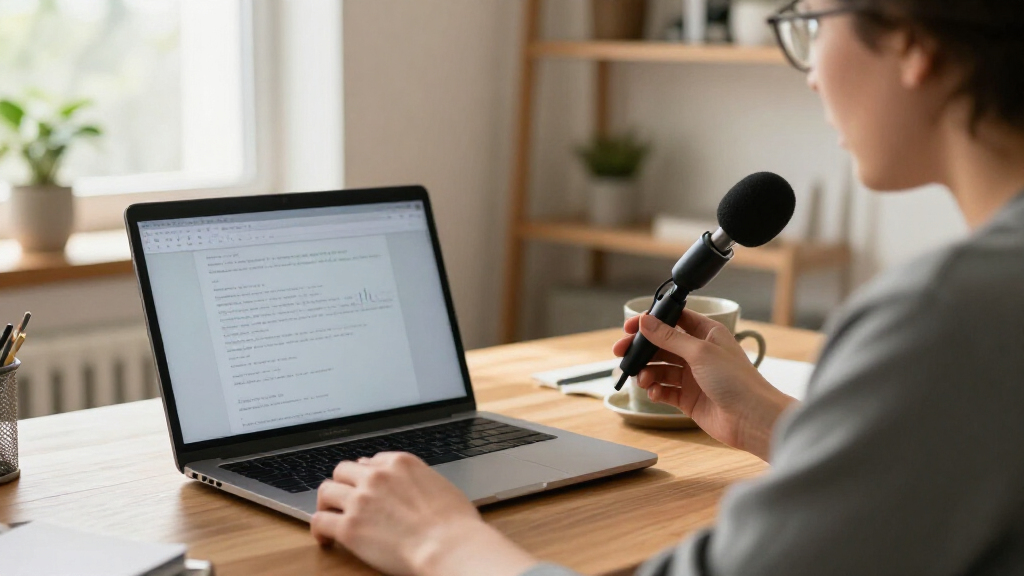
I ranked these products by how directly their stated capabilities support the central job: capturing speech and turning it into useful text. I weighed the capture setting, transcription workflow, summaries or other post-recording help, portability, and whether added hardware or features serve a clear buyer need. A dedicated recorder can suit interviews and notes away from a computer, while dictation software is a more direct path for composing text at a desk.
Vobot ranks first for its mix of recording, transcription, summaries, and business-card functions. VoiceWriter follows for focused computer dictation, while HiDock H1E ranks as a strong specialized desk choice whose docking hardware narrows its audience. The remaining recorders separate themselves through storage capacity, summaries, or real-time translation. I treat advertised features as product positioning; actual transcription accuracy, language support, privacy practices, and ongoing service requirements should be checked against each vendor’s current details before purchase.
| AI transcription software | Export formats |
|---|---|
| Vobot AI Voice Recorder with T | MP3, PDF, DOCX, and more |
| AI VoiceWriter Dictation and W | — |
| Tupuniu AI Voice Recorder with | PDF, TXT, DOCX, and SRT |
| AI Voice Recorder with Automat | — |
| OLZO AI Voice Recorder with Tr | .txt, .srt, .pdf, .md, .m4a, and .mp3 |
| HiDock H1E AI Meeting Note-Tak | — |
Factors to Consider When Choosing AI Transcription Software
The right choice starts with the speech you need to capture and what should happen to it afterward. I would map the whole path from recording to usable notes before comparing headline features, since a convenient recorder can still create extra work if its output does not fit your process.
Match the capture method to where you work
Think about where your speech happens most often: at a desk, in a meeting room, or while moving between locations. Computer dictation can make sense when you are composing text and can review it on the same screen. A standalone recorder gives you more flexibility when a laptop or phone would be awkward to handle. For recurring meetings at a fixed desk, an integrated setup may reduce the number of devices you manage. A common mistake is choosing for portability even though nearly all recordings happen in one room. Choose the capture method that removes the most friction from your normal routine.
Trace the transcript’s path into your work
Before buying, find out how recordings become transcripts and how those transcripts reach the tools or people that need them. Consider whether you need searchable notes, editable text, summaries, or simply a transcript you can copy elsewhere. A polished summary can save review time, but it may omit wording that matters for interviews, research, or formal records. Check whether the workflow depends on a companion app, account, or internet connection, and whether that fits the places you record. The mistake to avoid is treating transcription as the finish line when you still have to move, organize, and verify every file. Sketch the steps you take after a recording and look for a product that shortens them.
Check accuracy against your real speech
Transcription quality can change with accents, multiple speakers, specialist terms, background noise, and microphone distance. A feature list cannot tell you how well a system handles the voices and settings you actually encounter. If the vendor offers a sample or trial, compare the transcript with a short recording that resembles your routine. Pay attention to names, numbers, speaker changes, and punctuation, since small errors can create substantial editing work. Buyers often focus on a claimed accuracy figure without checking what conditions produced it. Plan for human review whenever a transcript will support a consequential decision or published material.
Treat privacy and retention as buying criteria
Voice recordings can contain personal, business, or confidential information, so understand where audio and transcripts are stored and who can access them. Review the provider’s policies for retention, deletion, account access, and use of data before recording sensitive conversations. Also check whether processing happens on the device or through an online service, since that changes what information leaves your hands. A device with local storage does not by itself answer what happens when you sync or transcribe a file. The common mistake is to assume that a physical recorder keeps the entire workflow private. Match the product’s data handling to your organization’s rules and the sensitivity of each recording.
Calculate the full cost of keeping it useful
Look beyond the hardware and check for transcription limits, subscription requirements, cloud storage terms, and costs tied to continued use. A recorder with generous storage may still depend on a service for transcription, while computer dictation may fit an existing setup with fewer extra devices. Ask how much speech you expect to process each month and whether the included allowance covers that volume. Consider the time spent charging, transferring files, correcting transcripts, and maintaining another app or account as part of the real cost. Buyers can overpay for capacity they will not fill or choose a low-friction device that creates recurring service obligations. Compare the complete workflow over the period you expect to use the product.
Pay extra only for a feature you will use often
Special features earn their place when they solve a repeated problem: translation for multilingual conversations, summaries for fast follow-up, or a dock that serves a full desk setup. If a feature is only useful occasionally, a simpler recorder plus an existing tool may be easier to manage. Consider whether the added feature works with your languages, meeting format, and other equipment before treating it as a benefit. Bundled hardware can take up space and complicate replacement if one part stops fitting your needs. The common mistake is buying a bundle for its breadth instead of the part that handles your main task. Set a short list of must-haves, then treat everything else as optional until you can name a regular use for it.
Frequently Asked Questions
Should I choose a dedicated recorder or computer dictation?
Choose computer dictation if most of your speech is meant to become text while you are already working at a Windows or Mac computer. A dedicated recorder is a better fit when you need to capture conversations or ideas away from that setup. Consider whether you need to record multiple speakers, keep audio for later review, or work without a laptop in front of you. Also check how easily the resulting text can be edited and moved into your usual tools. The best choice depends on where the speech starts and what you need to do with it next.
Are AI summaries enough if I need an accurate record?
Summaries are useful for recalling themes and follow-up tasks, but they are not a substitute for a full transcript or the original audio when exact wording matters. They can compress context, omit qualifications, or miss a detail that changes the meaning of a discussion. For interviews, research, or records that may need checking, keep the audio and review the transcript. Confirm whether the product retains recordings and lets you access them later. Use summaries as a navigation aid, then verify important details against the source.
What should I check before recording conversations in another language?
Confirm that the product supports the languages and language combinations you need, and find out whether translation happens during recording or afterward. Check whether it can distinguish speakers and how it handles names or specialist vocabulary in those languages. A translation feature may help make a conversation easier to follow, but it can introduce errors that are hard to spot if you do not know the source language. Test it with a low-stakes sample before relying on it for work that requires precision. For formal use, have a fluent person review important translated content.
Is onboard storage enough for long-term transcription needs?
Onboard storage tells you how much audio a device can hold locally; it does not necessarily tell you how much transcription you can process or how long files remain available in a service. Check how recordings are transferred, whether they can be exported, and what happens if an app or account is discontinued. Estimate the length and frequency of your sessions, then allow room for recordings you may need to keep. If you routinely archive audio, confirm that the export format and backup process fit your existing system. Storage capacity is only useful when the rest of the file workflow works for you.
When does a meeting dock make sense over a standalone recorder?
A meeting dock can make sense when you spend much of your workday at one desk and would use its additional connection or charging functions even without transcription. Its combined role may reduce clutter for a fixed setup, but it is less convenient to take to interviews or record spontaneous notes elsewhere. Compare the dock’s transcription workflow with a standalone device and consider whether the extra hardware serves daily tasks. If you only want to capture speech, a dedicated recorder is likely the simpler fit. Choose the dock when its broader desk functions are part of your regular routine.
Conclusion
Vobot AI Voice Recorder is my best overall recommendation for buyers who want recording, transcription, and summaries in one workflow. For focused computer dictation, choose AI VoiceWriter; it is my beginner-friendly pick if your main task is speaking text into a Windows or Mac setup. Tupuniu is the value-oriented choice for buyers who prioritize 64GB of onboard storage, while HiDock H1E is the premium fit for a desk-centered meeting routine that also benefits from an 8-in-1 dock. Choose the real-time translation recorder for multilingual capture needs, or OLZO if its transcription-and-summary workflow better matches your note-taking habits. Before deciding, verify current language support, transcription terms, privacy practices, and export options for the product that matches your work.