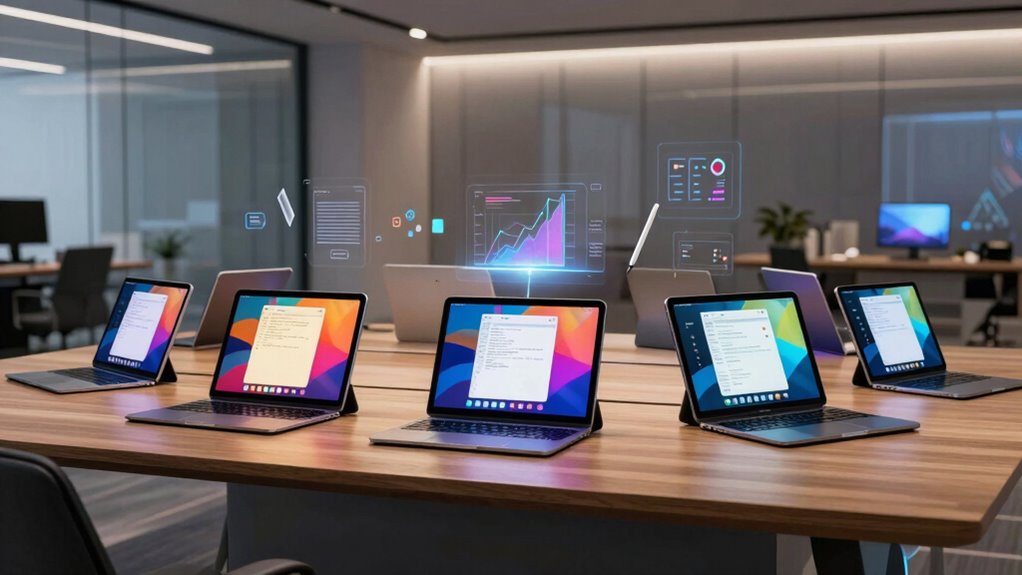

When searching for ai tablets for notes and productivity, it’s essential to balance features like note-taking capability, display quality, and AI integration. The VIWOODS AiPaper Mini stands out as the best overall with its compact design and AI-enhanced features, while the Samsung Galaxy Tab S10 Lite offers a versatile Android experience for those needing more app flexibility. The main tradeoffs in this category revolve around display technology—E Ink for focus and battery life versus LCD for multimedia and speed—and AI features that may add complexity or cost. Continue reading for a detailed breakdown of each option and find the ideal match for your workflow.

Get business pricing on tech for your team
- Business-only prices and quantity discounts
- Tax-exempt purchasing
- Multiple users, one account, clear invoices
Key Takeaways
- E Ink tablets excel for distraction-free note-taking and longer battery life but may lack advanced app support.
- Android-based tablets like Samsung offer more versatility but often come with a higher price and shorter battery life.
- AI features such as voice-to-text and meeting summaries can significantly boost productivity but vary in accuracy and ease of use.
- Display size and technology are critical—smaller E Ink devices suit focused tasks, while larger LCD tablets are better for multitasking and media.
- Pricing ranges widely; investing in higher-end models typically grants better build quality, AI features, and ecosystem integration.
| VIWOODS AiPaper Mini 8.2″ AI E Ink Tablet, Digital Notebook Bundle with Pen |  | Best Portable Digital Notebook for On-the-Go Note-Taking | Display: 8.2 inch, 292 PPI E Ink | Weight: 230g | Storage: 128GB | VIEW ON AMAZON | See Our Full Breakdown |
| iFLYTEK AINOTE 2 AI Digital Notebook |  | Best for Multilingual Transcription and Voice-Enabled Note Organization | Display Technology: Electronic Ink | Screen Size: 10.65 inches | Resolution: 3200×2160 | VIEW ON AMAZON | See Our Full Breakdown |
| Samsung Galaxy Tab S10 Lite, 6GB RAM, 128GB, 2TB Expandable Storage, 10.9” LCD |  | Best Versatile Tablet for Multitasking and Creative Notes | Display: 10.9-inch LCD | RAM: 6GB | Internal Storage: 128GB | VIEW ON AMAZON | See Our Full Breakdown |
| iFLYTEK AINOTE Air 2 Bundle – 8.2″ E Ink AI Note-Taking Tablet with Stylus, 4096 Pressure Levels, Voice-to-Text, Multi-Language Support (Renewed) |  | Best for Professional Note-Taking with Advanced Pressure Sensitivity | Screen Size: 8.2 inches | Display Technology: E Ink | Pressure Levels: 4096 | VIEW ON AMAZON | See Our Full Breakdown |
| TCL NXTPAPER 11 Plus Android Tablet, 11.5″ 2.2K 120Hz Display, 8GB RAM, 256GB Storage |  | Best for Versatile Reading, Drawing, and Multimedia Productivity | Display: 11.5-inch 2.2K 120Hz | RAM: 8GB | Storage: 256GB | VIEW ON AMAZON | See Our Full Breakdown |
| iFLYTEK AINOTE Air 2 8.2-Inch E Ink Digital Notebook with AI Meeting Summaries |  | Best for Portability and Meeting Integration | Display: 8.2-inch E Ink | Dimensions: 7.6 × 5.4 inches (193 × 137 mm) | Thickness: 5-6.5 mm | VIEW ON AMAZON | See Our Full Breakdown |
| iFLYTEK AINOTE Air 2 8.2-inch AI Note-Taking Tablet with Voice-to-Text and Multi-Language Support |  | Best for Multilingual Note Capture and Storage | Display: 8.2-inch HD E-Ink | Storage: 32GB local + 100GB cloud | Battery: 2600mAh (up to 1 week use) | VIEW ON AMAZON | See Our Full Breakdown |
| iFlytek AINOTE 2 10.65″ E Ink Tablet with Deep Navy Folio Case |  | Best for Extended Study and Reading | Display: 10.65-inch E Ink | Battery Life: Up to 14 days | Standby Time: Up to 113 days | VIEW ON AMAZON | See Our Full Breakdown |
| Penstar eNote Pro C E-Ink Digital Notebook with Pen, 10.3” AI Enote Tablet |  | Best for Color and Vivid Reading Experience | Screen: 10.3-inch Kaleido 3 color E-Ink, 300ppi | Resolution: 2K QHD | Stylus: 8192 pressure sensitivity levels, no charging needed | VIEW ON AMAZON | See Our Full Breakdown |
| iFLYTEK AINOTE Air 2 Bundle with Black Folio Case |  | Best for Entry-Level Note-Taking and Basic Reading | Screen Size: 8.2 inches | Battery Capacity: 2600mAh | Storage: 32GB internal, 100GB cloud | VIEW ON AMAZON | See Our Full Breakdown |
| TCL Note A1 NXTPAPER Paper Tablet, 11.5″ 2.2K 120Hz Display, 8GB RAM, 256GB Storage |  | Best Overall for Versatile Productivity and Creative Tasks | Display: 11.5-inch 2.2K 120Hz | Storage: 256GB | RAM: 8GB | VIEW ON AMAZON | See Our Full Breakdown |
| iFLYTEK AINOTE Air 2, 8.2-Inch E Ink Tablet with Black Folio Case |  | Best for On-the-Go Note-Taking and Multilingual Transcription | Display: 8.2-inch E Ink | Pressure Sensitivity: 4,096 levels | Languages Supported: 18 for transcription, 14 for translation | VIEW ON AMAZON | See Our Full Breakdown |
| ai tablets for notes and productivity | Display | Storage | Battery Life |
|---|---|---|---|
| VIWOODS AiPaper Mini 8.2" AI E | 8.2 inch, 292 PPI E Ink | 128GB | — |
| iFLYTEK AINOTE 2 AI Digital No | — | — | 14 days |
| Samsung Galaxy Tab S10 Lite | 10.9-inch LCD | — | Up to 16 hours |
| iFLYTEK AINOTE Air 2 Bundle | — | — | — |
| TCL NXTPAPER 11 Plus Android T | 11.5-inch 2.2K 120Hz | 256GB | — |
| iFLYTEK AINOTE Air 2 8.2-Inch | 8.2-inch E Ink | — | Power-efficient E Ink display |
| iFLYTEK AINOTE Air 2 8.2-inch | 8.2-inch HD E-Ink | 32GB local + 100GB cloud | — |
| iFlytek AINOTE 2 10.65" E Ink | 10.65-inch E Ink | — | Up to 14 days |
| Penstar eNote Pro C E-Ink Digi | — | 128GB | Up to 3 weeks |
| iFLYTEK AINOTE Air 2 Bundle wi | — | 32GB internal, 100GB cloud | — |
| TCL Note A1 NXTPAPER Paper Tab | 11.5-inch 2.2K 120Hz | 256GB | — |
| iFLYTEK AINOTE Air 2 | 8.2-inch E Ink | — | Power-efficient E Ink display |
More Details on Our Top Picks
VIWOODS AiPaper Mini 8.2″ AI E Ink Tablet, Digital Notebook Bundle with Pen
The VIWOODS AiPaper Mini stands out for its ultra-lightweight, pocket-sized design, making it perfect for users who need a digital notebook that easily slips into bags or pockets. Compared to larger tablets like the Samsung Galaxy Tab S10 Lite, this model sacrifices screen size for portability, prioritizing those who value mobility over multimedia capabilities. Its adjustable warm light enhances reading comfort in different environments, while the included stylus allows for precise notes and PDF annotations. This pick is ideal for students, travelers, or remote workers who want a dedicated, lightweight device for quick notes, but it may fall short for those seeking high-speed writing or multimedia use.
- Lightweight and portable
- Adjustable warm light for comfortable reading
- Includes stylus and large 128GB storage
- Mixed customer reviews
- Display refresh latency impacts note-taking
Best for those prioritizing portability and simple note organization over high-speed performance or multimedia capabilities.
Pros:- Extremely lightweight and portable, similar to carrying a notebook
- Adjustable warm light for comfortable long reading sessions
- Includes a stylus for precise writing and PDF annotation
Cons:- Display refresh latency can hinder fluid note-taking
Best for: Travelers, students, or remote workers who need a lightweight, dedicated digital notebook.
Not ideal for: Users seeking fast, responsive note-taking or multimedia features; those expecting high customer ratings.
- Display:8.2 inch, 292 PPI E Ink
- Weight:230g
- Storage:128GB
- Included Accessories:Folio cover, Stylus, 5 replacement nibs, USB-C cable
- Stylus Support:W2 Stylus Pro
- Connectivity:WLAN, Bluetooth, USB
Our verdict“This device works best for users who want a simple, portable digital notepad and are okay with some performance tradeoffs.”
iFLYTEK AINOTE 2 AI Digital Notebook
The iFLYTEK AINOTE 2 excels in transcription, translation, and voice features, making it a top choice for professionals needing a paper-like writing experience combined with AI-driven organization. Its 10.65-inch E Ink display offers a more spacious writing surface than the VIWOODS AiPaper Mini, with low latency for natural handwriting. Unlike the Samsung Galaxy Tab S10 Lite, which leans toward multimedia use, the AINOTE 2 is optimized for note-taking and language tasks, supporting 133 languages and real-time translation. The long 14-day battery life is impressive, but some AI features require internet and may have variable accuracy, especially in noisy environments. This device is suitable for multilingual professionals, students, or anyone relying heavily on voice input and transcription, yet it might feel limited for multimedia or high-speed note-taking.
- Supports multilingual transcription and translation
- Large, paper-like 10.65″ display with low latency
- Long battery life of 14 days
- Some AI features depend on internet connection, with variable accuracy
- Transcription may be less accurate for certain accents or noisy environments
Best suited for language learners, international professionals, or those who prioritize AI-enhanced note management over multimedia features.
Pros:- Large, spacious E Ink display with natural handwriting feel
- Supports 133 languages for transcription and translation
- Extremely long battery life of up to 14 days
Cons:- AI features depend on internet, affecting reliability
- Transcription accuracy varies with audio quality and accents
- Limited multimedia capabilities due to E Ink screen
Best for: Multilingual professionals or students who need voice transcription and translation capabilities.
Not ideal for: Users who want multimedia streaming or high-speed, responsive handwriting without AI reliance.
- Display Technology:Electronic Ink
- Screen Size:10.65 inches
- Resolution:3200×2160
- Memory Storage:64 GB
- Battery Life:14 days
- Supported Languages:133
Our verdict“This device is ideal for multilingual note-takers who rely on AI for transcription and translation, despite some AI limitations.”
Samsung Galaxy Tab S10 Lite, 6GB RAM, 128GB, 2TB Expandable Storage, 10.9” LCD
Compared with dedicated e-ink devices, the Samsung Galaxy Tab S10 Lite offers a vibrant 10.9-inch LCD display that’s ideal for multimedia, drawing, and multitasking. Its powerful Exynos 1380 processor and 6GB of RAM support seamless app switching and creative applications, especially when paired with the included S Pen. The 128GB internal storage, expandable via microSD up to 2TB, makes it suitable for users who need more space for files, images, or apps—something the more specialized E Ink devices lack. However, its battery life, while respectable at up to 16 hours, can vary significantly with heavy use, and the device requires a separate charger, adding to the cost. This tablet is perfect for those who want a productivity device that doubles as a media hub, but it may be overkill for users solely interested in note-taking.
- Vivid 10.9-inch LCD with high resolution and color
- Expandable storage up to 2TB
- Powerful processor supports multitasking
- Battery life can fluctuate with intensive use
- Requires separate charger; no included charger in the box
This device appeals to users who want a versatile, multimedia-capable tablet with good note-taking features.
Pros:- Large, vibrant 10.9-inch LCD display perfect for media and drawing
- Expandable storage up to 2TB for extensive file storage
- Includes an S Pen for precise note-taking and drawing
Cons:- Battery life is variable depending on usage intensity
- Charger not included, adding extra cost
Best for: Creative users, students, or professionals who want a hybrid device for media, multitasking, and note-taking.
Not ideal for: People looking for a dedicated digital notebook or E Ink device; those who prefer ultra-light portability over a larger screen.
- Display:10.9-inch LCD
- RAM:6GB
- Internal Storage:128GB
- Expandable Storage:Up to 2TB
- Processor:Exynos 1380
- Battery Life:Up to 16 hours
Our verdict“This tablet suits users who need a multi-purpose device for work, entertainment, and creative notes, with a preference for vibrant screens.”
iFLYTEK AINOTE Air 2 Bundle – 8.2″ E Ink AI Note-Taking Tablet with Stylus, 4096 Pressure Levels, Voice-to-Text, Multi-Language Support (Renewed)
The iFLYTEK AINOTE Air 2 offers a highly capable E Ink experience with 4096 pressure levels, making it a top choice for detailed handwriting and sketching. Its compact 8.2-inch screen is suitable for quick notes or reading, but slightly smaller than the VIWOODS AiPaper Mini, which provides a more notebook-like experience. The device’s voice-to-text feature supports 16 languages and can be a game-changer for busy professionals or students who prefer speaking or need multilingual transcription. However, voice and handwriting features cannot be used simultaneously, which can limit workflow flexibility. The renewed condition may also involve minor cosmetic imperfections. This device is best for users who value detailed handwriting, multilingual support, and portability, though it may not satisfy those looking for multimedia or larger screens.
- 4096 pressure sensitivity enhances handwriting precision
- Supports 16 languages for voice-to-text and transcription
- Compact, lightweight design for portability
- Voice-to-text and handwriting cannot be used at the same time
- Limited multimedia capabilities with E Ink screen
Ideal for professionals or students who need detailed handwriting and multilingual voice transcription in a portable format.
Pros:- High 4096 pressure levels for precise handwriting and sketching
- Supports 16 languages for voice-to-text and transcription
- Lightweight and portable for on-the-go use
Cons:- Cannot use voice-to-text and handwriting simultaneously
- Limited to E Ink display—less multimedia versatility
Best for: Professionals and students who prioritize detailed note-taking, handwriting, and multilingual transcription.
Not ideal for: Users needing multimedia functions or larger screens; those who want simultaneous voice and handwriting use.
- Screen Size:8.2 inches
- Display Technology:E Ink
- Pressure Levels:4096
- Languages Supported:16
- Additional Features:Voice-to-text, handwriting conversion
Our verdict“This device is perfect for detail-oriented note-takers who need multilingual voice transcription, despite its limited multimedia support.”
TCL NXTPAPER 11 Plus Android Tablet, 11.5″ 2.2K 120Hz Display, 8GB RAM, 256GB Storage
The TCL NXTPAPER 11 Plus combines a large, high-resolution 11.5-inch 2.2K display with a 120Hz refresh rate, making it well-suited for vibrant media, drawing, and multitasking. Its NXTPAPER 4.0 technology reduces blue light and enhances eye comfort, which is a plus for long reading or drawing sessions. The device’s 8GB RAM and 256GB storage support multiple apps and files, while the long 8000mAh battery promises extended use, even with heavy tasks. The inclusion of a flip cover stand and high-quality audio boosts its appeal as a multimedia hub. However, the absence of a microSD card slot limits expandability, and the charger isn’t included in the package, which could be inconvenient. This tablet is a good pick for users wanting a high-quality display for diverse productivity and entertainment, but not for those seeking a dedicated note-taking device or E Ink experience.
- High-resolution 2.2K display with 120Hz refresh rate
- Eye-friendly NXTPAPER technology for long reading sessions
- Large 256GB storage and long battery life
- No microSD card support
- Charger not included in the box
This versatile Android tablet works best for multimedia, drawing, and general productivity in a portable format.
Pros:- Bright, high-resolution display with 120Hz refresh rate
- Eye-friendly NXTPAPER 4.0 technology reduces blue light
- Long-lasting 8000mAh battery supports extended use
Cons:- No microSD card slot for expandable storage
- Charger not included, adding extra cost
Best for: Creative users, students, or professionals seeking a large, vibrant screen for multitasking and media consumption.
Not ideal for: Dedicated note-takers or users preferring e-ink for extended reading; those who need microSD expandability.
- Display:11.5-inch 2.2K 120Hz
- RAM:8GB
- Storage:256GB
- Battery:8000mAh
- Color Modes:Regular, Ink Paper, Color Paper
- Connectivity:Android 15, split-screen, screen mirroring
Our verdict“This device offers a vibrant, versatile experience ideal for multimedia and creative work, though it isn’t focused on dedicated note-taking or expandability.”
iFLYTEK AINOTE Air 2 8.2-Inch E Ink Digital Notebook with AI Meeting Summaries
This compact E Ink tablet stands out for professionals who need to capture notes on the go without the bulk of larger devices. Its lightweight design and paper-like writing experience make it excellent for quick jotting during meetings or while commuting. Unlike the iFLYTEK AINOTE 2, which offers a larger screen, the AINOTE Air 2 prioritizes portability but sacrifices some ease of reading and multitasking space. Its AI meeting summaries and multilingual transcription are a plus for busy professionals, but the page refresh rate and limited multimedia capabilities mean it isn’t suited for detailed editing or entertainment. This model is ideal for those who value mobility and simple note management over extensive multimedia use.
Pros:- Lightweight and highly portable for on-the-go use
- AI-powered meeting summaries and multilingual transcription enhance productivity
- Paper-like writing experience with pressure sensitivity and adjustable lighting
Cons:- Page refreshes and scrolling may be less fluid than LCD/OLED tablets
- Voice transcription and handwriting-to-text cannot operate simultaneously
- Limited to note-taking and reading, not suitable for multimedia tasks
Best for: Traveling professionals and students needing quick, portable note-taking with AI summaries.
Not ideal for: Users who require extensive reading, multimedia editing, or multitasking on a larger screen.
- Display:8.2-inch E Ink
- Dimensions:7.6 × 5.4 inches (193 × 137 mm)
- Thickness:5-6.5 mm
- Weight:8.1 oz (230 g)
- Battery Life:Power-efficient E Ink display
- Languages Supported:Voice in 18 languages, handwriting in 100+ languages, translation in 14 languages
Our verdict“This device is perfect for mobile professionals who prioritize portability and AI-driven meeting support over multimedia capabilities.”
iFLYTEK AINOTE Air 2 8.2-inch AI Note-Taking Tablet with Voice-to-Text and Multi-Language Support
Compared with the original AINOTE Air 2, this version emphasizes extensive language support and larger storage, making it suitable for multilingual users and those with significant note archives. Its 8.2-inch HD E-Ink display offers a clear, paper-like writing surface, while the large storage (32GB local plus 100GB cloud) supports extensive note collections. However, the smaller screen size can be limiting for users who prefer more space or multitasking, and the device’s focus on transcription and note storage means it isn’t ideal for multimedia editing or complex workflows. This pick makes the most sense for users who need accurate language support and reliable organization of notes and schedules.
Pros:- High-accuracy real-time voice-to-text in multiple languages
- Large storage capacity with both local and cloud options
- Paper-like writing experience with low latency stylus
Cons:- Limited to 8.2-inch screen, which may feel cramped for some users
- Requires familiarity with digital note-taking tools
- Battery life may vary with intensive use
Best for: Multilingual students and professionals needing robust note organization and transcription.
Not ideal for: Users who want a larger display for detailed reading or multimedia editing.
- Display:8.2-inch HD E-Ink
- Storage:32GB local + 100GB cloud
- Battery:2600mAh (up to 1 week use)
- Languages:Transcription in 18, handwriting in 133 languages
- Connectivity:OneDrive integration
- Additional features:Voice-to-text, AI meeting summaries, scheduling tools
Our verdict“Ideal for multilingual users seeking a portable, reliable note-taking device with extensive storage options.”
iFlytek AINOTE 2 10.65″ E Ink Tablet with Deep Navy Folio Case
This larger 10.65-inch E Ink device offers a more spacious writing and reading surface, making it suitable for extended study sessions or detailed note-taking. Its impressive 14-day battery life and lightweight build contrast with smaller tablets like the AINOTE Air 2, which is more portable but offers less screen real estate. The absence of a front light limits usability in low-light conditions, and the AI features require Wi-Fi, which could be a concern during confidential meetings or in restricted environments. It’s a clear choice for students or researchers who prioritize long battery life and a comfortable reading experience over multimedia capabilities or backlit screens.
Pros:- Large, paper-like 10.65-inch display facilitates extended reading and note-taking
- Exceptional battery life up to 14 days
- Lightweight and includes a protective folio case
Cons:- No built-in front light, limiting usability in darkness
- AI features require Wi-Fi, not ideal for confidential or offline use
- Limited multimedia capabilities due to E Ink technology
Best for: Students and researchers needing a large, long-lasting device for reading and note-taking.
Not ideal for: Users who need a device with backlit screens for dark environments or multimedia playback.
- Display:10.65-inch E Ink
- Battery Life:Up to 14 days
- Standby Time:Up to 113 days
- Thickness:4.2 mm
- Included Accessories:Deep Navy Folio Case, stylus
- Languages Supported:Multiple for transcription and translation
Our verdict“Best suited for those who want a large, long-lasting device for reading and extended note sessions without the distractions of multimedia.”
Penstar eNote Pro C E-Ink Digital Notebook with Pen, 10.3” AI Enote Tablet
This 10.3-inch color E-Ink device offers a unique blend of vivid visuals and AI productivity tools. Its 2K QHD display provides sharp, color-rich content, making it ideal for detailed reading and creative note-taking. Compared to monochrome devices like the iFLYTEK AINOTE Air 2, the Penstar eNote Pro C excels in visual clarity, supporting over 35 file formats, including images and PDFs with color. Its AI features—voice-to-text, meeting summaries, and multitasking—add to its productivity appeal, but the device’s high price and learning curve for new users may be barriers. It makes the most sense for professionals or students who value vibrant displays and extensive file support for complex note workflows.
Pros:- Vivid 2K QHD color display enhances reading and annotation
- Supports over 35 file formats including PDF, EPUB, and images
- AI tools like voice-to-text and meeting summaries increase productivity
Cons:- Relatively high price for a dedicated e-ink device
- Designed more for reading and notes than fast scrolling or multimedia playback
- Learning curve for users new to digital notebooks
Best for: Creative professionals and students needing vivid visuals and advanced AI note features.
Not ideal for: Users primarily seeking a simple, low-cost note-taking device with minimal features.
- Screen:10.3-inch Kaleido 3 color E-Ink, 300ppi
- Resolution:2K QHD
- Stylus:8192 pressure sensitivity levels, no charging needed
- Processor:Octa-core 2.2 GHz
- RAM:4GB
- Storage:128GB
- Battery Capacity:6500mAh
- Battery Life:Up to 3 weeks
Our verdict“Best for users who need vibrant visuals and extensive file support combined with AI productivity features.”
iFLYTEK AINOTE Air 2 Bundle with Black Folio Case
This bundle combines the core features of the iFLYTEK AINOTE Air 2 with a protective folio case, making it a practical choice for those new to digital note-taking or seeking an affordable, portable solution. The 8.2-inch E Ink display provides a familiar paper-like writing experience, suitable for basic note-taking, reading, and voice transcription. Compared to larger or more feature-rich models like the AINOTE 2, this device is more compact and less expensive but offers fewer advanced features and less screen space. Its reliance on Wi-Fi for AI functions and limited multimedia capabilities mean it’s best for straightforward note tasks rather than complex workflows or multimedia editing.
Pros:- Supports real-time voice-to-text and handwriting recognition
- Long battery life with 7 days of typical use
- Includes a protective folio case for added durability
Cons:- Limited to E Ink display, not suited for multimedia or dark environments
- Requires familiarity with digital note features
- Price not specified, but generally lower-cost limits advanced features
Best for: Students or professionals looking for an affordable, portable device for simple notes and reading.
Not ideal for: Power users or those needing extensive AI features, large screens, or multimedia functions.
- Screen Size:8.2 inches
- Battery Capacity:2600mAh
- Storage:32GB internal, 100GB cloud
- Languages Supported:18 for transcription, 14 for translation
- Frontlight:24 levels adjustable cold/warm
- Camera:5MP
Our verdict“Great for beginners or budget-conscious users seeking reliable basic note and reading functions.”
TCL Note A1 NXTPAPER Paper Tablet, 11.5″ 2.2K 120Hz Display, 8GB RAM, 256GB Storage
The TCL Note A1 NXTPAPER stands out for combining a high-resolution 11.5-inch display with a smooth 120Hz refresh rate, making it ideal for both detailed note-taking and creative work. Its paper-like display, combined with the T-Pen Pro stylus and AI-powered note conversion, offers a natural writing experience that surpasses traditional LCD tablets like the Samsung Galaxy Tab S10 Lite in terms of stylus sensitivity and display clarity. However, it demands software updates after setup and lacks detailed info on app ecosystem integration, which could be a hurdle for some users. This tablet is best suited for students and professionals who need a portable device that excels in both note quality and multimedia use, but less ideal for those requiring extensive app compatibility or longer battery life without further info.Pros:- High-resolution 11.5-inch display with vibrant colors and smooth 120Hz refresh rate
- Includes a sensitive stylus suitable for writing, sketching, and erasing
- AI features for converting handwritten notes and recordings into editable text
- Lightweight with a durable slim metal body
Cons:- Requires software updates after initial setup for optimal performance
- Limited details on app ecosystem and long-term software support
- Battery life information is not clearly specified
Best for: Students, creative professionals, and those who want a versatile tablet for writing, drawing, and multimedia tasks
Not ideal for: Power users who need extensive app ecosystems or longer battery life, given the limited info on software and battery specifics
- Display:11.5-inch 2.2K 120Hz
- Storage:256GB
- RAM:8GB
- Battery:8000mAh
- Charging:33W fast charging
- Stylus:T-Pen Pro with 8192 pressure sensitivity
- Color Coverage:83% sRGB
- Body:0.22-inch slim metal design
- Audio:8-microphone array with noise reduction
Our verdict“This tablet makes the most sense for users who prioritize a high-quality display and versatile note features in a portable design.”
iFLYTEK AINOTE Air 2, 8.2-Inch E Ink Tablet with Black Folio Case
The iFLYTEK AINOTE Air 2 excels for users who need a compact, paper-like writing experience, especially in multilingual environments. Its 8.2-inch E Ink display, with over 4,000 pressure sensitivity levels, offers a natural feel similar to paper, outperforming LCD tablets like the Samsung Galaxy Tab S10 Lite in low-power, extended reading scenarios. The device’s AI-powered features—meeting summaries, translation, and multilingual transcription—make it ideal for busy professionals who attend frequent meetings or travel. Nevertheless, its page refreshes can feel less fluid than LCD screens, and simultaneous voice and handwriting-to-text functions are limited, which may frustrate high-speed note-takers. This pick makes the most sense for professionals who prioritize portability and AI-driven transcription over multimedia flexibility, but it may not suit those needing fast scrolling or multi-tasking.Pros:- Paper-like writing experience with high pressure sensitivity
- Supports multilingual transcription and translation for diverse needs
- Compact design with a lightweight build for portability
- Excellent battery life due to power-efficient E Ink technology
Cons:- Page refreshes and scrolling can be slower compared to LCD tablets
- Limited support for simultaneous voice and handwriting-to-text processing
- Faint afterimages may appear during extended use
Best for: Traveling professionals, students, and anyone needing a lightweight device for note-taking, reading, and multilingual transcription
Not ideal for: Users who require fast, fluid scrolling or a full-color display for multimedia editing, since the E Ink screen is less responsive and monochrome
- Display:8.2-inch E Ink
- Pressure Sensitivity:4,096 levels
- Languages Supported:18 for transcription, 14 for translation
- Weight:8.1 oz (230 g)
- Dimensions:7.6 × 5.4 in (193 × 137 mm)
- Battery Life:Power-efficient E Ink display
Our verdict“This device is best for users prioritizing portability and AI transcription in a paper-like format, rather than multimedia or fast scrolling.”

How We Picked
To determine the rankings, I evaluated each tablet based on performance, usability, build quality, AI feature set, and value for money. Devices with intuitive interfaces, reliable AI functionalities, and durable construction ranked higher. I also considered how well each tablet balances note-taking and productivity features, as well as user feedback on real-world use. The models are ordered to reflect their overall suitability for different user needs, from dedicated note-takers to versatile multitaskers, making clear distinctions clear between budget options and premium devices.Factors to Consider When Choosing Ai Tablets For Notes And Productivity
Choosing the right ai tablet for notes and productivity involves several key factors. First, consider the display technology—E Ink screens are excellent for focus and battery life, while LCD screens provide color and multimedia support. Second, evaluate AI features like voice recognition and meeting summaries, which can save time but may vary in accuracy. Third, think about ecosystem and app support; Android tablets tend to be more flexible, whereas dedicated note tablets often have specialized software. Fourth, assess build quality and portability, especially if you plan to carry the device frequently. Finally, always weigh the price against features to find the best value for your specific needs.Display Technology and Size
The choice between E Ink and LCD screens impacts both your workflow and device longevity. E Ink displays are ideal for distraction-free note-taking and have significantly longer battery life, but they often lack color and fast refresh rates. LCD screens, particularly larger ones, support multimedia, drawing, and multitasking, making them suitable for a more versatile productivity setup. Size matters too—smaller devices are more portable, but larger screens improve readability and ease of note organization. Consider where and how you’ll use the device most often to select the right display type and size.
AI Features and Software
AI capabilities like voice-to-text, smart summaries, and handwriting recognition can dramatically enhance productivity, especially during meetings or lectures. However, the effectiveness of these features varies—some tablets offer highly accurate voice recognition, while others may struggle with accents or background noise. Look for devices that integrate AI seamlessly into your preferred apps or workflows. Also, check whether AI features are included in the base device or offered as paid upgrades, as this can influence the overall value.
Ecosystem and App Support
The ecosystem plays a big role in your overall experience. Android tablets like the Samsung Galaxy Tab S10 Lite provide access to a wide range of apps and customization options, which benefit users who need flexibility. Dedicated note tablets, often with proprietary software, excel in simplicity and specific features but might limit multitasking or app choices. Think about whether you prefer a more open environment or a specialized, streamlined interface—this decision affects how well the device integrates with your other tools.
Build Quality and Portability
If you plan to carry your tablet daily, durability and weight are vital considerations. Devices with a sturdy build and compact dimensions tend to last longer and are easier to transport. Some models come with protective cases or folios, adding to their portability and protection. Larger screens improve productivity but may compromise portability, so weigh your mobility needs against screen size. A well-made device minimizes frustration during extended use and frequent travel.
Price and Value
Prices for ai tablets range from budget-friendly to premium, reflecting differences in build, AI features, and ecosystem. Investing more often yields better AI integration, display quality, and durability, but high costs aren’t always justified for casual use. Conversely, budget options can be surprisingly capable for basic note-taking but may lack advanced AI features or have compromised build quality. Consider your primary use and how much you’re willing to spend—sometimes paying a bit more results in a more seamless, productive experience.
Frequently Asked Questions
Can I use an ai tablet for handwriting and drawing?
Many ai tablets, especially those with stylus support like the iFLYTEK AINOTE models, are suitable for handwriting and drawing. They often feature pressure-sensitive screens and responsive styluses that mimic traditional writing instruments. However, performance varies—some devices excel at smooth writing with minimal lag, while others may feel less natural. If drawing or handwriting is a priority, look for models with high pressure levels and fast response times to ensure a comfortable experience.
Do ai tablets support third-party apps for productivity?
Device compatibility with third-party apps depends on the operating system. Android tablets like the Samsung Galaxy Tab S10 Lite support a vast range of productivity apps, including note-taking, calendar, and cloud services. Many dedicated note tablets have proprietary software optimized for handwriting and AI features but may have limited app ecosystems. When choosing, consider whether the device’s app support aligns with your preferred tools and workflows to avoid restrictions or compatibility issues.
Are AI features reliable enough to replace traditional note-taking?
AI features like voice-to-text and smart summaries have improved significantly but aren’t flawless. They work best in quiet environments and with clear speech, and may still require manual corrections. For critical or detailed note-taking, relying solely on AI might introduce errors or omissions. The best approach is to use AI as an augmentative tool rather than a complete replacement for traditional methods, especially when accuracy is essential.
How important is battery life for an AI note tablet?
Battery life is vital, particularly if you plan to use your tablet throughout the day without frequent recharges. E Ink tablets typically last several weeks on a single charge, making them excellent for long-term note-taking sessions. LCD-based tablets usually last between 8-12 hours, which is sufficient for a workday but may require planning. Consider your typical usage patterns and whether portability or extended battery life is a higher priority for your workflow.
Should I prioritize AI features over display quality?
It depends on your primary use case. If your goal is distraction-free note-taking and focus, a device with an E Ink display may be better, even if AI features are limited. Conversely, if you need advanced AI for meeting summaries, voice recognition, or multitasking, a high-quality LCD tablet might serve you better despite shorter battery life. Balancing these factors based on your workflow helps you choose a device that aligns with your productivity style.
Conclusion
For users seeking the best overall experience, the VIWOODS AiPaper Mini offers a compact, AI-enhanced note-taking experience perfect for focused tasks. Budget-conscious buyers will appreciate the iFLYTEK AINOTE Air 2 series for its AI features and affordability. Those requiring a versatile, multimedia-capable device should consider the Samsung Galaxy Tab S10 Lite, which balances performance with app flexibility. Beginners may find simpler, dedicated note tablets easier to start with, while power users benefit from premium models with advanced AI and larger screens. Ultimately, your choice hinges on your specific needs—whether it’s portability, AI sophistication, or multimedia support—that sets the best option for you.
As an affiliate, we earn on qualifying purchases.Halloween Picks
halloween