
For Alexa Echo smart home devices, I’d choose the Echo Hub as the best overall pick for hands-on control of a connected home, while the Echo Show 11 stands out for a larger screen and the Echo Dot (5th Gen) for simple voice control in more rooms. The lineup spans screen-free speakers, compact displays, a wall-ready control panel, and a night light, so the right choice depends on how you want to interact with Alexa. A screen can make cameras and routines easier to manage, but it takes more space; a speaker is simpler to place, though it offers less visual feedback. Several entries are color or listing variations of the same device, so they do not add distinct capabilities. Read on for the full comparison and a pick for each kind of home.

Get business pricing on tech for your team
- Business-only prices and quantity discounts
- Tax-exempt purchasing
- Multiple users, one account, clear invoices
Key Takeaways
- Echo Hub is the most purpose-built option for controlling compatible smart home devices from a dedicated 8-inch panel; it makes less sense if voice commands already cover your needs.
- Echo Show 11 offers a larger Full HD screen for shared household use, while the compact Echo Show 5 is easier to place on a bedside table or small counter.
- Echo Dot (5th Gen) is the simplest way to add Alexa voice access around the home, but the three color listings represent one core model rather than three different choices.
- Echo Spot pairs a clock-focused display with Alexa, making it a better bedside fit than a general-purpose Show for buyers who mainly want alarms and quick glanceable information.
- Echo Show 15 combines a large wall-oriented display with Fire TV, while the Echo Glow serves a narrower role as a kid-friendly light rather than a central smart home controller.
| Amazon Echo Spot Smart Alarm Clock with Alexa, Black |  | Best for Bedside Routines | Color: Black | Smart assistant: Alexa | Wi-Fi extender coverage: Up to 1,000 sq. ft. with an existing eero network | VIEW LATEST PRICE | See Our Full Breakdown |
| Amazon Echo Show 11 (Newest Model) – 11″ Full-HD Smart Display with Alexa, Graphite |  | Best Overall Smart Home Display | Display: 11-inch Full-HD touchscreen | Color: Graphite | Processor: AZ3 Pro chip | VIEW LATEST PRICE | See Our Full Breakdown |
| Amazon Echo Show 5 Smart Display, Charcoal |  | Best Compact Smart Display | Display: 5.5-inch touchscreen | Camera: 2 MP with built-in shutter | Speaker: 1.75-inch full-range speaker | VIEW LATEST PRICE | See Our Full Breakdown |
| Amazon Echo Show 15 (newest model), 15.6-inch Full HD Smart Display with Fire TV and Alexa |  | Best for Family Organization | Display: 15.6-inch Full HD (1080p) | Streaming: Built-in Fire TV | Camera: Auto-framing, 3.3x zoom, and wide field of view | VIEW LATEST PRICE | See Our Full Breakdown |
| Amazon Echo Dot (5th Gen), Glacier White |  | Best Value Smart Home Starter | Generation: 5th Gen | Color: Glacier White | Dimensions: 3.9 x 3.9 x 3.5 in (100 x 100 x 89 mm) | VIEW LATEST PRICE | See Our Full Breakdown |
| Amazon Echo Spot (Newest Model) – Smart Alarm Clock with Alexa, Glacier White |  | Best for Nightstands | Display: 2.83-inch touch screen, 240 × 320 pixels | Dimensions: 4.5 × 4.1 × 4.4 inches | Weight: 14.3 oz | VIEW LATEST PRICE | See Our Full Breakdown |
| Amazon Echo Glow Smart Night Light for Kids (Newest Model), Works with Alexa |  | Best for Kids’ Bedtime Routines | Color options: Millions of colors | Connectivity: Works with compatible Alexa devices, including Echo Dot and Echo Pop Kids | Control: Alexa voice control and Alexa app | VIEW LATEST PRICE | See Our Full Breakdown |
| Amazon Echo Dot (5th Gen) Smart Speaker with Alexa, Charcoal |  | Best Value Smart Home Starter | Generation: 5th Gen | Dimensions: 3.9 × 3.9 × 3.5 inches | Weight: 10.7 oz | VIEW LATEST PRICE | See Our Full Breakdown |
| Amazon Echo Show 5 Smart Display (Newest Model), Cloud Blue |  | Best Compact Alexa Display | Display: 5.5 inches | Camera: 2 MP | Voice assistant: Alexa | VIEW LATEST PRICE | See Our Full Breakdown |
| Amazon Echo Dot Max Smart Speaker with Alexa, Graphite |  | Best for Sound and Smart Home Control | Color: Graphite | Voice assistant: Alexa; designed to support Alexa+ | Smart home hub: Built in | VIEW LATEST PRICE | See Our Full Breakdown |
| Amazon Echo Hub Smart Home Control Panel, 8-inch |  | Best Dedicated Smart Home Control Panel | Display size: 8 inches | Connectivity: Wi-Fi, Bluetooth, Zigbee, Matter, Sidewalk, Thread | Smart home compatibility: Thousands of Alexa-compatible devices | VIEW LATEST PRICE | See Our Full Breakdown |
| Amazon Echo Dot (5th Gen) Smart Speaker, Deep Sea Blue |  | Best Compact Alexa Starter Speaker | Generation: 5th Gen | Color: Deep Sea Blue | Dimensions: 3.9 × 3.9 × 3.5 in (100 × 100 × 89 mm) | VIEW LATEST PRICE | See Our Full Breakdown |
| Alexa Echo smart home device | Color | Display |
|---|---|---|
| Amazon Echo Spot Smart Alarm C | Black | Customizable display for time, weather, reminders, and song titles |
| Amazon Echo Show 11 | Graphite | 11-inch Full-HD touchscreen |
| Amazon Echo Show 5 Smart Displ | Charcoal | 5.5-inch touchscreen |
| Amazon Echo Show 15 | — | 15.6-inch Full HD (1080p) |
| Amazon Echo Dot | Glacier White | — |
| Amazon Echo Spot | Glacier White | 2.83-inch touch screen, 240 × 320 pixels |
| Amazon Echo Glow Smart Night L | — | — |
| Amazon Echo Dot | Charcoal | — |
| Amazon Echo Show 5 Smart Displ | Cloud Blue | 5.5 inches |
| Amazon Echo Dot Max Smart Spea | Graphite | — |
| Amazon Echo Hub Smart Home Con | — | — |
| Amazon Echo Dot | Deep Sea Blue | — |
More Details on Our Top Picks
Amazon Echo Spot Smart Alarm Clock with Alexa, Black
The Echo Spot fits a bedside setup where a clock, Alexa, and simple smart home controls should share one small footprint. Its display can show the time, weather, reminders, and song titles, while gradual wake lighting in routines can ease a morning transition. Compared with the Echo Show 5, it is more clock-focused and does not include a camera for video calls or home monitoring. Its sound is described as rich, but buyers wanting a larger screen for streaming or household information should look at the Echo Show 11 or Echo Show 15 instead. The Spot can also extend an existing eero network, though that benefit depends on owning compatible eero equipment. Smart home control works with compatible devices, so check device support before relying on it as a controller.
Pros:- Customizable clock face and display colors
- Routines can support gradual wake lighting
- Voice controls for compatible smart home devices
- Can extend an existing eero network by up to 1,000 sq. ft.
Cons:- Wi-Fi extension requires an existing eero network
- Smart home control is limited to compatible devices
- Its clock-centered display is less suited to video calls and viewing content than Echo Show models
Best for: Bedside users who want an always-visible clock, Alexa routines, and controls for compatible smart home devices
Not ideal for: People who want video calling, a large streaming screen, or eero Wi-Fi extension without an existing eero network
- Color:Black
- Smart assistant:Alexa
- Wi-Fi extender coverage:Up to 1,000 sq. ft. with an existing eero network
- Recycled materials:36%
- Privacy controls:Microphone off button and in-app controls
- Display:Customizable display for time, weather, reminders, and song titles
Our verdict“Choose the Echo Spot for bedside time checks and routines; pick the Echo Show 5 if a camera and video calls matter more.”
Amazon Echo Show 11 (Newest Model) – 11″ Full-HD Smart Display with Alexa, Graphite
The Echo Show 11 is the strongest all-purpose pick here for a shared room where smart home control, video calls, and entertainment all need screen space. Its built-in smart home hub can simplify setup by removing the need for a separate hub, while the 11-inch Full-HD display gives more room for information and viewing than the Echo Show 5. Spatial audio and the auto-framing camera make it better suited to calls and media than the Echo Dot, which has no display. That larger screen also takes more counter space, so the compact Dot or bedside Echo Spot fits small surfaces better. Some personalized assistance features require an Alexa+ subscription, which affects how much buyers get from its newer assistant features. The camera and microphone disable button adds a direct privacy control.
Pros:- 11-inch Full-HD touchscreen with 60% more viewing area than Echo Show 8 (2025 release)
- Built-in smart home hub
- Auto-framing camera with 3.3x zoom and noise reduction
- Microphone and camera disable button
Cons:- Larger footprint than the Echo Show 5 or Echo Spot
- Some features require an Alexa+ subscription
- More screen and camera capability than buyers need for basic voice control
Best for: Households wanting one central touchscreen for compatible smart home devices, video calls, recipes, and streaming
Not ideal for: People with limited counter space or buyers seeking a simple, screen-free Alexa speaker
- Display:11-inch Full-HD touchscreen
- Color:Graphite
- Processor:AZ3 Pro chip
- Smart home hub:Built-in
- Audio:Spatial audio; up to 2x bass versus Echo Show 8 (2023 release)
- Camera:Centered, auto-framing, 3.3x zoom, and noise reduction
- Voice assistant:Alexa+ with Omnisense technology
- Streaming:Prime Video, Netflix, and more
Our verdict“Choose the Echo Show 11 as a central smart home screen if you have room for it and will use its calls and display.”
Amazon Echo Show 5 Smart Display, Charcoal
For a desk, nightstand, or kitchen corner, the Echo Show 5 offers a useful screen and camera without taking up the space of the Echo Show 11 or Echo Show 15. Its 5.5-inch touchscreen handles quick checks of weather, news, and compatible camera feeds, and the built-in camera shutter gives a physical way to cover the lens. The camera also supports video calls and home monitoring, capabilities the screen-free Echo Dot lacks. Its smaller display and single 1.75-inch speaker make it a modest choice for extended viewing or room-filling sound; the Echo Show 11 is a better fit for those needs. Some skills and services may carry separate fees, and this model does not support ad-hoc or peer-to-peer Wi-Fi networks. It makes sense when compactness and glanceable information matter more than scale.
Pros:- Compact 5.5-inch touchscreen for quick information checks
- Camera supports video calls and compatible home monitoring
- Camera shutter and microphone/camera off control
- Controls compatible smart home devices
Cons:- Small screen is less suited to shared viewing than the Echo Show 11 or Show 15
- Single 1.75-inch speaker is limited for room-filling audio
- Some skills and services may require subscriptions or fees
Best for: People furnishing a nightstand or small desk who want Alexa, video calls, and compatible camera monitoring in one device
Not ideal for: Households seeking a large shared display, strong room-filling audio, or ad-hoc Wi-Fi support
- Display:5.5-inch touchscreen
- Camera:2 MP with built-in shutter
- Speaker:1.75-inch full-range speaker
- Wi-Fi:Dual-band 802.11a/b/g/n/ac
- Bluetooth:A2DP and AVRCP support
- Dimensions:5.8 x 3.6 x 3.2 in (147 x 91 x 82 mm)
- Weight:16.1 oz (456 g)
- Processor:MediaTek MT 8169 B
- Color:Charcoal
Our verdict“Pick the Echo Show 5 when you want a compact screen and camera; choose the Echo Dot if you only need voice controls.”
Amazon Echo Show 15 (newest model), 15.6-inch Full HD Smart Display with Fire TV and Alexa
The Echo Show 15 is the household wallboard choice: its 15.6-inch Full-HD screen gives family widgets and photo slideshows room to stay visible, while built-in Fire TV adds a second job as a streaming display. That scale separates it from the Echo Show 11, which is easier to fit on a counter but offers less viewing area. The Show 15 also supports smart home controls and video calls with an auto-framing camera, so it can serve as a shared information point. Its large format is a drawback if there is no suitable wall or surface, and it is less discreet than the Echo Show 5 for a bedroom or small desk. Some streaming services require subscriptions, and the supplied Fire TV remote is useful for entertainment but adds another item to manage.
Pros:- 15.6-inch Full-HD screen accommodates family widgets and entertainment
- Built-in Fire TV supports streaming apps
- Supports family organization and compatible smart home controls
- Auto-framing video call camera with 3.3x zoom
Cons:- Large screen needs a suitable wall or surface
- Some streaming services may require subscriptions
- Less practical for small spaces than the Echo Show 5 or Show 11
Best for: Families who want a prominent shared screen for schedules, widgets, photo slideshows, smart home controls, and streaming
Not ideal for: People with limited wall or counter space, or anyone who wants a compact bedside Alexa display
- Display:15.6-inch Full HD (1080p)
- Streaming:Built-in Fire TV
- Camera:Auto-framing, 3.3x zoom, and wide field of view
- Audio:Noise reduction technology
- Included accessories:Fire TV remote
- Privacy features:Microphone and camera-off button; built-in camera shutter
Our verdict“Choose the Echo Show 15 when a large shared family screen matters more than a compact footprint.”
Amazon Echo Dot (5th Gen), Glacier White
The Echo Dot (5th Gen) is the straightforward entry point for Alexa smart home control: it handles voice commands and routines without taking up the space or attention of a display. Its motion and temperature sensors can add useful triggers for compatible routines, giving it a broader home-control role than a basic speaker. It also includes Matter compatibility and can extend a compatible eero network, though the latter requires matching eero equipment and setup. Compared with the Echo Spot, the Dot has no clock display for bedside glance checks; compared with the Echo Show 5, it gives up video calls and visual camera feeds. Mono playback from a single full-range driver keeps it compact, but listeners who want a visual interface or more immersive sound should consider a Show model.
Pros:- Compact speaker with Alexa voice controls and routines
- Built-in motion and indoor temperature sensors
- Supports Wi-Fi, Bluetooth Low Energy Mesh, and Matter smart home compatibility
- Can extend a compatible eero network by up to 1,000 sq. ft.
Cons:- Eero extension requires a compatible router, account linking, and setup
- Mono speaker has no display for visual information
- Bluetooth voice control is not supported for Mac OS X devices
Best for: Alexa newcomers who want a compact voice controller, sensor-triggered routines, and support for compatible Matter devices
Not ideal for: Buyers who need a screen for video calls, visible alerts, or checking camera feeds
- Generation:5th Gen
- Color:Glacier White
- Dimensions:3.9 x 3.9 x 3.5 in (100 x 100 x 89 mm)
- Weight:10.7 oz (304 g)
- Speaker:1.6-inch full-range driver; mono playback
- Audio bandwidth:62 Hz–19 kHz (volume 6)
- Wi-Fi:Dual-band 802.11a/b/g/n/ac (2.4 and 5 GHz)
- Smart home compatibility:Wi-Fi, Bluetooth Low Energy Mesh, Matter
- Eero Built-in coverage:Up to 1,000 sq. ft. with a compatible eero network
Our verdict“Choose the Echo Dot for compact voice control and sensor-based routines; choose the Echo Show 5 if a screen and camera are priorities.”
Amazon Echo Spot (Newest Model) – Smart Alarm Clock with Alexa, Glacier White
I’d choose the Echo Spot when a bedside clock should also handle Alexa routines and basic smart home control. Its 2.83-inch touch screen keeps the time, weather, and song information visible without taking up the space of the Echo Show 5. The built-in speaker suits wake-up routines and casual listening, while gradual light can make alarms feel less abrupt. It also adds eero coverage, a useful extra for homes already using a compatible eero router. The tradeoff is its focused design: there’s no camera for video calls, and the screen is much smaller than the Show 5’s. I’d also check eero compatibility and account requirements before counting on its Wi-Fi extension.
Pros:- Compact footprint suits nightstands and small counters
- Customizable touch screen displays time, weather, and song titles
- Gradual light supports gentler wake-up routines
- Can extend coverage on a compatible eero network
Cons:- No camera for video calls
- eero extension requires a compatible router and linked accounts
- Amazon Sidewalk is enabled by default and uses some bandwidth
Best for: Alexa users who want a compact bedside clock, gentle wake-up routines, and glanceable time and weather
Not ideal for: People who want video calls or a larger screen, or who need Wi-Fi extension without a compatible eero router
- Display:2.83-inch touch screen, 240 × 320 pixels
- Dimensions:4.5 × 4.1 × 4.4 inches
- Weight:14.3 oz
- Camera:None
- Speaker:1.73-inch full-range speaker
- Wi-Fi:Dual-band 802.11a/b/g/n/ac, 2.4 and 5 GHz
- eero Built-in:Up to 1,000 sq. ft. additional coverage; speeds up to 100 Mbps
- Recycled materials:36%
- Color:Glacier White
Our verdict“Pick the Echo Spot for a compact Alexa bedside clock; choose the Echo Show 5 if video calls and a larger screen matter more.”
Amazon Echo Glow Smart Night Light for Kids (Newest Model), Works with Alexa
The Echo Glow is a focused add-on for families who already have a compatible Echo nearby. Its color-changing countdowns, bedtime fade, and sunrise alarm turn Alexa routines into visible cues children can follow, while music-reactive modes add a playful use beyond bedtime. Compared with the Echo Dot (5th Gen), Glow does not add a speaker or answer requests on its own; the Dot is the better starting point for an Alexa-enabled room. Glow’s value is in giving that existing setup a dedicated light that responds to voice and app controls. The main limitation is dependence on another Alexa device: without a compatible Echo, it cannot provide standalone voice control. I’d skip it if the goal is simply a basic lamp or if the room lacks an Alexa device.
Pros:- Voice and app control for color and brightness through Alexa
- Bedtime fade and sunrise alarm support daily routines
- Color-changing countdowns can make chores and transitions easier to follow
- Plug-in setup connects through the Alexa app
Cons:- Requires a separate compatible Alexa device for voice control
- Does not function as a standalone Alexa speaker
- Music-reactive modes may be unnecessary for buyers seeking only a simple nightlight
Best for: Parents with a compatible Echo who want visual bedtime, wake-up, and chore cues for children
Not ideal for: Shoppers seeking a standalone smart lamp or Alexa control without another compatible Echo device
- Color options:Millions of colors
- Connectivity:Works with compatible Alexa devices, including Echo Dot and Echo Pop Kids
- Control:Alexa voice control and Alexa app
- Lighting features:Sunrise alarm, bedtime fade, color-changing countdown, and music-reactive modes
- Setup:Plug in and connect through the Alexa app
Our verdict“Choose Echo Glow to add routine-friendly color lighting to a child’s existing Alexa setup, and skip it if you need a standalone smart device.”
Amazon Echo Dot (5th Gen) Smart Speaker with Alexa, Charcoal
For buyers building an Alexa smart home one room at a time, the Echo Dot (5th Gen) is the most practical starting point here: it combines voice control, routines, and useful sensors in a compact speaker. Its motion and temperature sensors can support automations without requiring a separate sensor for those jobs, and Matter support helps it fit into a wider range of compatible setups. Compared with the Echo Dot Max, this model gives up the stronger bass, built-in smart home hub, and presence detection; in return, it keeps the role simple as an everyday Alexa endpoint. Its mono 1.6-inch speaker is suited to casual listening, not a room-filling audio setup. The eero extension is useful only for households with a compatible eero network.
Pros:- Motion and temperature sensors can trigger routines
- Matter and Bluetooth Low Energy Mesh support compatible smart home setups
- Compact speaker handles Alexa requests and everyday audio
- Can extend a compatible eero network
Cons:- Mono 1.6-inch speaker offers less audio scale than the Echo Dot Max
- eero extension requires a compatible eero router and account linking
- Bluetooth hands-free voice control is not supported for Mac OS X devices
Best for: First-time Alexa smart home users who want a compact speaker with basic sensors and Matter support
Not ideal for: Listeners seeking fuller room-filling sound or buyers who need a smart home hub and presence detection built in
- Generation:5th Gen
- Dimensions:3.9 × 3.9 × 3.5 inches
- Weight:10.7 oz
- Driver:1.6-inch full-range
- Playback:Mono; 62 Hz–19 kHz audio bandwidth at volume 6
- Wi-Fi:Dual-band 802.11a/b/g/n/ac, 2.4 and 5 GHz
- Smart home compatibility:Wi-Fi, Bluetooth Low Energy Mesh, and Matter
- Sensors:Motion and indoor temperature
- Color:Charcoal
Our verdict“Choose the Echo Dot (5th Gen) as a compact Alexa and sensor starter; choose the Echo Dot Max for stronger sound and a built-in hub.”
Amazon Echo Show 5 Smart Display (Newest Model), Cloud Blue
The Echo Show 5 suits a kitchen counter, desk, or bedside table where Alexa answers benefit from a screen. Its 5.5-inch display can show weather, video, photos, and compatible camera feeds, while the 2 MP camera supports video calls. That makes it more useful for checking a doorbell or calling family than the screen-focused Echo Spot, which has no camera. The Show 5’s compact format also takes less room than the Echo Show 11, though its smaller display is less suited to watching from across a room. Privacy controls include a camera shutter and a button that switches off the camera and microphone. Some smart home and camera functions depend on compatible devices, and callers need the Alexa app or a screen-equipped Echo.
Pros:- 5.5-inch display shows updates, videos, photos, and compatible camera feeds
- 2 MP camera enables video calls
- Camera shutter and microphone/camera off button provide privacy controls
- Uses recycled materials in its fabric and aluminum components
Cons:- Some camera and smart home features require compatible devices
- Video calls require the other person to use the Alexa app or a screen-equipped Echo
- Smaller screen is less suited to viewing from across a room than the Echo Show 11
Best for: People who want a compact Alexa display for checking camera feeds, viewing quick updates, and making video calls
Not ideal for: Buyers who need a large screen for room-wide viewing or want video calls with people who lack Alexa-compatible access
- Display:5.5 inches
- Camera:2 MP
- Voice assistant:Alexa
- Privacy:Camera shutter and microphone/camera off button
- Color:Cloud Blue
- Recycled materials:Fabric uses 100% post-consumer recycled polyester yarn; aluminum is 100% recycled
Our verdict“Choose the Echo Show 5 for a small Alexa display with camera calls; pick the Echo Show 11 if a larger viewing area matters more.”
Amazon Echo Dot Max Smart Speaker with Alexa, Graphite
The Echo Dot Max is the strongest fit for a room where an Alexa speaker should also anchor smart home routines. Its built-in hub, temperature sensing, and presence detection allow compatible automations to respond to the room without relying on a separate hub for those functions. The product description also promises nearly three times the bass of the 2022 Echo Dot and playback that adapts to the space, giving it a more substantial listening role than the Echo Dot (5th Gen). That extra capability comes with compatibility caveats: pairing with other Echo or Fire TV devices requires supported equipment, and the eero extender only helps an existing eero network. I’d choose it over the standard Dot for sound and automation reach, but its hub features may be more than a basic Alexa user needs.
Pros:- Room-filling sound with nearly three times the bass of the 2022 Echo Dot
- Built-in smart home hub supports compatible connected devices
- Presence and temperature detection can inform routines
- Can pair with compatible Echo speakers, displays, and Fire TV devices
Cons:- eero Wi-Fi extension requires an existing eero network
- Audio and Fire TV pairing features depend on compatible devices
- Advanced hub and sensor features may exceed the needs of buyers wanting basic Alexa control
Best for: Alexa households that want fuller speaker sound, a built-in smart home hub, and presence-triggered routines in one device
Not ideal for: People seeking only an inexpensive voice endpoint or those without compatible devices or an eero network for the added functions
- Color:Graphite
- Voice assistant:Alexa; designed to support Alexa+
- Smart home hub:Built in
- Sensors:Temperature and presence detection
- Wi-Fi extender:eero Built-in; adds up to 1,000 sq. ft. to an existing eero network
- Audio:Room-filling sound; nearly three times the bass of the 2022 Echo Dot
- Audio pairing:Compatible Echo speakers and displays; supports pairing with a second Echo Dot Max
- Privacy control:Microphone enable/disable button
Our verdict“Pick the Echo Dot Max when stronger sound and integrated smart home control matter more than a simple, compact Alexa speaker.”
Amazon Echo Hub Smart Home Control Panel, 8-inch
The Echo Hub is the lineup’s most purpose-built choice for managing a connected home: its customizable 8-inch dashboard puts device controls, camera feeds, security, and routines on screen, while Alexa voice control offers another way to manage them. Its built-in support for Zigbee, Matter, and Thread can help bring compatible devices together without relying on a separate hub for each standard. Compared with the Echo Show 11, the Hub focuses more directly on home controls than on a general-purpose smart display. That focus makes the most sense for households with many Alexa-compatible devices, but it is less suited to anyone mainly seeking a screen for everyday entertainment. Installation adds tradeoffs: a tabletop stand and some power and cable-routing accessories are sold separately, and some Ring features need a compatible subscription.
Pros:- Customizable on-screen controls make frequently used devices and routines easy to reach.
- Built-in Zigbee, Matter, and Thread support covers several smart home standards.
- Can show compatible camera feeds and manage compatible security systems.
- Uses recycled materials and wood fiber-based packaging.
Cons:- Tabletop stand and some power and cable-routing accessories are sold separately.
- Some Ring features require a compatible subscription.
- Its control-panel focus may be less useful than an Echo Show for buyers who want a general-purpose entertainment display.
Best for: Alexa households with several compatible smart devices that want a dedicated, glanceable control point for routines, cameras, and security.
Not ideal for: Buyers looking mainly for video, music, and general smart display features, or anyone who needs a complete tabletop setup in the box.
- Display size:8 inches
- Connectivity:Wi-Fi, Bluetooth, Zigbee, Matter, Sidewalk, Thread
- Smart home compatibility:Thousands of Alexa-compatible devices
- Installation:Wall mount; tabletop stand sold separately
- Sustainability:27% recycled materials; packaging is 97% wood fiber-based
Our verdict“Choose the Echo Hub if you want a dedicated Alexa smart home dashboard with built-in connectivity support and are prepared to sort out the installation accessories.”
Amazon Echo Dot (5th Gen) Smart Speaker, Deep Sea Blue
The Echo Dot (5th Gen) is the straightforward entry point for voice control in a small room: it combines Alexa, alarms, audio playback, and smart home commands in a compact mono speaker. Its built-in motion and temperature sensors can trigger routines, giving it a practical smart home role beyond answering requests. Compared with the Echo Hub, it has no dashboard for viewing cameras or tapping through device controls, but it takes up less space and suits hands-free use better than a dedicated panel. The Dot can also extend a compatible eero network, though that function depends on a compatible router and extra setup. Its small full-range driver is best for casual listening, so buyers who want a large, room-filling display-and-audio experience should look to an Echo Show instead.
Pros:- Compact speaker combines Alexa assistance, alarms, and smart home voice controls.
- Motion and temperature sensors can support automated routines.
- Dual-band Wi-Fi and Bluetooth support wireless connectivity.
- Can extend coverage on a compatible eero network.
Cons:- Mono playback and a small full-range driver limit its appeal for room-filling or stereo listening.
- It has no screen for camera feeds or direct visual control of devices, unlike the Echo Hub.
- eero extension requires a compatible router, account linking, and setup in the eero app.
Best for: First-time Alexa users and small-room households who want voice control, simple routines, alarms, and casual listening from one compact speaker.
Not ideal for: Buyers who need an on-screen smart home dashboard, stereo playback, or a speaker for filling a large room with sound.
- Generation:5th Gen
- Color:Deep Sea Blue
- Dimensions:3.9 × 3.9 × 3.5 in (100 × 100 × 89 mm)
- Weight:10.7 oz (304 g)
- Audio:1.6-inch full-range driver; mono; 62 Hz–19 kHz (volume 6)
- Wi-Fi:Dual-band 802.11a/b/g/n/ac (2.4 and 5 GHz)
- Smart home compatibility:Wi-Fi, Bluetooth Low Energy Mesh, Matter
- eero Built-in coverage:Up to 1,000 sq. ft. with a compatible eero network
Our verdict“Pick the Echo Dot for compact, voice-first Alexa control and simple sensor-based routines, but choose a display or larger speaker if you need more visual control or fuller sound.”
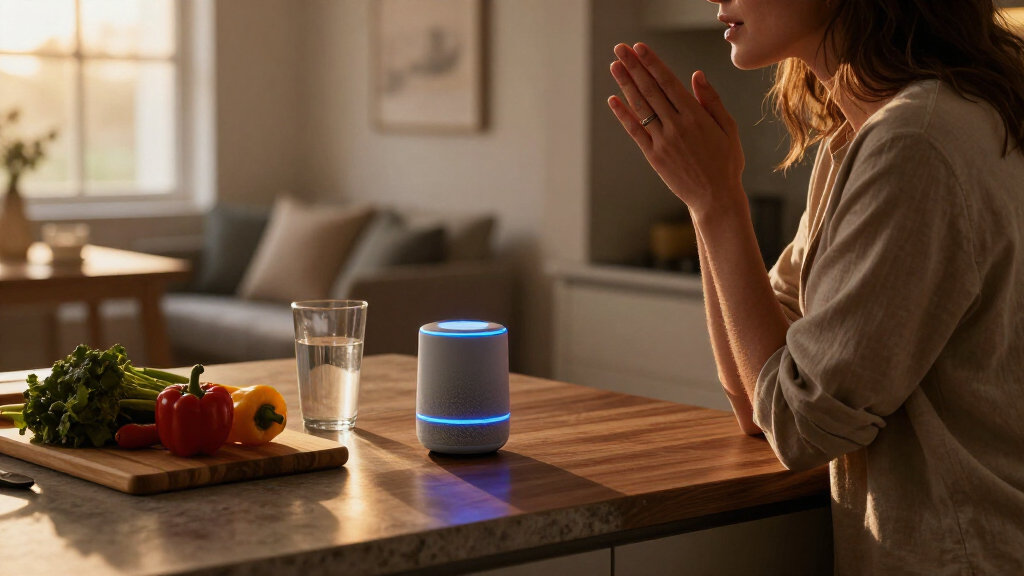
How We Picked
I ranked these devices by how clearly each one serves a distinct Alexa smart home need: everyday voice access, visual control, household information, bedside use, or a focused accessory role. I weighed screen size and placement, the usefulness of having a display, the device’s fit in a shared room, and whether it adds a meaningful control option beyond a basic Echo speaker. I also considered the tradeoff between a dedicated control surface and a device that mainly responds to voice.
The Echo Hub ranks first because its dedicated control-panel format is the clearest match for managing a connected home. The Echo Show 11 and Echo Dot follow as strong alternatives for display-led and voice-led households. Compact, specialized, and child-focused devices rank lower for this broad category because their strengths apply to narrower settings. Duplicate Dot, Spot, and Show 5 color or listing variants remain useful buying choices, but they do not receive separate capability advantages.
| Alexa Echo smart home device | Color |
|---|---|
| Amazon Echo Spot Smart Alarm C | Black |
| Amazon Echo Show 11 | Graphite |
| Amazon Echo Show 5 Smart Displ | Charcoal |
| Amazon Echo Show 15 | — |
| Amazon Echo Dot | Glacier White |
| Amazon Echo Spot | Glacier White |
| Amazon Echo Glow Smart Night L | — |
| Amazon Echo Dot | Charcoal |
| Amazon Echo Show 5 Smart Displ | Cloud Blue |
| Amazon Echo Dot Max Smart Spea | Graphite |
| Amazon Echo Hub Smart Home Con | — |
| Amazon Echo Dot | Deep Sea Blue |
Factors to Consider When Choosing Alexa Echo Smart Home Devices
Before choosing an Echo, I’d start with the way people in the home will actually use Alexa. The best device for a kitchen counter may be a poor fit for a bedside table, and a screen does not automatically make smart home control easier. These broader decisions can help narrow the lineup before you settle on a model.
Decide Whether You Need a Screen
A screen helps when you want visual access to compatible camera feeds, household information, or on-screen controls. It also gives guests and family members a way to see what Alexa is showing rather than relying on spoken responses alone. A speaker can be easier to place and keeps attention on voice commands, which suits simple timers, questions, and routine control. A common mistake is buying a display for every room when only one shared area needs visual access. Start with the room where a screen would change what you can do, then add screen-free devices elsewhere if voice access is enough.
Match the Device to Its Physical Location
Measure the surface or wall area before choosing a display, and think about viewing distance as well as footprint. A larger screen can be more useful in a shared room, but it can dominate a small nightstand or crowded counter. Bedside use favors quick-glance information and alarm controls, while a central family space may benefit from a screen people can approach throughout the day. Wall placement also changes how easily everyone can reach and read the interface. Choose for the room’s actual traffic and sightlines, not just the screen size on the product page.
Check Your Smart Home Setup First
Alexa compatibility varies across smart home products, and a control panel cannot make an incompatible device compatible. Before buying, check that the lights, plugs, locks, cameras, and other equipment you already own work with Alexa and the features you expect to use. Think about whether you want a central panel, voice access from several rooms, or both. Buyers sometimes add another Echo when the real gap is a compatible smart device or a well-planned routine. Make a short list of the tasks you want Alexa to handle and verify each one against your current setup.
Plan for Shared Use and Privacy
A device in a common room may serve several people, so consider who needs to see or use its controls. A display can make shared information easier to glance at, but a screen may feel out of place in a private area. Microphone controls and camera features matter too; check the specific model’s hardware and settings before placing it where conversations or video calls are a concern. In a household with children, decide whether the device belongs in a shared space or a child’s room, and review the available parental settings. Placement and household habits often matter as much as the device’s feature list.
Pay More for a Capability You Will Use
A larger display or dedicated control surface earns its place when it changes how often or how easily you manage the home. If you mainly want spoken answers and basic commands, a screen may add little to your routine. Conversely, a shared household may benefit from a visible interface that several people can use without remembering voice commands. Think about the cost in space and attention as well as money: a prominent display should solve a recurring problem. Choose the simpler device when its limits will not affect your everyday tasks.
Treat Color Variants as One Decision
Several listings in this roundup differ by color while naming the same Echo Dot, Echo Spot, or Echo Show 5 family. Color can help a device blend into a room, but it does not by itself change the role or core capabilities described here. Compare the model name and generation before treating two listings as separate upgrades. A frequent shopping mistake is reading a roundup’s number of entries as a count of unique device designs. Choose the finish that suits the room after deciding which device type fits your needs.
Frequently Asked Questions
Should I choose the Echo Hub or an Echo Show to control my smart home?
I’d choose the Echo Hub if you want a dedicated panel for smart home controls and expect to interact with it regularly. An Echo Show is a better fit when you also want a general-purpose display for household information and other screen-based tasks. The difference is about the device’s role in your home, not just screen size. Check that your existing smart devices support the controls you plan to use. If voice commands already handle most tasks, a separate panel may not add enough to justify the space.
Is a larger Echo Show worth choosing over the Echo Show 5?
A larger display can be easier for multiple people to read and use from across a shared room. The Echo Show 5 makes more sense when space is limited or the device will sit close to one person, such as on a bedside table. Consider viewing distance and what you want to see on screen before choosing by size alone. A large display can feel intrusive in a small room, while a compact one may be less convenient as a household focal point. Pick the screen that suits its location and users.
Do the different Echo Dot colors offer different smart home features?
The Glacier White, Charcoal, and Deep Sea Blue listings in this roundup are color variants of the Echo Dot (5th Gen), rather than separate smart home device roles. I’d compare the model generation and listed features first, then choose a finish that fits the room. Color can affect how visible the speaker looks on a shelf or counter, but it does not make one listing a stronger controller based on the information here. If you are comparing listings, confirm that each one names the same generation. That keeps a cosmetic choice from being mistaken for a functional upgrade.
Can I build an Alexa smart home with just Echo speakers?
Echo devices provide ways to talk to Alexa, but they do not replace compatible smart home equipment such as lights, plugs, or locks. Before adding speakers around the house, identify which devices you want to control and check their Alexa compatibility. A single Echo may be enough to start, especially if it covers the room where you use voice commands most. Additional devices make sense when you want Alexa within reach in more locations or need a screen in a shared area. Plan around the tasks and compatible equipment, then add Echo devices where they improve access.
Which Echo should I choose for a child’s bedroom?
The Echo Glow has the narrowest role here: it is a smart night light designed for kids and works with Alexa. The Echo Spot may suit a bedside setup when an alarm clock and glanceable display are the priority, while a speaker-only Dot is a simpler voice-access choice. Consider the child’s age, room layout, and whether a screen belongs in that space. Review available parental controls and device settings before placing any connected assistant in a child’s room. Choose for the specific bedtime routine you want to support, rather than assuming one device covers every need.
Conclusion
For a central smart home control point, I’d choose the Echo Hub as best overall. The Echo Dot (5th Gen) is my best value and beginner pick for straightforward voice access, while the Echo Show 11 is the best premium display choice for households that will use a larger screen. Choose the Echo Spot for bedside clock duties, the Echo Show 15 for a large wall-oriented screen with Fire TV, or the Echo Glow for a kid-focused night light. If you are undecided, start with the device that fills a clear gap in one room, then expand only when another room has a different need.
Fall Picks
fall essentials
As an affiliate, we earn on qualifying purchases.