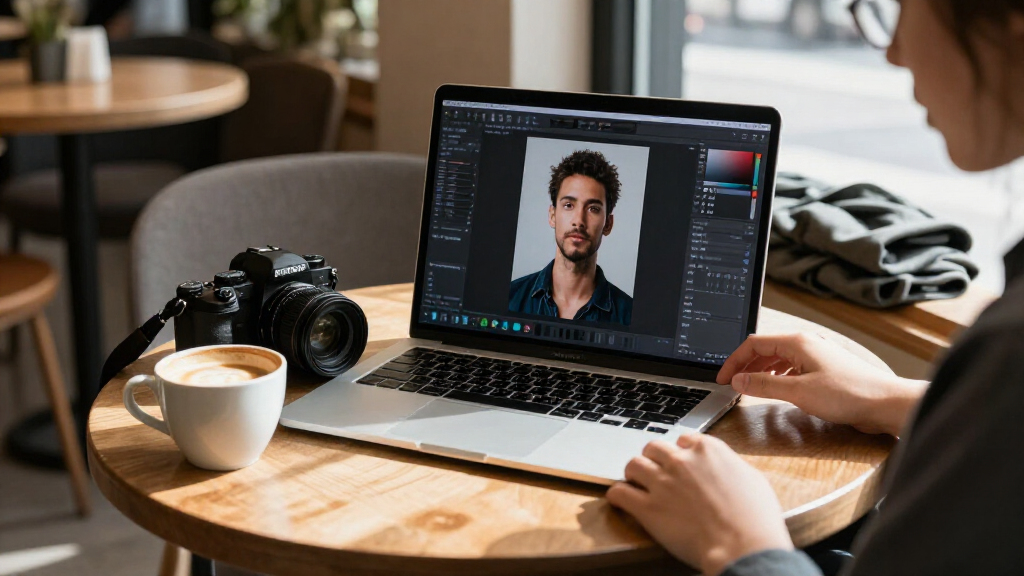

Choosing the right AI photo editing software depends heavily on your workflow and technical skill level. Adobe Photoshop remains the best overall choice for professionals who need granular control and industry-standard integration. For those prioritizing speed and automated enhancements without a steep learning curve, Luminar Neo (represented here by LuminarAI) offers a compelling alternative. The main tradeoff in this category is between manual precision and automated convenience. While subscription models like Adobe Lightroom provide constant updates, one-time purchase licenses offer long-term value but may lack cutting-edge features. Continue reading to see how these 13 options stack up against each other in performance, ease of use, and cost efficiency.

Get business pricing on tech for your team
- Business-only prices and quantity discounts
- Tax-exempt purchasing
- Multiple users, one account, clear invoices
Key Takeaways
- Subscription models dominate the professional space, offering continuous AI model updates that one-time licenses cannot match.
- Beginner-friendly tools like PhotoDirector and Photoshop Elements rely on template-based AI, sacrificing some creative flexibility for speed.
- Hardware requirements vary widely; advanced AI features often demand newer GPUs, which can be a hidden cost for older systems.
- One-time purchase options like PhotoPad and Luminar AI are best for hobbyists who do not require cloud-syncing or multi-device workflows.
- Adobe‘s ecosystem (Photoshop, Lightroom, Elements) offers the most robust compatibility with third-party plugins and professional file formats.
| Adobe Photoshop Photo and Design Editing Software, 1-Month Subscription for PC and Mac |  | Best for Flexible, All-Purpose Editing | Subscription term: 1 month with auto-renewal | Platforms: PC and Mac | Minimum Windows operating system: Windows 7 | VIEW LATEST PRICE | See Our Full Breakdown |
| Adobe Photoshop 12-Month Subscription (PC/Mac) |  | Best for Professional AI-Assisted Workflows | Subscription length: 12 months | Platforms: PC and Mac | Auto-renewal: Yes | VIEW LATEST PRICE | See Our Full Breakdown |
| CyberLink PhotoDirector 2027 Ultra Photo Editing Software for Windows (Product Key Card) |  | Best Value for Subscription-Free AI Editing | Platform: 64-bit Windows 11 and Windows 10, including Windows 11 on Arm | License: One-time purchase; no subscription | Delivery: Physical product key card; software download required; no disc | VIEW LATEST PRICE | See Our Full Breakdown |
| LuminarAI Photo Editing Software for Mac and Windows, 2 Seats |  | Best for Accessible AI Enhancements | Compatibility: Mac and Windows 10 | Seats: 2 | Processor: 64-bit | VIEW LATEST PRICE | See Our Full Breakdown |
| Adobe Photoshop Elements & Premiere Elements 2027 – AI-Powered Photo & Video Editing Software (3-Year PC/Mac License) |  | Best for Guided Photo and Video Projects | License: 3-year activation license | Platforms: PC and Mac | Operating systems: Windows 11 version 24H2 or later; macOS 15.5/26.5 or later | VIEW LATEST PRICE | See Our Full Breakdown |
| Adobe Photoshop Elements 2027 – AI-Powered Photo Editing Software (3-Year License) |  | Best for Guided AI Editing | License: 3-year term license | Operating system: Windows 11 version 24H2 or later; macOS 15.5 or 26.5 | Processor: Intel Core 9th Gen or newer, AMD equivalent, or Apple silicon M1 or newer | VIEW LATEST PRICE | See Our Full Breakdown |
| CyberLink PhotoDirector 2026 for Windows |  | Best for Windows Portrait Retouching | Platform: Windows download | Operating system: Windows 11 | AI cleanup: Object removal and wire removal | VIEW LATEST PRICE | See Our Full Breakdown |
| PhotoPad Photo Editing and Image Editor |  | Best for Simple, Non-Destructive Edits | Operating system: Windows (all) | Supported formats: JPG, PNG, GIF | Editing method: Drag-and-drop | VIEW LATEST PRICE | See Our Full Breakdown |
| CyberLink PhotoDirector 2027 Ultra Photo Editing Software for Windows |  | Best Subscription-Free Feature Set | Platform: Windows | License: One-time purchase; subscription-free | Cloud storage: 25 GB for one year | VIEW LATEST PRICE | See Our Full Breakdown |
| Adobe Lightroom 1TB, 12-Month Subscription for PC and Mac |  | Best for Cross-Device Photo Libraries | Subscription duration: 12 months | Cloud storage: 1 TB | Compatibility: PC and Mac; desktop, mobile, and web | VIEW LATEST PRICE | See Our Full Breakdown |
| Adobe Photoshop Elements & Premiere Elements 2027 Student and Teacher Edition, 3-Year License |  | Best for Student and Teacher Creators | License term: 3 years | Edition: Student and Teacher | Platform: PC and Mac | VIEW LATEST PRICE | See Our Full Breakdown |
| Adobe Lightroom 1TB, 24-Month Subscription for PC and Mac |  | Best for Cloud-Synced Photo Libraries | Subscription length: 24 months | Cloud storage: 1TB | Generative AI credits: 250 per month | VIEW LATEST PRICE | See Our Full Breakdown |
| Skylum Luminar AI Photo Editing Software – Lifetime License |  | Best for AI-Led Creative Edits | License type: Lifetime | Platforms: Windows, macOS, iOS, Android, and web | Supported formats: RAW, JPEG, and PNG | VIEW LATEST PRICE | See Our Full Breakdown |
More Details on Our Top Picks
Adobe Photoshop Photo and Design Editing Software, 1-Month Subscription for PC and Mac
Photoshop’s broad creative toolkit makes this the most flexible option here for people who need AI-assisted photo work alongside illustration and design. Compared with the more task-focused LuminarAI, Photoshop also supports website and mobile app design, video editing, and painting simulations, so one subscription can cover several kinds of projects. Its one-month term gives buyers a shorter commitment than the 12-month Photoshop subscription, though the membership auto-renews and needs active management. The supplied product details do not specify particular AI features, so I would choose it for its wide editing and design scope rather than assume it has the same listed AI tools as PhotoDirector 2027 Ultra. It suits creative generalists, but is less appealing if you want a one-time license or a clearly defined AI-first workflow.
Pros:- Handles photo and illustration editing in one application.
- Supports 3D artwork, video editing, and painting simulations.
- Includes tools for website and mobile app design.
- One-month subscription term offers a shorter commitment than the 12-month Photoshop option.
Cons:- Subscription automatically renews unless managed.
- The supplied product details do not identify specific AI editing tools.
- Existing subscribers must finish their current membership term before linking a new subscription term.
Best for: PC and Mac users who need photo editing plus illustration, graphic design, or video tools and prefer a shorter subscription term.
Not ideal for: Buyers seeking a one-time license or a product whose included AI editing features are clearly specified.
- Subscription term:1 month with auto-renewal
- Platforms:PC and Mac
- Minimum Windows operating system:Windows 7
- Minimum Mac operating system:macOS 10.12 Sierra
- Editing scope:Photo, illustration, 3D artwork, website and mobile app design, video editing, and painting simulations
Our verdict“Choose this Photoshop plan if you want broad creative software on a shorter subscription, but pick PhotoDirector 2027 Ultra for more clearly specified AI editing features and a non-subscription license.”
Adobe Photoshop 12-Month Subscription (PC/Mac)
Photoshop’s AI-assisted tools target creators who want fast routine edits without giving up detailed control. Background removal and batch processing can shorten repetitive work, while layers, masking, and color grading give experienced editors room to refine results. Compared with LuminarAI’s simpler, template-led approach, this plan is better suited to projects that need precise compositing and a flexible design workflow; compared with the one-month Photoshop plan, its 12-month term is a longer commitment. Creative Cloud integration supports work across devices, but activation and updates require an internet connection. The subscription also auto-renews, so it calls for renewal tracking. I’d rank it highly for a sustained professional workflow, but not for buyers who want a one-time purchase or a short trial period.
Pros:- AI tools speed up background removal and batch processing.
- Layers, masking, and color grading support detailed edits.
- Creative Cloud integration supports workflows across devices.
- Available for both PC and Mac.
Cons:- The 12-month subscription automatically renews.
- Internet access is required for activation and updates.
- The longer subscription term is less flexible than the one-month Photoshop option.
Best for: Photographers and designers who edit regularly on PC or Mac and want AI shortcuts alongside detailed layer, masking, and color controls.
Not ideal for: Occasional editors who want a brief commitment, offline activation and updates, or a non-subscription license.
- Subscription length:12 months
- Platforms:PC and Mac
- Auto-renewal:Yes
- AI features:Background removal and batch edits
- Editing tools:Layers, masking, and color grading
- Connectivity:Internet connection required for activation and updates
- Cloud integration:Creative Cloud support
Our verdict“Pick this plan for ongoing, detailed Photoshop work with AI shortcuts, and choose the one-month Photoshop plan if a shorter subscription commitment matters more.”
CyberLink PhotoDirector 2027 Ultra Photo Editing Software for Windows (Product Key Card)
PhotoDirector 2027 Ultra pairs practical AI edits with a one-time license, making it the clearest choice here for Windows users who want to avoid recurring software membership. Its portrait retouching, object removal, text-prompt editing, and batch processing cover both individual touch-ups and repeated tasks; photo-to-video creation adds another route for repurposing images. Compared with Adobe Photoshop’s 12-month subscription, it trades Photoshop’s Creative Cloud workflow and broad professional design toolkit for a more focused Windows photo-editing package. The first year includes 300 AI credits and 25 GB of cloud storage, but those allowances are time-limited, and an internet connection is required. The physical key card contains no disc, so installation depends on downloading the software. This is a strong fit for Windows editors who value a non-subscription license, not for Mac users.
Pros:- One-time license avoids a recurring software subscription.
- Combines portrait retouching, object removal, text-prompt editing, and batch processing.
- Includes 300 AI credits and 25 GB of cloud storage for the first year.
- Can turn photos into videos.
Cons:- Requires an internet connection.
- The physical product key card includes no installation disc.
- Included AI credits and cloud storage are limited to the first year.
Best for: Windows 10 or 11 photo editors who want AI retouching, object removal, and batch tools under a one-time license.
Not ideal for: Mac users, offline editors, or buyers who expect the included cloud storage and AI credits to continue beyond the first year.
- Platform:64-bit Windows 11 and Windows 10, including Windows 11 on Arm
- License:One-time purchase; no subscription
- Delivery:Physical product key card; software download required; no disc
- Cloud storage:25 GB for 1 year
- AI credits:300 for the first year
- Internet connection:Required
- AI and editing tools:Text-prompt editing, portrait retouching, object removal, batch processing, and photo-to-video creation
Our verdict“Choose PhotoDirector 2027 Ultra for a Windows-focused, subscription-free AI editing toolkit, but choose Photoshop if you need its wider professional design workflow or Creative Cloud integration.”
LuminarAI Photo Editing Software for Mac and Windows, 2 Seats
LuminarAI puts image enhancement ahead of all-purpose design, with named tools for skies, faces, skin, body, and atmosphere. Templates and a simple interface make those adjustments approachable for people who would rather work from guided looks than build every change through detailed layers. Compared with Adobe Photoshop, LuminarAI is the more focused option for quick, visually oriented photo edits, but it does not list Photoshop’s broader design and video capabilities. Two seats make it suitable for sharing across two setups or users. Its platform support covers Mac and Windows 10, though the stated 10 GB memory requirement may rule out less capable computers. The listed storage requirement is unclear, which makes it harder to judge installation fit in advance. Choose it for guided AI image enhancement, not an expansive creative suite.
Pros:- AI tools address skies, faces, skin, body, and atmosphere.
- Templates provide a faster path to a consistent photo style.
- Simple interface is suited to guided image enhancement.
- Includes two seats and supports Mac and Windows.
Cons:- The listed compatibility specifies Mac and Windows 10 rather than newer Windows versions.
- Requires 10 GB of memory.
- Storage requirement is unclear in the supplied specifications.
Best for: Mac or Windows 10 photographers who want template-led AI adjustments for skies, portraits, skin, and atmosphere without a complex editing workflow.
Not ideal for: Editors who need advanced design or video tools, use unsupported operating systems, or have a computer that cannot meet the stated memory requirement.
- Compatibility:Mac and Windows 10
- Seats:2
- Processor:64-bit
- Memory:10 GB
- Storage:Mac OS 10.13 available space; amount not specified
- AI tools:SkyAI, FaceAI, SkinAI, BodyAI, and AtmosphereAI
Our verdict“Choose LuminarAI for straightforward, template-led photo enhancement across two seats, and choose Photoshop for a wider range of design and creative work.”
Adobe Photoshop Elements & Premiere Elements 2027 – AI-Powered Photo & Video Editing Software (3-Year PC/Mac License)
This bundle combines AI photo editing with guided video creation, making it a broader project tool than LuminarAI, which focuses on still-image enhancement. Photoshop Elements offers guided, quick, and advanced modes, while generative tools can extend image edges, remove distractions, and improve low-resolution images. Premiere Elements adds clip reframing for social media, music, and effects, so one license can cover a family archive or a mix of photo and video projects. The three-year activation license avoids an annual renewal cycle, but this bundle has demanding system requirements: it calls for recent operating systems, substantial free storage, and newer processors. Windows ARM devices are not supported, and Mac requires Apple silicon M1 or newer. Compared with the subscription-based Photoshop plans, this is more guided and time-limited, with video editing included.
Pros:- AI tools can extend photo edges, remove distractions, and enhance low-resolution images.
- Guided, Quick, and Advanced modes accommodate different editing skill levels.
- Includes both photo and video editing in one bundle.
- Three-year activation license works on PC and Mac.
Cons:- Requires recent operating systems and relatively capable hardware.
- Does not support ARM-based Windows devices.
- The license lasts three years rather than providing perpetual access.
Best for: PC and Mac families or hobby creators who want guided AI photo edits and approachable video tools under one three-year license.
Not ideal for: Users with older computers, Windows ARM devices, Intel-based Macs, or people seeking a perpetual license or Photoshop’s full professional workflow.
- License:3-year activation license
- Platforms:PC and Mac
- Operating systems:Windows 11 version 24H2 or later; macOS 15.5/26.5 or later
- Processor:Windows: Intel Core 9th Gen or newer, or AMD equivalent with AVX2 and SSE4.2; Mac: Apple silicon M1 or newer; Intel Mac not supported
- RAM:8 GB minimum; 16 GB recommended for HD media; 32 GB or more for 4K media
- Hard drive space:14.7 GB for Windows; 12 GB for macOS
- Graphics:4 GB GPU VRAM recommended
- Display resolution:1440 × 900 minimum; 1920 × 1080 or higher recommended
Our verdict“Choose this bundle for guided AI photo projects plus video editing, but pick LuminarAI for a more focused photo-enhancement workflow or Photoshop for broader professional controls.”
Adobe Photoshop Elements 2027 – AI-Powered Photo Editing Software (3-Year License)
Photoshop Elements 2027 suits people who want AI-assisted edits without starting in a professional-style workspace. Its Quick, Guided, and Advanced modes let beginners follow instructions for common tasks while leaving room to take more control as their skills grow. Generative background creation and edge extension can help adapt a photo for a new layout, while detail enhancement targets softer images. The AI Assistant chat and Adobe Express templates add direction for creative projects. Compared with Lightroom, Elements puts more emphasis on guided edits and templates than on a synced photo library and ongoing desktop-to-mobile workflow. The tradeoff is a three-year term license, activation and online-feature requirements, and relatively demanding system compatibility; buyers with older computers may prefer a lighter editor.
Pros:- Generative AI can create backgrounds and extend photo edges for new compositions
- Quick, Guided, and Advanced modes accommodate different skill levels
- AI Assistant chat helps users locate editing tools
- Includes Adobe Express templates for social, video, and print projects
Cons:- The license runs for three years rather than providing perpetual access
- Activation and some features require an internet connection
- Hardware requirements rule out some older systems and ARM-based Windows devices
Best for: Windows or Mac beginners who want guided AI edits, prompt-based backgrounds, and ready-made templates for personal projects
Not ideal for: Owners of older Macs, ARM-based Windows devices, or anyone seeking a perpetual license or an offline-first editing workflow
- License:3-year term license
- Operating system:Windows 11 version 24H2 or later; macOS 15.5 or 26.5
- Processor:Intel Core 9th Gen or newer, AMD equivalent, or Apple silicon M1 or newer
- Memory:8 GB RAM; 16 GB recommended
- Storage:9.6 GB free on Windows; 7.2 GB free on macOS
- Graphics memory:1.5 GB GPU memory on Windows
- Display:1280 × 800 minimum; 1920 × 1080 recommended
- Internet:Required for activation and online features
Our verdict“Choose Photoshop Elements 2027 if you want guided AI editing and templates more than Lightroom’s cross-device photo library and syncing.”
CyberLink PhotoDirector 2026 for Windows
PhotoDirector 2026 is a Windows-only pick for editors who want practical AI cleanup and portrait tools alongside familiar manual controls. Its object and wire removal can clear distractions from a scene, while image enhancement and face and body retouching address different kinds of edits in the same program. Layer editing and color controls provide more room for deliberate adjustments than PhotoPad’s simpler filter-and-adjustment approach. The listing, however, does not specify a license model, cloud storage, or how AI features are limited, so buyers have less detail about long-term use than they do with PhotoDirector 2027 Ultra, which explicitly includes a one-time license and time-limited AI credits. This 2026 edition makes the most sense for Windows 11 users focused on cleanup and portraits, not Mac owners or shoppers who need clearly stated generative-AI allowances.
Pros:- AI object and wire removal addresses common photo distractions
- Face and body retouching supports portrait-focused editing
- Layer editing gives more control than a basic filter-based editor
- Combines enhancement, color controls, and creative effects
Cons:- Runs on Windows 11 only
- The supplied product details do not specify the license model
- AI usage limits and cloud-storage terms are not provided
Best for: Windows 11 users who regularly retouch portraits and remove wires or other distractions from photos
Not ideal for: Mac or Linux users, and buyers who want clearly stated subscription terms, cloud storage, or generative-AI credit allowances
- Platform:Windows download
- Operating system:Windows 11
- AI cleanup:Object removal and wire removal
- Image tools:Image enhancement and quick actions
- Portrait tools:Face and body retouching
- Editing controls:Layer editing and color controls
- Creative effects:Included
Our verdict“Pick PhotoDirector 2026 for Windows if portrait retouching and AI cleanup are your priorities and you do not need Mac support or defined AI-credit terms.”
PhotoPad Photo Editing and Image Editor
PhotoPad is the straightforward choice in this group, but it is not an AI-led editor based on the supplied features. Drag-and-drop editing, filters, color adjustments, collages, and panoramas cover everyday tasks without the wider learning curve of CyberLink PhotoDirector 2026, whose AI cleanup and portrait retouching suit more involved edits. PhotoPad’s non-destructive editing is useful when you want to reorder or undo changes without committing to them, and support for JPG, PNG, and GIF covers common image needs. The tradeoff is a basic feature set: no AI tools are listed, and the software is Windows-only. I’d choose it for simple adjustments and creative layouts, not for generative backgrounds, automated object removal, or a professional editing workflow.
Pros:- Drag-and-drop interface keeps basic edits approachable
- Non-destructive editing allows changes to be undone or reordered
- Filters and color adjustments cover common photo fixes
- Collage and panorama tools support simple creative projects
Cons:- No AI photo-editing features are specified
- Windows-only compatibility excludes Mac and Linux users
- Lacks some advanced controls available in PhotoDirector
Best for: Windows users who need uncomplicated edits, filters, collages, and reversible adjustments to common image files
Not ideal for: Mac or Linux users, and photographers seeking AI object removal, generative tools, or advanced professional controls
- Operating system:Windows (all)
- Supported formats:JPG, PNG, GIF
- Editing method:Drag-and-drop
- Edit workflow:Non-destructive editing with changes that can be undone or reordered
- Adjustment tools:Filters and color adjustments
- Creative tools:Collage and panorama creation
Our verdict“Choose PhotoPad for simple, reversible Windows edits, but opt for PhotoDirector 2026 if AI cleanup and portrait retouching matter.”
CyberLink PhotoDirector 2027 Ultra Photo Editing Software for Windows
PhotoDirector 2027 Ultra stands out for combining a broad desktop editing toolkit with a one-time, subscription-free license. Alongside AI photo editing, it includes layers, batch processing, portrait retouching, and photo organization, so it can handle more than a quick single-image fix. Slideshow, GIF, and motion-still tools also give it a wider creative range than PhotoPad, while its AI image and video generation reaches beyond the practical cleanup focus of PhotoDirector 2026. The main caveat is that generative features draw on 300 credits included for the first year; extra use may cost more. Its 25 GB cloud storage is also limited to one year. This is a strong fit for Windows editors wanting a versatile local program, but not for buyers who want unlimited generative AI or enduring included cloud services.
Pros:- One-time purchase avoids a recurring software subscription
- Combines AI editing with layers, batch processing, portrait retouching, and organization
- Creates slideshows, animated GIFs, motion stills, and AI-generated images or videos
- Includes 25 GB of cloud storage for one year
Cons:- Generative AI uses credits, and additional credits may cost extra
- The 300 included AI credits last for the first year
- Included cloud storage is limited to one year
Best for: Windows photo editors who want a subscription-free desktop toolkit with batch work, portraits, organization, and creative output
Not ideal for: People who rely heavily on generative AI, need Mac support, or expect cloud storage and included AI credits to continue beyond the first year
- Platform:Windows
- License:One-time purchase; subscription-free
- Cloud storage:25 GB for one year
- Included AI credits:300 for the first year
- Editing features:AI photo editing, layer editing, batch editing, and portrait retouching
- Organization:Photo organization features
- Creative output:Slideshows, animated GIFs, motion stills, and AI-generated images or videos
Our verdict“Choose PhotoDirector 2027 Ultra if you want a wide Windows editing toolkit without a recurring license, provided its time-limited AI credits suit your usage.”
Adobe Lightroom 1TB, 12-Month Subscription for PC and Mac
Adobe Lightroom is the clearest choice here for photographers who want AI editing tied to an organized, synced library. It works across desktop, mobile, and web, with 1 TB of cloud storage for photos and syncing between devices. Generative Remove and Lens Blur add AI-assisted edits, while Lightroom Classic gives desktop users a separate option for detailed editing and organization. Compared with Photoshop Elements 2027, Lightroom is better suited to an ongoing photo workflow than guided lessons and template-driven projects; compared with PhotoDirector 2027 Ultra, it prioritizes syncing over a one-time license. The tradeoff is a 12-month subscription that auto-renews, plus a monthly limit of 250 generative AI credits. Choose it for an active multi-device library, not for subscription avoidance.
Pros:- Works across desktop, mobile, and web
- Includes 1 TB of cloud storage with photo syncing
- Generative Remove and Lens Blur add AI-assisted editing
- Includes Lightroom Classic for detailed editing and photo organization
Cons:- The 12-month subscription auto-renews
- Generative AI use is limited to 250 credits per month
- Ongoing access depends on maintaining the subscription
Best for: Photographers who edit across PC, Mac, mobile, and web and want a large synced photo library with Lightroom Classic included
Not ideal for: Buyers who want a one-time license or expect unrestricted generative AI use beyond the monthly credit allowance
- Subscription duration:12 months
- Cloud storage:1 TB
- Compatibility:PC and Mac; desktop, mobile, and web
- Included apps:Lightroom and Lightroom Classic
- Generative AI credits:250 per month
- Subscription renewal:Auto-renewal
Our verdict“Choose Lightroom if cross-device editing and a synced 1 TB photo library matter more than a one-time license or open-ended AI generation.”
Adobe Photoshop Elements & Premiere Elements 2027 Student and Teacher Edition, 3-Year License
This bundle suits students and teachers who want AI-assisted photo editing alongside video tools, without stepping straight into a more specialized workflow like Adobe Lightroom. Quick, Guided, and Advanced modes offer a route from prompted edits to hands-on adjustments, while AI tools can enhance images, remove distractions, and generate creative content. The video editor adds practical scope for trimming clips and making projects such as collages or stop-motion animations, so it can cover class projects and personal media in one package. The tradeoff is that this is a verified education edition: eligibility checks and internet access for activation are required. It also has stricter Mac hardware support than a general-purpose editing choice, requiring Apple silicon. Buyers who only need photo organization and cloud syncing may find Lightroom a closer fit.
Pros:- Quick, Guided, and Advanced modes accommodate different editing skill levels
- AI tools support image enhancement, distraction removal, and creative content generation
- Includes video editing as well as photo editing
- Supports projects such as collages, Photo Reels, and stop-motion animations
Cons:- Student or teacher eligibility verification is required
- Internet access is needed for activation and online content downloads
- Mac support requires Apple silicon; Intel processors are not supported
Best for: Eligible students and teachers who want guided AI photo edits plus basic video and creative-project tools in one desktop bundle.
Not ideal for: People who cannot verify student or teacher eligibility, Mac users with Intel-based computers, or photographers who mainly need cloud-based cataloging and syncing.
- License term:3 years
- Edition:Student and Teacher
- Platform:PC and Mac
- Operating system:Windows 11 version 24H2 or later; macOS 15.5 or later or macOS 26.5 or later
- Processor:Windows: Intel Core 9th Generation or newer, or AMD equivalent; Mac: Apple silicon M1 or newer
- Memory:8 GB minimum; 16 GB recommended for HD and 32 GB or more for 4K
- Storage:14.7 GB for Windows; 12 GB for macOS
- Activation and eligibility:Internet connection and student or teacher eligibility verification required
Our verdict“Choose this education-verified bundle if you want approachable AI photo editing with video tools and meet its eligibility and hardware requirements.”
Adobe Lightroom 1TB, 24-Month Subscription for PC and Mac
For photographers who edit across devices, Lightroom’s clearest advantage is the combination of AI editing tools, photo organization, and 1TB of cloud storage with synchronization. Desktop, mobile, and web access make it easier to keep an editing workflow connected, while Lightroom Classic adds detailed controls and library management for desktop-focused work. Compared with Skylum Luminar AI, Lightroom puts more emphasis on an ongoing, synchronized photo library rather than a lifetime-licensed set of AI enhancements. Its 250 monthly generative AI credits also put a limit on use of credit-based features, so frequent generative edits may need planning. This is a 24-month subscription, not a one-time license; buyers who prefer avoiding recurring commitments may find Luminar AI more appealing.
Pros:- Access across desktop, mobile, and web
- Includes AI features such as Generative Remove and Lens Blur
- Provides 1TB of cloud storage with photo synchronization
- Lightroom Classic offers detailed editing and photo organization tools
Cons:- Requires a subscription for continued access
- Generative AI features are subject to a limit of 250 credits per month
Best for: Photographers managing a large library who want AI editing, detailed organization, and synchronized access from desktop, mobile, and web.
Not ideal for: Buyers seeking a one-time license, people who do not need cloud storage or cross-device syncing, or users who expect unlimited monthly generative AI use.
- Subscription length:24 months
- Cloud storage:1TB
- Generative AI credits:250 per month
- Compatible platforms:PC and Mac
- Access:Desktop, mobile, and web
- Included applications:Adobe Lightroom and Lightroom Classic
- Delivery format:Digital download
Our verdict“Pick Lightroom if cloud-synced organization and cross-device editing matter more to you than a lifetime license or unrestricted generative credits.”
Skylum Luminar AI Photo Editing Software – Lifetime License
Luminar AI is the pick for photographers who want AI-led enhancements to do more of the creative heavy lifting: its toolkit includes portrait retouching, sky replacement, object removal, relighting, and background edits. That gives it a different emphasis from Adobe Lightroom, whose appeal here is its organized, cloud-synced library and access across devices. Luminar AI can run as a standalone app or as a Lightroom and Photoshop plugin, making it a flexible add-on for existing Adobe workflows. Its lifetime license also avoids the recurring subscription structure of Lightroom. The tradeoff is that this listing supplies a digital license key rather than physical media, and the software may need a capable device to run smoothly. Buyers who prioritize synchronized photo management over targeted AI transformations should compare it closely with Lightroom.
Pros:- AI tools cover auto enhancements, portrait retouching, sky replacement, and relighting
- Works as a standalone application or a Lightroom and Photoshop plugin
- Supports RAW, JPEG, and PNG files
- Lifetime license avoids recurring subscription fees
Cons:- A capable computer or device may be needed for smooth performance
- Provided as a digital download key with no physical media
Best for: Creative photographers who want fast AI portrait, sky, lighting, and background edits under a lifetime license, including as part of an Adobe workflow.
Not ideal for: Photographers who need a cloud-synced library across devices, rely on physical software media, or use hardware that may struggle with the application.
- License type:Lifetime
- Platforms:Windows, macOS, iOS, Android, and web
- Supported formats:RAW, JPEG, and PNG
- Integration:Standalone application and Adobe Lightroom and Photoshop plugin
- AI editing features:Auto enhancements, portrait retouching, sky replacement, object removal, and relighting
- Additional editing features:Background edits and color grading
- Delivery:Digital download key; no physical media
Our verdict“Choose Luminar AI for a lifetime-licensed toolkit of creative AI edits, but choose Lightroom instead if cloud synchronization and photo-library management come first.”
How We Picked
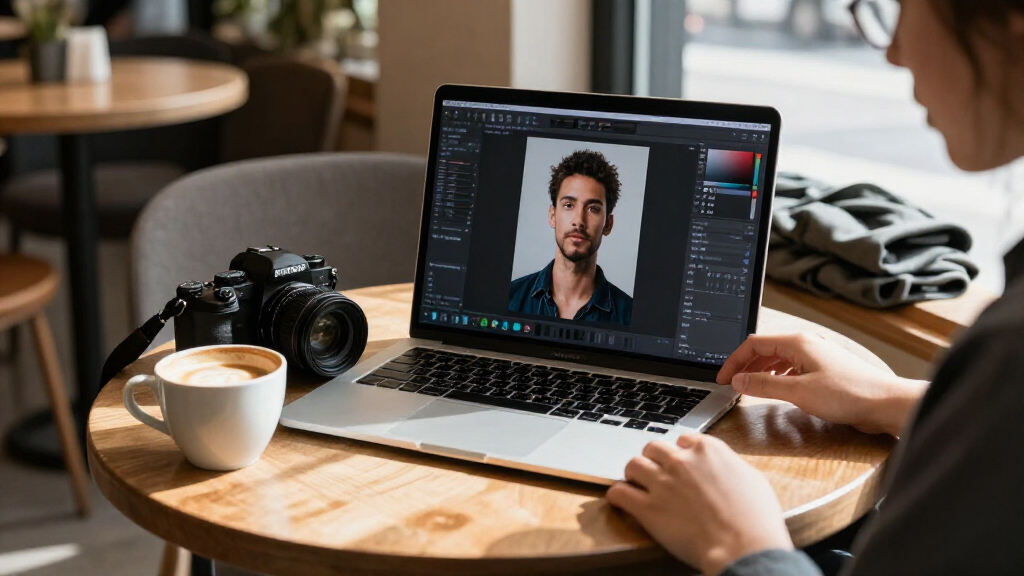
I evaluated these products based on their AI capabilities, specifically focusing on how effectively the software automates repetitive tasks like masking, sky replacement, and noise reduction. I also weighed the user interface intuitiveness, ensuring that the tools are accessible to their intended audience, whether that be seasoned pros or casual users.
Another critical factor was the pricing structure and long-term value. I compared subscription costs against lifetime licenses to determine which options offer the best return on investment for different usage frequencies. Finally, I considered ecosystem integration, looking at how well each software plays with other creative tools and hardware.
Factors to Consider When Choosing AI Photo Editing Software
Selecting the right AI editing tool requires balancing your technical expertise with your specific editing needs. Here are the key factors to weigh before making a purchase.Subscription vs. One-Time Purchase Models
The most significant financial decision you will make is choosing between a recurring subscription and a perpetual license. Subscriptions like Adobe Photoshop ensure you always have the latest AI algorithms and cloud features, which is vital for professionals who rely on cutting-edge tech. However, this comes with a higher long-term cost and potential dependency on internet connectivity. One-time purchases such as PhotoPad or Luminar AI allow you to own the software outright, offering peace of mind and lower upfront costs. These are ideal for hobbyists or users who do not need frequent updates. Consider your usage frequency; if you edit photos weekly, a subscription might pay for itself in access to new features. If you edit only a few times a month, a lifetime license is often the more economical choice.
Ease of Use and Learning Curve
AI features are designed to reduce effort, but the surrounding interface complexity can still overwhelm new users. Adobe Photoshop offers unparalleled power but requires a significant time investment to master its layers, masks, and toolsets. In contrast, tools like CyberLink PhotoDirector and Adobe Photoshop Elements use guided AI workflows that simplify complex tasks into single-click actions. For beginners, the goal should be to find software that automates the technical aspects while leaving creative decisions to you. If you find yourself spending more time learning menus than editing images, you might be using a tool that is too complex for your current needs. Look for software with clear tooltips and pre-set templates that align with your typical editing tasks.
Hardware Requirements and Performance
Advanced AI processing is computationally expensive, often requiring robust hardware to run smoothly. Many modern AI editing tools rely on GPU acceleration to process masks and generate content in real-time. If you have an older laptop or a desktop with integrated graphics, you may experience lag or crashes when using high-end features like generative fill or complex sky replacements. Before purchasing, check the system requirements carefully, particularly the recommended RAM and graphics card specifications. Adobe Lightroom and Photoshop generally have higher baseline requirements than simpler editors like PhotoPad. Ensuring your computer can handle the software prevents frustration and ensures that the AI features actually save you time rather than slowing down your workflow.
File Format Support and Ecosystem Integration
Professional workflows often involve multiple applications, so compatibility is a key differentiator. Adobe Creative Cloud products excel here, allowing seamless movement of files between Photoshop, Lightroom, and Illustrator. If you use other industry-standard tools, verify that your chosen software supports standard formats like PSD, TIFF, and RAW files without quality loss. Some niche or budget-friendly editors may have limited support for specific camera RAW files or proprietary layer formats. This can lead to headaches if you need to send files to a client or colleague who uses different software. For most users, sticking with a major ecosystem ensures better plugin support and future-proofing, but if you work in isolation, this factor matters less.
Specific AI Features vs. General Editing Tools
Not all AI is created equal. Some software focuses on generative AI, creating new pixels to expand images or remove objects seamlessly. Others focus on assistive AI, helping you select subjects, adjust lighting, or correct lens distortion faster. Determine which type of AI solves your primary pain point. If you struggle with background removal, look for tools with advanced masking AI. If you need to fix old photos, prioritize restoration and noise reduction algorithms. Luminar Neo (and its predecessors) is known for its creative generative features, while Lightroom excels at batch processing and color grading AI. Choosing software based on your specific editing bottlenecks will yield a more satisfying experience than buying the most popular option.
Frequently Asked Questions
Do I need a powerful computer to run AI photo editing software?
Yes, most modern AI editing features rely heavily on your computer’s graphics card (GPU) and RAM. While basic adjustments can run on older machines, advanced tasks like generative fill, sky replacement, or complex masking require significant processing power. If your computer has less than 16GB of RAM or an integrated graphics chip, you may experience slow performance or crashes when using premium AI tools. It is wise to check the system requirements of the specific software before buying, especially if you plan to edit high-resolution RAW files frequently.
Is a subscription better than a one-time purchase for photo editing?
This depends entirely on your usage frequency and need for the latest features. Subscriptions provide continuous access to updated AI models, cloud storage, and cross-device synchronization, which is beneficial for professionals who edit daily. One-time purchases are more cost-effective for hobbyists or occasional users who do not need the newest algorithms or cloud capabilities. If you find yourself paying for a subscription year after year without using the advanced features, a one-time license might offer better long-term value. Consider your editing habits over the next two to three years to make the right choice.
Can AI software replace learning manual photo editing skills?
No, AI software enhances efficiency but does not replace the need for artistic judgment and technical understanding. AI can automate repetitive tasks like subject selection or noise reduction, but it often requires manual refinement to achieve professional results. Understanding concepts like lighting, composition, and color theory remains essential for creating compelling images. Relying solely on AI presets can lead to generic-looking photos, so use these tools as assistants rather than replacements for your creative eye.
What is the difference between Adobe Photoshop and Lightroom?
Adobe Photoshop is primarily a pixel-based editor designed for complex compositing, retouching, and graphic design tasks. It works on layers and offers extensive control over individual pixels. Adobe Lightroom, on the other hand, is a non-destructive editor focused on organizing and adjusting photos in bulk. It excels at color grading, exposure adjustments, and managing large libraries of images. Most professionals use both: Lightroom for initial edits and organization, and Photoshop for detailed retouching or creative projects.
Are free AI photo editors worth using?
Free editors can be sufficient for basic tasks like cropping, basic color correction, and simple filters. However, they often lack the advanced AI capabilities found in paid software, such as generative fill, advanced masking, or high-quality RAW processing. Free versions may also include watermarks, ads, or limited export resolutions. If you are serious about photography or need professional-grade results, investing in paid software is usually worthwhile. Free tools are best for casual users or those testing the waters before committing to a paid platform.
Conclusion
Choosing the right AI photo editing software comes down to matching the tool’s capabilities with your specific workflow. For the best overall performance and industry-standard tools, Adobe Photoshop remains the definitive choice for professionals who need precise control. If you are a beginner looking for automated results without a steep learning curve, CyberLink PhotoDirector or Adobe Photoshop Elements offer guided AI features that simplify complex edits. For those seeking a premium creative experience with strong generative AI capabilities, Luminar Neo (via LuminarAI licenses) stands out for its innovative approach to sky replacement and portrait enhancement. Budget-conscious users or hobbyists who prefer to own their software outright should consider PhotoPad or a Luminar AI lifetime license. Ultimately, the best software is the one that removes friction from your creative process, allowing you to focus on making great images rather than fighting with menus.