
🔍 Read the full analysis: A Look Inside The AI-Inspired “TURBINE — WERK 9” SVG Rotor on ThorstenMeyerAI.com

Get tech for your team delivered free — and shop member deals
- Fast, free delivery on millions of items
- Access to Prime Big Deal Days deals on October 6–7
- Prime Video, Amazon Music and more included
TL;DR
TURBINE — WERK 9 presents a web page as an interactive field guide, using scrolling to drive the movement of an SVG rotor. The project description emphasizes the relationship between the interaction, vector graphics and an industrial setting, but does not provide implementation details, performance data or information about the team.
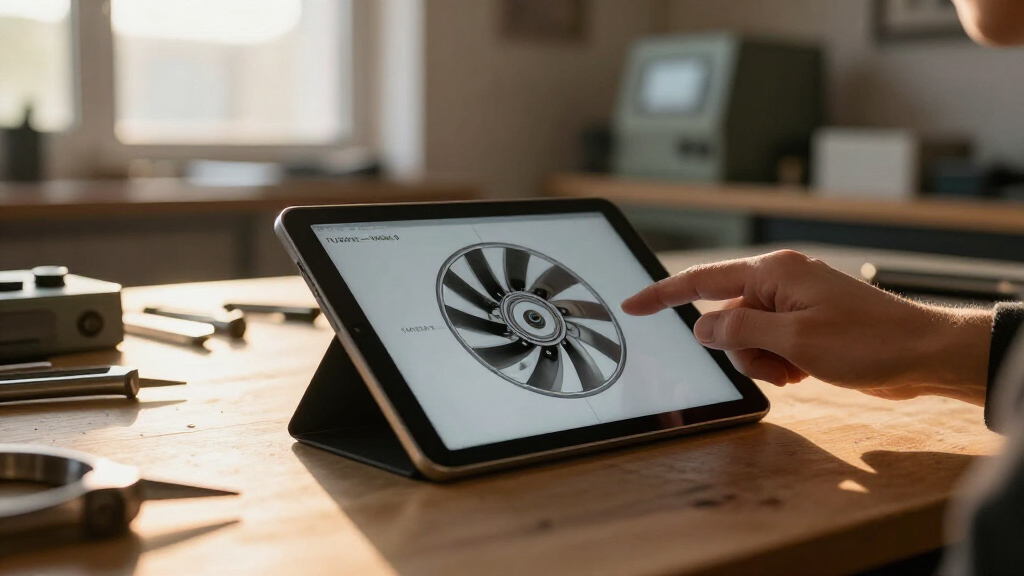
TURBINE — WERK 9 is an interactive web field guide in which scrolling drives an SVG rotor, turning movement through the page into part of its industrial-themed presentation, as described in the original analysis. The project page on ThorstenMeyerAI.com describes the experience as a way to connect browser interaction with the mechanics of a place, while inviting visitors to explore a live version and a design teardown.
The project is framed around a question: what if a web page behaved less like a brochure and more like a machine a visitor could move around? Its answer is a scroll-driven interaction organized around a rotor drawn with SVG vector paths. As visitors scroll, the rotor’s motion is intended to make progress through the page feel connected to the physical machinery suggested by the setting.
The description presents the page as both an interface and a field guide. That framing gives the visitor a reason to explore, rather than treating the rotor as a standalone visual effect. The stated design ingredients are a browser, constructed vector paths and scrolling as the input. The page says the full teardown covers how the motion was shaped, how the visual system was organized and how a physical-feeling space was translated into a browser experience.
A live room is linked alongside the case study, but the available project description does not spell out the rotor’s exact behavior, the underlying code or how the interaction changes across devices. It also does not provide a named team or a date for the project. Those details should not be inferred from the presentation alone.
Interactive web field guide · Design teardown
A Look Inside the AI-Inspired “TURBINE — WERK 9” SVG Rotor
A browser experience turns scrolling into a mechanical cue: visitors move through an industrial-themed field guide while an SVG rotor responds to their progress.
01 / The interaction
How scrolling becomes part of the rotor
Scrolling usually moves a reader through content. Here, the project description says it also drives a rotor, connecting navigation through the page with the industrial theme. The motion is presented as part of the experience’s structure, rather than a separate decorative effect.
Move through the page
The visitor scrolls to explore the field guide. The overview does not specify how scroll position maps to rotor movement.
Vector paths form a rotor
SVG paths are identified as the graphic foundation. Animation methods and the wider technology stack are not detailed.
Navigation echoes machinery
The interaction ties a familiar browser input to the mechanical setting and gives visitors a reason to explore.
02 / Project framing
A field guide built for the browser
TURBINE — WERK 9 is presented as a web design project, not reporting about a newly installed turbine or a confirmed industrial facility. Its industrial language sets the scene; the field-guide format organizes the visitor’s exploration.
03 / The central idea
Turning the page can mean something different
“What if a web page behaved less like a brochure and more like a machine you could walk around?”ThorstenMeyerAI.com · Project framing
04 / What remains open
Technical and access details are not provided
The available overview describes the intended experience, but it does not provide evidence to assess implementation outcomes, accessibility, or performance.
Exact behavior
The rotor’s motion curve and the mapping between scroll position and rotation are not explained.
Input and motion options
Touch behavior, small-screen adaptations, reduced-motion support, and alternative controls are not documented.
People and performance
No named team, project date, user testing, accessibility review, loading data, or performance measurements are supplied.
05 / Key questions
At a glance
What is TURBINE — WERK 9?
An interactive web field guide with an industrial theme and a scroll-driven SVG rotor.
What happens when a visitor scrolls?
The project says scrolling drives the rotor, but does not explain the precise motion behavior.
Is it news about a real turbine installation?
No such installation is established. The overview describes a browser-based design experience.
Where can readers find more?
ThorstenMeyerAI.com links to a live room and a design teardown covering the motion and visual system.
How Scrolling Becomes Part of the Rotor
The project’s design interest lies in using an ordinary browser input to give a page a sense of mechanical movement. Scrolling is usually a way to move through content; here, the project description says it also drives a rotor, linking a familiar gesture to the subject of the experience. That approach can make navigation feel more connected to the visual idea, rather than placing an unrelated animation beside the text.
For designers and developers exploring interactive web formats, the example points to a practical creative question: how can motion support a page’s structure and subject without making the content harder to follow? The project description highlights clarity alongside exploration as part of its appeal. It does not, however, offer evidence about usability, accessibility or performance, so those outcomes cannot be assessed from the description alone.
As an affiliate, we earn on qualifying purchases.
A Field Guide Built for the Browser
TURBINE — WERK 9 is presented as a web design project, not as reporting about a newly installed turbine or a confirmed industrial facility. Its language draws on machinery and place to set the scene, while the field-guide format gives the visitor a structure for exploring the page. The central development is therefore the interaction and its visual presentation, rather than a reported change in the real-world energy or manufacturing sector.
The project page identifies SVG paths and scroll input as the core elements of the rotor experience. SVG is a vector format suited to graphics that need to scale in a browser, but the page does not specify the techniques used to animate the rotor or describe the wider technology stack. Its invitation to read the full teardown suggests those process details are addressed separately, but they are not included in the available overview.
“What if a web page behaved less like a brochure and more like a machine you could walk around?”
— ThorstenMeyerAI.com
As an affiliate, we earn on qualifying purchases.
Technical and Access Details Remain Open
The project overview does not identify the designers or developers, give a publication date, or explain exactly how scroll position maps to rotor movement. It also does not state whether the animation responds to touch input, how the page behaves on smaller screens, or what alternatives are available for visitors who prefer reduced motion or cannot use scrolling in the intended way.
No user testing, accessibility review, loading data or performance measurements are provided. The description characterizes the experience as responsive and clear, but these are project framing rather than independently documented results. The linked teardown and live room may provide further information; details not present in the overview remain unverified.
As an affiliate, we earn on qualifying purchases.
The Teardown and Live Room
Readers can visit the linked live room to experience the page and open the full design teardown for more on the rotor’s motion and visual system. The overview does not give a release schedule for additional materials or indicate whether the project will be updated. A closer assessment of its implementation and accessibility will depend on what the live experience and teardown disclose.
Source: ThorstenMeyerAI.com
web-based mechanical animation tools
As an affiliate, we earn on qualifying purchases.
As an affiliate, we earn on qualifying purchases.
Key Questions
What is TURBINE — WERK 9?
It is an interactive web field guide built around an industrial theme and a scroll-driven SVG rotor.
What happens when a visitor scrolls?
The project description says scrolling drives the rotor’s movement, linking navigation through the page with the machinery-inspired presentation. It does not explain the precise motion behavior.
Is this a report about a real turbine installation?
No such installation is established in the project overview. TURBINE — WERK 9 is described as a browser-based design experience, not as news about a physical turbine being built or commissioned.
Where can readers find more information?
ThorstenMeyerAI.com links to a live room and a full design teardown. The overview says the teardown discusses the rotor’s motion and visual system.
Source: ThorstenMeyerAI.com
Halloween Picks
halloween
As an affiliate, we earn on qualifying purchases.