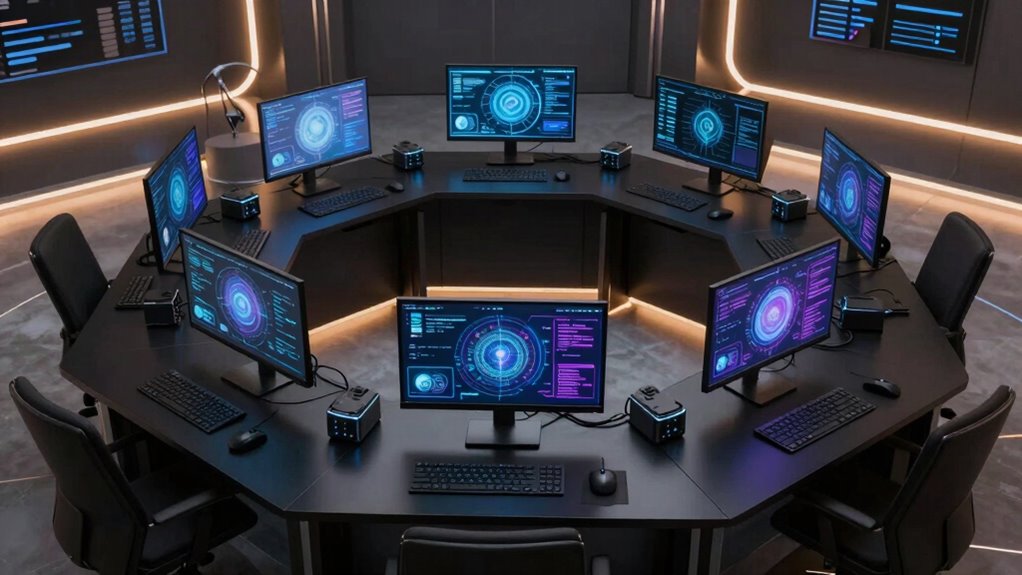

Choosing a compact workstation for local AI models requires balancing performance, size, and future-proofing. The GEEKOM A7 Mini PC stands out for its powerful Ryzen 9 chip and Radeon graphics, making it a versatile all-rounder. The MINISFORUM MS-S1 Max offers impressive connectivity and high RAM capacity, ideal for demanding AI workloads. On the other hand, smaller models like the NextNuc Apexis AI395 focus on simplicity and space-saving design. The main tradeoffs involve balancing raw GPU power against size, thermal management, and expandability. Continue reading to see how these options stack up for your specific AI needs.

Get business pricing on tech for your team
- Business-only prices and quantity discounts
- Tax-exempt purchasing
- Multiple users, one account, clear invoices
Complete the kit



Key Takeaways
- High RAM capacity (128GB) is a recurring theme among top performers, supporting larger models and datasets.
- GPU and AI-specific hardware, like Radeon 780M or Radeon 8060S, are crucial for efficient local AI inference.
- Size often correlates with thermal and power management; smaller units may struggle under sustained workloads.
- Connectivity options like USB4, 10G Ethernet, and WiFi 7 are vital for seamless data transfer and integration.
- Price varies significantly; the most powerful models tend to be more expensive, but the best value balances cost and performance.
| GEEKOM A7 Mini PC, Ryzen 9 7940HS, 32GB RAM, 2TB SSD, Radeon 780M |  | Best Overall for High-Performance Compact Workstations | Processor: Ryzen 9 7940HS | RAM: 32GB DDR5 | Storage: 2TB SSD | VIEW ON AMAZON | See Our Full Breakdown |
| BOSGAME Mini PC M5, Ryzen AI Max+ 395, 128GB LPDDR5 RAM, 2TB NVMe SSD |  | Best for Multi-Display High-Resolution AI Workflows | Processor: AMD Ryzen AI Max+ 395, 16 cores | Memory: 128GB LPDDR5 | Storage: 2TB NVMe SSD | VIEW ON AMAZON | See Our Full Breakdown |
| MSI Cubi NUC AI+ Business Mini Desktop with Intel Core Ultra 7 258V |  | Best for Business and Professional AI Tasks | Processor: Intel Core Ultra 7 258V | RAM: 32GB LPDDR5X | Storage: 1TB SSD | VIEW ON AMAZON | See Our Full Breakdown |
| MINISFORUM MS-S1 Max Mini Workstation AMD Ryzen AI Max+ 395, 128GB RAM, 2TB SSD, HDMI, USB4, 10G Ethernet, WiFi 7, Bluetooth 5.4, Radeon 8060S Graphics |  | Best for High-Performance Multi-Display AI and Multimedia Tasks | Processor: AMD Ryzen AI Max+ 395 | Graphics: Radeon 8060S | Memory: 128GB LPDDR5 | VIEW ON AMAZON | See Our Full Breakdown |
| GEEKOM GT13 MAX Professional AI Mini PC, Intel Ultra9 185H, 16GB DDR5, 1TB SSD |  | Best for Versatile AI and Creative Work with Durability | Processor: Intel Ultra9 185H | RAM: 16GB DDR5 | Storage: 1TB SSD | VIEW ON AMAZON | See Our Full Breakdown |
| NextNuc Apexis AI395 AI Mini Desktop Workstation, Run AI models locally |  | Best Overall for Versatile Local AI Processing | Processor: Zen 5 Gen Ryzen AI Max+ 395 3.00GHz (up to 5.1 GHz, 16 cores, 32 threads) | Graphics: AMD Radeon 8060S Integrated Graphics | RAM: 128GB OnBoard RAM | VIEW ON AMAZON | See Our Full Breakdown |
| Acer Veriton AI Mini Workstation GN100-UD11 Series |  | Best for Large Model Handling and Enterprise AI Workloads | Processor: 20-core Arm CPU | GPU: Blackwell GPU with fifth-generation Tensor Cores | Memory: 128GB LPDDR5X-8533 | VIEW ON AMAZON | See Our Full Breakdown |
| MINISFORUM MS-02 Ultra Workstation Mini PC with Intel Core Ultra 9 285HX |  | Best for Power Users Needing GPU Upgrades and Maximum Flexibility | Processor: Intel Core Ultra 9 285HX, up to 5.5 GHz, 24 cores/24 threads | Memory: Up to 256 GB DDR5 RAM | Storage: Four PCIe 4.0 M.2 slots supporting up to 24 TB | VIEW ON AMAZON | See Our Full Breakdown |
| compact workstations for local ai model | Processor | Storage | Graphics | RAM |
|---|---|---|---|---|
| GEEKOM A7 Mini PC | Ryzen 9 7940HS | 2TB SSD | Radeon 780M | 32GB DDR5 |
| BOSGAME Mini PC M5 | AMD Ryzen AI Max+ 395, 16 cores | 2TB NVMe SSD | Radeon 8060S | — |
| MSI Cubi NUC AI+ Business Mini | Intel Core Ultra 7 258V | 1TB SSD | — | 32GB LPDDR5X |
| MINISFORUM MS-S1 Max Mini Work | AMD Ryzen AI Max+ 395 | 2TB PCIe4.0 SSD | Radeon 8060S | — |
| GEEKOM GT13 MAX Professional A | Intel Ultra9 185H | 1TB SSD | Intel Arc | 16GB DDR5 |
| NextNuc Apexis AI395 AI Mini D | Zen 5 Gen Ryzen AI Max+ 395 3.00GHz (up to 5.1 GHz, 16 cores, 32 threads) | 1TB PCIe NVMe SSD | AMD Radeon 8060S Integrated Graphics | 128GB OnBoard RAM |
| Acer Veriton AI Mini Workstati | 20-core Arm CPU | 4TB self-encrypting NVMe SSD | — | — |
| MINISFORUM MS-02 Ultra Worksta | Intel Core Ultra 9 285HX, up to 5.5 GHz, 24 cores/24 threads | Four PCIe 4.0 M.2 slots supporting up to 24 TB | — | — |
More Details on Our Top Picks
GEEKOM A7 Mini PC, Ryzen 9 7940HS, 32GB RAM, 2TB SSD, Radeon 780M
The GEEKOM A7 Mini PC stands out for its combination of raw processing power and versatile connectivity, making it ideal for demanding local AI models alongside creative workflows. Its Ryzen 9 7940HS processor offers AI acceleration not found in less powerful options like the MSI Cubi NUC, while the 32GB DDR5 RAM and 2TB SSD ensure smooth multitasking and fast data access. Compared with smaller, less capable mini PCs, this model’s advanced cooling and aluminum chassis support sustained high loads, though its higher price and limited upgradeability could deter budget-conscious users. Ideal for professionals needing reliable performance in a compact form factor, this workstation balances power with portability, albeit at a premium price.
Pros:- High-end Ryzen 9 7940HS processor with AI acceleration
- Large 32GB DDR5 RAM supports heavy multitasking
- Supports up to four 8K displays for complex workflows
- Premium aluminum alloy chassis with efficient cooling
Cons:- Higher price point due to premium specs
- Limited upgrade options because of compact design
Best for: AI developers and creative professionals demanding high processing power in a small footprint
Not ideal for: Casual users or those on a tight budget who won’t utilize the high-end specs
- Processor:Ryzen 9 7940HS
- RAM:32GB DDR5
- Storage:2TB SSD
- Graphics:Radeon 780M
- Ports:USB4, HDMI, 2.5GbE LAN, Wi-Fi 6E, Bluetooth 5.2
- Cooling:Advanced cooling system
- Build Material:Aluminum alloy
Our verdict“This PC is best suited for demanding users who need serious power in a compact package and are willing to pay for it.”
BOSGAME Mini PC M5, Ryzen AI Max+ 395, 128GB LPDDR5 RAM, 2TB NVMe SSD
The BOSGAME M5 Mini PC excels in multi-monitor setups, supporting up to four 8K displays with its powerful Ryzen AI Max+ 395 CPU and 128GB RAM, making it a top choice for high-resolution AI inference and creative tasks. Its 16-core, up to 5.1GHz processor outperforms many contenders like the MSI Cubi NUC in raw multitasking capacity, especially for professional workflows. However, its premium hardware comes with a higher cost, and the cooling system’s complexity might require maintenance over time. This model is well-suited for developers and creators needing extensive display support and raw power, but less so for users seeking simple plug-and-play solutions or lower budgets.
Pros:- Supports up to four 8K displays for high-resolution multitasking
- Powerful AMD Ryzen AI Max+ 395 CPU with 16 cores
- Large 128GB LPDDR5 RAM for heavy workloads
- Fast 2TB PCIe 4.0 NVMe SSD with expansion options
Cons:- High price compared to less capable mini PCs
- Cooling system may require additional maintenance
- Limited user upgradeability outside SSD and RAM
Best for: AI inference specialists, video editors, or multi-monitor creative professionals
Not ideal for: Casual users or those with minimal display needs, due to its high cost and complexity
- Processor:AMD Ryzen AI Max+ 395, 16 cores
- Memory:128GB LPDDR5
- Storage:2TB NVMe SSD
- Graphics:Radeon 8060S
- Display Support:Up to 4 displays, 8K@60Hz
- Networking:WiFi 7, Dual 10G Ethernet
- Expansion Slots:PCIe4.0x4, SSD slot
Our verdict“Ideal for demanding multi-display AI workloads where maximum resolution and processing capacity are priorities.”
MSI Cubi NUC AI+ Business Mini Desktop with Intel Core Ultra 7 258V
The MSI Cubi NUC AI+ offers a compact, efficient platform for business users and AI applications, with a capable Intel Core Ultra 7 258V processor and 32GB LPDDR5X RAM. Its support for three 4K displays makes it suitable for multitasking environments, especially in corporate or professional settings. Compared to the more powerful Ryzen-based options, this model prioritizes stability and connectivity, with features like Thunderbolt 4 and Wi-Fi 6E enhancing its versatility. However, the absence of a dedicated GPU limits its performance for high-end visual tasks, and the RAM upgrade path is somewhat restricted without opening the device. Perfect for office-based AI workflows and light multimedia work, but less ideal for intensive graphics or gaming.
Pros:- Powerful Intel Core Ultra 7 258V processor
- Supports up to three 4K displays for productivity
- Includes Wi-Fi 6E and Thunderbolt 4 for fast connectivity
- Compact design suitable for office environments
Cons:- Limited RAM upgrade options without opening the case
- No dedicated GPU for graphics-intensive tasks
- Details on weight and size are sparse
Best for: Business users needing a reliable, compact AI workstation for multitasking and display flexibility
Not ideal for: Power users requiring high-end GPU performance or extensive upgrade options
- Processor:Intel Core Ultra 7 258V
- RAM:32GB LPDDR5X
- Storage:1TB SSD
- Display Support:3 x 4K
- Connectivity:Wi-Fi 6E, Thunderbolt 4
- Operating System:Windows 11 Pro
Our verdict“A solid choice for business environments needing reliable multitasking and display support in a small form factor.”
MINISFORUM MS-S1 Max Mini Workstation AMD Ryzen AI Max+ 395, 128GB RAM, 2TB SSD, HDMI, USB4, 10G Ethernet, WiFi 7, Bluetooth 5.4, Radeon 8060S Graphics
The MINISFORUM MS-S1 Max offers exceptional processing and multi-monitor support, with an AMD Ryzen AI Max+ 395 CPU and Radeon 8060S graphics. It supports five 8K video outputs, making it ideal for intensive AI inference, multimedia editing, and professional visualization. Its dual 10G Ethernet and WiFi 7 ensure fast data transfer, while the large 128GB RAM and expandable storage provide future-proofing. Compared to the BOSGAME M5, its additional video outputs and expanded cooling system give it advantages for complex multi-display setups, though its cooling system’s complexity could require maintenance. This is suited for professionals who need maximum multi-monitor capability and high processing power, but may be overkill for less demanding tasks.
Pros:- Supports five 8K video outputs for multi-monitor setups
- Powerful AMD Ryzen AI Max+ 395 CPU with 16 cores
- Fast 10G Ethernet and WiFi 7 for rapid data transfers
- Large, expandable 2TB SSD with RAID options
Cons:- Complex cooling system may need maintenance
- High power consumption due to high-end hardware
- Limited upgrade options outside SSD and RAM
Best for: AI researchers, multimedia professionals, and multi-display content creators
Not ideal for: Casual users or those with simple, single-monitor setups due to its high specs and cost
- Processor:AMD Ryzen AI Max+ 395
- Graphics:Radeon 8060S
- Memory:128GB LPDDR5
- Storage:2TB PCIe4.0 SSD
- Video Outputs:5 (8K@60Hz)
- Network:Dual 10G Ethernet, WiFi 7
- Expansion Slots:PCIe4.0x4
Our verdict“Designed for users requiring maximum multi-monitor support and strong AI processing in a compact form.”
GEEKOM GT13 MAX Professional AI Mini PC, Intel Ultra9 185H, 16GB DDR5, 1TB SSD
The GEEKOM GT13 MAX combines robust performance with durability, making it suitable for professional AI workloads, gaming, and creative tasks. Its Intel Ultra9 185H processor, with 16 cores and 22 threads, provides strong multi-core performance, while the dual USB4 and HDMI 2.0 outputs support multiple high-res displays. Compared to the Ryzen-based options, this model emphasizes stability and longevity, supported by a 3-year warranty and extensive testing. Its upgrade options are appealing for future needs, but its 16GB RAM and 1TB SSD may be limiting for very high-demand projects. This mini PC suits professionals who prioritize durability and balanced performance over maximum raw power, though it may not satisfy power users needing higher specs.
Pros:- Strong multi-core performance with Intel Ultra9 185H
- Supports multiple high-resolution displays
- Durable build with extensive testing and 3-year warranty
- Upgradeable memory and storage
Cons:- Limited RAM and storage for demanding tasks
- No dedicated GPU, limiting high-end visual performance
- Potentially higher price for durability features
Best for: Creative professionals, content creators, and users valuing durability and balanced performance
Not ideal for: Users requiring extensive multitasking or maximum AI processing power due to its moderate specs
- Processor:Intel Ultra9 185H
- RAM:16GB DDR5
- Storage:1TB SSD
- Graphics:Intel Arc
- Display Outputs:Dual USB4, HDMI 2.0, Mini DP 1.4
- Connectivity:Wi-Fi 7, Bluetooth 5.4, dual 2.5G LAN
- Warranty:3 years
Our verdict“A dependable choice for professionals needing balanced AI and creative capabilities in a durable, compact platform.”
NextNuc Apexis AI395 AI Mini Desktop Workstation, Run AI models locally
This compact workstation stands out for its impressive multi-core Ryzen processor and enormous 128GB RAM, making it highly capable for running demanding AI models locally. Compared with the MINISFORUM MS-02 Ultra, which offers more expandability and GPU upgrade options, the Apexis AI395 provides a balanced solution for those prioritizing CPU performance and multitasking without high complexity. Its reliance on integrated AMD Radeon 8060S graphics might limit high-end GPU-intensive tasks, but for most local AI workloads, this is a sensible tradeoff. The straightforward Windows 11 Pro environment and multiple connectivity options enhance its usability in various professional settings. However, upgrade paths are less clear, and the lack of a dedicated GPU could restrict performance in graphics-heavy applications.
Pros:- High-performance Ryzen 16-core processor with fast clock speeds
- Large 128GB RAM supports heavy multitasking and large datasets
- Fast 1TB NVMe SSD ensures quick data access and transfer
- Multiple connectivity options including HDMI, DisplayPort, and SD reader
Cons:- No dedicated GPU, limiting graphics-intensive AI tasks
- Limited information on upgradeability and expandability
- No mention of pre-installed OS or software flexibility
Best for: AI developers and researchers who need a powerful, all-in-one workstation for local model training and inference without the complication of GPU upgrades.
Not ideal for: Enthusiasts seeking high-end GPU performance or future expandability, as the integrated graphics and limited upgrade options are constraints.
- Processor:Zen 5 Gen Ryzen AI Max+ 395 3.00GHz (up to 5.1 GHz, 16 cores, 32 threads)
- Graphics:AMD Radeon 8060S Integrated Graphics
- RAM:128GB OnBoard RAM
- Storage:1TB PCIe NVMe SSD
- Connectivity:Bluetooth 5.4, RJ-45, HDMI 2.1, DisplayPort, SD Reader
- Operating System:Windows 11 Pro-64
Our verdict“Ideal for AI professionals needing a versatile, high-capacity workstation with balanced performance and straightforward connectivity.”
Acer Veriton AI Mini Workstation GN100-UD11 Series
The Acer Veriton GN100-UD11 excels in high-end AI tasks, thanks to its NVIDIA GB10 Grace Blackwell Superchip delivering 1 PFLOPS of FP4 AI performance, a feat unmatched by most in this roundup. While the NextNuc Apexis AI395 offers a versatile CPU and large RAM for general AI work, the Veriton’s specialized hardware is designed for large model processing and distributed training. Its shared memory architecture and robust cooling enable sustained performance under heavy loads, making it an excellent choice for enterprise or research environments. The high cost and enterprise focus make it less suitable for hobbyists or smaller teams. Its limited expandability and high complexity might intimidate users seeking simplicity.
Pros:- Unmatched AI performance with 1 PFLOPS FP4 capability
- Shared memory architecture supports handling extremely large models
- High-speed 200Gbps ConnectX-7 ports facilitate clustering and distributed training
- Excellent thermal management for sustained intensive workloads
Cons:- High cost and enterprise-oriented design limit accessibility for small users
- Limited information on upgrade options and user flexibility
- Primarily targeted at professional and research settings, not general consumers
Best for: Research institutions and enterprise AI teams needing raw processing power for large models and high-speed connectivity.
Not ideal for: Individual hobbyists or small startups that require affordability and simpler upgrade paths, as the device is tailored for specialized workloads.
- Processor:20-core Arm CPU
- GPU:Blackwell GPU with fifth-generation Tensor Cores
- Memory:128GB LPDDR5X-8533
- Storage:4TB self-encrypting NVMe SSD
- Connectivity:Two 200Gbps ConnectX-7 ports
- Weight:1.2kg
Our verdict“Best suited for institutions and enterprises focused on large-scale AI model training and advanced AI research.”
MINISFORUM MS-02 Ultra Workstation Mini PC with Intel Core Ultra 9 285HX
The MINISFORUM MS-02 Ultra distinguishes itself with a powerful Intel Core Ultra 9 285HX processor and up to 256GB DDR5 RAM, making it an excellent choice for users who want to combine CPU strength with GPU upgradeability. Compared with the NextNuc Apexis AI395, which is more of a turnkey solution, this mini PC offers extensive expansion options—its PCIe x16 slot supports desktop-class GPUs, critical for high-performance AI tasks involving complex models or graphics acceleration. Its support for Wi-Fi 7 and multi-Gigabit Ethernet positions it well for network-intensive AI workflows. The main tradeoff is a more complex setup process and a higher price point for those who need maximum extensibility. It may also require technical knowledge to configure optimally.
Pros:- Powerful 24-core/24-thread Intel Core Ultra 9 processor
- Supports up to 256GB DDR5 RAM for intensive multitasking
- Multiple PCIe M.2 slots and a PCIe x16 slot for GPU upgrades
- Fast networking with Wi-Fi 7 and multi-Gigabit Ethernet ports
Cons:- Setup complexity may require technical expertise
- Potentially high cost for maximum configurations
- Limited pre-installed software or OS details available
Best for: Advanced users, AI engineers, and creators who require a compact form factor with the ability to upgrade GPU and RAM for demanding workloads.
Not ideal for: Beginners or those seeking a simple, ready-to-run AI workstation, as its setup and configuration can be complex.
- Processor:Intel Core Ultra 9 285HX, up to 5.5 GHz, 24 cores/24 threads
- Memory:Up to 256 GB DDR5 RAM
- Storage:Four PCIe 4.0 M.2 slots supporting up to 24 TB
- Graphics Expansion:PCIe x16 slot supporting desktop-class GPU
- Networking:Wi-Fi 7, Dual 25GbE, 10GbE, 2.5GbE ports
- Dimensions:8.94 x 8.66 x 3.7 inches
Our verdict“Ideal for power users who need a compact but highly upgradeable AI workstation with maximum processing and networking flexibility.”

How We Picked
Our evaluation focused on performance, build quality, expandability, and real-world usability for local AI workloads. We prioritized CPUs with strong multi-core performance, dedicated AI hardware, and ample RAM capacity to handle large models. Size and thermal management were also key factors, as these influence reliability during extended use. Finally, connectivity and future-proofing features like WiFi 7 and USB4 were considered to ensure seamless integration into workflows. Products were ranked based on a holistic assessment of these criteria, emphasizing practical value for AI model deployment in compact spaces.| compact workstations for local ai model | Graphics | Connectivity |
|---|---|---|
| GEEKOM A7 Mini PC | Radeon 780M | — |
| BOSGAME Mini PC M5 | Radeon 8060S | — |
| MSI Cubi NUC AI+ Business Mini | — | Wi-Fi 6E, Thunderbolt 4 |
| MINISFORUM MS-S1 Max Mini Work | Radeon 8060S | — |
| GEEKOM GT13 MAX Professional A | Intel Arc | Wi-Fi 7, Bluetooth 5.4, dual 2.5G LAN |
| NextNuc Apexis AI395 AI Mini D | AMD Radeon 8060S Integrated Graphics | Bluetooth 5.4, RJ-45, HDMI 2.1, DisplayPort, SD Reader |
| Acer Veriton AI Mini Workstati | — | Two 200Gbps ConnectX-7 ports |
| MINISFORUM MS-02 Ultra Worksta | — | — |
Factors to Consider When Choosing Compact Workstations For Local Ai Models
When selecting a compact workstation for local AI models, it’s important to consider several key factors beyond raw specs. Size and thermal performance determine whether the device can sustain intensive workloads without overheating. RAM capacity influences how large your models and datasets can be, making it critical for AI tasks. Connectivity options affect data transfer speeds and ease of integration into existing setups. Finally, future-proofing features like upgraded networking and expandability help ensure your investment remains viable as AI workloads evolve.Performance and Hardware
For AI workloads, the CPU and GPU are the foundation. Look for multi-core processors with high clock speeds, such as AMD Ryzen 9 or Intel Ultra 9 series, which handle parallel processing efficiently. Dedicated AI hardware or high-performance integrated GPUs like Radeon 780M or Radeon 8060S significantly speed up inference tasks. Avoid models with underpowered CPUs or integrated graphics if you plan to run complex models frequently, as this will bottleneck your workflow.
Size and Thermal Management
Compactness is appealing, but smaller devices often face thermal challenges. Overheating can throttle performance during prolonged AI inference. Consider units with good ventilation, heat sinks, and efficient cooling solutions. Larger mini PCs may offer better thermal headroom, ensuring consistent performance over time. Balance your space constraints with the need for reliable, sustained operation when choosing a model.
Memory and Storage
Ample RAM—preferably 64GB or more—is vital for managing large AI models and datasets locally. Storage speed also matters; NVMe SSDs provide faster data access, reducing bottlenecks in training or inference. Think about future expansion possibilities; models with additional RAM slots or storage bays can adapt as your needs grow, which is a smart investment over the long term.
Connectivity and Expandability
Fast data transfer and network connectivity are essential, especially if you’re integrating the workstation into a larger AI infrastructure. Look for USB4, Thunderbolt, or USB-C ports, as well as multi-gig Ethernet options like 10G Ethernet. WiFi 7 support is a bonus for wireless flexibility. Expandability features, such as extra RAM slots or PCIe expansion, can also extend the device’s usability as your AI demands increase.
Price and Future-proofing
While higher-end models tend to cost more, they often include the latest hardware and features that prolong the device’s relevance. Beware of overspending on unnecessary specs if your workload is modest; for lighter use, mid-range models can offer excellent value. Conversely, if you plan to scale your AI projects, investing in future-proof features—such as PCIe slots or advanced networking—can save money over time by reducing the need for upgrades.
Frequently Asked Questions
Can I run large AI models on a mini PC?
Running large AI models on a mini PC is feasible if it has sufficient RAM, a powerful CPU, and a dedicated GPU. Models with 128GB RAM and high-performance graphics like Radeon 8060S are better suited for larger workloads. However, extremely large models or datasets might still require more specialized hardware or cloud solutions, especially if thermal or power limits constrain mini PC performance.
How important is expandability in a compact AI workstation?
Expandability is quite important if you anticipate growing your AI projects. Features like extra RAM slots, additional storage bays, or PCIe expansion can significantly extend the device’s lifespan and capability. Without these options, you might face limitations that force an upgrade sooner than expected, which could negate the small size advantage.
What is the best way to ensure thermal stability in a small form factor?
Thermal stability depends on good internal airflow, heat sinks, and efficient cooling design. Choose models with proven cooling solutions and consider additional cooling accessories if necessary. Avoid compact units with minimal ventilation if your workloads are intensive and sustained, as overheating can lead to reduced performance or hardware failure.
Is it worth paying more for AI-specific hardware in a mini PC?
Investing in hardware tailored for AI, like Radeon AI graphics, generally improves inference speed and efficiency. While these models tend to cost more, they can handle larger models more comfortably and reduce processing time. For serious AI work, this extra investment often pays for itself in faster results and smoother operation, especially during extended use.
How do I balance size and performance in choosing a mini PC for AI?
Prioritize your workload demands first—if you need to run large models regularly, favor a slightly larger model with better cooling and more RAM. For lighter or occasional use, compact units with decent specs are sufficient. Remember, smaller sizes often come with thermal and upgrade limitations, so weigh these tradeoffs carefully against your performance needs.
Conclusion
For those seeking the absolute best overall performance, the GEEKOM A7 Mini PC delivers a powerful, balanced package suitable for demanding AI workloads. Buyers prioritizing value will find the MINISFORUM MS-S1 Max offers impressive specs at a more accessible price point. If budget is less of a concern and you want future-proofing, the MINISFORUM MS-02 Ultra Workstation combines high-end hardware with expandability. Beginners or those with modest needs should consider simpler, smaller models like the NextNuc Apexis AI395 for straightforward AI deployment. Ultimately, your choice depends on your workload size, budget, and space constraints—match these factors to the options above for the best results in 2026.
Halloween Picks
halloween
As an affiliate, we earn on qualifying purchases.