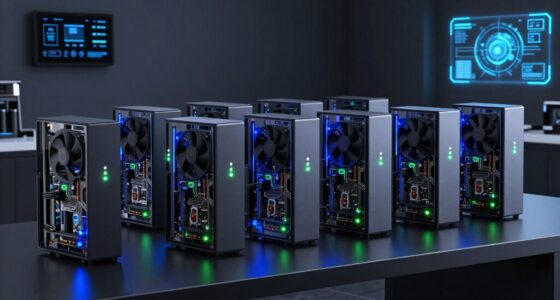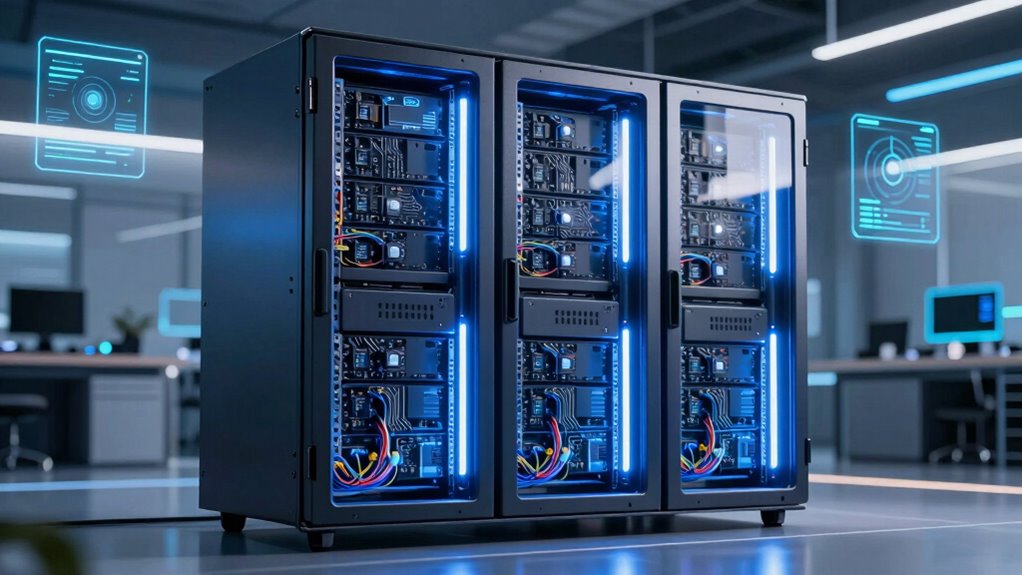

For small businesses that need local AI processing and shared storage, my best overall pick is the MINISFORUM N5 Pro 5-Bay Desktop NAS: its Ryzen AI 9 HX PRO 370, dual Ethernet, USB4, and OCuLink make it the most flexible blend of compute and expansion in this group. The ASUS PE1100N is a more focused choice for compact Jetson-based inference, while the GMKtec EVO-X3 suits teams that want substantial memory and fast local storage in a mini PC. The main tradeoffs are AI workload compatibility, storage capacity, expandability, and the cost of maintaining a more capable system. Read on for how each option fits a different small-business setup and what to check before choosing.

Get business pricing on tech for your team
- Business-only prices and quantity discounts
- Tax-exempt purchasing
- Multiple users, one account, clear invoices
Key Takeaways
- The N5 Pro 5-Bay Desktop NAS is the most balanced pick for a small office that wants AI compute alongside network storage, thanks to its Ryzen AI 9 HX PRO 370 and mix of connectivity options.
- The ASUS PE1100N fills a different role: its Jetson Orin Nano 4G platform is aimed at compact edge inference, not broad desktop-style workloads or large local model memory needs.
- Storage and AI compute are separate buying decisions. The N5 family combines multi-bay NAS designs with Ryzen AI processors, while the EVO-X3 emphasizes 128GB RAM and a 2TB SSD in a mini PC form.
- More memory helps only when the workload can use it. The EVO-X3’s 128GB and the N5 MAX’s 64GB suit different capacity needs, but model compatibility and software support still set practical limits.
- Several MINISFORUM models overlap closely. Buyers should compare exact naming, included system storage, ports, and processor configurations rather than assuming that every N5 Pro listing describes the same build.
| MINISFORUM N5 Pro NAS Mini PC with AMD Ryzen AI 9 HX Pro 370 |  | Best Overall Rugged-Ready Storage and Compute | Processor: AMD Ryzen AI 9 HX Pro 370, 12 cores / 24 threads | Graphics: AMD Radeon 890M | Memory: Two DDR5-5600 SO-DIMM slots with ECC support | VIEW ON AMAZON | See Our Full Breakdown |
| MINISFORUM AI NAS N5 Pro-P370 5-Bay Desktop NAS |  | Best for Buyers Who Want a Configurable NAS | Processor: AMD Ryzen AI 9 HX PRO 370, 12 cores / 24 threads, up to 5.1GHz | NPU performance: 50 TOPS | Graphics: Radeon 890M | VIEW ON AMAZON | See Our Full Breakdown |
| MINISFORUM NAS N5 MAX 5-Bay NAS with AMD Ryzen AI Max+ 395, 64GB LPDDR5x RAM, and 128GB SSD |  | Best for Storage-Heavy Local AI | Processor: AMD Ryzen AI Max+ 395, 16 cores / 32 threads, up to 5.1GHz | Memory: 64GB LPDDR5x, non-expandable | Graphics: Radeon 8060S GPU | VIEW ON AMAZON | See Our Full Breakdown |
| ASUS PE1100N Edge Computer with NVIDIA Jetson Orin Nano 4G |  | Best Rugged Fanless Edge Appliance | Processor: 6-core ARM Cortex-A78AE, up to 1.7GHz | AI performance: Up to 100 TOPS | Memory: 16GB LPDDR5 | VIEW ON AMAZON | See Our Full Breakdown |
| GMKtec EVO-X3 Mini PC with AMD Ryzen AI Max+ 395, 128GB LPDDR5X, and 2TB SSD |  | Best Compact Local AI Workstation | Processor: AMD Ryzen AI Max+ 395, 16 cores / 32 threads, up to 5.1GHz | AI performance: Up to 126 TOPS | Memory: 128GB LPDDR5X, up to 8000MT/s | VIEW ON AMAZON | See Our Full Breakdown |
| MINISFORUM N5 Pro 5-Bay Desktop NAS with AMD Ryzen AI 9 HX PRO 370, 128GB System SSD, Dual Ethernet, USB4 and OCuLink |  | Best Rugged-Ready Storage Hub | Processor: AMD Ryzen AI 9 HX PRO 370, 12 cores / 24 threads, up to 5.1GHz | Memory: 2 DDR5 SO-DIMM slots; up to 96GB ECC at 5600 MT/s | Drive bays: 5 SATA HDD bays | VIEW ON AMAZON | See Our Full Breakdown |
| edge servers for small business ai | Processor | Memory | Networking | Graphics |
|---|---|---|---|---|
| MINISFORUM N5 Pro NAS Mini PC | AMD Ryzen AI 9 HX Pro 370, 12 cores / 24 threads | Two DDR5-5600 SO-DIMM slots with ECC support | Dual 10GbE and 5GbE ports | AMD Radeon 890M |
| MINISFORUM AI NAS N5 Pro-P370 | AMD Ryzen AI 9 HX PRO 370, 12 cores / 24 threads, up to 5.1GHz | DDR5 ECC, up to 96GB; RAM not included | 2 x 10GbE and 1 x 5GbE | Radeon 890M |
| MINISFORUM NAS N5 MAX 5-Bay NA | AMD Ryzen AI Max+ 395, 16 cores / 32 threads, up to 5.1GHz | 64GB LPDDR5x, non-expandable | Dual 10GbE | Radeon 8060S GPU |
| ASUS PE1100N Edge Computer wit | 6-core ARM Cortex-A78AE, up to 1.7GHz | 16GB LPDDR5 | Dual Gigabit Ethernet | — |
| GMKtec EVO-X3 Mini PC with AMD | AMD Ryzen AI Max+ 395, 16 cores / 32 threads, up to 5.1GHz | 128GB LPDDR5X, up to 8000MT/s | 2.5GbE, Wi-Fi 7, and Bluetooth 5.4 | AMD Radeon 8060S integrated graphics |
| MINISFORUM N5 Pro 5-Bay Deskto | AMD Ryzen AI 9 HX PRO 370, 12 cores / 24 threads, up to 5.1GHz | 2 DDR5 SO-DIMM slots; up to 96GB ECC at 5600 MT/s | 1x 10GbE and 1x 5GbE; link aggregation supports up to 15Gbps | — |
More Details on Our Top Picks
MINISFORUM N5 Pro NAS Mini PC with AMD Ryzen AI 9 HX Pro 370
For a small business that needs local compute alongside a large shared storage pool, the N5 Pro pairs a 12-core Ryzen AI 9 HX Pro 370 with space for five HDDs and four M.2/U.2 SSDs. Its dual 10GbE and 5GbE networking can help teams move large datasets without making cloud access the only path. ECC memory support, RAID options, backups, remote access, and Docker support make it more storage-oriented than the compact ASUS PE1100N, which is the better fit for fanless industrial deployment rather than a multi-drive AI server. The tradeoff is that this system needs a drive installed before a storage pool can be created, and the stated memory ceiling conflicts between 96GB and 128GB. I’d verify that limit before planning workloads around it.
Pros:- Five HDD slots and four M.2/U.2 connections allow varied storage and cache layouts.
- Dual 10GbE plus 5GbE supports fast transfers across capable office networks.
- ECC memory support and ZFS features favor data reliability.
- Docker, remote access, and automatic backups add useful local-service tools.
Cons:- At least one SSD or 3.5-inch HDD is needed to create a storage pool.
- Memory capacity is listed inconsistently as up to 96GB and up to 128GB.
- Compared with the ASUS PE1100N, it is a larger, drive-focused system rather than a fanless mountable edge appliance.
Best for: Small businesses that want one expandable NAS for shared datasets, backups, and containerized local services.
Not ideal for: Businesses needing a ready-to-run system with drives included, or buyers who need confirmed memory capacity before choosing workloads.
- Processor:AMD Ryzen AI 9 HX Pro 370, 12 cores / 24 threads
- Graphics:AMD Radeon 890M
- Memory:Two DDR5-5600 SO-DIMM slots with ECC support
- Storage connections:5 HDD slots and 4 M.2/U.2 SSD connections
- Maximum stated storage:144TB
- Networking:Dual 10GbE and 5GbE ports
- Operating system:MinisCloud OS
- Video outputs:1 HDMI 2.1 and 2 USB4
Our verdict“Choose the N5 Pro for rugged-minded small businesses that prioritize expandable, high-speed shared storage and local services over a fanless industrial form factor.”
MINISFORUM AI NAS N5 Pro-P370 5-Bay Desktop NAS
The N5 Pro-P370 makes sense when a business wants a capable NAS platform but prefers to choose its own RAM and data drives. Its 12-core Ryzen AI 9 HX PRO 370, integrated NPU, and Radeon 890M bring compute capacity beyond basic file serving, while up to 188TB of stated storage and dual 10GbE suit shared datasets and local services. Compared with the N5 MAX, this model has less stated storage capacity and a lower-tier processor, but it leaves more room for a buyer to tailor the memory and drive setup. That flexibility comes with setup work: RAM and HDDs are not included, and the 128GB system drive occupies an M.2 slot. I’d choose it over an all-in-one system only if that configuration control matters.
Pros:- 12-core processor, NPU, and Radeon 890M support mixed storage and compute workloads.
- Five drive bays and multiple SSD configurations allow a tailored storage layout.
- Dual 10GbE, 5GbE, USB4, PCIe x16, and OCuLink offer broad connectivity and expansion.
- MinisCloud OS includes backup, synchronization, and media tools.
Cons:- RAM and hard drives are sold separately, adding configuration and deployment steps.
- The included 128GB system SSD occupies one M.2 slot.
- Compared with the N5 MAX, it has a lower stated storage ceiling and less powerful processor.
Best for: Small IT teams that already have a plan for ECC memory and storage drives and want to configure a NAS for local AI services.
Not ideal for: Buyers seeking a complete system out of the box or a chassis with every M.2 slot free for data storage.
- Processor:AMD Ryzen AI 9 HX PRO 370, 12 cores / 24 threads, up to 5.1GHz
- NPU performance:50 TOPS
- Graphics:Radeon 890M
- Memory:DDR5 ECC, up to 96GB; RAM not included
- Storage:5 bays; up to 188TB stated capacity
- Included system drive:128GB
- Networking:2 x 10GbE and 1 x 5GbE
- Expansion:PCIe x16 slot, OCuLink, and 2 x USB4
Our verdict“Pick the N5 Pro-P370 if you want a configurable 5-bay AI NAS and are prepared to supply its memory and data drives.”
MINISFORUM NAS N5 MAX 5-Bay NAS with AMD Ryzen AI Max+ 395, 64GB LPDDR5x RAM, and 128GB SSD
The N5 MAX is the most storage-dense option here for a business that wants to keep AI data and services on its own network. Its Ryzen AI Max+ 395 and 64GB of memory are paired with five SATA bays and five M.2 NVMe slots, a combination that gives it more room for fast working storage than the standard N5 Pro. The dual 10GbE ports suit shared access, while snapshots and backups support day-to-day data protection. Compared with the GMKtec EVO-X3, the N5 MAX is built around multi-drive storage rather than a compact, high-memory workstation. The main constraint is fixed, non-expandable RAM, which limits future workload growth. Capacity claims also need care: the supplied figures list 200TB overall while describing SATA capacity separately.
Pros:- Five SATA bays and five M.2 NVMe slots provide unusually flexible storage options.
- Ryzen AI Max+ 395 and Radeon 8060S target local AI and GPU-assisted workloads.
- Dual 10GbE supports fast access for multiple users on a suitable network.
- RAID, snapshots, and backup features support data management.
Cons:- The 64GB LPDDR5x memory is non-expandable.
- Stated storage figures are inconsistent across the supplied capacity details.
- Compared with the GMKtec EVO-X3, it prioritizes drive expansion over a larger fixed-memory allocation.
Best for: Small businesses running local AI and shared storage that need multiple HDD and NVMe devices in one system.
Not ideal for: Teams expecting to upgrade memory later, or buyers whose AI workloads require more than 64GB of RAM.
- Processor:AMD Ryzen AI Max+ 395, 16 cores / 32 threads, up to 5.1GHz
- Memory:64GB LPDDR5x, non-expandable
- Graphics:Radeon 8060S GPU
- AI performance:Up to 126 TOPS
- Drive bays:Five 3.5-inch SATA bays and five M.2 NVMe slots
- Networking:Dual 10GbE
- Operating system:MinisCloud OS
- Noise level:24dB idle in Balance Mode; up to 38dB under full load
Our verdict“Choose the N5 MAX for storage-heavy local AI deployments that can work within fixed 64GB memory and need both SATA and NVMe expansion.”
ASUS PE1100N Edge Computer with NVIDIA Jetson Orin Nano 4G
The ASUS PE1100N fills a different role from the multi-drive MINISFORUM NAS models: it is a compact, fanless edge computer for AI inference and IoT tasks near equipment, sensors, or cameras. Its rugged aluminum chassis, MIL-STD-810H resistance, hardware watchdog, and DIN-rail or wall mounting make it the strongest fit here for installations where dust, vibration, or limited airflow matter. Dual Gigabit Ethernet and serial interfaces help connect industrial devices, while 12–24V DC input suits equipment environments. Unlike the N5 Pro, it is not designed to hold a large local data pool or deliver 10GbE transfers. Its single M.2 E-Key slot also limits expansion, so I’d treat it as a focused inference appliance rather than a small-business NAS.
Pros:- Fanless design avoids moving parts and supports quiet operation in dusty installations.
- MIL-STD-810H resistance and a hardware watchdog suit continuous edge deployments.
- Dual Gigabit Ethernet and serial interfaces connect common industrial equipment.
- DIN-rail and wall mounting support flexible installation.
Cons:- One M.2 E-Key slot limits internal expansion.
- Dual Gigabit Ethernet is less suited to large dataset transfers than the N5 Pro’s 10GbE ports.
- It lacks the multi-drive storage capacity expected of a NAS-centered AI server.
Best for: Small manufacturers, retailers, and facilities teams placing AI inference or IoT processing beside equipment in rugged or space-constrained locations.
Not ideal for: Businesses needing multi-drive storage, fast 10GbE file sharing, or broad internal expansion.
- Processor:6-core ARM Cortex-A78AE, up to 1.7GHz
- AI performance:Up to 100 TOPS
- Memory:16GB LPDDR5
- Cooling:Fanless passive cooling
- Networking:Dual Gigabit Ethernet
- Ports:3 USB ports, HDMI, and serial COM interfaces
- Power input:12–24V DC
- Mounting:DIN rail or wall mount
Our verdict“Choose the PE1100N for rugged, fanless AI inference beside industrial equipment, not as a shared-storage server.”
GMKtec EVO-X3 Mini PC with AMD Ryzen AI Max+ 395, 128GB LPDDR5X, and 2TB SSD
The EVO-X3 is the strongest fit for a business that wants a compact local AI workstation rather than a NAS. Its Ryzen AI Max+ 395 and 128GB of LPDDR5X provide substantial compute and memory in a small system, with a 2TB SSD ready for projects and applications. OCuLink offers a route to an external GPU, while two M.2 slots allow internal storage expansion. Compared with the N5 MAX, the EVO-X3 supplies twice the stated memory but gives up the five SATA bays, dual 10GbE, and NAS-focused backup features. That makes it better for development, content work, and local model experimentation than central team storage. Memory is onboard and cannot be expanded, and external GPU use requires a separate dock and card.
Pros:- 128GB LPDDR5X supports memory-intensive local AI and development workloads.
- Ryzen AI Max+ 395 and Radeon 8060S provide substantial integrated compute and graphics.
- OCuLink supports external GPU expansion with separate components.
- 2TB SSD and two M.2 slots provide a useful starting point and storage expansion path.
Cons:- Onboard LPDDR5X cannot be upgraded.
- An external GPU requires a separate dock and graphics card.
- Compared with the N5 MAX, it lacks multi-bay SATA storage and dual 10GbE.
Best for: Small development or creative teams that need a compact, high-memory PC for local AI experiments and workstation tasks.
Not ideal for: Businesses seeking a rugged appliance, multi-user NAS, or memory that can be upgraded later.
- Processor:AMD Ryzen AI Max+ 395, 16 cores / 32 threads, up to 5.1GHz
- AI performance:Up to 126 TOPS
- Memory:128GB LPDDR5X, up to 8000MT/s
- Graphics:AMD Radeon 8060S integrated graphics
- Included storage:2TB PCIe 4.0 SSD
- Storage expansion:Two M.2 2280 PCIe 4.0 x4 slots; up to 16TB stated
- Networking:2.5GbE, Wi-Fi 7, and Bluetooth 5.4
- External GPU expansion:OCuLink, PCIe 4.0 x4
Our verdict“Pick the EVO-X3 for compact, high-memory local AI work, but choose a MINISFORUM NAS if shared storage and rugged, always-on service are the priority.”
MINISFORUM N5 Pro 5-Bay Desktop NAS with AMD Ryzen AI 9 HX PRO 370, 128GB System SSD, Dual Ethernet, USB4 and OCuLink
For a small business that needs local AI compute alongside substantial shared storage, I’d rank the MINISFORUM N5 Pro as the storage-first pick. Its 12-core Ryzen AI 9 HX PRO 370 and support for up to 96GB ECC memory give it room for local services and data processing, while five SATA bays and NVMe options let teams keep project data close to the workloads. Compared with the more compute-focused GMKtec EVO-X3 Mini PC, the N5 Pro is better suited to a fixed office or workshop where capacity and network throughput matter more than a compact, drive-light setup. Its 10GbE and 5GbE ports can support fast transfers, and RAID choices add flexibility. The tradeoff: drives are not included, and despite its robust storage design, this desktop NAS is not a ruggedized unit for harsh field conditions.
Pros:- 12-core, 24-thread processor supports demanding local services and data tasks
- Five SATA bays and NVMe options provide room to build substantial local storage
- 10GbE and 5GbE networking support high-throughput transfers and link aggregation
- ECC memory support and multiple RAID modes suit data-conscious business workloads
Cons:- Storage drives are not included, adding setup work before the system can serve as a full NAS
- The included 128GB system SSD occupies one of the three M.2 slots
- OCuLink does not support hot swapping, limiting the convenience of external expansion
Best for: Small businesses running local AI services that need shared, high-capacity storage, ECC memory, and fast wired networking in a fixed office or workshop.
Not ideal for: Teams needing a portable or certified rugged edge computer, or buyers seeking a ready-to-use system with drives already installed.
- Processor:AMD Ryzen AI 9 HX PRO 370, 12 cores / 24 threads, up to 5.1GHz
- Memory:2 DDR5 SO-DIMM slots; up to 96GB ECC at 5600 MT/s
- Drive bays:5 SATA HDD bays
- Maximum storage:Up to 188TB
- M.2/U.2 storage:3 M.2 NVMe slots, or 1 M.2 plus 2 U.2 slots; built-in 128GB system SSD occupies one M.2 slot
- Networking:1x 10GbE and 1x 5GbE; link aggregation supports up to 15Gbps
- Expansion and video:OCuLink PCIe 4.0 x4, PCIe x16 slot, 1x HDMI, and 2x USB4
- RAID modes:RAID 0, 1, 5/RAIDZ1, 6/RAIDZ2, and mixed drive strategies
Our verdict“Choose the N5 Pro for a fixed small-business AI setup that prioritizes expandable, fast local storage over portability or rugged field deployment.”
How We Picked
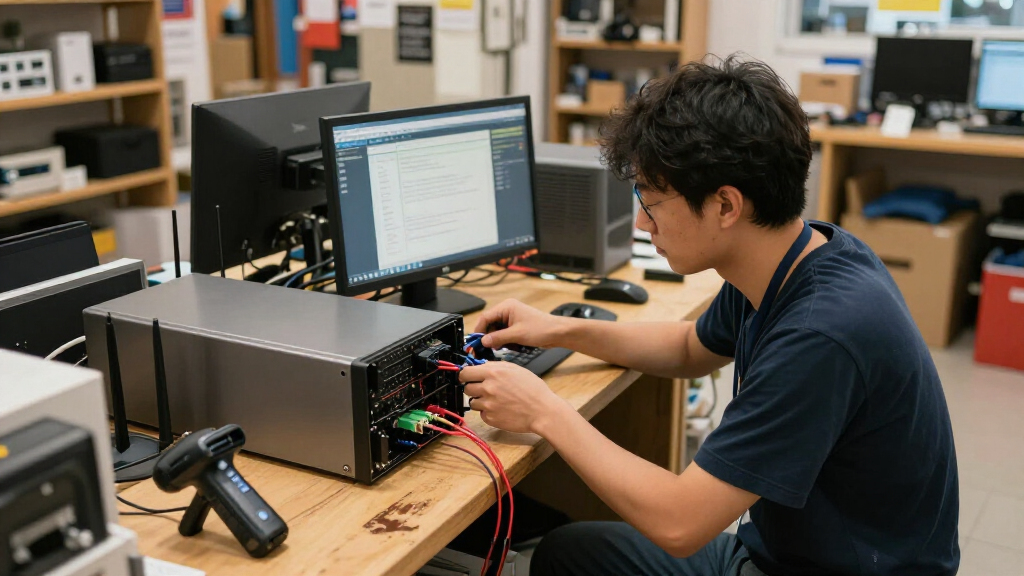
I ranked these systems around the needs of a small business running AI near its data: useful compute for the intended workload, practical local or shared storage, memory capacity, connectivity, and the effort involved in fitting the hardware into an existing setup. I also separated general-purpose mini PCs from NAS-oriented systems and the Jetson edge computer, since they solve different problems even when all may be described as edge servers.
The N5 Pro 5-Bay Desktop NAS leads for its combination of Ryzen AI 9 HX PRO 370, dual Ethernet, USB4, OCuLink, and multi-bay design. The N5 MAX and EVO-X3 stand out for their Ryzen AI Max+ 395 platform, with the EVO-X3 offering 128GB RAM and a 2TB SSD and the N5 MAX pairing 64GB RAM with a five-bay NAS format. The ASUS PE1100N ranks as a specialized inference option rather than a general-purpose winner. I treat the two other N5 Pro listings as distinct configurations and favor buyers verifying exact specifications before ordering; published specs alone do not establish rugged certification, sustained AI throughput, noise, or software compatibility.
| edge servers for small business ai | Graphics | AI performance |
|---|---|---|
| MINISFORUM N5 Pro NAS Mini PC | AMD Radeon 890M | — |
| MINISFORUM AI NAS N5 Pro-P370 | Radeon 890M | — |
| MINISFORUM NAS N5 MAX 5-Bay NA | Radeon 8060S GPU | Up to 126 TOPS |
| ASUS PE1100N Edge Computer wit | — | Up to 100 TOPS |
| GMKtec EVO-X3 Mini PC with AMD | AMD Radeon 8060S integrated graphics | Up to 126 TOPS |
| MINISFORUM N5 Pro 5-Bay Deskto | — | — |
Factors to Consider When Choosing Edge Servers For Small Business Ai
Choosing an edge server starts with the work it must do, not the AI label on the box. The factors below can help prevent a mismatch between your model, data layout, network, and the system you can maintain.
Match the processor to the model and software
Write down the actual AI tasks first: image classification, local document search, camera inference, or model development can place very different demands on a machine. A Ryzen AI system and a Jetson Orin Nano platform do not automatically support the same frameworks, model formats, or acceleration paths. Check whether your chosen application uses CPU, GPU, or a neural processing unit, and confirm that its supported software stack includes the device you plan to buy. A common mistake is treating an AI-branded processor as proof that a particular model will run well. If the workload is still uncertain, start with a small proof of concept using the intended model and input size. That test can prevent paying for compute that your software cannot use.
Plan memory around model size and concurrent users
Memory affects which models can stay loaded, how much data can be cached, and whether several users or services can run at once. The EVO-X3’s 128GB RAM and the N5 MAX’s 64GB make them distinct capacity choices, but neither figure alone predicts speed or compatibility. Account for the operating system, databases, containers, and any file cache alongside the model’s needs. Avoid buying solely for a large memory number if the workload is a small, single-purpose inference service. Conversely, a shared AI server can run out of headroom quickly when several processes compete for RAM. Ask the software vendor for memory guidance, then leave room for the services that will run beside the model.
Choose storage architecture before filling the drives
A NAS-style system can bring drive bays and AI compute into one enclosure, while a mini PC such as the EVO-X3 keeps the focus on internal system storage and compute. Decide whether the server needs to host business files, datasets, backups, or only model files; those uses call for different capacity and redundancy plans. Multiple bays do not by themselves provide a backup, and a storage array cannot replace an off-device copy. Check which drives are included, what the supported drive configurations are, and how easy it is to expand or replace them. Small businesses often underestimate the space needed for video, retained data, and duplicate datasets. Keep the system drive, working data, and backup strategy distinct in your plan.
Treat network access and data movement as workload requirements
Local inference can reduce reliance on remote services, but the server still needs to receive data and return results reliably. Consider the number of cameras, workstations, or other devices sending requests, as well as the size and frequency of transfers. Dual Ethernet on the N5 Pro configuration can offer more networking options, but the benefit depends on your network design and software setup. USB4 and OCuLink may help connect compatible high-speed devices, yet they are not substitutes for a measured network plan. Check switch capacity, cabling, segmentation, and where sensitive data will reside. A fast server connected through a congested office network may not improve response times for staff.
Decide how much ruggedness and physical protection you need
“Edge” can mean a quiet office server or equipment placed near cameras, production lines, and other less controlled sites. The products in this roundup include compact computers and desktop NAS designs, but the listed specifications do not establish rugged, weatherproof, or vibration-rated construction. If the system will operate in a workshop or remote cabinet, verify operating temperature limits, dust protection, mounting, power conditioning, and warranty coverage directly. A small desktop chassis may be easy to place but still need a protected enclosure and suitable airflow. Do not equate compact size with field durability. For harsh locations, environmental certification and service access can matter more than a modest processor advantage.
Budget for upkeep, not just the computer
An edge server adds responsibility for updates, account security, backups, and recovery when a component or drive fails. Before buying, identify who will manage the operating system, AI frameworks, storage health, and remote access. A NAS-oriented system can simplify shared storage but still requires a clear drive and backup policy; a Jetson-based system can be compact but may call for specialist familiarity with its software stack. Compare the maintenance work with your team’s skills, not just the hardware specifications. Keep spare-drive and replacement plans in mind if the AI service supports daily operations. When staff time is limited, a simpler workload and well-supported software may be a better investment than maximum hardware capacity.
Frequently Asked Questions
Should I choose a NAS-style edge server or a mini PC for small-business AI?
Choose a NAS-style system when the same machine needs to host shared files or datasets as well as run AI workloads, and when several drive bays fit your storage plan. A mini PC such as the EVO-X3 makes more sense when compute, memory, and internal SSD capacity matter more than a multi-bay storage layout. Neither design is automatically better at AI inference; that depends on the processor, accelerator support, and model software. Also plan for backups separately, even if the server stores multiple drives. Map your data flows and storage needs before comparing form factors.
Is the ASUS PE1100N a good choice for running a local language model?
It may fit a focused, supported inference task, but its Jetson Orin Nano 4G configuration is not a general substitute for systems with much larger memory capacity. Before selecting it for a language model, confirm the model’s memory requirements, the supported inference framework, and whether the required quantization or acceleration path is available. A small model or a dedicated vision workload may be a better match than a larger conversational model. The EVO-X3’s 128GB RAM or the N5 MAX’s 64GB presents a different capacity profile, though memory alone does not guarantee compatibility or speed. Test the specific model and software stack before making it a business dependency.
Can one of these systems replace both my file server and AI workstation?
A five-bay N5 system is the most natural starting point in this group if you want storage and AI compute in one desktop unit. That does not mean every workload should share one machine: heavy inference can compete with file services for memory, storage bandwidth, and processor time. Check the expected number of users, data volume, and whether downtime for maintenance would interrupt both functions. Separate backups and access controls remain necessary when business files and AI data share hardware. If the services have different availability needs, two simpler systems may be easier to manage than one all-in-one server.
What should I verify before ordering one of the similarly named MINISFORUM N5 Pro systems?
Compare the exact model identifier and listing configuration rather than relying on the shared N5 Pro name. The products here differ in their stated processor wording, system SSD details, and connectivity; one listing specifies dual Ethernet, USB4, and OCuLink, while another calls out a 128GB system SSD. Confirm the installed memory, included storage, drive-bay arrangement, ports, and what is supplied in the box. Ask the seller or manufacturer to clarify any specification that is missing or inconsistent. Those checks matter because a small configuration difference can change the system’s role in your network and storage plan.
Do these edge servers count as rugged equipment for a workshop or remote site?
The supplied specifications identify compact computers and desktop NAS systems, but do not state rugged, dustproof, or weatherproof ratings. Do not assume that a small enclosure is ready for vibration, heat, airborne debris, or unstable power. Verify the rated operating conditions, mounting options, fan and filter access, and warranty terms for the exact model. The ASUS PE1100N is an edge computer, but that label alone does not confirm suitability for harsh environments. If the installation is exposed, compare certified industrial hardware and protective enclosures before placing a standard desktop unit on site.
Conclusion
Best overall: I recommend the MINISFORUM N5 Pro 5-Bay Desktop NAS with Ryzen AI 9 HX PRO 370, dual Ethernet, USB4, and OCuLink for a small business seeking a flexible compute-and-storage base. Best value for storage-led setups: the MINISFORUM AI NAS N5 Pro-P370 is worth comparing when a five-bay NAS format is the priority, though buyers should verify its exact configuration before purchase. Best premium capacity: the GMKtec EVO-X3 stands out for its 128GB RAM and 2TB SSD, while the N5 MAX is the better fit for those who want a Ryzen AI Max+ 395 platform in a five-bay NAS. Best for beginners: I would start with the option that matches an already-supported workload and a manageable storage plan; the ASUS PE1100N is approachable only when its Jetson software path fits the intended task. Best for specific inference needs: choose the ASUS PE1100N for compatible, compact Jetson workloads, not as a general high-memory AI server. None of these listings establishes rugged certification, so for a workshop or remote site, verify environmental ratings before choosing any of them.
Halloween Picks

10-Foot Halloween Inflatable Double-Headed Dragon Archway

Panefright Halloween Window Projector – Scary Projector for Spooky Decor

11.2-Foot Halloween Inflatable Pumpkin with LED Lights
As an affiliate, we earn on qualifying purchases.