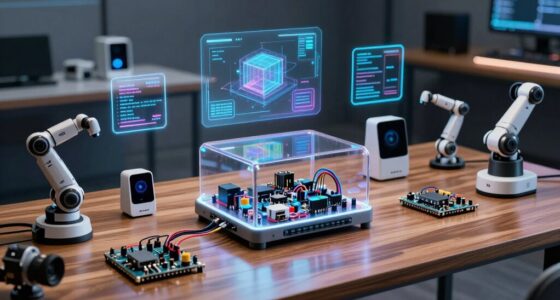
Choosing the right STEM lab tools for AI education depends on your school’s goals, student age, and technical proficiency. Among the leading options are the ELECROW CrowPi 3, which excels in multi-platform versatility and extensive resources, making it ideal for intermediate learners and tech labs. For those prioritizing guided, beginner-friendly experiences, the SunFounder AI Fusion Lab Kit offers robust hardware and comprehensive lessons, but it requires some familiarity with Raspberry Pi. The CodeStepper Kit stands out for its hands-on, screen-free approach, perfect for younger students or early learners who benefit from tactile activities. Finally, the UNIHIKER K10 combines AI hardware with IoT capabilities, suited for schools focusing on advanced projects and offline AI applications. Each choice involves tradeoffs between complexity, cost, and learning depth, guiding educators to select based on their specific classroom needs.

Get business pricing on tech for your team
- Business-only prices and quantity discounts
- Tax-exempt purchasing
- Multiple users, one account, clear invoices
Key Takeaways
- Versatile platforms like CrowPi 3 support multiple development boards, ideal for mixed-ability classrooms.
- Beginner kits like SunFounder provide guided lessons but may require prior Raspberry Pi familiarity.
- Screen-free options such as CodeStepper make coding accessible for early learners and younger students.
- Premium platforms like UNIHIKER K10 offer advanced AI and IoT features but come with a steeper learning curve.
- Tradeoffs include complexity versus ease of use, with more capable tools demanding more technical skills.
| ELECROW CrowPi 3 AI Learning and Development Station for Raspberry Pi 5 |  | Best Overall for Versatile AI and STEM Learning | Display: 4.3-inch capacitive touch | Camera: 2-megapixel | Sensors and Modules: 41 built-in sensors and modules | VIEW ON AMAZON | See Our Full Breakdown |
| SunFounder AI Fusion Lab Kit for Raspberry Pi 5/4/3B+/Zero 2W, LLMs ChatGPT/Gemini/Grok, YOLO & OpenCV & MediaPipe, Python, Video Courses for Beginners |  | Best for Guided AI Learning for Beginners | Connectivity Technology: CSI, USB | Operating System: Linux | Compatible Devices: Raspberry Pi cameras, 10-axis (10DOF) module, displays, sensors | VIEW ON AMAZON | See Our Full Breakdown |
| CodeStepper Screen-Free Python Coding & AI Learning Kit for Kids Ages 8-15 |  | Best for Early Learners and Hands-On Mechanical Coding | Age Range: 8-15 | Included Components: 7 laminated lesson sets, hardware, stickers, tools, assembly instructions, CodeStand | Material: Wood and metal | VIEW ON AMAZON | See Our Full Breakdown |
| UNIHIKER K10 AI Coding Board for STEM & Beginners – Computer Vision, Offline Voice Recognition, TinyML, 2.8″ Display, IoT Project Kit |  | Best for Advanced AI & IoT Projects in Educational Settings | Memory Storage Capacity: 16 MB | Connectivity Technology: Bluetooth, USB, Wi-Fi | Operating System: MicroPython | VIEW ON AMAZON | See Our Full Breakdown |
| stem lab tools for ai school | Connectivity Technology | Operating System | Compatible Devices | Processor Count |
|---|---|---|---|---|
| ELECROW CrowPi 3 AI Learning a | — | — | — | — |
| SunFounder AI Fusion Lab Kit f | CSI, USB | Linux | Raspberry Pi cameras, 10-axis (10DOF) module, displays, sensors | 1 |
| CodeStepper Screen-Free Python | — | — | — | — |
| UNIHIKER K10 AI Coding Board f | Bluetooth, USB, Wi-Fi | MicroPython | Sensors, Actuators, Storage Devices | 1 |
More Details on Our Top Picks
ELECROW CrowPi 3 AI Learning and Development Station for Raspberry Pi 5
The ELECROW CrowPi 3 distinguishes itself through its adaptability, supporting multiple development boards like Raspberry Pi 5, Arduino Nano, and micro:bit. Its extensive sensor array and built-in modules facilitate a broad array of projects, from visual recognition to voice interaction. This makes it a highly flexible choice for schools wanting to expose students to various hardware platforms and AI concepts. However, it requires students to have some foundational electronics knowledge, as the Raspberry Pi 5 itself isn’t included, and the setup can be complex for complete beginners. Compared with more guided kits, it offers greater scope but demands more technical confidence.
Pros:- Supports multiple development boards for diverse projects
- Includes extensive sensors and educational resources
- User-friendly touch display and integrated modules
Cons:- Raspberry Pi 5 not included, increasing initial cost
- May be too complex for complete beginners
- Requires some electronics background
Best for: Schools seeking a versatile, expandable AI lab platform that can grow with students’ skills
Not ideal for: Beginners with no prior electronics or programming experience, or those on a tight budget
- Display:4.3-inch capacitive touch
- Camera:2-megapixel
- Sensors and Modules:41 built-in sensors and modules
- Supported Boards:Raspberry Pi 5, Arduino Nano, micro:bit, Pico
- Includes:200+ course resources
Our verdict“This pick is best for schools wanting a flexible, expandable AI lab platform with extensive sensor options, suitable for intermediate learners.”
SunFounder AI Fusion Lab Kit for Raspberry Pi 5/4/3B+/Zero 2W, LLMs ChatGPT/Gemini/Grok, YOLO & OpenCV & MediaPipe, Python, Video Courses for Beginners
The SunFounder AI Fusion Lab Kit offers an all-in-one hardware and software package designed to turn Raspberry Pi models into accessible AI development platforms. It features sensors, cameras, and hardware components to support projects involving vision, voice, and sensors, all guided by detailed video lessons and technical support. This kit is ideal for schools new to AI projects, especially where teachers want to ensure students are guided through each step. However, it assumes some familiarity with Raspberry Pi and Linux, which might challenge complete novices. Compared to more open-ended platforms, it emphasizes guided learning but limits advanced customization without extra effort.
Pros:- Comprehensive hardware and software resources
- Supports large language models and vision projects
- Includes guided video lessons and community support
Cons:- Requires Raspberry Pi (not included)
- May be complex for absolute beginners
- Additional setup or accessories might be needed
Best for: Beginner schools or workshops aiming for structured, guided AI projects
Not ideal for: Advanced users or schools seeking extensive hardware customization
- Connectivity Technology:CSI, USB
- Operating System:Linux
- Compatible Devices:Raspberry Pi cameras, 10-axis (10DOF) module, displays, sensors
- RAM Memory Technology:LPDDR4, LPDDR3
- Processor Count:1
- Total USB Ports:4
Our verdict“This is a practical choice for schools seeking guided, hands-on AI projects with a focus on vision and language models, perfect for beginners.”
CodeStepper Screen-Free Python Coding & AI Learning Kit for Kids Ages 8-15
The CodeStepper Kit offers a unique, screen-free approach to learning Python and AI through mechanical assembly. Its laminated lesson cards, hardware components, and sturdy stand make it ideal for young learners who benefit from tactile, visual activities. This kit emphasizes problem-solving and confidence-building without the need for screens, making it especially suitable for early elementary or middle school students. However, it limits the scope to mechanical and visual projects, not providing the depth needed for advanced coding or AI development. It’s most effective as an introductory tool rather than a comprehensive AI platform.
Pros:- Hands-on, screen-free learning approach
- Durable with laminated lesson cards
- Includes all assembly parts and instructions
Cons:- Requires assembly, which may be challenging for some children
- Limited to mechanical and visual projects
- Not suitable for advanced programming practice
Best for: Young students or schools seeking tactile, screen-free coding experience
Not ideal for: Older students or advanced coders looking for complex programming environments
- Age Range:8-15
- Included Components:7 laminated lesson sets, hardware, stickers, tools, assembly instructions, CodeStand
- Material:Wood and metal
- UPC:199874516004
- Best Sellers Rank:#753,514 in Office Products, #7,691 in Early Childhood Education
Our verdict“This is a perfect starter kit for young learners who need a tactile, accessible introduction to Python and AI concepts without screens.”
UNIHIKER K10 AI Coding Board for STEM & Beginners – Computer Vision, Offline Voice Recognition, TinyML, 2.8″ Display, IoT Project Kit
The UNIHIKER K10 combines AI hardware with IoT features, making it suitable for schools focusing on cutting-edge projects. It comes pre-loaded with AI models, supports offline voice recognition, and connects wirelessly via Bluetooth, USB, and Wi-Fi. Its support for graphical and MicroPython coding allows students to develop IoT applications and train TinyML models in offline settings. Although its small 2.8-inch display limits complex data visualization, its robust sensors and offline AI capabilities enable a range of innovative projects. This device is better suited for schools with a focus on IoT, embedded AI, and more advanced project-based learning, but it demands some technical proficiency to maximize its features.
Pros:- Pre-loaded AI models for quick deployment
- Supports offline voice recognition and TinyML
- Rich sensors and wireless connectivity for IoT applications
Cons:- Limited onboard storage (16 MB)
- Small display size can hinder complex data visualization
- Requires some technical knowledge for effective use
Best for: Schools with advanced students interested in IoT, offline AI, and embedded systems
Not ideal for: Beginners or schools seeking simple, guided AI projects
- Memory Storage Capacity:16 MB
- Connectivity Technology:Bluetooth, USB, Wi-Fi
- Operating System:MicroPython
- Compatible Devices:Sensors, Actuators, Storage Devices
- Processor Count:1
- Total USB Ports:1
- Item Dimensions:2.03″L x 2.03″W x 0.43″H
Our verdict“This platform is ideal for educational institutions aiming to introduce IoT and offline AI solutions, with a focus on advanced, project-based learning.”

How We Picked
To select these tools, I evaluated the core features relevant for AI STEM education, such as hardware versatility, beginner friendliness, resource availability, and project scope. I prioritized products that balance educational value with ease of use, considering whether they support multiple development environments or focus on specific learning stages. Cost, compatibility with common educational devices, and the potential for hands-on projects also influenced the rankings. My aim was to identify tools that cater to a range of classroom settings—from beginner workshops to advanced AI labs—while highlighting the real tradeoffs involved in each choice.
| stem lab tools for ai school | Connectivity Technology | Operating System | Compatible Devices |
|---|---|---|---|
| ELECROW CrowPi 3 AI Learning a | — | — | — |
| SunFounder AI Fusion Lab Kit f | CSI, USB | Linux | Raspberry Pi cameras, 10-axis (10DOF) module, displays, sensors |
| CodeStepper Screen-Free Python | — | — | — |
| UNIHIKER K10 AI Coding Board f | Bluetooth, USB, Wi-Fi | MicroPython | Sensors, Actuators, Storage Devices |
Factors to Consider When Choosing Stem Lab Tools For Ai Schools
Selecting the right STEM lab tools for AI schools involves understanding your students’ skill levels, project goals, and available resources. Whether you need a flexible platform for intermediate learners or a simple, tactile experience for beginners, each tool offers distinct advantages and challenges. Consider the balance between ease of use, project complexity, and hardware capabilities to ensure your investment supports meaningful learning outcomes.Assessment of Student Skill Levels
Begin by evaluating whether your students are new to coding, electronics, or AI, or if they have prior experience. This helps determine if a guided kit like SunFounder or CodeStepper is appropriate, or if a more flexible, expandable platform like CrowPi 3 offers the right scope for growth.
Project Scope and Goals
Decide whether your focus is on foundational programming, hands-on mechanical learning, or advanced AI and IoT development. Beginner kits are best for basic concepts, while platforms with sensors and AI models support complex projects like vision recognition or embedded AI.
Hardware Compatibility and Resources
Check if your school already uses Raspberry Pi or other development boards, which can influence product choice. Also, consider availability of educational resources, community support, and whether the device supports future project expansion.
Technical Complexity and Cost
Some tools require significant setup and technical skills, while others are more plug-and-play. Budget constraints also influence options—more versatile systems tend to cost more but offer greater adaptability, whereas simpler kits are cost-effective but limited in scope.
Frequently Asked Questions
Are these tools suitable for beginners?
Many of these tools, like the SunFounder AI Fusion Lab Kit and CodeStepper, are designed with beginners in mind, providing guided lessons and tactile learning experiences. However, some, like CrowPi 3 and UNIHIKER K10, may require prior knowledge or experience, especially for more complex projects involving multiple hardware components or AI models.
Can these tools support advanced AI projects?
Yes, tools like UNIHIKER K10 and CrowPi 3 are capable of supporting advanced AI and IoT projects, including vision recognition, voice processing, and TinyML training. The level of complexity depends on the students’ skills and the specific project scope, but both platforms provide hardware and software support for sophisticated applications.
Do these products require additional purchases?
Most products, such as CrowPi 3 and UNIHIKER K10, require compatible hardware like Raspberry Pi modules or sensors, which are typically sold separately. Kits like SunFounder often include most necessary components, but you should verify whether additional accessories or software licenses are needed to complete your projects.
Which product is best for early learners?
The CodeStepper Kit is specifically designed for early learners, offering a tactile, screen-free approach that emphasizes mechanical assembly and visual learning. It helps develop confidence and basic problem-solving skills before transitioning to more complex coding environments.
How do I choose between a guided kit and a flexible platform?
If your goal is to introduce students to core AI concepts with structured guidance, a kit like SunFounder is ideal. For schools seeking to foster creativity and adaptability with hardware, CrowPi 3 or UNIHIKER K10 offer greater flexibility, but they require more technical skills. The choice depends on your curriculum focus and student readiness.
Conclusion
For schools prioritizing beginner-friendly, guided experiences, the SunFounder AI Fusion Lab Kit and CodeStepper are excellent choices. These tools make AI accessible to younger students or those new to electronics. For intermediate or advanced settings, the ELECROW CrowPi 3 provides versatility and expandability, while the UNIHIKER K10 caters to more ambitious IoT and embedded AI projects. Ultimately, your decision should align with your students’ skill levels, project ambitions, and available resources—balancing ease of use with future growth opportunities.