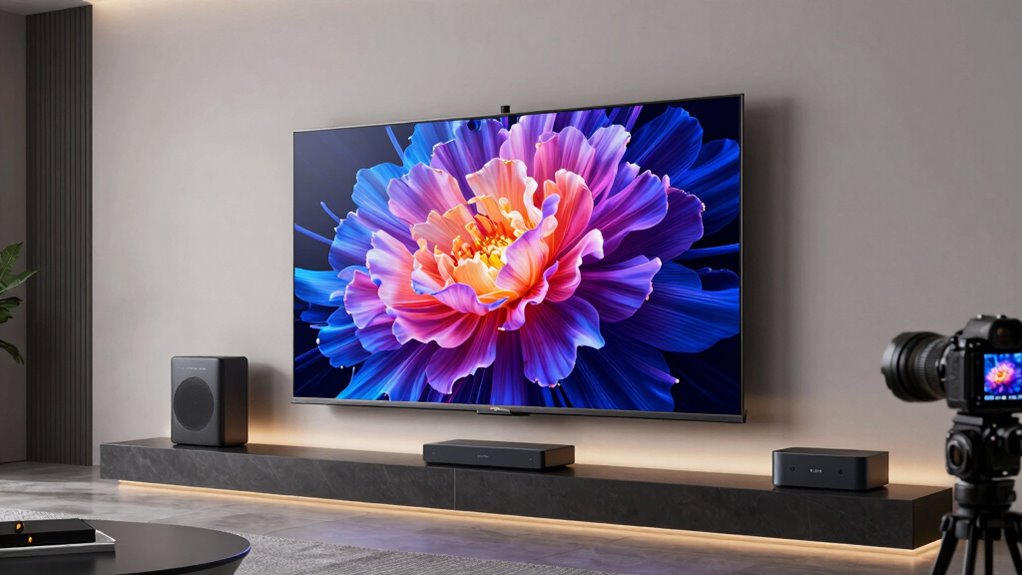

For AI upscaling and streaming, I’d choose the Samsung 65-Inch S85F OLED as my best overall pick for its OLED picture quality and smart-TV focus. The Samsung 42-Inch S90F OLED is a strong choice for a smaller premium setup, while the LG QNED73B Mini LED models offer a different balance for buyers who want a bright-room-friendly alternative. The main tradeoff is whether to prioritize refined picture performance, a larger screen, or a simpler, more affordable streaming setup. Screen size, room lighting, and the quality of your usual video sources can matter as much as an upscaling label. Read on for the full breakdown and help matching a TV to your room and viewing habits.

Get business pricing on tech for your team
- Business-only prices and quantity discounts
- Tax-exempt purchasing
- Multiple users, one account, clear invoices
Key Takeaways
- The OLED models lead on premium picture priorities: The Samsung 65-Inch S85F is the best overall fit here, while the 42-Inch S90F brings the OLED option to smaller spaces.
- Mini LED is the middle ground in this lineup: LG’s 43- and 55-inch QNED73B models suit buyers comparing a bright-room-oriented alternative with the OLED picks.
- U8000H appears in several sizes, not several performance tiers: Choose among its 43-, 55-, 65-, and 85-inch versions by room and seating distance rather than expecting a different core experience.
- Streaming platform preference can settle close calls: The Toshiba M450SU and Hisense E6 use Fire TV, while the Samsung and LG options offer their own smart-TV environments.
- More screen area does not guarantee better low-quality video: The 85-inch U8000H makes size a priority, but buyers who watch lots of low-resolution streams should weigh screen distance and source quality carefully.
| LG 43-Inch QNED73B Series Mini LED 4K Smart TV (2026) |  | Best Compact Mini LED for Mixed Streaming | Screen size: 43 inches | Display technology: Mini LED | Resolution: 4K | VIEW ON AMAZON | See Our Full Breakdown |
| Samsung 43-Inch Crystal UHD U8000H 4K Smart TV (2026 Model) |  | Best Entry-Level Upscaling Pick | Screen size: 43 inches | Display technology: LED | Resolution: 4K | VIEW ON AMAZON | See Our Full Breakdown |
| Toshiba 55M450SU 55-Inch QLED 4K UHD Smart Fire TV |  | Best for Fire TV and HDR Format Variety | Screen size: 55 inches | Display technology: QLED | Resolution: 4K UHD | VIEW ON AMAZON | See Our Full Breakdown |
| Samsung 65-Inch Crystal UHD U8000H 4K Smart TV (2026) | | Best Large-Screen Streaming Value | Screen size: 65 inches | Display technology: LED | Resolution: 4K | VIEW ON AMAZON | See Our Full Breakdown |
| Samsung 55-Inch M80H Series 4K Mini LED Smart TV (2026) |  | Best for AI Processing and High-Refresh Gaming | Screen size: 55 inches | Display technology: Mini LED | Resolution: 4K | VIEW ON AMAZON | See Our Full Breakdown |
| Samsung 43-Inch QLED Q7F Series Smart TV (2025 Model, 43Q7F) |  | Best Compact Samsung Streaming Pick | Screen size: 43 inches | Display technology: QLED | Resolution: 4K | VIEW ON AMAZON | See Our Full Breakdown |
| Samsung 65-Inch S85F OLED 4K Smart TV (2025) |  | Best for Premium Upscaling and Motion | Screen size: 65 inches | Display technology: OLED | Resolution: 4K | VIEW ON AMAZON | See Our Full Breakdown |
| LG 55-Inch QNED73B Series Mini LED 4K Smart TV (2026) |  | Best Mid-Size Mini LED Streaming Pick | Screen size: 55 inches | Display technology: Mini LED | Resolution: 4K | VIEW ON AMAZON | See Our Full Breakdown |
| Samsung 85-Inch Class U8000H Series Crystal UHD 4K Smart TV (2026) | | Best for a Big-Screen Free-Channel Setup | Screen size: 85 inches | Resolution: 4K UHD | Model year: 2026 | VIEW ON AMAZON | See Our Full Breakdown |
| Hisense 43-Inch E6 Cinema Series Hi-QLED 4K UHD Smart Fire TV (43E6QF) |  | Best for Dolby Vision Streaming | Screen size: 43 inches | Resolution: 4K UHD | Display technology: Hi-QLED | VIEW ON AMAZON | See Our Full Breakdown |
| Samsung 42-Inch Class OLED S90F 4K Smart TV (2025) |  | Best Compact OLED for Upscaling and Streaming | Display: 42-inch OLED | Resolution: 4K | Processor: NQ4 AI Gen3 | VIEW ON AMAZON | See Our Full Breakdown |
| Samsung 55-Inch U8000H Crystal UHD 4K Smart TV (2026) | | Best for Free Streaming Channels | Display: 55-inch LED | Resolution: 4K | Processor: Crystal Processor | VIEW ON AMAZON | See Our Full Breakdown |
| tvs for ai upscaling and streaming | Resolution | Refresh rate | Screen size | Display technology |
|---|---|---|---|---|
| LG 43-Inch QNED73B Series Mini | 4K | 60 Hz | 43 inches | Mini LED |
| Samsung 43-Inch Crystal UHD U8 | 4K | 60 Hz | 43 inches | LED |
| Toshiba 55M450SU 55-Inch QLED | 4K UHD | 60 Hz | 55 inches | QLED |
| Samsung 65-Inch Crystal UHD U8 | 4K | 60 Hz | 65 inches | LED |
| Samsung 55-Inch M80H Series 4K | 4K | 120 Hz; up to 144 Hz for compatible PC games | 55 inches | Mini LED |
| Samsung 43-Inch QLED Q7F Serie | 4K | 60 Hz | 43 inches | QLED |
| Samsung 65-Inch S85F OLED 4K S | 4K | 120 Hz | 65 inches | OLED |
| LG 55-Inch QNED73B Series Mini | 4K | 60 Hz | 55 inches | Mini LED |
| Samsung 85-Inch Class U8000H S | 4K UHD | — | 85 inches | — |
| Hisense 43-Inch E6 Cinema Seri | 4K UHD | 60 Hz | 43 inches | Hi-QLED |
| Samsung 42-Inch Class OLED S90 | 4K | 120 Hz | — | — |
| Samsung 55-Inch U8000H Crystal | 4K | 60 Hz | — | — |
More Details on Our Top Picks
LG 43-Inch QNED73B Series Mini LED 4K Smart TV (2026)
For a smaller room where streaming picture quality matters more than a large screen, I’d start with the 43-inch QNED73B. Its Mini LED backlight and Alpha 7 AI Processor Gen9 pair 4K upscaling with picture and sound processing, giving lower-resolution streams more help than the basic LED Samsung U8000H models in this roundup. webOS adds familiar streaming apps and more than 400 free LG Channels, though internet access is needed for network services and some content requires a subscription.
The tradeoff is a 60 Hz refresh rate, so it is less suited to fast-motion gaming than Samsung’s 55-inch M80H, which supports higher refresh rates for compatible PC games. HDR support is listed as HDR10 and HLG; don’t choose it expecting broader format coverage. I’d pick this LG for a compact setup that benefits from its backlighting and processing, not for high-refresh gaming.
Pros:- Mini LED backlighting paired with 4K resolution
- Alpha 7 AI Processor Gen9 supports picture and sound enhancements
- webOS includes streaming apps and more than 400 free LG Channels
- AirPlay and Google Cast support wireless screen sharing
Cons:- 60 Hz refresh rate is less suited to high-frame-rate gaming
- HDR format support is limited to HDR10 and HLG
- Network-based smart features and some streaming content require internet or subscriptions
Best for: Viewers furnishing a bedroom, office, or small living room who want Mini LED backlighting, AI-assisted 4K upscaling, and built-in streaming options.
Not ideal for: PC gamers seeking a high-refresh display, or viewers who want a larger screen or HDR formats beyond HDR10 and HLG.
- Screen size:43 inches
- Display technology:Mini LED
- Resolution:4K
- Refresh rate:60 Hz
- Processor:Alpha 7 AI Processor 4K Gen9
- HDR formats:HDR10, HLG
- HDMI ports:3
- Wireless screen mirroring:AirPlay, Google Cast
Our verdict“Choose this compact LG if Mini LED and AI-assisted streaming upgrades matter more than screen size or high-refresh gaming.”
Samsung 43-Inch Crystal UHD U8000H 4K Smart TV (2026 Model)
The 43-inch Samsung U8000H is the straightforward choice for viewers who want 4K streaming and basic upscaling without paying for a more elaborate display type. Its Crystal Processor 4K is designed to improve lower-resolution sources, while Color Booster can add more vivid color to everyday viewing. Samsung TV Plus provides free channels, and Gaming Hub offers cloud gaming access, though network services require an internet connection and Samsung Account.
Compared with the LG 43-inch QNED73B, this Samsung uses conventional LED backlighting rather than Mini LED, so its central appeal is simple 4K processing and smart-TV access, not a more advanced backlight. It also has a stated maximum brightness of 250 nits and a 60 Hz refresh rate, which limit its appeal in bright rooms and for fast gaming. I’d choose it for casual streaming, not demanding HDR viewing.
Pros:- Crystal Processor 4K upscales lower-resolution content
- Color Booster supports more vivid-looking color
- Samsung TV Plus and Gaming Hub add streaming and gaming options
- Three HDMI ports and Bluetooth 5.3
Cons:- Conventional LED backlighting lacks the Mini LED approach of the LG 43-inch QNED73B
- Maximum brightness is listed at 250 nits
- 60 Hz refresh rate and account requirements for network features limit flexibility
Best for: Budget-conscious viewers setting up a small room who mainly stream familiar shows and want basic 4K upscaling and built-in channels.
Not ideal for: Bright-room viewers, HDR enthusiasts, or gamers who want a refresh rate above 60 Hz or stronger display hardware.
- Screen size:43 inches
- Display technology:LED
- Resolution:4K
- Refresh rate:60 Hz
- Processor:Crystal Processor 4K
- Maximum brightness:250 nits
- HDR format:HDR10+
- HDMI ports:3
Our verdict“Pick this Samsung for everyday 4K streaming on a small screen if basic upscaling matters more than brightness or advanced backlighting.”
Toshiba 55M450SU 55-Inch QLED 4K UHD Smart Fire TV
The Toshiba 55M450SU makes the most sense for viewers who want a larger streaming screen with Fire TV and broad HDR format support. Its QLED panel combines with Dolby Vision and HDR10+ Adaptive, giving compatible streams more format options than the Samsung U8000H’s HDR10+ support alone. AI-enhanced picture clarity is intended to help with streamed material, while Fire TV and Alexa voice control make finding content a central part of the experience.
It also lists Dolby Atmos and Apple AirPlay, plus eARC for connecting compatible audio equipment. Compared with the LG 43-inch QNED73B, the Toshiba gives you more screen area and a built-in Fire TV interface, but its 60 Hz refresh rate does not match the Samsung 55-inch M80H’s higher refresh capability for compatible PC games. Choose it for streaming and HDR flexibility rather than high-frame-rate play.
Pros:- QLED 4K panel with AI-enhanced picture clarity
- Supports Dolby Vision and HDR10+ Adaptive
- Fire TV and Alexa voice control simplify content discovery
- Dolby Atmos, Apple AirPlay, and eARC support
Cons:- 60 Hz refresh rate falls short of the Samsung 55-inch M80H for compatible high-frame-rate PC gaming
- Streaming features depend on the Fire TV platform and Wi-Fi connectivity
- The supplied specifications list Wi-Fi but do not specify other connection options
Best for: Households wanting a 55-inch QLED streaming TV with Fire TV, Alexa voice control, and support for Dolby Vision and HDR10+ Adaptive.
Not ideal for: PC gamers prioritizing high refresh rates, or viewers who prefer a different smart-TV platform than Fire TV.
- Screen size:55 inches
- Display technology:QLED
- Resolution:4K UHD
- Refresh rate:60 Hz
- Operating system:Fire TV
- HDR formats:Dolby Vision, HDR10+ Adaptive
- HDMI ports:3
- Additional features:Dolby Atmos, ALLM, VRR, eARC, Apple AirPlay
Our verdict“Choose the Toshiba if Fire TV convenience and varied HDR support are more valuable to you than high-refresh gaming.”
Samsung 65-Inch Crystal UHD U8000H 4K Smart TV (2026)
If screen size is the priority, the 65-inch Samsung U8000H brings 4K upscaling and a broad set of streaming options to a much larger viewing area than the 43-inch U8000H. Its Crystal Processor 4K handles lower-resolution content, while Samsung Smart Hub and more than 2,700 free streaming options, including Samsung TV Plus, give viewers plenty to browse. The listed 300-nit maximum brightness is higher than the 43-inch U8000H’s 250 nits, though this remains a conventional LED model.
Against the 55-inch Toshiba QLED, the Samsung offers a larger screen and a larger stated pool of free options, while Toshiba adds QLED and Dolby Vision support. The U8000H’s 60 Hz ceiling and HDR10+ support make it a less compelling fit for fast gaming or viewers seeking wider HDR format coverage. Smart services need high-speed internet and a Samsung Account, so this pick suits connected streaming households best.
Pros:- 65-inch screen provides a larger viewing area than the 43-inch Samsung U8000H
- Crystal Processor 4K supports upscaling of lower-resolution content
- More than 2,700 free streaming options, including Samsung TV Plus
- Three HDMI ports plus Wi-Fi 5 and Bluetooth 5.3
Cons:- Conventional LED display and 60 Hz refresh rate limit its appeal for demanding HDR and gaming
- HDR support is listed as HDR10+
- Network-based smart services require high-speed internet and a Samsung Account
Best for: Families building a larger shared viewing space who want 4K upscaling, Samsung’s smart hub, and a wide selection of free streaming options.
Not ideal for: Viewers seeking QLED or Mini LED hardware, Dolby Vision support, or refresh rates above 60 Hz.
- Screen size:65 inches
- Display technology:LED
- Resolution:4K
- Refresh rate:60 Hz
- Processor:Crystal Processor 4K
- Maximum brightness:300 nits
- HDR format:HDR10+
- HDMI ports:3
Our verdict“Choose this 65-inch Samsung when a large screen and plentiful connected streaming options matter more than advanced backlighting or gaming speed.”
Samsung 55-Inch M80H Series 4K Mini LED Smart TV (2026)
For a buyer who wants AI-led picture adjustments as well as streaming, the Samsung 55-inch M80H is the most capable all-rounder in this batch. Its Mini LED backlighting is paired with AI picture processing, 4K upscaling, and automatic SDR-to-HDR remastering, so the processing aims to improve both older-resolution material and standard-dynamic-range streams. Those upgrades give it a more ambitious picture brief than the conventional LED Samsung U8000H models.
The M80H also reaches up to 144 Hz for compatible PC games, a meaningful advantage over the 60 Hz Toshiba 55M450SU and the other TVs here limited to 60 Hz. That ceiling depends on a compatible PC and game; it is not a benefit every streaming viewer will use. HDR support is listed as HDR10+, and network-based smart features require internet access and a Samsung Account. I’d favor it for mixed streaming and gaming, not for buyers who only need basic TV viewing.
Pros:- Mini LED display with AI picture processing
- 4K upscaling and automatic SDR-to-HDR remastering
- Up to 144 Hz for compatible PC games
- Three HDMI ports plus Wi-Fi, Bluetooth 5.3, and Ethernet
Cons:- 144 Hz support requires a compatible PC and game
- HDR format support is listed as HDR10+
- Network-based smart features require internet and a Samsung Account
Best for: Viewers who stream varied content and also connect a compatible gaming PC, making use of AI picture processing, upscaling, and higher refresh rates.
Not ideal for: Casual streamers who won’t use high-refresh PC gaming, or viewers who need HDR format support beyond HDR10+.
- Screen size:55 inches
- Display technology:Mini LED
- Resolution:4K
- Refresh rate:120 Hz; up to 144 Hz for compatible PC games
- HDR format:HDR10+
- HDMI ports:3
- Connectivity:Bluetooth 5.3, Wi-Fi, HDMI, USB, Ethernet
- VESA mount:200 x 200 mm
Our verdict“Pick the M80H if you want Mini LED and AI-assisted streaming improvements alongside high-refresh support for compatible PC gaming.”
Samsung 43-Inch QLED Q7F Series Smart TV (2025 Model, 43Q7F)
I’d choose the 43-inch Q7F for a smaller room where streaming quality and easy access to free channels matter more than high-refresh gaming. Its Q4 AI Gen1 processor is designed to upscale lower-resolution video to 4K, which can make older shows and compressed streams look more defined. The QLED color range and HDR10+ support add vibrancy, while Tizen brings Samsung TV Plus and built-in Alexa into the same interface. Compared with the Hisense 43-inch E6 Cinema, the Q7F emphasizes Samsung’s AI processing and channel lineup; Hisense counters with Dolby Vision and Dolby Atmos. The tradeoffs are its 60Hz panel and edge-lit backlight, which may limit motion smoothness and brightness uniformity. Smart features also require a Samsung account.
Pros:- Q4 AI Gen1 processor provides 4K upscaling for lower-resolution streams
- QLED panel supports a wide range of vivid colors
- Samsung TV Plus offers access to more than 2,700 free channels
- Built-in Alexa and Samsung Knox security
Cons:- 60Hz refresh rate is less suited to fast-paced gaming
- Edge-lit backlighting may produce less uniform brightness
- Samsung account is required for smart features
Best for: Viewers furnishing a bedroom or smaller living room who want Samsung’s 4K upscaling, QLED color, and free ad-supported channels.
Not ideal for: Fast-action gamers and viewers prioritizing Dolby Vision or more uniform backlighting; its 60Hz refresh rate and edge-lit design are limiting factors.
- Screen size:43 inches
- Display technology:QLED
- Resolution:4K
- Refresh rate:60 Hz
- HDR format:HDR10+
- Processor:Q4 AI Gen1
- Operating system:Tizen
- Speaker output:20 watts
Our verdict“Choose the compact Q7F for Samsung streaming features and AI upscaling, but pick the Hisense E6 if Dolby Vision is a priority.”
Samsung 65-Inch S85F OLED 4K Smart TV (2025)
For a large screen where streaming picture quality is the priority, I’d put the 65-inch S85F OLED ahead of the Q7F. Its NQ4 AI Gen2 processor uses 20 neural networks to upscale content and refine picture and sound, while OLED’s self-lit pixels deliver deep contrast that helps films feel more dimensional. The 120Hz refresh rate also gives sports and games smoother motion than the 60Hz Q7F or Hisense E6. Four HDMI ports leave room for streaming devices and consoles, and Dolby Atmos support adds a more spacious audio option. The compromise is that the benefit of upscaling depends on the quality of the source; poor streams won’t become pristine. It also lacks Dolby Vision, and some Vision AI features vary by model.
Pros:- OLED display offers high contrast for films and streaming series
- NQ4 AI Gen2 processor upscales content and enhances picture and sound
- 120Hz refresh rate supports smoother motion than the 60Hz models here
- Dolby Atmos, built-in Alexa, and four HDMI ports
Cons:- Upscaling results vary with the quality of the original source
- HDR support is listed as HDR10+, without Dolby Vision
- Some Vision AI features vary by model
Best for: Film and sports viewers who want a large OLED screen, AI-assisted 4K upscaling, and smoother motion for gaming or fast broadcasts.
Not ideal for: Buyers who need Dolby Vision support or mainly watch low-quality sources expecting processing to erase their limitations.
- Screen size:65 inches
- Display technology:OLED
- Resolution:4K
- Refresh rate:120 Hz
- Processor:NQ4 AI Gen2
- HDR format:HDR10+
- Audio:Object Tracking Sound Lite with Dolby Atmos
- HDMI ports:4
Our verdict“Pick the S85F when OLED contrast and 120Hz motion matter more than Dolby Vision support or budget-friendly simplicity.”
LG 55-Inch QNED73B Series Mini LED 4K Smart TV (2026)
The 55-inch LG QNED73B is a strong fit for viewers who want a mid-size screen and Mini LED backlighting without stepping up to the S85F’s OLED format. Its a7 AI Processor 4K Gen9 handles picture and sound processing, while webOS gathers popular streaming apps and LG Channels in one smart-TV platform. Mini LED backlighting and HDR support give it a different picture approach from the Samsung Q7F’s QLED panel, and the LG adds features such as FreeSync Premium and ALLM for gaming. Those extras do not change its 60Hz refresh rate, though, so it is not the motion-first choice here; the S85F runs at 120Hz. One USB port and internet-, subscription-, or account-dependent smart features also make this less convenient for some setups.
Pros:- Mini LED backlighting paired with 4K resolution
- a7 AI Processor 4K Gen9 handles picture and sound processing
- webOS supports popular streaming apps and LG Channels
- FreeSync Premium and ALLM add gaming-focused features
Cons:- 60Hz refresh rate is less fluid than the Samsung S85F’s 120Hz
- Only one USB port is listed
- Some smart features and cloud gaming depend on internet access, subscriptions, or an LG account
Best for: Streaming households seeking a 55-inch Mini LED TV with webOS, built-in channels, and useful console-gaming features.
Not ideal for: Viewers who prioritize 120Hz motion, need multiple USB connections, or want cloud gaming without account or service requirements.
- Screen size:55 inches
- Display technology:Mini LED
- Resolution:4K
- Refresh rate:60 Hz
- Processor:a7 AI Processor 4K Gen9
- HDR formats:HDR10, HLG
- HDMI ports:3
- USB ports:1
Our verdict“Choose the QNED73B for a 55-inch Mini LED and webOS combination, but favor the S85F if smoother 120Hz motion is your main goal.”
Samsung 85-Inch Class U8000H Series Crystal UHD 4K Smart TV (2026)
If screen size and easy access to free streaming channels outrank premium display technology, I’d look at the 85-inch U8000H. Its Crystal Processor is designed to sharpen detail, enhance color, and upscale lower-resolution content to 4K, giving older broadcasts and streams a better fit on a very large panel. Motion Xcelerator supports performance up to 4K at 60Hz, a useful match for casual sports and gaming, though it cannot match the 120Hz Samsung S85F for fast motion. Samsung TV Plus supplies more than 750 subscription-free channels, with additional free streaming options also listed. The product data does not specify panel technology, HDR formats, or connection counts, so buyers comparing picture formats or planning a device-heavy setup should verify those details before choosing it.
Pros:- 85-inch screen suits large rooms and group viewing
- Crystal Processor upscales lower-resolution content to 4K
- Motion Xcelerator supports performance up to 4K at 60Hz
- Samsung TV Plus offers 750+ free channels, with 2,700+ additional free streaming options listed
Cons:- Maximum stated refresh performance is 60Hz, below the Samsung S85F’s 120Hz
- Panel technology and HDR formats are not specified in the provided product data
- Port counts and detailed connectivity information are not provided
Best for: Viewers setting up a large shared living room who want an 85-inch 4K screen, basic upscaling, and plenty of free channel options.
Not ideal for: Buyers seeking OLED contrast, 120Hz gaming, specified HDR-format support, or detailed connectivity information before purchase.
- Screen size:85 inches
- Resolution:4K UHD
- Model year:2026
- Processor:Crystal Processor
- Motion technology:Motion Xcelerator
- Maximum refresh performance:Up to 4K at 60Hz
- Samsung TV Plus channels:750+
- Additional free streaming options:2,700+
Our verdict“Choose the U8000H for an unusually large screen and free-channel access, not for high-refresh gaming or a specified premium HDR format.”
Hisense 43-Inch E6 Cinema Series Hi-QLED 4K UHD Smart Fire TV (43E6QF)
I’d pick the Hisense E6 Cinema for a compact setup built around a broad mix of streaming formats. It supports Dolby Vision as well as HDR10, HDR10+, HDR10+ Adaptive, and HLG, giving compatible services and video sources more HDR options than the Samsung Q7F, which lists HDR10+. Its Hi-QLED display aims for vivid color, while a 4K upscaler and AI Light Sensor address lower-resolution content and changing room brightness. Fire TV, an Alexa voice remote, and WiFi 6 round out the streaming setup. Compared with the Q7F, Hisense adds Dolby Vision and VRR through Game Mode Plus, but its refresh rate remains 60Hz. The built-in speakers are rated at 14 watts, and WiFi 6 does not remove the need for a reliable network connection.
Pros:- Supports Dolby Vision alongside HDR10, HDR10+, HDR10+ Adaptive, and HLG
- 4K upscaler and AI Light Sensor support picture adjustment
- Fire TV and Alexa voice remote simplify streaming and voice control
- Game Mode Plus includes VRR
Cons:- 60Hz refresh rate may limit fast-action gaming compared with the 120Hz Samsung S85F
- 14-watt built-in speakers may not suit buyers seeking fuller audio without external equipment
- Streaming performance still depends on a stable network connection
Best for: Compact-room viewers who stream Dolby Vision content and want Fire TV, Alexa voice control, and automatic brightness adjustment.
Not ideal for: Competitive gamers needing a high-refresh panel or viewers expecting powerful built-in audio from the 14-watt speakers.
- Screen size:43 inches
- Resolution:4K UHD
- Display technology:Hi-QLED
- Refresh rate:60 Hz
- HDR formats:Dolby Vision, HDR10, HDR10+, HDR10+ Adaptive, HLG
- Audio:Dolby Atmos, 14-watt built-in speakers, 2 channels
- Wi-Fi:WiFi 6
- AI features:Light Sensor, 4K Upscaler, Smooth Motion with MEMC
Our verdict“Choose the E6 Cinema for compact Dolby Vision streaming and Fire TV convenience, but look to the S85F for 120Hz motion.”
Samsung 42-Inch Class OLED S90F 4K Smart TV (2025)
For a smaller room where streaming picture quality matters more than screen size, the 42-inch OLED S90F pairs 4K resolution with Samsung’s NQ4 AI Gen3 processor, which can sharpen and upscale lower-resolution video. OLED’s pixel-level light control gives dark scenes more contrast than the LED-based Samsung U8000H, while OLED HDR+ and Pantone Validated color suit viewers who care about image detail and color. Its 120Hz refresh rate and support for compatible PC gaming up to 4K at 144Hz also make it more versatile for gaming than the U8000H’s 60Hz panel. The tradeoff is its compact 42-inch screen, which may feel undersized at a distance, and the highest gaming refresh rate depends on compatible hardware and games. Upscaling results can also vary with the source.
Pros:- OLED panel and OLED HDR+ deliver strong contrast for streamed films and shows.
- NQ4 AI Gen3 processing can upscale and enhance lower-resolution content.
- 120Hz refresh rate with compatible PC gaming support up to 4K at 144Hz.
- Pantone Validated color and four HDMI ports.
Cons:- The 42-inch screen can be too small for a main TV viewed from across a large room.
- 144Hz at 4K requires a compatible PC and supported games.
- Upscaling and picture enhancement depend on the quality of the source content.
Best for: Viewers setting up a bedroom, desk, or small living room who want OLED contrast, AI-assisted upscaling, and a TV that can also handle high-refresh-rate PC gaming.
Not ideal for: Buyers furnishing a large room or prioritizing a big screen; those needs are better matched by a 55-inch option such as the Samsung U8000H, though it gives up OLED contrast and higher refresh capability.
- Display:42-inch OLED
- Resolution:4K
- Processor:NQ4 AI Gen3
- HDR format:HDR10+
- Refresh rate:120 Hz
- PC gaming support:Up to 4K at 144 Hz with compatible PC games
- Ports:4 HDMI, 2 USB
- Connectivity:Wi-Fi, Bluetooth, Ethernet
Our verdict“Choose the S90F for a compact room where OLED contrast and AI-assisted picture improvement matter more than screen size.”
Samsung 55-Inch U8000H Crystal UHD 4K Smart TV (2026)
The 55-inch Samsung U8000H is a straightforward pick for viewers who want a larger 4K screen and built-in access to Samsung TV Plus channels. Its Crystal Processor is designed to sharpen detail and upscale lower-resolution content, a useful feature when a streaming service or older video does not arrive in 4K. It also accepts HDR10+, HDR10, and HLG formats. Compared with the 42-inch Samsung S90F, this model gives you substantially more screen area, but its LED display and 60Hz refresh rate are less suited to viewers seeking OLED contrast or high-refresh gaming. Three HDMI ports support common living-room devices, though there is only one USB port. Smart services require internet access and a Samsung Account, so this is less appealing if you want connected features without account setup.
Pros:- Crystal Processor is designed to upscale lower-resolution content and sharpen details.
- 55-inch 4K screen provides more viewing area than the 42-inch Samsung S90F.
- Supports HDR10+, HDR10, and HLG formats.
- Samsung TV Plus adds free streaming channels, with three HDMI ports for connected devices.
Cons:- The 60Hz refresh rate is a limitation for high-frame-rate gaming and sports viewing.
- LED display lacks the pixel-level contrast of the OLED Samsung S90F.
- Network-based smart services require internet access and a Samsung Account.
Best for: Households seeking a 55-inch 4K TV for everyday streaming, mixed-quality video, and access to Samsung TV Plus channels.
Not ideal for: PC gamers seeking high-refresh 4K, or picture-focused viewers who want OLED contrast; the 60Hz LED U8000H is a more basic choice than the Samsung S90F.
- Display:55-inch LED
- Resolution:4K
- Processor:Crystal Processor
- Refresh rate:60 Hz
- HDR formats:HDR10+, HDR10, HLG
- Contrast ratio:4000:1
- Maximum brightness:350 nits
- Ports:3 HDMI, 1 USB
- Wireless:Wi-Fi 5, Bluetooth 5.3
Our verdict“Pick the U8000H if you want a larger everyday streaming TV with built-in free channels and do not need OLED contrast or high-refresh gaming.”

How We Picked
I ranked these TVs around the needs behind AI upscaling and streaming: how well each type of display suits everyday video, how useful its smart-TV platform is for accessing streaming services, and whether its size and picture technology make sense for different rooms. I gave more weight to display class and likely viewing fit than to screen size alone, since a larger screen can make limitations in compressed or low-resolution content easier to see. The list includes OLED, Mini LED, QLED, and Crystal UHD options so readers can compare meaningful tradeoffs rather than twelve near-identical choices.
The ranking favors models that offer a stronger overall balance for streaming viewers, then separates alternatives by room size, display preference, and platform choice. OLED models rank highly for buyers prioritizing picture quality; Mini LED and QLED choices provide distinct alternatives; and the U8000H sizes suit shoppers who value straightforward size selection over a premium panel. I treat AI upscaling as one part of the decision, not a guarantee that every source will look sharp: streaming bitrate, original resolution, and viewing distance also shape the result.
| tvs for ai upscaling and streaming | Display technology |
|---|---|
| LG 43-Inch QNED73B Series Mini | Mini LED |
| Samsung 43-Inch Crystal UHD U8 | LED |
| Toshiba 55M450SU 55-Inch QLED | QLED |
| Samsung 65-Inch Crystal UHD U8 | LED |
| Samsung 55-Inch M80H Series 4K | Mini LED |
| Samsung 43-Inch QLED Q7F Serie | QLED |
| Samsung 65-Inch S85F OLED 4K S | OLED |
| LG 55-Inch QNED73B Series Mini | Mini LED |
| Samsung 85-Inch Class U8000H S | — |
| Hisense 43-Inch E6 Cinema Seri | Hi-QLED |
| Samsung 42-Inch Class OLED S90 | — |
| Samsung 55-Inch U8000H Crystal | — |
Factors to Consider When Choosing Tvs For Ai Upscaling And Streaming
Before choosing a model, match the TV to the content and room you actually have. Upscaling cannot restore detail that a video never contained, and a feature name alone does not tell you how a particular stream will look. These broader checks can prevent paying for the wrong improvement.
Match Upscaling to Your Usual Video Sources
Start with what you watch most: current 4K streams, older HD shows, live television, or heavily compressed clips. Upscaling can adapt lower-resolution video to a 4K screen, but it cannot recreate missing texture or remove every compression artifact. A clean HD source may benefit more than a poor-quality upload, regardless of the TV’s processing claims. If much of your viewing comes from one streaming service, check its available resolution and subscription tier before paying extra for a higher-end panel. Buyers focused on older content should prioritize consistent processing and natural-looking detail over sharpening that makes faces or edges look harsh. This distinction matters more than choosing a TV solely because its marketing uses the word AI.
Choose Screen Size With Seating Distance in Mind
A larger screen makes films and sports more immersive, but it also makes flaws in lower-quality streams more visible from the same seat. Measure the distance from your usual viewing position to the screen and think about whether you watch mostly high-quality 4K content or mixed sources. The 85-inch U8000H is the lineup’s size-first choice, while the 42- and 43-inch models are easier to fit into bedrooms and compact living spaces. Avoid buying the biggest screen that fits a wall without checking how it feels from your seat. If you watch a lot of older HD programming, a more moderate size or greater viewing distance may make the image feel more comfortable. Choose the screen for your room, not just the resolution printed on the box.
Account for Room Light and Viewing Habits
Room lighting affects perceived contrast and color, so the best display type depends partly on when and where you watch. OLED is a compelling direction for buyers who value deep blacks and evening film viewing, while the LG Mini LED models offer a different route for mixed or brighter-room use. Strong daylight, windows opposite the screen, and overhead lights can all change how satisfying a picture looks. Think about whether you can control glare with curtains or lamps before spending more on display technology. If daytime viewing is common, compare real placement conditions rather than assuming a premium panel will solve every reflection problem. Match the TV to the room you have, not an idealized dark theater.
Treat Smart-TV Software as Part of Picture Quality
The viewing experience depends on more than the panel: the TV’s software determines how easily you reach services and whether your preferred apps are available. Fire TV is built into the Toshiba M450SU and Hisense E6, while Samsung and LG models use their own smart-TV platforms. Before choosing, make a short list of the apps, live-TV services, and connected devices you use most, then confirm they fit your preferred setup. A platform you find clear can save more daily frustration than a small picture-quality upgrade. Also think about who will operate the TV; a household that wants a simple remote and familiar menus may value ease of use over extra settings. Software support and interface preferences should be part of the purchase decision, not an afterthought.
Decide When a Premium Panel Is Worth Paying For
Paying more for OLED or Mini LED makes the most sense when the screen is a primary place for films, series, and high-quality streams. If your TV mainly shows casual programs or low-resolution sources, a premium panel may reveal more about the source than it improves it. Compare the cost of the display upgrade with the value of buying a better streaming plan, improving your network, or choosing a size that fits your seating area. A stable internet connection can help prevent buffering and quality drops, but it will not change the resolution of a service’s source material. Buyers should spend on the weakest part of their setup first: source quality, room fit, platform usability, or panel performance. That approach often leads to a more noticeable improvement than buying the most advanced display available.
Frequently Asked Questions
Will AI upscaling make older shows look like native 4K?
No. Upscaling enlarges and processes a lower-resolution image so it fits a 4K screen, but it cannot recover detail that was never captured. A well-preserved HD program may look cleaner than a compressed or heavily degraded source, even on the same TV. Processing can also affect the appearance of edges and textures, so more sharpening is not always more faithful. If most of your library is older video, focus on natural-looking processing and a comfortable viewing distance rather than expecting a 4K transformation.
Should I choose OLED or Mini LED for streaming in a bright living room?
Room conditions matter as much as display type. OLED is a strong fit for viewers who prioritize dark-scene contrast and often watch in controlled or dim lighting, while the LG QNED73B Mini LED options offer a distinct alternative for buyers weighing brighter-room use. Neither label alone tells you how glare will affect your setup, especially if a window faces the screen. Check where daylight and lamps fall during your normal viewing hours, and consider whether blinds or repositioning the TV can reduce reflections. If you cannot control the room light, favor the option that better fits those conditions rather than choosing by technology name alone.
Is the 85-inch U8000H a better choice than a smaller premium TV?
It depends on whether your priority is screen size or picture refinement. The 85-inch U8000H suits buyers who want a much larger viewing area, while the Samsung OLED models are better aligned with shoppers who put premium panel performance ahead of size. Large screens can make low-resolution or compressed streams look less forgiving, particularly when viewed up close. Measure your seating distance and consider the quality of the sources you watch most before deciding. If your main goal is cinematic scale, the larger set may fit; if it is contrast and detail, a smaller premium panel may be the better match.
How should I choose between the Fire TV models and Samsung or LG smart TVs?
Choose by the apps and interface you want to use every day, not by platform branding alone. The Toshiba M450SU and Hisense E6 come with Fire TV, while the Samsung and LG models use their own smart-TV systems. Check that your preferred services are available and that the menus suit the people who will use the TV. If you already use streaming devices or a cable box, the built-in interface may matter less, though it still affects setup and routine navigation. A familiar, easy-to-operate system can be a better fit than a platform with features you rarely use.
Should I buy a 2026 model instead of one of the 2025 OLED TVs?
Not automatically. The 2025 Samsung S85F and S90F OLED models stand out for buyers prioritizing OLED picture characteristics, while the 2026 models include different panel types and a broader spread of sizes. A newer model year does not by itself mean a better fit for streaming or upscaling. Compare the display type, screen size, and smart-TV platform against your room and viewing habits, then choose based on those practical differences. If OLED is your priority, the 2025 models remain relevant options in this roundup rather than being ruled out by their date.
Conclusion
My best overall pick is the Samsung 65-Inch S85F OLED for buyers who want a premium streaming screen and have room for a mid-to-large display. For best value and easier everyday setup, compare the Samsung U8000H sizes and choose the one that fits your space; the Toshiba M450SU or Hisense E6 makes more sense if you specifically want Fire TV built in. The best premium option for a compact room is the Samsung 42-Inch S90F OLED, while the LG QNED73B is a strong alternative for shoppers weighing Mini LED in 43- or 55-inch sizes. Beginners should favor a screen size and smart-TV platform they find easy to live with, rather than paying extra for processing features they may not use. For a large room, consider the 85-inch U8000H; for picture quality in a smaller setup, choose the S90F. My final recommendation is to rank room fit and your usual stream quality first, then choose the display and platform that best match those priorities.
Fall Picks
fall essentials
As an affiliate, we earn on qualifying purchases.