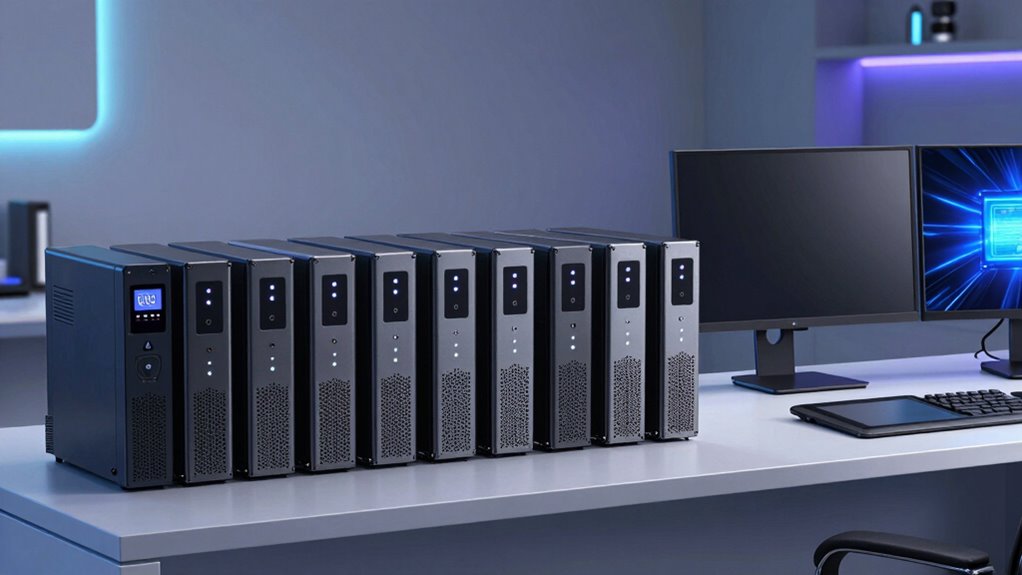

A creator workstation can lose more than an unsaved document during a power cut: an interrupted render, corrupted project, or dropped network connection can disrupt the whole session. I’ve ranked these four UPS systems by how well their power capacity, outlet layout, waveform, and installation style fit common creator setups—not by capacity alone. The CyberPower CP2000PFCRM2U is my leading choice for rack-based studios and active-PFC equipment because it supplies a PFC sine wave at 1200W. For a conventional desktop setup, the CyberPower CST135UC2-R is the more practical middle ground, with 810W capacity, AVR, and five battery-backed outlets. The Opti UPS TS2 offers the largest listed tower capacity, but its 20A plug changes what it takes to install. The main tradeoff is straightforward: more power and specialized output can bring stricter outlet or rack requirements, while compact desktop models are easier to place but provide less headroom.

Get business pricing on tech for your team
- Business-only prices and quantity discounts
- Tax-exempt purchasing
- Multiple users, one account, clear invoices
Complete the kit



Key Takeaways
- Best match for a rack studio: The CyberPower CP2000PFCRM2U combines 1200W capacity with PFC sine-wave output and a short 10.8-inch depth.
- Best everyday desktop balance: The CyberPower CST135UC2-R supplies 810W capacity, AVR, an LCD, and USB-C and USB-A charging, but only five outlets have battery backup.
- Most runtime detail for a tower: The Opti UPS TS2 specifies up to 22 minutes at a 240W load, though its NEMA 5-20P plug requires a 20A outlet.
- Best compact, lower-capacity choice: The Vertiv PSA6-850LVT is a desktop line-interactive model rated for 530W and includes USB-C, but has simulated sine-wave output.
- Check the whole workstation load: GPU-heavy computers, displays, storage, and networking gear all draw from the UPS capacity; plan around watts and battery-backed outlets, not VA alone.
| CyberPower CP2000PFCRM2U PFC Sine Wave UPS Battery Backup |  | Best Premium Rack UPS for Active-PFC Workstations | Capacity: 2000VA / 1200W | Output waveform: PFC sine wave | Outlets: Eight NEMA 5-20R | VIEW ON AMAZON | See Our Full Breakdown |
| CyberPower CST135UC2-R Line-Interactive UPS Battery Backup |  | Best Overall for a Typical Creator Desk | Capacity: 1350VA / 810W | Output waveform: Simulated sine wave | Outlets: 10 NEMA 5-15R; five battery-backed and surge-protected | VIEW ON AMAZON | See Our Full Breakdown |
| OPTI UPS 2000VA/1200W Battery Backup UPS with AVR and 6 Outlets |  | Best Tower for Buyers Who Need Stated Runtime | Capacity: 2000VA / 1200W | Form factor: Tower | Output waveform: Simulated sine wave | VIEW ON AMAZON | See Our Full Breakdown |
| Vertiv PSA6-850LVT PowerUPS 200 850VA/530W Line-Interactive Desktop UPS |  | Best Compact Pick for a Lighter Workstation | Model: PSA6-850LVT | Series: PowerUPS 200 | Capacity: 850VA / 530W | VIEW ON AMAZON | See Our Full Breakdown |
| ups systems for creator workstation | Capacity | Output waveform | Outlets | Input plug |
|---|---|---|---|---|
| CyberPower CP2000PFCRM2U PFC S | 2000VA / 1200W | PFC sine wave | Eight NEMA 5-20R | NEMA 5-20P |
| CyberPower CST135UC2-R Line-In | 1350VA / 810W | Simulated sine wave | 10 NEMA 5-15R; five battery-backed and surge-protected | NEMA 5-15P |
| OPTI UPS 2000VA/1200W Battery | 2000VA / 1200W | Simulated sine wave | Six NEMA 5-15R, battery backup and surge protection | NEMA 5-20P; requires a 20A outlet |
| Vertiv PSA6-850LVT PowerUPS 20 | 850VA / 530W | Simulated sine wave | — | — |
More Details on Our Top Picks
CyberPower CP2000PFCRM2U PFC Sine Wave UPS Battery Backup
This is the strongest fit in the group for a rack-based creator workstation that needs more than basic outage coverage. Its 2000VA/1200W rating gives a substantial stated power ceiling, and its PFC sine-wave output is the clearest advantage over the simulated-sine-wave Vertiv, Opti, and CST135UC2-R. That output is designed to support both active-PFC and conventional power supplies, which makes this the more reassuring choice for a high-performance editing or production computer.
The short-depth design is unusually relevant in a small studio: at 10.8 inches deep, it is aimed at tight rack spaces rather than bulky equipment bays. AVR can respond to some voltage fluctuations without using battery charge, while the color LCD makes load and operating status easier to check. Compared with the Opti TS2, it trades a tower form for rack installation and does not list a runtime figure here. Its eight NEMA 5-20R outlets are also a defined limit, and the NEMA 5-20P input means I would check the studio’s outlet and circuit before choosing it.
I rank it first for specialized rack setups because waveform and fit are better aligned with demanding workstation hardware than the other models’ simulated sine-wave outputs. It is not the universal best desk UPS: its rack-first format may add installation work for a single computer, and a strong 1200W rating does not tell me how long a particular workstation will run on battery.
Pros:- 1200W output capacity for a larger workstation load
- PFC sine-wave output supports active-PFC and conventional power supplies
- Short 10.8-inch depth suits compact rack installations
- AVR and a color LCD add voltage correction and at-a-glance status
Cons:- Rack-oriented form may not suit a standard desk setup
- Eight outlets limit how many devices can connect directly
- NEMA 5-20P input calls for an outlet and circuit check
Best for: Creators with a rack-mounted workstation, audio/visual gear, or active-PFC power supplies who can accommodate its NEMA 5-20P input.
Not ideal for: Desk-only users who want a simple plug-in tower, need a documented runtime estimate, or have not verified compatibility with the 20A input.
- Capacity:2000VA / 1200W
- Output waveform:PFC sine wave
- Outlets:Eight NEMA 5-20R
- Input plug:NEMA 5-20P
- Depth:10.8 inches
- Voltage regulation:Automatic voltage regulation
- Display:Color LCD panel
- Power cord:6 feet
Our verdict“I’d choose this rackmount model for a serious studio workstation where PFC sine-wave output and shallow rack fit matter more than simple desk placement.”
CyberPower CST135UC2-R Line-Interactive UPS Battery Backup
For a desk-based computer, monitor, and network setup, the CST135UC2-R has the most balanced mix of capacity, everyday connections, and readable status. Its 810W rating sits well above the Vertiv’s 530W, giving a creator more stated headroom for a workstation load without moving to the rack-focused CP2000PFCRM2U. AVR, battery backup, surge protection, and an LCD cover the practical essentials, while USB-C and USB-A charging add convenient power for smaller devices.
The outlet arrangement needs a closer look than the headline count suggests. There are ten NEMA 5-15R outlets, but only five are battery-backed; the other five provide surge protection only. That can work well when I reserve backup outlets for the computer, display, and network gear, then connect less critical accessories elsewhere. The CP2000PFCRM2U has fewer outlets but offers PFC sine-wave output and higher watt capacity; the CST135UC2-R instead uses simulated sine wave, as do the Opti and Vertiv. Buyers should check that their equipment is compatible with that output rather than assume the larger rack model’s waveform benefit is included here.
It is the lineup’s most natural recommendation for a conventional creator desk because it uses a 15A input plug and has a compact, upright footprint rather than requiring rack space or the Opti’s 20A outlet. Its 5-foot cord may restrict placement, and its stated average battery life is three years, so battery replacement belongs in long-term ownership planning. I would skip it if a workstation needs more than 810W or if every connected device needs battery backup.
Pros:- 810W capacity with AVR, battery backup, and surge protection
- Ten outlets let users separate backup-critical devices from surge-only accessories
- USB-C and USB-A charging ports support small devices
- LCD shows battery, load, voltage, and fault information
Cons:- Only five of the ten outlets have battery backup
- Simulated sine-wave output may not suit every power supply
- Five-foot cord can constrain placement
Best for: Creators seeking an all-around desktop UPS for a computer, monitor, router, and selected accessories on a standard 15A outlet.
Not ideal for: Users whose load exceeds 810W, who need more than five battery-backed outlets, or whose power supply calls for sine-wave output.
- Capacity:1350VA / 810W
- Output waveform:Simulated sine wave
- Outlets:10 NEMA 5-15R; five battery-backed and surge-protected
- Input plug:NEMA 5-15P
- Voltage regulation:Automatic voltage regulation
- Charging ports:USB-C and USB-A
- Display:LCD with battery, load, voltage, and fault information
- Dimensions:13.7 x 3.9 x 9.8 inches
- Battery average life:3 years
Our verdict“I recommend this as the most practical desktop choice when 810W is sufficient and five battery-backed outlets cover the essential workstation gear.”
OPTI UPS 2000VA/1200W Battery Backup UPS with AVR and 6 Outlets
The Opti TS2 suits a creator who wants a substantial tower-format UPS and a runtime reference tied to an actual load. It is rated at 2000VA/1200W and specifies up to 22 minutes at 240W. That figure is not a promise for a heavily loaded editing PC, but it gives a more concrete starting point than the other three listings provide. Six outlets have both battery backup and surge protection, and the dual replaceable 12V 9Ah batteries plus shutdown software support planned system closure when an outage lasts longer than expected.
Its main drawback is not subtle: the NEMA 5-20P plug requires a 20A outlet. The product information says a standard 15A outlet needs an adapter, but I would verify the electrical setup and approved connection method rather than treat that as a routine detail. This requirement makes the Opti less convenient than the CST135UC2-R, which uses a standard NEMA 5-15P input. In return, the TS2 offers a higher listed watt capacity and replaceable batteries, though it still has simulated sine-wave output rather than the CP2000PFCRM2U’s PFC sine wave.
For a creator workstation, the TS2 makes sense when a compatible 20A circuit is already available and the tower can sit near the equipment. It is a poor casual upgrade for a desk with a single 15A outlet. Its six battery-backed outlets are fewer than the CST135UC2-R’s ten total outlets, and buyers should size the UPS around their actual watt draw rather than expect the 22-minute figure at a much heavier load.
Pros:- 2000VA/1200W rating for substantial connected equipment
- Lists up to 22 minutes of runtime at a 240W load
- Six battery-backed and surge-protected outlets
- Replaceable batteries, AVR, and shutdown software
Cons:- NEMA 5-20P input requires a 20A outlet
- Simulated sine-wave output rather than PFC sine wave
- Six outlets offer fewer connection points than the CST135UC2-R
Best for: Tower-UPS buyers with a verified 20A outlet who value replaceable batteries, shutdown software, and a stated runtime at a 240W load.
Not ideal for: Creators limited to a standard 15A outlet, seeking sine-wave output, or expecting 22 minutes of runtime with a high-draw workstation.
- Capacity:2000VA / 1200W
- Form factor:Tower
- Output waveform:Simulated sine wave
- Outlets:Six NEMA 5-15R, battery backup and surge protection
- Input plug:NEMA 5-20P; requires a 20A outlet
- Batteries:Two replaceable 12V 9Ah lead-acid batteries
- Runtime:Up to 22 minutes at a 240W load
- Voltage regulation:Automatic voltage regulation
- Warranty:3 years
Our verdict“I’d pick the TS2 over the desktop alternatives only when the 20A power requirement is met and its specified low-load runtime fits the job.”
Vertiv PSA6-850LVT PowerUPS 200 850VA/530W Line-Interactive Desktop UPS
The Vertiv PSA6-850LVT is the simplest fit for a smaller creator workstation that needs desktop backup without a rack chassis or a high-capacity tower. Its 850VA/530W rating places it below the 810W CST135UC2-R and far below the two 1200W choices, so I’d reserve it for a modest computer setup after checking the real load. It provides battery backup and surge protection, and its USB-C port adds a useful connection in a compact desktop format.
That lower capacity is the defining compromise, not a minor footnote. A powerful workstation, multiple displays, and external storage can use up the available watt budget quickly. Compared with the CST135UC2-R, the Vertiv gives up 280W of rated output and the more informative LCD and AVR details listed for that CyberPower model. Compared with the CP2000PFCRM2U, it also lacks the stated PFC sine-wave output that makes the rack unit a more suitable candidate for active-PFC systems.
The Vertiv’s simulated sine-wave output is a reason to check the computer power supply’s compatibility before relying on it. Its appeal is ease of placement and a straightforward role, not maximum runtime or broad workstation capacity; the supplied details do not specify an outlet count or a runtime figure, so I would verify those against the full model documentation before planning a multi-device setup. I rank it fourth because the other models give a heavier creator system more capacity or clearer workstation-oriented advantages. For a lighter load and a compact desk, it remains a sensible entry point.
Pros:- Desktop form factor is suited to placement beside a workstation
- Provides battery backup and surge protection
- USB-C port adds a convenient connection
- Line-interactive UPS design
Cons:- 530W capacity is the lowest in this comparison
- Simulated sine-wave output may not fit every workstation power supply
- No runtime or outlet-count detail is provided in the supplied specifications
Best for: Creators with a modest desktop setup who want a compact line-interactive UPS and can keep the connected load within 530W.
Not ideal for: Users with a high-draw GPU workstation, several power-hungry devices, a need for specified runtime, or equipment that requires sine-wave output.
- Model:PSA6-850LVT
- Series:PowerUPS 200
- Capacity:850VA / 530W
- UPS type:Line-interactive
- Form factor:Desktop
- Output waveform:Simulated sine wave
- Input voltage:120VAC, 50/60Hz
- Input voltage range:81–147V
- Port:USB-C
Our verdict“I’d choose the Vertiv for a lighter, space-conscious setup, but move up to the CST135UC2-R or a 1200W model for a more demanding workstation.”

How We Picked
I compared these models as workstation backup systems, not as interchangeable power strips. My ranking weighs usable watt capacity, output waveform, line conditioning, outlet arrangement, and whether the physical format suits a creator desk or rack. Those details determine whether a UPS can support a computer and its supporting equipment while leaving time to save work and shut down.
I gave extra credit to features that answer real setup questions. A PFC sine-wave output matters for compatibility with active-PFC power supplies; AVR can correct some voltage fluctuations without switching to battery; and a stated runtime is useful only alongside its load condition. Installation constraints count just as much: the Opti’s 20A plug is a meaningful requirement, while the rack-oriented CyberPower may be an awkward fit beside a desk. I also distinguish battery-backed outlets from surge-only outlets, since a port count can overstate how much equipment remains powered during an outage.
The ranking reflects these tradeoffs. The rackmount CyberPower leads for demanding, rack-based creator systems, while the CST135UC2-R is a stronger fit for a typical desktop workstation. The Opti earns a place for tower users who can provide the required circuit and value its specified runtime. The Vertiv is an approachable compact pick for a lighter load, not a substitute for the higher-capacity options. The provided product information does not establish runtime for every model or guarantee a particular workstation’s compatibility, so I avoid treating capacity as a promise of a set number of minutes.
| ups systems for creator workstation | Output waveform | Input plug | Display | Form factor |
|---|---|---|---|---|
| CyberPower CP2000PFCRM2U PFC S | PFC sine wave | NEMA 5-20P | Color LCD panel | — |
| CyberPower CST135UC2-R Line-In | Simulated sine wave | NEMA 5-15P | LCD with battery, load, voltage, and fault information | — |
| OPTI UPS 2000VA/1200W Battery | Simulated sine wave | NEMA 5-20P; requires a 20A outlet | — | Tower |
| Vertiv PSA6-850LVT PowerUPS 20 | Simulated sine wave | — | — | Desktop |
Factors to Consider When Choosing Ups Systems For Creator Workstations
For a creator workstation, the right UPS is the one that can support the equipment you need to save or shut down, fits the power available in your room, and provides the output your computer expects. I would decide in that order: workstation load, outlet requirements, battery-backed connections, then form factor and extras.
Size around watts, not just VA
VA and watts describe related but different limits. For a workstation, pay close attention to the watt rating: the Vertiv is rated for 530W, the CST135UC2-R for 810W, and both the CP2000PFCRM2U and Opti TS2 for 1200W. Add the computer, displays, storage, and network equipment that you want on battery, then leave headroom rather than sizing right at the limit. A graphics-heavy computer can draw far more under a render or export than during light office work, so use measured or manufacturer-provided load information when available. A higher VA number by itself does not guarantee longer runtime; battery capacity and the actual load also matter.
Match waveform to the computer power supply
The CP2000PFCRM2U is the only model in this group specified with PFC sine-wave output; it is described as supporting active-PFC and conventional power supplies. The Vertiv, Opti, and CST135UC2-R specify simulated sine wave. That distinction can matter for a modern workstation power supply, so check the computer or PSU maker’s guidance if compatibility is uncertain. The lineup’s higher wattage models do not all share the same waveform: the Opti reaches 1200W but remains simulated sine wave, while the rack CyberPower combines 1200W with PFC sine wave. Choose based on both figures, not capacity alone.
Count battery-backed outlets separately
A UPS may have more outlets than battery-backed connections. The CST135UC2-R has ten total outlets, but only five provide battery backup; its remaining five are surge-only. The Opti lists six battery-backed and surge-protected outlets, while the rack CyberPower lists eight NEMA 5-20R outlets. The Vertiv information supplied here does not give an outlet count, so check the model documentation before planning a complete setup. I would reserve battery-backed outlets for the workstation, primary display, and network equipment needed to save work or shut down cleanly. Speakers, chargers, and other nonessential gear can use surge-only outlets or a separate protected arrangement.
Check the wall outlet before buying
Input plugs can determine whether a UPS is practical in a home studio. The Opti TS2 uses a NEMA 5-20P and requires a 20A outlet; the rack CyberPower also lists a NEMA 5-20P input. By contrast, the CST135UC2-R uses a NEMA 5-15P. Do not assume a different plug can be handled with an adapter without checking the electrical requirements and manufacturer directions. The UPS must connect to a compatible circuit, and the circuit must also support the combined setup. This check can rule out a model before you plan around its capacity or features.
Treat runtime as load-dependent
The Opti is the only one here with a stated runtime point: up to 22 minutes at 240W. That does not predict runtime for a workstation drawing several times as much power. Runtime drops as the connected load rises, and it also changes as batteries age. For the other models, the available information does not provide a comparable runtime figure, so I would not infer minutes from the VA or watt rating. The practical goal is often enough time to save current projects, stop a render safely, and shut down—not to keep a workstation running through an extended outage. Shutdown software, such as the Opti’s included software, can help automate that response when configured correctly.
Choose a form factor that suits the studio
The Vertiv and CST135UC2-R are desktop-friendly choices, while the Opti is a tower UPS and the CP2000PFCRM2U is designed for rack installations. The rack model’s 10.8-inch depth is an advantage in a shallow rack, but its format may be unnecessary beside a single editing computer. A tower can provide more capacity without taking rack space, though the Opti’s 20A input remains a significant constraint. Check available clearance, ventilation, cable reach, and access to the display or controls. In a cramped editing room, ease of placement can matter almost as much as raw power.
Frequently Asked Questions
Which UPS in this roundup is the best fit for a creator workstation?
For a typical desktop setup, I’d start with the CyberPower CST135UC2-R: its 810W rating, AVR, LCD, and USB-C and USB-A charging offer a useful balance without requiring rack mounting or a 20A input plug. If the workstation uses an active-PFC supply or lives in a rack, the CP2000PFCRM2U has the stronger feature match because it combines 1200W capacity with PFC sine-wave output. The right pick still depends on measured load, outlet access, and which devices need battery backup.
Is 530W enough for a creator PC?
It can be enough for a modest computer and a carefully selected set of peripherals, but the Vertiv’s 530W ceiling leaves less headroom than the 810W CST135UC2-R or the two 1200W models. A workstation with a powerful GPU can draw substantially more under sustained rendering than during light use. Check the actual system load, include any display or networking gear connected to the UPS, and leave room below the rated watt limit. If the load approaches 530W, I would move to a higher-capacity option.
Does every outlet on a UPS keep working during an outage?
No. On the CST135UC2-R, five of its ten outlets provide battery backup and surge protection; the other five are surge-only and do not keep devices powered during an outage. The Opti lists six battery-backed outlets, and the rack CyberPower lists eight NEMA 5-20R outlets. The Vertiv details provided here do not state an outlet count. Check the outlet labels and product documentation, then put the computer, key display, and network equipment on battery-backed connections first.
Why does the Opti TS2 need a 20A outlet?
The Opti TS2 has a NEMA 5-20P input plug and is specified to require a 20A outlet. That is a real installation requirement, not just a cable-format preference. Before choosing it, verify that the intended outlet and circuit meet the unit’s requirements and follow the manufacturer’s connection instructions. A standard 15A wall outlet may make this model unsuitable for the room, even though the TS2’s tower format and 1200W rating otherwise look like a fit.
Is simulated sine-wave output suitable for a workstation?
Compatibility depends on the computer’s power supply and the UPS. Three models here—the Vertiv PSA6-850LVT, Opti TS2, and CyberPower CST135UC2-R—specify simulated sine-wave output; the CP2000PFCRM2U specifies PFC sine-wave output and is described as supporting active-PFC and conventional power supplies. If a workstation’s power supply maker calls for sine-wave output or compatibility is unclear, verify its guidance before purchase. Watt capacity alone does not answer this compatibility question.
Conclusion
For a rack-based creator studio or a workstation using an active-PFC power supply, I’d choose the CyberPower CP2000PFCRM2U, provided its NEMA 5-20P input and rack format suit the room. For most creators who want a desktop unit on a standard outlet, the CyberPower CST135UC2-R is my practical recommendation; just keep in mind that only five outlets have battery backup. Choose the Opti TS2 if you specifically want a tower, value its runtime reference at 240W, and already have a suitable 20A outlet. Pick the Vertiv PSA6-850LVT for a lighter workstation where compact placement matters more than high capacity. In every case, I’d confirm the load, power-supply compatibility, and battery-backed outlet count before connecting a workstation that holds active projects.
Halloween Picks
halloween
As an affiliate, we earn on qualifying purchases.