
Before buying a workstation laptop for AI, verify it has a high-performance CPU like Intel i7/i9 or AMD Ryzen, along with powerful GPUs such as NVIDIA RTX series or AI accelerators. Check for at least 32GB of RAM, fast SSD storage, and expandable memory options. Confirm it has solid cloud compatibility, multiple connectivity ports, and robust battery life for on-the-go work. Good cooling and durable build quality are essential for prolonged heavy workloads. For more tips, keep exploring the key features you need.
Key Takeaways
- Ensure the laptop has a high-performance CPU (Intel i7/i9 or AMD Ryzen) and a powerful GPU (NVIDIA RTX or AI accelerators).
- Verify sufficient RAM (32GB or more) and fast SSD storage for handling large datasets and models.
- Check for seamless cloud integration and multiple connectivity options like USB, Thunderbolt, and HDMI.
- Assess battery life and power management features for reliable on-the-go AI work sessions.
- Confirm effective cooling systems and durable build quality for sustained performance during heavy workloads.
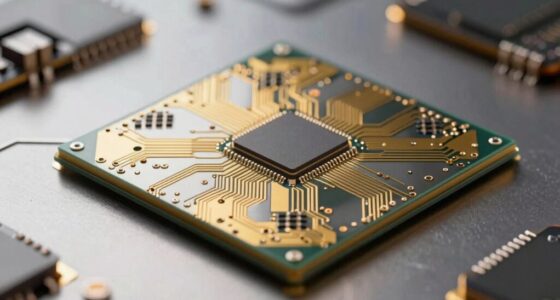
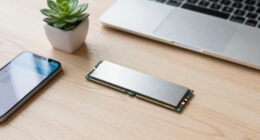
If you’re working with artificial intelligence, choosing the right workstation laptop can make all the difference in your productivity and project outcomes. To start, you need to contemplate the hardware specifications that will support your AI workloads. High-performance CPUs, such as latest-generation Intel Core i7 or i9, or AMD Ryzen equivalents, are essential for handling complex computations efficiently. Equally important is the GPU, as AI tasks often rely on powerful graphics cards like NVIDIA’s RTX series or specialized AI accelerators. These components markedly speed up training times and model processing. Additionally, sufficient RAM—ideally 32GB or more—ensures smooth multitasking and helps manage large datasets without lag. Storage matters too; opt for fast SSDs with ample capacity to store datasets, models, and software without constant need for external drives.
Choosing a powerful CPU, GPU, ample RAM, and fast SSDs optimizes AI workloads and boosts productivity.
Beyond raw hardware power, look into how well the laptop integrates with cloud services. Cloud integration is a crucial feature, especially if you want to leverage cloud computing for heavy-duty AI training or data storage. Seamless cloud access allows you to offload intensive tasks or access resources remotely, saving local processing power and reducing hardware costs. This flexibility can accelerate your workflow and enable collaboration across teams. Don’t forget to verify the laptop’s connectivity options—multiple USB ports, Thunderbolt, or HDMI—to facilitate quick data transfers and external device connections, which complement cloud workflows.
Battery performance is another essential aspect, particularly if you often work on the go or in environments where charging options are limited. A workstation laptop with a robust battery life ensures you stay productive during long sessions away from power sources. High-capacity batteries combined with energy-efficient components help prevent frequent interruptions, allowing you to focus on your AI projects without constantly searching for an outlet. It’s also wise to consider power management features that optimize battery use during intensive workloads. Moreover, understanding the hardware specifications that support AI workloads is fundamental to making an informed purchase decision. Incorporating thermal management solutions can also significantly improve sustained performance by preventing overheating during prolonged AI processing tasks. In addition, selecting models with expandable memory options can future-proof your investment as your data needs grow. Additionally, paying attention to body design and cooling features can help ensure your laptop remains cool under pressure during continuous heavy workloads.
Finally, pay attention to build quality and cooling systems. Running AI workloads generates substantial heat, so a well-designed cooling system prevents thermal throttling and maintains consistent performance. A sturdy chassis protects your investment, especially if you travel frequently. When you check all these factors—powerful hardware, cloud integration, excellent battery life, and effective cooling—you guarantee your workstation laptop is equipped to handle the demands of AI work reliably and efficiently.

Dell Precision 7000 7680 Mobile Workstation Laptop (NVIDIA RTX 2000 Ada 8GB, 16" FHD+, Intel Core i7-13850HX (> Ultra 9-185H), 64GB LPCAMM2 DDR5, 1TB SSD) Pro Max for Designer, Engineer, Win 11 Pro
POWERFUL FOR CREATIVITY – The Dell Precision 7000 series, positioned at the apex of the Precision lineup, surpasses…
As an affiliate, we earn on qualifying purchases.
As an affiliate, we earn on qualifying purchases.
Frequently Asked Questions
How Long Does the Battery Typically Last Under AI Workloads?
Battery life under AI workloads varies, but typically, you can expect around 2 to 4 hours. Heavy AI tasks increase power consumption, draining the battery faster. To maximize battery life, choose a laptop with efficient power consumption and a high-capacity battery. Keep in mind that running intensive AI models demands significant energy, so plan your work sessions accordingly. Regularly monitor your battery health to guarantee peak performance.
Are There Any Specific Certifications for AI Workstation Laptops?
Think of AI workstation laptops as the modern-day equivalent of the Apollo 11 lunar module. While there aren’t specific certifications solely for AI, look for certifications like ISV (Independent Software Vendor) certification for compatibility considerations and standards such as MIL-STD for durability. Ensuring your laptop meets these certification standards helps confirm it’s reliable, compatible, and prepared for demanding AI workloads, giving you peace of mind in critical projects.
Can These Laptops Be Upgraded Easily for Future AI Tasks?
You can upgrade these laptops, but hardware flexibility varies by model. Some offer easier upgrade options for RAM, storage, or GPU, making future AI tasks more achievable. However, beware of upgrade challenges with tightly integrated components or soldered parts, which limit modifications. Before buying, research specific models’ upgrade paths to guarantee they meet your future AI needs, avoiding costly or complex upgrades down the line.
What Cooling Solutions Are Most Effective for Intensive AI Processing?
You should prioritize thermal management and advanced cooling technology for intensive AI processing. Effective solutions include vapor chamber cooling, liquid cooling systems, and high-performance fans that enhance airflow. These methods dissipate heat efficiently, preventing overheating and maintaining ideal performance during heavy workloads. Investing in laptops with robust cooling technology ensures your system stays cool, stable, and reliable, even during prolonged AI tasks.
How Do I Ensure Compatibility With Popular AI Software Frameworks?
To guarantee compatibility with popular AI software frameworks, you need to check hardware compatibility and software integration. Verify that your laptop’s GPU, CPU, and RAM meet the framework’s requirements. Also, confirm the operating system supports the software versions you plan to use. Installing the latest drivers and software updates helps with smooth integration. Doing this guarantees your workstation laptop runs AI frameworks efficiently without compatibility issues.
laptop with NVIDIA RTX GPU for AI
As an affiliate, we earn on qualifying purchases.
As an affiliate, we earn on qualifying purchases.
Conclusion
Before you buy a workstation laptop for AI, make certain it ticks all the boxes—powerful CPU, ample RAM, and a dedicated GPU. Don’t forget to check for reliable cooling and enough storage. Investing in the right specs ensures smooth performance and longevity. Trust me, doing your homework now will save you headaches later. When you choose wisely, you’ll enjoy seamless AI development and stay ahead in your projects. Happy computing!

Acer 2026 Aspire AI Laptop for Business & Creators | Intel Core Ultra 7 258V, 32GB RAM, 1TB SSD, 14" FHD Touchscreen, Backlit KB, USB-C HUB, Lifetime Office 365, Long Battery Life, Windows 11 H, Gray
AI-Powered Efficiency: NEXT-GEN AI ACCELERATION – Powered by the Intel Core Ultra 7 258V processor with a dedicated…
As an affiliate, we earn on qualifying purchases.
As an affiliate, we earn on qualifying purchases.

BONTEC Mobile Standing Desk with Keyboard Tray, Mobile Podium, Rolling Laptop Sit Stand Desk on Wheels, Adjustable Height Desk Up to 33lbs, Portable Computer Workstation Cart for Living Room, Office
ADJUSTABLE HEIGHT DESIGN: The mobile standing desk promotes a healthier workstyle by allowing quick transitions between sitting and…
As an affiliate, we earn on qualifying purchases.
As an affiliate, we earn on qualifying purchases.