Document cameras still matter in digital learning because they let you seamlessly showcase physical objects, student work, and demonstrations in real-time, making lessons more interactive and engaging. You can highlight key points, annotate materials instantly, and involve students actively in lessons. They bridge the gap between traditional and digital methods, supporting diverse learning needs. If you wanna discover more ways these tools boost your teaching, stay with us for some insightful tips.

Get business pricing on tech for your team
- Business-only prices and quantity discounts
- Tax-exempt purchasing
- Multiple users, one account, clear invoices
Key Takeaways
- Enable real-time display of printed materials, student work, and physical objects for enhanced interactivity.
- Allow live annotations and highlights, fostering immediate feedback and active student participation.
- Support diverse learning styles through tactile, visual, and auditory elements in lessons.
- Facilitate dynamic demonstrations of experiments and problem-solving processes for better understanding.
- Integrate seamlessly with digital tools to create an engaging, inclusive, and responsive classroom environment.

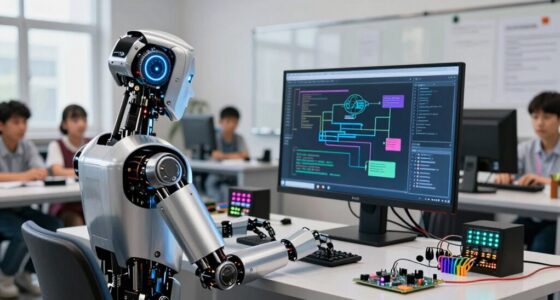
Document cameras have become an essential tool in digital learning environments because they allow you to seamlessly display printed materials, student work, and physical objects in real-time. This capability transforms traditional lessons into dynamic, interactive experiences. With a document camera, you can easily conduct interactive demonstrations that engage students more effectively. For example, you can demonstrate a science experiment or mathematical problem-solving process visually, which helps students to better understand complex procedures. Instead of just describing an experiment or problem, you can show the entire process live, allowing students to follow along step-by-step. This visual clarity helps clarify complex concepts and keeps students attentive.
Document cameras transform lessons by enabling real-time display of materials and interactive, engaging demonstrations.
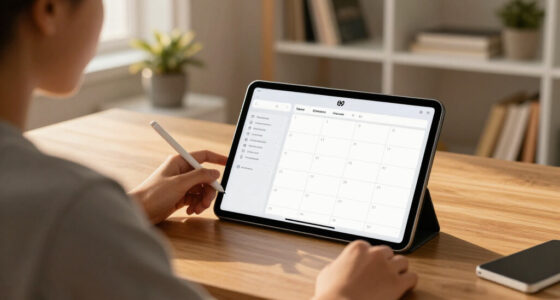
One of the biggest advantages of using document cameras is the ability to provide real-time annotations during lessons. As you display a worksheet, diagram, or textbook page, you can write directly on the screen, highlighting key points or correcting mistakes instantly. This immediacy helps students grasp concepts more quickly and understand the reasoning behind your annotations. Real-time annotations also encourage active participation, as students see their work or ideas incorporated into the lesson instantly, fostering a more engaging learning environment.
Interactive demonstrations become even more impactful when combined with a document camera. For example, in science classes, you can show a live experiment, demonstrating chemical reactions or biological processes that would be difficult to observe otherwise. In math, you can work through problems step-by-step, making your thought process transparent. These demonstrations not only clarify the material but also inspire curiosity and inquiry. Students can ask questions or suggest modifications on the spot, making the learning experience collaborative and responsive. Additionally, the use of visual aids enhances understanding by providing multiple ways to engage with the content.
Moreover, the versatility of document cameras means you can incorporate physical objects into your lessons, such as models, artifacts, or student projects. This tactile element enriches lessons and appeals to diverse learning styles. When students see their work displayed and annotated in real-time, it boosts their confidence and encourages active participation. This immediacy also makes it easier to assess understanding on the spot, allowing you to adapt your teaching in real-time based on student reactions. Incorporating visual and auditory cues can further support diverse learners, especially those with different sensory needs, by reinforcing the information presented. Additionally, using a high-quality projector can significantly enhance the clarity and visibility of your displayed content, making your lessons more effective. As technology advances, integrating features like document cameras with other digital tools can further enrich the overall learning experience by creating a more interactive classroom environment. Leveraging technological tools such as document cameras can also help bridge gaps for students with different learning preferences, making lessons more inclusive.
As an affiliate, we earn on qualifying purchases.
Frequently Asked Questions
Can Document Cameras Connect Wirelessly to Other Devices?
Yes, many document cameras now support wireless connectivity, allowing you to connect to other devices without cables. You just need to guarantee your camera is compatible with your device, checking for device compatibility and supported wireless standards like Wi-Fi or Bluetooth. Once connected wirelessly, you can easily display documents or objects on your screen, making your teaching more flexible and interactive. Always verify the specific model’s wireless features before purchasing.
Are Document Cameras Suitable for Students With Special Needs?
Yes, document cameras are suitable for students with special needs. For example, a student with visual impairments can benefit from a document camera’s assistive technology features, like high contrast and zoom. These accessibility features make it easier for them to see and understand visual content. By providing clear, enlarged images, document cameras support inclusive learning, helping every student engage effectively regardless of their individual needs.
How Do Document Cameras Compare to Smartboards?
Document cameras are simpler to set up and operate compared to smartboards, making them more accessible for quick classroom use. While smartboards offer interactive features like touch input and multimedia integration, document cameras excel at displaying detailed, real-time images of documents or objects. If you want straightforward visual aid with less setup complexity, a document camera is the better choice; for enhanced interactivity, smartboards may be more suitable.
What Are the Cost Differences Between Models?
Imagine comparing a vintage typewriter to a modern laptop—costs vary greatly. Document cameras come in a range of pricing options, from budget-friendly models to high-end units with advanced features. If you’re mindful of budget considerations, you’ll find models that fit your needs without breaking the bank. Higher-end models cost more but offer better resolution and functionality, so weigh your options carefully to maximize your investment.
How Durable Are Document Cameras for Daily Classroom Use?
Document cameras are generally quite durable for daily classroom use, but their longevity depends on regular durability testing and proper maintenance. You should check for loose connections, clean the lens, and guarantee the arm moves smoothly. With minimal upkeep, most models withstand daily handling, making them reliable tools in busy classrooms. Investing in quality models and following maintenance requirements ensures your document camera remains functional and efficient over time.
interactive classroom document camera
As an affiliate, we earn on qualifying purchases.
As an affiliate, we earn on qualifying purchases.
Conclusion
Even in a world overwhelmed by screens and pixels, document cameras act like guiding stars, shining light on the details that matter most. They’re the bridge between old-school clarity and new-school innovation, making lessons come alive like vivid paintings in your classroom. As you navigate the digital landscape, remember that these trusty tools are your loyal lanterns, illuminating understanding and keeping your teaching journey vibrant, connected, and full of discovery.
As an affiliate, we earn on qualifying purchases.
digital learning document camera
As an affiliate, we earn on qualifying purchases.
As an affiliate, we earn on qualifying purchases.
Halloween Picks
halloween
As an affiliate, we earn on qualifying purchases.