
To better secure your AI work accounts, don’t rely on passwords alone. Use biometric authentication like fingerprint or facial recognition for quick, tough-to-copy protection. Add multi-factor authentication with one-time codes or hardware keys to create multiple security layers. Regularly update your security settings and monitor access logs. Staying aware of current cybersecurity trends helps you anticipate threats. Keep your defenses strong and layered—this guide will show you how to do it effectively.

Get business pricing on tech for your team
- Business-only prices and quantity discounts
- Tax-exempt purchasing
- Multiple users, one account, clear invoices
Key Takeaways
- Implement multi-factor authentication combining passwords with biometric verification or one-time codes.
- Enable biometric authentication on devices and AI account access points.
- Use hardware security keys or authentication apps for additional verification layers.
- Regularly monitor access logs and update security settings to detect suspicious activity.
- Stay informed on cybersecurity threats and adopt layered security measures proactively.
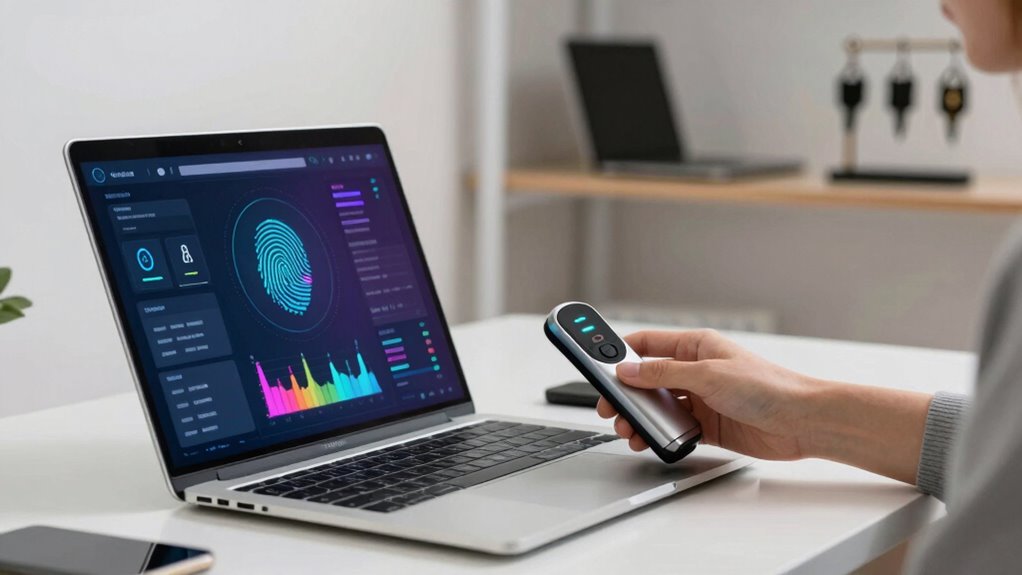
In today’s digital landscape, relying solely on passwords to protect your AI work accounts isn’t enough. Cyber threats evolve constantly, and hackers find new ways to bypass traditional security measures. To truly safeguard your sensitive information and AI assets, you need to adopt more robust security practices like biometric authentication and multi-factor security. These methods significantly raise the bar for unauthorized access, making it much harder for intruders to compromise your accounts.
Biometric authentication uses unique physical characteristics—such as fingerprints, facial recognition, or retina scans—to verify your identity. Unlike passwords, which can be stolen, guessed, or cracked, biometric data is inherently tied to you and difficult to replicate. Implementing biometric authentication adds an extra layer of security, ensuring that even if someone manages to steal your password, they still can’t access your account without your biometric data. It’s quick, seamless, and significantly reduces the risk of unauthorized access, especially in high-stakes AI environments where data integrity and confidentiality are critical.
However, biometric authentication alone isn’t enough. That’s where multi-factor security comes into play. Multi-factor security combines two or more independent methods of verification, such as a password, a biometric scan, and a one-time code sent to your device. By requiring multiple forms of authentication, you create multiple barriers that intruders must overcome, which greatly improves your account’s security. For example, even if your password is compromised, an attacker would still need your fingerprint or a verification code to gain access. This layered approach minimizes the risk of breaches and ensures that your AI work remains protected against various attack vectors.
To implement these protections effectively, start by enabling biometric authentication on your devices and accounts where possible. Many modern platforms now support fingerprint or facial recognition as a standard login option. Pair this with multi-factor authentication, which you can set up through authentication apps like Google Authenticator or hardware security keys. These tools generate unique, time-sensitive codes that serve as a second or third verification step. Regularly updating your security settings and monitoring access logs also helps detect suspicious activity early. Additionally, understanding the cybersecurity landscape and staying informed about emerging threats can help you anticipate and defend against emerging threats more effectively. Staying aware of security best practices can further enhance your overall defenses.
In the end, protecting your AI work accounts requires more than just a strong password. Incorporating biometric authentication and multi-factor security creates a comprehensive defense, making it much harder for cybercriminals to succeed. Stay proactive, keep your security measures up to date, and don’t rely on passwords alone. Your AI projects—and your professional reputation—depend on it. Additionally, staying informed about cybersecurity trends can help you adapt your defenses to emerging threats effectively.
biometric authentication devices
As an affiliate, we earn on qualifying purchases.
As an affiliate, we earn on qualifying purchases.
Frequently Asked Questions
What Are the Most Common Security Threats to AI Work Accounts?
The most common security threats to your AI work accounts include unauthorized access, data breaches, and phishing attacks. Hackers exploit weak passwords or stolen credentials, so you should use strong, unique passwords combined with multi-factor authentication. Implement data encryption and strict access controls to protect sensitive information. Regularly update security protocols and monitor account activity to detect suspicious actions early. Staying vigilant helps safeguard your AI data from evolving threats.
How Does Multi-Factor Authentication Improve Account Security?
Think of multi-factor authentication as a fortress guarding your account, making it much harder for intruders to breach. It adds an extra layer, like a secret password or a fingerprint, beyond just encryption protocols and access controls. This layered approach *guarantees* even if someone cracks your password, they still can’t access your account without that second factor. It’s your digital shield, turning a simple lock into a mighty barrier.
Are Biometric Methods More Secure Than Traditional Passwords?
Biometric methods can be more secure than traditional passwords, but they aren’t foolproof. You should know about biometric vulnerabilities, like fingerprint or facial recognition spoofing, which make biometric password alternatives less perfect. While biometrics add a layer of security, combining them with multi-factor authentication provides the best protection. Relying solely on biometric data isn’t enough—use multiple security measures to guarantee your AI work accounts stay safe.
What Role Does User Training Play in Account Security?
Your user training plays a vital role in account security by boosting phishing awareness and promoting good password hygiene. When you stay informed about phishing tactics, you can recognize and avoid malicious links or attachments. Practicing strong password hygiene, like using unique, complex passwords and enabling two-factor authentication, further safeguards your accounts. Continuous training helps you stay updated on threats and best practices, making it harder for attackers to compromise your AI work accounts.
How Often Should Security Protocols for AI Accounts Be Updated?
You should update your security protocols for AI accounts at least every three to six months, depending on your organization’s risk level. Regular updates guarantee password management remains strong and access controls stay effective against emerging threats. Staying proactive helps you identify vulnerabilities early, adapt to new security challenges, and maintain the integrity of your AI systems. Consistent review and improvement are key to safeguarding sensitive data and maintaining trust.
As an affiliate, we earn on qualifying purchases.
Conclusion
Think of your AI work accounts as precious treasures guarded by an intricate lock. Relying on a password alone is like sealing it with a single key—easy to pick or break. But when you add two-factor authentication, secure backups, and vigilant monitoring, you’re building a fortress that’s tough to breach. Protecting your accounts isn’t just about security; it’s about planting a sturdy tree in a storm, resilient against any gust that tries to shake it.
authentication apps for multi-factor security
As an affiliate, we earn on qualifying purchases.
As an affiliate, we earn on qualifying purchases.
As an affiliate, we earn on qualifying purchases.
Halloween Picks
halloween
As an affiliate, we earn on qualifying purchases.