
CyberLink PhotoDirector 2027 Ultra is my best overall pick for AI photo editing software because it combines AI tools with a broad set of photo editing and design features. Adobe Lightroom stands out for photographers who want organized libraries and cloud access, while Photoshop Elements 2027 offers a guided path for common edits. The main choice is between quick AI-assisted changes, detailed control over a photo workflow, and simpler tools with less room to grow. Licensing also differs, from term subscriptions to products described as lifetime licenses. Read on for my comparison of all 13 options and guidance on which tradeoffs matter for your needs.

Get business pricing on tech for your team
- Business-only prices and quantity discounts
- Tax-exempt purchasing
- Multiple users, one account, clear invoices
Key Takeaways
- PhotoDirector 2027 Ultra earns the overall lead by pairing AI editing with graphic design tools, while the listed 2027 PhotoDirector versions appear in several product listings.
- Lightroom is the clearest fit for managing and editing a continuing photo library, but its 1 TB subscription listings make cloud storage and recurring access part of the decision.
- Photoshop Elements 2027 is positioned for guided, approachable edits; buyers choosing between its two listings should check whether they need the Premiere Elements bundle.
- Luminar AI offers a simpler, AI-focused alternative to Lightroom, but its two-seat and lifetime-license listings should be compared by platform and license terms.
- PhotoPad and Photo Suite provide alternatives outside the Adobe and CyberLink lineups, though their product listings give less detail about AI-specific capabilities.
| CyberLink PhotoDirector 2026 |  | Best for Windows Retouching | Version: 2026 | Platform: Windows | Operating system: Windows 11 | VIEW LATEST PRICE | See Our Full Breakdown |
| Adobe Lightroom 1TB | AI-Assisted Photo Editor | 24-Month Subscription | PC/Mac | Digital Download |  | Best for Cloud-Based Workflows | Subscription duration: 24 months | Storage: 1TB cloud storage | Platforms: PC, Mac, mobile, and web | VIEW LATEST PRICE | See Our Full Breakdown |
| Adobe Lightroom and Lightroom Classic, 1-Year Subscription, 1 TB Cloud Storage, PC/Mac Online Code |  | Best for Classic and Cloud Editing | Subscription: 1 year | Cloud storage: 1TB | Generative AI credits: 250 per month | VIEW LATEST PRICE | See Our Full Breakdown |
| Adobe Photoshop Elements & Premiere Elements 2027, 3-Year License, PC/Mac Digital Code |  | Best for Guided Photo and Video Editing | License term: 3 years | Platforms: Windows PC and macOS | Delivery and activation: Online code; internet connection required | VIEW LATEST PRICE | See Our Full Breakdown |
| Skylum Luminar AI Photo Editing Software, Lifetime License |  | Best for Creative AI Effects | License: Lifetime access | Platforms: Windows, macOS, iOS, Android, and web | Supported formats: RAW, JPEG, and PNG | VIEW LATEST PRICE | See Our Full Breakdown |
| Adobe Lightroom 1TB | AI-Assisted Photo Editor | 12-Month Subscription | PC/Mac | | Best for Cross-Device Photo Libraries | Cloud storage: 1TB | Subscription duration: 12 months | Compatibility: PC, Mac, mobile, and web | VIEW LATEST PRICE | See Our Full Breakdown |
| Luminar AI Photo Editing Software for Mac and Windows, 2 Seats |  | Best for Fast Portrait and Sky Edits | Platforms: Mac and Windows | License: 2 seats | AI tools: SkyAI, FaceAI, SkinAI, BodyAI, AtmosphereAI, and more | VIEW LATEST PRICE | See Our Full Breakdown |
| CyberLink PowerDirector 2027 Ultra and PhotoDirector 2027 Ultra for Windows |  | Best Photo and Video Editing Bundle | Included software: PowerDirector 2027 Ultra and PhotoDirector 2027 Ultra | Platform: 64-bit Windows 11 and Windows 10, including Windows 11 on Arm | License: One-time purchase; no subscription | VIEW LATEST PRICE | See Our Full Breakdown |
| CyberLink PhotoDirector 2027 Ultra – AI Photo Editing & Graphic Design Software for Windows |  | Best for Subscription-Free Creative Tools | Platform: Windows PC | License type: One-time purchase; subscription-free | Cloud storage: 25GB for 1 year | VIEW LATEST PRICE | See Our Full Breakdown |
| CyberLink PhotoDirector 2027 Ultra Photo Editing Software for Windows, Product Key Card |  | Best for Prompt-Based Windows Editing | Platform: 64-bit Windows 10 and Windows 11, including Windows 11 on Arm | License: One-time purchase; no subscription | Delivery: Physical product key card; software download required | VIEW LATEST PRICE | See Our Full Breakdown |
| PhotoPad Photo Editing and Image Editor for PC |  | Best for Straightforward Desktop Editing | Platform: PC download | Operating system: Windows (all) | Supported formats: JPG, PNG, GIF, and more | VIEW LATEST PRICE | See Our Full Breakdown |
| Photo Suite Photo Editing Software for Windows 10 and 11 |  | Best for Batch AI Retouching | Compatible operating systems: Windows 10 and 11 | Retouching: AI-powered red-eye, blemish, and object removal | Batch editing: Apply changes to a series of photos | VIEW LATEST PRICE | See Our Full Breakdown |
| Adobe Photoshop Elements 2027 | AI-Powered Photo Editing Software | 3-Year Term License |  | Best for Guided Generative AI Editing | License type: 3-year term license | Platform: PC/Mac (online code) | Operating system: Windows 11 (24H2+) or macOS 15.5+/26.5+ | VIEW LATEST PRICE | See Our Full Breakdown |
More Details on Our Top Picks
CyberLink PhotoDirector 2026
CyberLink PhotoDirector 2026 is a focused choice for Windows users who want AI cleanup and portrait retouching alongside hands-on layer editing. Its object and wire removal tools target common distractions, while face and body controls give more room for selective adjustments than a mostly automated workflow. Compared with Skylum Luminar AI, PhotoDirector emphasizes retouching precision and layers; Luminar offers broader platform access and tools such as sky replacement and relighting. The tradeoff is compatibility: this edition is listed for Windows 11, while Adobe Lightroom works across PC, Mac, mobile, and web. Installation also requires an internet connection, and the supplied details do not describe cloud library syncing or a cross-device workflow.
Pros:- AI object and wire removal can clear distractions without manual cloning.
- Face and body retouching provides precision controls for portraits.
- Layer editing supports more hands-on compositions than a purely automatic editor.
- Automated denoising and deblurring can help improve imperfect images.
Cons:- The listed operating system is Windows 11, limiting compatibility for other platforms.
- Internet access is required for digital installation.
Best for: Windows 11 users who want AI object cleanup and detailed face or body retouching with layer controls.
Not ideal for: Mac users or photographers who need one synchronized library across desktop, mobile, and web.
- Version:2026
- Platform:Windows
- Operating system:Windows 11
- Distribution:Digital download
- AI capabilities:Generative AI, object removal, wire erasure
- Editing tools:Layer editing and face retouching
Our verdict“Choose PhotoDirector 2026 if you use Windows 11 and want AI cleanup paired with adjustable portrait and layer editing.”
Adobe Lightroom 1TB | AI-Assisted Photo Editor | 24-Month Subscription | PC/Mac | Digital Download
Adobe Lightroom suits photographers who want their edits and photo library available across desktop, mobile, and web. Generative Remove and Lens Blur bring AI assistance into common editing tasks, while 1TB of cloud storage gives a large library room to sync. The included Lightroom Classic also gives desktop users a different workflow from the cloud-focused Lightroom app. Compared with CyberLink PhotoDirector 2026, this edition prioritizes cross-device access and library management over a Windows-only emphasis on layer editing and detailed face and body retouching. Topaz Gigapixel upscaling is another draw for enlarging images. The tradeoff is reliance on an internet connection for full syncing and AI features, plus a two-year subscription commitment and a monthly generative credit allowance.
Pros:- Generative Remove and Lens Blur assist with cleanup and depth effects.
- Cloud synchronization connects desktop, mobile, and web workflows.
- 1TB of cloud storage can hold a substantial photo library.
- Topaz Gigapixel integration provides 4x upscaling.
Cons:- Full cloud syncing and AI features require an internet connection.
- Generative AI use is subject to 250 monthly credits.
- The license is a 24-month subscription rather than a lifetime license.
Best for: Photographers who move between PC or Mac, phone, and browser and want a synchronized library with AI editing tools.
Not ideal for: Editors seeking a standalone, offline-first license or detailed layer-based retouching as the main focus.
- Subscription duration:24 months
- Storage:1TB cloud storage
- Platforms:PC, Mac, mobile, and web
- Generative AI credits:250 monthly
- Included software:Lightroom desktop, mobile, and web; Lightroom Classic desktop
- AI features:Generative Remove, Lens Blur, and Topaz Gigapixel 4x upscaling
- Delivery:Digital download / online code
Our verdict“Pick this Lightroom plan if you want AI editing and a large synchronized photo library across devices.”
Adobe Lightroom and Lightroom Classic, 1-Year Subscription, 1 TB Cloud Storage, PC/Mac Online Code
This one-year Lightroom plan combines Lightroom’s cross-device library with Lightroom Classic for desktop workflows, making it a flexible fit for photographers who want both approaches. AI tools include object removal, background blur, upscaling, and editing suggestions, with 250 monthly generative credits for supported features. Compared with the 24-month Adobe Lightroom plan in this roundup, this option has a shorter stated term; both list 1TB of storage and 250 monthly credits. Against Skylum Luminar AI, Adobe gives more detail about cloud syncing and includes Classic, while Luminar lists a lifetime license and broad editing tools. This Adobe code requires an account and internet connection for activation and subscription validation, and the specified desktop requirements may rule out older computers.
Pros:- Includes both Lightroom and Lightroom Classic.
- AI tools cover object removal, background blur, upscaling, and editing suggestions.
- Synchronizes a photo library across compatible desktop, mobile, and web devices.
- Includes 1TB cloud storage and 250 monthly generative AI credits.
Cons:- Activation and subscription validation require an Adobe account and internet connection.
- Desktop use requires at least 8GB RAM and 10GB available storage.
- The listed minimum operating systems exclude older Windows and macOS releases.
Best for: Photographers who want Lightroom’s device syncing and Lightroom Classic’s desktop workflow under a one-year plan.
Not ideal for: People who need offline activation, a perpetual license, or support for older computers with limited memory.
- Subscription:1 year
- Cloud storage:1TB
- Generative AI credits:250 per month
- Included software:Lightroom and Lightroom Classic
- Activation:Online code; internet connection and Adobe account required
- Windows requirement:Windows 10 version 22H2 or Windows 11 version 23H2 or later
- macOS requirement:macOS 14 Sonoma or later
- Memory and storage:8GB RAM minimum; 10GB available disk space
Our verdict“Choose this plan if you want both Lightroom workflows, device syncing, and a one-year subscription term.”
Adobe Photoshop Elements & Premiere Elements 2027, 3-Year License, PC/Mac Digital Code
Photoshop Elements and Premiere Elements 2027 make sense for people who want AI-assisted photo editing alongside approachable video tools. Quick, Guided, and Advanced modes let users choose how much control they want, while distraction removal, background replacement, and automatic tagging address both editing and organization. Compared with Adobe Lightroom, this bundle adds video editing and guided instruction but does not list Lightroom’s 1TB synchronized cloud library or its monthly generative credit allowance. Its three-year license also differs from Lightroom’s subscription plans. The tradeoff is a demanding compatibility list: the supplied requirements call for recent Windows or macOS versions, newer processors, and 14.7GB of Windows or 12GB of Mac storage. This is a broader creative bundle, so it may feel excessive for photo-only editing.
Pros:- Photo and video editing tools are bundled together.
- AI tools remove distractions, replace backgrounds, and sharpen details.
- Quick, Guided, and Advanced modes suit different experience levels.
- Automatic tagging and face recognition help organize media.
Cons:- Activation and online content downloads require an internet connection.
- Recent operating systems and processors are required.
- Windows on ARM and Intel-based Macs are not supported.
Best for: Newer PC or Mac users who want guided AI photo edits and basic video creation in one bundle.
Not ideal for: Photo-only editors who need Lightroom-style cloud synchronization or use older computers and operating systems.
- License term:3 years
- Platforms:Windows PC and macOS
- Delivery and activation:Online code; internet connection required
- Windows requirement:Windows 11 version 24H2 or later, 64-bit
- macOS requirement:macOS 15.5 or later or macOS 26.5 or later
- Minimum memory:8GB RAM
- Storage requirement:14.7GB Windows; 12GB macOS
- Editing modes:Quick, Guided, and Advanced
Our verdict“Pick this bundle if guided photo editing and video tools matter more to you than Lightroom’s cloud-first library workflow.”
Skylum Luminar AI Photo Editing Software, Lifetime License
Skylum Luminar AI is aimed at editors who want a broad set of creative adjustments, including sky replacement, relighting, portrait retouching, and object removal. It can run on its own or alongside Adobe Lightroom and Photoshop, so it can add those effects to an existing workflow. The lifetime license sets it apart from the two Adobe subscription plans, which pair AI tools with cloud storage and device syncing. Compared with CyberLink PhotoDirector 2026, Luminar covers more platforms and highlights sky and background edits, while PhotoDirector puts more emphasis on layers and precise face and body retouching. The listed format support includes RAW, JPEG, and PNG. Its breadth may be more than someone needs for routine catalog organization, and desktop editing still requires Windows or macOS.
Pros:- Offers AI auto enhancements, portrait retouching, sky replacement, and object removal.
- Can work as a standalone editor or integrate with Lightroom and Photoshop.
- Supports RAW, JPEG, and PNG files.
- License includes desktop, mobile, and web access.
Cons:- Desktop use requires Windows or macOS.
- The supplied details do not specify cloud storage or an organized, synchronized library workflow.
Best for: Creative photographers who want sky replacement, relighting, and portrait tools in a standalone app or Adobe plugin.
Not ideal for: Photographers whose priority is cloud library organization and syncing, or buyers who need desktop editing without Windows or macOS.
- License:Lifetime access
- Platforms:Windows, macOS, iOS, Android, and web
- Supported formats:RAW, JPEG, and PNG
- Integrations:Adobe Lightroom and Photoshop
- Editing tools:Auto enhancements, portrait retouching, sky replacement, object removal, relighting, background edits, and color grading
- Desktop requirement:Windows or macOS
Our verdict“Choose Luminar AI if creative AI effects and a lifetime license matter more than Lightroom’s specified cloud library features.”
Adobe Lightroom 1TB | AI-Assisted Photo Editor | 12-Month Subscription | PC/Mac
Lightroom’s strongest advantage is a connected editing workflow: 1TB of cloud storage syncs photos across desktop, mobile, and web, while Lightroom Classic adds tools for managing large libraries on a computer. That makes it a better fit for photographers who move between devices than Luminar AI, whose listed strengths center on quick, subject-aware edits and templates. Generative Remove, Lens Blur, and Topaz Gigapixel upscaling also cover several different editing jobs, from cleaning up a scene to enlarging an image. The tradeoff is an ongoing subscription that auto-renews, plus a monthly limit of 250 generative AI credits. Cloud synchronization also depends on an internet connection, so this setup suits connected workflows better than occasional, fully local editing.
Pros:- 1TB cloud storage with automatic synchronization across devices
- Includes Lightroom Classic for managing large desktop photo libraries
- AI tools include Generative Remove, Lens Blur, and 4x upscaling via Topaz Gigapixel
- Supports PC, Mac, mobile, and web workflows
Cons:- Subscription auto-renews after the initial 12-month term
- Generative AI features are limited to 250 credits per month
- Cloud synchronization and access require an internet connection
Best for: Photographers who edit across desktop, phone, and web and need cloud-synced access to a large library
Not ideal for: Buyers who want a one-time license or rely on generative AI often enough to exceed 250 monthly credits
- Cloud storage:1TB
- Subscription duration:12 months
- Compatibility:PC, Mac, mobile, and web
- Generative AI credits:250 monthly
- Included software:Lightroom, Lightroom Classic, and Adobe Firefly
- Delivery:Digital download
Our verdict“Choose Lightroom if you want AI editing tied to a large, cross-device photo library and are comfortable with a renewing subscription.”
Luminar AI Photo Editing Software for Mac and Windows, 2 Seats
Luminar AI is built around recognizing what is in a photo and offering targeted adjustments for skies, faces, skin, bodies, and atmosphere. Its templates provide a quick route to a finished look, making it a more approachable creative editor than Adobe Lightroom, whose cloud library and Lightroom Classic tools suit more involved organization workflows. The two-seat license and Mac and Windows support also make it useful for a household or small team with compatible computers. The tradeoff is a more guided, effect-focused approach: buyers who want Lightroom’s stated cloud synchronization and library management will find those capabilities aren’t listed here. The system requirements call for a 64-bit processor and 10 GB of memory, and the Mac storage requirement is unclear, so check available space before choosing it.
Pros:- AI tools target skies, faces, skin, bodies, and atmosphere
- Templates make it easy to apply a cohesive creative look
- Simple interface suits buyers seeking guided edits
- Supports Mac and Windows and includes two seats
Cons:- Requires a 64-bit processor and 10 GB of memory
- Mac storage requirement is stated unclearly
- Does not list the cross-device cloud library features offered by Adobe Lightroom
Best for: Mac or Windows users who want quick AI-assisted portrait and sky edits, with a license for two seats
Not ideal for: Photographers who need cloud-synced library management or clearly specified Mac storage requirements
- Platforms:Mac and Windows
- License:2 seats
- AI tools:SkyAI, FaceAI, SkinAI, BodyAI, AtmosphereAI, and more
- Processor:64-bit
- Memory:10 GB
- Minimum operating system:Windows 10 or Mac OS X
- Mac storage requirement:10.13 available space, as stated in the product data
Our verdict“Pick Luminar AI for guided, subject-aware edits on Mac or Windows when speed and templates matter more than cloud library management.”
CyberLink PowerDirector 2027 Ultra and PhotoDirector 2027 Ultra for Windows
This bundle makes sense when AI photo editing is part of a broader video workflow. PhotoDirector handles portrait retouching, collages, color and lighting fixes, object removal, and background replacement; PowerDirector adds video editing, screen recording, and Auto Reframe for vertical clips. Compared with the standalone CyberLink PhotoDirector 2027 Ultra, the bundle adds a second creative app rather than focusing solely on still images. That breadth is useful for creators producing both formats, but less compelling if photo editing is the only need. The one-time license avoids a subscription, though its 800 AI credits apply for the first year and may limit how often you use credit-based tools. Activation comes by physical product key card, the apps require downloads, and an internet connection is required.
Pros:- Bundles separate PhotoDirector and PowerDirector applications
- Photo tools include object removal, background replacement, portrait retouching, and color fixes
- Video app adds screen recording and Auto Reframe for vertical videos
- One-time purchase with no subscription
Cons:- 800 AI credits are included for the first year
- Requires internet access and software downloads
- Physical product key card includes no disc
Best for: Windows creators who edit both photos and videos and want the two CyberLink apps under a one-time license
Not ideal for: Still-photo editors who do not need video tools or who want offline setup and use
- Included software:PowerDirector 2027 Ultra and PhotoDirector 2027 Ultra
- Platform:64-bit Windows 11 and Windows 10, including Windows 11 on Arm
- License:One-time purchase; no subscription
- AI credits:800 for the first year
- Delivery:Physical product key card; software downloads; no disc
- Internet connection:Required
Our verdict“Choose the bundle if you need AI-assisted photo and video editing in Windows apps and will use both.”
CyberLink PhotoDirector 2027 Ultra – AI Photo Editing & Graphic Design Software for Windows
PhotoDirector pairs conventional photo controls with a wide set of generative AI features, including Edit by Chat, Text to Image, Image to Video, AI Try-On, and AI Replace. Batch editing, layers, and color correction give it a broader editing toolkit than Luminar AI’s emphasis on targeted subject adjustments and templates. Its subscription-free core license may suit Windows users who prefer a one-time purchase, while 25GB of cloud storage and 300 AI credits are included for the first year. Those credits set a limit on generative work: additional use may bring costs after the included balance runs out. The cloud storage benefit is also time-limited, and this edition is Windows-only, so it is a less flexible choice than Adobe Lightroom for people who need editing across devices.
Pros:- One-time purchase for subscription-free core software use
- Generative tools include Edit by Chat, Text to Image, and Image to Video
- Includes layers, batch editing, and detailed color correction
- Comes with 25GB of cloud storage and 300 AI credits for the first year
Cons:- Generative AI features use credits, with possible additional costs after the included 300
- Software is limited to Windows
- Cloud storage is included for one year
Best for: Windows photo editors who want batch and layer tools alongside generative features without a recurring software subscription
Not ideal for: Mac users or frequent generative AI users who need credits and cloud storage beyond the included first-year allowance
- Platform:Windows PC
- License type:One-time purchase; subscription-free
- Cloud storage:25GB for 1 year
- AI credits:300 for the first year
- Key features:AI photo editing, graphic design, batch editing, slideshow creation, and motion stills
- AI tools:Edit by Chat, Text to Image, Image to Video, AI Try-On, AI Replace, Face Swap, and AI Background Replacement
Our verdict“Pick PhotoDirector 2027 Ultra if you want a Windows editor with both batch workflows and generative tools under a one-time core license.”
CyberLink PhotoDirector 2027 Ultra Photo Editing Software for Windows, Product Key Card
This PhotoDirector edition centers on editing through prompts and targeted AI fixes: its tools can generate images, remove objects, replace backgrounds, and retouch portraits. Batch editing and photo organization also help when you have a set of images to work through, while turning stills into videos adds a route to motion content. Compared with the PhotoDirector 2027 Ultra listing that highlights graphic design, layers, and tools such as Image to Video, this product description puts more emphasis on prompt-based editing and everyday photo tasks. The one-time purchase avoids a software subscription, but AI use is capped at 300 credits for the first year. It is also limited to compatible 64-bit Windows computers, and setup requires an internet connection and a download rather than installation from an included disc.
Pros:- AI tools support text-prompt editing, image generation, object removal, and background replacement
- Includes portrait retouching, batch editing, and photo organization
- One-time purchase with no subscription
- Includes 25GB of cloud storage for one year
Cons:- Limited to compatible 64-bit Windows systems
- Requires an internet connection and software download
- AI features are limited to 300 credits for the first year
Best for: Windows users who want prompt-based object and background edits, portrait retouching, and batch organization in one editor
Not ideal for: Mac users, buyers who need offline installation, or frequent AI users who may exceed the first-year credits
- Platform:64-bit Windows 10 and Windows 11, including Windows 11 on Arm
- License:One-time purchase; no subscription
- Delivery:Physical product key card; software download required
- Cloud storage:25GB for 1 year
- AI credits:300 for the first year
- Internet requirement:Required
Our verdict“Choose this PhotoDirector edition for prompt-led Windows photo edits and organization if its first-year AI credit allowance fits your workflow.”
PhotoPad Photo Editing and Image Editor for PC
PhotoPad suits Windows users who want familiar editing controls for everyday fixes, with cropping, color and exposure adjustments, filters, and touch-up tools in one download. Its non-destructive effects let you revisit an edit without committing to it, while collage and panorama tools add options beyond basic corrections. Compared with Photo Suite, PhotoPad’s supplied details emphasize general image adjustments and decorative additions rather than AI-powered object removal or batch processing. That makes it a better fit for editing individual photos by hand than speeding through a large set or removing distractions with AI. Its main tradeoff for this AI-focused roundup is that the listed features do not specify AI editing tools, and it is limited to Windows. Choose it for hands-on, conventional edits; skip it if AI assistance is the deciding factor.
Pros:- Includes crop, resize, rotation, color, and exposure controls for common corrections
- Non-destructive effects allow edits to be revisited
- Supports popular formats including JPG, PNG, and GIF
- Adds collage, panorama, text, frame, and clipart options
Cons:- Listed for Windows only
- Product details do not identify AI-powered editing features
- Manual editing may take longer than Photo Suite’s batch and AI retouching tools
Best for: Windows users who want hands-on control for routine photo adjustments, touch-ups, and simple collages
Not ideal for: Mac users, or anyone choosing software mainly for AI retouching and automated edits
- Platform:PC download
- Operating system:Windows (all)
- Supported formats:JPG, PNG, GIF, and more
- Editing features:Crop, resize, flip, rotate, color and exposure adjustments, filters, text, frames, clipart, and touch-up tools
- Effect editing:Non-destructive effect editing
- Creative tools:Collage and panorama creation
Our verdict“Pick PhotoPad for practical, hands-on Windows editing, but choose Photo Suite if AI retouching or batch work matters more.”
Photo Suite Photo Editing Software for Windows 10 and 11
Photo Suite is the more practical choice here for people who need to clean up several photos efficiently: its batch editing applies changes across a series, and its AI-powered tools target red-eye, blemishes, and unwanted objects. That gives it a clearer AI editing role than PhotoPad, whose listed strengths are conventional adjustments and effects. Photo Suite also supports collages, print templates, text, and clipart, so it can carry an image from retouching into a simple creative project. The tradeoff is platform reach: it supports Windows 10 and 11 only, while Photoshop Elements 2027 supports PC and Mac and offers generative AI alongside guided editing. Choose Photo Suite for repeated cleanup on a Windows machine; skip it if you want broad generative tools or a Mac version.
Pros:- AI-powered tools address red-eye, blemishes, and unwanted objects
- Batch editing can apply changes across multiple photos
- Combines retouching with collage and print template features
- Includes text and clipart for simple creative projects
Cons:- Compatible only with Windows 10 and 11
- Listed AI retouching tools focus on cleanup rather than generative image creation
- Less suited to users who want Photoshop Elements 2027’s multiple editing modes and AI Assistant
Best for: Windows 10 or 11 users who regularly retouch groups of photos and want batch processing with AI cleanup
Not ideal for: Mac users or creators seeking generative AI features such as background replacement and image generation
- Compatible operating systems:Windows 10 and 11
- Retouching:AI-powered red-eye, blemish, and object removal
- Batch editing:Apply changes to a series of photos
- Creative features:Collages, text, and clipart
- Print tools:Print templates
- Included:Product key card with download link and license key
Our verdict“Choose Photo Suite for batch cleanup and practical AI retouching on Windows, and look elsewhere for Mac support or generative editing.”
Adobe Photoshop Elements 2027 | AI-Powered Photo Editing Software | 3-Year Term License
Photoshop Elements 2027 is the most versatile fit in this batch for buyers who want AI to help with both image changes and the editing process. Generative tools for background replacement, edge extension, and image generation go beyond the cleanup tasks listed for Photo Suite, while Quick, Guided, and Advanced modes give newcomers a route into more involved edits. Its AI Assistant and automatic photo organization also make it useful for people managing a growing library, not just polishing one image. The tradeoffs are specific: this is a three-year term license, activation and content require internet access, and the system requirements rule out older hardware and Windows on ARM devices. Compared with the simpler, Windows-only PhotoPad, it offers substantially broader AI assistance, but asks for newer PC or Mac hardware.
Pros:- Generative AI supports background replacement, edge extension, and image generation
- Quick, Guided, and Advanced modes accommodate different editing skill levels
- AI Assistant can guide common tasks through chat
- Photo library tools include face recognition, auto-tagging, and cloud import
Cons:- Three-year term license limits use to the stated license period
- Internet is required for activation and content
- Hardware requirements exclude older Intel processors on Mac and Windows on ARM devices
Best for: Home photographers who want guided generative edits and photo organization on a supported, current PC or Mac
Not ideal for: Owners of older computers, Windows on ARM devices, or buyers seeking a perpetual license or offline activation
- License type:3-year term license
- Platform:PC/Mac (online code)
- Operating system:Windows 11 (24H2+) or macOS 15.5+/26.5+
- Processor:Intel Core 9th Gen+ or AMD equivalent (Windows); Apple Silicon M1+ (Mac)
- Memory:8 GB minimum; 16 GB recommended
- Available storage:9.6 GB (Windows) or 7.2 GB (macOS)
- Internet:Required for activation and content
Our verdict“Choose Photoshop Elements 2027 for guided generative AI and library tools if your computer meets its requirements and a three-year license fits your plans.”
How We Picked
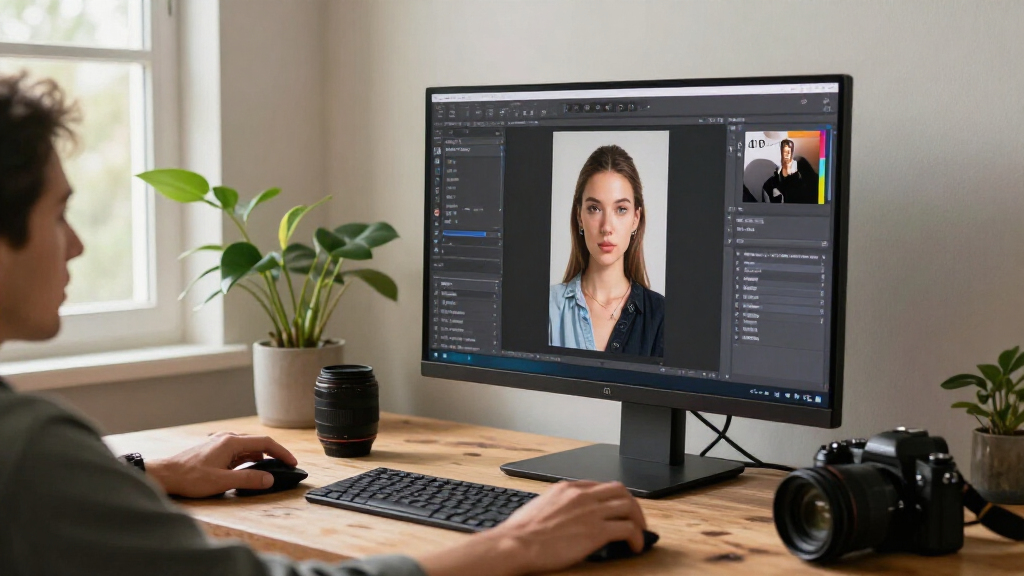
I compared these products by how clearly their listed capabilities match common photo editing jobs: improving individual images, managing a collection, making design-oriented edits, and learning the software without a steep setup. I also weighed the role of AI in the workflow: an editor is more useful when its automated tools support the buyer’s goals without making manual control or file organization an afterthought. Product names and license descriptions helped distinguish subscription, term-license, lifetime-license, and multi-seat options.
The ranking favors breadth and workflow fit for the overall slot, then gives separate recognition to focused strengths such as catalog management, guided editing, and simpler alternatives. That puts PhotoDirector 2027 Ultra first for its stated mix of AI editing and graphic design, with Lightroom ahead for ongoing library workflows and Photoshop Elements for approachable guided edits. Where several listings appear to be editions or license variants of the same software, I treat them as choices about version, bundle, platform, or access terms rather than as wholly different editing systems. The product information provided does not specify the depth or limits of every AI feature, so buyers should verify the current feature set and system requirements before choosing.
Factors to Consider When Choosing AI Photo Editing Software
Choose software around the way you handle photos from import to finished image. AI tools can speed up repetitive edits, but a good match also depends on file organization, the amount of control you want, and how long you need access to the software.
Start With Your Editing Workflow
Decide whether you mostly edit a few images at a time or maintain a growing library. A catalog-centered workflow can save time when you need to sort, find, and revisit images across many shoots. A focused editor may feel quicker when you only want to improve selected photos. Buyers sometimes choose by the flashiest AI feature and discover later that importing and organizing files is the slower part of their routine. List the steps you repeat most, then check that the software supports them. For mixed workflows, consider whether one application can cover both editing and organization well enough to avoid switching tools.
Match AI Automation to the Control You Want
AI features can suggest edits, automate selections, or simplify complex adjustments, but the amount of control varies by tool. If you want fast results, favor a workflow where automated changes are easy to apply and refine. If precise, repeatable edits matter more, check whether you can adjust the result manually and revisit individual settings. A common mistake is treating “AI-powered” as a guarantee that every edit will suit every image. Portraits, landscapes, and product photos can call for different levels of intervention. Before committing, confirm that the features you need work on your operating system and with your typical files.
Think About Your Photo Library and Storage
Cloud storage can make photos available across devices, while a local workflow may suit people who prefer keeping files on their own drives. Storage included with a plan is useful only if its capacity and syncing behavior fit your library. Check what happens to your access and stored files if a subscription ends, and look for clear details on backup and export. Don’t assume that editing software automatically provides a complete backup strategy. Large photo collections may also make upload speed and local disk space practical concerns. Choose storage based on how you access and protect originals, not just how much is listed with a product.
Read the License Before Comparing Editions
These listings include subscriptions, term licenses, lifetime-license wording, a two-seat option, and product-key formats. Those terms affect how long you can use the software, which devices are covered, and whether ongoing access depends on renewal. A multi-year term is not necessarily the same as permanent access, so read the vendor’s current license conditions. Also distinguish a software bundle from a separate editing application: included video tools may add value only if you plan to use them. Confirm whether a license supports your PC or Mac and how many installations or users it allows. This check can prevent buying a familiar product name in a form that does not match your setup.
Choose for the User, Not the Feature List
A beginner may benefit more from guided steps and clear defaults than from a long list of advanced controls. A regular photographer may prefer efficient library management and room to refine edits over time. Someone who creates graphics from photos may value design tools alongside image adjustments. The mistake is paying for breadth that adds clutter to a simple workflow, or choosing a basic editor that becomes limiting as your needs grow. Consider who will use the software and how often they will edit. A short trial or feature walkthrough, when offered by the publisher, can reveal whether the interface feels manageable before you commit.
Frequently Asked Questions
Should I choose Lightroom or PhotoDirector for a growing photo library?
I would lean toward Lightroom if organizing and revisiting a continuing photo collection is central to your work, since its listings emphasize the Lightroom workflow and cloud storage. PhotoDirector 2027 Ultra is the stronger match if you want AI editing alongside graphic design features in one application. The right choice depends on whether library management or a broader set of creative editing tools saves you more effort. Compare how each handles your file formats and storage preferences before deciding. Also check the exact edition and license, because the listings include multiple versions and subscription terms.
Are the two Lightroom listings different editing programs?
The listings both describe Lightroom with 1 TB of cloud storage, but one specifies a 24-month subscription and the other a 12-month subscription. A separate listing includes Lightroom and Lightroom Classic, also with 1 TB, for a one-year term. That means the main distinction in the titles is the access period and, for the Classic bundle, the included application. Check the seller’s listing and Adobe’s current license details for renewal and compatibility terms. Pick the version based on the workflow you need, rather than assuming the longer term adds different editing features.
Is Photoshop Elements a better starting point than Photoshop Elements and Premiere Elements together?
If your goal is photo editing, the Photoshop Elements listing is the more direct fit. The combined Photoshop Elements and Premiere Elements product adds video editing software, which can help if you also plan to edit clips. A bundle is not automatically a better choice if you will only work with still images. Both listings specify a three-year term, but you should verify the current license conditions and included features before purchase. Compare the available guided editing tools and interface to your comfort level, since those details matter more to a beginner than the bundle name.
What should I check before buying a Luminar AI license?
The listed Luminar options use different license descriptions: one says lifetime license and another specifies two seats for Mac and Windows. Confirm which operating systems and number of devices your chosen license covers, and read the publisher’s current terms for updates and ongoing use. Also check which AI tools are included in the specific edition being sold. This helps avoid assuming that a lifetime license and a multi-seat license provide identical access. Luminar may suit someone who wants an AI-focused editing workflow, while Lightroom is a stronger candidate if photo library management is a priority.
How can I tell whether a simpler editor has enough AI capability for my needs?
Start by naming the edits you actually want automated, such as selecting a subject or improving an image, then confirm those exact functions in the current product documentation. The PhotoPad and Photo Suite listings provide limited detail about AI-specific tools, so I would verify their features before choosing them for an AI-led workflow. If your needs are mainly straightforward adjustments, a simpler editor may still be a sensible fit even without an extensive AI feature set. For more specialized automation, compare the documented tools in PhotoDirector, Lightroom, and Photoshop Elements. Check export options and file support too, since a useful edit must fit the rest of your workflow.
Conclusion
Best overall: I recommend CyberLink PhotoDirector 2027 Ultra for buyers who want AI editing and design tools together. Best for library management: Lightroom suits photographers who value an organized workflow and cloud access. Best for beginners: Photoshop Elements 2027 is the clearest choice for guided photo edits, while the combined Elements and Premiere Elements listing makes sense if video editing is also on your list. Best for an AI-focused workflow: Luminar AI is worth comparing when you prefer a dedicated editing experience, with license terms checked carefully. Best for simpler needs: PhotoPad or Photo Suite may be enough for basic editing, but verify their AI capabilities first. For a value-minded decision, compare the actual license period, included apps, and device coverage before treating one listing as the better deal.