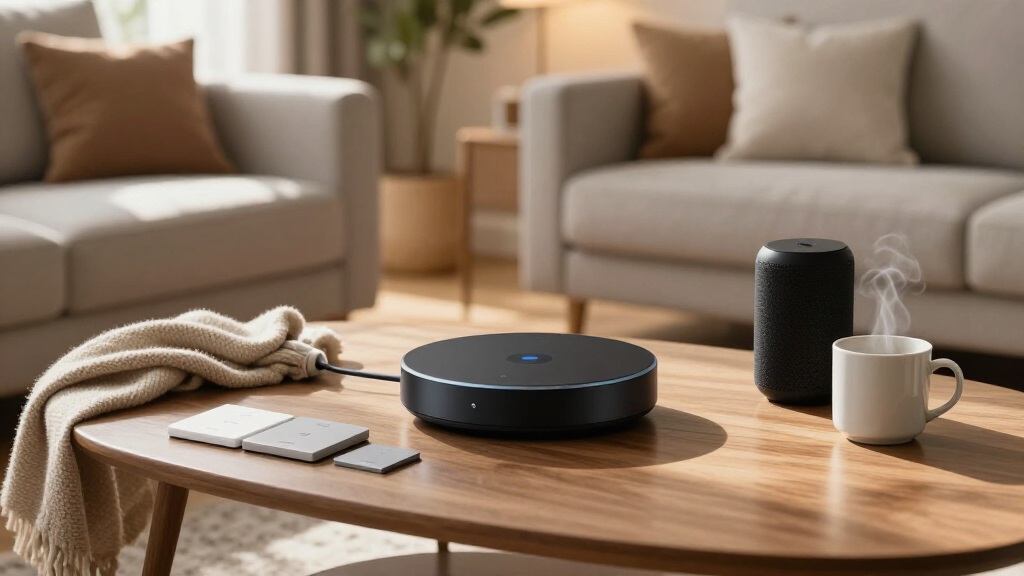

Smart home automation devices now span everything from $10 smart plugs to full control panels, and the biggest choice you’ll make is which ecosystem to commit to before buying anything else. For most households, the Amazon Echo Hub earns the top spot as the best overall device because it turns scattered gadgets into one touch-controlled system with Alexa+ routines. Two other standouts: the Home Assistant Green hub is the privacy-first, local-control alternative for tinkerers, and the TP-Link Tapo Matter Smart Plug Mini 3-Pack delivers the best value for anyone starting small. The core tradeoff in this category is convenience versus lock-in — Wi-Fi devices are cheap and easy but cloud-dependent, while Zigbee and Matter gear costs more upfront but plays nicer across Apple, Google, and Alexa. Keep reading for the full breakdown, including which switches need a neutral wire and which plugs actually track energy use.

Get business pricing on tech for your team
- Business-only prices and quantity discounts
- Tax-exempt purchasing
- Multiple users, one account, clear invoices
Key Takeaways
- Ecosystem choice outweighed individual product quality — the Amazon Echo Hub and Home Assistant Green ranked highest because they orchestrate other devices, while standalone plugs and switches are only as good as the platform running them.
- Matter support was the clearest dividing line for future-proofing: the Tapo Matter plug and Linkind Matter plug outlast cheaper Wi-Fi-only plugs like the GHome if you might ever switch between Alexa, Google, and Apple Home.
- The smart plug category showed the widest price spread with the narrowest feature gaps — the Kasa HS103 4-pack won on price per outlet, while the Tapo P115 justified its premium purely through energy monitoring.
- Every in-wall switch in this lineup except the SwitchBot curtain robot requires a neutral wire, which means renters and owners of older homes should verify wiring before any of the Kasa, Tapo, or SONOFF MINIR4 switches make sense.
- Hub-based devices (Tapo H100, SONOFF Zigbee accessories) trade a higher starting cost for better reliability and battery life than direct Wi-Fi devices, a pattern that repeated across both brands in this comparison.
| SONOFF Fusion Zigbee Smart Scene Button SNZB-01M Wireless Switch |  | Best Scene Controller | Compatibility: SONOFF ZBBridge-P/U, NSPanel Pro, iHost, SmartThings, Home Assistant (ZHA), Zigbee2MQTT | Number of Buttons: 4 | Scene Triggers: Up to 16 | VIEW LATEST PRICE | See Our Full Breakdown |
| Amazon Smart Thermostat |  | Best for Energy Savings | Compatibility: Alexa, Ring | C-wire Required: Yes | Energy Savings: Estimated $90/year | VIEW LATEST PRICE | See Our Full Breakdown |
| GHome WiFi Smart Plug, Compatible with Alexa and Google Assistant | 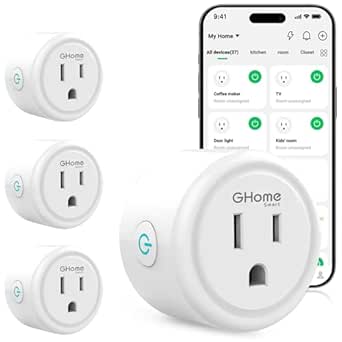 | Best Budget Starter Pack | Connectivity: WiFi 2.4GHz, Bluetooth pairing | Compatibility: Alexa, Google Assistant, GHome App, Smart Life App, Tuya App | Features: Remote control, scheduling, timers, group control, sharing | VIEW LATEST PRICE | See Our Full Breakdown |
| Home Assistant Green Smart Home Hub with Advanced Automation |  | Best Automation Powerhouse | RAM: 4 GB | Storage: 32 GB | Processor: Quad-core | VIEW LATEST PRICE | See Our Full Breakdown |
| TP-Link Tapo Matter Supported Smart Plug Mini, 15A/1800W, 3-Pack |  | Best Future-Proof Pick | Maximum Power: 15A / 1800W | Connectivity: 2.4GHz Wi-Fi | Protocol: Matter | VIEW LATEST PRICE | See Our Full Breakdown |
| TP-Link Tapo Matter Smart Light Switch 2-Pack | 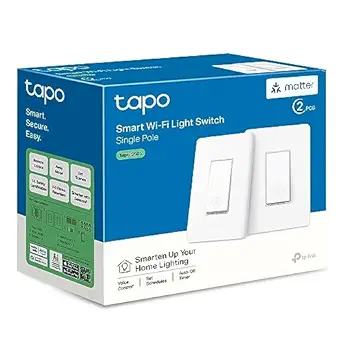 | Best for Multi-Platform Households | Compatibility: Apple Home, Alexa, Google Home, SmartThings | Wiring: Neutral wire required | Input Voltage: 100-120 VAC, 50/60 Hz | VIEW LATEST PRICE | See Our Full Breakdown |
| Kasa Smart Light Switch, Single Pole, Requires Neutral Wire | 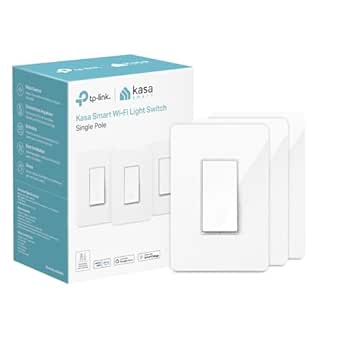 | Best Budget-Friendly Switch | Controller Type: Amazon Alexa, Google Assistant | Current Rating: 15 A | Operating Voltage: 120 V | VIEW LATEST PRICE | See Our Full Breakdown |
| Kasa Smart Plug HS103P4 4-Pack | 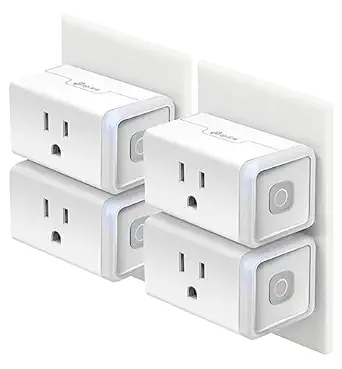 | Best Starter Automation Kit | Number of Outlets: 4 | Connectivity: Wi-Fi 2.4 GHz | Compatibility: Alexa, Google Home | VIEW LATEST PRICE | See Our Full Breakdown |
| SwitchBot 2025 Automatic Curtain Opener with Bluetooth, WiFi & APP Control |  | Best for Hands-Free Curtains | Max Load Capacity: 15 kg / 33 lbs | Motor: 2x stronger than previous model | Control Methods: Bluetooth, App, Voice Control | VIEW LATEST PRICE | See Our Full Breakdown |
| SONOFF MINIR4 10A Smart WiFi Light Switch – 4 Pack |  | Best for Tight Spaces and Tinkerers | Current Rating: 10 A | Operating Voltage: 120 V | Wattage: 2400 W | VIEW LATEST PRICE | See Our Full Breakdown |
| Kasa Smart 3-Way Switch Kit, HS210, Requires Neutral Wire |  | Best for Multi-Location Lighting | Kit Contents: 2 smart switches for 3-way circuits | Wiring Requirement: Neutral wire required | Wi-Fi: 2.4 GHz, IEEE 802.11b/g/n | VIEW LATEST PRICE | See Our Full Breakdown |
| Amazon Echo Hub (newest model), 8″ Smart Home Control Panel with Alexa+ |  | Best Command Center | Display: 8-inch touchscreen | Protocol Support: Alexa, Ring, Zigbee, Matter, Sidewalk, Thread | Connectivity: Wi-Fi, Bluetooth | VIEW LATEST PRICE | See Our Full Breakdown |
| Tapo Smart Plug Wi-Fi, Energy Monitoring, P115 (4-Pack), 15A | 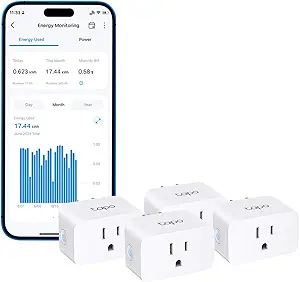 | Best Value for Energy Tracking | Pack Size: 4 plugs | Max Current: 15A | Energy Monitoring: Yes, real-time per-plug tracking | VIEW LATEST PRICE | See Our Full Breakdown |
| Linkind Matter Smart Plug, Compatible with Apple Home, Alexa, Siri, Google Home | 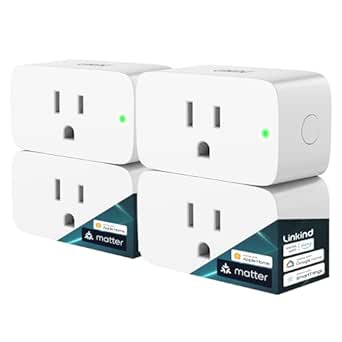 | Best for Multi-Platform Households | Protocol: Matter | Compatibility: Apple Home, Alexa, Google Home, SmartThings | Amperage: 15A | VIEW LATEST PRICE | See Our Full Breakdown |
| Tapo Smart Hub with Built-in Chime H100, 2.4GHz Wi-Fi Required |  | Best Budget Hub for Sensors | Connectivity: 2.4 GHz Wi-Fi | Wireless Range: Up to 30 meters | Device Capacity: Up to 64 devices | VIEW LATEST PRICE | See Our Full Breakdown |
| smart home automation device | Connectivity | Compatibility |
|---|---|---|
| SONOFF Fusion Zigbee Smart Sce | — | SONOFF ZBBridge-P/U, NSPanel Pro, iHost, SmartThings, Home Assistant (ZHA), Zigbee2MQTT |
| Amazon Smart Thermostat | — | Alexa, Ring |
| GHome WiFi Smart Plug | WiFi 2.4GHz, Bluetooth pairing | Alexa, Google Assistant, GHome App, Smart Life App, Tuya App |
| Home Assistant Green Smart Hom | Ethernet, 2x USB, Bluetooth | — |
| TP-Link Tapo Matter Supported | 2.4GHz Wi-Fi | Apple Home, Alexa, Google Home, SmartThings |
| TP-Link Tapo Matter Smart Ligh | 2.4 GHz Wi-Fi | Apple Home, Alexa, Google Home, SmartThings |
| Kasa Smart Light Switch | Wi-Fi | — |
| Kasa Smart Plug HS103P4 4-Pack | Wi-Fi 2.4 GHz | Alexa, Google Home |
| SwitchBot 2025 Automatic Curta | — | — |
| SONOFF MINIR4 10A Smart WiFi L | Wi-Fi | Alexa, Google Home via eWeLink |
| Kasa Smart 3-Way Switch Kit | — | — |
| Amazon Echo Hub | Wi-Fi, Bluetooth | — |
| Tapo Smart Plug Wi-Fi | Wi-Fi | — |
| Linkind Matter Smart Plug | — | Apple Home, Alexa, Google Home, SmartThings |
| Tapo Smart Hub with Built-in C | 2.4 GHz Wi-Fi | Android 5.0+ or iOS 10.0+ |
More Details on Our Top Picks
SONOFF Fusion Zigbee Smart Scene Button SNZB-01M Wireless Switch
This option stands out as the most flexible scene trigger in the lineup — up to 16 triggers across four programmable buttons means one handheld remote can run an entire evening routine. Compared with the TP-Link Tapo P125M plugs, which automate individual outlets, the Fusion Button acts as a physical command layer on top of any setup, and its local Zigbee binding keeps commands fast and working even when the internet drops. Pairing it with the Home Assistant Green unlocks its full potential through ZHA or Zigbee2MQTT. The tradeoff is real: without a Zigbee hub it’s a paperweight, and multi-action programming takes patience that casual users may not have.
Pros:- Up to 16 scene triggers across four programmable buttons
- Local Zigbee binding delivers fast, cloud-independent control
- Flexible placement: magnetic base, wall mount, or handheld
- Works with Home Assistant, SmartThings, and SONOFF bridges
Cons:- Non-functional without a Zigbee hub
- Multi-action setup is complex for beginners
- Limited to Zigbee-compatible ecosystems
Best for: Smart home tinkerers who already run a Zigbee hub and want physical one-touch control over multi-device scenes
Not ideal for: Buyers starting from scratch — it requires an existing Zigbee hub and some technical comfort to configure bindings and multi-press actions
- Compatibility:SONOFF ZBBridge-P/U, NSPanel Pro, iHost, SmartThings, Home Assistant (ZHA), Zigbee2MQTT
- Number of Buttons:4
- Scene Triggers:Up to 16
- Modes:Zigbee Mode, eweLink-remote Mode
- Installation:Magnetic base, wall mount, handheld
- Features:TouchLink lighting control, dimming, local Zigbee binding
Our verdict“If you already have a Zigbee hub, this is the cheapest way to add powerful whole-room scene control to your setup.”
Amazon Smart Thermostat
Among the switches and plugs dominating this roundup, the Amazon Smart Thermostat earns its place by attacking the biggest energy line item in most homes — HVAC. Amazon estimates roughly $90 per year in savings, which means it can pay for itself within a single heating season. Compared with the GHome smart plug, which trims phantom loads one outlet at a time, a thermostat influences whole-house consumption. Alexa and Ring integration plus guided DIY installation keep the experience approachable, though the C-wire requirement is a genuine hurdle for older homes without one — expect to add an adapter or call an electrician. It also leans heavily on the Alexa ecosystem, so Apple Home households should look elsewhere.
Pros:- Estimated $90/year in energy savings
- Guided DIY installation through the Alexa app
- Works with Alexa and Ring for voice control and routines
- Programmable schedules plus remote control on the go
Cons:- C-wire required, complicating installation in older homes
- Full functionality depends on Alexa-compatible devices
Best for: Alexa households in homes with a C-wire who want to cut heating and cooling costs without a $250 premium thermostat
Not ideal for: Owners of older homes without a C-wire, or Apple Home users — the C-wire requirement and Alexa-first design make it a poor fit
- Compatibility:Alexa, Ring
- C-wire Required:Yes
- Energy Savings:Estimated $90/year
- Installation:DIY with app guidance
- Control:App, voice, programmable schedules
- Voice Assistants:Alexa
Our verdict“The most cost-effective way to automate HVAC in an Alexa home, provided your wiring cooperates.”
GHome WiFi Smart Plug, Compatible with Alexa and Google Assistant
For anyone dipping a toe into automation, this plug delivers the core experience — remote control, scheduling, and voice commands — at the lowest entry cost in this lineup. Compared with the Tapo P125M three-pack, the GHome skips Matter support and local LAN control, meaning it depends on the cloud and a 2.4GHz network. But for buyers who just want lamps and fans on a schedule, that distinction barely matters day to day. Group control and app sharing make it surprisingly capable for the price. The setup friction is worth noting: it cannot pair directly with Alexa or Google — you must create an account in the GHome, Smart Life, or Tuya app first, then link it.
Pros:- Very low cost per outlet for budget setups
- Works with both Alexa and Google Assistant
- Scheduling, timers, and group control included
- Quick Bluetooth-assisted pairing with stable 2.4GHz WiFi
Cons:- Cloud-dependent — no local control if internet drops
- Requires third-party app account before linking voice assistants
- No Matter support or Apple Home compatibility
Best for: First-time smart home buyers who want cheap, app-controlled outlets for lamps and fans without ecosystem lock-in concerns
Not ideal for: Buyers invested in Apple Home or Matter, or anyone wanting offline reliability — this plug is cloud-dependent and Siri-less
- Connectivity:WiFi 2.4GHz, Bluetooth pairing
- Compatibility:Alexa, Google Assistant, GHome App, Smart Life App, Tuya App
- Features:Remote control, scheduling, timers, group control, sharing
- Voice Control:Alexa, Google Assistant
- Protocol:WiFi (cloud-dependent)
- Matter Support:No
Our verdict“The cheapest credible way to start automating, as long as you accept cloud dependence and skip Apple Home.”
Home Assistant Green Smart Home Hub with Advanced Automation
Every other product in this roundup is a single device; the Home Assistant Green is the brain that runs them all. With Home Assistant OS pre-installed, it offers local, privacy-first automations far beyond what any cloud app can do, and USB expansion supports Zigbee, Z-Wave, and Thread dongles — making it the natural hub for the SONOFF Fusion Button elsewhere in this guide. Compared with the Amazon Echo Hub, which is a polished but ecosystem-locked control panel, Green demands more tinkering and rewards it with total freedom. The tradeoffs are clear: no Wi-Fi (Ethernet is mandatory), and it’s strictly an automation box, not a general computer. Beginners will face a learning curve.
Pros:- Pre-installed Home Assistant OS with local, cloud-free automations
- Fanless, silent, and power-efficient design
- Expandable via USB to Zigbee, Z-Wave, and Thread
- Official hardware backed by Nabu Casa support
Cons:- No built-in Wi-Fi — Ethernet required
- Steeper learning curve than consumer ecosystems like Alexa
- Single-purpose device, not usable as a general computer
Best for: Intermediate-to-advanced users who want a local, privacy-focused hub unifying Zigbee, Z-Wave, and Thread devices under one automation engine
Not ideal for: Plug-and-play buyers — Ethernet-only networking and Home Assistant’s learning curve make this the wrong first smart home purchase
- RAM:4 GB
- Storage:32 GB
- Processor:Quad-core
- Connectivity:Ethernet, 2x USB, Bluetooth
- Operating System:Home Assistant OS (pre-installed)
- Expandability:Z-Wave, Zigbee, Thread via USB dongles
- Dimensions:4.41″ x 4.41″ x 1.26″
Our verdict“The foundation for a serious, local-first smart home — buy it only if you’re willing to learn Home Assistant.”
TP-Link Tapo Matter Supported Smart Plug Mini, 15A/1800W, 3-Pack
This three-pack earns a higher spot than the GHome plugs because Matter support changes the long game: it pairs natively with Apple Home, Alexa, Google Home, and SmartThings, so switching ecosystems later doesn’t mean rebuying hardware. The local LAN control is the other differentiator — lights and appliances keep responding when the internet cuts out, something budget cloud plugs can’t promise. Bluetooth onboarding makes first setup genuinely quick, and the compact, UL-certified flame-retardant body leaves the second outlet free. The compromises: 2.4GHz-only Wi-Fi, no energy monitoring (the Tapo P115 covers that), and a slightly higher per-plug price than basic alternatives. You’re paying a small premium for interoperability.
Pros:- Matter support works natively with Apple Home, Alexa, Google Home, and SmartThings
- Local LAN control keeps devices working without internet
- Compact UL-certified design leaves the second outlet usable
- Quick Bluetooth-assisted onboarding
Cons:- 2.4GHz Wi-Fi only
- No energy monitoring, unlike the Tapo P115
- Pricier per plug than basic non-Matter alternatives
Best for: Buyers who want plugs that survive ecosystem switches — especially Apple Home users or multi-assistant households
Not ideal for: Bargain hunters who just need basic Alexa scheduling — cheaper non-Matter plugs do that for less
- Maximum Power:15A / 1800W
- Connectivity:2.4GHz Wi-Fi
- Protocol:Matter
- Compatibility:Apple Home, Alexa, Google Home, SmartThings
- Certification:UL Certified, flame-retardant housing
- Quantity:3-pack
- Local Control:Yes, LAN-based
Our verdict“Pay the small premium for Matter and local control now, and these plugs will still fit your ecosystem in five years.”
TP-Link Tapo Matter Smart Light Switch 2-Pack
This two-pack stands out for true cross-platform flexibility thanks to its Matter certification — a real advantage if your household mixes Apple Home, Alexa, and Google Home. Compared with the Kasa Smart Light Switch, which locks you into Alexa and Google Assistant only, the Tapo S505 keeps every option open, and multi-admin access lets the whole family control lights from their own accounts. LAN control is a nice bonus, meaning lights keep responding even if the cloud hiccups. The tradeoff is the same one that trips up most smart switches: it needs a neutral wire and single-pole wiring only, so older homes may need an electrician before any automation happens.
Pros:- Matter certification works with Apple Home, Alexa, Google Home, and SmartThings
- LAN control keeps switches responsive without cloud dependency
- Multi-admin access supports whole-family control
- Two switches per box halves the per-switch cost
Cons:- Neutral wire required, excluding many older homes
- Single-pole only, so three-way staircase circuits are off limits
- Professional installation may add real cost for non-DIYers
Best for: Households with mixed smart home ecosystems who want every family member to control lighting independently
Not ideal for: Renters or owners of older homes without neutral wiring — installation becomes an electrician job, not a DIY afternoon
- Compatibility:Apple Home, Alexa, Google Home, SmartThings
- Wiring:Neutral wire required
- Input Voltage:100-120 VAC, 50/60 Hz
- Max Current:15 A
- Connectivity:2.4 GHz Wi-Fi
- Certification:UL Certified
- Package:2-Pack
Our verdict“Buy this if your home runs multiple ecosystems and you want future-proofed switches that won’t punish you for changing assistants later.”
Kasa Smart Light Switch, Single Pole, Requires Neutral Wire
Compared with the Tapo Matter 2-Pack, this single Kasa switch trades cross-platform flexibility for a lower entry price and a polished, beginner-friendly app experience. Alexa and Google Assistant coverage handles the assistants most people actually use, and the guided install with step-by-step instructions is among the friendliest on the market. Scheduling works reliably for porch lights or hallway routines. Where it falls short of the Tapo: no Apple Home or SmartThings support, and buying multiple single units costs more per switch than the two-pack route. Like nearly every in-wall switch here, a neutral wire is mandatory, and it’s limited to single-pole circuits.
Pros:- Excellent app-guided installation for first-timers
- Reliable scheduling and remote control
- UL certified for safe in-wall use
- Strong track record and large user community for troubleshooting
Cons:- No Apple HomeKit or SmartThings support
- Neutral wire and single-pole limits apply
- Weaker value than multi-packs when buying several
Best for: Budget-conscious Alexa or Google Home users doing their first in-wall switch installation
Not ideal for: Apple Home households or anyone outfitting a whole house — the Tapo 2-pack is cheaper per switch and more flexible
- Controller Type:Amazon Alexa, Google Assistant
- Current Rating:15 A
- Operating Voltage:120 V
- Connectivity:Wi-Fi
- Wattage:600 W
- Circuit Type:1-way (single pole)
- Certification:UL Certified
Our verdict“A smart single-switch buy if you’re Alexa or Google-only and want the easiest possible install — just skip it if you’re deep in the Apple ecosystem.”
Kasa Smart Plug HS103P4 4-Pack
If the idea of opening a wall plate scares you off, this four-pack is the lowest-friction entry into home automation — plug in, connect, done. Unlike the Kasa and Tapo switches above, there’s zero wiring involved, making it the pick for renters who can’t legally or practically swap switches. The tradeoffs are real, though: the plugs are bulky enough to block the second outlet, and there’s no energy monitoring, which the Tapo P115 4-Pack in this same roundup offers for buyers who want to track consumption. It’s also restricted to 2.4 GHz Wi-Fi and lacks Matter support, so the platform ceiling is lower than the Tapo Mini plugs.
Pros:- Zero-install setup — genuinely plug and play
- Four plugs cover multiple rooms for one price
- Scheduling and timers work dependably for lamps and fans
- UL certified safety
Cons:- 2.4 GHz Wi-Fi only
- No energy monitoring features
- Bodies can block adjacent outlets
Best for: Renters and smart home beginners who want four rooms automated in one afternoon without touching wiring
Not ideal for: Energy-conscious buyers tracking power bills — the Tapo P115 plugs offer monitoring at a similar pack size
- Number of Outlets:4
- Connectivity:Wi-Fi 2.4 GHz
- Compatibility:Alexa, Google Home
- Amp Rating:15 A
- Certification:UL Certified
Our verdict“The easiest possible first step into smart home automation — buy it for instant results, skip it if you need energy data.”
SwitchBot 2025 Automatic Curtain Opener with Bluetooth, WiFi & APP Control
This is the only product in this lineup that automates something most people never think to automate — and that’s exactly its appeal. It attaches to existing curtain rods with no tools, and the upgraded motor handles curtains up to 15 kg at under 25 dB, quiet enough for a bedroom. Compared with the Kasa plugs, which only turn things on and off, this delivers a genuinely different comfort upgrade: wake-up routines with sunrise-timed curtains. The catch is cost stacking — Matter and HomeKit support require a separately purchased hub, and the remote is also extra. It also won’t fit extendable rods under 16 mm, so measure before buying.
Pros:- Tool-free installation on existing curtain rods
- Handles heavy curtains up to 15 kg
- Ultra-quiet operation under 25 dB
- Matter and HomeKit support (with hub)
Cons:- Hub sold separately for Matter and HomeKit
- Incompatible with extendable rods under 16 mm
- Remote control is an extra purchase
Best for: Homeowners building morning and evening ambiance routines who want motorized curtains without replacing hardware
Not ideal for: Budget builders or anyone with thin extendable rods — hub and remote costs add up fast, and rod fitment is a hard limit
- Max Load Capacity:15 kg / 33 lbs
- Motor:2x stronger than previous model
- Control Methods:Bluetooth, App, Voice Control
- Supported Platforms:Alexa, Google Home, HomeKit, SmartThings
- Range:80 m
- Batteries:4 Lithium-Ion (included)
- Weight:1.02 kg
Our verdict“A splurge that’s worth it for routine-driven households — just budget for the hub and check your rod diameter first.”
SONOFF MINIR4 10A Smart WiFi Light Switch – 4 Pack
The MINIR4’s superpower is size: it’s compact enough to hide behind existing switches or inside small junction boxes, something the full-size Kasa and Tapo switches simply can’t do. It also works with your existing physical wall switch, so family members keep using the room the way they always have while you gain app and voice control on top. The ecosystem tradeoff is the eWeLink app — capable but less polished than Kasa’s — and the 10 A rating limits high-draw loads that the 15 A Tapo S505 handles easily. Wi-Fi-only connectivity (no Zigbee) also means no pairing with hubs like the SONOFF Zigbee scene button in this roundup without workarounds.
Pros:- Compact body fits cramped or shallow boxes
- Works alongside your existing physical switch
- No hub required for Alexa and Google Home
- Four units cover a whole room set
Cons:- 10 A ceiling limits heavier loads
- eWeLink app is less polished than Kasa or Tapo apps
- Wi-Fi only, no Zigbee option
Best for: DIY-savvy users retrofitting existing switch boxes who want to keep physical switches working
Not ideal for: Non-technical households wanting a polished mainstream app experience — Kasa’s ecosystem is friendlier and better documented
- Current Rating:10 A
- Operating Voltage:120 V
- Wattage:2400 W
- Connectivity:Wi-Fi
- Control Methods:Remote, Voice, Physical Switch
- Compatibility:Alexa, Google Home via eWeLink
- Package:4-Pack
Our verdict“The pick for tight-box retrofits and tinkerers — everyone else gets a smoother ride from the full-size Kasa or Tapo switches.”
Kasa Smart 3-Way Switch Kit, HS210, Requires Neutral Wire
Most smart switches quietly assume you only have a single-pole setup, which is why the Kasa HS210 3-Way Kit earns its place here — it’s one of the few options built specifically for staircases, hallways, and garages where two switches control one light. The kit includes both switches, so there’s no guesswork about which companion unit to buy, a problem that trips up buyers of the Kasa Single Pole switch or the SONOFF MINIR4, which require more wiring workarounds for 3-way circuits. App-guided installation is genuinely helpful, and scheduling plus Alexa and Google voice control work reliably. The catch is the same one that haunts every switch in this roundup: you need a neutral wire in the box, and older homes often don’t have one. If your wiring predates the 1980s, budget for an electrician or stick with plugs like the Tapo P115 instead.
Pros:- Complete kit covers both switches in a 3-way circuit
- App-guided installation reduces wiring mistakes
- Reliable Alexa and Google Assistant voice control
- UL certified for electrical safety
Cons:- Requires neutral wire and 2.4 GHz Wi-Fi
- Limited to Kasa/Alexa/Google ecosystems — no Apple Home support
- May need professional installation for unfamiliar DIYers
Best for: Homeowners with 3-way circuits in hallways or staircases who want wall switches that stay smart
Not ideal for: Renters and owners of older homes without neutral wires — installation becomes costly or impossible
- Kit Contents:2 smart switches for 3-way circuits
- Wiring Requirement:Neutral wire required
- Wi-Fi:2.4 GHz, IEEE 802.11b/g/n
- Control:App, remote, voice (Alexa, Google Assistant)
- Scheduling:Supported via Kasa app
- Certification:UL certified
- System Requirements:Android 5.0+ or iOS 10+
Our verdict“Buy this if you have a two-switch lighting circuit and the wiring to support it — it’s the least painful path to smart 3-way control.”
Amazon Echo Hub (newest model), 8″ Smart Home Control Panel with Alexa+
Once a smart home passes roughly a dozen devices, juggling individual apps becomes the real bottleneck — and that’s the problem the Echo Hub exists to solve. This 8-inch wall panel acts as a central dashboard, pulling cameras, thermostats, plugs, and switches into one customizable screen. Compared with the Tapo H100 hub, which only manages Tapo-brand sensors, the Echo Hub speaks Zigbee, Matter, Thread, and Sidewalk, making it dramatically more flexible for mixed-device households. It pairs naturally with the Amazon Smart Thermostat and Ring cameras for whole-home routines. The tradeoffs are real though: wall-mounting hardware and the power-over-ethernet adapter cost extra, and some security features lean on a Ring subscription. It’s also overkill if you own just two or three plugs — a Tapo P115 and a phone app would serve you fine for far less money.
Pros:- Single dashboard consolidates cameras, plugs, and thermostats
- Broad protocol support: Zigbee, Matter, Thread, Sidewalk
- Customizable widgets and voice routines
- Strong privacy controls including mic-off button
Cons:- Wall mount and PoE adapter sold separately
- Some security features require a paid Ring subscription
Best for: Owners of 10+ smart devices across brands who want one wall-mounted screen instead of multiple apps
Not ideal for: Budget builders or small setups — the price and ecosystem depth are wasted on a handful of plugs
- Display:8-inch touchscreen
- Protocol Support:Alexa, Ring, Zigbee, Matter, Sidewalk, Thread
- Connectivity:Wi-Fi, Bluetooth
- Voice Assistant:Alexa+
- Privacy:Mic off button, multiple control layers
- Materials:27% recycled materials
- Packaging:Wood fiber-based from responsibly managed forests
Our verdict“Worth the investment for a multi-brand smart home that has outgrown app-switching; skip it for starter setups.”
Tapo Smart Plug Wi-Fi, Energy Monitoring, P115 (4-Pack), 15A
What separates the Tapo P115 from the sea of budget smart plugs like the GHome WiFi Smart Plug or Kasa HS103P4 is per-outlet energy monitoring. Seeing exactly how much power that old freezer or space heater draws turns vague savings advice into actionable numbers, and the auto-shutoff feature adds a genuine safety layer the cheaper plugs skip. The four-pack pricing undercuts most monitored-plug competitors, which typically charge a premium per unit. Compared with the Linkind Matter plug, the P115 doesn’t need a Matter controller — it works directly over Wi-Fi with Alexa and Google — but that simplicity costs you Apple Home and SmartThings compatibility. The 15A ceiling also rules out some heavy-draw appliances, so check your device labels before plugging in a large air compressor. For most household electronics, though, this four-pack is the smartest cost-per-feature deal in the plug category.
Pros:- Real-time energy monitoring per outlet
- Auto-shutoff adds a safety layer for heaters and irons
- Four plugs at a competitive bundle price
- Scheduling and voice control via Alexa and Google Assistant
Cons:- No Apple Home or SmartThings support
- 15A limit excludes some high-power appliances
- Remote control depends entirely on Wi-Fi availability
Best for: Budget-conscious homeowners who want to identify energy-hungry appliances and cut utility bills
Not ideal for: Apple Home users or anyone running high-amperage equipment — neither is supported
- Pack Size:4 plugs
- Max Current:15A
- Energy Monitoring:Yes, real-time per-plug tracking
- Scheduling:Yes, with timers
- Auto-Shutoff:Supported
- Voice Control:Alexa, Google Assistant
- Connectivity:Wi-Fi
Our verdict“The best price-to-insight ratio in this roundup for buyers who want energy data, not just on/off control.”
Linkind Matter Smart Plug, Compatible with Apple Home, Alexa, Siri, Google Home
Most plugs in this roundup force a platform choice — the Tapo P115 ignores Apple Home, and many Kasa options do the same. The Linkind Matter plug is the pick for divided households where one partner runs iPhone shortcuts and the other prefers Alexa. Because it’s Matter-certified, it joins Apple Home, Google Home, Alexa, and SmartThings natively, with Siri voice control as a genuine differentiator here. Another quietly valuable feature is offline LAN communication: local control keeps working when your internet drops, something cloud-dependent plugs can’t promise. The tradeoff is setup friction — you’ll need a Matter controller (an Apple TV, HomePod, Echo Hub, or similar) to unlock full cross-platform support, and it’s limited to 2.4 GHz networks. It also lacks the energy monitoring that makes the Tapo P115 compelling. Choose this for flexibility; choose the Tapo for data.
Pros:- Native Matter support across Apple Home, Alexa, Google Home, and SmartThings
- Offline LAN control keeps working without internet
- Scheduling and timers for automated routines
- Siri voice control included
Cons:- Requires a Matter-certified hub or controller for full compatibility
- 2.4 GHz Wi-Fi only
- No energy monitoring at this price
Best for: Mixed-platform households, especially Apple Home users, who want one plug that works everywhere
Not ideal for: Buyers without a Matter hub or controller — full multi-platform features won’t function
- Protocol:Matter
- Compatibility:Apple Home, Alexa, Google Home, SmartThings
- Amperage:15A
- Power Capacity:1800W
- Plug Type:Type A, 2-prong
- Offline Control:LAN communication supported
- Wi-Fi:2.4 GHz only
- Material:Copper contacts
Our verdict“The most platform-flexible plug in the lineup — buy it if your household spans ecosystems and you already own a Matter controller.”
Tapo Smart Hub with Built-in Chime H100, 2.4GHz Wi-Fi Required
The Tapo H100 targets a specific gap in this roundup: affordable sensor-based automation. The SONOFF Scene Button can trigger actions, and the Echo Hub can display them, but neither cheaply connects door sensors, motion detectors, and buttons into a system. The H100 does, using an ultra-low-power protocol that dramatically extends sensor battery life — a real cost saver over years — with a 30-meter range that comfortably covers most homes. The built-in chime doubles as a doorbell with customizable ringtones, and the 90 dB siren adds basic security capability without any subscription. The limitations are structural: it only talks to Tapo devices, won’t connect plugs or lighting directly (those use Wi-Fi separately), and needs 2.4 GHz Wi-Fi. For deeper cross-brand automation, the Home Assistant Green is the stronger engine — but at several times the price. As a starter security-and-sensor backbone, the H100 is hard to beat.
Pros:- Extends battery life of connected sensors significantly
- Supports up to 64 devices on one hub
- Built-in chime and 90 dB siren add security value
- 30-meter wireless range suits most homes
Cons:- Locked to the Tapo sensor ecosystem
- No direct connection to smart plugs or lighting
- Requires 2.4 GHz Wi-Fi, incompatible with 5 GHz networks
Best for: DIYers building a low-cost sensor network for doors, motion, and alerts without monthly fees
Not ideal for: Owners of non-Tapo devices — ecosystem lock-in makes this hub useless for mixed-brand setups
- Connectivity:2.4 GHz Wi-Fi
- Wireless Range:Up to 30 meters
- Device Capacity:Up to 64 devices
- Siren:Up to 90 dB
- Chime:Built-in, customizable ringtones
- Automation:Sensors, buttons, sirens, doorbell functions
- Compatibility:Android 5.0+ or iOS 10.0+
- Certifications:FCC, RoHS
Our verdict“A cheap, capable foundation for Tapo sensor automation — buy it for security alerts on a budget, skip it for mixed-brand homes.”
How We Picked
I ranked these fifteen devices on five factors that actually shape long-term satisfaction with smart home automation. Ecosystem compatibility carried the most weight — a brilliant device trapped in a dead app is a liability, so Matter support and multi-assistant compatibility pushed products up the list. Reliability and connectivity came next: local control, Zigbee’s resistance to Wi-Fi congestion, and independence from cloud servers separated serious gear from gadgets that die when the internet does. Installation burden mattered too, since a smart switch that requires an electrician changes the true cost of ownership.
Beyond that, I weighed value per package — several of these products ship in multi-packs, and the price-per-outlet math favored some brands by wide margins — and feature depth, where energy monitoring, built-in chimes, and scene programming distinguished otherwise similar plugs and hubs. The ranking reflects a simple philosophy: control platforms first, because they amplify everything else; then foundational devices like thermostats and switches; then accessory plugs and buttons that fill in the gaps. Products with hidden requirements, like neutral wires or 2.4GHz-only networks, were flagged rather than penalized, since those constraints matter differently depending on your home.
Factors to Consider When Choosing Smart Home Automation Devices
Before adding any single device to your cart, step back and think about the system you’re accidentally building. These are the factors that determined most of the rankings above — and the mistakes that cost buyers the most money.Pick Your Ecosystem Before Your First Device
The most expensive mistake in smart home shopping isn’t buying a bad product — it’s buying twelve good products that don’t talk to each other. Alexa, Google Home, and Apple Home each have different strengths, and once you own four or five devices tied to one platform, switching costs become real. Matter-certified devices soften this problem by working across all three, which is why they dominate the top half of this roundup. The alternative route is a platform-agnostic hub like Home Assistant Green, which absorbs devices from almost any protocol but demands more setup effort. Households that share devices among multiple people should also confirm everyone’s phone and voice assistant is supported, because the cheapest smart plug becomes frustrating if half the family can’t control it.
Wi-Fi Versus Zigbee: The Reliability Tradeoff
Direct Wi-Fi devices — most smart plugs and the SONOFF MINIR4 — are the easiest to set up because they need no hub, but every one adds traffic to your router, and large homes often hit congestion around 20-plus devices. Zigbee accessories like the SONOFF scene button require a hub (such as the Tapo H100 or a Home Assistant setup) but form their own mesh network, run on coin-cell batteries for a year or more, and respond faster because signals don’t travel to the cloud. The practical rule: a couple of plugs can go straight Wi-Fi, but whole-room or whole-home automation benefits from a hub-based approach. Also check whether your router splits 2.4GHz and 5GHz into separate network names, because nearly every budget device in this category only connects to the 2.4GHz band and will silently fail during setup otherwise.
The Neutral Wire Question for In-Wall Switches
Most smart switches — the Kasa HS200, Kasa HS210, and Tapo Matter switch in this lineup — require a neutral wire in the switch box, which many homes built before the mid-1980s lack. Checking takes five minutes: turn off the breaker, pull the switch plate, and look for a white wire bundled in the back of the box. If there’s no neutral, your realistic options narrow to smart plugs for lamps, the SwitchBot curtain robot (which mounts externally), or no-neutral switch models from other brands. Renters face a simpler version of the same constraint: anything requiring wiring changes is off the table, which is exactly why plugs and hub accessories fill so many roles in this roundup. Budget for an electrician visit if you’re not comfortable with electrical work — that $50 switch can become a $200 installation.
Energy Monitoring Changes How You Use Everything
Plugs with energy monitoring, like the Tapo P115, cost a few dollars more per unit but pay for themselves by exposing phantom load — the standby power your TV, game console, and coffee maker draw around the clock. Once you can see which devices waste 15 watts doing nothing, automation shifts from a novelty to a utility bill tool: schedules that cut power overnight become genuinely satisfying. The catch is that monitoring data only appears in the manufacturer’s app, so a Tapo plug’s consumption history won’t merge cleanly with data from a Kasa plug. Buyers planning to track their whole home should standardize on one brand for monitored outlets rather than mixing, and accept that non-monitored plugs like the Kasa HS103 are fine for lights and other loads you already understand.
Start Small, Then Automate What Actually Annoys You
The pattern that separates successful smart homes from abandoned gadget drawers is simple: people who automate a recurring annoyance stick with it, and people who buy gadgets for novelty quit. Identify the two or three things you do daily — turning off lamps at bedtime, adjusting the thermostat on arrival, closing curtains at dusk — and buy devices for those first. A scene button like the SONOFF SNZB-01M is a surprisingly powerful starting point because one press can trigger a multi-device routine. Resist the temptation to buy the 4-pack of everything; a single test unit reveals whether a brand’s app, responsiveness, and reliability suit you before you’ve plastered its hardware across the house. Expansion is cheap in this category, so earning trust one device at a time costs little and prevents the most common form of buyer’s remorse.
Frequently Asked Questions
Do I need a hub, or can I just use Wi-Fi smart plugs and switches?
For a small setup of three to five devices, Wi-Fi-only gear like the Kasa HS103 plugs or GHome plugs works fine without any hub — you’ll control them through Alexa or Google routines and lose nothing. A hub starts earning its keep once you add battery-powered sensors, scene buttons, or more than roughly ten to fifteen Wi-Fi devices, because hubs like the Tapo H100 or Home Assistant Green move traffic off your router and let accessories like the SONOFF Zigbee button run for a year on a coin cell. Hubs also enable local automation that keeps working when your internet drops. If you’re unsure, start hub-free and add one later — none of the Wi-Fi devices in this roundup become obsolete when you do.
Is Matter support worth paying extra for in 2026?
If there’s any chance your household will mix voice assistants — one person with an iPhone, another with an Echo — then yes, Matter-certified devices like the Tapo Matter plug and Linkind Matter plug eliminate the compatibility gamble entirely. They cost only slightly more than equivalent Wi-Fi-only plugs and can be re-paired to a different ecosystem without replacing hardware. On the other hand, if you’ve been an all-Alexa or all-Google household for years and plan to stay that way, standard devices work just as well and often cost less in multi-packs. The one genuine caveat: Matter setup can be fussier than native brand apps, so expect an extra minute or two during installation.
Can I install smart switches myself, and what if my home has no neutral wire?
If you can safely turn off a breaker and wire a basic switch, the Kasa and Tapo switches in this lineup are realistic DIY jobs — most people finish in 20 to 30 minutes per switch. The catch is the neutral wire: the Kasa HS200, Kasa HS210 3-way kit, and Tapo switch all require one, and older homes frequently don’t have it in the switch box. You can verify by opening the plate and looking for a white wire; if it’s absent, your best alternatives are smart plugs for lamps, an external device like the SwitchBot curtain opener, or calling an electrician to run a neutral, which typically costs more than the switch itself. For three-way hallway or stairway circuits, the HS210 kit is the purpose-built solution — don’t try to substitute a single-pole switch there.
What’s the difference between the Amazon Echo Hub and a hub like the Tapo H100 or Home Assistant Green?
They solve different problems, and confusing them is a common buying error. The Echo Hub is a wall-mounted touchscreen command center — it doesn’t host devices itself but gives you one visual interface for cameras, thermostats, plugs, and routines, plus Alexa+ voice control. The Tapo H100 is a radio hub: it connects Zigbee sensors and buttons to your network and includes a chime, but offers no screen. Home Assistant Green is a full local automation server that can integrate nearly everything, ideal for privacy-minded users comfortable with configuration. Many homes actually benefit from combining types — a Tapo H100 for sensors plus an Echo Hub as the dashboard — while solo buyers should match the choice to what they lack: interface, radio, or automation brain.
Are cheap smart plug multi-packs like the GHome or Kasa HS103 a false economy?
Generally no — the budget multi-packs are the best dollar-per-outlet value in this roundup, and the Kasa HS103 4-pack in particular comes from an established brand with a well-maintained app, which is where cheap plugs usually fail. What you give up at the low end is energy monitoring (the Tapo P115 is the monitored pick), Matter certification, and sometimes bandwidth efficiency, since each plug holds its own Wi-Fi connection. The genuine false economy risk is buying ultra-cheap no-name plugs with abandoned apps or weak security, not the reputable budget tier. A sensible split works well for most homes: monitored Tapo plugs for mystery loads like entertainment centers, and inexpensive Kasa or GHome plugs for lights and simple on/off appliances.
Conclusion
Mapping these fifteen devices to real buyers: the Amazon Echo Hub is my best overall pick because it converts a pile of individual gadgets into a coherent, whole-home system — it’s the device that makes every other purchase more useful. For best value, the Kasa HS103 4-pack delivers reliable smart outlets at the lowest per-unit cost, with the Tapo Matter 3-pack close behind if cross-platform flexibility matters to you. The premium choice is the Home Assistant Green for buyers who want local control, privacy, and near-unlimited automation power — and the Echo Hub again fills this role for buyers who prefer polish over tinkering. Beginners should start with the GHome or Kasa plugs plus an Echo device: minimal cost, no wiring, and immediate results that teach you what automation you actually want. Specific needs break down cleanly: the Amazon Smart Thermostat for HVAC savings, the SwitchBot opener for renters who want motorized curtains, the Tapo P115 for energy tracking, the Kasa HS210 for three-way circuits, and the SONOFF MINIR4 for squeezing smart control into tight switch boxes. Whatever your entry point, pick one ecosystem first, verify your wiring before buying switches, and expand only where a daily annoyance justifies the spend.