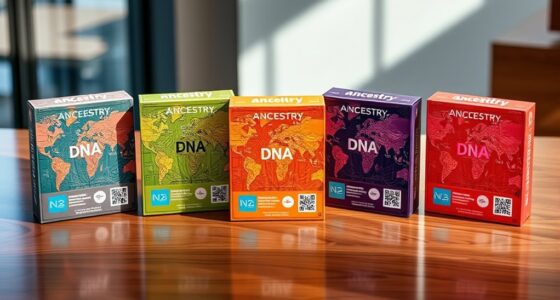

Choosing AI meeting transcription software often starts with a practical question: do you need a dedicated recorder, a pen that also takes notes, or live transcription on a computer? My leading picks are the Plaud Note for its clear balance of call and in-person recording, the MagSafe portable recorder for hands-free capture with a generous stated monthly allowance, and the 64 GB recorder with mind maps for people who want several ways to organize a transcript. They serve different workflows, though: monthly transcription limits can shape ongoing use, and a dedicated device adds setup and app steps compared with software that runs directly on your meeting computer.

Get business pricing on tech for your team
- Business-only prices and quantity discounts
- Tax-exempt purchasing
- Multiple users, one account, clear invoices
This comparison focuses on how each option captures conversations and turns them into usable text. The five products range from pocket recorders to a plug-and-play voice hub, and the available details vary: some provide concrete recording and language figures, while others leave key compatibility or service terms unclear. I rank them by how directly their stated features support meeting transcription, how much practical recording flexibility they offer, and how clearly a buyer can judge the ongoing workflow. Every pick has a tradeoff, so the right choice depends on where your meetings happen and how much audio you expect to transcribe.
Key Takeaways
- The Plaud Note is the most balanced pick here for people who record both phone calls and in-person meetings, with local storage and a stated 300 transcription minutes per month on its Starter Plan.
- The MagSafe portable recorder suits iPhone owners who want hands-free attachment, voice activation, and a stated 360 transcription minutes per month for new users during the first 12 months.
- The 64 GB recorder with mind maps is a strong fit for people who value local files and several post-meeting formats; its 134 online languages depend on internet access, with 12 offline languages listed.
- The voice recorder pen combines recording with handwritten notes and broad stated language support, but its up-to-seven-hour recording time and 32 GB storage are more limited than the other dedicated recorders.
- The AI Voice Hub is the only option described as plug-and-play for computers and gaming consoles, but sparse hardware, language, and compatibility details make it harder to judge before purchase.
| Plaud Note AI Voice Recorder, Non-Pro Version |  | Best Overall for Calls and In-Person Meetings | Storage: 64 GB | Recording time: Up to 30 hours | Transcription allowance: 300 minutes per month on included Starter Plan | VIEW LATEST PRICE | See Our Full Breakdown |
| Portable AI Voice Recorder with Transcription, Summaries, and 59-Language Translation |  | Best for Hands-Free iPhone Recording | Storage: 64 GB | Maximum audio storage: Up to 400 hours | Battery life: Up to 30 hours | VIEW LATEST PRICE | See Our Full Breakdown |
| AI Voice Recorder with Transcription, Summaries, and Mind Maps |  | Best for Local Storage and Multiple AI Outputs | Storage: 64 GB | Online languages: 134 | Offline languages: 12 | VIEW LATEST PRICE | See Our Full Breakdown |
| AI Voice Recorder Pen with Transcription, Summaries, and Mind Maps |  | Best for Recording While Taking Written Notes | Supported languages: Up to 150 | Recording time: Up to 7 hours | Storage: 32 GB | VIEW LATEST PRICE | See Our Full Breakdown |
| AI Voice Hub for Real-Time Transcription and Translation |  | Best for Buyers Seeking a Plug-and-Play Live Transcription Hub | Core features: Real-time transcription and multilingual voice translation | AI integrations: ChatGPT and DeepSeek AI | Listed compatibility: PCs, Chromebooks, tablets, and gaming consoles | VIEW LATEST PRICE | See Our Full Breakdown |
| AI meeting transcription software | Storage | Recording modes | Connectivity |
|---|---|---|---|
| Plaud Note AI Voice Recorder | 64 GB | Phone calls and in-person meetings | Bluetooth 5 |
| Portable AI Voice Recorder wit | 64 GB | One-touch and voice-activated | — |
| AI Voice Recorder with Transcr | 64 GB | Ambient and vibration conduction | Bluetooth |
| AI Voice Recorder Pen with Tra | 32 GB | — | — |
| AI Voice Hub for Real-Time Tra | — | — | Not specified |
More Details on Our Top Picks
Plaud Note AI Voice Recorder, Non-Pro Version
The Plaud Note earns the lead because its stated workflow directly covers two common meeting settings: it records phone calls and in-person conversations, then sends those recordings to the Plaud app and web tools for transcription and summaries. That makes its role clearer than the AI Voice Hub, whose live transcription pitch comes without concrete connection or language details. Its 64 GB of local storage also gives the owner a place to keep recordings, while the app adds mind maps and to-do lists for people who want more than a block of text after a meeting.
The main planning constraint is the included 300 transcription minutes per month on the Starter Plan. A buyer with frequent or long meetings should compare that allowance with their likely monthly recording time and check what plan terms apply beyond it; the product description says Pro and Unlimited require an upgrade but does not specify those terms. The listed weight also conflicts: it gives 0.2 kg in the specs and 1.06 oz in the description. I would not use that figure to decide how pocketable it is without checking the current listing. Against the MagSafe recorder, Plaud offers a less phone-specific form factor and explicit call support, while the MagSafe model states a larger first-year monthly allowance and voice activation. Choose Plaud for a balanced, app-based recording routine; skip it if you need unlimited transcription included or prefer software running directly on your meeting computer.
Pros:- Captures phone calls as well as in-person meetings.
- 64 GB local storage and up to 30 hours of recording are stated.
- App and web tools create transcripts, summaries, mind maps, and to-do lists.
- Starter Plan includes 300 transcription minutes per month.
Cons:- Pro and Unlimited transcription require an upgrade; ongoing plan terms are not provided here.
- The weight details conflict between the spec and description.
- Uses an included nonstandard battery.
Best for: People who regularly record both phone calls and face-to-face meetings and want transcripts, summaries, and action-oriented outputs in an app.
Not ideal for: People who transcribe more than the included monthly allowance, want clearly stated ongoing plan terms, or need a computer-native meeting assistant.
- Storage:64 GB
- Recording time:Up to 30 hours
- Transcription allowance:300 minutes per month on included Starter Plan
- Languages:112 listed
- Recording modes:Phone calls and in-person meetings
- Connectivity:Bluetooth 5
- Audio format:WAV
- Dimensions:0.12 × 2.13 × 3.43 in
Our verdict“My best overall pick for a clearly described call-and-room recording workflow, provided its monthly transcription allowance matches your meeting load.”
Portable AI Voice Recorder with Transcription, Summaries, and 59-Language Translation
This MagSafe-compatible recorder stands out when a buyer wants a small device attached to an iPhone or an iron surface, with voice-activated recording available alongside one-touch capture. That combination can reduce the friction of starting a recording when hands are occupied or a conversation begins unexpectedly. It lists up to 30 hours of battery life, 64 GB of storage, and a stated capacity of up to 400 hours of audio, giving it a more concrete capture profile than the 64 GB mind-map recorder, whose recording duration is not supplied.
For transcription, the offer is specific but time-bounded: new users receive 360 minutes per month for 12 months. Continued use may call for a paid membership or minute pack, so a buyer should consider how quickly regular meetings could use that allowance. Translation is listed for 59 languages, fewer than the 112 listed for Plaud or the 134 online languages offered by the compact recorder, and translation coverage does not by itself tell me how well transcripts handle accents or specialized terms. Compared with Plaud, this pick has a higher stated monthly allowance during its introductory period and a magnetic, hands-free placement option, but Plaud spells out phone-call capture more directly. Pick it for convenient iPhone-centered recording; skip it if your meetings rely on a laptop or you need predictable transcription access beyond the first year.
Pros:- Supports one-touch and voice-activated recording.
- Magnetic attachment works with MagSafe-compatible iPhones and iron surfaces.
- Lists 64 GB storage, up to 30 hours of battery life, and up to 400 hours of audio storage.
- New users are offered 360 transcription minutes monthly for 12 months.
Cons:- The free transcription allowance is time-limited and ongoing use may require a paid membership or minute pack.
- Translation is listed for 59 languages, fewer than several alternatives here.
- Its attachment format is most useful to buyers with compatible surfaces or iPhones.
Best for: iPhone owners who want to attach a recorder to a compatible phone or metal surface and value voice-activated capture.
Not ideal for: Buyers whose primary need is a computer-based meeting assistant, or who require clear, long-term transcription plan terms before choosing.
- Storage:64 GB
- Maximum audio storage:Up to 400 hours
- Battery life:Up to 30 hours
- Translation:59 languages
- Recording modes:One-touch and voice-activated
- Attachment:MagSafe-compatible iPhones and iron surfaces
- Free transcription:12 months for new users, 360 minutes per month
- Transfer:Wireless file transfer via companion app
Our verdict“A compelling hands-free capture choice for compatible iPhone users, with a transcription allowance that needs a plan beyond its first year.”
AI Voice Recorder with Transcription, Summaries, and Mind Maps
This 64 GB recorder is aimed at people who want a dedicated capture device and several ways to work with a recording afterward. Its app can produce transcription, summaries, outlines, and mind maps, which gives a meeting owner options for turning a conversation into either readable notes or a structured overview. The listed ambient and vibration-conduction modes suggest flexibility across room recording and phone-call scenarios, a broader stated capture approach than the pen recorder, which is described mainly as a nearby audio device.
Language coverage is a notable strength, but the distinction matters: the device lists 134 online languages and 12 offline languages. Buyers who need transcription while disconnected should judge it by the offline figure, not the larger online count. The description also does not give recording hours or a monthly transcription allowance, so I cannot compare its ongoing capacity as directly with Plaud or the MagSafe recorder. Its stated dimensions of 0.13 inches on every side appear questionable for a physical recorder, and should be verified against the current listing. Choose it for local files and flexible output formats if those are more important than a clearly documented monthly service allowance. Plaud is the easier option to evaluate for regular meetings because it specifies recording duration and included minutes; this recorder answers better to people who value offline language support and mind maps.
Pros:- Generates transcripts, summaries, outlines, and mind maps.
- Provides 64 GB of local storage for recordings and transcripts.
- Lists ambient and vibration-conduction recording modes.
- Supports 12 languages offline, with 134 listed for online use.
Cons:- The 134-language support depends on online access; offline support is limited to 12 languages.
- No recording-duration or monthly transcription allowance is provided.
- The listed dimensions may be inaccurate and should be checked.
Best for: People who want a local-storage recorder with several AI-generated formats and some offline language support.
Not ideal for: Buyers who need a verified physical size, stated recording duration, or a clear monthly transcription allowance before committing.
- Storage:64 GB
- Online languages:134
- Offline languages:12
- Microphone:Built-in, triple-mic noise reduction
- Recording modes:Ambient and vibration conduction
- Audio format:WAV
- Connectivity:Bluetooth
- Included AI subscription:One year of transcription and summaries
Our verdict“A flexible local recorder for buyers who value mind maps and offline language options more than clearly stated monthly capacity.”
AI Voice Recorder Pen with Transcription, Summaries, and Mind Maps
The recorder pen has a distinct advantage for people who take handwritten notes in interviews, classes, or small meetings: one tool can capture audio while remaining part of the note-taking routine. The DouVoice app is described as handling transcription, summaries, translation, and mind maps in up to 150 languages. That headline language count is broader than the 59-language translation claim for the MagSafe recorder, although neither figure tells a buyer about transcription accuracy in their particular room, accent, or specialist vocabulary.
This format asks for more compromise on recording endurance and capacity. It lists up to seven hours of recording and 32 GB of storage, compared with up to 30 hours and 64 GB for Plaud and the MagSafe recorder. A 5-meter pickup range is stated, but meeting-room performance will depend on conditions the description does not detail. Some app features may need a paid plan after the one-year starter plan, and the 210 mAh battery makes it sensible to plan charging around a busy day. Choose the pen when writing and recording belong together; if audio capture is the main priority for long sessions, Plaud or the MagSafe unit offers more stated recording time and storage.
Pros:- Combines a pen design with audio recording for written-note workflows.
- App features include transcription, summaries, translation, and mind maps.
- Lists support for up to 150 languages and pickup up to 5 meters.
- Includes 32 GB of storage and up to seven hours of recording.
Cons:- Up to seven hours of recording is shorter than the stated duration for Plaud and the MagSafe recorder.
- Some app features may require a paid plan after the one-year starter period.
- A 210 mAh battery may require more frequent charging during intensive use.
Best for: Students, interviewers, and note-takers who want a pen form factor and handwritten notes alongside audio capture.
Not ideal for: People recording long sessions, multiple meetings between charges, or large volumes of audio who prioritize capacity over a combined pen workflow.
- Supported languages:Up to 150
- Recording time:Up to 7 hours
- Storage:32 GB
- Microphone:Built-in
- Pickup distance:Up to 5 meters
- Battery capacity:210 mAh
- Charging time:1.5 hours
- Wireless connection:Bluetooth
Our verdict“A useful dual-purpose tool for handwritten note-takers, though its shorter recording time makes it less suited to extended meeting days.”
AI Voice Hub for Real-Time Transcription and Translation
The AI Voice Hub is the outlier in this lineup. It is described as a plug-and-play device for real-time speech-to-text transcription and multilingual voice translation, with integrations for ChatGPT and DeepSeek AI. Its intended appeal is live use on PCs, Chromebooks, tablets, and gaming consoles, rather than recording a conversation for later processing in a phone app. If a buyer specifically wants a hub-style tool for spoken input and document creation, that direction differs from Plaud’s dedicated recorder and its explicit call-and-room workflow.
The weakness is how little is specified about the actual meeting setup. No supported languages, hardware details, connection type, recording duration, storage, or operating requirements are given. A broad compatibility list without connection details makes it difficult to know whether the product will work with a particular microphone, conferencing application, or device configuration. Its document and presentation tools may be useful for converting files into PDF, Word, PNG, or PPT formats, but that does not resolve the basic question of how meeting audio reaches the hub. Compared with the four dedicated recorders, it promises real-time transcription but gives buyers fewer concrete facts for judging capture quality or ongoing use. Consider it only when live, computer-adjacent transcription is the priority and the current listing clarifies the connection and language details. For a more assessable workflow, Plaud provides clearer recording modes and monthly transcription terms.
Pros:- Describes real-time speech-to-text transcription and voice translation.
- Claims plug-and-play setup without drivers.
- Lists compatibility with PCs, Chromebooks, tablets, and gaming consoles.
- Includes tools for documents and presentations in several file formats.
Cons:- Supported languages and detailed compatibility requirements are not stated.
- Hardware and connection details are missing.
- Recording, storage, and transcription service limits are not described.
Best for: People seeking a plug-and-play hub for live speech-to-text, translation, and document tasks across a listed computer or tablet setup.
Not ideal for: Buyers who need verified language coverage, specific conferencing compatibility, audio storage, or detailed hardware requirements before purchase.
- Core features:Real-time transcription and multilingual voice translation
- AI integrations:ChatGPT and DeepSeek AI
- Listed compatibility:PCs, Chromebooks, tablets, and gaming consoles
- Setup:Plug and play; no drivers required
- Document formats:PDF, Word, PNG, and PPT
- Supported languages:Not specified
- Connectivity:Not specified
Our verdict“Its live transcription concept is distinct, but the missing setup and language details make this the hardest option here to evaluate.”

How We Picked
I compared these five products as meeting transcription tools, not as general-purpose voice gadgets. I gave more weight to whether the description explains how the device captures calls or in-person conversations, what happens after recording, and which operating or service limits a buyer can identify up front. A recorder with call and room modes has a clearer meeting use case than a hub whose connection details are unspecified.
I also looked at the balance between capture flexibility and transcription continuity. Local storage, recording duration, offline language support, app-based exports, and stated monthly transcription allowances all affect whether a product can fit a regular meeting routine. Those figures describe the supplied product information; they do not establish transcript accuracy or guarantee a particular transcription workflow.
The order reflects the clarity and breadth of each stated meeting workflow. Plaud ranks first for its explicit support for phone calls and in-person meetings alongside local storage and an included monthly allowance. The MagSafe recorder follows for flexible hands-free capture and a higher stated allowance for new users, with a narrower attachment fit. The compact recorder with mind maps offers useful processing and offline language support, but its recording duration and minute allowance are not specified. The pen is distinctive for handwritten notes but has less storage and shorter stated recording time. The voice hub ranks fifth because its live transcription promise is relevant, yet its missing technical details make comparison difficult. I treat unclear or inconsistent specifications as unknown rather than filling in gaps.
| AI meeting transcription software | Recording modes | Connectivity |
|---|---|---|
| Plaud Note AI Voice Recorder | Phone calls and in-person meetings | Bluetooth 5 |
| Portable AI Voice Recorder wit | One-touch and voice-activated | — |
| AI Voice Recorder with Transcr | Ambient and vibration conduction | Bluetooth |
| AI Voice Recorder Pen with Tra | — | — |
| AI Voice Hub for Real-Time Tra | — | Not specified |
Factors to Consider When Choosing AI Meeting Transcription Software
My buying advice starts with the meeting itself: where it happens, how long it runs, and whether you want a transcript during the conversation or afterward. These products combine recording devices, companion apps, and transcription allowances in different ways. A feature list can look similar across them, but the workflow and limits shape which one will actually fit.
Decide where and when you need the transcript
If you record a call or an in-person conversation and are comfortable processing it through an app afterward, Plaud Note gives the clearest stated path across both settings. The MagSafe recorder is a stronger match when you want one-touch or voice-activated capture from a phone-mounted device. The AI Voice Hub takes a different approach by describing real-time transcription, though its missing hardware and connection details make it harder to confirm how it works with an actual meeting setup. Before choosing, decide whether you need live text, an after-meeting transcript, or simply a recording to process later.
Match the recording format to your routine
Dedicated recorders can be useful when meetings happen away from a laptop or when you want a separate local copy of the audio. Plaud and the MagSafe recorder list up to 30 hours of recording and 64 GB of storage. The mind-map recorder lists the same storage amount but does not state its recording duration. The pen recorder gives up some capacity for a form that supports handwritten note-taking alongside audio. Think about placement too: magnetic attachment suits a compatible iPhone or iron surface, while a pen may be more natural at a desk or interview table. A laptop-first buyer may find a recorder less convenient than a tool that works directly with their meeting software, but the hub needs clearer setup details before that fit is established.
Check transcription allowances and what happens afterward
A transcription device’s storage and its transcription allowance are separate things. Plaud states 300 minutes each month on its included Starter Plan. The MagSafe recorder lists 360 minutes per month for new users during 12 months, with paid membership or minute packs potentially needed afterward. The pen mentions a one-year starter period, but the included allowance is not specified. The compact recorder includes a one-year AI subscription, without a monthly minute figure here. Compare those terms with your likely meeting hours and confirm current plan conditions before relying on a free period. Summaries, mind maps, outlines, and to-do lists can help turn transcripts into follow-up work, but the format you value depends on how you organize your notes.
Treat language counts as claims with different conditions
The listed language figures are not directly interchangeable. The compact recorder specifies 134 online and 12 offline languages; the pen lists up to 150 languages; Plaud lists 112; and the MagSafe recorder states translation in 59. Those descriptions do not provide a shared test or detail how each handles terminology, overlapping speakers, or accents. If meetings happen without reliable internet, the compact recorder’s explicit offline figure is more useful than a large online count. For work that depends on translation as well as transcription, check that the specific languages you need are supported in the feature you intend to use.
Look for missing details before you rely on a device
Some specifications in this group need confirmation. The compact recorder’s dimensions are unusually small as listed, Plaud’s weight differs between its spec and description, and the AI Voice Hub omits connection and language information. I would verify those details against the current product listing or seller documentation before making a decision based on fit or compatibility. Also consider how files leave the device: the supplied descriptions mention companion apps, web tools, local storage, and wireless transfers, but do not establish every export or privacy detail. For confidential meetings, review the current app and service policies and your organization’s recording rules before capturing audio.
Frequently Asked Questions
Which option is the best fit for recording both phone calls and in-person meetings?
Plaud Note is the clearest match in the supplied descriptions because it explicitly lists phone-call and in-person recording modes. The compact recorder also lists ambient and vibration-conduction modes, including a mode designed for calls, but Plaud gives a more direct meeting workflow and states its recording duration and monthly transcription allowance. Check that the current device and app support your phone and the call method you plan to record.
Which product offers the most clearly stated transcription allowance?
The MagSafe recorder states 360 minutes per month for new users for 12 months, while Plaud states 300 minutes per month on its included Starter Plan. The first allowance is tied to a 12-month introductory period, and the description says continued use may require a paid membership or minute pack. Plaud also says Pro and Unlimited plans require an upgrade. The compact recorder and pen mention included AI periods but do not specify monthly minute limits in the supplied details.
Can these products transcribe meetings without an internet connection?
The compact recorder is the only one here that explicitly states offline language coverage, listing 12 offline languages alongside 134 languages online. That does not confirm that every feature, such as summaries or mind maps, works offline. The other descriptions do not specify offline transcription, so I would not assume it is available. Check the app requirements for the language and post-processing features you need.
Which option makes sense for someone who wants handwritten notes too?
The AI Voice Recorder Pen is the most natural match because its pen format supports taking written notes while recording. It also lists transcription, summaries, translation, and mind maps through its companion app. The tradeoff is a stated maximum of seven recording hours and 32 GB of storage, below the figures listed for Plaud and the MagSafe recorder. For long interviews or a full day of sessions, the separate recorder formats offer more stated capacity.
Is the AI Voice Hub a clear choice for computer meetings?
It is described as a plug-and-play option for PCs, Chromebooks, tablets, and gaming consoles, with real-time transcription and translation. However, its supported languages, connection type, hardware details, and specific conferencing requirements are not stated. That leaves practical questions about how it captures a meeting’s audio. I would compare its current setup documentation with your computer and meeting application before choosing it over a recorder with clearer capture modes.
Conclusion
For a regular mix of calls and room meetings, I would start with Plaud Note, then check whether its 300 monthly minutes fit your workload. If you use a compatible iPhone and value hands-free capture, the MagSafe recorder offers the strongest stated combination of voice activation, storage, battery life, and introductory transcription minutes. Choose the 64 GB mind-map recorder if local storage, multiple AI output formats, and some offline language support matter most. The recorder pen fits people who want audio and handwritten notes in one routine, while the AI Voice Hub is for buyers who specifically want live transcription and can verify its connection details. Your best choice depends on the recording setting and service limits you can work with.
Evergreen bestsellers Picks
bestsellers
As an affiliate, we earn on qualifying purchases.