

AI-powered student productivity tools come in two broad flavors: platform-specific guides that teach you to master one tool like Notion, NotebookLM, or Claude, and broad toolkits that hand you hundreds of prompts across many apps. The best overall pick is The Complete Notion AI Guide, because Notion is the workspace most students already live in, and this guide covers productivity, creativity, and workflow in one place. Master Claude AI Guide for Students stands out for exam prep and essay workflows, while NotebookLM Made Simple is the easiest entry point for research-heavy students. The main tradeoff is depth versus breadth — deep guides on a single platform pay off more if you’ve committed to that platform, while prompt collections spread thinner across every major AI tool. Keep reading for the full breakdown of all nine options.

Get business pricing on tech for your team
- Business-only prices and quantity discounts
- Tax-exempt purchasing
- Multiple users, one account, clear invoices
Key Takeaways
- Platform-specific guides (Notion, NotebookLM, Claude) consistently delivered more actionable study systems than general prompt collections, which is why they dominate the top of the ranking.
- The two prompt-focused picks — 100 AI Prompts and The Ultimate AI Student Toolkit — offer the lowest cost per use but assume you already know which AI tool to paste them into, making them weak starting points for beginners.
- NotebookLM guides earned their spot because NotebookLM is free, source-grounded, and hard to learn intuitively — a guide here converts directly into saved research hours.
- Notion for Students and The Complete Notion AI Guide overlap significantly; the AI-focused guide is the stronger buy unless you’re starting from zero with Notion itself.
- AI-Powered Study Strategies was the only pick centered on learning science (memory and exam technique) rather than tool mechanics, making it the best complement to — not replacement for — the tool guides above it.
| The Complete Notion AI Guide: Boost Productivity, Creativity, and Workflow for Students, Professionals, and Teams |  | Best Overall Pick | Format: Guide (digital book) | Primary Tool Covered: Notion AI | Audience: Students, professionals, and teams | VIEW LATEST PRICE | See Our Full Breakdown |
| 100 AI Prompts: A Complete AI Toolkit for the Modern Student |  | Best Value Pick | Format: Prompt collection (digital book) | Prompt Count: 100 | Primary Use: Academic tasks: essays, study, brainstorming | VIEW LATEST PRICE | See Our Full Breakdown |
| NotebookLM Made Simple: The Beginner’s Guide to AI-Powered Research, Podcasts & Smarter Study (AI Made Simple Book 2) |  | Best for Beginners | Format: Beginner guide (digital book) | Primary Tool Covered: Google NotebookLM | Series: AI Made Simple, Book 2 | VIEW LATEST PRICE | See Our Full Breakdown |
| Notion for Students: The All-in-One Workspace to Manage Classes & Projects |  | Best for Course Management | Format: Student-focused guide (digital book) | Primary Tool Covered: Notion | Focus Areas: Class management, deadlines, project collaboration | VIEW LATEST PRICE | See Our Full Breakdown |
| Master Claude AI Guide for Students: Copy-Paste Prompts, Templates, and Study Systems to Save Time on Notes, Essays, Research, Exam Prep, Planning |  | Best All-in-One Study System | Format: Guide with prompts and templates (digital book) | Primary Tool Covered: Claude AI | Focus Areas: Notes, essays, research, exam prep, planning | VIEW LATEST PRICE | See Our Full Breakdown |
| AI Tools for Students: Study Smarter, Write Faster & Learn Better with 60+ Essential AI Tools |  | Best Broad Survey for Beginners | Format: Digital guide (ebook) | Tools covered: 60+ AI tools | Focus areas: Research, writing, studying, coding, productivity | VIEW LATEST PRICE | See Our Full Breakdown |
| NotebookLM Companion for Students: Study Smarter with AI, Not Harder | 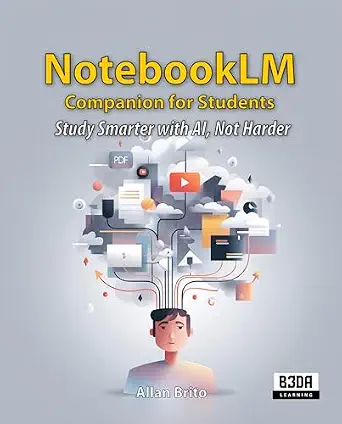 | Best Single-Platform Deep Dive | Format: Digital guide (ebook) | Platform covered: Google NotebookLM | Focus areas: Study efficiency, learning, comprehension | VIEW LATEST PRICE | See Our Full Breakdown |
| The Ultimate AI Student Toolkit: 1000+ ChatGPT Prompts to Study Smarter, Write Faster & Ace Exams |  | Best Value for Prompt Volume | Format: Digital toolkit (ebook) | Content: 1000+ ChatGPT prompts | Platform covered: ChatGPT (OpenAI) | VIEW LATEST PRICE | See Our Full Breakdown |
| AI-Powered Study Strategies: How to Learn Smarter with ChatGPT, Boost Memory, Master Exams, and Build Future-Ready Skills |  | Best for Long-Term Learning Skills | Format: Digital guide (ebook) | Primary platform: ChatGPT and general AI tools | Focus areas: Memory, exam mastery, future-ready skills | VIEW LATEST PRICE | See Our Full Breakdown |
| AI-powered student productivity tool | Format | Focus Areas | Approach | Skill Level |
|---|---|---|---|---|
| The Complete Notion AI Guide: | Guide (digital book) | Productivity, creativity, workflow | — | Intermediate strategy, light on beginner walkthroughs |
| 100 AI Prompts: A Complete AI | Prompt collection (digital book) | — | Ready-made prompts, minimal theory | Beginner-friendly |
| NotebookLM Made Simple: The Be | Beginner guide (digital book) | AI research, podcast generation, study techniques | Introductory, feature-by-feature walkthrough | Beginner |
| Notion for Students: The All-i | Student-focused guide (digital book) | Class management, deadlines, project collaboration | Setup and organization walkthrough | Beginner to early intermediate |
| Master Claude AI Guide for Stu | Guide with prompts and templates (digital book) | Notes, essays, research, exam prep, planning | Hybrid: ready-made assets plus reusable frameworks | Intermediate — assumes basic AI familiarity |
| AI Tools for Students: Study S | Digital guide (ebook) | Research, writing, studying, coding, productivity | Practical tips and tool overviews | — |
| NotebookLM Companion for Stude | Digital guide (ebook) | Study efficiency, learning, comprehension | — | — |
| The Ultimate AI Student Toolki | Digital toolkit (ebook) | Studying, writing speed, exam performance | — | — |
| AI-Powered Study Strategies: H | Digital guide (ebook) | Memory, exam mastery, future-ready skills | Strategy and technique driven | — |
More Details on Our Top Picks
The Complete Notion AI Guide: Boost Productivity, Creativity, and Workflow for Students, Professionals, and Teams
Among the Notion-focused titles in this roundup, this one has the widest ambition, and that range earns it the top slot. Where Notion for Students narrows its scope to classes and projects, this guide treats Notion AI as a full productivity system spanning note-taking, creative work, and team workflows. That breadth matters for students whose academic and extracurricular lives overlap, since a single workspace that handles both reduces app-switching fatigue.
The tradeoff is real, though. This option skips step-by-step instructions in favor of strategy, so readers who want click-by-click guidance may feel shortchanged compared with the more hands-on Master Claude AI Guide for Students. Compared with prompt collections like 100 AI Prompts, it offers fewer ready-made shortcuts but far more framework.
Pros:- Strategy-level guidance that scales beyond coursework into team workflows
- Covers creativity and workflow, not just note organization
- Works for a mix of students, professionals, and group projects
- Frames Notion AI as a system, which encourages durable habits
Cons:- Lacks step-by-step technical instructions for newcomers
- No pricing or ratings transparency makes value hard to verify
- Too broad for students who only want class-management help
Best for: Students who want a single, flexible AI workspace strategy that also serves club, work, and team commitments
Not ideal for: Absolute beginners who need literal click-by-click tutorials — this leans conceptual rather than procedural
- Format:Guide (digital book)
- Primary Tool Covered:Notion AI
- Audience:Students, professionals, and teams
- Focus Areas:Productivity, creativity, workflow
- Skill Level:Intermediate strategy, light on beginner walkthroughs
- Structure:Strategy-oriented chapters, not step-by-step tutorials
Our verdict“This pick makes the most sense for students ready to build one long-term AI workspace instead of juggling scattered tools.”
100 AI Prompts: A Complete AI Toolkit for the Modern Student
For students who want results tonight, not a philosophy of productivity, this is the fastest payoff in the lineup. The premise is simple: 100 prompts you can paste into any AI chat tool and immediately apply to essays, revision, or brainstorming. Compared with The Ultimate AI Student Toolkit and its 1000+ prompts, this smaller count is actually a feature — less overwhelm, faster selection, and a realistic path to actually using what you bought.
The tradeoff mirrors the format. There’s no underlying system here; unlike AI-Powered Study Strategies, it won’t teach you why a prompt works or how to adapt it when it fails. Prompts also age faster than methods as AI tools evolve.
Pros:- Immediate, copy-paste utility with no learning curve
- Covers a wide range of academic tasks
- Tool-agnostic prompts work with most AI chatbots
- Smaller prompt count means less decision fatigue than 1000-prompt alternatives
Cons:- Teaches prompts, not prompting skills — limited transferable knowledge
- No indication of target grade level or difficulty
- Content can feel dated as AI tools improve
Best for: Time-pressed students on a budget who want ready-to-use prompts for immediate academic tasks
Not ideal for: Students who want to deeply understand AI prompting — this is a shortcut collection, not a curriculum
- Format:Prompt collection (digital book)
- Prompt Count:100
- Primary Use:Academic tasks: essays, study, brainstorming
- Tool Compatibility:Works with general AI chat tools
- Skill Level:Beginner-friendly
- Approach:Ready-made prompts, minimal theory
Our verdict“The right choice for students who value speed and low cost over deep, durable AI skills.”
NotebookLM Made Simple: The Beginner’s Guide to AI-Powered Research, Podcasts & Smarter Study (AI Made Simple Book 2)
This is the gentlest on-ramp in the roundup. NotebookLM Made Simple targets students who have heard about source-grounded AI research and NotebookLM’s podcast-generation feature but haven’t touched either. Where the NotebookLM Companion for Students assumes some comfort with the platform, this guide starts from zero and translates features into plain study outcomes: feeding in lecture notes and getting back summaries, Q&A, and audio overviews.
The flip side is depth. Once you’re past the basics, the book has little to offer on advanced workflows, and students already using NotebookLM weekly will outgrow it quickly. Compared with 100 AI Prompts, you get fewer shortcuts but a better foundational understanding of one specific tool.
Pros:- Genuinely beginner-friendly language and pacing
- Covers NotebookLM’s standout features like podcast generation
- Connects each feature to a concrete study outcome
- Part of a series, so there’s a path to continue learning
Cons:- Shallow coverage of advanced features and edge cases
- Locked to one tool — skills don’t transfer to other AI platforms
- Content risks aging as NotebookLM updates rapidly
Best for: Students new to NotebookLM who want a plain-language introduction to AI-assisted research and audio study
Not ideal for: Experienced NotebookLM users — the coverage stops well short of advanced techniques and power workflows
- Format:Beginner guide (digital book)
- Primary Tool Covered:Google NotebookLM
- Series:AI Made Simple, Book 2
- Focus Areas:AI research, podcast generation, study techniques
- Skill Level:Beginner
- Approach:Introductory, feature-by-feature walkthrough
Our verdict“The obvious starting point for students curious about NotebookLM who want hand-holding before experimenting alone.”
Notion for Students: The All-in-One Workspace to Manage Classes & Projects
Where The Complete Notion AI Guide goes broad, this title goes narrow and disciplined: one student, one semester, everything tracked in one place. The focus on classes, deadlines, and group projects makes it the most academically practical Notion book here, translating workspace features into outcomes like never missing a due date or keeping a capstone project from collapsing into group-chat chaos.
The drawback is ceiling. Once your system is built — often within a few weeks — the book’s usefulness drops sharply, and content skews toward beginners who haven’t set up a Notion workspace before. Students wanting AI-specific prompting depth should pair it with 100 AI Prompts rather than expect it here.
Pros:- Directly addresses class, deadline, and project management
- Practical, setup-oriented tips rather than abstract theory
- Tailored specifically to student workflows, not general users
- Reduces app-switching by consolidating academic life in one workspace
Cons:- Limited long-term value once your workspace is built
- Beginner-leaning content with little advanced material
- Light coverage of Notion AI’s specific capabilities
Best for: Disorganized students who need help building a semester-long system for classes, deadlines, and group work in Notion
Not ideal for: Students who already run a Notion setup — there’s little here beyond foundational organization advice
- Format:Student-focused guide (digital book)
- Primary Tool Covered:Notion
- Focus Areas:Class management, deadlines, project collaboration
- Audience:Students, especially beginners to Notion
- Skill Level:Beginner to early intermediate
- Approach:Setup and organization walkthrough
Our verdict“A solid one-time investment for students whose biggest productivity problem is organization, not AI technique.”
Master Claude AI Guide for Students: Copy-Paste Prompts, Templates, and Study Systems to Save Time on Notes, Essays, Research, Exam Prep, Planning
This guide splits the difference between the prompt-collection and strategy-book approaches in this roundup, and that hybrid design is its strength. You get copy-paste prompts plus reusable templates plus study systems — the essay scaffolding for a midnight deadline and the planning frameworks for an entire exam season. Compared with 100 AI Prompts, it trades raw prompt volume for structure; compared with The Complete Notion AI Guide, it’s more immediately actionable for academic work.
Two caveats. It centers on Claude specifically, so students committed to ChatGPT will need to adapt the prompts themselves. And the book assumes some baseline AI familiarity — true beginners should start with NotebookLM Made Simple or a simpler primer first.
Pros:- Combines prompts, templates, and systems rather than one format
- Covers the full academic cycle from notes to exam prep
- Copy-paste design saves time under deadline pressure
- More structured than pure prompt collections
Cons:- Claude-centric content requires adaptation for other AI tools
- Assumes prior familiarity with AI assistants
- Sparse documentation of included features and update cadence
Best for: Students comfortable with AI basics who want a full academic toolkit spanning notes, essays, research, and exam prep around Claude
Not ideal for: AI newcomers or students loyal to ChatGPT — the Claude focus and assumed familiarity create friction
- Format:Guide with prompts and templates (digital book)
- Primary Tool Covered:Claude AI
- Focus Areas:Notes, essays, research, exam prep, planning
- Included Assets:Copy-paste prompts, templates, study systems
- Skill Level:Intermediate — assumes basic AI familiarity
- Approach:Hybrid: ready-made assets plus reusable frameworks
Our verdict“The strongest single purchase for Claude-using students who want both quick prompts and a repeatable study system.”
AI Tools for Students: Study Smarter, Write Faster & Learn Better with 60+ Essential AI Tools
For students who know AI can help them study but have no idea where to start, this guide earns its spot by surveying more than 60 tools across research, writing, coding, and general productivity. Compared with The Ultimate AI Student Toolkit, which goes deep on ChatGPT prompts alone, this option trades depth for breadth — a worthwhile swap if the reader is still figuring out which tools fit their workflow. The practical framing means a student walks away with a working toolkit rather than a list of links. That said, the coverage is necessarily thin per tool, and anyone already fluent in ChatGPT or Notion will find much of the material familiar. This pick makes the most sense as a first purchase that narrows the field before committing to a specialized guide.
Pros:- Covers 60+ tools across research, writing, studying, coding, and productivity in one place
- Practical, task-oriented guidance rather than abstract theory
- Good starting point for comparing tools before committing to one ecosystem
- Applies to multiple subjects and academic workflows
Cons:- Surface-level treatment of each tool leaves little room for advanced techniques
- AI tools change quickly, so specific recommendations can age fast
Best for: First-year students and AI newcomers who want a wide overview of the student AI landscape before investing in any single tool
Not ideal for: Students already comfortable with ChatGPT and Notion — the beginner-oriented coverage will feel redundant
- Format:Digital guide (ebook)
- Tools covered:60+ AI tools
- Focus areas:Research, writing, studying, coding, productivity
- Audience level:Beginner to casual users
- Approach:Practical tips and tool overviews
- Primary use case:Building an academic AI toolkit
Our verdict“Buy this if you want a broad first map of student AI tools; skip it if you already have a toolset and need deeper technique.”
NotebookLM Companion for Students: Study Smarter with AI, Not Harder
Where AI Tools for Students spreads across dozens of platforms, this companion bets everything on one: NotebookLM. That focus is the whole point. Students who upload lecture notes, slides, and readings into NotebookLM get source-grounded answers, and this guide teaches how to structure materials so the AI actually helps with comprehension instead of hallucinating. Compared with NotebookLM Made Simple, it aims at study workflow rather than general research and podcast features, which makes it a better fit for exam-heavy coursework. The tradeoff is obvious: it is useless without an internet connection, and it locks the reader into Google’s ecosystem — students invested in Notion or Claude, like those eyeing the Master Claude AI Guide for Students, get nothing here. The learning curve in the first chapters is real but manageable.
Pros:- Deep, single-platform instruction that generalist guides can’t match
- Teaches source-grounded studying from your own materials, reducing AI hallucination problems
- User-friendly framing that eases newcomers into the tool
- Directly targets study efficiency and comprehension, not just productivity buzzwords
Cons:- Completely dependent on internet access and Google keeping NotebookLM available
- No value for students who prefer other AI platforms
Best for: Students who already use Google tools and want to turn their own lecture notes and readings into an AI study partner
Not ideal for: Students in other ecosystems (Notion, Claude) or with unreliable internet — the entire approach depends on Google’s online platform
- Format:Digital guide (ebook)
- Platform covered:Google NotebookLM
- Focus areas:Study efficiency, learning, comprehension
- Requirements:Internet connection; Google account
- Audience level:Beginner-friendly with a short learning curve
- Primary use case:Studying from personal course materials
Our verdict“The clear choice for Google-centric students who want to study from their own notes; everyone else should pick a platform-agnostic guide.”
The Ultimate AI Student Toolkit: 1000+ ChatGPT Prompts to Study Smarter, Write Faster & Ace Exams
Measured purely on volume per dollar, this toolkit is hard to beat: over 1,000 ChatGPT prompts spanning study sessions, essay drafting, and exam prep. Where AI Tools for Students introduces tools, this one hands over ready-to-paste commands, which is the difference between learning about AI and actually compressing your study time tonight. Compared with 100 AI Prompts, the tenfold prompt count matters — more variations mean better odds of finding a prompt that fits a specific assignment. The catch is that a prompt library is only as good as the person wielding it; the toolkit assumes existing ChatGPT familiarity and offers little hand-holding on why prompts work, so beginners may copy blindly without learning to adapt. And because prompts target ChatGPT specifically, Claude-only users lose some value.
Pros:- 1,000+ prompts covering studying, writing, and exam preparation
- Immediate, actionable — no setup or new tools to learn
- Strong variety makes it useful across subjects and assignment types
- Cheapest way to get a large ready-made prompt library
Cons:- Assumes prior ChatGPT familiarity with little instructional scaffolding
- Prompts can feel generic and need adaptation for specific courses
Best for: Students already comfortable with ChatGPT who want a large copy-paste prompt library to speed up essays and exam prep
Not ideal for: Complete AI beginners who need foundational explanation, since the toolkit assumes working knowledge of ChatGPT
- Format:Digital toolkit (ebook)
- Content:1000+ ChatGPT prompts
- Platform covered:ChatGPT (OpenAI)
- Focus areas:Studying, writing speed, exam performance
- Requirements:ChatGPT account; familiarity with prompting
- Primary use case:Copy-paste academic productivity
Our verdict“Best value for ChatGPT-savvy students who want volume; beginners should start with a foundational guide instead.”
AI-Powered Study Strategies: How to Learn Smarter with ChatGPT, Boost Memory, Master Exams, and Build Future-Ready Skills
Most entries in this roundup optimize tasks — writing faster, prompting better, navigating tools. This one optimizes the learner, pairing ChatGPT techniques with memory science and exam strategy so the gains outlast any single semester. That is a meaningful difference from The Ultimate AI Student Toolkit: prompts help you finish tonight’s essay, while this book tries to build durable study habits and future-ready skills that transfer beyond university. Students who care about actually retaining material — pre-med, law, anyone facing cumulative exams — will connect with the memory-focused approach more than with the prompt-volume play. The honest tradeoffs: with no customer reviews yet, buyers are taking a chance on an unproven title, and the strategy-based format delivers slower results than a copy-paste prompt library. This pick makes the most sense for the patient reader playing a longer game.
Pros:- Combines AI techniques with memory and learning science, not just tool tips
- Exam preparation framed around retention rather than cramming
- Builds transferable, future-ready skills for work after graduation
- Strategy-first approach avoids dependence on any single AI tool
Cons:- No customer reviews or ratings yet, making quality harder to verify before buying
- Results require sustained effort — slower payoff than prompt collections
Best for: Students facing cumulative, memorization-heavy coursework who want AI-assisted study habits that last beyond one class
Not ideal for: Students needing quick wins this week — the habit-building approach pays off slowly compared with a prompt library
- Format:Digital guide (ebook)
- Primary platform:ChatGPT and general AI tools
- Focus areas:Memory, exam mastery, future-ready skills
- Approach:Strategy and technique driven
- Audience level:Intermediate students open to habit change
- Time horizon:Long-term skill building
- Track record:New release; no reviews yet
Our verdict“The pick for students investing in lasting learning skills with AI support; skip it if you just need immediate task shortcuts.”

How We Picked
I evaluated each of these nine products through one lens: how much measurable study time a typical student saves after working through the material. That meant judging actionability (copy-paste prompts, templates, and step-by-step workflows beat abstract advice), platform relevance (guides for tools students actually use for free ranked higher than niche alternatives), and audience fit (a beginner needs onboarding and screenshots; an advanced user needs advanced prompting systems). I also weighed longevity — AI tools change fast, so guides built around durable workflows and prompting logic outlast those tied to specific button locations.
The ranking logic follows directly from those criteria. Guides that pair a widely adopted platform with concrete study systems sit at the top because they deliver immediate, repeatable wins. Mid-tier picks either excel on a single dimension (breadth of prompts, learning-science depth) or target a narrower audience. The lower-ranked options aren’t bad — they simply overlap with stronger picks or assume knowledge that many students don’t yet have.
| AI-powered student productivity tool | Skill Level | Approach |
|---|---|---|
| The Complete Notion AI Guide: | Intermediate strategy, light on beginner walkthroughs | — |
| 100 AI Prompts: A Complete AI | Beginner-friendly | Ready-made prompts, minimal theory |
| NotebookLM Made Simple: The Be | Beginner | Introductory, feature-by-feature walkthrough |
| Notion for Students: The All-i | Beginner to early intermediate | Setup and organization walkthrough |
| Master Claude AI Guide for Stu | Intermediate — assumes basic AI familiarity | Hybrid: ready-made assets plus reusable frameworks |
| AI Tools for Students: Study S | — | Practical tips and tool overviews |
| NotebookLM Companion for Stude | — | — |
| The Ultimate AI Student Toolki | — | — |
| AI-Powered Study Strategies: H | — | Strategy and technique driven |
Factors to Consider When Choosing AI-powered Student Productivity Tools
Before picking a specific title, it helps to understand what actually separates a useful AI study guide from a PDF of recycled prompts. These are the factors that shaped my ranking and should shape your purchase.Match the Guide to the Platform You Already Use
The most common mistake students make is buying a prompt collection before committing to a platform. If your notes, calendar, and assignments already live in Notion, a Notion-specific guide compounds value every single day. If you’re drowning in research papers, a NotebookLM guide solves a more urgent problem. Generic prompt books only pay off once you’ve answered the platform question, because a brilliant ChatGPT prompt is useless inside a workflow you haven’t built. Start by auditing where your study time actually leaks — disorganized notes, slow research, essay drafts, or exam panic — and buy the guide aimed at that leak.
Depth Versus Breadth: The Core Tradeoff
A guide covering one tool in depth teaches you workflows, shortcuts, and mental models you’ll reuse for years. A toolkit covering 60+ tools or 1,000+ prompts gives you breadth but rarely explains when or why to use each one. For most students, depth wins — you’ll run two or three AI tools daily, not sixty. Breadth only makes sense for self-described tool explorers who enjoy sampling apps before committing. If you’re torn, remember that a deep guide usually teaches prompting principles you can transfer to any AI tool, while a prompt list ties you to whatever apps it references.
Free Platforms Deserve Paid Guides
Counterintuitively, the best-value purchases in this category are often guides for free tools. NotebookLM, ChatGPT’s free tier, and Notion’s basic plan cost nothing, so a $15–$30 guide is your only real investment — and a good one multiplies the return on that free software enormously. Guides for paid AI add-ons, by contrast, stack a subscription on top of the book price. Before buying, check whether the guide’s target platform has a free tier that covers the features it teaches; if it does, you’re getting the cheapest possible productivity upgrade.
Beginners Should Buy Onboarding, Not Prompts
If you’ve never built an AI workflow, a 1,000-prompt library is like a cookbook for someone who doesn’t own a stove. Beginner-oriented guides with screenshots, walkthroughs, and simple first projects create the foundation that makes prompts useful later. Look for language like “Made Simple,” “Beginner’s Guide,” or “step-by-step” — and check that the guide explains why each workflow works, not just what to click. Once one platform feels natural, prompt collections become genuinely powerful. Sequence matters more than volume here.
Watch for Outdated Interface References
AI platforms ship interface changes constantly, and a guide full of screenshots can age badly within months. The titles that hold up best teach durable workflows and prompting logic rather than exact button paths. Check the publication date and any mention of recent platform updates before buying, and favor authors who maintain revisions or companion resources. A slightly older guide on timeless skills (spaced repetition with AI, source-grounded research, essay outlining) beats a fresh guide that leans entirely on this quarter’s UI.
Don’t Buy Two Guides for the Same Platform
Overlap is real in this category — two of the nine picks here cover Notion, and two cover NotebookLM. Doubling up rarely doubles your productivity; it usually just delays actually implementing either system. Pick one guide per platform, implement it fully for a few weeks, and only then consider a second title if you’ve hit its ceiling. The exception is pairing a platform guide with a strategy guide (like one focused on memory and exam technique), since those teach complementary skills rather than redundant ones.
Frequently Asked Questions
Should I buy a Notion AI guide or a general AI prompt collection?
If you already keep notes, tasks, or class materials in Notion, the Notion-specific guide is the better first purchase because it plugs directly into your existing workflow and saves time from day one. General prompt collections are more flexible but assume you’ve already decided where the prompts will live. A practical rule: if you can’t name the app you’d paste the prompts into today, you’re not ready for a prompt collection yet. Students who master one platform first almost always get more from broad prompt books later, because they understand the context each prompt needs.
Are these guides still useful if AI tools keep changing?
It depends on what the guide teaches. Titles built around prompting principles, study workflows, and learning strategy age well because those concepts survive interface redesigns and model updates. Guides that lean heavily on step-by-step screenshots of specific menus age fastest. NotebookLM and Notion in particular have both shipped major feature changes recently, so check publication dates and look for authors who update their material. The safest hedge is choosing a guide that explains why each technique works — that reasoning transfers even when the buttons move.
Which pick is best if I only care about exam prep?
Master Claude AI Guide for Students is the strongest exam-focused option because it packages copy-paste prompts and study systems specifically for notes, review, and exam preparation. Pair it with AI-Powered Study Strategies if you also struggle with retention — that title focuses on memory science and test technique rather than tool mechanics, which is what actually moves grades. NotebookLM guides are another strong exam companion if your studying is source-heavy, since audio overviews and grounded Q&A work well for reviewing lecture material. Skip the mega prompt packs for this goal; exam prep rewards focused systems over volume.
Is a guide for a free tool like NotebookLM worth paying for?
Usually yes, because NotebookLM’s most powerful features — source-grounded research, generated podcasts, notebook-level Q&A — are unintuitive and underused, and a good guide converts them into saved hours at zero additional software cost. Your total investment is the book itself, which makes it one of the cheapest productivity upgrades available to students. Compare that with guides for subscription-gated AI features, where the book is only the first of many payments. The catch is overlap: the two NotebookLM titles in this roundup cover similar ground, so pick the one matching your experience level rather than both.
Do I need any of these if I already use ChatGPT regularly?
Casual ChatGPT use and structured AI studying are different skills, and that gap is exactly what these guides fill. If you already write sophisticated custom prompts and have built study workflows you trust, the beginner-oriented picks will feel slow and you should look at the advanced prompt libraries or the Claude guide instead. But if your usage is mostly one-off questions, a guide that teaches repeatable systems — spaced review, essay outlining, source-grounded research — will change how much you get from tools you already pay nothing for. Honest self-assessment here prevents buying a guide below or above your level.
Conclusion
The right pick depends entirely on where you’re starting from. For best overall, The Complete Notion AI Guide pairs the platform students use most with genuinely transferable workflow training. For best value, 100 AI Prompts costs little and delivers immediate utility — as long as you already know your way around at least one AI tool. For best premium, depth-first option, Master Claude AI Guide for Students justifies its price with the most complete exam and essay systems in the lineup. For beginners, NotebookLM Made Simple is the gentlest on-ramp, built around a free tool and written for readers with zero AI background. And for specific needs: choose AI Tools for Students if you want maximum tool breadth, AI-Powered Study Strategies if retention and exam technique are your weak spots, NotebookLM Companion for research-heavy coursework, Notion for Students if you need to build your workspace from scratch before touching AI features, and The Ultimate AI Student Toolkit if you want the largest prompt library available. Whatever you choose, commit to one system for a few weeks before adding another — implementation, not accumulation, is what these tools are actually for.