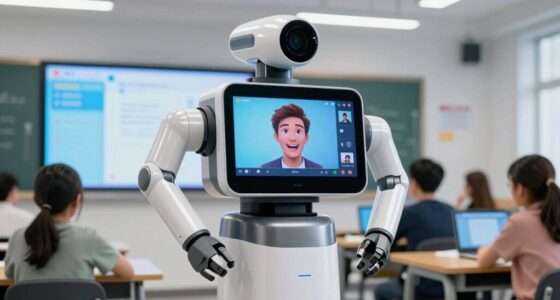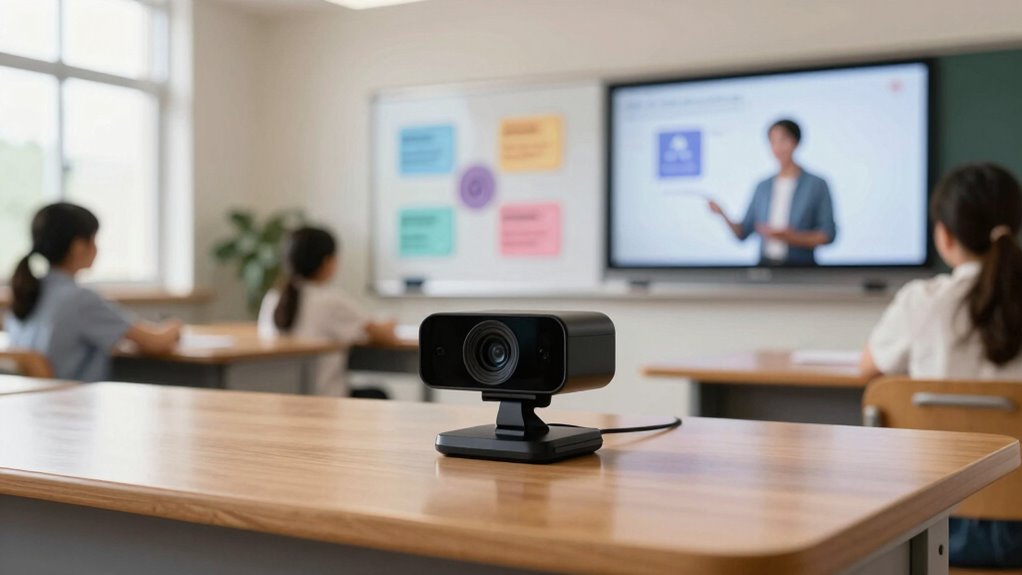

Finding the right webcam for AI lesson creation involves balancing high-quality video, intelligent features, and ease of use. The OBSBOT Tiny 3 AI-Powered Spatial Audio 4K Webcam stands out as the best overall, thanks to its advanced AI tracking and 4K clarity. The EMEET Piko 4K Webcam offers dual-camera versatility for more dynamic lessons, while the Insta360 Link 2C impresses with auto framing and noise-canceling mic for seamless virtual engagement. The main challenge is choosing between feature-rich models and simpler, budget-friendly options. Continue reading for a detailed breakdown to find your perfect match.

Get business pricing on tech for your team
- Business-only prices and quantity discounts
- Tax-exempt purchasing
- Multiple users, one account, clear invoices
Key Takeaways
- AI tracking and auto framing significantly enhance lesson engagement, making models like OBSBOT Tiny 3 and Insta360 Link 2C top contenders.
- Dual-camera setups, as seen in EMEET Piko and EMEET PIXY, provide more versatile lesson presentations but tend to be more expensive.
- Built-in microphones and spatial audio improve clarity, crucial for AI-driven lessons requiring clear verbal communication.
- Higher resolutions like 4K deliver sharper images, but require better hardware and higher bandwidth, which may increase costs.
- Price varies widely; budget options can suffice for basic tasks, but premium models offer AI features that streamline lesson creation.
| OBSBOT Tiny 3 AI-Powered Spatial Audio 4K Webcam with AI Tracking PTZ Camera |  | Best Overall for Versatile AI-Driven Teaching | Sensor Type: CMOS | Connectivity Technology: USB-C | Special Features: AI-Powered Spatial Audio, Multiple AI Tracking Modes, Voice Control | VIEW ON AMAZON | See Our Full Breakdown |
| EMEET Piko 4K Webcam for Streaming, Dual-Camera AI-Powered |  | Best for Clear Visuals and Stylish Design | Resolution: 4K | Camera Type: Dual-camera AI-powered | Sensor: 1/2.8” | VIEW ON AMAZON | See Our Full Breakdown |
| OBSBOT Tiny 2 Lite 4K Webcam for PC, AI Tracking PTZ Streaming Camera |  | Best for Advanced Customization and Streaming | Video Capture Resolution: 4K@30 FPS, 1080P@60 FPS | Focus Type: Autofocus | Zoom: Digital 4x, Optical 4x | VIEW ON AMAZON | See Our Full Breakdown |
| OBSBOT Meet Flip 4K Webcam for Laptop with AI Features |  | Best for Portability and On-the-Go Teaching | Sensor: 1/2” CMOS | Resolution: 4K | Weight: 37.7g | VIEW ON AMAZON | See Our Full Breakdown |
| USB Document Camera for Teachers with A3 Format, 3-Level LED Lights, Dual Mic, and Auto Focus |  | Best for Multi-Functional Teaching and Presentations | Resolution: 5MP / 1944P | Frame Rate: 30 fps | Maximum Document Size: A3 | VIEW ON AMAZON | See Our Full Breakdown |
| 4K USB Document Camera for Teachers, 8MP Webcam & Visualizer with Dual Microphones, A3 Size, Foldable, Compatible with Windows, macOS, Chrome OS |  | Best for High-Quality Document Capture and Versatility | Resolution: 8MP / 2448P | Maximum Coverage Area: 16.5″ x 11.6″ (A3 size) | Frame Rate: 30fps | VIEW ON AMAZON | See Our Full Breakdown |
| Logitech MX Brio Ultra HD 4K Webcam – Graphite |  | Best for High-Quality Video and Adjustable Controls | Resolution: 4K at 30fps, 1080p at 60fps | Sensor Size: 70% larger pixels | Microphones: Dual beamforming noise-reducing | VIEW ON AMAZON | See Our Full Breakdown |
| OBSBOT Tiny 3 Lite AI-Powered 4K Webcam with Spatial Audio and AI Tracking |  | Best for Motion Tracking and Dynamic Presentations | Resolution: 4K@30FPS or 1080P@120FPS | Sensor: 1/2” CMOS | Microphone: Triple-mic array with 5 audio modes | VIEW ON AMAZON | See Our Full Breakdown |
| INSWAN INS-1 Classic USB Document Camera/Webcam, 8MP, Built-in LED, Mic |  | Best for Versatile Document and Close-up Imaging | Camera Resolution: 8 MP | Video Resolution: 1080p | Frame Rate: 30 fps | VIEW ON AMAZON | See Our Full Breakdown |
| Document Camera for Teachers, Webcam and Overhead Camera for Classroom with Mic, LED Lights, Image Invert, Fold for Mac OS, Windows, Zoom, OBS |  | Best for All-in-One Classroom Visualizer and Webcam | Resolution: 2592×1944P | Lighting: 5-level LED | Image Invert: Supported | VIEW ON AMAZON | See Our Full Breakdown |
| 4K AI-Powered Conference Webcam with Microphones, 120° FOV, Zoom Certified |  | Best Overall for Small Meeting Rooms | Resolution: 4K | Field of View: 120° | Microphones: Dual AI noise-canceling microphones | VIEW ON AMAZON | See Our Full Breakdown |
| EMEET PIXY Dual-Camera AI-Powered PTZ 4K Webcam |  | Best for Dynamic Teaching and Streaming | Sensor Type: SONY 1/2.55″ sensor | Resolution: 4K | Viewing Angle: 73 degrees | VIEW ON AMAZON | See Our Full Breakdown |
| Insta360 Link 2C 4K Webcam for PC/Mac with Auto Framing and AI Noise-Canceling Mic | 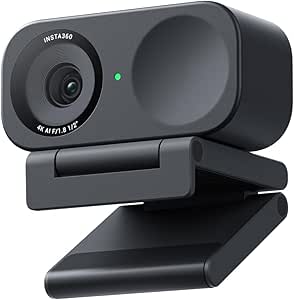 | Best for Creative Teachers and Content Creators | Sensor: 1/2″ sensor | Resolution: 4K | HDR: Yes | VIEW ON AMAZON | See Our Full Breakdown |
| teacher webcams for ai lesson creation | Resolution | Connectivity |
|---|---|---|
| OBSBOT Tiny 3 AI-Powered Spati | — | — |
| EMEET Piko 4K Webcam for Strea | 4K | USB-C, USB-A |
| OBSBOT Tiny 2 Lite 4K Webcam f | — | USB-C |
| OBSBOT Meet Flip 4K Webcam for | 4K | — |
| USB Document Camera for Teache | 5MP / 1944P | USB-C |
| 4K USB Document Camera for Tea | 8MP / 2448P | USB-C |
| Logitech MX Brio Ultra HD 4K W | 4K at 30fps, 1080p at 60fps | USB-C |
| OBSBOT Tiny 3 Lite AI-Powered | 4K@30FPS or 1080P@120FPS | — |
| INSWAN INS-1 Classic USB Docum | — | USB-A |
| Document Camera for Teachers | 2592×1944P | USB-C |
| 4K AI-Powered Conference Webca | 4K | USB |
| EMEET PIXY Dual-Camera AI-Powe | 4K | USB 2.0, Type-C |
| Insta360 Link 2C 4K Webcam for | 4K | — |
More Details on Our Top Picks
OBSBOT Tiny 3 AI-Powered Spatial Audio 4K Webcam with AI Tracking PTZ Camera
This compact 4K webcam stands out for its sophisticated AI tracking, which enables hands-free auto-framing that adapts seamlessly during lessons. Unlike the OBSBOT Tiny 2 Lite, it offers a more comprehensive spatial audio system, making it ideal for dynamic classroom environments. However, its reliance on USB-C and lack of wireless connectivity mean it’s less flexible for mobile setups. The AI features, including gesture and voice controls, elevate interactive lessons but may demand initial calibration. Its high-quality video and professional focus capabilities make it a strong choice for teachers who prioritize reliable, hands-free operation and clear audio.
Pros:- Advanced AI tracking and auto-framing for smooth, hands-free lessons
- High-quality 4K video with professional focus features
- Enhanced spatial audio with triple-mic array for clear sound
- Compact and portable design for easy setup
Cons:- No built-in Wi-Fi or Bluetooth, limiting wireless flexibility
- Requires connection to PC or Mac via USB-C, restricting mobility
- Some features may need software calibration
Best for: Teachers seeking a reliable, all-in-one webcam with advanced AI tracking for virtual lessons and live interactions.
Not ideal for: Educators who need wireless or battery-powered solutions, or those with older USB-A devices, as this model requires USB-C connections.
- Sensor Type:CMOS
- Connectivity Technology:USB-C
- Special Features:AI-Powered Spatial Audio, Multiple AI Tracking Modes, Voice Control
- Photo Sensor Size:1/1.28″
- Water Resistance Level:Not Water Resistant
- Item Weight:310 g
Our verdict“This webcam is best for teachers who want a versatile, AI-powered device that combines professional video quality with interactive controls, and don’t mind wired connections.”
EMEET Piko 4K Webcam for Streaming, Dual-Camera AI-Powered
The EMEET Piko’s dual-camera setup offers stunning 4K resolution with AI enhancements, making it excellent for teachers who need crisp visuals and versatile angles. Compared with the OBSBOT Tiny 3, it emphasizes visual clarity and aesthetic appeal, with broad compatibility across platforms. Its audio features, including three microphones and multiple sound modes, support clear communication. However, it lacks the advanced AI tracking of the OBSBOT models, making it less suitable for dynamic movement. This pick is ideal for educators who prioritize high-quality video and sleek design over auto-tracking or gesture controls.
Pros:- High-quality 4K dual-camera with AI enhancements
- Excellent low-light performance for clear visuals
- Versatile audio with noise cancellation and multiple sound modes
- Stylish, professional design
Cons:- Lacks AI auto-tracking and gesture controls
- Limited color options initially
- No included remote or physical controls
Best for: Teachers who want premium visual quality and stylish setup for recorded lessons or live streams.
Not ideal for: Educators requiring AI tracking or hands-free auto-framing, as this model mainly focuses on visuals and audio quality.
- Resolution:4K
- Camera Type:Dual-camera AI-powered
- Sensor:1/2.8”
- Microphones:3 microphones array
- Sound Modes:Noise Canceling, Original Sound, Live Mode
- Connectivity:USB-C, USB-A
Our verdict“This webcam is best suited for teachers who prioritize stunning visuals and audio quality, and prefer a stylish, static setup over auto-tracking features.”
OBSBOT Tiny 2 Lite 4K Webcam for PC, AI Tracking PTZ Streaming Camera
The OBSBOT Tiny 2 Lite offers 4K resolution with rapid autofocus and AI tracking, making it a solid choice for teachers who want greater control with SDK and hotkey support. Its multiple shooting modes, including landscape and portrait, cater to varied teaching styles. Compared to the Tiny 3, it emphasizes customization and flexibility, but this comes with increased complexity that may overwhelm casual users. Its lack of a built-in microphone means it’s best paired with external audio solutions. This model suits technically proficient educators looking for advanced features and tailored workflows.
Pros:- High-quality 4K resolution with fast autofocus
- Supports SDK and hotkey customization for advanced control
- Multiple shooting modes for environment adaptability
- AI tracking for dynamic lessons
Cons:- No built-in microphone or audio features
- Requires USB-C, limiting compatibility with older devices
- Complex features may be difficult for novices
Best for: Teachers comfortable with tech and seeking a customizable, high-resolution camera for live streams and interactive lessons.
Not ideal for: Less technical educators or those desiring a plug-and-play solution, as setup and configuration are more involved.
- Video Capture Resolution:4K@30 FPS, 1080P@60 FPS
- Focus Type:Autofocus
- Zoom:Digital 4x, Optical 4x
- Maximum Aperture:1.8
- Sensor Type:CMOS
- Connectivity:USB-C
Our verdict“This webcam is best for tech-savvy teachers who want high-resolution video with extensive customization options for professional streaming and teaching.”
OBSBOT Meet Flip 4K Webcam for Laptop with AI Features
The OBSBOT Meet Flip emphasizes portability with its foldable design and high-quality 4K video, making it ideal for teachers who work across locations. Its AI auto-framing and gesture controls facilitate hands-free operation, similar to larger models like the Tiny 3, but in a more compact form factor. The dual microphones support clear audio during mobile lessons. However, limited technical details and reliance on a USB connection may restrict its use in some setups. This device is perfect for educators who need a lightweight, quick-deploy camera for remote or traveling teaching scenarios.
Pros:- High-quality 4K video with HDR for vibrant colors
- AI auto framing and gesture control for hands-free use
- Compact, foldable design for portability
- Dual microphones for clear audio
Cons:- Limited detailed specifications available
- Relies on USB connection, which may limit mobility compared to wireless options
- Not designed for complex setups or customization
Best for: Mobile teachers or educators who need a foldable, easy-to-carry webcam for flexible teaching environments.
Not ideal for: Teachers wanting extensive customization or advanced AI tracking features, as this model simplifies many controls for portability.
- Sensor:1/2” CMOS
- Resolution:4K
- Weight:37.7g
- Features:AI auto framing, gesture control, HDR
Our verdict“This webcam is ideal for mobile educators seeking a lightweight, AI-enabled device that’s quick to set up and easy to carry.”
USB Document Camera for Teachers with A3 Format, 3-Level LED Lights, Dual Mic, and Auto Focus
This versatile USB document camera doubles as a webcam and visualizer, supporting large A3 documents with auto focus and macro capabilities. Compared with dedicated webcams like the Tiny 3 or Tiny 2 Lite, it offers broader functionality for lesson demonstrations and live presentations. Its 3-level LED fill lights improve image clarity in varied lighting, making it suitable for detailed work. However, setup can be more involved, requiring manual adjustments and system configuration. Its multi-purpose design makes it ideal for teachers who combine lecture delivery with real-time document sharing, though it’s less suited for purely virtual lessons focused on face-to-camera interaction.
Pros:- Supports large A3 documents with auto focus and macro capabilities
- Excellent image quality with adjustable angles and lighting
- Multi-functionality as a document camera and webcam
- Good lighting options with 3-level LED fill lights
Cons:- Requires manual setup and system configuration
- Not a simple plug-and-play device
- Limited mobility due to USB connection
Best for: Teachers who need a multi-use device for both document demonstration and live teaching, especially in classroom or hybrid settings.
Not ideal for: Purely virtual educators who only need a webcam, as setup complexity and the focus on document visualization may be overkill.
- Resolution:5MP / 1944P
- Frame Rate:30 fps
- Maximum Document Size:A3
- Lighting:3-Level LED Lights
- Focus:Auto and Manual
- Connectivity:USB-C
Our verdict“This device is best for educators who want a versatile tool for live demonstrations and teaching, balancing visual clarity with presentation flexibility.”
4K USB Document Camera for Teachers, 8MP Webcam & Visualizer with Dual Microphones, A3 Size, Foldable, Compatible with Windows, macOS, Chrome OS
This document camera stands out for teachers who need high-resolution imaging of physical documents and objects, especially when demonstrating or annotating materials during lessons. Its 8MP sensor delivers crisp images at 30fps, making it ideal for detailed visualizations, surpassing the typical 1080p webcams. The foldable, portable design makes it easy to transport between classrooms or for remote lessons. However, its reliance on USB-C can be a hurdle for older devices, and its coverage is limited to A3 size, which means larger materials might not fit entirely. Compared with the INSWAN INS-1, it offers higher resolution and adjustable brightness but sacrifices some macro versatility. This pick makes the most sense for teachers requiring detailed, real-time visualizations with mobility, but those with older hardware should consider compatibility issues.
Pros:- High-definition 8MP image quality with smooth 30fps video
- Foldable design for portability and easy transport
- Adjustable image reversal and brightness for versatile use
- Compatible with multiple operating systems and conferencing platforms
Cons:- Requires USB-C connection, possibly needing adapters for older devices
- Manual focus adjustments needed for precise shots
- Limited to A3 size, not suitable for larger materials
Best for: Teachers who need high-resolution document visualization and portable setup for in-person or hybrid classrooms
Not ideal for: Educators with older computers lacking USB-C ports or those requiring larger document coverage beyond A3
- Resolution:8MP / 2448P
- Maximum Coverage Area:16.5″ x 11.6″ (A3 size)
- Frame Rate:30fps
- Microphones:Dual silicon microphones
- Lighting:3-level LED light
- Connectivity:USB-C
Our verdict“This camera is perfect for teachers who prioritize detailed document capture and portability, but compatibility could be a concern for some users.”
Logitech MX Brio Ultra HD 4K Webcam – Graphite
The Logitech MX Brio is tailored for teachers who want sharp, professional video quality combined with AI-enhanced features, standing out against more basic webcams like the INSWAN INS-1. Its 4K resolution at 30fps ensures crystal-clear visuals, while AI-enhanced face framing and white balance improve clarity during lessons. The adjustable controls for lighting and white balance allow customization for different teaching environments. However, its premium price might deter budget-conscious educators, and its complex settings can overwhelm casual users. Unlike the OBSBOT Tiny 3 Lite, which excels in tracking motion, the MX Brio emphasizes image quality and control. This webcam makes the most sense for educators streaming or recording content where image precision and control are paramount, but it may be overkill for simple webcam needs.
Pros:- Sharp 4K video with AI enhancements for better facial visibility
- Customizable controls for lighting, white balance, ISO, and more
- Dual noise-reducing microphones for clear audio
- Supports multiple operating systems and collaboration platforms
Cons:- Premium price may be a barrier for some users
- Requires USB-C port, possibly needing adapters
- Complex controls could be overwhelming for casual users
Best for: Teachers who prioritize high-definition image quality, customizable controls, and AI features for recording and live streaming
Not ideal for: Budget-conscious teachers or those seeking a straightforward plug-and-play webcam without extensive setup
- Resolution:4K at 30fps, 1080p at 60fps
- Sensor Size:70% larger pixels
- Microphones:Dual beamforming noise-reducing
- Compatibility:Windows, macOS, Chrome OS, Linux
- Connectivity:USB-C
Our verdict“Ideal for teachers who need professional-grade video quality and extensive control options, though it comes with a higher price tag.”
OBSBOT Tiny 3 Lite AI-Powered 4K Webcam with Spatial Audio and AI Tracking
The OBSBOT Tiny 3 Lite offers a unique benefit with its AI-powered tracking, making it ideal for teachers who often move around during lessons or demonstrations. Its 4K resolution and smooth motion tracking give a professional feel, especially compared to static webcams like the INSWAN INS-1. The integrated spatial audio and multiple AI modes allow for engaging, hands-free presentations. However, the need to turn off voice or gesture controls if the gimbal becomes erratic can be frustrating, and its software compatibility details are limited, which might cause issues with some conferencing tools. Compared to the Logitech MX Brio, which excels in image quality but lacks tracking, the Tiny 3 Lite prioritizes movement and interactivity. This webcam suits educators seeking dynamic, engaging lessons but may be overly complex for teachers who prefer simple setups.
Pros:- Compact, lightweight design ideal for mobile teaching
- Advanced AI tracking for engaging presentations
- High-quality 4K video with smooth motion
- Professional spatial audio with multiple modes
Cons:- Turning off voice/gesture control may be necessary if tracking becomes erratic
- Limited details on compatibility with third-party software
- Potential complexity for first-time users
Best for: Teachers who want to incorporate movement, gestures, or dynamic visual cues into their lessons with AI tracking
Not ideal for: Educators who prefer straightforward video setups or are less comfortable with AI features and software configuration
- Resolution:4K@30FPS or 1080P@120FPS
- Sensor:1/2” CMOS
- Microphone:Triple-mic array with 5 audio modes
- Autofocus:Precision PDAF
- AI Tracking:Yes
Our verdict“Perfect for dynamic teachers who want to add movement and AI tracking to their lessons, though it may require some setup patience.”
INSWAN INS-1 Classic USB Document Camera/Webcam, 8MP, Built-in LED, Mic
The INSWAN INS-1 is well-suited for teachers who need versatile, high-quality document and close-up imaging, especially for detailed demonstrations or arts and crafts, standing out from simpler webcams like the B0BYS3SFZC due to its 8MP sensor and macro capabilities. Its multi-joint design allows flexible positioning, making it ideal for close-up shots or angled views. Its built-in LED lighting ensures clear images even in dim environments, and compatibility across Windows, Mac, Chromebook, and iPad makes it broadly accessible. However, its lack of water resistance limits outdoor or wet environment use. While it offers excellent macro focus, the absence of wireless options and limited live preview size (3 inches) can be drawbacks for teachers needing quick, mobile adjustments. Overall, this camera excels for detailed visualizations but isn’t suited for outdoor or highly mobile setups.
Pros:- High-resolution 8MP images for crisp detail
- Flexible multi-joint positioning for angled shots
- Built-in LED lighting and macro focus for close-ups
- Compatible with multiple devices and platforms
Cons:- No water resistance, unsuitable for outdoor use
- Requires USB connection, no wireless options
- Limited live preview size (3 inches)
Best for: Teachers requiring detailed close-ups, macro shots, or versatile angles for demonstrations and arts projects
Not ideal for: Teachers needing outdoor, water-resistant equipment or wireless connectivity for mobility
- Camera Resolution:8 MP
- Video Resolution:1080p
- Frame Rate:30 fps
- Sensor Type:CMOS
- Lighting:Built-in LED
- Connectivity:USB-A
Our verdict“This camera is ideal for teachers emphasizing detailed close-ups and flexible positioning, but it falls short for outdoor or wireless needs.”
Document Camera for Teachers, Webcam and Overhead Camera for Classroom with Mic, LED Lights, Image Invert, Fold for Mac OS, Windows, Zoom, OBS
This 3-in-1 visualizer and webcam combines versatility and ease of use, making it suitable for teachers who want a straightforward solution for live demonstrations, especially when used with platforms like Zoom or OBS. Its high-resolution imaging (up to 2592×1944P) and adjustable LED lights provide bright, detailed visuals, comparable to the INSWAN INS-1 but with added flexibility for image inversion and auto-focus. Its plug-and-play USB-C connection simplifies setup across a broad range of devices, including Mac, Windows, and Chromebooks. The main tradeoff is its limited live preview size—just 3 inches—which may be restrictive for real-time monitoring. Compared to the more advanced 8MP cameras, it offers a good balance of features for educators who prioritize ease over ultra-high resolution, making it suitable for general classroom demonstrations but less ideal for detailed close-ups.
Pros:- High-resolution imaging up to 2592×1944P
- Adjustable LED lighting and image inversion
- Plug-and-play USB-C connection for broad compatibility
- Auto-focus for quick setup
Cons:- Limited live preview size (3 inches) for monitoring
- No water resistance, unsuitable for wet environments
- No wireless functionality for mobile use
Best for: Teachers seeking an all-in-one visualizer and webcam for live lessons and demonstrations with minimal setup
Not ideal for: Educators needing high macro detail or outdoor use, due to limited preview size and lack of water resistance
- Resolution:2592×1944P
- Lighting:5-level LED
- Image Invert:Supported
- Focus:Auto
- Connectivity:USB-C
- Video Capture Resolution:1080p
Our verdict“This visualizer is well-suited for teachers who want a simple, high-quality camera for live demonstrations, but it may lack the detail needed for close-up work or outdoor settings.”
4K AI-Powered Conference Webcam with Microphones, 120° FOV, Zoom Certified
This webcam excels in delivering crisp 4K video with a broad 120° field of view, making it ideal for capturing small conference rooms where space is limited. Its AI auto framing and presenter tracking ensure the focus remains on the speaker, outperforming traditional fixed-angle webcams like the Logitech MX Brio in dynamic meetings. The plug-and-play setup simplifies deployment, especially in environments where IT support is minimal. However, its design prioritizes small room use and may struggle in larger spaces, and it requires a USB connection, which could limit compatibility with older hardware. Compared to the Insta360 Link 2C, which offers more versatility for creative modes, this model is more straightforward for standard teacher conferencing needs.
Pros:- High-quality 4K resolution with wide 120° coverage
- AI auto framing and presenter tracking for dynamic presentations
- Easy plug-and-play setup without technical assistance
- Clear audio with noise-canceling microphones
Cons:- Designed primarily for small rooms, not suitable for large lecture halls
- Limited to professional video quality, not ideal for casual or multi-purpose use
Best for: Teachers who need reliable, high-quality video capture in small classrooms or meeting rooms with minimal setup.
Not ideal for: Educators working in large, flexible spaces or those requiring advanced creative modes, as this model lacks zoom and specialized modes.
- Resolution:4K
- Field of View:120°
- Microphones:Dual AI noise-canceling microphones
- Connectivity:USB
- Compatibility:Zoom, Teams, Webex
- Privacy Feature:Physical lens cover
Our verdict“This webcam is a strong choice for teachers in small classrooms seeking reliable AI-driven auto framing and high-quality visuals.”
EMEET PIXY Dual-Camera AI-Powered PTZ 4K Webcam
The EMEET PIXY stands out with its dual-camera setup and smooth PTZ movement, making it well-suited for teachers who want more flexibility in framing and presentation. Its AI face tracking and auto-focus outperform single-camera models like the Insta360 Link 2C when it comes to following a moving speaker or switching views seamlessly. The triple-mic array and multiple sound modes ensure clear, professional audio that supports engaging lessons. However, the camera’s limited compatibility with Windows Hello and the need for a UVC-compatible system can pose hurdles for some users. Unlike the Insta360 Link 2C, which offers more modes and features, this model is better suited to active, multimedia-rich teaching environments.
Pros:- High-quality 4K video with AI tracking and smooth PTZ control
- Auto-focus and face detection for sharp, accurate framing
- Multiple sound modes and noise-canceling microphones for clarity
- Supports USB 2.0 and Type-C for flexible connectivity
Cons:- No Windows Hello support, limiting biometric login options
- Requires UVC mode, which may restrict compatibility with some systems
- No built-in storage, relying entirely on connected devices
Best for: Tech-savvy educators who want advanced camera control and excellent video quality for streaming, recording, or interactive lessons.
Not ideal for: Less experienced users or those with basic setups, since configuring dual-camera features and compatibility issues could be complex.
- Sensor Type:SONY 1/2.55″ sensor
- Resolution:4K
- Viewing Angle:73 degrees
- Connectivity:USB 2.0, Type-C
- Special Features:Dual-camera AI tracking, gesture control
- Microphone:3-mic array
Our verdict“Ideal for teachers who need flexible camera angles and advanced AI tracking in a multimedia-rich environment.”
Insta360 Link 2C 4K Webcam for PC/Mac with Auto Framing and AI Noise-Canceling Mic
The Insta360 Link 2C delivers exceptional 4K visuals with HDR and low-light performance, making it perfect for teachers who want vivid, professional-looking video in any environment. Its auto framing and gesture controls are intuitive, surpassing basic webcams like the 4K AI Conference Webcam for ease of use and versatility. The AI noise-canceling microphone provides crisp audio suitable for engaging lessons or recordings. However, its incompatibility with ARM-based Windows systems and Windows Hello limits its use in some setups. Unlike the EMEET PIXY, which emphasizes flexible camera control, this model excels at delivering high-quality visuals and simple operation for educators focused on content quality.
Pros:- Vivid 4K video with HDR and excellent low-light performance
- Auto framing and gesture control for effortless operation
- Professional AI noise-canceling mic for clear audio
- Special modes like DeskView and Whiteboard for creative lessons
Cons:- Incompatible with ARM Windows systems, limiting device options
- No Windows Hello Face Recognition support
- Requires specific compatibility for optimal use
Best for: Creative teachers and streamers who want high-quality visuals, versatile modes, and easy operation for engaging online lessons.
Not ideal for: Teachers with ARM-based Windows devices or those needing biometric login, as it currently lacks support for these features.
- Sensor:1/2″ sensor
- Resolution:4K
- HDR:Yes
- Auto Framing:Yes
- AI Mic:Yes
- Modes:DeskView, Whiteboard
Our verdict“A top choice for educators seeking high-quality visuals combined with creative features and simple controls.”

How We Picked
I evaluated these webcams based on performance, AI capabilities, build quality, and ease of integration with AI lesson tools. Ease of setup and compatibility with major platforms like Zoom, OBS, and Chrome OS also influenced rankings. Priority was given to models that offer advanced AI features—such as tracking, auto framing, and spatial audio—since these enhance interactive lessons. Cost-effectiveness was considered, but higher-priced options were favored if they provided meaningful AI improvements. The final list reflects a balance between innovation, usability, and value for teachers creating AI-driven lessons.| teacher webcams for ai lesson creation | Connectivity |
|---|---|
| OBSBOT Tiny 3 AI-Powered Spati | — |
| EMEET Piko 4K Webcam for Strea | USB-C, USB-A |
| OBSBOT Tiny 2 Lite 4K Webcam f | USB-C |
| OBSBOT Meet Flip 4K Webcam for | — |
| USB Document Camera for Teache | USB-C |
| 4K USB Document Camera for Tea | USB-C |
| Logitech MX Brio Ultra HD 4K W | USB-C |
| OBSBOT Tiny 3 Lite AI-Powered | — |
| INSWAN INS-1 Classic USB Docum | USB-A |
| Document Camera for Teachers | USB-C |
| 4K AI-Powered Conference Webca | USB |
| EMEET PIXY Dual-Camera AI-Powe | USB 2.0, Type-C |
| Insta360 Link 2C 4K Webcam for | — |
Factors to Consider When Choosing Teacher Webcams For Ai Lesson Creation
Choosing the right webcam for AI lesson creation requires understanding how specific features translate into teaching benefits. Not all webcams are equal, and selecting one depends on your teaching style, classroom environment, and technical setup. This guide highlights key factors to consider, helping you avoid common pitfalls and find the best fit for your needs.AI Features and Automation
AI-driven features like tracking, auto framing, and spatial audio can dramatically improve lesson flow and engagement. Consider whether you need automatic camera adjustments to follow your movements or focus on specific materials. These features often come with higher upfront costs but can save time and reduce the need for manual camera control during lessons.Resolution and Video Quality
Higher resolutions such as 4K provide crisp visuals that make shared content clearer, especially important for detailed diagrams or handwritten notes. However, 4K webcams demand better hardware and higher bandwidth, which might not be necessary for all teaching environments. Balance your resolution choice with your system’s capabilities.Audio Capabilities
Clear audio is just as vital as video quality. Spatial audio and noise-canceling microphones help ensure students hear you without background distractions. Some webcams include built-in mics, while others require external audio setups—factor this into your overall system design for optimal lesson clarity.Ease of Use and Compatibility
A webcam that works seamlessly with your existing platforms—Zoom, Microsoft Teams, OBS—is essential. Consider plug-and-play models with straightforward controls, especially if you’re not tech-savvy. Compatibility with multiple OS and integration with AI lesson tools should influence your choice.Price and Value
While premium models with advanced AI features cost more, they often justify the investment through improved lesson quality and efficiency. Conversely, budget-friendly options may suffice for teachers just starting with AI lesson creation. Weigh the features against your budget to find the best value for your specific needs.Frequently Asked Questions
Do I need a 4K webcam for AI lesson creation?
A 4K webcam provides sharper images, which is beneficial if your lessons include detailed visuals or handwriting that needs to be clearly visible. However, if your existing hardware or internet bandwidth is limited, a 1080p model can still deliver good quality without overburdening your system. Consider your content type and technical setup before opting for 4K.Are AI tracking features reliable for live lessons?
AI tracking has improved significantly but can sometimes struggle with fast movements or complex backgrounds. For most teachers, it offers a helpful level of automation, reducing manual adjustments. However, it’s wise to test these features before live sessions to ensure they meet your expectations and don’t cause interruptions.Can I use a document camera as a webcam for AI lessons?
Yes, many document cameras can double as webcams, especially models designed for teaching. They often provide high-resolution overhead views that are ideal for demonstrating handwritten notes or models. Just ensure the device supports your preferred conferencing platform and check if it includes AI features for better presentation control.Is external audio better than built-in microphones?
External microphones generally offer superior sound quality and noise reduction, which enhances clarity during lessons. Built-in mics are convenient but may pick up background noise or produce less consistent audio. For AI lesson creation, investing in a quality external mic can make a noticeable difference in student engagement.How much should I expect to spend on a webcam with AI features?
Prices vary widely; basic models start around $100, while advanced AI-enabled webcams can cost $300 or more. Consider how much you value features like tracking, auto framing, and spatial audio. If AI features significantly improve your teaching flow, a higher investment can be justified, especially for frequent or professional use.Conclusion
For teachers new to AI lesson creation, the OBSBOT Tiny 2 Lite offers a budget-friendly entry with essential AI features. Those seeking the best overall experience should consider the OBSBOT Tiny 3 AI-Powered for its comprehensive tracking and audio. Educators who prioritize premium quality and advanced automation will appreciate the Insta360 Link 2C for its auto framing and noise-canceling mic. Budget-conscious teachers can opt for simpler models, while tech-savvy instructors aiming for maximum AI integration should look at dual-camera setups like EMEET PIXY or Piko. Ultimately, your choice depends on your specific teaching style and technical setup, but these picks cover the most common needs in 2026.Halloween Picks
halloween
As an affiliate, we earn on qualifying purchases.