

Encrypted backups are essential for your AI team because they protect sensitive data from cyber threats, insider risks, and accidental leaks. By encrypting data during storage and transfer, you guarantee confidentiality of proprietary algorithms, user info, and research. Proper key management and compliance with privacy regulations strengthen your security posture. Implementing these best practices helps you safeguard operations and maintain trust. To discover more about securing your AI backups, keep exploring the key strategies involved.
Key Takeaways
- Encrypted backups protect sensitive AI data from breaches and unauthorized access, maintaining confidentiality.
- They ensure compliance with data privacy laws like GDPR, HIPAA, and CCPA.
- Encryption during transfer and storage prevents cybercriminals and insiders from accessing proprietary information.
- Regular encryption updates and strong key management reduce vulnerabilities over the backup lifecycle.
- Encrypted backups safeguard AI operations’ integrity, reputation, and legal standing in case of data leaks.

As AI teams handle increasingly sensitive data and complex models, ensuring the security of backups becomes more critical than ever. When your work involves proprietary algorithms, user information, or confidential research, a single breach can have devastating consequences. That’s why implementing encrypted backups isn’t just a best practice — it’s a necessity. Data encryption transforms your backup data into unreadable gibberish without the right decryption keys, preventing unauthorized access even if someone gains physical or digital access to your storage devices. This layer of security ensures that your valuable information remains protected from cybercriminals, insiders, or accidental leaks.
Encrypted backups are essential to protect sensitive AI data from breaches and unauthorized access.
Secure storage is the cornerstone of effective backup security. Simply saving encrypted data isn’t enough if the storage environment itself is vulnerable. You need to choose secure storage solutions that offer robust access controls, regular security audits, and controlled environments. Cloud providers with strong security protocols can be an excellent option, but only if they employ end-to-end encryption and strict compliance standards. On-premises storage, meanwhile, requires rigorous physical security measures, encrypted drives, and restricted access to authorized personnel. No matter where you store your backups, integrating data encryption within your secure storage setup guarantees that sensitive AI data remains confidential at all times. Additionally, understanding the importance of contrast ratio in display technology highlights how nuanced security measures must be to ensure clarity and effectiveness in safeguarding information. Implementing encryption during data transfer and at rest further fortifies your defenses against potential breaches. Incorporating strong key management practices** is also vital to prevent unauthorized decryption of your backups. Furthermore, ensuring the security of storage environments through continuous monitoring and updates is essential to stay ahead of emerging threats. Moreover, adopting comprehensive security frameworks** can help ensure your backup processes adhere to industry best practices and standards.
You also need to consider the lifecycle of your backups. Encryption should be applied during data transfer and at rest, ensuring that your backup files are protected from the moment they’re created until they’re restored or deleted. Automating this process minimizes human error, which is often a weak link in security. Regularly updating your encryption protocols and keys is essential, as outdated encryption can become vulnerable over time. Implementing strong key management practices — like storing keys separately from encrypted data — adds an extra layer of protection, reducing the risk of key compromise.
Moreover, encrypted backups align with compliance standards and data privacy regulations such as GDPR, HIPAA, or CCPA, which mandate strict data protection measures. By encrypting your backups, you demonstrate a proactive approach to safeguarding user data and intellectual property. This not only reduces legal and financial risks but also builds trust with clients and stakeholders who rely on the integrity and confidentiality of your AI systems.
In short, safeguarding your backups with data encryption and secure storage is essential in today’s digital landscape. It protects your work from malicious threats, accidental exposure, and regulatory repercussions. As you develop and deploy increasingly complex AI models, don’t overlook the importance of encrypting and securely storing your backups — it’s a fundamental step in maintaining the resilience and integrity of your AI operations.
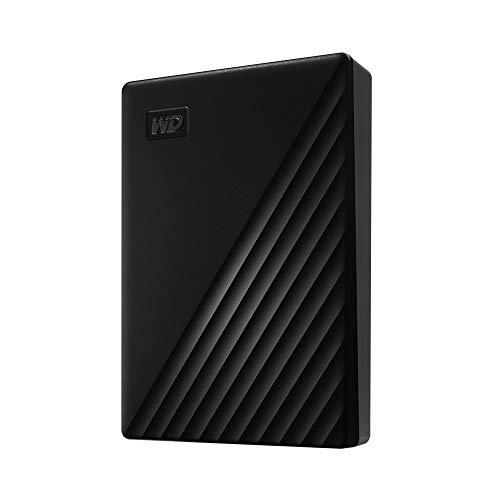
WD 4TB My Passport, Portable External Hard Drive, Black, backup software with defense against ransomware, and password protection, USB 3.1/USB 3.0 compatible – WDBPKJ0040BBK-WESN
- Design: Slim, durable portable hard drive
- Capacity: Up to 6TB storage capacity
- Backup Software: Includes device management and ransomware protection
As an affiliate, we earn on qualifying purchases.
As an affiliate, we earn on qualifying purchases.
Frequently Asked Questions
How Often Should AI Teams Update Their Encrypted Backup Protocols?
You should update your encrypted backup protocols regularly, ideally every three to six months, to guarantee encryption standards stay current with evolving threats. Frequent backups help maintain data integrity and security, especially when dealing with sensitive AI models. By adjusting your backup frequency according to project changes and data sensitivity, you keep your data protected, and your protocols effective against potential breaches or vulnerabilities.
What Are the Best Tools for Encrypting Backups in AI Projects?
You should use tools like VeraCrypt, BitLocker, or VeraCrypt that adhere to strong encryption standards for encrypting backups in AI projects. These tools guarantee your data stays secure during storage and transfer. Always perform backup validation to confirm your encrypted backups are intact and recoverable. By choosing reliable encryption tools and validating backups regularly, you protect sensitive AI data from breaches and ensure quick recovery in case of data loss.
How Do Encrypted Backups Impact Data Recovery Speed?
Think of encrypted backups like a vault with a complex lock—your data is protected, but accessing it takes extra time. Data encryption adds a layer of security, which can cause a recovery delay because decrypting files adds processing steps. While it might slow down data recovery slightly, the trade-off is worth it for the enhanced security, ensuring sensitive AI project data stays safe from breaches.
Can Encrypted Backups Prevent Insider Threats in AI Teams?
Encrypted backups markedly reduce the risk of insider threats affecting your AI team. By securing backup data with robust encryption, only authorized personnel with proper keys can access sensitive information, preventing malicious insiders from exploiting backup files. This enhances backup security, ensuring that even if someone attempts unauthorized access, the data remains protected. Consequently, encryption acts as an essential barrier, safeguarding your AI projects from internal threats and maintaining confidentiality.
What Are Common Pitfalls When Implementing Encrypted Backups?
When implementing encrypted backups, you may stumble over weak encryption algorithms, which compromise data security, or neglect to verify data integrity, risking corrupted backups. You might also overlook key management, risking loss of access or exposure. To prevent these pitfalls, choose strong encryption algorithms, regularly verify data integrity, and maintain secure, accessible keys. These steps guarantee your backups remain secure and reliable, protecting your AI team’s valuable data assets.

PBN-TEC Private Browser & Password Manager Software Portable
- Secure Private Browsing: Protects your online activity on any device
- All-in-One Privacy Toolkit: Includes private browser, anonymous browsing, and password manager
- Portable USB Solution: Carry your privacy tools on a USB drive
As an affiliate, we earn on qualifying purchases.
As an affiliate, we earn on qualifying purchases.
Conclusion
As you navigate the vast ocean of AI data, encrypted backups are your sturdy lighthouse, guiding you safely through storms of threats and breaches. They act as a fortress around your valuable insights, shimmering with security and trust. With each encrypted layer, you build a resilient shield, ensuring your team’s innovations remain protected and unstoppable. In this digital voyage, encrypted backups aren’t just safety measures—they’re your steady heartbeat, keeping your AI journey secure and vibrant.

What was the PASSWORD Notebook: Never Get Locked Out Again – Logbook to End Your Login Frustration
As an affiliate, we earn on qualifying purchases.
As an affiliate, we earn on qualifying purchases.

Engineering Secure Systems with Hardware Security Modules: Definitive Reference for Developers and Engineers
As an affiliate, we earn on qualifying purchases.
As an affiliate, we earn on qualifying purchases.