
TL;DR

Get business pricing on tech for your team
- Business-only prices and quantity discounts
- Tax-exempt purchasing
- Multiple users, one account, clear invoices
Prebuilt AI workstations now often match or beat DIY on price thanks to supply chain issues, but your choice depends on your need for control, support, and upgradeability. Consider your workload, technical skill, and timeline carefully.
Imagine you’re staring at a mountain of GPU options, trying to decide whether to piece together your own AI powerhouse or pick a ready-to-run system from a vendor. It used to be simple: building was cheaper, buying was faster. Not anymore.
The AI boom has changed the game. Supply chain hiccups, increased component costs, and bulk purchasing by prebuilt vendors mean the price gap has closed — sometimes even flipped. Learn more about build vs buy. Now, it’s not just about saving a few bucks but about what fits your workflow, skill level, and support needs.
This guide cuts through the hype, showing you when to build, when to buy, and what tradeoffs come with each. Whether your goal is maximum control or getting started fast, knowing the real costs and benefits will help you make the right move.
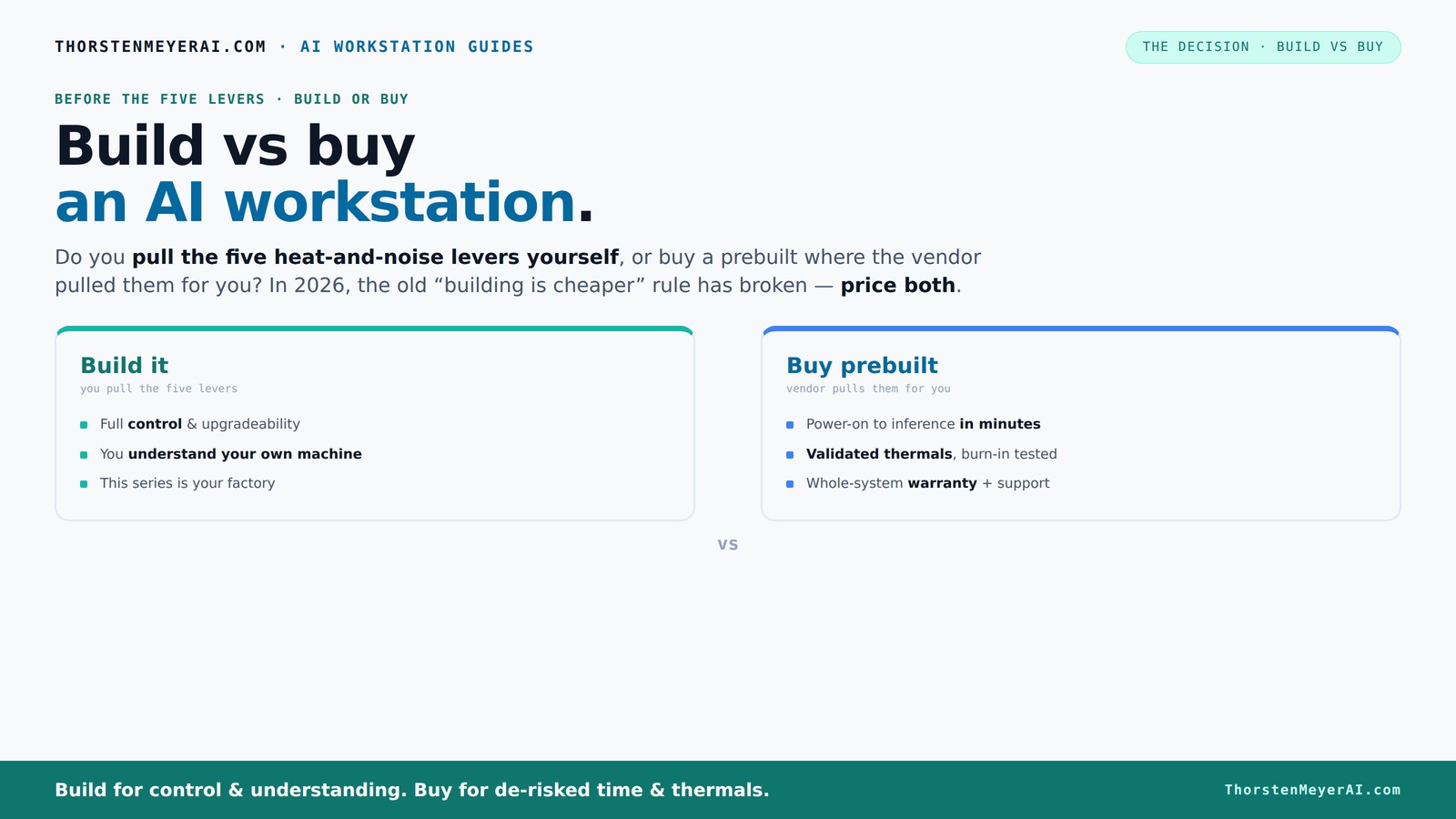
Build vs buy
an AI workstation.
The real question behind this whole series: do you pull the five heat-and-noise levers yourself, or buy a prebuilt where the vendor pulled them for you? And in 2026, the old “building is cheaper” rule has broken. Match your situation in Part 3.
Key Takeaways
- Component shortages and bulk buying have made prebuilt systems often as affordable as DIY, reversing the traditional cost advantage.
- Prebuilts include validated thermals, warranties, and support, reducing risk and setup time for professional use.
- DIY builds offer maximum control over each part, upgrade paths, and customization, especially for hobbyists or those with specific needs.
- Hidden costs like troubleshooting, compatibility issues, and thermal tuning can add time and frustration to DIY projects.
- Choosing between build and buy depends on your workload, technical skills, timeline, and desire for control or convenience.
As an affiliate, we earn on qualifying purchases.
Why the old rule — 'Build is Cheaper' — no longer applies
In 2026, building your own AI workstation often costs as much or more than buying prebuilt. The reason? Component shortages and rising prices for GPUs, DDR5 RAM, and SSDs have pushed DIY costs up. A build that used to cost under $1,000 can now easily top $1,250.
Meanwhile, vendors like Lambda and BIZON bought components in bulk before prices spiked. They use these savings to offer systems at prices that are tough to beat — sometimes cheaper than sourcing parts individually.
So, the classic advice — 'build to save money' — no longer holds water. Now, it’s crucial to compare both options based on your specific configuration and current market prices.
Understanding this shift is important because it highlights how market dynamics directly impact your decision. When component prices fluctuate or supply chains are disrupted, the financial advantage of DIY can evaporate. Moreover, the time and effort spent troubleshooting compatibility issues or tuning your system can outweigh any potential savings, especially if you need a reliable, ready-to-go solution.
As an affiliate, we earn on qualifying purchases.
The five levers of thermal control — and who pulls them
To keep your AI workstation cool and quiet, you need to tweak five key factors: undervolt the GPU, match the cooler to the CPU, optimize case airflow, tune fan curves, and position the machine well.
When you buy prebuilt, the vendor handles all this. They validate thermals, run 24-48 hours of stress testing, and tune fans for quiet operation. You pay for this peace of mind.
If you build, you control every lever. You pick a quiet GPU, undervolt it, choose a case with good airflow, and fine-tune the fans. It’s a rewarding process — if you enjoy thermal engineering and troubleshooting.
Why does this matter? Because thermal management directly affects system stability, noise levels, and component longevity. Poor thermals can lead to thermal throttling, which reduces performance during intensive AI tasks, or even hardware failure over time. Conversely, meticulous thermal tuning can improve performance margins, extend component lifespan, and create a quieter environment, which is especially valuable if your workspace is shared or quiet operation is a priority. The tradeoff is the time and expertise required to get this right, which is why prebuilt systems often come with validated thermals and support.
As an affiliate, we earn on qualifying purchases.
Who should buy a prebuilt — and why it’s worth it
If you’re short on time or prefer a plug-and-play setup, prebuilt is the way to go. They come with the OS, AI tools like CUDA, PyTorch, and Docker preinstalled — start training in minutes.
Supporting a team or running critical workloads? Vendors validate thermals and include warranties. A three- or five-year support plan can save headaches and downtime.
High-end multi-GPU setups? Vendors like Lambda specialize in these, with cooling and power validated under heavy load. Buying reduces your risk of thermal throttling or hardware failure during a long training run.
And if your configuration matches popular models, the price might surprise you — prebuilts often leverage bulk discounts that beat DIY component costs.
Furthermore, prebuilt systems often come with streamlined support options, which can be critical for enterprise or professional environments. These support plans include hardware replacement, troubleshooting, and sometimes even software assistance, reducing downtime and allowing you to focus on your AI projects rather than system maintenance.
As an affiliate, we earn on qualifying purchases.
When building your own AI workstation pays off
If you love tinkering or need a highly customized system, building is still attractive. You can select specific parts — like a quieter CPU cooler or a GPU with a larger VRAM buffer — that fit your workflow exactly.
Building also gives you full upgrade control. Want to swap out the GPU down the line? Use standard parts and avoid proprietary connectors.
For example, a hobbyist might spend a weekend assembling a silent, efficient machine tuned to their specific AI tasks, saving money on high-end parts bought in bulk.
Plus, DIY builds can be easier to upgrade over time if you plan ahead with standard components and modular design. This flexibility means you can adapt your system as your AI workload evolves, potentially extending its useful lifespan and avoiding premature obsolescence. However, this requires a certain level of technical skill and willingness to troubleshoot compatibility and thermal issues, which can be a barrier for some users.
The comparison table: build vs buy at a glance
| Factor | Build | Buy |
|---|---|---|
| Cost | Potentially cheaper if sourcing parts in bulk; risk of price spikes | Often comparable or better due to bulk discounts; higher upfront markup |
| Time to deploy | Hours to days, depending on your skill | Minutes to hours, everything assembled and tested |
| Thermal tuning | You control fan curves, cooling, and noise levels | Pre-validated, quieter, with warranty-backed thermals |
| Upgradeability | Easy, standard parts make upgrades straightforward | May be limited by proprietary parts or connectors |
| Support & warranty | None unless you buy third-party | Included, with professional support and warranty |
| Control over parts | Full control — choose every component | Limited to vendor options and configuration | s
| Customization & tuning | High — tailored to your needs | Moderate — pre-tuned but less flexible |
Hidden costs, pitfalls, and tradeoffs to watch out for
Building your own system can seem cheaper, but beware of hidden costs — compatibility issues, BIOS updates, troubleshooting, and thermal tuning all take time and expertise. These hidden costs can significantly increase the total effort required, especially if you encounter hardware incompatibilities or need to learn complex BIOS configurations. Overlooking these factors can lead to delays or suboptimal performance, which diminishes the initial cost savings.
Proprietary parts in some prebuilts can complicate future upgrades, forcing you into vendor-specific parts. That can lock you in or increase costs down the line. This lock-in diminishes your flexibility and can result in higher expenses if you need to replace components or expand your system later.
For example, a hobbyist might spend extra weekends fixing boot issues or tweaking fan curves, which adds up in time and frustration. These unforeseen issues can turn what seemed like a cost-effective DIY project into a time-consuming ordeal, especially if you lack experience or troubleshooting skills.
Support matters. A prebuilt with a solid warranty reduces downtime during hardware failures, especially critical for AI workloads that run 24/7. This reliability can be worth the premium, especially in professional or production environments where uptime is crucial.
How to size your AI workstation — what specs really matter
Focus on GPU power and VRAM first. For local inference or training, a GPU with at least 24GB VRAM — like an RTX 4090 or A100 — makes a difference.
Pair it with a robust CPU (like an AMD Ryzen 9 or Intel i9), 64GB RAM for heavy multitasking, and fast NVMe storage. Power supply should handle peak loads with some headroom.
For example, a system with an RTX 4090, a Ryzen 9, and 128GB RAM can handle most AI tasks today and scale for future needs.
Don’t forget cooling. A well-ventilated case with good airflow and quiet fans keeps thermals in check and noise low. Proper sizing ensures your system maintains peak performance without thermal throttling or overheating, which can degrade training times and hardware lifespan. Neglecting these specifications can lead to bottlenecks that diminish your system’s effectiveness and longevity.
The future-proofing question: Upgrades and flexibility
Can you upgrade later? Building gives you the edge — standard parts, open slots, and modular design make upgrades straightforward. You can add more VRAM, swap in a faster CPU, or upgrade storage without replacing the entire system.
Prebuilt systems might use proprietary connectors or limited upgrade paths, which can be frustrating if you plan to expand or replace parts. Many OEM prebuilts restrict upgrade options to specific components, which can limit your ability to adapt the system as your needs evolve, potentially forcing costly replacements or complete rebuilds.
For example, if you anticipate needing more VRAM or a faster CPU in a year, a DIY build with standard sockets makes this easier and cheaper. Conversely, some high-end prebuilts now include future-ready features like PCIe 5.0, but check for upgrade restrictions before buying. Being aware of these limitations helps ensure your system remains relevant and capable over time.
Final thoughts: Which should you choose?
If speed, support, and reliability top your list, a prebuilt offers a smooth ride. It’s ready to go, tested, and backed by support teams.
If you love customizing, tinkering, or want to squeeze every dollar of performance, building your own offers control and potential savings — if you're willing to invest the time and effort.
In 2026, the best choice depends on your workload, skills, and how much risk you’re willing to accept. Either way, understanding the real tradeoffs makes your decision smarter.
Frequently Asked Questions
Is it cheaper to build or buy a prebuilt AI workstation?
It depends on current component prices and your ability to source parts. Recently, prebuilts often match or beat DIY costs due to bulk buying and supply chain issues, but building can still save money if you already have some parts or trade skills.Will a prebuilt perform worse than a custom build at the same price?
Not necessarily. Many prebuilt systems now undergo rigorous testing and validation, meaning they often perform on par with custom builds, especially under sustained AI workloads. However, some cheap prebuilts may cut corners on thermal management.What hardware matters most for AI work?
GPU VRAM and processing power are king. Look for at least 24GB VRAM for training larger models, plus a strong CPU, ample RAM, and fast storage. Cooling and power supply are also critical to prevent thermal throttling and downtime.Do I need an NPU for AI tasks, or is a strong GPU enough?
Most AI workloads still rely on powerful GPUs. NPUs and AI accelerators are emerging but are mainly used for specific tasks like inference or edge deployment. For most local AI work, a high-end GPU like an RTX 4090 or A100 suffices.Can I upgrade a prebuilt later, or will proprietary parts limit me?
Upgradability varies. Standard ATX prebuilts are easier to upgrade, but some OEM systems use proprietary connectors that limit future modifications. Always check the upgrade policy before buying.Conclusion
In the end, your choice hinges on what matters most: quick deployment and support, or control and customization. Both paths have their merits — knowing the tradeoffs makes your decision clearer.
Imagine a sleek, silent AI workstation humming quietly in your corner, tuned perfectly to your needs. Whether you build it yourself or buy it ready-made, the right system waits for you to take the next step — just choose wisely.
Fall Picks
fall essentials
As an affiliate, we earn on qualifying purchases.