
TL;DR
AI-powered productivity tools use artificial intelligence to help you draft, summarize, search, plan, analyze, and automate parts of everyday work. They save time most reliably on repeatable tasks that fit your existing workflow, while human review, privacy checks, and measurement help prevent fluent errors and hidden costs.
Your meeting ends at 10:00, and by 10:05 an AI assistant has turned the recording into notes, a draft follow-up email, and three proposed tasks. That sounds like five minutes saved. If you spend ten minutes fixing names and decisions the assistant got wrong, the arithmetic changes.

Get business pricing on tech for your team
- Business-only prices and quantity discounts
- Tax-exempt purchasing
- Multiple users, one account, clear invoices
AI-powered productivity tools use artificial intelligence to help you write, summarize, organize, search, analyze, and handle routine steps. They range from general assistants to features inside email, calendars, office software, project boards, meeting apps, and developer tools. Many use large language models to interpret instructions and generate text; some can also work with selected files, voice, images, or connected apps.
This guide shows you where these tools can help, how to check their work, and what to ask before sharing information or paying for a subscription. You’ll see a practical way to test a tool against real work, so you can judge whether it gives you back time without adding a new pile of cleanup.
Start with repeatable work such as meeting recaps, routine drafts, or weekly reports.
Give the tool its audience, purpose, approved source material, constraints, and desired format.
Check names, dates, decisions, calculations, and claims before sharing important output.
Confirm privacy rules and access permissions before connecting company or personal information.
Measure time, quality, adoption, review effort, and error correction before paying for wider use.
What AI Productivity Tools Can Take Off Your Plate
AI-powered productivity tools help you prepare or complete parts of work such as drafting, summarizing, brainstorming, finding information, organizing tasks, and automating routine steps. The key distinction is how much of the workflow they handle: a prompt-based assistant may suggest text, while a tool connected to documents or apps may retrieve information or prepare an action. More access can reduce manual handoffs, but it also raises the importance of checking permissions and reviewing what the tool does.
Think of one as a fast, eager assistant at a desk covered in sticky notes. You can ask it to turn rough notes into a project update, shorten a long email, or list questions to raise in a meeting. It can move quickly, but it may mistake a tentative idea for a decision or omit a detail that seemed minor in the source. Its speed is most useful when the task has a clear goal and you can spot those mistakes without recreating the work from scratch.
For example, after a customer call, you might paste approved notes into a writing assistant and ask for a concise summary, open questions, and a draft reply. You could then confirm the customer’s requested delivery date against the original notes before sending. The tool handles structure and phrasing; you retain responsibility for the commitment, because an incorrect date could affect the customer even if the rest of the email reads well.
AI features now often sit inside familiar software instead of a separate chatbot. That can reduce copying and switching between windows, though the exact features depend on the product, plan, and organization. An integrated feature may save steps but inherit broad access to work files, while a separate tool may require more manual handling but offer clearer control over what you share. Capabilities change quickly, so check current product details before relying on a particular feature.
Products Worth Considering
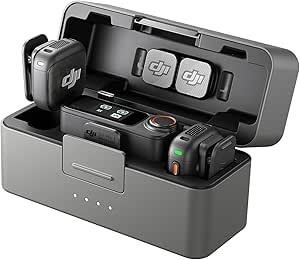
DJI Mic 3 Wireless Microphone (2 Transmitters, 1 Receiver, Charging Case)

Samsung 32 Odyssey G5 QHD Gaming Monitor

Bose TV Speaker Compact Soundbar with Bluetooth and HDMI-ARC, Black
As an affiliate, we earn on qualifying purchases.
Where You’re Most Likely to Save Time
AI tools save time most reliably when a task repeats, has a clear starting point, and produces work you can review quickly. Repetition matters because it lets you reuse instructions and learn where errors tend to occur. A weekly update from known project notes is a better candidate than a sensitive decision that depends on subtle history: the former can be checked against its inputs, while the latter may require judgment the tool cannot reliably infer.
Imagine you manage a small team and spend Friday afternoon turning status messages into a report. You give an assistant the approved updates, ask it to group progress by project, and request a short list of blockers. The output gives you a head start, but you check each blocker with its owner before presenting it as fact. If the assistant regularly confuses a risk with an active blocker, you may need to change the prompt or source format; if the same issue persists, the review burden may outweigh the drafting time saved.
Useful candidates often include:
- Writing support: first drafts, edits, tone adjustments, and subject-line ideas. These help most when a person already knows the facts and can judge whether the wording fits the audience.
- Meeting follow-up: transcripts, summaries, decisions, and proposed action items. These can reduce note-taking, but speakers should verify that the summary distinguishes decisions from suggestions and assigns actions correctly.
- Information work: searching permitted files, organizing notes, or creating a brief from source material. The benefit depends on whether the right sources are accessible and whether you can trace claims back to them.
- Routine coordination: preparing a task or report from a repeated workflow, with approval where needed. Automation can remove handoffs, but an incorrect action may spread faster than an incorrect draft, so approval points matter.
These powered productivity tools may help people spend less time on blank-page work and repetitive formatting. Yet a task that takes two minutes to check can still take longer if the output misses a name, invents a deadline, or ignores your team’s conventions. Measure the entire job, including the human pass, and consider whether the time saved is valuable enough to justify the remaining review and risk.
Use a Simple Test Before You Trust the Time Savings
A short, repeatable trial tells you more about a tool’s value than a polished demo. Pick one real task, compare the current process with the AI-assisted process, and include setup and review time. A demo usually shows a favorable example; repeated trials reveal whether the tool handles ordinary inputs, exceptions, and incomplete information well enough for everyday use.
- Choose a repeatable task. For instance, prepare a weekly meeting recap from notes your team is allowed to share. Repeating the same kind of task makes the comparison fairer and shows whether the result is consistent.
- Record your baseline. Note how long the task takes and what a usable result needs to include. Without a quality standard, a faster but incomplete recap could look like a win.
- Give the tool a clear brief. State the audience, purpose, source material, length, and any details it must not invent. This tests the tool against the instructions you could realistically maintain in the workflow.
- Check the result. Verify names, dates, decisions, numbers, and whether it left out an important caveat. Record the corrections: recurring errors reveal where human review will remain necessary.
- Compare the full effort. Count prompting, corrections, review, and follow-up, then repeat on several examples. A result that depends on unusually clean inputs may not represent the work you handle each week.
Say a team normally spends 25 minutes preparing each of four weekly recaps. An AI draft may cut the first writing pass to eight minutes, but if each recap needs 12 minutes of checking, the total falls to 20 minutes per recap. Across four recaps, that saves 20 minutes for the week, before setup or training. Whether that is worthwhile depends on how often the task occurs and whether the saved time can go toward more valuable work.
Quality matters alongside the clock. A shorter process is a poor trade if the update regularly misstates decisions. Keep a simple record of time, corrections, and whether readers can act on the finished work. After a few cycles, you can see whether the tool is steadily reducing effort, merely shifting it from writing to checking, or producing enough quality issues to change the decision.
Get Better Drafts by Giving the Tool Better Context
Clear instructions and relevant context make an AI response easier to use, but a polished answer can still be wrong. Tell the tool what you are making, who will read it, what sources it may use, and what format you want. Ask it to flag gaps instead of filling them with guesses. This narrows the range of possible answers and makes unsupported details easier to notice, though it cannot guarantee the tool will follow every instruction.
Compare “Write an update” with “Turn these approved project notes into a 150-word update for our customers. Include the completed feature and the confirmed release date. If the notes don’t give a date, say it is unconfirmed.” The second prompt gives the assistant a lane to follow and makes uncertainty visible. It also gives you a standard for review: you can check whether the output stays within the notes and preserves the stated uncertainty.
For example, a store owner could use a tool to draft a product description from a fact sheet. The assistant might produce warm, lively copy, but the owner should check measurements, materials, and delivery claims against the sheet. Those details can shape a purchase decision, so a persuasive tone does not reduce the cost of getting them wrong. Fluency is a smooth surface; it is not proof underneath.
Use AI for a first pass, then verify claims that affect a person’s decision.
As a practical habit, ask for a source-linked answer when the tool can access sources, and verify important statements in the source itself. Check calculations independently and treat citations as leads to inspect, not as decoration. Review effort should follow the stakes: a low-impact draft may need a quick scan, while advice affecting money, health, rights, or customer commitments deserves careful checking by someone qualified to judge it.
Check Privacy and Fit Before You Connect Your Work
A tool’s convenience depends on what it can access and how it handles the information you provide. Before you paste personal or company material, check your organization’s rules and the provider’s settings or terms for storage, use, access, and retention. For workplace use, an administrator may also need to review permissions and contractual protections. A tool that can draw on more information may produce a more relevant answer, but broad access increases the impact of a mistaken permission or unexpected data handling practice.
Picture a project manager preparing a customer recap. The meeting notes contain a home address and an unpublished launch date. Even if the assistant can write a tidy summary, the manager should first confirm that the tool is approved for that information and that its access matches the task. If those details are unnecessary, removing them reduces exposure without sacrificing the summary’s purpose.
Workflow fit matters too. A feature built into your meeting app may save the effort of downloading a recording and pasting a transcript elsewhere. A separate tool might produce a better draft but require extra steps. If the quality difference saves meaningful review time, those steps may be worthwhile; if not, the friction can erase the apparent efficiency. For a one-off task, setup may dominate the cost, while frequent use can make a well-integrated workflow more valuable.
Check whether the tool can access only the files and apps needed for the job, whether it asks before taking actions, and whether a person can review changes before they happen. These controls affect how much you can recover from a mistake: reviewing a proposed email is easier than reversing an automatically sent one. Transcription, translation, rewriting, and voice interaction can also make work more accessible, though performance may differ across languages, accents, and communication styles. Test with the people who will actually use it, since a feature that works well for one group may create extra effort for another.
Calculate the Real Cost, Then Keep What Works
The true cost includes more than a subscription: you may also spend time on setup, training, oversight, and correcting errors. To judge value, compare those costs with useful improvements in speed, quality, adoption, or access. Counting AI-generated paragraphs alone tells you little about whether the work got better, because output volume does not show how much checking or rework it required.
For example, a 10-person team may subscribe to an assistant to reduce time spent writing internal updates. If only two people use it, and the rest still need to rewrite its tone, the license count will look better than the workflow. A small trial with volunteers can reveal that mismatch before the team commits broadly. It can also show whether limited use reflects poor fit, insufficient training, or a feature that solves too little of the actual task.
Track a few measures that match the task: minutes spent per completed update, number of factual corrections, how often people use the feature, and whether readers find the result useful. Compare a representative period rather than a single impressive week. Then include the human review in your time estimate. Looking at measures together matters: faster drafts with more corrections may not improve overall efficiency, while modest time savings with fewer omissions may improve both speed and reliability.
Costs and capabilities change, and a tool that works well for one team may not fit another. Accessibility needs, data rules, app integrations, and the stakes of the work all affect the choice. Keep the tool when repeated use shows a clear net gain; revise the workflow or stop using it when corrections swallow the saved time. Rechecking after a change in price, policy, or product behavior helps ensure that an earlier decision still fits the work.
Frequently Asked Questions
What counts as an AI-powered productivity tool?
It is software that uses AI to help with work such as drafting, summarizing, planning, searching, analyzing, or handling routine steps. It can be a general assistant or a feature built into email, meetings, office apps, or project software.
Will AI productivity tools actually save me time?
They can, especially on repeatable tasks with clear inputs and quick checks. Compare the full time spent, including prompting and corrections, with your usual process to see whether the gain is real.
Can I trust an AI-generated answer?
Treat it as a draft or suggestion, not as proof. Check important facts, dates, calculations, citations, and decisions against reliable sources before you rely on them.
Is it safe to enter company or personal information?
That depends on the product, its settings, and your organization’s rules. Check approved-tool guidance and data handling terms before sharing sensitive information or connecting files.
How should a business decide whether a tool is worth keeping?
Test it on a specific use case and track time, quality, adoption, errors, and review effort over a representative period. Include subscription, setup, and training costs in the decision.
Conclusion
Choose one routine task and test an AI assistant on work you are allowed to share. Track the whole job from prompt to checked result, then keep the tool only if it improves the work after review.
A useful assistant should clear space on your desk, not leave a second pile of corrections beside your coffee.