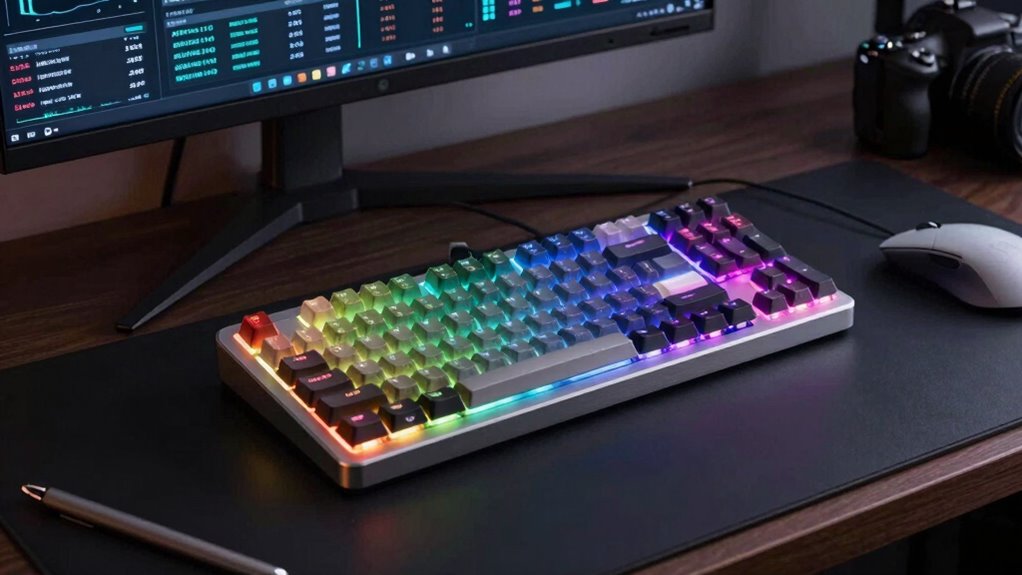

For high-end keyboards for AI power users, my best overall pick is the Logitech Craft, whose creative input dial can put frequently used controls within reach. The Corsair Galleon 100 SD stands out for users who want programmable controls at the keyboard, while the Virtusx Phronesis takes a different route with voice typing and meeting-note features. The main tradeoff is between workflow tools and typing feel: dedicated controls can speed up repetitive tasks, while premium mechanical and magnetic models prioritize customization or responsive input. Layout, connection type, and software needs matter just as much as the feature list. Read on for the full breakdown and help matching a keyboard to the way you work with AI.

Get tech for your team delivered free — and shop member deals
- Fast, free delivery on millions of items
- Access to Prime Big Deal Days deals on October 6–7
- Prime Video, Amazon Music and more included
Key Takeaways
- The Logitech Craft is the clearest workflow-first pick: its creative input dial gives common controls a physical home, unlike the lineup’s more typing-focused models.
- AI-specific features are not the same across these keyboards: the Virtusx Phronesis focuses on voice typing and meeting notes, while most other options emphasize input hardware and customization.
- Keychron dominates the choice of layout and switch style: its Q6 models offer full-size formats, while the Q1 HE makes a smaller magnetic-switch setup available.
- Wireless convenience can involve a feature tradeoff: buyers should compare the exact model’s connection modes and software support rather than assuming similarly named keyboards work alike.
- Gaming-focused controls may help repetitive workflows, but not every AI user needs them: the Galleon 100 SD, GravaStar Mercury K98 Pro, and magnetic-switch options suit users who will actively use their extra controls or rapid-input features.
| Logitech Craft Advanced Wireless Keyboard with Creative Input Dial |  | Best for App-Specific Workflow Controls | Brand and model: Logitech Craft | Layout: 104-key QWERTY | Connectivity: Wireless 2.4 GHz with Unifying receiver or Bluetooth | VIEW ON AMAZON | See Our Full Breakdown |
| Keychron Q6 Ultra 8K Full-Size Wireless Mechanical Keyboard |  | Best Overall for Customizable AI Workstations | Layout: Full-size QWERTY, 104 keys | Connectivity: 2.4 GHz, Bluetooth 5.3, and USB-C | Polling rate: Up to 8,000 Hz over wired and 2.4 GHz connections | VIEW ON AMAZON | See Our Full Breakdown |
| UNIQMAG UQ68R TMR Gaming Keyboard with Springless Magnetic Switches |  | Best for Precision-Triggered Shortcuts | Switch type: Springless MagLev Hall Effect | Polling rate: 8,000 Hz | Stated response latency: 0.08 ms | VIEW ON AMAZON | See Our Full Breakdown |
| Lenovo Yoga Creative Keyboard AngryMiao Edition Wired Mechanical Keyboard |  | Best for Quiet, Connected Desks | Connectivity: Wired USB-C | Switches: Bsun Light Sakura silent linear, hot-swappable | Mount: 8-layer gasket mount | VIEW ON AMAZON | See Our Full Breakdown |
| Keychron Q6 HE 8K Full-Size Wired Hall Effect Keyboard, Black Aluminum |  | Best for Wired Magnetic-Switch Customization | Layout: Full-size | Connection: Wired | Switches: Pre-lubed Keychron Ultra-Fast Lime magnetic switches | VIEW ON AMAZON | See Our Full Breakdown |
| Keychron Q6 Ultra 8K Full-Size Wireless Mechanical Keyboard | | Best for Wireless Full-Size Power Users | Layout: Full-size QWERTY, 104 keys | Connectivity: 2.4 GHz, Bluetooth 5.3, USB-C | Polling rate: Up to 8000 Hz | VIEW ON AMAZON | See Our Full Breakdown |
| NuPhy Node100 Wireless Mechanical Keyboard |  | Best for Multi-Device Workflows | Layout: 109-key QWERTY | Connectivity: Bluetooth, 2.4 GHz, USB-C | Device connections: Up to five devices | VIEW ON AMAZON | See Our Full Breakdown |
| Keychron Q1 HE 8K Wired Magnetic Switch Keyboard |  | Best for Programmable Magnetic Input | Layout: 84-key QWERTY US | Connectivity: USB-C wired | Polling rates: 1000 Hz, 2000 Hz, and 8000 Hz | VIEW ON AMAZON | See Our Full Breakdown |
| GravaStar Mercury K98 Pro 98-Key Wireless Mechanical Gaming Keyboard |  | Best Compact Layout with a Number Pad | Layout: 98% QWERTY, 98 keys with number pad | Connectivity: 2.4 GHz, Bluetooth 5.4, USB-C wired | Polling rate: Up to 8000 Hz in wired and 2.4 GHz modes | VIEW ON AMAZON | See Our Full Breakdown |
| Keychron K10 HE Full-Size Wireless Hall Effect Keyboard |  | Best for Full-Size Magnetic-Switch Customization | Layout: Full-size, 104-key QWERTY | Switches: Gateron Double-Rail Nebula linear Hall Effect magnetic; hot-swappable | Actuation range: 0.2–3.8 mm | VIEW ON AMAZON | See Our Full Breakdown |
| NuPhy Air100 V3 Wireless Mechanical Keyboard with Multifunctional Knob |  | Best Low-Profile Multi-Device Pick | Connectivity: Bluetooth, 2.4 GHz wireless, USB-C | Multi-device support: Up to 5 devices | Mounting: Gasket-mounted | VIEW ON AMAZON | See Our Full Breakdown |
| Virtusx Phronesis Wireless AI Keyboard with Voice Typing and Meeting Notes |  | Best for Built-In AI Workflow Tools | Layout: Tenkeyless (TKL) | Compatibility: Windows, macOS | Connectivity: 2.4 GHz wireless, USB-C wired | VIEW ON AMAZON | See Our Full Breakdown |
| Corsair Galleon 100 SD RGB Mechanical Gaming Keyboard |  | Best for App Controls and Visual Dashboards | Connectivity: USB-C | Layout and key count: QWERTY US; 99 keys | Switches: Mechanical MLX Pulse | VIEW ON AMAZON | See Our Full Breakdown |
| high end keyboards for ai power user | Connectivity | Switches | Layout | Compatibility |
|---|---|---|---|---|
| Logitech Craft Advanced Wirele | Wireless 2.4 GHz with Unifying receiver or Bluetooth | — | 104-key QWERTY | Windows and macOS |
| Keychron Q6 Ultra 8K Full-Size | 2.4 GHz, Bluetooth 5.3, and USB-C | Keychron Silk POM Tactile Banana | Full-size QWERTY, 104 keys | Windows, Linux, and Mac |
| UNIQMAG UQ68R TMR Gaming Keybo | — | — | — | Windows and Mac |
| Lenovo Yoga Creative Keyboard | Wired USB-C | Bsun Light Sakura silent linear, hot-swappable | — | Windows and macOS |
| Keychron Q6 HE 8K Full-Size Wi | — | Pre-lubed Keychron Ultra-Fast Lime magnetic switches | Full-size | — |
| Keychron Q6 Ultra 8K Full-Size | 2.4 GHz, Bluetooth 5.3, USB-C | Linear Keychron Silk POM; hot-swappable 3-pin and 5-pin MX-style | Full-size QWERTY, 104 keys | — |
| NuPhy Node100 Wireless Mechani | Bluetooth, 2.4 GHz, USB-C | Mechanical, hot-swappable | 109-key QWERTY | Windows, macOS, Android, iOS |
| Keychron Q1 HE 8K Wired Magnet | USB-C wired | Linear Lime magnetic, pre-lubed | 84-key QWERTY US | macOS, Windows, Linux |
| GravaStar Mercury K98 Pro 98-K | 2.4 GHz, Bluetooth 5.4, USB-C wired | Pre-lubed linear; hot-swappable | 98% QWERTY, 98 keys with number pad | — |
| Keychron K10 HE Full-Size Wire | Bluetooth 5.2, 2.4 GHz wireless, USB-C wired | Gateron Double-Rail Nebula linear Hall Effect magnetic; hot-swappable | Full-size, 104-key QWERTY | macOS, Windows, Linux |
| NuPhy Air100 V3 Wireless Mecha | Bluetooth, 2.4 GHz wireless, USB-C | Hot-swappable | — | — |
| Virtusx Phronesis Wireless AI | 2.4 GHz wireless, USB-C wired | Pre-lubed RK Misty Rain linear switches | Tenkeyless (TKL) | Windows, macOS |
| Corsair Galleon 100 SD RGB Mec | USB-C | Mechanical MLX Pulse | — | — |
More Details on Our Top Picks
Logitech Craft Advanced Wireless Keyboard with Creative Input Dial
The Craft earns its place for AI power users who move between writing, editing, and creative applications and want a physical shortcut surface without giving up a full-size layout. Its touch-sensitive creative dial can expose app-specific controls in compatible software, which may make frequent adjustments easier to reach than keyboard shortcuts alone. Compared with the Keychron Q6 Ultra 8K, the Craft is less about switch customization and high-speed input and more about a curated control layer for supported apps. Proximity-activated backlighting and wireless options also suit a shared or uncluttered desk. The tradeoff is that the dial’s usefulness depends on compatible apps and software profiles; it is not a universal AI command control. The keyboard is also not water resistant, and its conventional keys offer less customization than the mechanical Keychron models here.
Pros:- Creative dial provides app-specific controls in compatible applications
- Bluetooth and 2.4 GHz receiver support flexible wireless setups
- Proximity-activated backlighting adjusts when hands approach
- Full-size 104-key layout suits spreadsheet and document work
Cons:- Dial features depend on compatible apps and software profiles
- Not water resistant
- Offers less switch and key customization than the Keychron Q6 Ultra 8K
Best for: Writers and creative professionals who use compatible Windows or macOS apps and want app-specific controls alongside a full-size wireless keyboard.
Not ideal for: Buyers seeking programmable mechanical switches, broad AI-specific shortcuts, or water resistance; the dial depends on supported software.
- Brand and model:Logitech Craft
- Layout:104-key QWERTY
- Connectivity:Wireless 2.4 GHz with Unifying receiver or Bluetooth
- Wireless range:10 m
- Backlighting:Single-color, automatically adjusts brightness
- Compatibility:Windows and macOS
- Dimensions:5.87 × 16.93 × 1.26 in
- Weight:960 g
Our verdict“Choose the Craft if app-specific dial controls matter more to your workflow than mechanical customization or high-polling performance.”
Keychron Q6 Ultra 8K Full-Size Wireless Mechanical Keyboard
The Q6 Ultra 8K is the strongest all-around fit here for AI power users who want a full-size board that can adapt to both desk and mobile-device workflows. Its tri-mode connectivity includes Bluetooth for up to three devices, while USB-C and 2.4 GHz support the stated 8,000 Hz polling rate. That combination is more versatile than the wired-only Keychron Q6 HE 8K, whose magnetic switches target adjustable actuation rather than multi-device flexibility. Hot-swappable tactile switches and programmable keys give users room to shape shortcuts for coding, prompting, or editing, and the aluminum body lends the setup a substantial feel. The tradeoffs are practical: 8K polling is not specified for Bluetooth, and the long battery claim applies with backlighting off. RGB use cuts into that stated endurance.
Pros:- 2.4 GHz, Bluetooth 5.3, and USB-C provide three connection modes
- Bluetooth supports pairing with up to three devices
- Hot-swappable tactile switches and programmable keys support workflow customization
- Aluminum body and full-size layout suit a permanent workstation
Cons:- 8,000 Hz polling is specified for wired and 2.4 GHz connections, not Bluetooth
- Battery life falls from its stated maximum when backlighting is enabled
- Full-size aluminum construction may be cumbersome for frequent travel
Best for: AI developers and knowledge workers who need a full-size mechanical keyboard that can switch among a workstation, laptop, and mobile devices.
Not ideal for: Buyers who need magnetic adjustable actuation, a compact board, or the longest wireless runtime while using bright RGB lighting.
- Layout:Full-size QWERTY, 104 keys
- Connectivity:2.4 GHz, Bluetooth 5.3, and USB-C
- Polling rate:Up to 8,000 Hz over wired and 2.4 GHz connections
- Switches:Keychron Silk POM Tactile Banana
- Hot-swappable:Supports most 3-pin and 5-pin MX-style switches
- Programmability:ZMK firmware and Keychron Launcher
- Battery life:Up to 660 hours with backlight off; up to 200 hours with minimal backlight
- Body and lighting:Aluminum body with RGB backlighting
- Compatibility:Windows, Linux, and Mac
Our verdict“Pick the Q6 Ultra 8K for a premium full-size workflow hub with wireless flexibility, unless adjustable magnetic actuation is your priority.”
UNIQMAG UQ68R TMR Gaming Keyboard with Springless Magnetic Switches
The UQ68R is the specialist pick for AI power users who also care about precise, adjustable key activation—useful for rapid command sequences, gaming, or assigning actions that benefit from short travel. Its TMR magnetic sensing, adjustable actuation, and rapid trigger offer a different kind of customization from the hot-swappable tactile switches in the Keychron Q6 Ultra 8K. The aluminum case, carbon fiber backplate, and browser-based configuration suggest a more performance-focused build, while key remapping can help tailor a command layout. But the supplied information gives no layout or dimensions, making desk fit and key coverage hard to judge. Its very low latency and precision figures are manufacturer claims, not independently verified here. Compared with the Q6 Ultra, this is less clearly suited to general office use and more compelling for buyers with a specific need for magnetic-switch tuning.
Pros:- Adjustable actuation travel supports tailored key response
- Rapid trigger sensitivity offers fine control over key reset behavior
- Browser-based configuration and key remapping aid custom workflows
- CNC aluminum case and carbon fiber backplate provide a performance-oriented build
Cons:- Product data does not specify layout or dimensions
- Latency, precision, and lifespan figures are manufacturer-stated and not independently verified
- Specialized magnetic-switch controls may be unnecessary for routine writing and prompting
Best for: Power users who want finely adjustable actuation and rapid-trigger behavior for command-heavy workflows, gaming, or custom key mappings.
Not ideal for: Buyers who need confirmed full-size layout details, a clearly documented everyday typing configuration, or independently verified performance claims.
- Switch type:Springless MagLev Hall Effect
- Polling rate:8,000 Hz
- Stated response latency:0.08 ms
- Actuation travel:0.001–3.5 mm
- Rapid trigger sensitivity:0.05 mm
- Case:CNC-machined, hard-anodized 6063 aluminum alloy
- Backplate:Carbon fiber
- Configuration:Hot-swappable, key remapping, and browser-based configuration
- Compatibility:Windows and Mac
Our verdict“Choose the UQ68R if adjustable magnetic actuation is central to your workflow, but verify its layout and fit before buying.”
Lenovo Yoga Creative Keyboard AngryMiao Edition Wired Mechanical Keyboard
This Lenovo is a desk-focused choice for AI work that calls for long writing sessions, discreet typing, and easy access to a couple of wired peripherals. Its silent linear switches and eight-layer gasket mount are aimed at a softer, quieter typing experience, while the Star Ring offers quick volume, brightness, or page-navigation controls. The two USB-C hub ports can keep low-power accessories close at hand, a useful contrast with the Logitech Craft, which offers wireless flexibility and an app-focused dial rather than a built-in hub. The tradeoff is that this keyboard is wired only, so it is less convenient for multi-device or flexible desk setups than the Q6 Ultra 8K. Its hub ports also provide limited 5V/0.9A output, so they are intended for low-power peripherals, not demanding charging needs.
Pros:- Silent linear switches and gasket mount are designed for quieter typing
- Hot-swappable switches allow later customization
- Star Ring switches among volume, brightness, and page-navigation controls
- Two USB-C hub ports provide convenient connections for low-power peripherals
Cons:- Wired-only connectivity limits placement and multi-device flexibility
- USB-C hub output is limited to 5V/0.9A
- Its 1,000 Hz polling rate is below the 8,000 Hz figures of the Keychron Q6 models
Best for: AI writers and office users who share a quiet workspace, prefer a wired desk setup, and want simple controls plus ports for low-power accessories.
Not ideal for: People who need wireless device switching, high-output USB-C charging, or a portable keyboard for multiple work locations.
- Connectivity:Wired USB-C
- Switches:Bsun Light Sakura silent linear, hot-swappable
- Mount:8-layer gasket mount
- Body:CNC aluminum with semi-transparent acrylic top cover
- Controls:Star Ring with volume, brightness, and Page Up/Page Down modes
- USB hub:Two USB-C 3.1 Gen 1 ports; up to 5 Gbps data transfer
- Hub output:5V/0.9A
- Polling rate and layout:1,000 Hz; US English
- Compatibility:Windows and macOS
Our verdict“Choose the Lenovo if quiet wired typing and nearby low-power USB-C ports matter more than wireless flexibility or high polling rates.”
Keychron Q6 HE 8K Full-Size Wired Hall Effect Keyboard, Black Aluminum
The Q6 HE 8K suits AI power users who want a full-size aluminum keyboard and magnetic switches they can tune for different tasks. Through Keychron Launcher, users can adjust actuation, remap keys, and configure macros—practical options for putting frequently used coding or prompting commands within reach. Its 8K wired polling and fast single-key scanning are performance-oriented, but those figures matter less to ordinary text entry than the configurable behavior and solid full-size layout. Compared with the Q6 Ultra 8K, this model trades wireless connections and hot-swappable tactile mechanical switches for wired-only magnetic-switch control. That makes the choice straightforward: pick the Q6 HE for actuation tuning, not multi-device convenience. Using 8K polling also requires a specified processor level, and the connection remains tethered.
Pros:- Adjustable magnetic-switch actuation supports task-specific key response
- Key remapping and macros can be configured through Keychron Launcher
- Aluminum body and non-shine-through PBT keycaps suit a durable desk setup
- Polling rate offers 1,000, 4,000, and 8,000 Hz settings in wired mode
Cons:- Wired-only connection limits desk placement and device switching
- 8,000 Hz polling requires at least the stated processor level
- Compared with the Q6 Ultra 8K, it gives up wireless modes and multi-device Bluetooth
Best for: AI developers and shortcut-heavy users who prefer a full-size wired keyboard with magnetic switches, adjustable actuation, and customizable macros.
Not ideal for: Buyers who switch between devices, need wireless operation, or have a computer below the stated processor requirement for 8K polling.
- Layout:Full-size
- Connection:Wired
- Switches:Pre-lubed Keychron Ultra-Fast Lime magnetic switches
- Polling rate:1,000, 4,000, or 8,000 Hz in wired mode
- Single-key scanning rate:Up to 256 kHz
- Configuration:Keychron Launcher web app
- Body and keycaps:Aluminum body; non-shine-through PBT keycaps
- Backlighting:Customizable RGB
- Processor requirement for 8K polling:Intel i7 9th Gen, AMD Ryzen 7 2nd Gen, or above
Our verdict“Pick the Q6 HE 8K if adjustable magnetic actuation and a wired full-size layout matter more than wireless flexibility.”
Keychron Q6 Ultra 8K Full-Size Wireless Mechanical Keyboard
The Q6 Ultra 8K suits AI power users who want a dedicated number pad and room to build a programmable workflow without giving up wireless flexibility. Its 2.4 GHz, Bluetooth 5.3, and USB-C connections make it easier to switch between a workstation and mobile devices than the wired-only Keychron Q1 HE 8K. The 8000 Hz polling is available over wired and 2.4 GHz, though that speed is more relevant to fast input than to ordinary prompting or coding. Hot-swappable switches let owners change the typing feel without soldering, while the aluminum enclosure gives it a sturdier presence than the NuPhy Node100. The tradeoff is footprint: its 104-key layout occupies more desk space, and the longest battery figure assumes the backlight is off.
Pros:- Tri-mode connectivity, including Bluetooth connections to up to three devices
- 8000 Hz polling supported over wired and 2.4 GHz connections
- Hot-swappable 3-pin and 5-pin MX-style switches allow solder-free changes
- Long stated battery life when the backlight is off
Cons:- Full-size layout takes up substantial desk space
- Maximum battery-life figure depends on having the backlight off
Best for: AI developers and analysts who need a full-size number pad, programmable keys, and wireless connections across a desktop and mobile devices.
Not ideal for: Desk-space-conscious users or anyone who wants a compact board; the 104-key layout is larger than the Keychron Q1 HE 8K’s 84-key format.
- Layout:Full-size QWERTY, 104 keys
- Connectivity:2.4 GHz, Bluetooth 5.3, USB-C
- Polling rate:Up to 8000 Hz
- Switches:Linear Keychron Silk POM; hot-swappable 3-pin and 5-pin MX-style
- Battery life:Up to 660 hours with backlight off; up to 200 hours with minimal backlighting
- Backlighting:Per-key RGB
- Programmability:ZMK firmware and Keychron Launcher
- Enclosure:Aluminum
Our verdict“Choose the Q6 Ultra 8K if you want a programmable, full-size AI workstation keyboard with wireless flexibility and can spare the desk space.”
NuPhy Node100 Wireless Mechanical Keyboard
The Node100 is the lineup’s practical hub for people who move between a work computer, personal machine, and mobile devices. It supports up to five connected devices, more than the Q6 Ultra 8K’s three Bluetooth connections, and its touch control area offers quick access to volume and brightness without assigning extra keys. A gasket mount and polycarbonate plate are designed to soften vibration and typing noise, a useful fit for shared offices or long stretches of drafting prompts. Unlike the Q1 HE 8K, it is wireless and offers broad Windows, macOS, Android, and iOS compatibility. Its 1000 Hz maximum polling rate is far below the 8000 Hz options in this group, and some customization depends on NuPhyIO software, so it favors flexible everyday work over advanced input tuning.
Pros:- Tri-mode connectivity supports up to five devices
- Touch area provides direct volume and brightness controls
- Gasket mount and polycarbonate plate are designed to reduce typing vibration
- Hot-swappable switches and double-shot PBT keycaps support customization and durable use
Cons:- Polling rate tops out at 1000 Hz, below the Q6 Ultra 8K and GravaStar Mercury K98 Pro
- Some feature and lighting customization depends on NuPhyIO software
Best for: AI professionals who regularly switch among several computers, tablets, or phones and value quieter-feeling typing with convenient onboard controls.
Not ideal for: Users prioritizing 8000 Hz polling or software-independent customization; the Node100 tops out at 1000 Hz and some features rely on NuPhyIO.
- Layout:109-key QWERTY
- Connectivity:Bluetooth, 2.4 GHz, USB-C
- Device connections:Up to five devices
- Polling rate:Up to 1000 Hz in 2.4 GHz and wired modes
- Switches:Mechanical, hot-swappable
- Keycaps:Double-shot PBT
- Mount and plate:Gasket mount; polycarbonate plate
- Compatibility:Windows, macOS, Android, iOS
Our verdict“Pick the Node100 for a quieter, multi-device AI workspace rather than for high-polling-rate tuning.”
Keychron Q1 HE 8K Wired Magnetic Switch Keyboard
For AI power users who want precise control over how keystrokes register, the Q1 HE 8K offers the most specialized input tuning in this batch. Its magnetic switches have adjustable actuation from 0.01 to 3.35 mm in 0.01 mm increments, allowing key response to be tuned for different tasks rather than fixed at one point. The 84-key layout frees desk space compared with the full-size Q6 Ultra 8K, while retaining an aluminum body and support for macOS, Windows, and Linux. It also shares the group’s 8000 Hz polling ceiling, but that requires a sufficiently capable computer. The key compromise is a strict USB-C wired connection: unlike the wireless Q6 Ultra 8K or GravaStar Mercury K98 Pro, it cannot move between devices untethered.
Pros:- Adjustable magnetic-switch actuation in 0.01 mm increments
- Polling rates up to 8000 Hz
- Compact 84-key format uses less desk space than the Q6 Ultra 8K
- Aluminum body and compatibility with macOS, Windows, and Linux
Cons:- USB-C wired connection only
- Using 8000 Hz polling requires a sufficiently capable computer
Best for: Power users who want per-key magnetic actuation tuning in a compact workstation setup and keep the keyboard connected to one computer.
Not ideal for: People who need wireless switching between devices or want a dedicated number pad; this is wired and has an 84-key layout.
- Layout:84-key QWERTY US
- Connectivity:USB-C wired
- Polling rates:1000 Hz, 2000 Hz, and 8000 Hz
- Switches:Linear Lime magnetic, pre-lubed
- Actuation range:0.01–3.35 mm, adjustable in 0.01 mm increments
- Backlighting:RGB
- Body:Aluminum
- Compatibility:macOS, Windows, Linux
Our verdict“Choose the Q1 HE 8K if fine-grained magnetic actuation matters more to your workflow than wireless connectivity or a number pad.”
GravaStar Mercury K98 Pro 98-Key Wireless Mechanical Gaming Keyboard
The Mercury K98 Pro is the strongest fit for AI workers who need number-pad access but do not want a conventional full-size layout. Its 98-key arrangement keeps a number pad while reducing the layout, and its tri-mode connections make it more adaptable than the wired Q1 HE 8K. It also reaches 8000 Hz over wired and 2.4 GHz, placing it alongside the Q6 Ultra 8K for high polling while adding a TFT display and multifunction knob for quick controls. Pre-lubed linear switches and a dampened gasket mount are intended to make extended typing more comfortable. The tradeoffs are a substantial 3.42-pound build and battery claims tied to RGB being off; its 98-key footprint is also not as space-saving as the compact Q1 HE 8K.
Pros:- 98-key layout retains a dedicated number pad in a reduced format
- Tri-mode connectivity with up to 8000 Hz polling over wired and 2.4 GHz
- TFT display and multifunction knob provide at-hand controls
- Dampened gasket mount and pre-lubed linear switches are designed for a smoother, quieter feel
Cons:- Aluminum build weighs 3.42 pounds, limiting portability
- Stated battery-life figures assume RGB is off
Best for: AI researchers, spreadsheet-heavy analysts, and developers who need a number pad, wireless options, and quick access to controls without choosing a standard full-size layout.
Not ideal for: Frequent travelers or minimal-desk setups; the keyboard weighs 3.42 pounds and its 98-key layout is still fairly broad.
- Layout:98% QWERTY, 98 keys with number pad
- Connectivity:2.4 GHz, Bluetooth 5.4, USB-C wired
- Polling rate:Up to 8000 Hz in wired and 2.4 GHz modes
- Switches:Pre-lubed linear; hot-swappable
- Mount:Dampened gasket mount
- Display and controls:1.65-inch TFT color display; multifunction knob
- Battery life:Up to 228 hours at 1K mode or 166 hours at 8K mode, with RGB off
- Material and weight:Aluminum alloy; 3.42 lbs with batteries
Our verdict“Choose the Mercury K98 Pro if you need a number pad and wireless high-polling input but can accept a heavy keyboard and reduced battery life with RGB enabled.”
Keychron K10 HE Full-Size Wireless Hall Effect Keyboard
The K10 HE brings adjustable magnetic input to a full-size wireless layout, making it a more specialized alternative to the standard mechanical Q6 Ultra 8K. Its Hall Effect switches offer adjustable actuation from 0.2 to 3.8 mm, plus rapid trigger customization, so users can tailor key response for coding shortcuts, fast text entry, or other repetitive inputs. Bluetooth 5.2, 2.4 GHz, and USB-C support varied desk setups, while the aluminum frame with wood sidings gives it a distinct look beside the more conventional aluminum Q6 Ultra. It also supports macOS, Windows, and Linux. The tradeoffs are a full-size footprint and a setup path that may require clearing browser cookies and cache; its non-shine-through keycaps may also make legends harder to see in low light than illuminated legends.
Pros:- Adjustable Hall Effect actuation from 0.2 to 3.8 mm with rapid trigger customization
- Bluetooth, 2.4 GHz, and USB-C support multiple workstation arrangements
- Hot-swappable magnetic switches allow switch changes without soldering
- Aluminum frame, wood sidings, and double-shot PBT keycaps offer a distinctive build
Cons:- Full-size layout needs more desk space than the Q1 HE 8K
- Keycaps are not shine-through, so legends do not transmit the RGB lighting
- Launcher setup may require clearing browser cookies and cache
Best for: AI developers who want a number pad, wireless connectivity, and adjustable magnetic-switch response across multiple operating systems.
Not ideal for: Users who need a compact keyboard, illuminated legends, or a simple setup process; its full-size body takes space, keycaps are not shine-through, and Launcher setup may need browser troubleshooting.
- Layout:Full-size, 104-key QWERTY
- Switches:Gateron Double-Rail Nebula linear Hall Effect magnetic; hot-swappable
- Actuation range:0.2–3.8 mm
- Switch sensitivity:0.1 mm
- Connectivity:Bluetooth 5.2, 2.4 GHz wireless, USB-C wired
- Keycaps:OSA-profile, double-shot PBT; not shine-through
- Frame:Aluminum with wood sidings
- Compatibility:macOS, Windows, Linux
Our verdict“Pick the K10 HE if you want adjustable magnetic switches and full-size wireless utility, and do not need a compact layout or shine-through legends.”
NuPhy Air100 V3 Wireless Mechanical Keyboard with Multifunctional Knob
The NuPhy Air100 V3 suits AI power users who move between a work computer, personal machine, and tablet and want one keyboard for all three. It supports Bluetooth, 2.4 GHz, and USB-C, with switching across as many as five devices; that flexibility is more useful for a mixed-device workflow than the Corsair Galleon 100 SD’s wired-only connection. Its low-profile, gasket-mounted build is designed to soften typing impact, while hot-swappable switches let owners change the feel without soldering. The configurable knob adds a hands-on control for app or system tasks, though its usefulness depends on how you set it up in NuPhyIO. Compared with the Virtusx Phronesis, it emphasizes adaptable typing hardware rather than bundled voice and meeting tools. The main compromises are that RGB does not shine through the keycaps and no dedicated AI functions are specified.
Pros:- Bluetooth, 2.4 GHz, and USB-C connectivity with support for up to five devices
- Hot-swappable switches allow customization without soldering
- Gasket mounting is designed to reduce typing impact, vibration, and noise
- Aluminum alloy top plate and PBT keycaps offer durable construction
Cons:- RGB lighting does not pass through the keycaps
- No dedicated voice typing, transcription, or AI software features are specified
- Knob behavior depends on configuration through the NuPhyIO web driver
Best for: AI professionals who switch among several computers, prefer a low-profile mechanical layout, and want to customize switches and knob controls.
Not ideal for: Buyers who want keyboard-integrated voice transcription or AI writing tools, or who need backlighting visible through the key legends.
- Connectivity:Bluetooth, 2.4 GHz wireless, USB-C
- Multi-device support:Up to 5 devices
- Mounting:Gasket-mounted
- Switches:Hot-swappable
- Top plate:Aluminum alloy
- Keycaps:Dual-color injection-molded, dye-sublimated PBT
- Backlighting:Customizable RGB; light does not pass through keycaps
- Controls and configuration:Multifunctional knob; NuPhyIO web driver
Our verdict“Choose the Air100 V3 if multi-device flexibility and a customizable low-profile typing setup matter more than built-in AI tools.”
Virtusx Phronesis Wireless AI Keyboard with Voice Typing and Meeting Notes
The Virtusx Phronesis is the most directly AI-focused choice here: its companion app offers voice typing, meeting transcription, AI chat, and writing tools on Windows and macOS. That gives it a different purpose from the NuPhy Air100 V3, which prioritizes multi-device hardware flexibility, and the Corsair Galleon 100 SD, whose screen and controls are geared toward app and game management. A TKL layout leaves room for a mouse while retaining a conventional set of navigation keys, and the 40 gf linear switches are specified with a 2.0 mm actuation point. Wireless 2.4 GHz and USB-C wired use give it practical connection options. The tradeoff is dependence on the Virtusx app and an internet connection for AI functions; the free plan also limits voice typing and recording time. Buyers should check whether those limits and the included three-month Pro access fit their ongoing workflow.
Pros:- App provides voice typing, meeting transcription, AI chat, and writing tools
- Hot-swappable linear switches can be replaced without soldering
- Supports 2.4 GHz wireless and USB-C wired connections
- Dye-sublimated PBT keycaps and 12 RGB lighting modes
Cons:- AI features require the Virtusx app and an internet connection
- Free plan limits voice typing to 1,000 words per week and meeting recording to 120 minutes per month
- Wireless connectivity is listed as 2.4 GHz only, without Bluetooth support
Best for: Windows or macOS users who regularly dictate drafts, capture meetings, and want AI writing features accessible through a keyboard companion app.
Not ideal for: Users who need offline AI tools, unlimited voice and meeting capture without a plan, or broad Bluetooth and multi-device switching.
- Layout:Tenkeyless (TKL)
- Compatibility:Windows, macOS
- Connectivity:2.4 GHz wireless, USB-C wired
- Switches:Pre-lubed RK Misty Rain linear switches
- Switch actuation:40 gf force; 2.0 mm actuation point; 3.4 mm total travel
- Switch lifespan:50 million keypresses
- Keycaps and lighting:Dye-sublimated PBT; 12 RGB modes
- AI plan details:3 months of Virtusx Pro included; free plan allows 1,000 voice typing words per week and 120 minutes of meeting recording per month
Our verdict“Pick the Phronesis if voice capture and meeting notes are central to your AI workflow and you accept its app and plan limits.”
Corsair Galleon 100 SD RGB Mechanical Gaming Keyboard
The Corsair Galleon 100 SD is a specialist pick for AI power users who want app controls and live information within reach, not an AI keyboard with built-in transcription. Its Stream Deck keys, dials, and 5-inch color LCD can put shortcuts, app controls, or system information directly on the desk, giving it a more visual control surface than the NuPhy Air100 V3’s configurable knob. The 99-key layout keeps a number pad while making room for those controls, and hot-swappable switches and double-shot PBT keycaps support a more customizable setup. Its 8,000Hz polling and FlashTap SOCD come from gaming priorities, so they may matter less for writing, prompting, and research than its programmable controls do. Unlike the wireless NuPhy and Virtusx keyboards, the Galleon connects by USB-C only, which limits flexible desk or device setups.
Pros:- Integrated customizable Stream Deck keys and dials provide dedicated app controls
- 5-inch full-color LCD can display controls and system information
- Hot-swappable switches and PBT double-shot keycaps support customization
- 8,000Hz polling and FlashTap SOCD add gaming-focused input features
Cons:- USB-C wired connectivity only
- Gaming features may add little value to writing- and research-focused workflows
- The described feature set does not include built-in AI voice typing or meeting transcription
Best for: Desk-based AI creators who want programmable app shortcuts, dials, and a screen for keeping controls or system information visible.
Not ideal for: People who need wireless use, frequent multi-device switching, or an out-of-the-box AI transcription and writing suite.
- Connectivity:USB-C
- Layout and key count:QWERTY US; 99 keys
- Switches:Mechanical MLX Pulse
- Polling rate:8,000Hz
- Display and controls:5-inch full-color LCD; customizable Stream Deck keys and dials
- Backlighting:RGB
- Dimensions and weight:17.64 x 6.25 x 1.66 inches; 3.1 pounds
- Compatibility and warranty:Gaming console, laptop, PC; 2-year warranty
Our verdict“Choose the Galleon 100 SD if customizable app controls and a visible dashboard outweigh the need for wireless use or dedicated AI software.”

How We Picked
I ranked these keyboards by how well their distinctive features can support AI-heavy work, not by treating high-end build or a long feature list as a win by itself. I weighed workflow controls, voice and note-taking functions, layout practicality, connection options, typing customization, and the likely effort required to configure software. A feature matters most when it can reduce friction in a recurring task or better match a user’s work setup.
The Logitech Craft leads because its input dial offers a direct, tangible workflow advantage without requiring a gaming-centered setup. The Corsair Galleon 100 SD and Virtusx Phronesis follow as specialized alternatives for programmable controls and voice-focused tasks. Keychron’s range earns strong placement for switch and layout choice, while compact, low-profile, and visually distinctive models rank lower for general AI work because their advantages depend more on individual preferences. I treat similarly named Q6 Ultra listings as separate entries only where the supplied product list presents them separately; buyers should confirm the precise model and configuration before purchase.
| high end keyboards for ai power user | Compatibility |
|---|---|
| Logitech Craft Advanced Wirele | Windows and macOS |
| Keychron Q6 Ultra 8K Full-Size | Windows, Linux, and Mac |
| UNIQMAG UQ68R TMR Gaming Keybo | Windows and Mac |
| Lenovo Yoga Creative Keyboard | Windows and macOS |
| Keychron Q6 HE 8K Full-Size Wi | — |
| Keychron Q6 Ultra 8K Full-Size | — |
| NuPhy Node100 Wireless Mechani | Windows, macOS, Android, iOS |
| Keychron Q1 HE 8K Wired Magnet | macOS, Windows, Linux |
| GravaStar Mercury K98 Pro 98-K | — |
| Keychron K10 HE Full-Size Wire | macOS, Windows, Linux |
| NuPhy Air100 V3 Wireless Mecha | — |
| Virtusx Phronesis Wireless AI | Windows, macOS |
| Corsair Galleon 100 SD RGB Mec | — |
Factors to Consider When Choosing High End Keyboards For Ai Power Users
Choosing a keyboard for AI work starts with identifying the work it needs to make easier. A tool for prompting, coding, and document editing has different demands from a setup centered on calls, transcription, or frequent app controls. These factors can help separate useful workflow improvements from features that will sit idle.
Match the keyboard’s special controls to a repeated task
Before paying for a dial, knob, screen, or extra programmable keys, name the action you expect to use repeatedly. A control is most useful when it can shorten a frequent sequence, such as changing a setting or switching between tools, rather than merely adding another layer of customization. Check whether the control works in the applications you rely on and whether it can be remapped without a complicated software routine. A feature tied to a narrow set of apps may be less helpful than a simpler control with broad support. Avoid choosing based on the number of controls alone; the right few can beat a crowded control surface.
Treat AI features as software workflows, not magic buttons
Voice typing, meeting notes, and AI shortcuts depend on more than the keyboard: operating-system permissions, companion software, microphones, network access, and service availability may all affect the experience. Find out where audio or notes are processed, what account or subscription requirements apply, and whether the feature works in the apps you use. A dedicated AI feature may save setup time, but it can also tie part of your workflow to a vendor’s software. If you already use a preferred assistant or transcription tool, programmable shortcuts may fit better than a keyboard-specific service. Do not assume an “AI” label means the board improves model quality or works with every assistant.
Choose layout around your actual desk work
A full-size layout keeps the number pad and navigation keys close, which can help with spreadsheets and numeric entry. A smaller board frees desk space and can bring the mouse nearer, but layer shortcuts may slow work if you regularly use dedicated keys. Low-profile designs can suit a portable or slim desk setup, while heavier mechanical boards favor a stationary workspace. Think about the documents and applications you use most, then check key placement and dimensions rather than relying on layout names alone. Switching layout for a modest size reduction can cost more in daily muscle memory than it saves in desk space.
Prioritize switch behavior over headline specifications
Magnetic and Hall effect switches can offer adjustable actuation or specialized rapid-input behavior, but those benefits matter most to users who will tune and use them. For ordinary prompting, writing, and coding, comfortable key feel and dependable typing may matter more than gaming-oriented response features. Mechanical boards also vary in sound, travel, and customization, so a premium enclosure does not guarantee a feel you will enjoy. If possible, learn the switch type and whether replacements or adjustments are supported before buying. Choose the behavior that suits long work sessions, not the most technical-sounding specification.
Compare connection modes and software support carefully
Wireless can reduce desk clutter and make it easier to move between devices, while wired connections suit users who prefer a direct, uninterrupted setup. A product described as wireless may still offer different modes or limitations depending on its exact configuration, so verify device compatibility and connection details. Also check whether remapping, lighting, macros, and special controls rely on software available for your operating system. A keyboard with a rich feature set can feel less flexible if its configuration tools do not fit your work computer. For managed devices, confirm that installing companion software is allowed before choosing a software-dependent model.
Pay for fit and useful versatility, not prestige alone
Premium materials and elaborate designs can make a keyboard more satisfying to own, but they do not automatically improve AI productivity. Spend more when a feature solves a recurring problem, the layout fits your desk, or the build and customization match years of daily use. A specialized gaming board can be a sensible work tool if you will use its programmable controls; otherwise, its focus may be misplaced. A simpler keyboard with the right layout can outperform a feature-heavy model that takes time to configure. Compare ongoing software dependencies and maintenance needs alongside the physical build before deciding.
Frequently Asked Questions
Do I need a keyboard with built-in AI features to use AI assistants?
No. Most AI assistants run through apps or web services, so a standard keyboard can enter prompts and use ordinary shortcuts. Built-in voice typing or meeting-note tools may reduce steps for specific tasks, but they are not required to access AI. Check whether those functions depend on a service, account, or companion app before treating them as a core benefit. If your current assistant already works well with keyboard shortcuts, a strong typing fit may matter more.
Should I choose the Logitech Craft or the Corsair Galleon 100 SD for workflow controls?
Start with the kind of control you want at hand. The Logitech Craft is the more focused choice if a creative input dial suits your application controls, while the Corsair Galleon 100 SD is aimed at users who want programmable controls integrated into a gaming-style keyboard. The best fit depends on which actions you repeat and whether the relevant software supports them. Check configuration requirements and application compatibility before deciding. If you do not expect to use dedicated controls regularly, a more conventional keyboard may be a better fit.
Are magnetic-switch keyboards a good choice for writing prompts and code?
They can be, but their gaming-oriented adjustment features are not automatically an advantage for text work. Buyers who value configurable actuation or rapid-input behavior may appreciate models such as Keychron’s HE options. For long sessions, typing comfort, key feel, and layout can matter more than how quickly a switch responds. Consider whether you will use the adjustable behavior and whether the configuration software suits your system. If not, a conventional mechanical model may offer a more direct match to your needs.
Is a full-size keyboard worth choosing over a compact model for AI work?
It depends on the work surrounding your AI tools, not on AI use alone. A full-size board can be useful for spreadsheet work, frequent numeric entry, or users who rely on dedicated navigation keys. A smaller layout can free desk space and bring the mouse closer, which may suit a focused writing or coding setup. Consider whether you can comfortably use layers for missing keys and whether switching layouts will disrupt familiar shortcuts. The Q6 models favor a full-size approach, while the Q1 HE offers a more compact alternative in this lineup.
What should I check before buying a voice-typing or meeting-notes keyboard for work?
Confirm which operating systems and applications the voice features support, and whether they require an account, companion software, or a paid service. Check how audio and notes are handled, particularly if you work with confidential meetings or company data. Find out whether the keyboard can still serve as a normal input device if its AI services are unavailable or unsuitable. Test your organization’s policies for installing software and using transcription tools before relying on the feature. If those conditions are unclear, programmable shortcuts to an approved tool may be a safer choice.
Conclusion
For most buyers seeking a workflow-focused premium board, I recommend the Logitech Craft as best overall for its distinctive input dial. The best value depends on your preferred layout and switch style; among these options, a Keychron model with only the features you will use is a sensible place to focus rather than paying for specialist controls. For a best premium, highly customizable choice, consider the Keychron Q6 Ultra 8K, while the Keychron K10 HE suits buyers who specifically want a full-size wireless Hall effect design. The Virtusx Phronesis is my pick for voice-first beginners who want typing and meeting-note tools in one device, provided its software fits their setup. For specialized needs, choose the Corsair Galleon 100 SD for programmable controls or the Keychron Q1 HE for a smaller magnetic-switch layout; skip those extras if your priority is straightforward, comfortable typing.
Halloween Picks
halloween
As an affiliate, we earn on qualifying purchases.