
For most computer vision teams, I’d start with the USB 3.0 Global Shutter Camera with 3.6–10 mm Manual Varifocal Lens: its global shutter and adjustable field of view suit motion capture and changing inspection setups. The OpenMV N6 stands out for teams building compact, camera-side AI prototypes, while the IFWATER 4K USB 3.0 Industrial Camera is a stronger fit when fine image detail and a flexible zoom range matter more than simplicity. The main tradeoffs are motion accuracy versus resolution, and plug-and-play convenience versus control over lenses, lighting, and processing. The right choice also depends on whether your pipeline needs color, monochrome, infrared, or an embedded vision processor. Read on for the full breakdown and a guide to matching a camera to your deployment.

Get business pricing on tech for your team
- Business-only prices and quantity discounts
- Tax-exempt purchasing
- Multiple users, one account, clear invoices
Key Takeaways
- Global shutter is the clearest dividing line for moving scenes: several 2MP options prioritize reducing motion distortion, while high-resolution models focus on detail rather than fast-motion capture.
- Lens flexibility can matter more than headline resolution: the 5–50 mm and 3.6–10 mm varifocal options let teams tune framing for different working distances, but manual adjustment adds setup work.
- The OpenMV N6 serves a different role from the USB cameras: its onboard AI approach suits compact prototypes and edge tasks, while USB models are a more natural fit for host-based vision pipelines.
- Specialized lighting needs change the shortlist: the Arducam day-and-night model adds IR LEDs for low-light scenes, while monochrome and dual-lens models target different imaging and speed requirements.
- More pixels do not automatically mean better inspection: 12MP and 48MP cameras can capture finer detail, but resolution alone does not solve motion blur, poor illumination, lens mismatch, or processing limits.
| Yahboom 2K USB Industrial Camera with 105° Wide-Angle Lens and Tripod |  | Best for Wide-Area Prototyping | Maximum resolution: 2592 × 1944 | Effective still resolution: 5 MP | Maximum frame rate: Up to 30 fps, platform dependent | VIEW ON AMAZON | See Our Full Breakdown |
| USB 3.0 Global Shutter Camera with 3.6–10 mm Manual Varifocal Lens |  | Best for Fast-Motion Capture | Sensor: 1/2.6-inch AR0234 | Resolution: 1920 × 1200, 2.3 MP | Maximum frame rate: Up to 200 fps | VIEW ON AMAZON | See Our Full Breakdown |
| Monochrome Global Shutter Dual-Lens USB Camera Module, 210/120 FPS |  | Best Compact Stereo Module | Sensor: Dual 2 MP OV9281 monochrome CMOS | Shutter: Global shutter | Resolution: 2560 × 800 | VIEW ON AMAZON | See Our Full Breakdown |
| IFWATER 12MP Industrial USB 3.0 Camera with Manual Zoom Lens |  | Best for High-Detail, High-Speed Capture | Sensor: 1/2.3-inch Sony IMX577 CMOS | Maximum resolution: 4000 × 3000 | Frame rates: 4K at 60 fps; 1080p at 230 fps; 720p at 230 fps | VIEW ON AMAZON | See Our Full Breakdown |
| Arducam 1080p Day and Night USB Camera with IR LEDs |  | Best for Low-Light Monitoring | Sensor: 2 MP OV2710 CMOS | Maximum resolution: 1920 × 1080 | Maximum frame rate: Up to 30 fps, resolution dependent | VIEW ON AMAZON | See Our Full Breakdown |
| QILOVE 1080p USB Industrial Camera with IMX323 Sensor and Varifocal Lens |  | Best for Flexible 1080p Inspection | Resolution: 1920 × 1080 | Sensor: 2 MP, 1/2.9-inch IMX323 color CMOS | Frame rate: 30 fps | VIEW ON AMAZON | See Our Full Breakdown |
| IFWATER 4K USB 3.0 Industrial Camera with 5–50 mm Varifocal Lens |  | Best for High-Detail, High-Speed Imaging | Resolution: 3840 × 2160 (4K) | Maximum frame rate: 60 fps | Sensor: 1/1.8-inch IMX678 color CMOS | VIEW ON AMAZON | See Our Full Breakdown |
| 2MP Global Shutter USB Camera with 90fps and 2.8–12mm 4X Manual Zoom Lens |  | Best for Fast-Moving Targets | Resolution: 2 MP | Shutter: Global shutter | Maximum frame rate: 90 fps | VIEW ON AMAZON | See Our Full Breakdown |
| SVPRO 48MP USB Industrial Camera with 5–50mm Zoom Lens |  | Best for High-Resolution Still Inspection | Still image resolution: 48 MP | Maximum image resolution: 8000 × 6000 | Lens focal length: 5–50 mm | VIEW ON AMAZON | See Our Full Breakdown |
| OpenMV N6 AI Machine Vision Camera |  | Best for On-Device AI Prototyping | Model: OpenMV N6 | Sensor: CMOS color global shutter | Video resolution: 720p listed; effective video resolution listed as 1080 pixels | VIEW ON AMAZON | See Our Full Breakdown |
| SVPRO USB 3.0 Global Shutter Camera with 5–50mm Manual Zoom Lens |  | Best for High-Speed Inspection with Flexible Framing | Sensor: 1/2.6-inch CMOS AR0234 global shutter | Resolution and frame rates: 1920×1200 at 120 fps; 1280×720 at 200 fps | Lens: 5–50mm manual zoom, CS mount | VIEW ON AMAZON | See Our Full Breakdown |
| industrial cameras for computer vision team | Compatibility | Sensor | Interface | Lens |
|---|---|---|---|---|
| Yahboom 2K USB Industrial Came | Jetson, Raspberry Pi 5, RDK, Linux, Windows | — | USB, UVC | — |
| USB 3.0 Global Shutter Camera | Windows, Linux, macOS, Android, Raspberry Pi | 1/2.6-inch AR0234 | USB 3.0 Type-C | 3.6–10 mm manual varifocal, 3× optical zoom |
| Monochrome Global Shutter Dual | Windows, Linux, macOS, Android, Chrome OS, Raspberry Pi, Jetson Nano | Dual 2 MP OV9281 monochrome CMOS | — | — |
| IFWATER 12MP Industrial USB 3. | Windows, Linux, macOS, Android, Raspberry Pi | 1/2.3-inch Sony IMX577 CMOS | USB 3.0, backward compatible with USB 2.0 | 3.6–10 mm manual zoom |
| Arducam 1080p Day and Night US | Windows, Linux, macOS, Android | 2 MP OV2710 CMOS | USB 2.0 | — |
| QILOVE 1080p USB Industrial Ca | Windows, Linux, Android, macOS | 2 MP, 1/2.9-inch IMX323 color CMOS | — | 2.8–12 mm CS-mount varifocal |
| IFWATER 4K USB 3.0 Industrial | Windows, Linux, macOS, Android | 1/1.8-inch IMX678 color CMOS | USB 3.0 Type-C | 5–50 mm manual varifocal, CS mount |
| 2MP Global Shutter USB Camera | Windows, Linux, Jetson Nano, embedded systems | — | — | 2.8–12 mm varifocal CS mount |
| SVPRO 48MP USB Industrial Came | Windows, macOS, Linux, Android, Raspberry Pi | — | — | — |
| OpenMV N6 AI Machine Vision Ca | — | CMOS color global shutter | — | — |
| SVPRO USB 3.0 Global Shutter C | Windows, Linux, Android, and macOS | 1/2.6-inch CMOS AR0234 global shutter | USB 3.0; backward compatible with USB 2.0 | 5–50mm manual zoom, CS mount |
More Details on Our Top Picks
Yahboom 2K USB Industrial Camera with 105° Wide-Angle Lens and Tripod
The Yahboom is a practical fit when a computer vision team needs to cover a broad scene without adding a separate capture card or complex setup. Its 105° field of view can take in more of a robot workspace or test bench than the narrower 63° lenses on the Monochrome Global Shutter Dual-Lens USB Camera Module, though the Yahboom uses a rolling-shutter design rather than that module’s global shutter. That makes it better for static scenes and slower movement than fast-motion measurement. UVC support and compatibility with Jetson, Raspberry Pi 5, Linux, and Windows help teams move between development hosts, while the metal housing and threaded mounts simplify fixture placement. The tradeoff is hands-on setup: manual focus needs adjustment, and the stated 30 fps depends on the host and workload.
Pros:- 105° field of view captures a broad workspace with low distortion
- UVC connectivity supports plug-and-play use across listed platforms
- Metal housing and top-and-bottom mounting threads support flexible fixture placement
- Resolution can be adjusted up to 2592 × 1944
Cons:- Rolling shutter can distort fast-moving subjects
- Manual focus requires setup and readjustment when working distance changes
- Maximum 30 fps depends on host capability and workload
Best for: Teams prototyping wide-area inspection or robotics views on Jetson or Raspberry Pi 5 that value simple UVC setup over fast-motion capture.
Not ideal for: Teams measuring fast-moving parts or needing dependable frame rates across host systems; its rolling shutter and platform-dependent 30 fps are less suited to that work.
- Maximum resolution:2592 × 1944
- Effective still resolution:5 MP
- Maximum frame rate:Up to 30 fps, platform dependent
- Field of view:105°
- Interface:USB, UVC
- Focus:Manual
- Housing and mounting:Metal; 1/4-inch threaded holes on top and bottom
- Compatibility:Jetson, Raspberry Pi 5, RDK, Linux, Windows
Our verdict“Choose the Yahboom for wide, slower-moving scenes and flexible single-board-computer prototyping, not high-speed motion analysis.”
USB 3.0 Global Shutter Camera with 3.6–10 mm Manual Varifocal Lens
For teams tracking moving parts, this camera’s main advantage is not resolution but global-shutter capture at up to 200 fps. It can reduce motion skew that a conventional rolling-shutter option such as the Yahboom may show, making it a stronger choice for robotics timing, motion analysis, or fast inspection. The 3.6–10 mm varifocal lens also gives teams room to adjust framing and working distance without changing the camera. UVC plug-and-play support across Windows, Linux, macOS, Android, and Raspberry Pi keeps integration approachable, although that convenience does not remove the need to tune exposure conditions. The 2.3 MP ceiling is modest beside the IFWATER 12MP Industrial USB 3.0 Camera, and the high frame rate depends on sufficient light. Focus, zoom, aperture, and lighting all require manual attention.
Pros:- Global shutter helps limit motion distortion
- Up to 200 fps supports fast-motion capture
- 3.6–10 mm manual varifocal lens adjusts framing and working distance
- UVC compatibility spans several operating systems and devices
Cons:- 2.3 MP resolution offers less detail than the IFWATER 12MP camera
- High-speed imaging requires adequate ambient light
- Zoom, aperture, and focus need manual adjustment
Best for: Robotics and machine-vision teams capturing fast-moving subjects that need global-shutter timing and adjustable framing over very high pixel counts.
Not ideal for: Teams inspecting fine surface detail at high resolution or running unattended setups that cannot accommodate manual lens and lighting adjustments.
- Sensor:1/2.6-inch AR0234
- Resolution:1920 × 1200, 2.3 MP
- Maximum frame rate:Up to 200 fps
- Shutter:Global shutter
- Lens:3.6–10 mm manual varifocal, 3× optical zoom
- Interface:USB 3.0 Type-C
- Lens adjustments:Zoom, aperture, and focus
- Compatibility:Windows, Linux, macOS, Android, Raspberry Pi
Our verdict“Pick this model when motion fidelity matters more than pixel count and your team can manage lighting and lens setup.”
Monochrome Global Shutter Dual-Lens USB Camera Module, 210/120 FPS
This module serves a distinct need in the lineup: synchronized stereo capture from two compact monochrome cameras. Its paired OV9281 sensors and global shutters suit tracking, depth-oriented experiments, and fast scenes where rolling artifacts would complicate analysis. Compared with the USB 3.0 Global Shutter Camera with 3.6–10 mm Manual Varifocal Lens, it provides two views in one small assembly rather than a single adjustable optical path. The tradeoff is a fixed-focus 63° lens on each sensor, so teams have less freedom to reframe after mounting. Peak speed reaches 210 fps only at 640 × 240; at the full 2560 × 800 output, the limit is 120 fps. Its monochrome image can be useful when color is irrelevant, but it is the wrong fit for color classification, and the module is not water resistant.
Pros:- Synchronized dual sensors capture stereo views through one USB connection
- Global shutters reduce rolling artifacts on moving subjects
- Supports up to 120 fps at 2560 × 800 and 210 fps at reduced resolution
- Compact, lightweight module suits space-constrained prototypes
Cons:- Monochrome sensors do not capture color
- 210 fps is available only at 640 × 240
- Fixed-focus lenses and lack of water resistance limit installation flexibility
Best for: Teams building compact stereo tracking or machine-vision prototypes that need synchronized monochrome global-shutter views over USB.
Not ideal for: Teams requiring color images, adjustable focus or zoom, environmental protection, or the highest frame rate at full resolution.
- Sensor:Dual 2 MP OV9281 monochrome CMOS
- Shutter:Global shutter
- Resolution:2560 × 800
- Frame rates:Up to 120 fps at 2560 × 800; up to 210 fps at 640 × 240
- Lenses:Dual fixed-focus M12 lenses, 63° horizontal view
- Connection and format:USB 2.0, UVC, MJPEG
- Dimensions:0.52 × 3.01 × 0.62 in (D × W × H)
- Compatibility:Windows, Linux, macOS, Android, Chrome OS, Raspberry Pi, Jetson Nano
Our verdict“Choose this module for compact stereo and fast monochrome tracking, but skip it if color, lens adjustment, or full-resolution peak speed is required.”
IFWATER 12MP Industrial USB 3.0 Camera with Manual Zoom Lens
The IFWATER combines a high-resolution sensor with unusually fast listed modes, making it the strongest fit here when a team needs both fine image detail and rapid capture options. It reaches 4000 × 3000 for detailed inspection and lists 1080p at up to 230 fps for faster scenes. That flexibility separates it from the 2.3 MP USB 3.0 Global Shutter Camera, which is more explicit about motion fidelity through its global shutter but offers less spatial detail. The IFWATER’s manual 3.6–10 mm zoom lets teams tune the field of view, though adjustments are not as convenient as a fixed, already-calibrated setup. UVC support spans common development platforms, while USB tethering keeps it dependent on a host. The supplied data does not specify shutter type, so teams needing guaranteed global-shutter behavior should favor the dedicated global-shutter models.
Pros:- 4000 × 3000 resolution supports detailed inspection
- Lists 1080p and 720p capture up to 230 fps
- Manual 3.6–10 mm zoom supports framing adjustments
- UVC compatibility covers Windows, Linux, macOS, Android, and Raspberry Pi
Cons:- Shutter type is not specified, so motion distortion behavior is unclear
- Manual zoom requires physical adjustment and refocusing
- USB connection requires a compatible host device
Best for: Inspection teams that need high-resolution still or video capture alongside fast lower-resolution modes and can tune a manual zoom lens.
Not ideal for: Teams that require confirmed global-shutter capture, untethered operation, or a lens that can be adjusted remotely.
- Sensor:1/2.3-inch Sony IMX577 CMOS
- Maximum resolution:4000 × 3000
- Frame rates:4K at 60 fps; 1080p at 230 fps; 720p at 230 fps
- Lens:3.6–10 mm manual zoom
- Interface:USB 3.0, backward compatible with USB 2.0
- Compression formats:MJPEG, YUY2
- Power:5 V, 180–260 mA
- Compatibility:Windows, Linux, macOS, Android, Raspberry Pi
Our verdict“Choose the IFWATER when resolution and fast lower-resolution modes matter together, but use a specified global-shutter camera when motion fidelity is a hard requirement.”
Arducam 1080p Day and Night USB Camera with IR LEDs
For computer vision teams that need a camera to keep working as visible light fades, the Arducam’s automatic IR-cut filter and 850 nm LEDs are more relevant than extra resolution or high-speed capture. It is a simpler monitoring-oriented choice than the IFWATER 12MP camera, which offers far more detail and faster modes but no listed night-vision hardware. The Arducam’s compact 38 × 38 mm board and UVC connection can fit space-limited prototypes and straightforward host integrations. Its limits are clear: 1080p and up to 30 fps are modest for detailed inspection or rapid motion, and frame rate decreases at higher resolutions in YUY2 mode. It is also not water resistant, so it belongs in a protected enclosure rather than an exposed industrial installation.
Pros:- Automatic IR-cut switching adapts to changing light conditions
- 850 nm IR LEDs support night-vision capture
- Compact 38 × 38 mm board fits space-constrained builds
- UVC compliance supports plug-and-play use with listed systems
Cons:- Maximum 1080p resolution and 30 fps limit detail and motion capture
- Frame rate decreases at higher resolutions in YUY2 mode
- Not water resistant and needs a protected installation
Best for: Teams building indoor monitoring or proof-of-concept vision systems that need automatic day/night switching in a compact USB camera.
Not ideal for: Teams doing high-speed inspection, color-critical recognition under infrared illumination, or installations exposed to moisture.
- Sensor:2 MP OV2710 CMOS
- Maximum resolution:1920 × 1080
- Maximum frame rate:Up to 30 fps, resolution dependent
- Interface:USB 2.0
- Night vision:Automatic IR-cut filter with 850 nm IR LEDs
- Compatibility:Windows, Linux, macOS, Android
- Dimensions:38 × 38 mm
- Water resistance:Not water resistant
Our verdict“Pick the Arducam for compact day-and-night monitoring, not for high-speed or high-detail industrial inspection.”
QILOVE 1080p USB Industrial Camera with IMX323 Sensor and Varifocal Lens
The QILOVE is a practical fit when a computer vision team needs 1080p color imaging and the ability to adjust framing without changing lenses. Its 2.8–12 mm manual varifocal lens covers both wider inspection scenes and closer views, while MJPEG, YUY2, and H.264 offer several capture formats. The listed 0.01-lux sensitivity may help in dim work areas, though it does not replace controlled lighting when repeatable image quality matters. Compared with the IFWATER 4K USB 3.0 camera, QILOVE gives up resolution and frame rate but keeps the setup simpler for standard 30 fps inspection. Focus and zoom are manual, so it is less suited to changing targets or automated reframing, and its non-water-resistant body limits placement in wet or washdown areas.
Pros:- 1080p capture at 30 fps suits routine inspection and monitoring
- 2.8–12 mm varifocal lens supports wide and close-up framing
- MJPEG, YUY2, and H.264 provide multiple video format options
- Plug-and-play support spans Windows, Linux, Android, and macOS
Cons:- Manual focus and zoom are inconvenient when the target or working distance changes
- Not water resistant, restricting use around splashes or washdown
- 30 fps and 1080p provide less motion and detail headroom than the IFWATER 4K model
Best for: Teams building fixed 1080p inspection or monitoring stations that need an adjustable field of view and broad operating-system compatibility.
Not ideal for: Teams measuring fast-moving parts, requiring 4K detail, or installing cameras where water exposure is expected.
- Resolution:1920 × 1080
- Sensor:2 MP, 1/2.9-inch IMX323 color CMOS
- Frame rate:30 fps
- Lens:2.8–12 mm CS-mount varifocal
- Focus:Manual
- Low-light sensitivity:0.01 lux
- Video formats:MJPEG, YUY2, H.264
- Connectivity:4-pin to USB
- Compatibility:Windows, Linux, Android, macOS
Our verdict“Choose QILOVE for a fixed, adjustable 1080p inspection station, but pick a faster or higher-resolution camera for demanding motion analysis.”
IFWATER 4K USB 3.0 Industrial Camera with 5–50 mm Varifocal Lens
Among these five options, IFWATER makes the strongest case for teams that need both 4K detail and a fast capture ceiling: it records up to 60 fps using an IMX678 color sensor. That combination can preserve finer features while tracking quicker processes than the QILOVE’s 1080p, 30 fps setup. Its 5–50 mm manual lens adds broad framing control, including aperture adjustment, and USB 3.0 Type-C connects the camera to a range of common development systems. The tradeoff is hands-on setup: zoom, focus, and aperture need manual adjustment, making it a better fit for a stable rig than a changing production scene. The 1.2 m cable may also constrain placement, and teams needing global-shutter capture should compare it with the 90 fps global-shutter USB camera.
Pros:- 4K resolution captures more image detail than the QILOVE’s 1080p sensor
- Up to 60 fps supports faster capture than standard 30 fps cameras
- 5–50 mm lens includes manual zoom, focus, and aperture control
- UVC plug-and-play compatibility covers Windows, Linux, macOS, and Android
Cons:- Manual lens adjustments slow setup when the scene or working distance changes
- The 1.2 m included cable can restrict camera placement
- Global-shutter operation is not specified, unlike the dedicated 90 fps global-shutter option
Best for: Computer vision teams capturing detailed color images of relatively controlled scenes, especially when they need up to 60 fps and adjustable working distance.
Not ideal for: Teams tracking rapid motion that calls for a stated global shutter, or installations where a short cable and manual lens tuning are poor fits.
- Resolution:3840 × 2160 (4K)
- Maximum frame rate:60 fps
- Sensor:1/1.8-inch IMX678 color CMOS
- Pixel size:2.0 μm
- Lens:5–50 mm manual varifocal, CS mount
- Encoding:MJPEG, YUY2
- Interface:USB 3.0 Type-C
- Operating temperature:-10°C to 70°C
- Compatibility:Windows, Linux, macOS, Android
Our verdict“Pick IFWATER when high-resolution color capture and a 60 fps ceiling matter more than automatic lens adjustment or specified global-shutter performance.”
2MP Global Shutter USB Camera with 90fps and 2.8–12mm 4X Manual Zoom Lens
This camera prioritizes motion fidelity over pixel count. Its 2 MP global-shutter sensor and capture rate up to 90 fps suit moving parts that can appear skewed or blurred in slower rolling-shutter footage. That makes it a more focused choice for timing, tracking, and machine-vision tasks than the QILOVE, which offers 1080p at 30 fps but does not list a global shutter. The 2.8–12 mm manual lens allows field-of-view changes on a fixed rig, while UVC support helps teams connect it to Windows, Linux, Jetson Nano, and common vision software. The main compromise is limited resolution: teams inspecting tiny defects may prefer IFWATER’s 4K image, provided its lack of stated global-shutter operation is acceptable. Lens adjustments are also manual, so changing scenes call for recalibration.
Pros:- Global shutter reduces motion skew when capturing moving objects
- Up to 90 fps offers the highest stated frame rate among these five cameras
- 2.8–12 mm lens supports manual field-of-view adjustment
- UVC compatibility supports Windows, Linux, Jetson Nano, and machine-vision software
Cons:- 2 MP resolution offers less fine-detail capacity than the IFWATER 4K camera
- Focus and zoom require manual adjustment
- No specific video resolution beyond 2 MP is stated
Best for: Robotics and inspection teams tracking moving parts where reduced motion distortion and frame rate matter more than fine image detail.
Not ideal for: Teams inspecting very small features that need 4K resolution, or applications requiring remote or automatic focus and zoom.
- Resolution:2 MP
- Shutter:Global shutter
- Maximum frame rate:90 fps
- Lens:2.8–12 mm varifocal CS mount
- Zoom:4× manual
- Connectivity:USB
- Compliance:UVC plug-and-play
- Compatibility:Windows, Linux, Jetson Nano, embedded systems
Our verdict“Choose this model for fast-moving targets where global-shutter capture is the priority, and choose a higher-resolution camera for fine static inspection.”
SVPRO 48MP USB Industrial Camera with 5–50mm Zoom Lens
SVPRO is the detail-first pick for teams that need large still images rather than high-speed video. Its stated 48 MP resolution reaches 8000 × 6000, giving inspection software more pixels to work with when examining small, stationary features. The 5–50 mm lens provides 10× optical zoom with manual focus and iris control, a broader focal-length range than the QILOVE’s 2.8–12 mm lens. That flexibility comes with a clear limit: the listed frame rate is only 12 fps, and USB 2.0 makes this a less natural fit for rapid acquisition than the IFWATER USB 3.0 camera. Its aluminum body and surface or 1/4-inch thread mounting support fixed installations, but the camera is not water resistant and all lens controls are manual. Treat its high resolution as a still-imaging advantage, not proof of fast, detailed video performance.
Pros:- 48 MP still-image specification supports detailed inspection of static targets
- 5–50 mm lens offers 10× optical zoom
- Aluminum body supports surface mounting or a 1/4-inch thread mount
- UVC compatibility spans computers, Raspberry Pi, and compatible Android devices
Cons:- Listed 12 fps is a poor match for fast-motion inspection
- USB 2.0 offers less interface headroom than the IFWATER USB 3.0 camera
- Focus, zoom, and iris are manual, and the body is not water resistant
Best for: Teams capturing high-resolution stills of stationary components, documents, or surfaces where zoom and pixel detail matter more than throughput.
Not ideal for: Teams analyzing fast-moving parts, requiring high frame rates, or installing cameras in wet or washdown environments.
- Still image resolution:48 MP
- Maximum image resolution:8000 × 6000
- Lens focal length:5–50 mm
- Optical zoom:10×
- Frame rate:12 fps
- Connectivity:USB 2.0
- Focus and aperture:Manual focus; F2.8 aperture
- Body and mounting:Aluminum; surface mount or 1/4-inch thread
- Compatibility:Windows, macOS, Linux, Android, Raspberry Pi
Our verdict“Choose SVPRO for detailed still capture on a fixed, dry inspection station, not for high-speed production-line imaging.”
OpenMV N6 AI Machine Vision Camera
The OpenMV N6 differs from the other cameras here: it is aimed at teams that want vision processing on the camera, not just a USB image feed for a host computer. Its stated support for YOLO and FOMO object detection, paired with a color global shutter, can help embedded developers build detection prototypes without making a separate computer handle every step. Wi-Fi, Bluetooth 5.1, Ethernet, and USB also give it more deployment paths than the USB-only QILOVE. The compromise is uncertainty in the published imaging details: the specs list 720p video but also an “effective video resolution” of 1080 pixels, so teams should verify their required capture mode before committing. Its 2.8 mm lens is fixed, limiting framing flexibility compared with the manual varifocal cameras, and the stated 100 MP still resolution needs clarification for application planning.
Pros:- Supports YOLO and FOMO object detection on-device
- Color global shutter is suited to capturing fast-moving subjects
- Wi-Fi, Bluetooth 5.1, Ethernet, and USB provide varied connection options
- Hardware-accelerated H.264 and JPEG encoding supports recording and streaming workflows
Cons:- Published video resolution details conflict between 720p and 1080 pixels
- Fixed 2.8 mm lens offers less framing control than the QILOVE and IFWATER varifocal lenses
- Listed 100 MP still resolution requires clarification before image-detail planning
Best for: Embedded vision developers prototyping on-device object detection and needing network options beyond a direct USB connection.
Not ideal for: Teams that need clearly specified, high-resolution video or adjustable optical framing for a fixed industrial inspection station.
- Model:OpenMV N6
- Sensor:CMOS color global shutter
- Video resolution:720p listed; effective video resolution listed as 1080 pixels
- Still image resolution:100 MP listed
- Lens focal length:2.8 mm
- Connectivity:Bluetooth 5.1, Ethernet, USB, Wi-Fi
- Encoding and formats:Hardware-accelerated H.264; JPEG; MP4 recording
- Memory:Micro SD
Our verdict“Choose OpenMV N6 for embedded AI experimentation and varied connectivity, but verify its video modes and still-image specifications before an imaging-critical deployment.”
SVPRO USB 3.0 Global Shutter Camera with 5–50mm Manual Zoom Lens
This SVPRO pairs an AR0234 global shutter sensor with a broad 5–50mm manual zoom range, making it a flexible fit for teams that need to capture fast motion while adjusting framing across different inspection stations. It reaches 120 fps at 1920×1200 and 200 fps at 720p, so buyers can trade detail for speed when tracking rapid movement. Compared with the 2MP Global Shutter USB Camera with 90fps and 2.8–12mm 4X Manual Zoom Lens, this model offers a wider zoom range and higher listed frame rates; the tradeoff is that its fastest capture mode reduces resolution. UVC compatibility across Windows, Linux, Android, and macOS can simplify integration, but manual zoom, focus, and aperture demand hands-on setup. I’d choose it for adaptable, motion-sensitive work, not unattended systems that need remote lens control.
Pros:- Global shutter helps limit motion distortion when imaging moving parts.
- Captures up to 120 fps at 1920×1200 and 200 fps at 1280×720.
- 5–50mm manual zoom offers more framing flexibility than the narrower-range 2MP Global Shutter USB Camera.
- UVC support and listed compatibility with Windows, Linux, Android, and macOS can ease host integration.
Cons:- Zoom, focus, and aperture require manual adjustment, limiting suitability for remote or frequently changing setups.
- The 200 fps mode is available at 720p rather than full resolution.
- USB 2.0 backward compatibility may constrain throughput compared with USB 3.0 operation.
Best for: Computer vision teams building fast-moving inspection or robotics setups that need global-shutter capture and adjustable working distance across multiple stations.
Not ideal for: Teams needing motorized lens control, a fixed-and-forget installation, or 200 fps while retaining the camera’s full 1920×1200 resolution.
- Sensor:1/2.6-inch CMOS AR0234 global shutter
- Resolution and frame rates:1920×1200 at 120 fps; 1280×720 at 200 fps
- Lens:5–50mm manual zoom, CS mount
- Optical zoom:10x
- Interface:USB 3.0; backward compatible with USB 2.0
- Video formats:MJPEG and YUY2; AVI capture
- Compatibility:Windows, Linux, Android, and macOS
- Housing and dimensions:Metal; 4.56 × 1.97 × 1.97 inches
- Weight and included cable:0.43 kg; 2-meter USB 3.0 cable
Our verdict“Choose this SVPRO for high-speed inspection that benefits from a wide manual zoom range, but skip it if your pipeline needs remote lens adjustment or maximum frame rate at full resolution.”
How We Picked
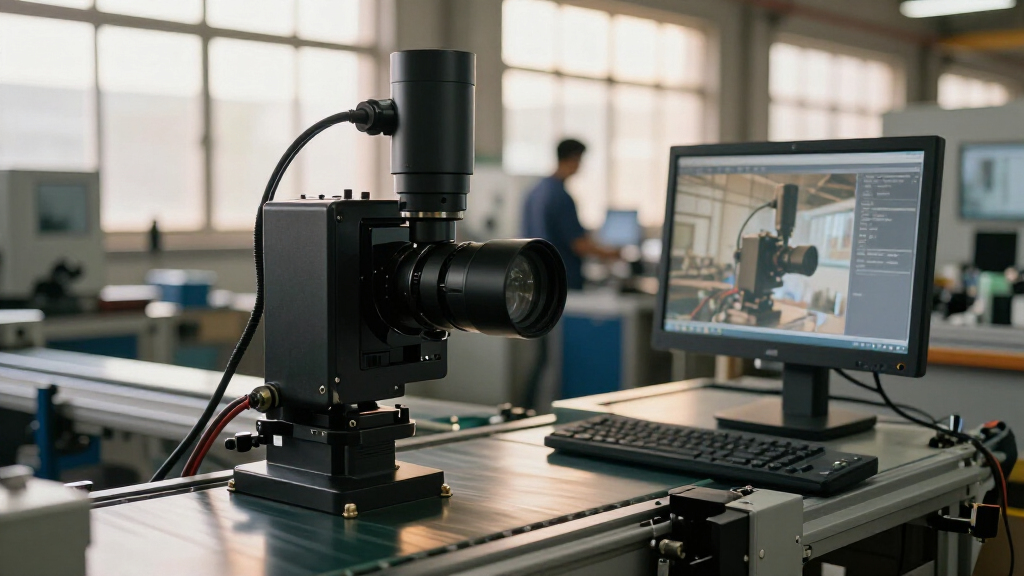
I compared these 11 cameras as components in computer vision systems, not as interchangeable webcams. The main criteria were shutter behavior for moving targets, resolution and frame rate, lens range and adjustment, connection type, and any specialized capability such as infrared illumination or onboard AI. I also weighed practical integration concerns: whether a camera appears suited to a host-computer workflow, how much setup a manual lens may require, and whether its strengths solve a defined vision task.
The ranking favors cameras with a clear role and a useful balance for common team workflows. Models with global shutters and flexible framing rank well for inspection and motion analysis; higher-resolution picks rise for detail-heavy work, but are not treated as universal upgrades. Specialized options rank for the teams that need their particular feature, while broad-use or beginner-friendly picks are judged on how easily their capabilities map to a real project. Product names and listed specifications guide this comparison; teams should confirm interface support, driver availability, and operating details with the manufacturer before committing to a deployment.
| industrial cameras for computer vision team | Interface |
|---|---|
| Yahboom 2K USB Industrial Came | USB, UVC |
| USB 3.0 Global Shutter Camera | USB 3.0 Type-C |
| Monochrome Global Shutter Dual | — |
| IFWATER 12MP Industrial USB 3. | USB 3.0, backward compatible with USB 2.0 |
| Arducam 1080p Day and Night US | USB 2.0 |
| QILOVE 1080p USB Industrial Ca | — |
| IFWATER 4K USB 3.0 Industrial | USB 3.0 Type-C |
| 2MP Global Shutter USB Camera | — |
| SVPRO 48MP USB Industrial Came | — |
| OpenMV N6 AI Machine Vision Ca | — |
| SVPRO USB 3.0 Global Shutter C | USB 3.0; backward compatible with USB 2.0 |
Factors to Consider When Choosing Industrial Cameras For Computer Vision Teams
Before choosing a camera, I’d define the imaging task and the conditions around it. A specification that looks strong on paper may not help if the target moves quickly, the lens cannot frame the working distance, or the computer cannot process the data stream. These broader checks can prevent a camera from becoming the weak link in a vision system.
Match shutter type to motion, not just resolution
For stationary objects, a rolling-shutter camera may be adequate, but fast movement can create skew or distortion that affects measurement and classification. A global shutter captures the scene without the same row-by-row exposure effect, making it a sensible starting point for conveyors, robotics, and moving parts. Do not assume a high frame rate alone fixes motion artifacts; shutter behavior and exposure time both matter. Shorter exposures can reduce blur, but they also capture less light, so illumination may need to improve. Test with the fastest and most reflective targets in the real scene, not only a static calibration chart. This check can prevent a resolution upgrade from masking the actual source of unreliable results.
Choose resolution around the smallest feature
Start by estimating how many pixels must cover the smallest defect or feature the model needs to detect. More pixels can support finer inspection, but they also increase data volume, storage needs, and demands on the host computer and network path. A camera’s megapixel count does not tell you whether the lens can resolve that detail across the full image. Teams sometimes buy a high-resolution model and then reduce its stream to meet processing limits, losing the benefit they paid for in engineering time. Consider the complete pipeline, including image preprocessing and inference throughput. Leave enough margin for changes in target position, lighting, and production speed.
Treat the lens as part of the measurement system
Lens choice controls field of view, working distance, focus, and how consistently measurements map to the physical scene. A varifocal lens is useful when framing is still being tuned or when one setup must cover different distances, but manual adjustment can make repeatability harder if the camera is moved. A wider field of view captures more context while shrinking each object in pixel terms; a longer focal length fills more of the frame but narrows the view. Check mounting, focus range, and distortion near image edges before designing fixtures around a camera. If the system will be serviced or repositioned, document lens settings and use a repeatable calibration process. Do not choose a zoom range by itself without checking the camera’s sensor and intended working distance.
Plan lighting and spectrum before buying the sensor
Reliable computer vision starts with repeatable images, and lighting often has more influence than a sensor upgrade. Visible-light color, monochrome imaging, and infrared each serve different tasks: color can help distinguish materials, monochrome can simplify intensity-based inspection, and IR can support certain low-light scenes. Built-in IR LEDs may be convenient for nearby subjects, but they do not replace a lighting plan for every distance, surface, or exposure requirement. Glossy parts, transparent materials, and changing ambient light can produce failures that no camera specification resolves alone. Check whether filters, illumination, and sensor response fit the scene you need to capture. Prototype with representative samples and the intended enclosure before finalizing the camera choice.
Verify the whole data path and software stack
A USB 3.0 label does not by itself guarantee that a camera will deliver its advertised stream through your chosen computer, cable, hub, and software. Confirm supported operating systems, drivers, SDK access, pixel formats, trigger options, and actual bandwidth needs with the manufacturer. Long cable runs, shared USB controllers, and multiple cameras can limit reliability even when a single-camera bench test works. For an embedded option such as an AI camera, check whether its supported models and development workflow fit the team’s toolchain. Build a small integration test early, before the mechanical design depends on a particular camera. This reduces the risk of discovering that image acquisition, synchronization, or deployment support is the real constraint.
Pay for capabilities your deployment will use
A prototype and a production inspection station have different priorities. A low-complexity USB camera may be enough for an early dataset or a controlled bench setup, while a production line may need consistent triggering, stable mounting, environmental protection, and documented long-term support. High resolution, extreme frame rates, and broad lens ranges can add integration and processing demands without improving a specific outcome. At the same time, paying more for a capability that removes a project bottleneck—such as global shutter for motion or onboard processing for a compact edge device—can save redesign work. Write down the failure modes the camera must prevent before comparing feature lists. That makes it easier to separate useful headroom from specifications the application will never use.
Frequently Asked Questions
Should my team choose a global shutter camera even if the objects move only occasionally?
Choose global shutter when occasional motion can invalidate a measurement, dataset, or quality decision, such as a part passing quickly through an inspection zone. If the subject is normally stationary and any movement can be paused before capture, a different camera may be adequate. Consider the cost of a distorted image: if it causes missed defects or repeated captures, the global shutter can be worthwhile even when motion is intermittent. Also check exposure time and available light, since global shutter does not eliminate blur from a long exposure. A short test with the fastest expected movement is more useful than choosing by shutter label alone.
When is a 12MP or 48MP camera a better choice than a 2MP global shutter model?
Higher resolution makes sense when the inspection depends on small details across the required field of view and the target is slow or stationary enough for the imaging setup. A 2MP global shutter option is often a stronger fit when motion distortion matters more than capturing tiny features. Compare pixels on the target, not only total sensor resolution, and check whether the lens can preserve that detail. High-resolution streams also require more storage and processing capacity, which can reduce practical throughput. If possible, test the smallest defect at the intended working distance with the planned lens and lighting.
Is a manual varifocal or zoom lens a good choice for a production camera?
It can be a good choice when the installation distance or field of view is not yet fixed, or when the camera must cover more than one setup. Manual adjustment adds risk if operators can move the lens or if the camera needs frequent replacement without recalibration. Once the desired framing is set, record the focal and focus positions and secure the setup according to the mount and application. For a stable production station, a fixed lens selected for the final geometry may be easier to maintain. The right choice depends on whether framing flexibility is a lasting need or only useful during commissioning.
Can an onboard AI camera replace a USB camera connected to a host computer?
An onboard AI camera can suit a compact application where inference near the sensor reduces the need for a separate processing computer. It is not automatically a replacement for a USB camera in a host-based workflow that depends on established image libraries, larger models, or centralized processing. Check supported model formats, development tools, output access, and how the device handles updates before building around it. A host-connected camera can offer more flexibility for teams already using a capable computer, while an embedded device may simplify a focused edge task. Prototype the full software path to see which setup fits your team’s deployment and maintenance skills.
What should I verify before ordering several cameras for a multi-camera system?
Confirm that the computer can support the combined bandwidth, ports, and processing load, rather than validating each camera separately. Check whether the cameras support the required trigger or synchronization method; matching frame-rate specifications do not mean their exposures will align. Verify driver behavior, cable length limits, USB controller sharing, and the availability of the pixel format your software expects. Also test for interference between lighting systems and for differences in image response across units. A multi-camera bench test using the planned host, cables, illumination, and acquisition software can reveal system limits before a larger purchase.
Conclusion
For a broad range of host-based inspection and motion tasks, my best overall choice is the USB 3.0 Global Shutter Camera with 3.6–10 mm Manual Varifocal Lens, because it pairs motion-conscious capture with adjustable framing. The best value depends on the project: the 2MP Global Shutter USB Camera with 90fps and 2.8–12mm 4X Manual Zoom Lens is a practical fit when motion handling and flexible framing matter more than resolution. For a best premium detail-focused option, consider the SVPRO 48MP USB Industrial Camera with 5–50mm Zoom Lens, provided the host and lens can make use of its resolution. The best for beginners is the Yahboom 2K USB Industrial Camera with its wide-angle lens and tripod for accessible prototyping, while teams building compact edge-AI projects should look at the OpenMV N6. For specific needs, choose the Arducam for day-and-night IR scenes, the monochrome dual-lens camera when its speed and imaging setup fit the task, or an IFWATER model when resolution and manual zoom range lead the decision. Before deployment, verify software support, exposure behavior, and the full camera-to-computer data path for your system.
Halloween Picks
halloween
As an affiliate, we earn on qualifying purchases.