
For AI workstation security, a monitor privacy screen can limit side-angle views of prompts, datasets, credentials, and model outputs, but it does not protect files or network traffic. I rank the SightPro 24-Inch 16:9 as the best overall choice for buyers seeking a dedicated single-monitor filter, while the Zspeed 24-Inch 2-Pack stands out for outfitting two matching displays and the SightPro 32-Inch suits larger monitors. The main tradeoffs are exact fit, attachment style, screen size, glare, and whether one filter or a pair better fits your workspace. A hanging screen can be easier to remove, while a magnetic design may be more convenient on a compatible display. Continue reading for the full comparison and a guide to choosing the right fit for your workstation.

Get business pricing on tech for your team
- Business-only prices and quantity discounts
- Tax-exempt purchasing
- Multiple users, one account, clear invoices
Complete the kit



Key Takeaways
- Exact monitor fit outranks brand features: the lineup includes 21–22-inch, 24-inch 16:9, and 32-inch options, so checking the panel’s visible dimensions and aspect ratio is the first step.
- Two-packs serve a distinct need: Zspeed, Halloive, and Vxaop offer pairs for matched displays or a spare, while single-screen picks avoid buying more filters than one workstation needs.
- Attachment style changes daily usability: InfoWALL and Zspeed use hanging, removable designs; Halloive uses magnetic attachment, which depends on display compatibility.
- Screen size determines the shortlist: SightPro’s 32-inch filter addresses a larger display, while the 24-inch models target the more common 16:9 monitor format.
- A privacy filter has a limited security role: it can reduce off-angle viewing, but does not replace access controls, screen locking, or protection for data stored and transmitted by the AI workstation.
| InfoWALL Hanging Privacy Screen Protector for 21–22-Inch Frameless Monitors |  | Best for Smaller Frameless Monitors | Compatible monitor size: 21–22 inches | Compatible monitor type: Frameless or raised bottom bezel up to 3 mm | Privacy angle: Full privacy at 30° and beyond | VIEW ON AMAZON | See Our Full Breakdown |
| Zspeed 24-Inch Monitor Privacy Screen, 2-Pack, Hanging and Removable |  | Best for Multi-Monitor Setups | Pack quantity: 2 | Compatible screen size: 24-inch widescreen monitors | Aspect ratio: 16:9 | VIEW ON AMAZON | See Our Full Breakdown |
| SightPro 32 Inch 16:9 Computer Privacy Screen Filter for Monitor – Privacy Shield and Anti-Glare Protector |  | Best for Large Workstation Displays | Compatible display: 32-inch, 16:9 monitor | Filter dimensions: 708 × 398 mm | Diagonal: 812 mm | VIEW ON AMAZON | See Our Full Breakdown |
| Halloive 24-Inch Magnetic Computer Privacy Screen, 2-Pack, 16:9 |  | Best for Fast Screen Sharing | Screen size and aspect ratio: 24 inches, 16:9 | Pack quantity: 2 | Dimensions: 54.08 × 30.54 cm | VIEW ON AMAZON | See Our Full Breakdown |
| Privacy Screen Filter for 24-Inch 16:9 Monitors |  | Best for Adjustable Glare Control | Compatible screen: 24-inch, 16:9 monitor | Visible area: 20 15/16 × 11 13/16 inches (532 × 299 mm) | Privacy angle: 30° to 180° from the left and right | VIEW ON AMAZON | See Our Full Breakdown |
| SightPro 24-Inch 16:9 Monitor Privacy Screen Filter |  | Best for Flexible Installation | Screen size: 24 inches | Aspect ratio: 16:9 | Filter dimensions: 20 15/16 × 11 13/16 inches (532 × 299 mm) | VIEW ON AMAZON | See Our Full Breakdown |
| Vxaop 2-Pack 24-Inch Computer Privacy Screen Filters, 16:9 |  | Best for Two-Monitor Setups | Quantity: 2 filters | Screen size: 24 inches | Aspect ratio: 16:9 | VIEW ON AMAZON | See Our Full Breakdown |
More Details on Our Top Picks
InfoWALL Hanging Privacy Screen Protector for 21–22-Inch Frameless Monitors
For an AI workstation built around a 21–22-inch frameless monitor, InfoWALL offers a simple way to limit casual side viewing without adding adhesive or permanent hardware. Its hanging design makes it easy to lift off when you need to share a screen, while the stated 30-degree privacy cutoff helps shield prompts, generated content, and account details from people beside you. The screen also lists 93% light transmittance alongside blue-light and UV blocking, a useful balance for extended desk sessions, though those figures do not replace good display positioning or workstation access controls. Compared with the 24-inch Zspeed two-pack, this is a better size match for smaller displays but covers fewer monitor setups. The glossy finish and strict fit requirements are the main compromises.
Pros:- Hanging design avoids adhesive and makes sharing mode quick to access.
- Designed for full privacy from 30 degrees and beyond.
- Lists 93% light transmittance with blue-light and UV blocking.
- Includes a cleaning cloth and test card.
Cons:- Compatibility is limited to specified 21–22-inch frameless or minimally raised-bezel monitors.
- Glossy finish may reflect overhead lights.
- Not water resistant.
Best for: AI workstation owners using a 21–22-inch frameless monitor who want a removable side-view barrier without adhesive installation.
Not ideal for: People with 24-inch or larger displays, raised bezels above 3 mm, or monitors that need a matte surface to control reflections.
- Compatible monitor size:21–22 inches
- Compatible monitor type:Frameless or raised bottom bezel up to 3 mm
- Privacy angle:Full privacy at 30° and beyond
- Light transmittance:93%
- Blue-light blocking:87%
- UV blocking:97%
- Material and hardness:Polycarbonate, 4H
- Dimensions:19.29 × 12.48 inches
Our verdict“Choose InfoWALL if your smaller frameless monitor matches its fit requirements and you want a removable privacy screen rather than a 24-inch option.”
Zspeed 24-Inch Monitor Privacy Screen, 2-Pack, Hanging and Removable
The clearest reason to pick Zspeed is its two-screen package: it can cover a matched pair of 24-inch displays, which matters when AI work is spread across a prompt window and a separate output or reference screen. Its hanging, adhesive-free mounting also makes each filter reusable and quick to remove for collaboration. The stated ±30-degree viewing limit targets side-on shoulder surfing, not someone directly behind you, so desk orientation still matters. Compared with the single-screen SightPro 32-inch filter, Zspeed suits dual-monitor desks but demands careful measurement because 24-inch displays can have different visible areas. Its glossy surface may add reflections, and its listed 3H hardness is lower than InfoWALL’s 4H figure.
Pros:- Two filters can cover a matched dual-monitor workstation.
- Hanging installation avoids adhesive residue and supports repeated removal.
- Reusable and washable construction.
- Lists blue-light blocking up to 96% and UV blocking up to 99%.
Cons:- Monitor dimensions vary, so the visible area must be checked for fit.
- Glossy finish can reflect room lighting.
- 3H hardness is a relatively modest scratch-resistance specification.
Best for: People running two compatible 24-inch, 16:9 monitors for AI development, data review, or content production who want removable filters on both screens.
Not ideal for: Buyers with one monitor, a non-16:9 display, or a preference for a matte finish; measuring the visible screen area is necessary before ordering.
- Pack quantity:2
- Compatible screen size:24-inch widescreen monitors
- Aspect ratio:16:9
- Screen dimensions:21 9/16 × 12 5/8 inches
- Viewing angle:±30°
- Blue-light blocking:Up to 96%
- UV blocking:Up to 99%
- Installation and finish:Hanging, removable, no adhesive; glossy
Our verdict“Choose Zspeed when you need removable privacy coverage for two compatible 24-inch monitors and can confirm both screen measurements.”
SightPro 32 Inch 16:9 Computer Privacy Screen Filter for Monitor – Privacy Shield and Anti-Glare Protector
Large displays can expose more than a single document: an AI workstation may show code, prompts, dashboards, and private reference material at once. SightPro’s 32-inch, 16:9 filter addresses that broader viewing area and offers two mounting routes: adhesive strips for a direct attachment or slide tabs for easier removal. Its microlouver film is described as blacking out side views while keeping the image clear head-on, and the anti-glare surface options add flexibility that the glossy InfoWALL and Zspeed screens do not provide. The tradeoff is fit precision: SightPro gives physical dimensions and advises measuring width and height rather than relying on diagonal size alone. The listed 2H hardness is also lower than InfoWALL’s 4H, and the filter cannot hide the screen from someone directly behind you.
Pros:- Large 32-inch format suits expansive workstation displays.
- Offers adhesive-strip and slide-mount installation choices.
- Anti-glare feature and glossy/matte finish options address varied lighting.
- Microlouver film is designed to darken side views while preserving a direct view.
Cons:- Requires matching the stated width and height rather than choosing by diagonal alone.
- 2H hardness is lower than the 4H rating listed for InfoWALL.
- Does not block visibility from directly behind the user.
Best for: AI professionals using a 32-inch, 16:9 monitor in a shared office or public workspace who want both fixed and removable mounting options.
Not ideal for: People with smaller monitors, those who cannot measure the display’s width and height, or anyone needing protection from a person seated directly behind them.
- Compatible display:32-inch, 16:9 monitor
- Filter dimensions:708 × 398 mm
- Diagonal:812 mm
- Material:Microlouver film
- Installation:Clear adhesive strips or slide-mount tabs
- Hardness:2H
- Finish and features:Glossy and matte with anti-glare, UV, and blue-light reduction
- Package contents:One filter, two sets of adhesive strips, two sets of slide mounts, and a cleaning cloth
Our verdict“Choose SightPro for a measured, compatible 32-inch workstation display when large-screen side privacy and flexible mounting matter more than a simple hanging fit.”
Halloive 24-Inch Magnetic Computer Privacy Screen, 2-Pack, 16:9
Halloive is the flexible pick for a 24-inch AI workstation where privacy needs change during the day. Its magnetic hanging design makes removal straightforward, and the two-pack is useful for dual-display setups. A reversible surface gives you a choice between glossy clarity and matte glare reduction, a distinction the glossy-only Zspeed package lacks. The listed 30–60-degree viewing angle and UV and blue-light filtration add workstation-focused protection, but this is not a complete visual-security boundary: the description says it does not block someone directly behind you. It may also soften sharpness and vibrancy, which can matter when inspecting fine code or image output. Check bezel compatibility before buying; InfoWALL’s stated fit guidance is more explicit about limited bezel clearance.
Pros:- Two filters suit a dual-monitor setup.
- Magnetic hanging design supports quick removal and reattachment.
- Reversible glossy and matte surfaces offer a choice between clarity and glare control.
- Washable and reusable, with listed UV and blue-light filtration.
Cons:- May not fit monitors with raised bezels.
- The filter can soften screen sharpness and vibrancy.
- Does not block visibility from directly behind the user.
Best for: Teams and individual AI workers with compatible 24-inch, 16:9 thin-bezel monitors who frequently switch between private work and screen sharing.
Not ideal for: Owners of raised-bezel monitors, users who need maximum image crispness, or desks where people can view the display from directly behind.
- Screen size and aspect ratio:24 inches, 16:9
- Pack quantity:2
- Dimensions:54.08 × 30.54 cm
- Installation:Magnetic hanging
- Viewing angle:30–60°
- UV filtration:99.9%
- Blue-light suppression:98%
- Surface and care:Reversible glossy and matte; washable and reusable
Our verdict“Choose Halloive if quick removal and reversible finishes matter more than preserving full display sharpness.”
Privacy Screen Filter for 24-Inch 16:9 Monitors
This 24-inch filter stands out for buyers who want to choose between matte glare reduction and a glossy surface described as providing stronger privacy. It also accommodates two mounting situations: adhesive strips for direct attachment and slide tabs for raised-bezel screens. That makes it more adaptable than the magnetic Halloive, which may not fit raised bezels, though it is a single-screen product rather than a two-pack. The stated side privacy range runs from 30° to 180°, but performance depends on the viewing conditions: the product notes that privacy works poorly in dimly lit areas. For an AI workstation used near windows or bright office lighting, that caveat matters. Measure the 20 15/16 × 11 13/16-inch visible area before ordering; diagonal size alone is not enough.
Pros:- Reversible matte and glossy surfaces let users choose glare reduction or stronger privacy.
- Adhesive strips and slide-mount tabs accommodate different screen frames.
- Designed to appear clear when viewed directly.
- Specified dimensions help buyers check fit against the visible screen area.
Cons:- Privacy effect does not work well in dimly lit areas.
- Accurate visible-area measurement is needed before ordering.
- The package is for one screen, unlike the Zspeed and Halloive two-packs.
Best for: Owners of a 24-inch, 16:9 monitor who need mounting choices for a raised bezel and want to switch between glare control and stronger privacy.
Not ideal for: People working mainly in dim rooms, buyers who need a two-screen package, or anyone unable to verify the exact visible screen area.
- Compatible screen:24-inch, 16:9 monitor
- Visible area:20 15/16 × 11 13/16 inches (532 × 299 mm)
- Privacy angle:30° to 180° from the left and right
- Finish:Reversible matte and glossy
- Installation:Double-sided adhesive strips or slide-mount tabs
- Package quantity:1
Our verdict“Choose this filter for a compatible 24-inch monitor when adjustable finish and raised-bezel mounting options matter more than low-light privacy.”
SightPro 24-Inch 16:9 Monitor Privacy Screen Filter
For an AI workstation where prompts, client records, or model outputs may be visible to passersby, this SightPro filter gives a clear, direct-view display while limiting side viewing. Its adhesive strips and slide mount tabs offer more fitting options than a single-method attachment, which can help when monitor bezels differ. Compared with the Vxaop 2-Pack, this is a single-filter purchase, but its product information is clearer about what comes in the box and includes a cleaning cloth. Anti-glare, UV, and blue-light reduction add comfort-oriented benefits alongside privacy. The boundary is physical: it does not block someone positioned directly behind you, and the slide tabs need a raised bezel. I’d choose it for one carefully matched monitor, not as a complete multi-screen solution.
Pros:- Limits side viewing while keeping the screen clear when viewed straight on
- Offers adhesive strips and slide mount tabs for different monitor fits
- Reduces glare, UV, and blue light
- Includes a microfiber cloth for cleaning
Cons:- Does not block visibility from directly behind the user
- Slide mount tabs require a raised bezel
- One filter does not cover a multi-monitor workstation
Best for: AI professionals securing one 24-inch 16:9 desktop or laptop monitor who want a choice of adhesive or tab mounting.
Not ideal for: Teams outfitting multiple monitors at once, or users whose monitor has no raised bezel and who prefer slide tabs over adhesive attachment.
- Screen size:24 inches
- Aspect ratio:16:9
- Filter dimensions:20 15/16 × 11 13/16 inches (532 × 299 mm)
- Compatible devices:Desktop and laptop monitors
- Features:Privacy protection, anti-glare, blue-light reduction
- Installation options:Adhesive strips or slide mount tabs
- Package contents:Privacy filter, two sets of adhesive strips, two sets of slide mount tabs, microfiber cleaning cloth
- Compliance:Section 889 and TAA compliant
Our verdict“Choose this for a single 24-inch workstation when flexible mounting and clearly specified installation accessories matter more than buying multiple filters together.”
Vxaop 2-Pack 24-Inch Computer Privacy Screen Filters, 16:9
For a dual-display AI workstation, the main draw is straightforward: two 24-inch filters in one pack let you add side-view privacy to both screens without mixing models. The listed 60° viewing angle gives a buyer a concrete reference for how the privacy effect is described, while the matte coating is intended to cut reflections. Compared with the single-filter SightPro 24-Inch, Vxaop is better suited to covering a paired setup, and it also lists a 9H hardness rating. The tradeoff is less certainty about the finish: product information describes it as both glossy and matte. It is also limited to 24-inch 16:9 displays, so a size mismatch can leave the filter unusable. I’d favor it for matching screens, not mixed-size workstation arrays.
Pros:- Two filters can cover a matching dual-monitor workstation
- Lists a 60° viewing angle for side-view privacy
- Matte coating is intended to reduce glare
- Offers adhesive and slide-mount installation options
Cons:- Compatible only with 24-inch 16:9 monitors
- Product information inconsistently lists glossy and matte finishes
- Privacy filtering does not protect against someone viewing the screens from directly behind
Best for: AI users with two matching 24-inch 16:9 monitors who want side-view privacy across both displays.
Not ideal for: People with ultrawide, mixed-size, or non-16:9 monitors, or buyers who need an unambiguous description of the screen finish.
- Quantity:2 filters
- Screen size:24 inches
- Aspect ratio:16:9
- Visible dimensions:20.9 × 11.73 inches
- Viewing angle:60°
- Blue light reduction:95%
- Hardness:9H
- Material:Polyethylene terephthalate
- Installation options:Adhesive or slide mount
Our verdict“Pick this two-pack for a pair of matching 24-inch 16:9 displays, but choose the SightPro instead if you need one filter and clearer finish details.”
How We Picked
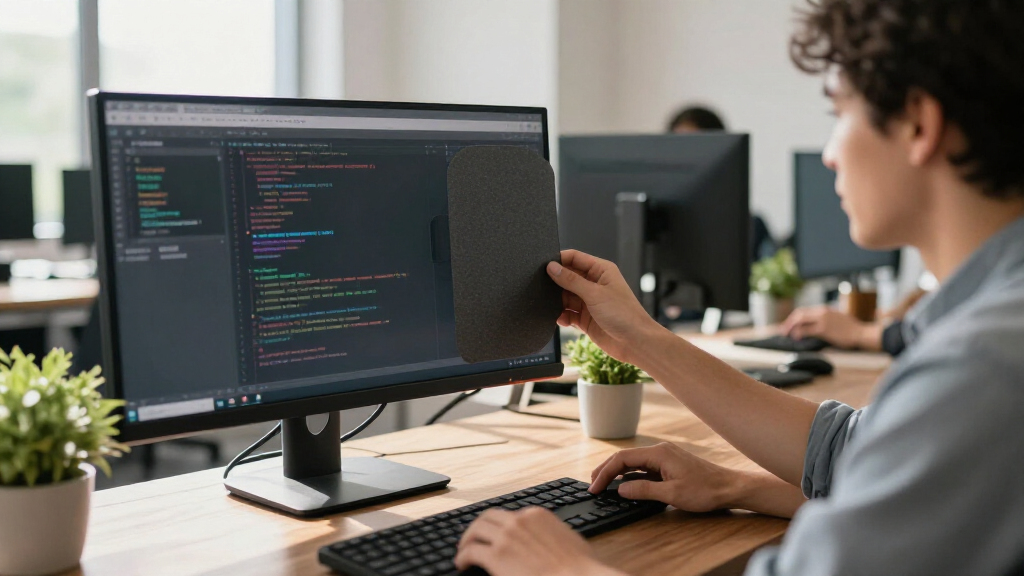
I compared these seven screens by the factors that matter for keeping an AI workstation’s visible information less exposed: monitor size and aspect-ratio fit, attachment approach, whether the listing provides one filter or two, and stated usability features such as anti-glare protection. I gave preference to options with a clear use case rather than treating every 24-inch filter as interchangeable. Product names and descriptions provide different levels of detail, so I avoid assuming unlisted specifications or compatibility.
The order favors a versatile single-screen pick first, then options with a distinct advantage for a particular setup. The SightPro 24-Inch leads as a focused 24-inch choice; the two-packs rank well for dual-monitor users but are less useful to a one-screen buyer. The 32-inch SightPro serves a narrower size requirement, while the remaining 24-inch filters are alternatives where fit, quantity, or attachment preference should guide the decision. No screen can secure workstation data beyond limiting some viewing angles.
Factors to Consider When Choosing Privacy Screens For Ai Workstation Security
Before choosing a privacy screen, I would start with the monitor and the room rather than the filter’s label. These broader checks help prevent a screen that fits poorly, interferes with daily work, or gives a false sense of security.
Match the Visible Panel, Not Just the Monitor’s Diagonal
A monitor’s advertised diagonal does not tell you whether a filter will match its full panel. Check the display’s visible width and height, aspect ratio, and whether the screen has a raised bezel or a frameless front. A 24-inch 16:9 product may not fit a monitor with a different shape or unusual bezel dimensions. Measure the image area rather than including the stand or outer housing. For AI workstations with more than one display size, treat each panel as a separate fit decision. A close but incorrect fit can leave exposed edges or obstruct part of the display.
Choose Attachment for How Often You Share the Desk
Attachment affects whether the filter stays on all day or comes off between private work sessions. Hanging designs can suit users who want a removable screen, while magnetic options depend on the monitor’s construction and the filter’s stated compatibility. Before buying, check whether the display has a suitable flat surface or bezel for the intended mounting method. Frequent removal makes handling and storage part of the decision, not an afterthought. In a shared office, a filter that is easy to put back may be more useful than one that is only convenient to remove. Do not assume that every magnetic monitor accepts a magnetic filter.
Decide Whether a Two-Pack Fits Your Actual Setup
A pair can be a sensible match for a dual-monitor workstation, but only when both screens have compatible dimensions and aspect ratios. If one monitor is larger or has a different shape, a two-pack may leave you with an unusable spare. A spare can be helpful if screens are replaced or moved between work areas, though it adds storage needs. Compare the number of filters with the number of displays you intend to cover now, not a hypothetical future setup. For a single monitor, a one-filter option keeps the choice simpler. For two monitors, confirm both panels before choosing a pack.
Balance Side-View Privacy Against Your Work Habits
Privacy filters are intended to make a display harder to read from off-center positions, but the effect depends on viewing angle, distance, brightness, and the room. A screen can reduce casual shoulder-surfing without stopping someone directly behind you or a camera pointed at the display. If you regularly collaborate around one monitor, restricting side views may also make shared viewing less convenient. Consider where colleagues, visitors, or passersby can stand relative to the workstation. Try to position the display so sensitive work faces away from traffic, rather than relying on a filter alone. Treat the filter as one layer in a broader privacy plan.
Check Glare, Clarity, and Screen Brightness Expectations
Privacy and viewing comfort can pull in different directions, especially in bright offices or when a display already has a reflective surface. An anti-glare claim may matter to someone working near windows, but it does not establish that a filter will preserve the same appearance or brightness as a bare panel. Check the product details for stated optical or finish information instead of assuming all filters behave alike. Users reviewing fine text, color-sensitive images, or detailed model outputs should be especially attentive to clarity needs. A filter that makes the display uncomfortable may be removed when privacy matters most. Where possible, verify the return and compatibility terms before committing.
Treat Screen Privacy as One Layer of Workstation Security
A privacy screen only addresses what someone may see on the monitor from certain positions. It does not encrypt local datasets, prevent unauthorized account access, secure remote sessions, or stop screenshots and cameras. For AI work, pair visual privacy with automatic screen locking, strong authentication, role-based access, and careful handling of prompts and outputs. Also consider whether notifications reveal sensitive names or project details while the workstation is unattended. A well-fitted filter is most useful when the screen is positioned thoughtfully and the operating system is secured. Avoid treating a privacy accessory as a substitute for technical or workplace controls.
Frequently Asked Questions
Will a privacy screen protect AI prompts and datasets from every person nearby?
No. A filter can make the display harder to read from some side angles, but someone close to the screen or standing directly in front may still see its contents. Results also depend on the monitor, viewing angle, lighting, and how the filter fits. For sensitive prompts or datasets, position the workstation away from foot traffic and use a short screen-lock timeout. Account permissions and secure storage remain necessary because the filter does not protect digital access.
How do I know whether a 24-inch filter will fit my monitor?
Check the monitor’s aspect ratio and the measurements of its visible display area, then compare them with the filter’s stated compatibility information. The diagonal measurement alone is not enough, since bezels and panel proportions vary. These products include several 24-inch 16:9 choices, but that label does not prove that every 24-inch monitor will fit. If your display is curved, unusually framed, or close to the listed dimensions, verify fit details before ordering. A mismatch can leave part of the image uncovered or make attachment unreliable.
Should I choose a two-pack if I use two monitors for AI work?
A two-pack can simplify covering a matched pair, but only if both monitors have compatible sizes and aspect ratios. The Zspeed, Halloive, and Vxaop options each provide two filters, while the single-screen choices may suit a workstation with one display or mixed monitor sizes. Measure both panels separately rather than assuming they match. If one screen is larger, a two-pack may not solve the whole setup. Decide whether a spare filter has practical value or would simply remain unused.
Is a magnetic privacy screen a better choice than a hanging one?
Neither attachment style is automatically better; the right choice depends on the monitor and how you use the workstation. A magnetic filter may be quick to place or remove when the display supports that attachment, while a hanging design is an alternative for users who prefer a removable screen without relying on magnets. Check the product’s compatibility details and the monitor’s bezel before choosing. Frequent removal also means you need a safe place to store the filter. If compatibility is uncertain, do not assume the attachment will work based on the product name alone.
Do I need a 32-inch filter if my AI workstation has a large monitor?
A 32-inch option is worth considering only if its stated proportions and dimensions match your monitor’s visible panel. A larger diagonal does not guarantee an exact fit, especially if the display uses a different aspect ratio. The SightPro 32-inch listing is the lineup’s large-screen choice, while the 24-inch models are for a different size class. Confirm measurements before ordering, and check whether your monitor’s shape affects how the filter attaches. If your screen is smaller, a correctly sized 24-inch or 21–22-inch option is a better starting point.
Conclusion
My best overall pick is the SightPro 24-Inch 16:9 for a buyer whose monitor matches that format and who wants a single dedicated filter. For best value by setup, I would choose the Zspeed 24-Inch 2-Pack when two compatible displays need coverage; the Halloive and Vxaop two-packs are alternatives if their attachment or fit details better suit the monitors. The best premium-size choice is the SightPro 32-Inch for a matching large display, not a general upgrade for every workstation. For beginners, I would start by measuring the monitor and choosing the simplest compatible single-screen option, with the InfoWALL serving 21–22-inch frameless displays. For specific needs, choose a removable hanging design such as InfoWALL or Zspeed when taking the filter off matters, or consider Halloive’s magnetic option only when the display supports it. Match the screen to the monitor first, then use it alongside device and account security rather than as a replacement.
Columbus Day / Indigenous Peoples' Day Picks
long weekend sales
As an affiliate, we earn on qualifying purchases.