For artists and creative professionals integrating digital art into AI workflows, choosing the right scanner can make a significant difference. The best models balance high resolution, color accuracy, and speed to seamlessly convert physical artwork into digital assets. The Epson Expression 13000XL stands out as the top overall choice for large-format, high-quality scans, while the VIISAN VF3240 offers fast, A3-sized scans perfect for quick project turnaround. However, tradeoffs often involve balancing resolution against speed or price, making the decision complex. Continue reading to see how these options compare and which best suits your workflow needs.

Get tech for your team delivered free — and shop member deals
- Fast, free delivery on millions of items
- Access to Prime Big Deal Days deals on October 6–7
- Prime Video, Amazon Music and more included
Key Takeaways
- High-resolution scanners like the Epson Expression 13000XL excel in detailed art reproduction but come at a higher price point.
- Speed is a major factor; models like the Epson FastFoto FF-680W provide rapid scans suitable for large batches, ideal for high-volume workflows.
- Flatbed scanners are better for delicate or textured artwork, while document scanners favor speed and simplicity for flat, clean pieces.
- Refurbished or compact models offer great value but may sacrifice some resolution or build quality for affordability.
- Balancing resolution, speed, and cost is essential; the best choice depends on whether you prioritize detail, efficiency, or budget.
| Epson Expression 13000XL Large Format Flatbed Photo Scanner |  | Best for Large-Format Art and High-Resolution Scanning | Maximum Media Size: 12.2 x 17.2 inches | Optical Resolution: 2400 x 4800 dpi | Color Depth: 48-bit | VIEW ON AMAZON | See Our Full Breakdown |
| Epson Perfection V19 II Flatbed Photo Scanner 4800 dpi |  | Best for Compact, High-Resolution Personal Use | Optical Resolution: 4800 dpi | Weight: 3.1 lbs | Connectivity: USB | VIEW ON AMAZON | See Our Full Breakdown |
| VIISAN VF3240 A3 Scanner – Fast 4-Second Scan, 2400 DPI High Resolution, Frameless Auto-Scan |  | Best for Large-Format, High-Volume Digitization | Maximum Media Size: A3 (12 x 17 inches) | Resolution: 2400 DPI | Color Depth: 48-bit | VIEW ON AMAZON | See Our Full Breakdown |
| Epson FastFoto FF-680W High-Speed Duplex Photo and Document Scanner |  | Best for Rapid Photo and Document Archiving | Scan Speed: 1 photo/sec | Maximum Photo Size: 8 x 10 inches | DPI Options: 300, 600, 1200 | VIEW ON AMAZON | See Our Full Breakdown |
| Epson Perfection V39 II Flatbed Photo Scanner 4800 dpi |  | Best for Budget-Friendly Detailed Scans | Optical Resolution: 4800 dpi | Connectivity: USB | Removable Lid: Yes | VIEW ON AMAZON | See Our Full Breakdown |
| Epson Workforce ES-400 II High-Speed Color Duplex Desktop Document Scanner |  | Best Overall for Efficient Large-Scale Digitization | Auto Document Feeder: 50 sheets | Connectivity: USB | Scanning Speed: High-speed | VIEW ON AMAZON | See Our Full Breakdown |
| VIISAN VF3240 Large Format Flatbed Scanner – A3 Size, 2400 DPI, Factory Refurbished |  | Best for High-Resolution Large Format Art Capture | Size: A3 (297 × 420 mm) | Resolution: 2400 DPI | Color Depth: 48-bit | VIEW ON AMAZON | See Our Full Breakdown |
| ScanSnap iX2400 High-Speed One-Touch Button Color Document Scanner, Black |  | Best for Quick, On-the-Go Art Digitization | Speed: 45 pages per minute | Feeder Capacity: 100 sheets | Connectivity: Wired USB | VIEW ON AMAZON | See Our Full Breakdown |
| scanners for digitizing art into ai workflow | Connectivity | Color Depth | Scan Speed |
|---|---|---|---|
| Epson Expression 13000XL Large | USB (implied, typical for large format scanners) | 48-bit | — |
| Epson Perfection V19 II Flatbe | USB | 48-bit | — |
| VIISAN VF3240 A3 Scanner | — | 48-bit | 4 seconds for A3 |
| Epson FastFoto FF-680W High-Sp | USB, Wireless | — | 1 photo/sec |
| Epson Perfection V39 II Flatbe | USB | — | 10 seconds for letter |
| Epson Workforce ES-400 II High | USB | — | — |
| VIISAN VF3240 Large Format Fla | TWAIN/WIA (Windows), ICA (macOS) | 48-bit | 4 seconds for A3 at 200 DPI |
| ScanSnap iX2400 High-Speed One | Wired USB | — | — |
More Details on Our Top Picks
Epson Expression 13000XL Large Format Flatbed Photo Scanner
The Epson Expression 13000XL stands out for its ability to handle large-format media up to 12.2″ x 17.2″, making it ideal for digitizing oversized artwork and detailed prints. Its high resolution of 2400 x 4800 dpi ensures exceptional clarity, surpassing smaller scanners like the Epson Perfection V39 II, which, while more compact, offers only 4800 dpi at a smaller scale. The inclusion of Epson Micro Step Drive technology and a 3.8 Dmax delivers vibrant, true-to-original color and contrast, essential for accurate AI training datasets. The optional transparency unit extends its versatility but adds extra cost and setup complexity. Batch scanning and bundled software like SilverFast Ai enhance productivity, though the larger size and higher price tag are notable tradeoffs. This scanner makes the most sense for professionals working with large, high-quality art or archival materials.
Pros:- Handles large-format media up to 12.2″ x 17.2″ for oversized artwork
- High resolution of 2400 x 4800 dpi ensures detailed scans
- Exceptional color accuracy with Epson MatrixCCD technology
- Batch scanning capability increases productivity
Cons:- Large physical footprint may require dedicated space
- Higher price point compared to smaller, less capable models
- Optional transparency unit adds cost and complexity
Best for: Artists, archivists, and professionals needing large-format, high-res scans for AI workflows.
Not ideal for: Casual users or those working exclusively with small or standard-sized images due to its size and cost.
- Maximum Media Size:12.2 x 17.2 inches
- Optical Resolution:2400 x 4800 dpi
- Color Depth:48-bit
- Scanning Technology:Epson Micro Step Drive, MatrixCCD
- Dust and Restoration Features:Automatic dust removal, Easy Photo Fix
- Connectivity:USB (implied, typical for large format scanners)
Our verdict“This scanner is best suited for high-end, large-format art digitization where quality and size matter most.”
Epson Perfection V19 II Flatbed Photo Scanner 4800 dpi
The Epson Perfection V19 II offers a compact solution for high-resolution scanning at 4800 dpi, making it ideal for detailed artwork, photos, and documents in small spaces. Compared with the Epson FastFoto FF-680W, which is faster and designed for bulk photo scanning, the V19 II excels in resolution but lacks speed and bulk capacity. Its lightweight, USB-powered design makes it highly portable, suitable for artists or hobbyists who need quality scans on the go. While it provides excellent detail, its size limits it to standard letter-sized media, and it doesn’t support wireless connectivity, which could hinder quick sharing or multi-device workflows. Its ease of use and restored color features make it a versatile choice for personal projects but less suited for high-volume or professional environments.
Pros:- High-resolution 4800 dpi for detailed artwork and photos
- Compact, lightweight, USB-powered for portability
- One-touch scanning with color restoration features
- Creates searchable PDFs and editable documents
Cons:- Limited to letter-sized media, restricting larger artwork
- No wireless connectivity, less convenient for multi-device workflows
- Slower batch processing compared to high-speed dedicated scanners
Best for: Hobbyists, small-scale artists, and professionals needing detailed scans in a portable, desktop form factor.
Not ideal for: Large-scale or batch digitization projects, due to its size limitations and slower scan speeds.
- Optical Resolution:4800 dpi
- Weight:3.1 lbs
- Connectivity:USB
- Features:One-touch scan, Easy Photo Fix, OCR
- Maximum Document Size:Letter
- Color Depth:48-bit
Our verdict“This scanner is ideal for users prioritizing portability and detailed scans over volume and size versatility.”
VIISAN VF3240 A3 Scanner – Fast 4-Second Scan, 2400 DPI High Resolution, Frameless Auto-Scan
The VIISAN VF3240 is designed for high-volume environments needing fast, high-resolution scans of large documents up to A3 size. Its 2400 DPI resolution delivers crisp, detailed images, comparable to smaller flatbeds like the Epson V39 II, but with the advantage of rapid 4-second scans. The frameless, edge-to-edge design simplifies capturing entire artworks or large CAD drawings without cropping, making it ideal for architectural firms or offices. Compatibility with Windows and MacOS broadens its usability, but WIA driver limitations on Windows restrict full resolution at 600 DPI, and it cannot handle 3D objects or textured media. Its auto-scan feature streamlines workflows but makes it less flexible for irregular or fragile materials.
Pros:- Fast 4-second scan speed for A3 documents
- High resolution of 2400 DPI ensures detailed captures
- Frameless, edge-to-edge scanning for complete artwork coverage
- Auto-scan feature improves workflow efficiency
Cons:- Limited to flat, non-textured media, not suitable for 3D objects
- WIA driver on Windows restricts full resolution at 600 DPI
- Requires full MacOS ICA driver for optimal resolution
Best for: Architects, engineers, and offices needing quick, detailed scans of large-format, flat media in high volume.
Not ideal for: Artists or archivists working with textured, fragile, or non-flat materials, due to its flatbed-only design.
- Maximum Media Size:A3 (12 x 17 inches)
- Resolution:2400 DPI
- Color Depth:48-bit
- Scan Speed:4 seconds for A3
- Compatibility:Windows, MacOS
- Sensor Type:CIS
Our verdict“This scanner is best suited for large-format, high-volume, flat media digitization in technical or professional settings.”
Epson FastFoto FF-680W High-Speed Duplex Photo and Document Scanner
The Epson FastFoto FF-680W excels in high-speed digitization, capable of scanning a photo every second and handling up to 240 pages in a batch. Its duplex scanning captures both sides simultaneously, making it perfect for archiving large collections of photos or documents. Compared to the Epson V39 II, which offers higher resolution but slower speed, the FF-680W prioritizes efficiency, especially with its wireless connectivity for easy sharing and backup. Automatic enhancements like red-eye reduction and OCR simplify post-processing, but its size and cost make it less appealing for occasional use or small collections. The device is geared toward professionals or enthusiasts with extensive digitization needs, rather than casual users.
Pros:- High-speed scanning at 1 photo per second
- Duplex scanning saves time and captures both sides
- Wireless connectivity for seamless sharing and backup
- Automatic photo enhancement and OCR
Cons:- Relatively high cost for casual or hobbyist use
- Large footprint requiring dedicated space
- Setup and software configuration needed for optimal operation
Best for: Photographers, archivists, or offices needing rapid, large-scale digitization and easy sharing.
Not ideal for: Users with small or infrequent digitization needs, due to its higher cost and bulk.
- Scan Speed:1 photo/sec
- Maximum Photo Size:8 x 10 inches
- DPI Options:300, 600, 1200
- Connectivity:USB, Wireless
- Document Capacity:Up to 240 pages
- Scan Speed (documents):45 ppm / 90 ipm
Our verdict“This scanner is best for high-volume, fast-paced photo and document archiving where speed and connectivity matter most.”
Epson Perfection V39 II Flatbed Photo Scanner 4800 dpi
The Epson Perfection V39 II offers a straightforward, space-saving solution for high-resolution scans up to 4800 dpi, making it suitable for artists and home users needing detailed reproductions. While it shares similar resolution specs with the Epson V19 II, its slightly larger size and removable lid enhance usability for larger artwork or irregularly shaped items. Its one-touch operation simplifies frequent scanning tasks, and Easy Photo Fix technology helps restore faded photos, which is valuable for digitizing vintage art or photos. However, its lack of wireless connectivity and absence of document handling features limit its flexibility for multi-purpose workflows. This model suits individuals with modest volume needs but high-quality expectations.
Pros:- High-resolution 4800 dpi for detailed image reproduction
- Compact and lightweight with USB power for portability
- Easy one-touch scanning and photo restoration features
- Removable lid for versatile media handling
Cons:- No wireless connectivity limits quick sharing
- Lacks document feeder or batch scanning features
- Basic features may lack advanced editing tools
Best for: Home artists, hobbyists, or small offices seeking high-res scans with minimal complexity.
Not ideal for: High-volume or professional environments requiring faster throughput or wireless sharing capabilities.
- Optical Resolution:4800 dpi
- Connectivity:USB
- Removable Lid:Yes
- Scan Speed:10 seconds for letter
- Size:Compact
- Features:Photo Fix, high-res scanning
Our verdict“This scanner is best for budget-conscious users who prioritize quality and portability over speed and advanced features.”
Epson Workforce ES-400 II High-Speed Color Duplex Desktop Document Scanner
The Epson Workforce ES-400 II stands out for its high-speed scanning capacity, making it ideal for those who need to digitize large batches of artwork quickly and reliably. Compared to the ScanSnap iX2400, it offers a significantly faster throughput with a 50-sheet auto feeder, which is a game-changer for extensive workflows. Its duplex scanning and OCR capabilities ensure that digital art can be converted into editable and searchable files, streamlining integration into AI workflows. However, its primary design for office environments means it’s less suitable for casual or home artists, and the USB-only connectivity limits flexibility. The robust paper handling, combined with reliable image adjustments like auto crop and background removal, makes this a solid choice for professional settings. Still, the higher cost and bulk may deter smaller-scale users.
Pros:- Fast scanning with a 50-sheet auto document feeder
- Robust OCR and cloud integration for AI workflows
- Reliable double feed detection and advanced image adjustments
Cons:- Designed mainly for office use, limiting flexibility for casual artists
- Limited to USB connection, no wireless option
- Potentially high cost for individual or home users
Best for: Medium to large art studios or institutions needing fast, bulk digitization with seamless workflow integration
Not ideal for: Individual artists working on a small scale or those seeking wireless, portable solutions
- Auto Document Feeder:50 sheets
- Connectivity:USB
- Scanning Speed:High-speed
- Duplex Scanning:Yes
- OCR:Yes
- Double Feed Detection:Ultrasonic
- Image Adjustments:Auto crop, blank page removal, background removal
Our verdict“This scanner is best suited for professionals needing high-volume, reliable scans integrated into AI art workflows.”
VIISAN VF3240 Large Format Flatbed Scanner – A3 Size, 2400 DPI, Factory Refurbished
The VIISAN VF3240 excels in capturing detailed, high-resolution images of large artworks, making it a strong choice for artists and institutions needing crisp digital reproductions. Its 2400 DPI resolution surpasses many competitors like the Epson V39 II, ensuring fine details are preserved for AI training datasets. The A3 size capability means it can handle larger artworks, books, or scans of multiple small pieces at once, which is less feasible with standard flatbeds. While its speed of 4 seconds for A3 at 200 DPI offers quick turnaround, being a refurbished model introduces minor cosmetic risks and requires driver downloads, which could complicate setup. Its limited size makes it less suitable for those needing to scan larger works or multiple formats simultaneously.
Pros:- High-resolution 2400 DPI scans for detailed digital art
- Supports large A3 documents, photos, and books
- Fast 4-second scan speed for A3 size
Cons:- Refurbished condition may show minor cosmetic imperfections
- Requires official driver download and setup complexity
- Limited to A3 format, not suitable for larger or smaller formats
Best for: Professional artists, archivists, or educational institutions needing high-detail, large-format scans for AI workflows
Not ideal for: Casual hobbyists or those requiring portable, wireless scanning solutions
- Size:A3 (297 × 420 mm)
- Resolution:2400 DPI
- Color Depth:48-bit
- Scan Speed:4 seconds for A3 at 200 DPI
- Connectivity:TWAIN/WIA (Windows), ICA (macOS)
- Condition:Factory Refurbished
Our verdict“This flatbed is tailored for professionals needing precise, large-format digital reproductions for AI workflows.”
ScanSnap iX2400 High-Speed One-Touch Button Color Document Scanner, Black
The ScanSnap iX2400 offers rapid, one-touch scanning ideal for artists or small teams who need to digitize artwork, sketches, or documents quickly. Its ability to scan 45 pages per minute and 100-sheet capacity makes it suitable for batch processing, much faster than the Epson ES-400 II’s office-oriented design. Its automatic detection, cleanup, and organization features help streamline files into AI-ready formats, though its wired connection limits flexibility compared to wireless models. While it excels in speed and ease of use, it’s less suited for detailed large-format art or for workflows involving complex image adjustments. Its higher price point reflects the convenience and speed it delivers but might be prohibitive for casual or hobbyist use.
Pros:- Fast scanning at 45 pages per minute
- Automatic detection and cleanup for organized files
- Reliable wired USB connection
Cons:- No wireless or mobile app compatibility
- Limited to small-format documents and artwork
- Higher cost for advanced features compared to simpler models
Best for: Small studios, artists, or professionals needing rapid, organized scans of multiple small-format artworks or documents
Not ideal for: Artists working with large or high-resolution artworks that require detailed captures or wireless flexibility
- Speed:45 pages per minute
- Feeder Capacity:100 sheets
- Connectivity:Wired USB
- Color:Black
Our verdict“This scanner is best suited for fast, organized digitization of small artworks and documents in professional settings.”
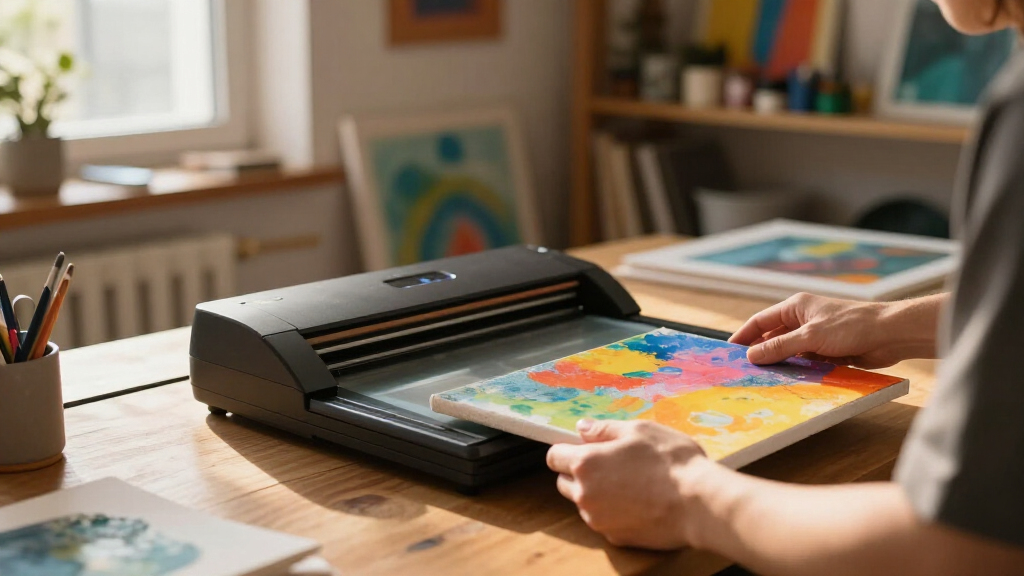
How We Picked
We evaluated these scanners based on their ability to produce high-quality digital reproductions suitable for AI workflows. Key criteria included resolution (DPI), color accuracy, scan speed, build quality, ease of use, and compatibility with digital editing tools. Additional considerations were the size and format support, as well as long-term value and reliability. Products were ranked to offer a range of options—from high-end, professional-grade units to more affordable, entry-level models—ensuring that different user needs and budgets are addressed. Our selections reflect a balance between performance and practicality, emphasizing real-world utility for artists and AI practitioners alike.| scanners for digitizing art into ai workflow | Connectivity |
|---|---|
| Epson Expression 13000XL Large | USB (implied, typical for large format scanners) |
| Epson Perfection V19 II Flatbe | USB |
| VIISAN VF3240 A3 Scanner | — |
| Epson FastFoto FF-680W High-Sp | USB, Wireless |
| Epson Perfection V39 II Flatbe | USB |
| Epson Workforce ES-400 II High | USB |
| VIISAN VF3240 Large Format Fla | TWAIN/WIA (Windows), ICA (macOS) |
| ScanSnap iX2400 High-Speed One | Wired USB |
Factors to Consider When Choosing Scanners For Digitizing Art Into Ai Workflows
Choosing the right scanner for digitizing art into AI workflows requires careful consideration of several factors. Beyond resolution and speed, understanding how a scanner handles color fidelity, texture, and large formats can significantly impact your results. It’s also important to consider ease of use and integration with your existing digital tools. By weighing these elements, you can select a model that not only meets your current needs but also scales with your future projects.Resolution and Color Fidelity
High resolution (measured in DPI) ensures that fine details and textures are preserved, which is crucial for detailed artwork used in AI training or generation. Color fidelity is equally important, especially when accurate color reproduction impacts the quality of AI outputs. Investing in a scanner with at least 4800 DPI and good color calibration capabilities will give you more precise digital copies and better AI training data.
Scan Speed and Batch Processing
If you frequently digitize large volumes of artwork, scan speed becomes a key factor. Models like the Epson FastFoto are designed for rapid batch scans, reducing downtime between projects. However, faster scanners may compromise on resolution or detail, so balancing speed with quality based on your workflow volume and quality needs is essential.
Format Support and Size
Consider the maximum format and size your scanner can handle, especially if you work with large or oversized art. Flatbed scanners typically support larger formats like A3 or even bigger, making them suitable for detailed, high-quality reproductions. Document scanners are more limited but excel in speed for flat, standard-sized pieces. Ensuring your scanner supports your typical artwork dimensions prevents frustrating re-scans or cropping issues.
Ease of Use and Software Compatibility
Ease of operation, including intuitive interfaces and automatic features, can save time and reduce errors. Compatibility with your editing and AI tools is also important—look for scanners that come with or support software that facilitates color correction, clean-up, or direct integration into your digital pipeline. Reliable drivers and software updates contribute to a smoother workflow over time.
Long-Term Value and Reliability
Investing in a durable, well-built scanner can improve consistency and reduce maintenance costs. While high-end models offer superior performance, they often come with higher upfront costs. Balancing initial investment with expected usage and longevity ensures your scanner remains a valuable tool for years, especially if you plan to scale your digitization efforts.
Frequently Asked Questions
Is a flatbed scanner better than a document scanner for art digitization?
Flatbed scanners generally provide higher resolution and better color accuracy, making them ideal for detailed, textured artwork. Their larger scanning surfaces accommodate bigger pieces, which is advantageous for high-quality reproductions. Document scanners, on the other hand, are designed for speed and simplicity, often sacrificing resolution and color fidelity. They work well if your artwork is flat, standard-sized, and you prioritize efficiency over detail. Choosing between them depends on your artwork type and the quality requirements for AI workflows.
How important is resolution for AI training datasets?
Resolution plays a critical role in capturing fine details and textures, which are essential for creating high-quality AI training data. A higher DPI, such as 4800 or above, ensures that subtle nuances in artwork are preserved, leading to more accurate AI models. However, higher resolution scans generate larger files, which may require more storage and processing power. Balancing resolution with your hardware capabilities and AI needs is key to optimizing your workflow.
Can I use a consumer-grade scanner for professional AI projects?
While many consumer-grade scanners can produce decent digital copies, professional projects often demand higher resolution, color accuracy, and build quality. Entry-level models may struggle with large formats or textured surfaces, potentially introducing artifacts or inconsistencies. For serious AI applications, investing in a higher-end scanner ensures consistent quality, which is crucial when building training datasets or generating outputs. The choice depends on your project scope and quality standards.
What features should I prioritize if I work with mixed media artwork?
For mixed media or textured artwork, flatbed scanners with high resolution and good color calibration are essential. Features like transparency adapters or multi-spectral modes can also help capture different media types accurately. Additionally, a large format size allows for scanning larger pieces without cropping. Prioritizing scanners with adjustable settings for color correction and texture preservation will help maintain the integrity of your artwork in digital form.
Is speed more important than resolution in a scanner for AI workflows?
The importance of speed versus resolution depends on your workflow volume and quality needs. If you frequently digitize large batches of artwork, a faster scanner can significantly improve productivity, even if it compromises slightly on resolution. Conversely, for projects requiring detailed AI training datasets, higher resolution is more critical, and slower scans may be justified. Striking the right balance ensures you meet your project timelines without sacrificing necessary quality.
Conclusion
For those seeking the best all-around performance, the Epson Expression 13000XL offers exceptional detail and large-format support, making it ideal for professional artists and AI developers. Budget-conscious users or hobbyists will find the Epson Perfection V39 II a reliable choice, providing solid resolution at a lower price point. Beginners or small-scale creators should consider simple, high-speed models like the ScanSnap iX2400 for quick digitization without fuss. If your work involves textured or delicate artwork, a flatbed scanner with high resolution is essential. Ultimately, your choice hinges on balancing resolution, speed, size, and budget to fit your specific art and AI workflow needs.
Halloween Picks
halloween
As an affiliate, we earn on qualifying purchases.