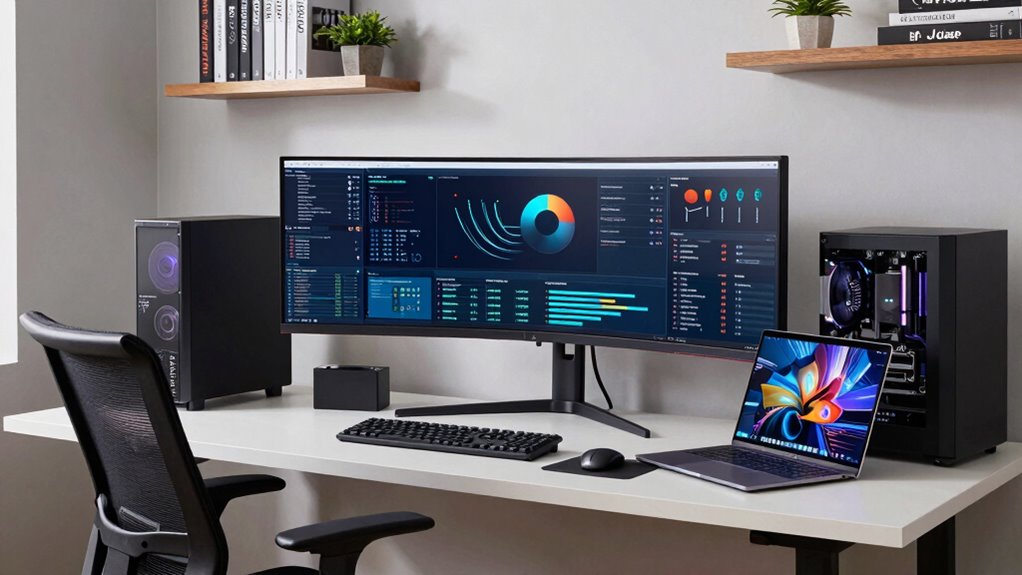

Choosing the right workstation for data science at home involves balancing performance, expandability, and budget. The Lenovo ThinkStation P3 Tower stands out as the best overall choice, offering a powerful combination of CPU, RAM, and GPU. For those seeking raw processing power, the Sentinel Threadripper PRO 9995WX delivers unmatched specs, but at a high cost. Meanwhile, budget-conscious buyers might prefer the Dell Pro Tower Business Desktop for dependable performance at a lower price. Each option presents tradeoffs between cost, performance, and future-proofing. Keep reading for a detailed breakdown of these workstations and how to choose the right one for your data science needs.

Get business pricing on tech for your team
- Business-only prices and quantity discounts
- Tax-exempt purchasing
- Multiple users, one account, clear invoices
Complete the kit



Key Takeaways
- High core-count CPUs and large RAM capacity are essential for handling large datasets efficiently.
- GPU power varies significantly; high-end NVIDIA or RTX cards improve model training times but increase costs.
- Expandability options like multiple PCIe slots and storage bays are crucial for future upgrades and data storage needs.
- Balance performance with budget: premium models offer unmatched speed, but mid-range options can still meet most data science tasks.
- Build quality and warranty support matter for long-term reliability, especially for intensive workloads.
| Lenovo ThinkStation P3 Tower with Intel Core Ultra 9 285, 64GB DDR5, NVIDIA RTX 2000 |  | Best Overall for Demanding Data Science Workloads | Processor: Intel Core Ultra 9 285 vPro | Graphics: NVIDIA RTX 2000 | Memory: 64GB DDR5-5600MT/s | VIEW ON AMAZON | See Our Full Breakdown |
| CLX Horus Creator Workstation – AMD Ryzen Threadripper 7960X, GeForce RTX 5080, 1TB NVMe SSD, 4TB HDD, 32GB DDR5 ECC, 360mm AIO, WiFi, Windows 11 Home, Black |  | Best for High-End Creative and Data Science Tasks | Processor: AMD Ryzen Threadripper 7960X, 24 cores | Graphics Card: GeForce RTX 5080, 16GB GDDR7 | Memory: 32GB DDR5 ECC | VIEW ON AMAZON | See Our Full Breakdown |
| Dell Tower Desktop with Intel Core Ultra 7-265, 32GB RAM, Windows 11 Home |  | Best for Budget-Friendly Data Science Entry-Level Use | Processor: Intel Core Ultra 7-265 | RAM: 32GB | Operating System: Windows 11 Home | VIEW ON AMAZON | See Our Full Breakdown |
| HP Z2 G9 Workstation – Core i7 14th Gen i7-14700K, 32 GB RAM, 512 GB SSD, T1000 8 GB Graphics, Windows 11 Pro |  | Best for Professional Data Science and Engineering | Processor: Intel Core i7-14700K | Core Count: 20 cores | Graphics: T1000 8 GB | VIEW ON AMAZON | See Our Full Breakdown |
| Quiet Rackmount Computer with Intel 24-Core Processor, RTX PRO 6000, 96GB RAM, 4TB SSD + 6TB HDD, Windows 11 Pro |  | Best for Heavy-Duty, Quiet Data Science and AI Workloads | Processor: Intel 270K Plus, 24 cores | GPU: NVD Blackwell RTX PRO 6000, 96GB VRAM | RAM: 96GB DDR5 | VIEW ON AMAZON | See Our Full Breakdown |
| Dell Pro Tower Business Desktop with Intel Core i5-14500 vPro |  | Best Overall for Demanding Data Science Workloads | Processor: Intel Core i5-14500 vPro (14 cores, up to 5.0GHz) | Memory: 128GB DDR5 | Storage: 4TB PCIe NVMe SSD | VIEW ON AMAZON | See Our Full Breakdown |
| Dell Tower Plus EBT2250 Workstation Desktop (Next-gen XPS) |  | Best for Graphics-Intensive Data Science and Multitasking | Processor: Intel Ultra 7-265, 20 cores, up to 5.3GHz | Graphics: GeForce RTX 5060 8GB GDDR7 | Memory: 32GB DDR5 | VIEW ON AMAZON | See Our Full Breakdown |
| Lenovo ThinkStation P2 Gen 2 Workstation |  | Best for Heavy Computational and Multi-Tasking Workloads | Processor: Intel Core Ultra 5 235 – vPro (14 cores) | Memory: 16GB DDR5 | Storage: 512GB SSD | VIEW ON AMAZON | See Our Full Breakdown |
| Sentinel Threadripper PRO 9995WX Workstation PC with 2xRTX PRO 6000, 384GB RAM, 3x4TB NVMe SSD, Windows 11 Pro |  | Best for Extreme AI, ML, and 3D Rendering Workloads | Processor: AMD Ryzen Threadripper PRO 9995WX, 96 cores | RAM: 384GB DDR5 | Storage: 3x4TB NVMe SSD | VIEW ON AMAZON | See Our Full Breakdown |
| workstations for data science at home | Processor | Storage | Memory | Graphics |
|---|---|---|---|---|
| Lenovo ThinkStation P3 Tower w | Intel Core Ultra 9 285 vPro | 1TB high-speed storage | 64GB DDR5-5600MT/s | NVIDIA RTX 2000 |
| CLX Horus Creator Workstation | AMD Ryzen Threadripper 7960X, 24 cores | 1TB NVMe SSD + 4TB HDD | 32GB DDR5 ECC | — |
| Dell Tower Desktop with Intel | Intel Core Ultra 7-265 | — | — | — |
| HP Z2 G9 Workstation | Intel Core i7-14700K | 512GB SSD | 32GB | T1000 8 GB |
| Quiet Rackmount Computer with | Intel 270K Plus, 24 cores | 4TB SSD + 6TB HDD | — | — |
| Dell Pro Tower Business Deskto | Intel Core i5-14500 vPro (14 cores, up to 5.0GHz) | 4TB PCIe NVMe SSD | 128GB DDR5 | Intel UHD 770 |
| Dell Tower Plus EBT2250 Workst | Intel Ultra 7-265, 20 cores, up to 5.3GHz | 1TB PCIe NVMe SSD | 32GB DDR5 | GeForce RTX 5060 8GB GDDR7 |
| Lenovo ThinkStation P2 Gen 2 W | Intel Core Ultra 5 235 – vPro (14 cores) | 512GB SSD | 16GB DDR5 | — |
| Sentinel Threadripper PRO 9995 | AMD Ryzen Threadripper PRO 9995WX, 96 cores | 3x4TB NVMe SSD | — | 2xRTX PRO 6000 96GB GDDR7 |
More Details on Our Top Picks
Lenovo ThinkStation P3 Tower with Intel Core Ultra 9 285, 64GB DDR5, NVIDIA RTX 2000
This Lenovo ThinkStation P3 Tower stands out for its combination of raw power and security, making it ideal for intensive data science tasks like large-scale modeling or AI training. Compared to the Quiet Rackmount with its specialized cooling, this tower offers more accessible upgrade paths, though it may lack the same level of noise reduction. The high-speed DDR5 memory and robust GPU ensure smooth handling of large datasets and complex computations, but the high cost and limited upgrade info could be a concern for budget-conscious users. This pick makes the most sense for data scientists who need reliable, high-performance hardware with enterprise-grade security features.
Pros:- Powerful performance suitable for AI and heavy workflows
- High-speed DDR5 memory and fast storage
- Multiple connectivity options for versatile setups
- Enhanced security features including ThinkShield and TPM
Cons:- Unopened retail packaging may delay immediate setup
- High-end workstation may be expensive for casual users
- Limited information on upgrade options
Best for: Data scientists and researchers needing a powerful, secure machine for AI and large dataset processing.
Not ideal for: Casual hobbyists or those on a tight budget who don’t require maximum compute power.
- Processor:Intel Core Ultra 9 285 vPro
- Graphics:NVIDIA RTX 2000
- Memory:64GB DDR5-5600MT/s
- Storage:1TB high-speed storage
- Front Ports:USB-C, USB-A, headphone/mic
- Security:ThinkShield, TPM
Our verdict“This workstation suits professionals who need maximum performance and security in a reliable, expandable design.”
CLX Horus Creator Workstation – AMD Ryzen Threadripper 7960X, GeForce RTX 5080, 1TB NVMe SSD, 4TB HDD, 32GB DDR5 ECC, 360mm AIO, WiFi, Windows 11 Home, Black
The CLX Horus stands out for its AMD Ryzen Threadripper 7960X processor and RTX 5080 GPU, making it a powerhouse for both data science and creative workflows like 3D rendering or video editing. Compared with the Lenovo ThinkStation, it offers more raw multi-core CPU performance and GPU power, but at a significantly higher price and larger footprint. The extensive storage options and cooling system support sustained heavy workloads, though setup complexity and size might deter casual users. This system makes the most sense for professionals who require top-tier multi-threaded performance and large storage capacity in a single machine.
Pros:- Excellent multi-core CPU and GPU performance
- Ample storage with fast SSD and large HDD
- Robust cooling for sustained heavy tasks
- Designed for demanding creative and data processing work
Cons:- Likely very expensive
- Large and heavy, less portable
- Setup may require technical expertise
Best for: Advanced data scientists and creators working with large datasets, video, or 3D rendering.
Not ideal for: Users seeking a compact, budget-friendly option or simpler workflows.
- Processor:AMD Ryzen Threadripper 7960X, 24 cores
- Graphics Card:GeForce RTX 5080, 16GB GDDR7
- Memory:32GB DDR5 ECC
- Storage:1TB NVMe SSD + 4TB HDD
- Cooling:360mm liquid cooling
- Networking:10 Gigabit wired, WiFi
Our verdict“This workstation delivers exceptional power for demanding data science and creative applications but demands a significant investment and space.”
Dell Tower Desktop with Intel Core Ultra 7-265, 32GB RAM, Windows 11 Home
This Dell tower offers a balanced mix of performance and upgradeability, featuring an Intel Core Ultra 7-265 processor and 32GB of RAM, making it suitable for entry-level or moderate data science tasks. Compared to the more powerful Lenovo ThinkStation, it provides a simpler, more accessible upgrade path but may not handle extremely large datasets or intensive AI models as smoothly. The support for multiple monitor setups boosts productivity, yet its limited storage options and unspecified GPU performance mean it’s better suited for users who primarily need CPU-based workflows. This desktop makes the most sense for students or professionals starting out in data science who want a capable machine without breaking the bank.
Pros:- Supports multiple monitors for multitasking
- Easy to upgrade with tool-less access
- Good CPU performance for moderate workloads
- Secure hardware with TPM chip
Cons:- Limited details on GPU and storage options
- No specified price or detailed specs
- Potentially less future-proof for heavy tasks
Best for: Beginners and students in data science needing a straightforward, upgradeable desktop.
Not ideal for: Power users working with large datasets or complex AI models requiring high-end GPU performance.
- Processor:Intel Core Ultra 7-265
- RAM:32GB
- Operating System:Windows 11 Home
- Upgrade Features:Tool-less entry
- Security:TPM chip
Our verdict“A practical choice for newcomers in data science who want a dependable, upgradeable desktop at a reasonable price.”
HP Z2 G9 Workstation – Core i7 14th Gen i7-14700K, 32 GB RAM, 512 GB SSD, T1000 8 GB Graphics, Windows 11 Pro
The HP Z2 G9 combines a 14th Gen Intel Core i7 with dedicated T1000 graphics, offering a balanced setup for demanding data science and engineering tasks. Compared to the Dell Tower with its higher core count, this model emphasizes a strong CPU with a capable GPU, making it suitable for GPU-accelerated workflows. Its 512 GB SSD supports fast data access, but the limited info on ports and expandability may restrict future upgrades. The Windows 11 Pro OS adds security and management features tailored to professional environments. This system is ideal for data professionals who need reliable performance in a compact, business-oriented workstation.
Pros:- High-performance 14th Gen i7 with 20 cores
- Dedicated T1000 8 GB GPU for GPU-accelerated tasks
- Fast 512 GB SSD for quick data access
- Pro version OS for security and management
Cons:- Limited info on ports and expandability
- No detailed upgrade paths specified
- Potentially higher cost for similar CPU performance
Best for: Professionals running data science workflows requiring a sturdy, secure workstation with dedicated GPU support.
Not ideal for: Enthusiasts seeking maximum multi-core CPU performance or extensive upgrade options.
- Processor:Intel Core i7-14700K
- Core Count:20 cores
- Graphics:T1000 8 GB
- Memory:32GB
- Storage:512GB SSD
- Operating System:Windows 11 Pro
Our verdict“A reliable, professional-grade workstation suited for data science projects requiring both CPU and GPU capabilities.”
Quiet Rackmount Computer with Intel 24-Core Processor, RTX PRO 6000, 96GB RAM, 4TB SSD + 6TB HDD, Windows 11 Pro
This rackmount workstation excels where noise and continuous operation matter most, thanks to its liquid cooling and robust build. Its 24-core Intel processor and RTX PRO 6000 GPU with 96GB VRAM make it suitable for intensive AI, simulation, and large-scale data processing. Compared to traditional desktops like the Dell Tower, its rackmount form factor saves space in server rooms or dedicated labs, while offering exceptional reliability. The vast storage and high memory support make it a true workhorse, though its size and cost may be overkill for casual or small-scale use. It’s best suited for enterprise environments or serious data science teams needing maximum throughput in a quiet, durable package.
Pros:- Extreme processing power with 24 cores
- Massive VRAM capacity for AI and rendering
- Quiet operation with liquid cooling
- Designed for continuous, heavy workloads
Cons:- Large 4U rackmount form factor
- Likely very expensive
- Overkill for casual or light data science tasks
Best for: Data science teams and AI researchers requiring a high-performance, durable, and quiet computing environment.
Not ideal for: Home users with limited space or those seeking a compact, cost-effective workstation.
- Processor:Intel 270K Plus, 24 cores
- GPU:NVD Blackwell RTX PRO 6000, 96GB VRAM
- RAM:96GB DDR5
- Storage:4TB SSD + 6TB HDD
- Form Factor:4U Rackmount
- Cooling:Liquid cooling
Our verdict“This rackmount system delivers unmatched performance and reliability for enterprise data science but is not suited for small-scale or home use.”
Dell Pro Tower Business Desktop with Intel Core i5-14500 vPro
This Dell Pro Tower stands out for its combination of a high-performance 14-core Intel Core i5-14500 vPro processor, large 128GB DDR5 RAM, and a swift 4TB PCIe SSD, making it well-suited to handle complex data science tasks. Compared with the Dell Tower Plus EBT2250, it offers more RAM and enterprise-grade security features, but at a higher price and with a more compact chassis that might limit future expansion. The dual 4K support enhances productivity for multitasking, while vPro technology offers remote management suitable for professional environments. Its main tradeoff is the premium hardware cost, which might be overkill for casual or entry-level users. For those needing a robust, secure, and expandable workstation, this model delivers strong performance with enterprise features.
Pros:- High-performance 14-core processor suitable for complex workflows
- 128GB DDR5 RAM supports heavy multitasking and large datasets
- Supports dual 4K monitors for enhanced workspace
Cons:- Limited expansion options due to compact chassis
- Premium price point may not suit budget-conscious users
- Lacks dedicated gaming or high-end graphics for gaming enthusiasts
Best for: Data scientists working on demanding enterprise-level projects with a need for security and future-proofing
Not ideal for: Casual hobbyists or those with limited budgets who do not require enterprise security or extensive multitasking capacity
- Processor:Intel Core i5-14500 vPro (14 cores, up to 5.0GHz)
- Memory:128GB DDR5
- Storage:4TB PCIe NVMe SSD
- Graphics:Intel UHD 770
- Operating System:Windows 11 Pro
- Connectivity:Gigabit Ethernet, USB 3.2 Gen 1 Type-C, HDMI 2.1, DisplayPort 1.4a
Our verdict“This workstation is ideal for data scientists who need serious processing power, security, and multitasking space without extensive future expansion needs.”
Dell Tower Plus EBT2250 Workstation Desktop (Next-gen XPS)
The Dell Tower Plus EBT2250 is tailored for users who need a powerful processor and GPU for data visualization, machine learning, and multitasking. Its 15th Gen Intel Ultra 7-265 processor with 20 cores delivers excellent compute capacity, and the RTX 5060 graphics card is a step up for GPU-accelerated tasks compared to integrated graphics. Compared to the Dell Pro Tower, it offers superior graphics capabilities but at the expense of higher power consumption and a potentially larger, heavier chassis. The 32GB DDR5 RAM provides ample multitasking ability, while Thunderbolt 4 and SD card reader expand connectivity options for data transfer. However, the absence of detailed pricing and its high specs may make it less appealing for users on a strict budget or those who don’t need such high-end graphics.
Pros:- Powerful 20-core Intel Ultra 7-265 processor with high thread count
- Dedicated RTX 5060 GPU enhances graphics and ML workloads
- Multiple connectivity options including Thunderbolt 4 and SD card reader
Cons:- Potentially large and heavy chassis for small workspaces
- Higher power consumption and cost compared to less powerful desktops
- No pricing info makes it harder to evaluate value
Best for: Data scientists who rely on GPU acceleration for ML models, visualization, or multitasking with graphics-intensive applications
Not ideal for: Budget-conscious users or those who prioritize space-saving setups, as it may be bulky and expensive
- Processor:Intel Ultra 7-265, 20 cores, up to 5.3GHz
- Graphics:GeForce RTX 5060 8GB GDDR7
- Memory:32GB DDR5
- Storage:1TB PCIe NVMe SSD
- Power Supply:460W
- Connectivity:Thunderbolt 4, SD card reader, multiple USB ports
Our verdict“This desktop suits data scientists who need high-end GPU and CPU power for demanding visualization and AI tasks, accepting its larger size and higher energy use.”
Lenovo ThinkStation P2 Gen 2 Workstation
The Lenovo ThinkStation P2 Gen 2 offers a solid foundation for data science tasks requiring high processing power. Its 14-core Intel Core Ultra processor delivers reliable performance for heavy computational workloads, and the 16GB DDR5 RAM supports efficient data handling. Compared with the Sentinel Threadripper PRO, it is less extreme in core count but more compact and likely more energy-efficient. The 512GB SSD provides enough space for large datasets, yet its lack of a dedicated graphics card limits GPU-accelerated tasks, unlike the Dell Tower Plus. This makes it more suitable for CPU-bound workflows rather than GPU-heavy ML or visualization tasks. Its high power consumption and limited graphics capability should be considered by users with GPU-intensive needs.
Pros:- High-performance 14-core processor supports demanding CPU tasks
- Fast DDR5 memory improves data transfer and multitasking
- Large 512GB SSD offers ample storage for datasets
Cons:- No dedicated graphics card limits GPU-accelerated workflows
- Potentially high power consumption relative to performance
- Limited upgrade options compared to modular systems
Best for: Data analysts and researchers focused on CPU-based modeling and heavy multitasking without advanced graphics requirements
Not ideal for: Users needing GPU acceleration for machine learning or 3D visualization, as it has no dedicated graphics card
- Processor:Intel Core Ultra 5 235 – vPro (14 cores)
- Memory:16GB DDR5
- Storage:512GB SSD
- Form Factor:Tower
- Power Supply:500W
- Operating System:Windows 11 Pro
Our verdict“This workstation is a practical choice for data professionals who prioritize CPU performance and storage over GPU capabilities.”
Sentinel Threadripper PRO 9995WX Workstation PC with 2xRTX PRO 6000, 384GB RAM, 3x4TB NVMe SSD, Windows 11 Pro
The Sentinel Threadripper PRO 9995WX is built for the most intensive data science and AI tasks, boasting a 96-core AMD Ryzen Threadripper PRO processor, 384GB DDR5 RAM, and dual RTX PRO 6000 GPUs. This combination makes it ideal for large-scale machine learning, deep learning, CAD, and rendering projects that demand maximum computational and graphical power. Compared with the Dell Pro Tower, it offers vastly superior core count and graphics, but its weight of nearly 50 pounds and high power draw mean it’s less suited for typical home setups. The multiple NVMe SSDs provide fast, extensive storage, tailored for professional environments where data throughput matters. This model sacrifices portability and ease of setup in favor of raw power, making it more suitable for dedicated, high-end workspaces.
Pros:- Unmatched 96-core AMD Ryzen Threadripper CPU handles extreme workloads
- 384GB DDR5 RAM supports seamless multitasking and large models
- Dual RTX PRO 6000 GPUs enable advanced AI and rendering tasks
Cons:- Heavy weight (49.8 pounds) requiring sturdy setup space
- High power consumption and cost make it less accessible for casual use
- Designed for professional use, not simple home environments
Best for: AI researchers, 3D artists, and ML engineers needing maximum CPU and GPU resources for complex workloads
Not ideal for: Casual users or those with limited space and lower power budgets, due to its weight and high energy consumption
- Processor:AMD Ryzen Threadripper PRO 9995WX, 96 cores
- RAM:384GB DDR5
- Storage:3x4TB NVMe SSD
- Graphics:2xRTX PRO 6000 96GB GDDR7
- Operating System:Windows 11 Pro
- Weight:49.8 pounds
Our verdict“This workstation is best suited for professionals needing maximum computational and graphical power for AI, simulation, or rendering projects, accepting its size and cost.”

How We Picked
These workstations were selected based on a combination of raw performance, expandability, build quality, and value for data science at home. Priority was given to CPUs with high core counts and large memory capacity, as these directly impact the ability to process large datasets efficiently. GPU options were also considered, since model training benefits greatly from powerful graphics cards. We balanced these technical specs against cost and user flexibility, favoring models that offer room for future upgrades and reliable support. The ranking reflects a blend of performance, versatility, and price point to cater to different user needs.| workstations for data science at home | Operating System |
|---|---|
| Lenovo ThinkStation P3 Tower w | — |
| CLX Horus Creator Workstation | — |
| Dell Tower Desktop with Intel | Windows 11 Home |
| HP Z2 G9 Workstation | Windows 11 Pro |
| Quiet Rackmount Computer with | — |
| Dell Pro Tower Business Deskto | Windows 11 Pro |
| Dell Tower Plus EBT2250 Workst | — |
| Lenovo ThinkStation P2 Gen 2 W | Windows 11 Pro |
| Sentinel Threadripper PRO 9995 | Windows 11 Pro |
Factors to Consider When Choosing Workstations For Data Science At Home
When choosing a workstation for data science at home, it’s important to consider several key factors that influence both current performance and future growth. The right balance can help you avoid bottlenecks and ensure your investment remains relevant for years to come. Here are the main considerations to keep in mind:Processor Power and Core Count
For data science, CPU performance directly impacts how quickly your workflows run. High-core-count processors like AMD Ryzen Threadripper or Intel Xeon models excel at parallel processing, speeding up tasks like data preprocessing and model training. However, these CPUs tend to come at a premium. Mid-range options with fewer cores can still handle most workloads but may slow down larger projects, so consider your typical data size and complexity before investing heavily in the top-tier CPUs.
Memory and Storage
Ample RAM (32GB or more) is essential for working with large datasets without lag. ECC (Error-Correcting Code) memory adds stability, especially during long training sessions. Storage speed and capacity matter too; NVMe SSDs drastically reduce data access times, improving overall workflow efficiency. Pairing fast SSDs with larger HDDs or additional SSDs provides a balance between speed and capacity, especially as your data grows.
GPU Capabilities
Graphics cards like NVIDIA RTX series or RTX PROs can significantly cut down training times for machine learning models. High-end GPUs with considerable VRAM (8GB or more) are better suited for deep learning tasks. However, such GPUs increase overall costs and power consumption. For lighter workloads, integrated or mid-range GPUs might suffice, but for serious model development, investing in a powerful GPU pays off in productivity.
Expandability and Future-Proofing
Look for workstations with multiple PCIe slots, additional RAM slots, and ample drive bays. These features allow easy upgrades as your data needs grow or as new hardware becomes available. Less expandable models may save money upfront but could require replacement sooner, increasing long-term costs. Consider your future projects and whether the workstation can adapt without major overhaul.
Build Quality and Support
A well-built case with reliable cooling systems helps maintain performance during intensive tasks. Quality support and warranty coverage can save time and money in case of hardware failures. Investing in brands known for durability and good customer service is especially wise if your work depends on consistent uptime. Cheaper models may cut corners here, risking reliability issues over time.
Frequently Asked Questions
How much RAM do I really need for data science at home?
For most data science projects, 32GB of RAM provides a comfortable buffer for working with large datasets and running multiple applications simultaneously. If your work involves very large datasets or complex deep learning models, upgrading to 64GB or more can prevent bottlenecks. Keep in mind that more RAM may also allow you to run virtual machines or containers more effectively. Balancing RAM with CPU and GPU capabilities ensures a smoother workflow overall.
Is a high-end GPU necessary for data science work at home?
A high-end GPU can greatly accelerate machine learning and deep learning tasks, especially when training complex neural networks. If your focus is on GPU-accelerated frameworks like TensorFlow or PyTorch, investing in a powerful graphics card offers clear benefits. However, for data analysis and smaller models, integrated or mid-range GPUs often suffice. Consider your typical workload and budget before committing to the latest GPU technology, as costs can escalate quickly.
Should I prioritize expandability over raw performance?
Prioritizing expandability allows your workstation to grow with your needs, avoiding premature obsolescence. Upgradable systems with extra RAM slots, PCIe slots, and storage bays can save money long-term by enabling hardware upgrades instead of full replacements. However, this often means choosing a slightly larger or more expensive chassis. If your current projects demand maximum performance and you don’t anticipate future upgrades, a high-performance but less expandable model might be more suitable.
How important is warranty and support for a data science workstation?
Reliable warranty and support are vital, especially if your work relies on consistent uptime. Intensive data processing can strain hardware, and troubleshooting hardware problems can cause delays. Brands with strong support networks and comprehensive warranties reduce downtime and repair costs. Investing in a workstation from a trusted manufacturer with good service reputation can save frustration and help maintain productivity over time.
Can I build a custom workstation for less money?
Building a custom workstation can sometimes lower costs and allow tailored specs, but it also requires technical know-how and time. Prebuilt systems often include warranty and support, which are valuable for those who prefer a hassle-free experience. For most data scientists working at home, buying a preconfigured workstation with high-end components ensures reliability and reduces the risk of compatibility issues. If you enjoy DIY projects and want specific specs, a custom build can be worthwhile, but weigh that against warranty and support considerations.
Conclusion
For most data science enthusiasts, the Lenovo ThinkStation P3 Tower offers the best balance of performance, expandability, and value, making it the top overall pick. If you prioritize raw processing power and have a larger budget, the Sentinel Threadripper PRO 9995WX is unmatched, ideal for heavy-duty workloads. Budget-conscious buyers or newcomers might find the Dell Pro Tower Business Desktop sufficient for starting out without sacrificing reliability. For specialized needs like deep learning or future-proofing, investing in high-end GPUs and expandable systems provides the best long-term value. Ultimately, your choice should align with your current project scope and budget, ensuring you get the best fit for your data science journey.
As an affiliate, we earn on qualifying purchases.Halloween Picks
halloween