
To get the best lecture capture, focus on a high-resolution camera, ideally 1080p or better, for clear visuals that showcase presentations and notes. Look for features like a wide-angle lens, automatic focus, and framing to keep both instructor and students in view. Easy-to-use controls and reliable connectivity are essential for smooth recordings without interruptions. With the right setup, you’ll create engaging, professional content—keep exploring to discover more about optimizing your classroom capture.

Get business pricing on tech for your team
- Business-only prices and quantity discounts
- Tax-exempt purchasing
- Multiple users, one account, clear invoices
Key Takeaways
- High-resolution (at least 1080p) cameras ensure clear, detailed recordings of lectures and visual aids.
- Wide-angle lenses and automatic framing capture the entire classroom and maintain focus on instructors and students.
- User-friendly setup, remote control, and app integration facilitate quick and effortless operation.
- Reliable connectivity and durable hardware ensure stable streaming and long-term performance.
- Built-in or external microphones enhance audio clarity, complementing high-quality video for comprehensive lecture capture.

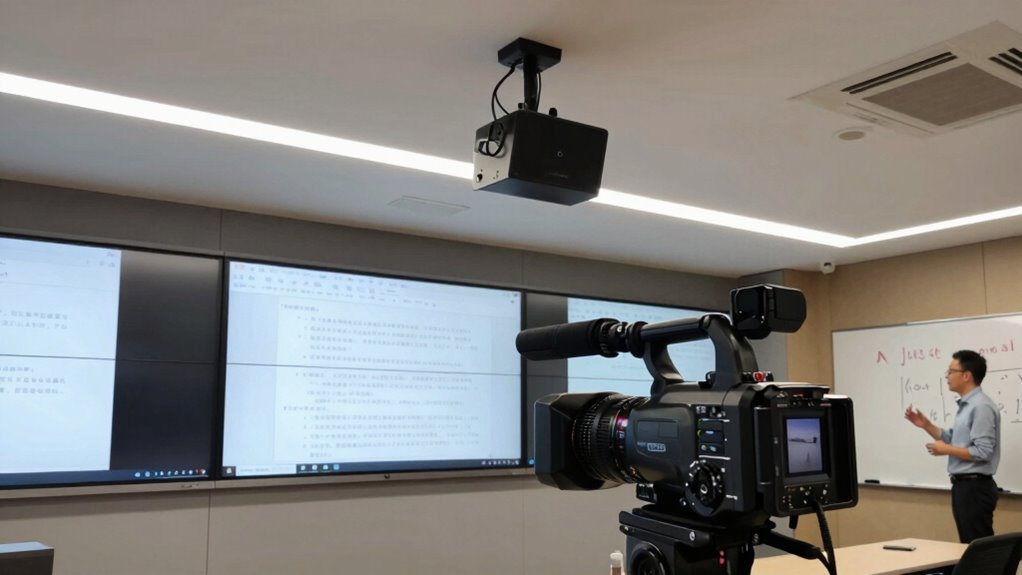
Classroom cameras have become essential tools for modern education, offering a range of features that enhance safety, supervision, and remote learning. If you’re looking to capture lectures effectively, understanding the best features for lecture capture is pivotal. One of the primary aspects to examine is camera resolution. High-resolution cameras ensure that your recordings are clear and detailed, which is fundamental for students who review the material later. A camera with at least 1080p resolution provides crisp visuals, making it easier for students to see presentations, handwritten notes, or demonstrations. This clarity improves their overall learning experience, especially when reviewing complex concepts or visual aids.
Another key feature to evaluate is the camera’s ability to promote student engagement. When students see that their participation is being recorded in high quality, they tend to be more attentive and involved during the lecture. A camera with a wide-angle lens can capture the entire classroom, including student reactions and interactions, fostering a more dynamic learning environment even in a remote setting. Additionally, cameras with automatic focus and framing can keep the instructor and students in sharp view, ensuring nothing important is missed. This not only boosts engagement but also makes the recording more natural and professional, which benefits students who access the content later.
Ease of use is also essential for effective lecture capture. Look for cameras with simple setup processes and intuitive controls, so you can start recording quickly without wasting time troubleshooting. Many modern classroom cameras include features like remote control or app integration, allowing you to manage recordings from your device effortlessly. This flexibility helps maintain a smooth flow during lessons and ensures that you can quickly adapt to changing classroom dynamics or technical issues. Incorporating user-friendly technology can significantly reduce setup time and technical frustrations, making the recording process more efficient. Furthermore, choosing cameras with reliable connectivity ensures stable streaming and recording without interruptions, which is crucial for maintaining a professional and seamless lecture experience. Investing in robust hardware can also prolong the lifespan of your equipment and reduce maintenance costs over time.
Furthermore, consider cameras with built-in microphones or the capacity to connect to external audio devices. Clear audio is just as important as high-resolution video because students rely on both for comprehension. Combining excellent video quality with high-quality audio ensures your recordings are thorough and easy to follow. Some advanced cameras even offer features like automatic zoom or pan, which can focus on specific areas of the classroom, making sure every detail is captured, and your lecture is engaging and accessible for all students, whether in-person or online. Additionally, natural landscape integration can enhance the overall visual quality of recordings, making the content more appealing and immersive. Incorporating environmental considerations, such as proper lighting and acoustics, can further improve the overall quality of your lecture recordings.
As an affiliate, we earn on qualifying purchases.
Frequently Asked Questions
How Do Classroom Cameras Handle Low-Light Conditions?
Classroom cameras handle low-light conditions through lighting optimization and advanced sensor sensitivity. They automatically adjust settings to enhance image quality, brightening the footage without introducing noise. The sensors in these cameras are highly sensitive, capturing more light in darker environments, which results in clearer, more detailed recordings. This guarantees your lectures are well-documented regardless of lighting, making the camera reliable for capturing high-quality content even in dimly lit classrooms.
Can Classroom Cameras Be Remotely Operated?
Yes, classroom cameras can be remotely operated. You can access them through remote access, allowing you to control camera controls conveniently from anywhere. This setup enables you to pan, tilt, zoom, and switch angles without being physically present in the room. It’s especially useful for managing multiple cameras or adjusting during live lectures, ensuring best coverage and flexibility in capturing high-quality lecture recordings.
What Is the Average Battery Life of Portable Classroom Cameras?
On average, portable classroom cameras last about 4 to 6 hours on a full charge. You’ll find that battery performance varies depending on usage and settings. To maximize your camera’s power, focus on effective power management—such as dimming screens or turning off unnecessary features. This way, you can guarantee your camera stays active during long lectures, reducing the need for frequent recharges and keeping your recording reliable.
Are There Privacy Concerns With Classroom Cameras?
Yes, there are privacy concerns with classroom cameras. You need to be mindful of student privacy and data security, ensuring recordings are only accessible to authorized personnel. Transparency is key—inform students and staff about camera use and recording policies. Properly securing the data prevents unauthorized access, helping maintain trust and compliance with privacy laws. Addressing these concerns proactively supports a safe, respectful learning environment.
How Easy Is It to Integrate Classroom Cameras With Existing AV Systems?
Integrating classroom cameras with your existing AV systems is generally straightforward, but you might encounter some compatibility issues or integration challenges. You’ll want to confirm the camera’s outputs and control systems match your current setup. Many modern cameras are designed for easy integration, offering HDMI, USB, or IP connectivity. However, verifying compatibility beforehand and consulting with your AV technician can smooth out potential hurdles and make the process seamless.
wide-angle lecture capture camera
As an affiliate, we earn on qualifying purchases.
As an affiliate, we earn on qualifying purchases.
Conclusion
When choosing a classroom camera, consider clarity, control, and connectivity to create compelling, consistent lecture captures. By prioritizing powerful pan-tilt-zoom features, crystal-clear optics, and seamless streaming, you guarantee your lessons are lively, legible, and lasting. Don’t forget, a camera’s capabilities can make or break your broadcast, so pick one with precision and practicality. Perfectly positioned, your classroom camera becomes your most valuable visual voice—delivering dynamic, dependable digital documentation every time.
automatic focus classroom camera
As an affiliate, we earn on qualifying purchases.
As an affiliate, we earn on qualifying purchases.
wireless classroom camera with microphone
As an affiliate, we earn on qualifying purchases.
As an affiliate, we earn on qualifying purchases.
Fall Picks
fall essentials
As an affiliate, we earn on qualifying purchases.