
External GPUs can boost your AI performance, but they’re not a perfect solution for everyone. Compatibility issues with your hardware, especially if you lack Thunderbolt 3 or 4 ports, can limit their effectiveness. They also won’t fix bottlenecks like a weak CPU or low RAM. While they offer immediate performance gains, cloud platforms might be better for scalability. To get the most out of your setup, it’s essential to understand these pros and cons—more insights await you.

Get tech for your team delivered free — and shop member deals
- Fast, free delivery on millions of items
- Access to Prime Big Deal Days deals on October 6–7
- Prime Video, Amazon Music and more included
Key Takeaways
- External GPUs boost AI performance but are limited by hardware compatibility, CPU, and RAM constraints.
- Compatibility issues and driver problems can affect eGPU stability and performance.
- Cloud GPU services often outperform eGPUs in scalability, flexibility, and ease of use.
- Physical setup requires space, cooling, and reliable connections, which may outweigh benefits in constrained environments.
- Staying informed on hardware trends ensures effective use of eGPUs or cloud solutions for AI workflows.
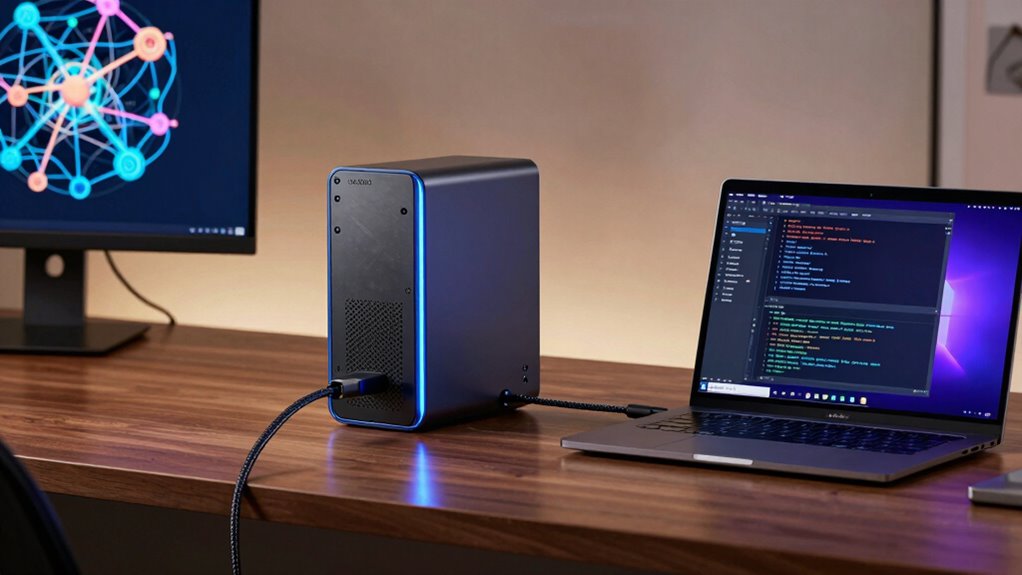
Have you ever wondered how to boost your AI workflow without upgrading your entire system? External GPUs, or eGPUs, could be a tempting solution, but it’s essential to understand what they truly offer and where they might fall short. When considering eGPUs, the key factors are cloud integration and hardware compatibility. You want a setup that seamlessly connects with your existing hardware and complements your cloud-based workflows without creating bottlenecks. While eGPUs can provide a significant performance boost for AI tasks, they’re not a one-size-fits-all fix. Compatibility issues often arise, especially if your laptop or desktop isn’t designed with eGPU support in mind. You need to verify whether your system’s Thunderbolt 3 or 4 port supports external GPU connections, and even then, some hardware might have limitations that impact performance or stability.
Cloud integration plays a crucial role here. If your AI workflows are already deeply integrated with cloud platforms, an eGPU might only be a supplementary boost rather than a game-changer. Cloud services, like AWS or Google Cloud, often offer scalable GPU resources that can match or exceed what an external GPU can deliver at a fraction of the hassle. In fact, depending on your workload, cloud GPU instances could be more flexible and cost-effective than investing in a dedicated external GPU. On the other hand, if your work involves sensitive data or requires low latency, an eGPU could reduce dependence on cloud services and keep your data local. Still, hardware compatibility remains a concern—some eGPU enclosures and graphics cards may not work flawlessly with your existing setup, leading to driver issues or performance hiccups.
Beyond compatibility, you also need to contemplate the physical setup. External GPUs require space, proper cooling, and reliable connections. If your workspace is cramped or your system’s ports are limited, setting up an eGPU might become more trouble than it’s worth. Furthermore, even the best external GPU can’t compensate for an underpowered CPU or insufficient RAM. It’s a piece of the puzzle, but not the entire solution. When weighed against cloud options, eGPUs shine in specific scenarios—like when you need quick, localized processing without relying on internet speeds. Additionally, understanding the hardware compatibility of your system is vital, as it directly impacts performance and stability. It’s also important to consider future-proofing your setup, since hardware updates can quickly render current configurations obsolete. Keeping an eye on technology evolution will help you make more informed decisions for your AI infrastructure.
A thorough assessment of your current hardware and workflow will help determine whether an eGPU provides a worthwhile performance boost, or if cloud-based solutions are better suited to your needs. Ultimately, the decision hinges on your specific hardware, workflow, and budget. External GPUs can be a valuable tool, but they’re not a magic fix. Properly evaluating your hardware compatibility and how well they integrate with your cloud-based workflows will determine if an eGPU is worth the investment for your AI projects. Additionally, staying informed about ongoing developments in AI hardware can help you adapt your setup more effectively in the future.
Thunderbolt 3 external GPU enclosure
As an affiliate, we earn on qualifying purchases.
As an affiliate, we earn on qualifying purchases.
Frequently Asked Questions
Can External GPUS Improve AI Training Speed Significantly?
Yes, external GPUs can markedly improve your AI training speed by reducing GPU bottlenecks. They provide additional processing power, helping your system handle complex models more efficiently. However, make sure your setup has a reliable power supply, as external GPUs draw substantial power. Properly configured, an external GPU setup can boost performance and cut down training times, especially if your internal GPU struggles with workload limitations.
Are External GPUS Compatible With All AI Frameworks?
External GPUs aren’t compatible with all AI frameworks, mainly due to compatibility issues and driver challenges. You might face difficulties integrating them with certain software or hardware configurations, especially if drivers aren’t optimized or updated. Before investing, check your AI framework’s compatibility and verify your external GPU’s drivers are current. Being aware of these potential hurdles helps you avoid frustration and maximize your setup’s efficiency.
What Is the Cost Comparison Between Internal and External GPUS?
Did you know that external GPUs can cost up to 50% more than internal ones? When comparing costs, external GPUs often have higher price tags due to added hardware compatibility and power consumption considerations. Internal GPUs are generally cheaper upfront and more efficient, but external options offer flexibility for different setups. Ultimately, your choice depends on your budget, hardware compatibility, and whether mobility or upgradeability matters most to you.
Do External GPUS Require Specialized Cooling Systems?
External GPUs generally don’t require specialized cooling systems because they’re designed with adequate cooling efficiency in mind. Most have built-in fans or heat sinks to manage heat effectively, ensuring reliable performance. When it comes to power management, external GPUs draw power through their dedicated connections, so you usually don’t need additional cooling setups. However, good airflow around the enclosure can help maintain best temperatures during intensive AI workflows.
How Portable Are External GPU Setups for AI Professionals?
Ever wondered how portable external GPU setups really are for AI professionals? They offer decent portability, but you’ll face some challenges like portability issues due to size and weight, and power supply considerations since high-performance GPUs need reliable power sources. While compact options exist, they still require carrying around cables and external power adapters, making them less convenient than onboard solutions. Are you ready to balance power, portability, and convenience?
best external GPU for AI workflows
As an affiliate, we earn on qualifying purchases.
As an affiliate, we earn on qualifying purchases.
Conclusion
In the end, external GPUs are like a turbocharger for your AI workflows—boosting performance but not a magic fix. They can accelerate tasks and free up your system, but they come with costs and compatibility quirks. Think of them as a powerful tool in your AI toolkit—use them wisely, and they’ll help you navigate complex data terrains more smoothly. With the right setup, you’ll steer your projects toward success with newfound speed.
As an affiliate, we earn on qualifying purchases.
As an affiliate, we earn on qualifying purchases.
Fall Picks
fall essentials
As an affiliate, we earn on qualifying purchases.