📊 Full opportunity report: How To Use Watch-Once Spoken Commands For Desktop Automation on IdeaNavigator AI — validation score, market gap, and execution plan.

Get business pricing on tech for your team
- Business-only prices and quantity discounts
- Tax-exempt purchasing
- Multiple users, one account, clear invoices
TL;DR
A new approach allows users to record desktop workflows once and trigger them via spoken commands. This method enhances automation for power users, reducing setup friction and increasing reliability.
IdeaNavigator AI has announced a new method for desktop automation that enables users to record a workflow once and trigger it via a spoken command. This approach aims to address long-standing challenges faced by power users, such as setup friction and brittle scripting, by offering a more reliable, repeatable, and user-friendly voice-controlled automation process.
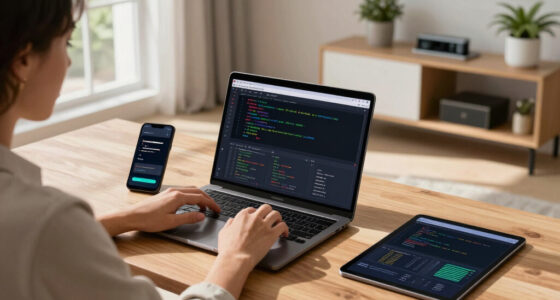
The core innovation involves capturing a sequence of desktop actions—such as clicks, file operations, and data transfers—during a single run. This recorded workflow can then be associated with a natural language command, which, when spoken, replays the entire sequence step-by-step. During playback, the system pauses for user approval before executing risky steps and can roll back to the last safe checkpoint if a step misfires, increasing trustworthiness.
This system leverages advances in screen-understanding models that can generalize from a single demonstration, making it feasible to automate complex workflows without extensive scripting or hotkey setup. The initial prototype aims to handle common tasks such as batch renaming, image resizing, report reformatting, and data transfer between applications.
According to an anonymous researcher involved in the project, this approach could significantly reduce the time power users spend on repetitive tasks, streamlining workflows that previously required scripting skills or brittle hotkey configurations. The company plans to release a beta version to a select group of 200 power users, measuring weekly retention and task success rates to validate its effectiveness.
Potential Impact on Desktop Automation for Power Users
This development could transform how power users automate routine desktop tasks by making voice-triggered workflows more accessible and reliable. Unlike traditional scripting or hotkey-based automation, which often require technical expertise and extensive setup, watch-once spoken commands simplify the process to a single recording. This reduces barriers for users who need to automate frequent, repetitive tasks and could lead to broader adoption of voice-controlled productivity tools in professional environments.
Moreover, the ability to generalize from a single demonstration and include safety checkpoints addresses common concerns about automation errors, making these tools more trustworthy. If successful, this approach could challenge existing automation platforms and expand the market for desktop productivity software, especially among teams that share workflow libraries.
voice-activated desktop automation software
As an affiliate, we earn on qualifying purchases.
As an affiliate, we earn on qualifying purchases.
Background and Development of Voice-Triggered Automation
Desktop automation has traditionally relied on scripting languages, hotkey configurations, and macro recorders, which often demand technical skills and can be brittle or error-prone. Recent advances in AI and screen-understanding models have begun to bridge this gap, enabling more natural, flexible automation methods.
Previous efforts focused on multi-step macro recordings or voice commands tied to hotkeys, but these often required complex setup and lacked adaptability. The concept of watch-once workflows, where a user demonstrates a process once and then triggers it via voice, builds on recent AI research showing that models can generalize from a single example. This approach aims to combine ease of use with robustness, addressing long-standing pain points for power users.
The idea of generalizing workflows from a single demonstration has gained traction in AI research, and now companies are exploring practical applications. The current prototype by IdeaNavigator AI represents a step toward making this technology usable in real-world productivity settings, with a focus on safety, reliability, and ease of use.
workflow recording and playback tool
As an affiliate, we earn on qualifying purchases.
As an affiliate, we earn on qualifying purchases.
Unanswered Questions About System Reliability and Scope
It remains unclear how well the watch-once system will handle complex or highly variable workflows beyond initial prototypes. The effectiveness of generalization from a single demonstration in diverse real-world scenarios is still being tested, and user acceptance of safety checkpoints and rollback features will influence adoption. Additionally, the extent of integration with existing productivity tools and the system’s performance under different hardware configurations are not yet confirmed.
AI-powered desktop automation tools
As an affiliate, we earn on qualifying purchases.
As an affiliate, we earn on qualifying purchases.
Next Steps for Beta Testing and Broader Adoption
The company plans to release a beta version to approximately 200 power users, focusing on workflows like batch renaming, report reformatting, and data transfer. Success metrics will include weekly retention, task completion accuracy, and user feedback on safety and ease of use. Based on these results, further development will refine the system’s capabilities, expand supported workflows, and improve safety features. A wider rollout could follow if the prototype demonstrates reliability and user satisfaction.
voice command automation for Windows/Mac
As an affiliate, we earn on qualifying purchases.
As an affiliate, we earn on qualifying purchases.
Key Questions
How does the watch-once spoken command system work?
The user records a sequence of desktop actions during a single demonstration. This recording is then associated with a spoken command, which, when issued, replays the steps with safety checkpoints and rollback options.
What types of tasks can this system automate?
Initial prototypes focus on repetitive workflows such as batch renaming, image resizing, report reformatting, and data transfers between applications.
Is this system ready for widespread use?
The current version is in beta testing with a limited user group. Its reliability, scope, and safety features are still being evaluated before broader deployment.
What are the main advantages over traditional scripting?
It simplifies automation by requiring only a single demonstration and a spoken command, reducing setup time and technical barriers, while offering safety mechanisms like step approval and rollback.
Will this system integrate with existing automation tools?
Integration plans are under development; initial focus is on standalone workflows, with future versions potentially connecting with popular automation platforms.
Source: IdeaNavigator AI
Fall Picks
fall essentials
As an affiliate, we earn on qualifying purchases.