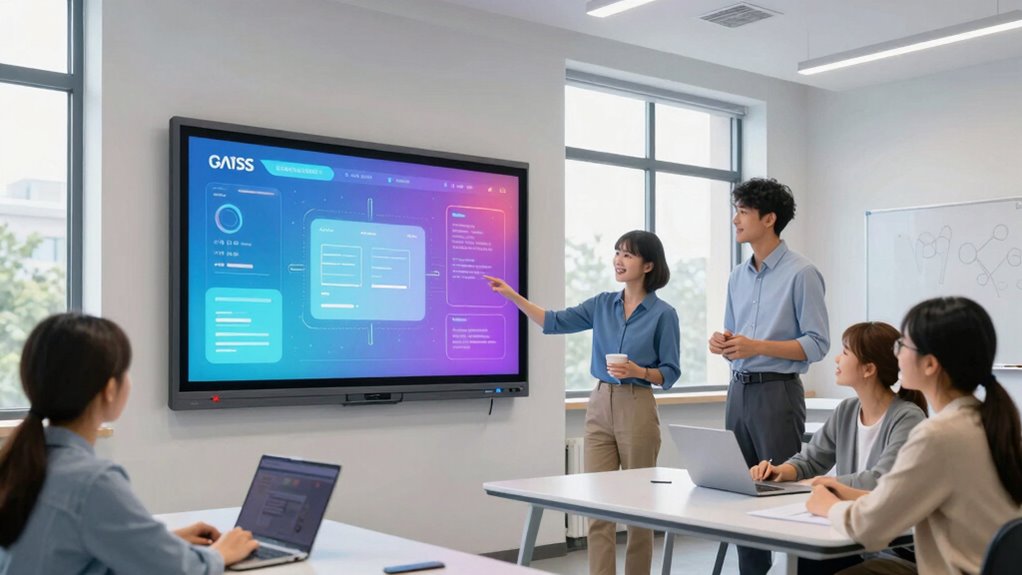

For most classrooms, I’d start with the NewBoard 75E: its 75-inch 4K display and Google EDLA certification make it a strong balance of classroom scale and familiar app access. The Promethean ActivPanel LE 86-inch is a standout for rooms that need a larger teaching surface, while the JAV 75-inch Smart Board Pro adds an integrated camera and soundbar for hybrid lessons. The main tradeoffs are screen size versus room fit, an open app ecosystem versus simpler school-managed software, and all-in-one features versus installation and support needs. My comparison below explains which options suit different classroom setups and where each one falls short. Read on for the full breakdown and a buying guide focused on the decisions that matter before outfitting a classroom.

Get business pricing on tech for your team
- Business-only prices and quantity discounts
- Tax-exempt purchasing
- Multiple users, one account, clear invoices
Key Takeaways
- 75 inches is the most versatile size in this group: the NewBoard 75E, NewBoard P Series, and JAV 75-inch model offer a middle ground between visibility and fitting into typical teaching spaces.
- Google EDLA certification is a meaningful separator: the NewBoard 75E and 55-inch EDLA-certified board explicitly identify this credential, which can help schools seeking access to Google services and apps.
- The largest screen is not automatically the best classroom choice: the Promethean 86-inch model gives a bigger shared work area, but room dimensions, viewing distance, and mounting needs should decide whether that extra size helps.
- Integrated collaboration hardware varies: the JAV 75-inch model lists a 48MP AI camera and 100W soundbar, making it more suited to hybrid teaching than boards whose listed strengths center on display and touch.
- Compact boards fill different roles, not just smaller rooms: the 55-inch options from KEINONE, BIG VUE, JASZDOT, Vibe, and the EDLA-certified model may suit breakout rooms or focused small-group instruction, but buyers should verify classroom viewing needs before choosing one for a whole-class display.
| KEINONE 85″ Interactive Smart Board with 4K Touchscreen, Android 14 OS, 8GB RAM, 128GB Storage |  | Best for Large Classrooms | Screen size: 85 inches | Resolution: 4K UHD (3840 x 2160) | Operating system: Android 14, Google EDLA-certified | VIEW ON AMAZON | See Our Full Breakdown |
| NewBoard 75E 75-Inch 4K Smart Board, Google EDLA-Certified |  | Best for Multi-Student Collaboration | Display size: 75 inches | Resolution: 4K UHD | Operating system: Android 14, Google EDLA-certified | VIEW ON AMAZON | See Our Full Breakdown |
| Promethean ActivPanel LE 86-Inch 4K UHD Interactive Display |  | Best for Schools Using Promethean Tools | Screen size: 86 inches | Resolution: 4K UHD (3840 x 2160) | Operating system: Android | VIEW ON AMAZON | See Our Full Breakdown |
| JAV 75″ Smart Board Pro Google EDLA Certified 4K UHD Interactive Whiteboard for Classroom and Office, All-in-One Touchscreen Display with 48MP AI Camera, 100W Soundbar, Android 14, 8+128GB, Wall Mount Included |  | Best for Hybrid Lessons | Screen size: 75 inches | Resolution and refresh rate: 4K UHD (3840 x 2160); 60 Hz | Operating system: Android 14, Google EDLA-certified | VIEW ON AMAZON | See Our Full Breakdown |
| KEINONE 55-Inch 4K Interactive Smart Board |  | Best Compact Classroom Pick | Screen size: 55 inches | Resolution: 4K UHD | Operating system: Android 14, Google EDLA-certified | VIEW ON AMAZON | See Our Full Breakdown |
| NewBoard P Series 75-Inch All-in-One Interactive Whiteboard |  | Best for Hybrid Classrooms | Screen size: 75 inches in title; 65 inches in description | Resolution: 4K UHD | Operating system: Android 14 | VIEW ON AMAZON | See Our Full Breakdown |
| JAV 65-Inch Smart Board Pro 4K UHD Interactive Whiteboard |  | Best for Secure, Cross-Device Sharing | Screen size: 65 inches | Resolution: 4K UHD | Operating system: Android 14 | VIEW ON AMAZON | See Our Full Breakdown |
| BIG VUE 55″ Smart Board 4K UHD Interactive Whiteboard |  | Best for High-Touch Small-Group Work | Screen size: 55 inches | Resolution: 4K UHD, 3840 × 2160 | Operating system: Android 14 | VIEW ON AMAZON | See Our Full Breakdown |
| COOLHOOD 65″ Smart Board 4K UHD Touchscreen Interactive Digital Whiteboard with Open App Ecosystem (Board & Wall Mount Only) |  | Best for Customizable Classroom Tools | Screen size: 65 inches | Resolution: 4K UHD, 3840 × 2160 | Display: LCD IPS; 16:9; 60 Hz; matte finish | VIEW ON AMAZON | See Our Full Breakdown |
| JASZDOT 55-inch 4K UHD Interactive Smart Board |  | Best for Flexible Classroom Connections | Screen size: 55 inches | Resolution: 4K UHD | Operating system: Android 14 | VIEW ON AMAZON | See Our Full Breakdown |
| Vibe S1 55-Inch 4K UHD All-in-One Smart Board |  | Best for Cloud-Based Collaboration | Screen size: 55 inches | Resolution: 4K UHD | Touch: 10-point infrared | VIEW ON AMAZON | See Our Full Breakdown |
| 55‑inch 4K Smart Board – Google EDLA‑Certified Interactive Whiteboard |  | Best for Multi-Student Touch | Display size: 55 inches | Resolution: 3840 x 2160 (4K UHD) | Operating system: Android 14 | VIEW ON AMAZON | See Our Full Breakdown |
| interactive smart boards for classroom | Operating system | Resolution | Screen size | Memory and storage |
|---|---|---|---|---|
| KEINONE 85" Interactive Smart | Android 14, Google EDLA-certified | 4K UHD (3840 x 2160) | 85 inches | 8 GB RAM; 128 GB SSD |
| NewBoard 75E 75-Inch 4K Smart | Android 14, Google EDLA-certified | 4K UHD | — | 8 GB RAM; 64 GB ROM |
| Promethean ActivPanel LE 86-In | Android | 4K UHD (3840 x 2160) | 86 inches | — |
| JAV 75" Smart Board Pro Google | Android 14, Google EDLA-certified | — | 75 inches | 8 GB RAM; 128 GB internal storage |
| KEINONE 55-Inch 4K Interactive | Android 14, Google EDLA-certified | 4K UHD | 55 inches | 8 GB RAM; 128 GB SSD |
| NewBoard P Series 75-Inch All- | Android 14 | 4K UHD | 75 inches in title; 65 inches in description | 8 GB RAM; 64 GB storage |
| JAV 65-Inch Smart Board Pro 4K | Android 14 | 4K UHD | 65 inches | 8 GB RAM; 128 GB storage |
| BIG VUE 55" Smart Board 4K UHD | Android 14 | 4K UHD, 3840 × 2160 | 55 inches | 8 GB RAM; 256 GB storage |
| COOLHOOD 65" Smart Board 4K UH | Android 13 | 4K UHD, 3840 × 2160 | 65 inches | — |
| JASZDOT 55-inch 4K UHD Interac | Android 14 | 4K UHD | 55 inches | 8 GB RAM; 128 GB storage |
| Vibe S1 55-Inch 4K UHD All-in- | VibeOS on Chromium OS | 4K UHD | 55 inches | 8GB RAM, 128GB storage |
| 55‑inch 4K Smart Board | Android 14 | 3840 x 2160 (4K UHD) | — | 8GB RAM, 64GB ROM |
More Details on Our Top Picks
KEINONE 85″ Interactive Smart Board with 4K Touchscreen, Android 14 OS, 8GB RAM, 128GB Storage
The KEINONE’s 85-inch 4K screen gives teachers room to show detailed diagrams, annotate slides, and keep content visible from farther seats. Its 20-point touch and 6 ms response support quick group interaction, while EDLA-certified Android 14 provides access to Google apps without requiring a connected computer for every lesson. Compared with the Promethean ActivPanel LE, this model lists more specific hardware details, including 8 GB RAM and 128 GB storage; the Promethean includes a mobile stand, while this KEINONE is wall-mount oriented. The tradeoff is its substantial footprint: smaller rooms may get more practical use from the NewBoard 75E. The glossy finish can also reflect bright windows, and a single HDMI port may mean switching cables or adding an external switch when several wired sources are used.
Pros:- 85-inch 4K UHD display gives diagrams and lesson materials generous viewing area.
- 20-point touch and 6 ms response support collaborative writing and annotation.
- Google EDLA-certified Android 14 provides access to Google apps and an open app ecosystem.
- Includes Wi-Fi, AirPlay, USB 3.0, Type-C, and HDMI connectivity.
Cons:- Large wall-mount format needs substantial installation space.
- Glossy screen may reflect windows or overhead lighting.
- One HDMI port can limit convenient connection of multiple wired sources.
Best for: Teachers outfitting a spacious classroom who want a large 4K teaching surface, onboard Android apps, and room for several students to interact.
Not ideal for: Schools with compact rooms, strong window glare, or several devices that need direct HDMI connections.
- Screen size:85 inches
- Resolution:4K UHD (3840 x 2160)
- Operating system:Android 14, Google EDLA-certified
- Memory and storage:8 GB RAM; 128 GB SSD
- Touch:20 touch points; 6 ms response time
- Refresh rate:60 Hz
- Connectivity:HDMI, USB 3.0, Wi-Fi, Type-C, AirPlay
- Dimensions and mounting:49.61 W x 30.31 H x 3.15 D inches; wall mount
Our verdict“Choose this KEINONE for a spacious classroom where screen size and responsive group touch matter more than compact installation or multiple HDMI inputs.”
NewBoard 75E 75-Inch 4K Smart Board, Google EDLA-Certified
The NewBoard 75E earns its place through shared participation features, not sheer screen size. Its 50-point touch supports up to 10 simultaneous writers, making it a stronger fit for group problem-solving than the KEINONE 85-inch, which lists 20 touch points. Wireless sharing from up to 16 devices also gives students ways to present work without crowding around a teacher’s laptop. Android 14 with Google EDLA brings Play Store and Workspace access to the board itself. The 75-inch 4K display is a sensible middle ground for many classrooms: smaller than the Promethean ActivPanel LE’s 86-inch panel, yet still expansive for whole-class viewing. The compromise is its 64 GB storage, half the capacity listed for the KEINONE boards in this lineup, and it still needs ample wall or stand space compared with a 55-inch board.
Pros:- 50-point touch and support for up to 10 simultaneous writers suit collaborative lessons.
- Wireless screen sharing supports up to 16 devices.
- Google EDLA-certified Android 14 includes access to Google Play and Workspace.
- 178-degree viewing angle helps students see content from seats off to the side.
Cons:- 64 GB storage is less than the 128 GB listed for the KEINONE models.
- 75-inch screen still requires considerable room and installation space.
- The provided specifications do not state response latency or a processor.
Best for: Teachers who regularly run group writing exercises and want students to share screens or work at the board together.
Not ideal for: Classrooms that need a compact display, substantial onboard file storage, or a screen larger than 75 inches.
- Display size:75 inches
- Resolution:4K UHD
- Operating system:Android 14, Google EDLA-certified
- Memory and storage:8 GB RAM; 64 GB ROM
- Multi-touch:50-point; up to 10 simultaneous writers
- Wireless sharing:Up to 16 devices
- Viewing angle:178 degrees
- Color gamut:85% NTSC
Our verdict“Pick the NewBoard 75E when simultaneous student writing and wireless sharing matter more than maximum screen size or larger onboard storage.”
Promethean ActivPanel LE 86-Inch 4K UHD Interactive Display
The ActivPanel LE is a classroom-focused choice for schools that value Promethean teaching tools and want an 86-inch 4K display with a mobile stand included. Its annotation, whiteboarding, screen-sharing, and Google app support cover familiar lesson tasks, and the panel can run independently or pair with a computer or Promethean OPS. Compared with the KEINONE 85-inch, it offers a nearly identical screen size and a listed stand, but the KEINONE provides clearer detail about memory, storage, touch response, and ports. That missing hardware information makes it harder to judge how well the Promethean fits a school’s device and software needs before purchase. The ActivPanel makes more sense where Promethean’s classroom tools are already part of instruction; schools expecting full Chrome or Windows use may need an additional computer or OPS.
Pros:- 86-inch 4K UHD panel provides a large surface for whole-class instruction.
- Includes Google apps and Promethean tools for annotation, whiteboarding, and screen sharing.
- Can operate independently or connect to a computer or Promethean OPS.
- Mobile stand is included for classrooms that need flexible placement.
Cons:- Detailed connectivity, memory, storage, and touch specifications are not provided.
- Chrome or Windows use may require a separate computer or Promethean OPS.
- Its large display and stand need room for placement and movement.
Best for: Schools already using Promethean classroom software that need a large interactive display and value an included mobile stand.
Not ideal for: Buyers who need detailed port, memory, and touch specifications upfront or want Chrome or Windows without adding a computer or OPS.
- Screen size:86 inches
- Resolution:4K UHD (3840 x 2160)
- Operating system:Android
- Certification:EDLA
- Included tools:Google apps and Promethean tools for annotation, whiteboarding, and screen sharing
- Operating modes:Standalone or connected to a computer or Promethean OPS
- Included accessory:Mobile stand
Our verdict“Choose the ActivPanel LE for a Promethean-centered school that wants a large display and included mobility, but not if detailed hardware specifications are a requirement.”
JAV 75″ Smart Board Pro Google EDLA Certified 4K UHD Interactive Whiteboard for Classroom and Office, All-in-One Touchscreen Display with 48MP AI Camera, 100W Soundbar, Android 14, 8+128GB, Wall Mount Included
The JAV combines the board with a 48 MP AI camera, speaker-tracking features, and a 100 W soundbar with an eight-array microphone, giving hybrid lessons more built-in meeting hardware than the NewBoard 75E or KEINONE 55-inch. Its Android 14 platform, Google Workspace support, and Zoom and Google Meet compatibility make it a natural fit for rooms where remote participants join regularly. The 75-inch 4K screen is smaller than the 85-inch KEINONE and 86-inch Promethean, but it adds three HDMI ports and 8 GB RAM with 128 GB storage, which suits a room with multiple wired sources. There are tradeoffs: the feature-rich setup may take more staff training, and the listed 350-microcandela brightness is a figure buyers should verify with the seller before comparing it with classroom lighting needs.
Pros:- 48 MP AI camera includes auto-framing and speaker tracking for remote participants.
- 100 W soundbar and eight-array microphone provide integrated room audio hardware.
- Three HDMI and three USB 3.0 ports support several wired classroom devices.
- Android 14, Google Workspace support, and 8 GB RAM with 128 GB storage.
Cons:- Feature-rich collaboration tools may require staff training.
- At 75 inches, the display is smaller than the KEINONE 85-inch and Promethean 86-inch options.
- The stated brightness unit and value should be confirmed for rooms with strong ambient light.
Best for: Schools and training rooms that frequently host hybrid lessons and want an integrated camera, microphone, and soundbar.
Not ideal for: Buyers seeking a simple, low-complexity board, a very large display, or clearly specified screen brightness without follow-up.
- Screen size:75 inches
- Resolution and refresh rate:4K UHD (3840 x 2160); 60 Hz
- Operating system:Android 14, Google EDLA-certified
- Memory and storage:8 GB RAM; 128 GB internal storage
- Touch input:20-point multi-touch; 40-point stylus
- Camera:48 MP AI camera with auto-framing and speaker tracking
- Audio:100 W soundbar; eight-array microphone
- Ports:3 HDMI; 1 USB 2.0; 3 USB 3.0
- Brightness:350 microcandela, as specified
Our verdict“Choose the JAV when integrated video meetings and room audio are priorities, rather than the largest possible classroom display or the simplest setup.”
KEINONE 55-Inch 4K Interactive Smart Board
At 55 inches, this KEINONE is the lineup’s most room-friendly option for a small classroom, breakout room, or teaching station where a 75- or 85-inch panel would dominate the wall. It keeps the practical core of the larger KEINONE 85-inch: 4K resolution, 20-point touch, 6 ms response, Android 14, and 128 GB storage. That makes it better suited to close-up instruction and smaller groups than whole-class viewing from the back of a large room. The NewBoard 75E is a stronger choice when many students need to write together, thanks to its 50-point touch and support for up to 10 simultaneous writers. This compact board instead offers a more modest 20-point interaction setup and built-in speakers. Its product details do not provide dimensions or weight, so buyers should confirm installation requirements before planning a wall or cart location.
Pros:- 55-inch format fits smaller teaching spaces more readily than the 75- and 85-inch boards.
- 4K UHD display with 20-point touch and 6 ms response supports clear annotation.
- Google EDLA-certified Android 14 provides access to Google Play Store apps.
- 128 GB storage, built-in speakers, AirPlay, Wi-Fi, USB-C, and HDMI support.
Cons:- Smaller screen is less suited to whole-class viewing in a large room.
- 20 touch points do not match the NewBoard 75E’s 50-point support for group writing.
- Dimensions and weight are not specified in the provided product details.
Best for: Teachers in small classrooms, intervention rooms, or breakout spaces who want onboard Android apps and a 4K interactive surface.
Not ideal for: Large classrooms needing distant-seat visibility or lessons built around many students writing on the board at once.
- Screen size:55 inches
- Resolution:4K UHD
- Operating system:Android 14, Google EDLA-certified
- Processor:Cortex-A55 octa-core
- Memory and storage:8 GB RAM; 128 GB SSD
- Touch:20 touch points; 6 ms response latency
- Connectivity:AirPlay, Wi-Fi, USB-C, HDMI
- Audio:Built-in speakers
Our verdict“Pick this KEINONE for a compact teaching space that still needs responsive touch and onboard apps, but choose a larger board for whole-class viewing.”
NewBoard P Series 75-Inch All-in-One Interactive Whiteboard
The NewBoard P Series is the strongest fit here for lessons that regularly include remote learners: its integrated 4K camera, eight-microphone array, and speakers reduce the need to assemble a separate video-conferencing setup. Google EDLA certification adds access to Google Play and Workspace tools, while 20-point touch supports small-group writing at the board. Compared with the JAV H10S Pro, it lists more microphone pickup detail and a 65 W USB-C connection, making it a more meeting-oriented package on paper. The key drawback is a basic but consequential specification conflict: the title says 75 inches, while the description says 65 inches. I would confirm the actual panel size before planning a classroom installation.
Pros:- Integrated 4K camera, microphone array, and speakers support video lessons without a separate conferencing setup
- Google EDLA certification provides Google Play access and Workspace integration
- 20-point multi-touch supports several students writing or interacting at once
- Full-function USB-C provides up to 65 W charging
Cons:- The title lists a 75-inch screen, but the description lists 65 inches
- The 8 GB RAM and 64 GB storage are less generous than the JAV H10S Pro’s 128 GB storage
- The listed camera and audio features add less value in classrooms that rarely connect remote participants
Best for: Teachers who run frequent hybrid lessons and want a board with an integrated camera and microphone array rather than separate conferencing gear
Not ideal for: School buyers who need confirmed dimensions before choosing a wall mount or planning sightlines; the listed 65-inch and 75-inch sizes conflict
- Screen size:75 inches in title; 65 inches in description
- Resolution:4K UHD
- Operating system:Android 14
- Memory and storage:8 GB RAM; 64 GB storage
- Camera:48 MP CMOS; 4K imaging; 100° field of view
- Microphones:8-microphone array; up to 12 m voice pickup
- Touch:20-point multi-touch; less than 5 ms latency
- Connectivity:Full-function USB-C with 65 W charging; HDMI Out; LAN Out
- Certification:Google EDLA
Our verdict“Choose the NewBoard P Series for hybrid teaching and integrated conferencing, but verify the panel size with the seller before specifying an installation.”
JAV 65-Inch Smart Board Pro 4K UHD Interactive Whiteboard
The JAV H10S Pro suits classrooms where teachers and students bring a mix of laptops, tablets, and phones. Its wireless sharing across Mac, Windows, iOS, and Android lowers friction when switching presenters, and the 65-inch 4K screen with anti-glare glass is a practical fit for a typical classroom wall. Compared with the COOLHOOD 65-inch board, the JAV adds a built-in camera and specifies Google EDLA certification, plus screen lock and USB password protection for controlled access. Its 128 GB storage also doubles the NewBoard P Series listing. The tradeoff is that the camera and security features do not resolve installation constraints: a 65-inch panel needs substantial wall space, and the supplied one-year warranty is the only warranty term given in the product data.
Pros:- Wireless screen sharing supports Mac, Windows, iOS, and Android devices
- Anti-glare tempered glass helps reduce distracting reflections under classroom lighting
- Google EDLA certification and 128 GB storage support app use and classroom materials
- Built-in 48 MP AI camera supports remote collaboration
Cons:- The 65-inch display requires substantial installation space
- The listed warranty is one year
- The product data does not specify touch-point count or touch latency
Best for: Teachers and school IT teams sharing lessons across mixed device platforms who want screen controls and a built-in conferencing camera
Not ideal for: Small classrooms with limited wall space or schools seeking a longer stated warranty term
- Screen size:65 inches
- Resolution:4K UHD
- Operating system:Android 14
- Memory and storage:8 GB RAM; 128 GB storage
- Camera:48 MP AI camera
- Wireless sharing:Compatible with Mac, Windows, iOS, and Android
- Certification:Google EDLA
- Security:Screen lock and USB password protection
- Warranty:1 year
Our verdict“Pick the JAV H10S Pro for a 65-inch classroom board that prioritizes cross-device sharing and access controls, provided the wall and warranty fit your needs.”
BIG VUE 55″ Smart Board 4K UHD Interactive Whiteboard
The BIG VUE stands out for one classroom use case: having many learners interact with the board at the same time. Its listed up to 60 touch points exceed the 20-point limits specified for the JASZDOT and NewBoard P Series, which may suit group activities where students annotate or manipulate content together. The 55-inch 4K panel is also easier to place in a smaller teaching space than the 65-inch JAV or COOLHOOD. Android 14, 8 GB RAM, and 256 GB storage provide generous onboard capacity for apps and teaching files. That advantage comes with practical limits: the OPS computing module is sold separately, and the stated onsite warranty support is primarily available in India. I would check local service arrangements before choosing it for a school elsewhere.
Pros:- Up to 60 touch points support simultaneous student interaction
- 55-inch 4K display takes less wall space than the 65-inch JAV and COOLHOOD boards
- 256 GB storage offers more onboard room than the other products in this batch
- Three-year onsite warranty is listed, with support primarily available in India
Cons:- OPS computing module for expanded functionality is sold separately
- Onsite warranty support is primarily available in India
- The 55-inch screen may be less visible from the back of larger classrooms
Best for: Teachers running small-group, station-based lessons who want a compact 55-inch panel with unusually high listed touch capacity
Not ideal for: Schools outside India that need local onsite warranty support, or buyers who expect an OPS computing module to be included
- Screen size:55 inches
- Resolution:4K UHD, 3840 × 2160
- Operating system:Android 14
- Processor:A16
- Memory and storage:8 GB RAM; 256 GB storage
- Touch points:Up to 60
- Camera:48 MP
- Connectivity:USB Type-B, USB-C, HDMI
- Warranty:3-year onsite warranty; support primarily available in India
Our verdict“Choose BIG VUE for compact, multi-student touch activities if its service coverage and separately sold OPS module suit your school.”
COOLHOOD 65″ Smart Board 4K UHD Touchscreen Interactive Digital Whiteboard with Open App Ecosystem (Board & Wall Mount Only)
The COOLHOOD is a fit for schools that want to shape the board around their own apps and workflows. Its open app ecosystem, 128 GB storage, and Android 13 support a customizable setup, while QR file sharing, annotation, voting, and timers bring useful classroom activities onto the display. The 65-inch IPS panel gives it more viewing area than BIG VUE’s 55-inch board, but its 20-point touch specification is less suited to large groups using the surface at once than BIG VUE’s listed 60 points. A matte finish and blue-light filter are practical for extended lessons. The tradeoffs are setup-related: the stand is sold separately, there is only one HDMI port, and Android 13 is an older listed version than the Android 14 systems on the JAV and JASZDOT.
Pros:- Open app ecosystem and cloud storage allow schools to tailor classroom software
- QR file sharing, annotation, smart voting, and timer tools support varied lesson activities
- 65-inch 4K IPS display with matte finish and blue-light filter
- 128 GB storage and an octa-core processor support onboard apps and files
Cons:- Stand is sold separately; the package includes only a wall mount
- One HDMI port can limit convenient connections to multiple external devices
- Android 13 is an older listed version than Android 14 on the JAV and JASZDOT
Best for: Teachers or school technology coordinators who want a 65-inch board with customizable apps, built-in collaboration tools, and QR-based file sharing
Not ideal for: Schools that need a supplied mobile stand, frequent switching among several HDMI devices, or high simultaneous touch capacity
- Screen size:65 inches
- Resolution:4K UHD, 3840 × 2160
- Display:LCD IPS; 16:9; 60 Hz; matte finish
- Operating system:Android 13
- Processor:Octa-core: 4×A73 + 4×A53
- Storage:128 GB
- Touch:20-point multi-touch; 6 ms response time
- Ports:1 HDMI; 2 USB 3.0
- Dimensions:3 in D × 58 in W × 35 in H
Our verdict“Choose the COOLHOOD if customizable apps and built-in classroom tools matter more than a stand, extra HDMI connections, or high touch-point capacity.”
JASZDOT 55-inch 4K UHD Interactive Smart Board
For classrooms that still rely on a mix of older and newer equipment, the JASZDOT has the most varied listed connection options in this batch: HDMI, USB, LAN, VGA, DisplayPort, RS232, and AV. That breadth can simplify integration with existing teaching and control systems, unlike the COOLHOOD’s single HDMI port. Its 55-inch 4K display is also a more compact alternative to the 65-inch JAV, while Android 14, 8 GB RAM, and 128 GB storage provide a capable onboard setup. The included screen-casting box, touch pen, and wall mount add useful classroom components. The compromise is less simplicity: a long port list can be unnecessary for basic casting, and the product data does not state a built-in camera specification, unlike the NewBoard P Series and JAV H10S Pro.
Pros:- Broad connectivity includes HDMI, USB, LAN, VGA, DisplayPort, RS232, and AV
- Android 14 with 8 GB RAM and 128 GB storage supports onboard classroom apps
- 20-point infrared touch with 6 ms response time supports collaborative annotation
- Package lists a touch pen, wall mount, remote control, and screen-casting box
Cons:- The extensive port layout may add complexity for classrooms using only basic connections
- The product data does not specify a built-in camera, unlike the NewBoard P Series and JAV H10S Pro
- The 55-inch screen may be less readable from the back of a larger classroom than a 65-inch board
Best for: Schools connecting interactive boards to a varied mix of legacy AV equipment, networked systems, and current classroom devices
Not ideal for: Teachers seeking the simplest plug-and-cast setup or buyers who need a specifically documented integrated camera for hybrid lessons
- Screen size:55 inches
- Resolution:4K UHD
- Operating system:Android 14
- Memory and storage:8 GB RAM; 128 GB storage
- Touch:20-point infrared; 6 ms response time
- Brightness:400+ nits
- Connectivity:USB, HDMI, LAN, VGA, DisplayPort, RS232, AV
- Included components:Touch pen, wall mount, remote control, screen-casting box, and accessories
Our verdict“Pick the JASZDOT for flexible integration with mixed classroom equipment, but choose another option if a built-in camera or a larger teaching surface is a priority.”
Vibe S1 55-Inch 4K UHD All-in-One Smart Board
The Vibe S1 earns its place for classrooms that rely on shared digital materials and video-based instruction. Its cloud whiteboarding and real-time sharing let teachers annotate ideas and distribute them without making the board the only place work lives. The split-screen layout can keep a reference beside a video call, a useful fit for remote guests or small-group support. Compared with the NewBoard 55E, the S1 lists 128GB of storage and Wi-Fi 6, while the NewBoard offers 40-point touch and casting for up to 16 devices. The S1’s 10-point infrared touch is less suited to several students working at once, and its 55-inch screen is aimed at smaller teams rather than a large classroom. I’d choose it for connected lessons, not maximum shared writing space.
Pros:- Cloud whiteboarding, annotation, and real-time sharing support lessons that continue beyond the display.
- Split-screen presentation can keep reference material visible beside a video call.
- Compatibility with Google Workspace and Microsoft 365 fits common classroom workflows.
- Enterprise security and fleet management features can help schools manage multiple boards.
Cons:- The 55-inch display is better suited to small groups than larger classrooms.
- 10-point touch offers less simultaneous input than the NewBoard 55E’s 40-point system.
- Chromium-based VibeOS may not match schools seeking a standard Android platform.
Best for: Teachers in small classrooms or flexible learning spaces who use cloud documents, video meetings, and shared whiteboards.
Not ideal for: Large classes or lessons built around many students writing on the screen together; its 55-inch display and 10-point touch are less suited to that workload.
- Screen size:55 inches
- Resolution:4K UHD
- Touch:10-point infrared
- Touch response time:Less than 8 ms
- Operating system:VibeOS on Chromium OS
- Connectivity:Wi-Fi 6, Bluetooth 5.2
- Memory and storage:8GB RAM, 128GB storage
- Processor:Arm RK3588
- App ecosystem:250+ apps
Our verdict“Choose the Vibe S1 for a small teaching space centered on cloud collaboration, but favor a board with more touch points for whole-class participation.”
55‑inch 4K Smart Board – Google EDLA‑Certified Interactive Whiteboard
The NewBoard 55E stands out among the 55-inch options for shared on-screen work: its 40-point touch supports up to five simultaneous users, giving small groups room to solve problems or annotate together. Google EDLA certification brings direct access to Google Play, Workspace, and Education Suite, making it a natural match for schools already built around Google tools. Compared with the Vibe S1, it offers more touch points and casting from up to 16 devices; the Vibe counters with 128GB storage, twice the NewBoard’s 64GB. The NewBoard’s 55-inch screen still limits visibility in larger rooms, and its single USB port can constrain attached peripherals. Its 60 Hz refresh rate is standard, not a special advantage for fast-moving visuals. I’d place it in a small classroom or collaboration room where group interaction matters more than a large display.
Pros:- 40-point multi-touch supports up to five simultaneous users.
- Google EDLA certification provides access to Google Play, Workspace, and Education Suite.
- Wireless casting supports content sharing from up to 16 devices.
- The 178-degree viewing angle helps students see the display from a range of positions.
Cons:- The 55-inch screen may be too small for larger classroom layouts.
- One USB port limits the number of peripherals that can remain connected.
- The 60 Hz refresh rate may be less suitable for fast-moving visual content.
Best for: Google Workspace schools and teachers running small-group activities where up to five students may write on the board at once.
Not ideal for: Large classrooms needing a screen visible from the back, or teachers who regularly connect several USB peripherals.
- Display size:55 inches
- Resolution:3840 x 2160 (4K UHD)
- Operating system:Android 14
- Touch points:40-point multi-touch
- Simultaneous users:Up to 5
- Wireless casting:Up to 16 devices
- Memory and storage:8GB RAM, 64GB ROM
- Viewing angle:178°
- Ports:3 HDMI ports, 1 USB port
Our verdict“Pick the NewBoard 55E for Google-centered small-group lessons that benefit from many simultaneous touch points, not for rooms that need a larger display.”

How We Picked
I compared the 12 boards on factors that change day-to-day classroom use: screen size and 4K resolution, stated operating system and app access, listed memory and storage, collaboration hardware, and whether the product details identify classroom-relevant features such as Google EDLA certification. I also considered the practical fit of each format, from compact 55-inch displays to an 86-inch panel, and whether an all-in-one setup or a more focused display better suits different teaching workflows.
The ranking favors options with a clear, useful combination of classroom scale, software access, and stated capabilities—not simply the largest screen or the longest feature list. The NewBoard 75E leads for its balanced size and explicit EDLA credential; the Promethean earns a distinct place for rooms that benefit from a larger panel, and JAV’s 75-inch model stands out for hybrid-lesson hardware. Products with less detail in their supplied names are included as potential fits, but buyers should confirm touch points, ports, warranty, mounting, software support, and included accessories before choosing.
| interactive smart boards for classroom | Operating system | Connectivity |
|---|---|---|
| KEINONE 85" Interactive Smart | Android 14, Google EDLA-certified | HDMI, USB 3.0, Wi-Fi, Type-C, AirPlay |
| NewBoard 75E 75-Inch 4K Smart | Android 14, Google EDLA-certified | — |
| Promethean ActivPanel LE 86-In | Android | — |
| JAV 75" Smart Board Pro Google | Android 14, Google EDLA-certified | — |
| KEINONE 55-Inch 4K Interactive | Android 14, Google EDLA-certified | AirPlay, Wi-Fi, USB-C, HDMI |
| NewBoard P Series 75-Inch All- | Android 14 | Full-function USB-C with 65 W charging; HDMI Out; LAN Out |
| JAV 65-Inch Smart Board Pro 4K | Android 14 | — |
| BIG VUE 55" Smart Board 4K UHD | Android 14 | USB Type-B, USB-C, HDMI |
| COOLHOOD 65" Smart Board 4K UH | Android 13 | — |
| JASZDOT 55-inch 4K UHD Interac | Android 14 | USB, HDMI, LAN, VGA, DisplayPort, RS232, AV |
| Vibe S1 55-Inch 4K UHD All-in- | VibeOS on Chromium OS | Wi-Fi 6, Bluetooth 5.2 |
| 55‑inch 4K Smart Board | Android 14 | — |
Factors to Consider When Choosing Interactive Smart Boards For Classrooms
Choosing a classroom board is a room-and-workflow decision as much as a display decision. I’d settle the following questions before comparing feature lists: who needs to see and use the screen, which apps the school permits, and who will manage setup and support.
Match Screen Size to Viewing Distance
A larger panel can make diagrams and student annotations easier to follow, but it only helps if students can see it from their seats without the display dominating the room. Measure the intended wall and consider the farthest viewing position, sight lines, and nearby windows before choosing a size. A 55-inch board may work well in a small-group room or as a shared station, while a larger class may need a 75-inch or bigger screen. One common mistake is choosing by diagonal measurement alone and overlooking how much wall area the mount and surrounding teaching materials require. If the room layout changes often, favor a size that remains legible without restricting board placement. Check the manufacturer’s recommended mounting height and viewing guidance before ordering.
Check App Access Against School Policies
Operating system labels do not answer every software question: schools may restrict app installation, require managed accounts, or rely on specific teaching platforms. Google EDLA certification, called out for some models here, can be relevant for access to Google services, but it does not replace an IT review of account management and policy compatibility. Ask the district technology team which services are approved and whether the board can receive required updates. Open app ecosystems may give teachers more flexibility, yet they can add setup and administration work. A board with a familiar interface may reduce training time, while a tightly managed setup can make classroom support more predictable. Verify the exact software version and support period rather than assuming they remain current throughout the board’s service life.
Decide Whether the Board Must Support Hybrid Lessons
For in-room teaching, responsive touch and clear visibility may matter more than built-in conferencing hardware. Hybrid classes add other requirements: a camera that frames the teacher and students, microphones that pick up speech, speakers that reach the room, and compatibility with the school’s conferencing software. The JAV 75-inch model explicitly lists a camera and 100W soundbar, but buyers should still confirm microphone capability and how the camera performs in their room. A separate camera or audio system can be easier to replace or upgrade than an integrated component. Avoid paying for hardware that your school’s existing meeting setup already provides. Before selecting an all-in-one board, map how teachers will join calls, share content, and manage audio.
Plan for Installation, Power, and Connectivity
Installation affects whether a board is ready for lessons on day one. Check the display’s weight, wall type, mounting standard, power location, cable routes, and whether the mount is included; product names do not always make every accessory detail clear. Count the connections teachers will use, including laptops, document cameras, classroom audio, and network access, then confirm the board has suitable ports and wireless options. A display mounted too high or far from its inputs can turn routine lesson changes into interruptions. Ask who is responsible for installation and whether that team can service the selected model. For rooms that cannot support a suitable wall mount, verify whether a compatible mobile stand is available and rated for the display.
Look Beyond Storage and Display Resolution
4K resolution can keep fine text and detailed visuals sharp, but it does not tell you how smoothly the interface handles multitasking or how the touch layer responds to several users. Memory and storage figures are useful signals, not a guarantee of performance across every app. Ask vendors about touch latency, simultaneous touch points, palm rejection, screen sharing, and how the system behaves with your teaching tools. Check whether teachers can save or export annotations in formats they already use. A board with fewer listed specifications may still fit a simple presentation workflow, while a feature-rich model can create extra configuration demands. Request a demonstration using the school’s actual lesson materials rather than relying on resolution alone.
Compare Support and Total Ownership Needs
Classroom displays are long-term equipment, so the support plan can matter as much as the purchase itself. Confirm warranty length, service response arrangements, replacement-part availability, software update policy, and who handles account or network issues. Schools should also plan for teacher onboarding, since unfamiliar controls can limit how often staff use interactive features. A lower-complexity board may be easier to deploy across many rooms, while a more capable model may justify added training if teachers will use its collaboration tools. Ask whether accessories such as pens, remotes, or mounts are included and how replacements are obtained. Compare these support needs across the fleet, not just for a single classroom.
Frequently Asked Questions
Is a 55-inch smart board large enough for a full classroom?
It depends on seating distance, room layout, and the size of the material teachers display. A 55-inch screen can suit a small class, breakout room, or interactive station, but students at the back of a larger room may find detailed text harder to follow. Measure the farthest seat and test common lesson content at that distance before buying. If the board will serve as the room’s main shared teaching surface, compare it directly with 75-inch options. A larger panel is useful only if the room can mount and accommodate it well.
Does Google EDLA certification mean the board will work with every school app?
No. EDLA certification identifies a Google-related certification status, but app availability can still depend on the installed software, account permissions, region, and school IT policies. Ask the vendor for the exact supported services and confirm them with the district technology team. Check whether teachers can sign in with managed accounts and whether the apps receive ongoing updates. If a required app is central to lessons, test it on the specific board before purchase rather than relying on the certification label alone.
Should I choose an all-in-one board or connect a laptop?
An all-in-one board can reduce the number of devices teachers need to set up and may make quick lessons easier to start. A laptop-based workflow can offer more familiar software, easier IT management, or better compatibility with existing classroom systems. The right choice depends on whether teachers need to run apps directly on the display or mainly mirror and annotate laptop content. Check how each option handles file sharing, user sign-in, updates, and switching between sources. A school with varied teaching tools may want both standalone functionality and reliable external-device connections.
What should I verify before ordering boards for several classrooms?
Confirm that each room has suitable wall structure, power, network coverage, viewing distance, and a plan for cable management. Standardize the software, mounting approach, accessories, and support process where possible so staff do not need to learn different setups from room to room. Ask about warranty service, update policies, installation responsibility, and replacement parts for the exact model. Run a pilot in one representative classroom if the rollout is large, then collect feedback from teachers and IT staff. This can reveal room or workflow problems before they affect an entire school.
When is a built-in camera and soundbar worth prioritizing?
Integrated camera and audio hardware can simplify hybrid lessons when teachers regularly meet remote students or collaborate with off-site staff. It may also reduce the number of separate devices and cables in the classroom. Before prioritizing it, confirm microphone pickup, camera framing, conferencing compatibility, and whether the system can be upgraded or replaced independently. If the room already has a strong camera and sound setup, integrated hardware may add little practical value. The deciding factor is whether it improves the school’s actual lesson workflow, not simply whether it appears on the feature list.
Conclusion
For a balanced classroom installation, I’d choose the NewBoard 75E as best overall, pairing a widely useful screen size with an explicitly stated Google EDLA credential. The 55-inch EDLA-certified board is my best value-style fit for smaller rooms or focused instruction where compact size and Google services matter; confirm its full specifications and support before a fleet purchase. For a best premium, larger-room option, consider the Promethean ActivPanel LE 86-inch, while the JAV 75-inch Smart Board Pro is the clearest fit for buyers who want listed camera and soundbar hardware for hybrid lessons. NewBoard’s 75-inch P Series is a straightforward option to investigate for buyers seeking an all-in-one format, though I’d compare its software and support details with the 75E before deciding. Beginners should favor the model their IT team can deploy and support consistently, rather than choosing extra features they will not use. For compact classrooms, compare the 55-inch KEINONE, BIG VUE, JASZDOT, and Vibe options by app access, connections, and warranty; for larger rooms, start with the 75-inch and 86-inch choices and verify fit on the wall. In every case, confirm installation, touch performance, compatibility, and service terms before committing.
Halloween Picks
halloween
As an affiliate, we earn on qualifying purchases.