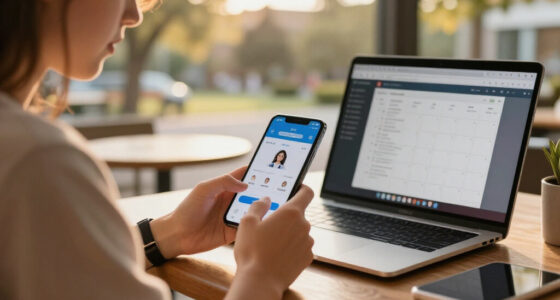
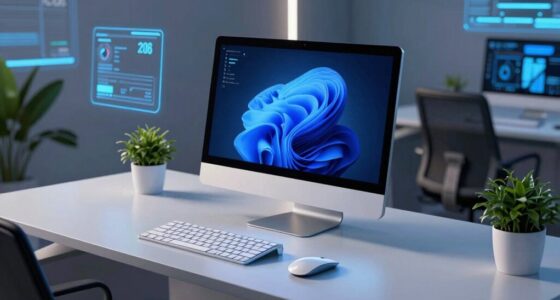
For inventory tablets for AI-driven warehouse teams, I rank the Arrvel I87J as the best overall fit because it pairs an 8-inch Windows tablet with a Honeywell scanner, balancing a familiar desktop platform with warehouse-ready scanning. The ONERugged M10N is a stronger choice for teams that want a larger Windows screen, while the Honeywell CT70 suits workers who need a compact, highly connected handheld rather than a full tablet. The central tradeoff is between screen area and one-handed mobility, with operating-system support, scanner integration, and network coverage also shaping how well devices fit an AI-assisted workflow. AI features cannot make up for poor Wi-Fi, slow data entry, or a scanner that struggles with your labels. Read on for the full comparison and guidance on matching a device to your warehouse tasks.

Get tech for your team delivered free — and shop member deals
- Fast, free delivery on millions of items
- Access to Prime Big Deal Days deals on October 6–7
- Prime Video, Amazon Music and more included
Key Takeaways
- Windows and Android serve different workflows: The Arrvel I87J and ONERugged M10N stand out for teams whose warehouse software depends on Windows, while several Android options favor mobile-first scanning apps.
- Eight inches is the roundup’s practical middle ground: The Arrvel I87J and MUNBYN IRT06 combine more screen space than handhelds with less bulk than the 10.1-inch models.
- Scanner branding alone does not settle the choice: Honeywell– and Zebra-equipped options still need to be checked against your barcode types, scan distance, and application support.
- Connectivity varies widely: The ONERugged M105Q adds 5G, the MUNBYN ILT01 lists 4G LTE and Wi-Fi 5, and the Honeywell CT70 specifies Wi-Fi 7; the right choice depends on actual site coverage and workload.
- Not every pick is a tablet in the usual sense: The Zebra WT6000 wearable, Honeywell CT70 handheld, and MUNBYN IPDA101P with handle grip favor mobility over a large screen, making them specialized alternatives to tablet-first workflows.
| Arrvel I87J 8-Inch Rugged Windows 11 Pro Tablet with Honeywell Barcode Scanner |  | Best Overall for Compact Windows Workflows | Operating system: Windows 11 Pro | Processor: Intel Quad-Core N5100, up to 2.8GHz | Display: 8-inch FHD, 1200 × 1920, 550 nits | VIEW ON AMAZON | See Our Full Breakdown |
| ONERugged M10N 10.1-Inch Windows 11 Pro Rugged Tablet with Honeywell Barcode Scanner |  | Best for Large-Screen Windows Work | Operating system: Windows 11 Pro | Processor: Intel N150, 4 cores, up to 3.6GHz | Display: 10.1-inch, 1200 × 1920, up to 1,000 nits | VIEW ON AMAZON | See Our Full Breakdown |
| Zebra WT6000 Wearable Mobile Computer, 3.2-Inch Touchscreen, 800 × 480, Black (Renewed) | 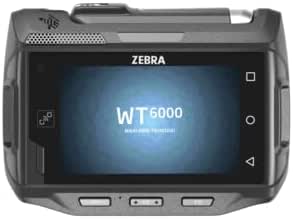 | Best for Hands-Free Picking | Operating system: Android 7.0 | Model year: 2016 | Display: 3.2-inch LCD touchscreen, 800 × 480 | VIEW ON AMAZON | See Our Full Breakdown |
| MUNBYN IRT06 Rugged 8-Inch Windows 11 Pro Tablet with 1D/2D Barcode Scanner |  | Best for Bright-Screen Field Counts | Operating system: Windows 11 Pro | Processor: Intel Jasper Lake N5100, up to 2.80GHz turbo | Display: 8 inches, 700 nits | VIEW ON AMAZON | See Our Full Breakdown |
| Farset P10 10.1-Inch Rugged Android 14 Tablet with Barcode Scanner |  | Best for Android Fleet Mobility | Operating system: Android 14 | Processor: MediaTek octa-core, 2.4GHz | Display: 10.1-inch FHD+ | VIEW ON AMAZON | See Our Full Breakdown |
| Honeywell CT70 Rugged Mobile Computer, 6-Inch, Wi-Fi 7, 8GB RAM, 128GB Storage |  | Best for Connected, Fast-Moving Teams | Display: 6-inch Full HD touchscreen | Memory and storage: 8GB RAM; 128GB storage | Processor: Qualcomm octa-core | VIEW ON AMAZON | See Our Full Breakdown |
| ONERugged M105Q 10.1-Inch Rugged Android 14 5G Tablet with Barcode Scanner |  | Best for Large-Screen Warehouse Work | Operating system: Android 14 | Processor platform: Qualcomm QCM6490 | Display: 10.1-inch, 1920 × 1200, up to 1000 nits | VIEW ON AMAZON | See Our Full Breakdown |
| MUNBYN ILT01 8-Inch Rugged Android 13 Tablet with Barcode Scanner, 4GB RAM, 64GB Storage, 4G LTE and Wi-Fi 5 |  | Best for Basic, Budget-Conscious Scanning Workflows | Operating system: Android 13 | Processor: MediaTek MT6769V | Display: 8 inches | VIEW ON AMAZON | See Our Full Breakdown |
| Vanquisher 8-Inch Rugged Android 13 Tablet with Honeywell Barcode Scanner |  | Best for Honeywell Scanner Preference | Display: 8 inches | Operating system: Android 13 | Processor: Octa-core | VIEW ON AMAZON | See Our Full Breakdown |
| Vanquisher 8-Inch Rugged Enterprise Tablet with Zebra SE4750 Barcode Scanner |  | Best for Scanner-Heavy Android Workflows | Operating system: Android 14 | Display: 8-inch, 1920 × 1200 | Processor: Qualcomm 8-core | VIEW ON AMAZON | See Our Full Breakdown |
| Arrvel T50C Android 15 Rugged Barcode Scanner with Zebra SE4710 |  | Best for Quick-Shift Scanning | Operating system: Android 15 | Processor: MT6765 octa-core, up to 2.2 GHz | Display: 5-inch touchscreen | VIEW ON AMAZON | See Our Full Breakdown |
| Vanquisher 6.5-inch Rugged Tablet PC with Honeywell Barcode Scanner |  | Best for Windows-Based Warehouse Systems | Operating system: Windows 11 IoT Enterprise | Processor: Intel Celeron N5100 | Display: 6.5 inches | VIEW ON AMAZON | See Our Full Breakdown |
| MUNBYN IPDA101P Android 13 Handheld Barcode Scanner with Handle Grip |  | Best for Long Android Shifts | Operating system: Android 13 | Processor: Qualcomm Snapdragon 6115 octa-core, 2.0 GHz | Display: 5.5-inch touchscreen with Corning Gorilla Glass | VIEW ON AMAZON | See Our Full Breakdown |
| inventory tablets for ai driven warehouse team | Display | Operating system | Processor | Memory and storage |
|---|---|---|---|---|
| Arrvel I87J 8-Inch Rugged Wind | 8-inch FHD, 1200 × 1920, 550 nits | Windows 11 Pro | Intel Quad-Core N5100, up to 2.8GHz | 8GB RAM; 128GB storage, expandable to 512GB via SD card |
| ONERugged M10N 10.1-Inch Windo | 10.1-inch, 1200 × 1920, up to 1,000 nits | Windows 11 Pro | Intel N150, 4 cores, up to 3.6GHz | 8GB LPDDR5; 128GB eMMC |
| Zebra WT6000 Wearable Mobile C | 3.2-inch LCD touchscreen, 800 × 480 | Android 7.0 | — | — |
| MUNBYN IRT06 Rugged 8-Inch Win | 8 inches, 700 nits | Windows 11 Pro | Intel Jasper Lake N5100, up to 2.80GHz turbo | 8GB RAM; 128GB storage |
| Farset P10 10.1-Inch Rugged An | 10.1-inch FHD+ | Android 14 | MediaTek octa-core, 2.4GHz | 8GB RAM; 128GB storage, expandable by up to 512GB via Micro SD |
| Honeywell CT70 Rugged Mobile C | 6-inch Full HD touchscreen | — | Qualcomm octa-core | 8GB RAM; 128GB storage |
| ONERugged M105Q 10.1-Inch Rugg | 10.1-inch, 1920 × 1200, up to 1000 nits | Android 14 | — | 8GB RAM; 128GB storage; supports up to 512GB flash memory |
| MUNBYN ILT01 8-Inch Rugged And | 8 inches | Android 13 | MediaTek MT6769V | 4GB RAM; 64GB storage |
| Vanquisher 8-Inch Rugged Andro | 8 inches | Android 13 | Octa-core | — |
| Vanquisher 8-Inch Rugged Enter | 8-inch, 1920 × 1200 | Android 14 | Qualcomm 8-core | 8GB RAM; 128GB storage |
| Arrvel T50C Android 15 Rugged | 5-inch touchscreen | Android 15 | MT6765 octa-core, up to 2.2 GHz | 4GB RAM; 128GB storage |
| Vanquisher 6.5-inch Rugged Tab | 6.5 inches | Windows 11 IoT Enterprise | Intel Celeron N5100 | 8GB LPDDR4; 128GB eMMC, expandable |
| MUNBYN IPDA101P Android 13 Han | 5.5-inch touchscreen with Corning Gorilla Glass | Android 13 | Qualcomm Snapdragon 6115 octa-core, 2.0 GHz | — |
More Details on Our Top Picks
Arrvel I87J 8-Inch Rugged Windows 11 Pro Tablet with Honeywell Barcode Scanner
The Arrvel I87J is my strongest fit for teams that need a full Windows 11 Pro workflow in a device workers can carry through aisles or take outdoors. Its integrated Honeywell N4680 1D/2D scanner avoids relying on a separate scanner, while the removable battery gives supervisors a practical way to extend a shift with a charged spare. Against the larger ONERugged M10N, the I87J is easier to handle in tight spaces, though its 8-inch screen gives less room for dashboards and AI-assisted task views. The 550-nit display, IP65 protection, and MIL-STD-810H rating support varied work areas, but the stated battery life is only up to eight hours. I’d shortlist it for Windows-based inventory software, not teams seeking a full-shift battery without swaps.
Pros:- Integrated Honeywell N4680 reads 1D and 2D barcodes
- Removable battery and USB-C battery-free mode support flexible power planning
- IP65 and MIL-STD-810H protection with stated 4-foot drop resistance
- 550-nit display is suited to brighter work areas
Cons:- Stated battery runtime is up to eight hours
- The 8-inch screen offers less space for dashboards than the ONERugged M10N
- Storage expansion requires an SD card
Best for: Warehouse teams running Windows inventory applications that need a compact, rugged scanner tablet for aisle counts and occasional outdoor work.
Not ideal for: Teams that need a large screen for dense dashboards or a full shift of use without battery changes or recharging.
- Operating system:Windows 11 Pro
- Processor:Intel Quad-Core N5100, up to 2.8GHz
- Display:8-inch FHD, 1200 × 1920, 550 nits
- Memory and storage:8GB RAM; 128GB storage, expandable to 512GB via SD card
- Barcode scanner:Honeywell N4680, 1D/2D
- Durability:IP65; MIL-STD-810H; 4-foot drop resistance
- Battery:Removable 5,000mAh; up to 8 hours
- Connectivity:Wi-Fi 5, 4G LTE, GPS/GLONASS, USB-C
Our verdict“Choose the Arrvel I87J for compact Windows inventory work with integrated scanning, provided its eight-hour battery claim fits your shift plan.”
ONERugged M10N 10.1-Inch Windows 11 Pro Rugged Tablet with Honeywell Barcode Scanner
The ONERugged M10N is the large-screen Windows pick here: its 10.1-inch display gives workers more room for inventory lists, exception queues, and AI-generated task guidance than the compact Arrvel I87J. The listed brightness reaches 1,000 nits, and glove-touch support helps when workers need to interact without removing gloves. Its Honeywell N4680 scanner, LTE, Wi-Fi 6, NFC, and broad port selection make it adaptable to warehouse peripherals and field connections. The tradeoff is a relatively modest 8GB of memory and 128GB eMMC storage, which may constrain heavier multitasking or local data workloads. Its stated average battery life is eight hours, so long shifts still call for charging plans. I’d favor it over the I87J when screen space matters more than compact handling.
Pros:- 10.1-inch display provides more workspace than the Arrvel I87J
- Up to 1,000-nit brightness and glove-touch support suit industrial settings
- Honeywell N4680 scanner supports 1D and 2D barcode workflows
- Wi-Fi 6, LTE, NFC, and multiple ports support varied connections
Cons:- 8GB memory and 128GB eMMC may limit demanding multitasking or local workloads
- Stated average battery life is eight hours
- Larger display makes it less compact than the Arrvel I87J
Best for: Warehouse supervisors and inventory teams using Windows software who need a larger touch display, scanner, and varied wired and wireless connections.
Not ideal for: Workers prioritizing a smaller, easier-to-carry device or teams running memory-intensive local AI workloads.
- Operating system:Windows 11 Pro
- Processor:Intel N150, 4 cores, up to 3.6GHz
- Display:10.1-inch, 1200 × 1920, up to 1,000 nits
- Memory and storage:8GB LPDDR5; 128GB eMMC
- Barcode scanner:Honeywell N4680
- Protection:IP65; MIL-STD-810H testing, including 26 drops from 4 feet
- Battery:5,000mAh, 38Wh; stated average life of 8 hours
- Connectivity:4G LTE, Wi-Fi 6, Bluetooth 5.2, GPS, NFC
- Ports:USB 3.2 Type-A, USB 3.2 Type-C, mini HDMI 2.0a, microSD, SIM, 3.5mm audio, 12-pin pogo interface
Our verdict“Pick the M10N when Windows users need a bright, roomier screen and broad connectivity more than compact size or extensive local computing headroom.”
Zebra WT6000 Wearable Mobile Computer, 3.2-Inch Touchscreen, 800 × 480, Black (Renewed)
The Zebra WT6000 takes a different approach from the tablet-style Arrvel I87J and MUNBYN IRT06: it is a wrist-mounted computer designed to keep both hands available during picking and handling. That form factor can suit repeat scans and movement-heavy tasks, but the supplied specifications list a 3.2-inch, 800 × 480 screen and 2GB of memory, so it is a poor match for detailed dashboards or demanding AI features running on-device. Its IP65 protection, Wi-Fi, Bluetooth, and NFC support industrial use and nearby device connections. The model dates to 2016, runs Android 7.0, and comes with a 90-day limited warranty, making software compatibility and support lifespan significant concerns. I’d place it in a purpose-built hands-free workflow, not as a general replacement for a modern inventory tablet.
Pros:- Wrist-mounted design leaves both hands free for picking and handling
- IP65 rating protects against dust and water jets
- Wi-Fi, Bluetooth, and NFC support wireless workplace connections
- 245g weight is suited to wearable use
Cons:- Android 7.0 and 2016 model year raise software compatibility and support concerns
- 3.2-inch, 800 × 480 display is not suited to detailed inventory dashboards
- 2GB memory and 90-day limited warranty offer less headroom and coverage than the Arrvel I87J
Best for: Warehouse operators doing repetitive, hands-busy picking or logistics tasks on software verified to support this older wearable computer.
Not ideal for: Teams needing a modern Android platform, a large display, substantial memory, or AI features that require current software support.
- Operating system:Android 7.0
- Model year:2016
- Display:3.2-inch LCD touchscreen, 800 × 480
- Weight:245g (8.64oz)
- Memory:2,048MB
- Battery:3,350mAh
- Ingress protection:IP65
- Wireless connectivity:Wi-Fi 802.11ac, Bluetooth 4.1 LE, NFC
- Warranty:90-day limited warranty
Our verdict“Choose the WT6000 only for a verified hands-free warehouse workflow; teams needing a general-purpose AI inventory tablet should favor a newer, larger device.”
MUNBYN IRT06 Rugged 8-Inch Windows 11 Pro Tablet with 1D/2D Barcode Scanner
The MUNBYN IRT06 suits inventory teams that want a compact Windows tablet but work in brighter areas than the Arrvel I87J’s display may comfortably handle. Its listed 700-nit screen gives it a brightness advantage over the Arrvel’s 550 nits, while the 1.22-meter drop resistance rating adds a clear durability benchmark. Both models pair Windows 11 Pro with an N5100 processor, 8GB RAM, 128GB storage, and an N4680-family scanner, so the choice is less about basic scanning than display brightness and support details. MUNBYN lists a two-year warranty, but the supplied product information also says Windows 10 Pro may require seller contact for reinstallation, a software caveat buyers should clarify before deployment. GPS and GLONASS support help field teams, though battery capacity and runtime are not specified.
Pros:- 700-nit display is brighter on paper than the Arrvel I87J’s 550-nit screen
- Integrated HW N4680 scanner reads 1D and 2D barcodes
- Listed drop resistance reaches 1.22 meters
- 8GB RAM and 128GB storage support standard Windows inventory tasks
Cons:- Product information flags a Windows 10 Pro reinstallation issue that buyers should clarify
- Battery capacity and runtime are not provided
- No listed LTE connectivity, unlike the Arrvel I87J
Best for: Inventory crews who need a compact Windows scanning tablet with a bright display for outdoor counts and a listed two-year warranty.
Not ideal for: IT teams that require clear operating-system setup details or verified battery runtime before rolling devices out at scale.
- Operating system:Windows 11 Pro
- Processor:Intel Jasper Lake N5100, up to 2.80GHz turbo
- Display:8 inches, 700 nits
- Memory and storage:8GB RAM; 128GB storage
- Barcode scanner:HW N4680, 1D and 2D
- Drop resistance:1.22 meters
- Battery:Lithium polymer; capacity and runtime not specified
- Navigation:GPS and GLONASS
- Warranty:2 years
Our verdict“Choose the IRT06 for a bright-screen, compact Windows scanner tablet, but confirm its software configuration and battery details before a fleet purchase.”
Farset P10 10.1-Inch Rugged Android 14 Tablet with Barcode Scanner
The Farset P10 is the Android choice for teams that want a large rugged tablet with modern wireless links rather than the Windows setup found on the Arrvel I87J and ONERugged M10N. Android 14, Wi-Fi 6E, 5G LTE, and an integrated 1D/2D scanner fit mobile inventory workflows, while NFC adds another option for asset interactions. Its standout operational advantage is the removable 10,000mAh battery, which offers more capacity on paper than the smaller batteries listed for those Windows models. IP67 protection and stated 2-meter drop resistance add durability for rougher sites. The tradeoff is that its Android platform may not suit Windows-only warehouse applications, and its MediaTek processor and 8GB RAM are not evidence of strong local AI performance. I’d choose it for connected Android workflows, not assumed on-device AI computing.
Pros:- Android 14 pairs with 5G LTE and Wi-Fi 6E for connected mobile workflows
- Removable 10,000mAh battery supports battery swaps between work periods
- IP67 rating and stated 2-meter drop resistance suit demanding environments
- Integrated 1D/2D scanner and NFC reader support inventory and asset tasks
Cons:- Android may not support Windows-only warehouse applications
- The listed processor and 8GB RAM do not establish suitability for demanding on-device AI
- Its rugged feature set may be more than needed for basic indoor inventory work
Best for: Warehouse and field teams using Android inventory apps that need 5G, Wi-Fi 6E, NFC, integrated scanning, and a removable high-capacity battery.
Not ideal for: Organizations tied to Windows-only inventory software or planning to run demanding AI models directly on the tablet.
- Operating system:Android 14
- Processor:MediaTek octa-core, 2.4GHz
- Display:10.1-inch FHD+
- Memory and storage:8GB RAM; 128GB storage, expandable by up to 512GB via Micro SD
- Barcode scanner:1D/2D/QR
- Connectivity:5G LTE, Wi-Fi 6E, Bluetooth 5.2
- Battery and charging:Removable 10,000mAh lithium polymer; 18W fast charging; stated 50% charge in 30 minutes
- Durability:IP67; stated 2-meter drop resistance
- Warranty and support:2-year coverage and lifetime technical support
Our verdict“Pick the Farset P10 for rugged, well-connected Android inventory work with a swappable battery, not for Windows-only systems or demanding local AI.”
Honeywell CT70 Rugged Mobile Computer, 6-Inch, Wi-Fi 7, 8GB RAM, 128GB Storage
The Honeywell CT70 is the most connectivity-focused handheld in this group: Wi-Fi 7 and 5G suit teams that sync inventory or AI-assisted workflows while moving across a large site or between facilities. Its 6-inch screen is smaller than the ONERugged M105Q’s 10.1-inch display, but the handheld form is easier to carry during frequent scanning. Glove, stylus, and rain touch support help keep input practical in changing conditions, while a hot-swappable battery can cut interruptions during long shifts. IP65/IP68 protection and Android support through version 19 add useful deployment flexibility. The tradeoff is its standard-range scanner, which is less suited to reading labels at distance; the stated 8-foot drop rating also requires a protective boot.
Pros:- Wi-Fi 7 and 5G support fast, mobile data workflows
- Touchscreen works with gloves, a stylus, and rain
- Hot-swappable 4,775 mAh battery can reduce shift downtime
- IP65/IP68 protection and integrated 1D/2D scanning
Cons:- Standard-range scan engine is not designed for long-distance reads
- Stated 8-foot drop protection requires a protective boot
- Six-inch display offers less workspace than the ONERugged M105Q
Best for: Warehouse and logistics teams that need a pocketable scanner with modern wireless connectivity, glove-friendly input, and battery swaps during continuous shifts.
Not ideal for: Facilities that scan high or distant labels, or want a larger screen for viewing AI-generated pick instructions, should look at a larger tablet and longer-range scanner.
- Display:6-inch Full HD touchscreen
- Memory and storage:8GB RAM; 128GB storage
- Processor:Qualcomm octa-core
- Wireless:Wi-Fi 7, Wi-Fi 6E, 5G
- Operating system support:Android 15 through 19
- Barcode scanner:S0703 standard-range 1D/2D scan engine
- Battery:4,775 mAh; hot-swap supported
- Ingress protection:IP65 and IP68
Our verdict“Choose the CT70 for a rugged, highly connected handheld workflow, but not for long-range scanning or a large inventory interface.”
ONERugged M105Q 10.1-Inch Rugged Android 14 5G Tablet with Barcode Scanner
The ONERugged M105Q prioritizes readable workspace over the one-handed portability of the Honeywell CT70. Its 10.1-inch, 1000-nit display gives staff more room for pick lists, inventory records, and AI-generated task guidance, including in brighter work areas. An integrated 1D/2D scanner, 5G, and a removable 10,000 mAh battery make it a credible fit for teams that need a tablet rather than a handheld computer. It also adds IP65 protection and MIL-STD-810H construction with stated 4-foot drop resistance. Compared with the smaller MUNBYN ILT01, it offers more screen space and a newer connectivity package, but the larger body is less convenient for constant carry. Its listed storage is 128GB, with expansion support up to 512GB.
Pros:- Bright 10.1-inch display provides room for detailed inventory interfaces
- Integrated 1D/2D scanner and 5G support mobile workflows
- Removable 10,000 mAh battery can be swapped between shifts
- IP65, MIL-STD-810H, and stated 4-foot drop resistance
Cons:- Larger display and tablet body are less convenient for constant carry than the Honeywell CT70
- Base configuration has 128GB storage, so teams with large local datasets may need expansion
- 12-month warranty may be short for some enterprise deployment plans
Best for: Warehouse supervisors and inventory operators who need a bright, readable screen for task queues, records, and scanning while working on the floor or outdoors.
Not ideal for: Workers who scan continuously while walking or need a compact device for one-handed use may find this 10.1-inch tablet cumbersome.
- Operating system:Android 14
- Processor platform:Qualcomm QCM6490
- Display:10.1-inch, 1920 × 1200, up to 1000 nits
- Memory and storage:8GB RAM; 128GB storage; supports up to 512GB flash memory
- Barcode scanner:Integrated 1D and 2D scanner
- Connectivity:5G, Wi-Fi 6E, Bluetooth 5.2, GPS
- Battery:Removable 10,000 mAh
- Durability:IP65, MIL-STD-810H, stated 4-foot drop resistance
Our verdict“Pick the M105Q when screen readability and a removable battery matter more than handheld portability.”
MUNBYN ILT01 8-Inch Rugged Android 13 Tablet with Barcode Scanner, 4GB RAM, 64GB Storage, 4G LTE and Wi-Fi 5
The MUNBYN ILT01 is the straightforward choice for teams that need a rugged Android scanner for routine counts, receiving, and stock checks—not a high-spec platform for demanding AI workloads. Its integrated 1D/2D scanner, 8-inch screen, LTE, and call support cover common mobile inventory tasks, while IP66 protection and stated 1.2-meter drop resistance suit rougher handling. The 9,000 mAh battery is rated for up to about 10 hours. Against the Vanquisher 8-inch Android 13 tablet with a Honeywell scanner, the ILT01 lists a longer two-year warranty, but the available details give less emphasis to scanner branding and processing headroom. Its 4GB RAM and 64GB storage could constrain multitasking, local data, or heavier AI features, and the thick profile makes it less comfortable to carry than the CT70.
Pros:- Integrated HW N6703 scanner reads 1D and 2D barcodes
- IP66 design with stated 1.2-meter drop resistance
- 9,000 mAh battery is rated for up to approximately 10 hours
- 4G LTE, Wi-Fi 5, Bluetooth, and calling support
Cons:- 4GB RAM and 64GB storage leave less room for demanding apps and local data
- Thick 2.24-inch profile is bulky for frequent handheld scanning
- Android 13 is older than the M105Q’s Android 14
Best for: Small warehouse teams running established Android inventory apps for barcode counts and receiving, especially where LTE, calls, and a longer stated warranty matter.
Not ideal for: Teams running several demanding apps, storing large AI or inventory datasets locally, or carrying a scanner continuously should seek more memory, storage, or a slimmer handheld.
- Operating system:Android 13
- Processor:MediaTek MT6769V
- Display:8 inches
- Memory and storage:4GB RAM; 64GB storage
- Barcode scanner:HW N6703; 1D and 2D barcodes
- Battery:9,000 mAh; rated for up to approximately 10 hours
- Connectivity:4G LTE, Wi-Fi 5, Bluetooth; supports calls
- Durability:IP66; stated 1.2-meter drop resistance
- Dimensions and warranty:9.88 × 6.89 × 2.24 inches; 2-year warranty
Our verdict“Choose the ILT01 for basic rugged scanning and LTE access, but skip it if your AI workflow needs substantial memory or local storage.”
Vanquisher 8-Inch Rugged Android 13 Tablet with Honeywell Barcode Scanner
This Vanquisher earns its place for buyers who want an integrated Honeywell N6703 scanner in an 8-inch rugged tablet. It reads 1D and 2D barcodes and pairs with Wi-Fi, 4G LTE, and Bluetooth for inventory work across connected and less-connected areas. The IP66 housing and stated 1.2-meter concrete drop resistance make it better suited to warehouse handling than a standard consumer tablet. Compared with the MUNBYN ILT01, it shares the Android 13, 8-inch, 9,000 mAh, and IP66 profile, while its scanner brand may be the deciding point for teams standardizing equipment. The tradeoff is limited configuration detail: RAM, storage, and processor specifics are not provided here, making fit for AI-assisted multitasking harder to judge. Battery standby claims do not replace a shift-runtime figure.
Pros:- Honeywell N6703 scanner supports 1D and 2D barcodes
- IP66 protection and stated 1.2-meter concrete drop resistance
- 9,000 mAh battery capacity
- Wi-Fi, 4G LTE, and Bluetooth connectivity
Cons:- RAM, storage, and processor specifics are not provided in the supplied product data
- Over-500-hour standby claim does not specify active scanning runtime
- Android 13 is older than the M105Q’s Android 14
Best for: Warehouse teams that prefer Honeywell-branded 1D/2D scanning and need an 8-inch rugged tablet for routine inventory and logistics tasks.
Not ideal for: IT buyers who need confirmed RAM, storage, processor, or tested app-performance details before deploying AI-heavy inventory software should choose a better-documented configuration.
- Display:8 inches
- Operating system:Android 13
- Processor:Octa-core
- Barcode scanner:Honeywell N6703; 1D and 2D
- Connectivity:Wi-Fi, 4G LTE, Bluetooth
- Battery:9,000 mAh, 3.8V Li-ion
- Durability:IP66; stated 1.2-meter drop resistance onto concrete
- Camera:13MP
- Warranty:12 months
Our verdict“Choose this Vanquisher if Honeywell scanning is your priority, but not if you need clear hardware specifications for AI workload planning.”
Vanquisher 8-Inch Rugged Enterprise Tablet with Zebra SE4750 Barcode Scanner
This Vanquisher is the most clearly equipped 8-inch option here for teams that need more than basic scan-and-enter work. Its Zebra SE4750 2D scan engine is specified for motion-tolerant and picklist scanning, while 8GB RAM and 128GB storage provide more stated headroom than the MUNBYN ILT01’s 4GB and 64GB. Android 14, NFC, and a 10,000 mAh battery broaden its fit for enterprise inventory apps and connected workflows. The 8-inch, 1920 × 1200 screen keeps the device more portable than the ONERugged M105Q, though it offers less room for complex AI-generated task views. IP67 protection is listed, but the supplied details do not include a drop rating, so buyers should confirm handling requirements. Real-world performance evidence is also limited in the provided information.
Pros:- Zebra SE4750 supports 1D/2D, motion-tolerant, and picklist scanning
- 8GB RAM and 128GB storage offer more stated headroom than the MUNBYN ILT01
- Android 14, NFC, Wi-Fi, Bluetooth, and 4G LTE support enterprise workflows
- 10,000 mAh battery and IP67-rated housing
Cons:- Eight-inch display may feel cramped for dashboards and complex AI task views
- Supplied product data does not state a drop-resistance rating
- Provided information offers no customer review detail for judging real-world performance
Best for: Inventory teams that scan frequently, use picklists, and want a compact Android tablet with specified memory, storage, NFC, and a Zebra scan engine.
Not ideal for: Teams needing a large shared view for dashboards or a confirmed drop-resistance rating should compare it with the ONERugged M105Q or request more durability detail.
- Operating system:Android 14
- Display:8-inch, 1920 × 1200
- Processor:Qualcomm 8-core
- Memory and storage:8GB RAM; 128GB storage
- Barcode scanner:Zebra SE4750 2D scan engine; reads 1D and 2D barcodes
- Battery:10,000 mAh Li-ion
- Connectivity:Wi-Fi, Bluetooth, 4G LTE, NFC, USB
- Camera:16MP
- Ingress protection:IP67
Our verdict“Pick this model for scanner-led Android workflows that benefit from more memory and storage, but verify drop protection if falls are a deployment concern.”
Arrvel T50C Android 15 Rugged Barcode Scanner with Zebra SE4710
I’d place the Arrvel T50C among the more focused handheld picks for teams that spend a shift scanning and updating stock rather than viewing large dashboards. Its Zebra SE4710 engine reads 1D and 2D codes from up to 26 inches away, which can reduce repositioning at shelves and pallets. Android 15, 4GB RAM, and 128GB storage provide a straightforward base for compatible warehouse apps, though they offer less headroom than the Vanquisher 6.5-inch Rugged Tablet PC, which has 8GB RAM and Windows 11 IoT Enterprise. The T50C counters with a lighter 260-gram body and a removable battery for shift changes. Its listed continuous-use time is up to eight hours, so I’d plan on battery swaps or charging for longer coverage; the optional pistol grip is also separate.
Pros:- Zebra SE4710 scans 1D, 2D, and QR codes from up to 26 inches away.
- Removable 4000mAh battery supports swaps instead of waiting for an onboard recharge.
- IP65 sealing and MIL-STD-810G certification suit dusty, wet, and demanding work areas.
- Compact 260-gram build is easier to carry throughout a scanning-heavy shift than a larger handheld tablet.
Cons:- Listed continuous use is up to eight hours, which may not cover a long shift without charging or a spare battery.
- Optional Bluetooth pistol grip is not included.
- The 5-inch display offers less room for inventory dashboards than the Vanquisher 6.5-inch model.
Best for: Warehouse teams needing a lightweight Android scanner for barcode-led receiving, picking, and stock counts, especially where removable batteries help cover successive shifts.
Not ideal for: Teams running Windows-only warehouse software or expecting uninterrupted use beyond an eight-hour continuous-use rating without a battery swap or charging plan.
- Operating system:Android 15
- Processor:MT6765 octa-core, up to 2.2 GHz
- Display:5-inch touchscreen
- Scanner:Zebra SE4710; 1D, 2D, and QR codes
- Scanning range:Up to 26 in (66 cm)
- Memory and storage:4GB RAM; 128GB storage
- Durability:IP65; MIL-STD-810G; 1.2 m drop resistance
- Battery and weight:Removable 4000mAh; up to 8 hours continuous use; 260 g
- Connectivity:4G LTE, Wi-Fi, Bluetooth, NFC, and USB
Our verdict“Choose the Arrvel T50C for lightweight Android barcode work and quick battery swaps, but pick the Vanquisher if your workflow needs Windows or more memory.”
Vanquisher 6.5-inch Rugged Tablet PC with Honeywell Barcode Scanner
The Vanquisher 6.5-inch Rugged Tablet PC is the clearest fit here for warehouses whose inventory tools depend on Windows 11 IoT Enterprise or need RFID alongside barcode capture. Its built-in Honeywell N3680 scanner handles 1D, 2D, and QR codes, while NFC, 13.56MHz HF RFID, and GPS add ways to identify and locate assets beyond a basic scan workflow. Compared with the Android-based Arrvel T50C, it offers 8GB RAM and familiar Windows application compatibility, but its Intel Celeron N5100 is an entry-level processor, so I would not choose it for demanding multitasking or heavy on-device AI workloads. The 6.5-inch screen gives inventory forms more room than the Arrvel’s 5-inch display, although the extra screen size does not make this a desktop replacement. IP65 protection and 1.5-meter drop protection suit industrial use.
Pros:- Windows 11 IoT Enterprise can fit workflows built around Windows-compatible enterprise applications.
- Honeywell N3680 scanner supports 1D, 2D, and QR code capture.
- Built-in NFC, 13.56MHz HF RFID, and GPS support asset workflows beyond barcode scanning.
- IP65 rating and 1.5-meter drop protection are suited to warehouse handling.
Cons:- Intel Celeron N5100 may constrain heavy multitasking and demanding local AI tasks.
- At 6.5 inches, it is less compact than the 5-inch Arrvel T50C for scan-and-go work.
- 720p video capture is limited for teams that need detailed visual documentation.
Best for: Warehouse IT teams that need a compact rugged handheld for Windows IoT applications, barcode scanning, and HF RFID or NFC asset workflows.
Not ideal for: Teams expecting heavy local AI processing, demanding multitasking, or high-resolution video capture from an entry-level Celeron device.
- Operating system:Windows 11 IoT Enterprise
- Processor:Intel Celeron N5100
- Display:6.5 inches
- Memory and storage:8GB LPDDR4; 128GB eMMC, expandable
- Scanner:Honeywell N3680 2D scan engine
- Connectivity:Wi-Fi, Bluetooth, NFC, GPS, and 13.56MHz HF RFID
- Durability:IP65; 1.5m drop protection
- Cameras:5MP front; 8MP rear
- Warranty:18 months
Our verdict“Choose the Vanquisher when Windows application compatibility and RFID matter more than processor headroom or a smaller handheld footprint.”
MUNBYN IPDA101P Android 13 Handheld Barcode Scanner with Handle Grip
For teams that favor longer stretches between charges, I’d shortlist the MUNBYN IPDA101P. Its 9500mAh battery is rated for up to 12 hours, outlasting the Arrvel T50C’s listed eight hours of continuous use and making it a stronger candidate for extended Android inventory rounds. The 5.5-inch touchscreen and Wi-Fi 6 support app access and stock updates, while the Zebra SE4710 handles 1D and 2D scanning. Its IP65 build and 1.8-meter drop protection also give it a higher stated drop limit than the T50C. There are workflow caveats: the camera and scanner cannot operate at the same time, and it is not compatible with Zebra DataWedge. The listed software compatibility names Odoo and Zoho Inventory, so teams using other platforms should confirm fit before standardizing.
Pros:- 9500mAh battery is rated for up to 12 hours, longer than the Arrvel T50C’s listed continuous-use time.
- Zebra SE4710 supports 1D and 2D barcode scanning.
- Wi-Fi 6 supports connectivity on compatible warehouse networks.
- IP65 protection and up to 1.8-meter drop protection suit rough handling.
Cons:- Camera and scanner cannot operate simultaneously, limiting workflows that pair scans with photos.
- Not compatible with Zebra DataWedge.
- Charging with a non-original charger may cause charging issues.
Best for: Odoo or Zoho Inventory teams seeking a rugged Android handheld with Wi-Fi 6 and a battery rated for up to 12 hours of use.
Not ideal for: Warehouses that rely on Zebra DataWedge, need simultaneous camera and scanner operation, or require confirmed compatibility with an unlisted inventory platform.
- Operating system:Android 13
- Processor:Qualcomm Snapdragon 6115 octa-core, 2.0 GHz
- Display:5.5-inch touchscreen with Corning Gorilla Glass
- Scanner:Zebra SE4710; 1D and 2D barcodes
- Connectivity:Wi-Fi 6
- Battery:9500mAh; up to 12 hours
- Durability:IP65; up to 1.8m drop protection
- Compatible software:Odoo and Zoho Inventory
Our verdict“Choose the MUNBYN IPDA101P for long Android inventory shifts with Odoo or Zoho, but skip it if your workflow depends on DataWedge or concurrent scanning and photography.”
How We Picked
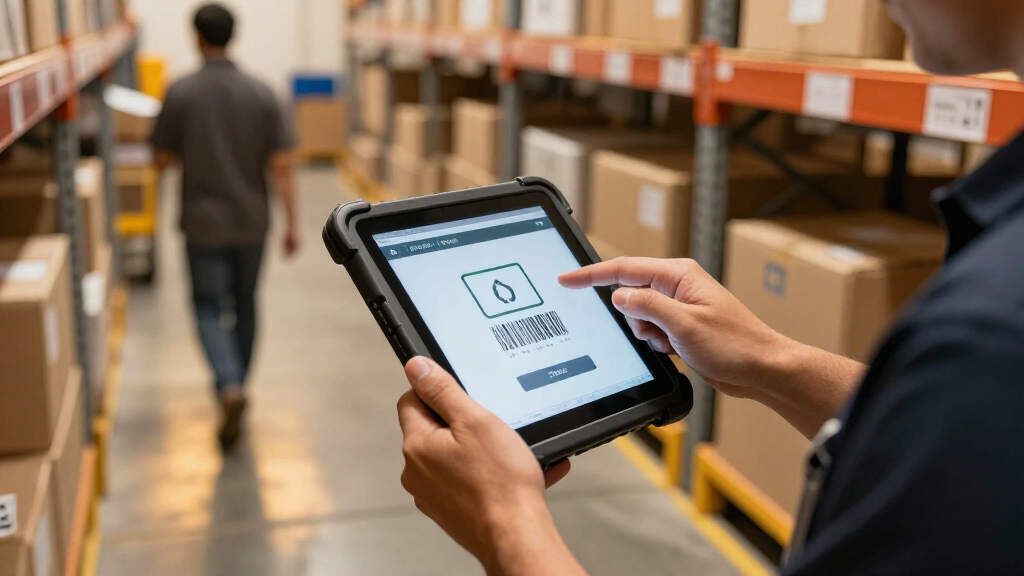
I ranked these devices around the needs of warehouse teams using AI-assisted inventory systems: reliable barcode capture, readable screens for task prompts and exception details, practical mobility, and a platform that can run the team’s software. I also weighed stated connectivity, rugged positioning, and form factor, since a device that works at a fixed packing station may be a poor fit for aisle picking or cold-room checks. Scanner details matter, but they do not replace validation with the actual labels and workflows the team uses.
The ranking favors devices that offer a balanced fit for common inventory work over options aimed at narrower roles. That puts the Arrvel I87J first for its combination of an 8-inch display, Windows 11 Pro, and Honeywell scanning; the larger ONERugged M10N follows for teams that value screen space. Compact handhelds and wearables rank lower as general-purpose picks, not because they lack value, but because they trade away tablet-style visibility. Product claims and listed specifications guide this comparison; buyers should confirm software compatibility, support, accessories, and network bands before fleet deployment.
| inventory tablets for ai driven warehouse team | Operating system |
|---|---|
| Arrvel I87J 8-Inch Rugged Wind | Windows 11 Pro |
| ONERugged M10N 10.1-Inch Windo | Windows 11 Pro |
| Zebra WT6000 Wearable Mobile C | Android 7.0 |
| MUNBYN IRT06 Rugged 8-Inch Win | Windows 11 Pro |
| Farset P10 10.1-Inch Rugged An | Android 14 |
| Honeywell CT70 Rugged Mobile C | — |
| ONERugged M105Q 10.1-Inch Rugg | Android 14 |
| MUNBYN ILT01 8-Inch Rugged And | Android 13 |
| Vanquisher 8-Inch Rugged Andro | Android 13 |
| Vanquisher 8-Inch Rugged Enter | Android 14 |
| Arrvel T50C Android 15 Rugged | Android 15 |
| Vanquisher 6.5-inch Rugged Tab | Windows 11 IoT Enterprise |
| MUNBYN IPDA101P Android 13 Han | Android 13 |
Factors to Consider When Choosing Inventory Tablets For Ai Driven Warehouse Teams
Choosing a warehouse device is a workflow decision, not a screen-size contest. I would map the tasks, software, and physical environment first, then match the device to the worker’s movement and data needs. These factors can prevent an expensive mismatch that becomes obvious only after devices reach the floor.
Match the operating system to the warehouse software
Start with the warehouse management system, AI tools, and device-management policies already in use. A Windows tablet may fit teams that rely on desktop-style applications, legacy interfaces, or connected peripherals, while Android can suit app-based workflows built for mobile scanning. Do not assume that a browser-based system runs equally well on every operating system; check camera, scanner, printing, and offline behavior too. Ask the software provider which OS versions and device-management tools it supports. A pilot with real accounts and task flows can uncover login, update, and permissions problems before a fleet purchase. Paying for a familiar platform makes less sense if the app is designed around a different one.
Choose the scanner for your labels and working distance
Barcode performance depends on the symbology, print quality, size, and distance involved in daily work. Test damaged labels, reflective packaging, and codes attached to high or awkward locations, rather than relying only on a scanner brand name. A built-in scanner can speed repeat picks, while a camera-based method may be adequate for occasional checks but slower under sustained use. Teams handling both 1D and 2D codes should verify that every target format is supported in the application and device configuration. Confirm whether the scan trigger is comfortable with gloves and whether the device can be held steadily for repeated scans. Treat scan speed as a workflow requirement to validate, not a feature label to assume.
Balance display area against movement and carry style
A bigger display helps when workers need to review AI-generated recommendations, compare item details, or enter exceptions without switching screens. It also takes more room on a cart and can be cumbersome during ladder work or fast picking. Compact handhelds and wearables can keep hands available, but their smaller displays may push detailed decisions to another device. Map each role’s movement: receiving and cycle counting may benefit from a tablet, while pick-and-scan routes may favor a handheld or wearable. Check glove use, mounting options, grip comfort, and whether workers need a strap or dock. A mixed fleet can be more useful than forcing every role onto one form factor.
Plan connectivity around real coverage and AI processing
AI-assisted workflows may send data to cloud services, run local models, or combine both, so the network requirement depends on the application. Walk the facility with the intended device and test dead zones, roaming between access points, and busy shifts. Cellular connectivity can help in yards or buildings without dependable Wi-Fi, but confirm carrier bands, service availability, and data policies before choosing it. Ask what the app can do offline and how it resolves changes made by multiple workers after reconnecting. Weak coverage can delay recommendations or leave inventory records stale even when the tablet itself is capable. Avoid paying for a connectivity feature that the facility cannot support or the software does not use.
Check ruggedness, service, and fleet management as a package
A rugged label is not a substitute for checking the operating conditions: drops, dust, moisture, temperature, cleaning chemicals, and shift length all affect device survival. Request the manufacturer’s supported test details and verify whether the case, scanner window, and charging accessories share the same protection. Fleet buyers should also investigate OS update policies, security patch availability, repair turnaround, spare-device planning, and battery replacement. A device that is inexpensive to deploy may create more downtime if repairs or replacements take weeks. Confirm how scanners, grips, docks, and straps are sourced over the expected fleet life. Total ownership depends on uptime and support, not just the tablet specification sheet.
Pilot the AI workflow before standardizing a fleet
AI features can add prompts, suggested counts, exception flags, and image-based checks, all of which change how workers interact with a screen. Pilot the complete workflow rather than just scanning a sample barcode: include sign-in, task assignment, correction handling, and synchronization with inventory records. Track scan errors, time per task, battery use across a shift, and the number of times workers need to switch devices or apps. Ask workers whether recommendations are clear and whether they can reject or correct them without slowing the task. Compare results across more than one form factor when different roles have different needs. This small trial can reveal whether a larger screen, dedicated trigger, or stronger connectivity has real operational value.
Frequently Asked Questions
Should I choose Windows or Android for an AI-enabled warehouse system?
Choose the operating system supported by your warehouse software, AI services, and IT management tools rather than selecting by familiarity alone. Windows models such as the Arrvel I87J and ONERugged M10N may suit teams with desktop-oriented applications, while Android devices can fit mobile-first scanning systems. Ask your vendor about supported OS versions, background syncing, security updates, and peripheral compatibility. Test the actual workflow, including exception handling and offline recovery, on the candidate device. If the system has not been validated on a particular model, treat that as a deployment risk.
Is a built-in barcode scanner necessary if workers use AI inventory tools?
AI does not remove the need for dependable item identification; it often relies on accurate scans to produce useful counts and recommendations. A built-in scanner can reduce handling time for repeated picks and receiving tasks, especially compared with aiming a camera at each code. The right scanner still depends on barcode formats, label condition, scan distance, and the software’s integration. Test actual warehouse labels before standardizing, including damaged or reflective examples. For occasional checks, a less specialized capture method may be enough, but high-volume scan work usually benefits from dedicated controls.
When does a 10.1-inch tablet make more sense than an 8-inch model?
A 10.1-inch screen can help when workers review detailed item records, side-by-side instructions, or AI-generated exception information during a task. It is less convenient when the device must be carried continuously, used one-handed, or handled in tight spaces. The ONERugged M10N and M105Q represent larger-screen options, while the 8-inch Arrvel I87J and MUNBYN IRT06 are more compact tablet choices. Think about mounting and cart use as well as screen readability. A short shift trial can show whether the extra display area saves task time or simply adds bulk.
Do I need 5G or cellular data if the warehouse has Wi-Fi?
Reliable, well-designed warehouse Wi-Fi may be enough for indoor inventory work, even when AI features connect to cloud services. Cellular can add flexibility for outdoor staging areas, yards, or sites where Wi-Fi coverage is inconsistent, but it brings carrier, data-plan, and device-band questions. The M105Q lists 5G and the MUNBYN ILT01 lists 4G LTE, while the CT70 specifies Wi-Fi 7, so compare the connection to actual site conditions rather than headline capability. Test roaming and dead zones with the application running. Also check whether essential tasks continue offline and how records sync when the connection returns.
Can I standardize one device across pickers, counters, and receiving staff?
One model can simplify training, support, and spare inventory, but different roles may have conflicting needs. Pickers may value a compact handheld or wearable, while cycle counters and receiving staff may need a larger screen for item details and exception review. A single tablet can also be awkward for workers who scan continuously while moving. Compare task frequency, required data entry, carry method, and shift length for each role before choosing. If a mixed fleet is under consideration, standardize the operating system and management tools where practical, even when form factors differ.
Conclusion
For a balanced tablet-first deployment, I would start with the Arrvel I87J as best overall; its 8-inch Windows format and Honeywell scanner suit teams that need both a readable display and frequent scanning. The MUNBYN ILT01 is my best value-style fit for a compact Android workflow where 4G LTE and Wi-Fi 5 match the site, though its listed 4GB RAM and 64GB storage call for careful app and fleet testing. For a premium connectivity-focused handheld role, the Honeywell CT70 is the standout pick, while the larger ONERugged M10N is a better fit when screen area matters more than compact carrying. Beginners should favor the device that matches their software and offers a simple, validated scan workflow; the Arrvel I87J is a clear starting point for Windows teams. For hands-free movement, compare the Zebra WT6000 wearable, and for a grip-oriented scanning setup, consider the MUNBYN IPDA101P. Before committing to any fleet, I would pilot the leading options with real labels, warehouse coverage, and the AI application workers will use.
Halloween Picks
halloween
As an affiliate, we earn on qualifying purchases.