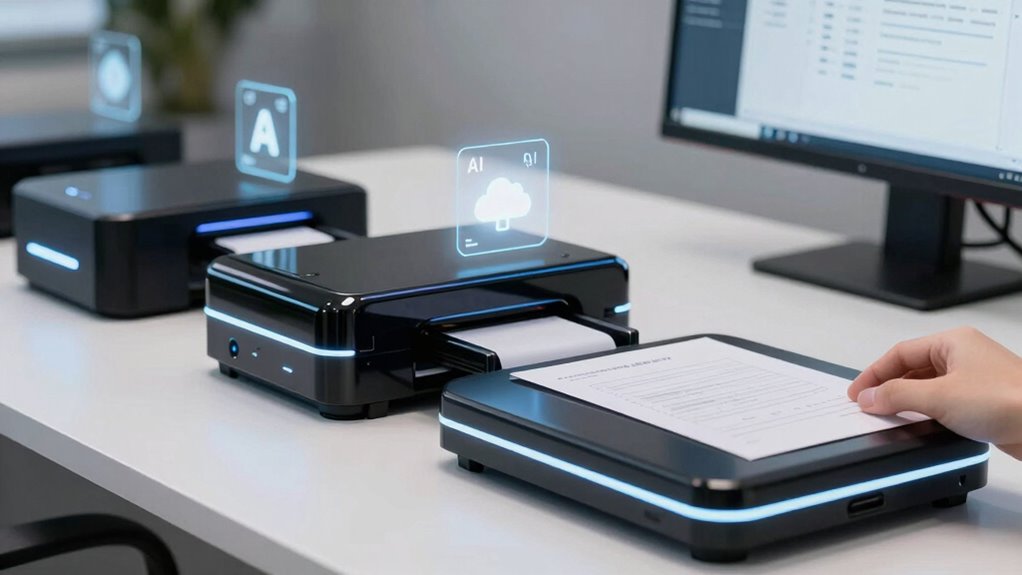

When selecting scanners for AI document archiving, the key concerns are speed, image quality, AI compatibility, and ease of use. The CZUR Aura Pro stands out as the best overall for its combination of high-quality scans and advanced AI features. The Epson Workforce ES-50 offers portability perfect for on-the-go archiving, while the VIISAN K48 excels in high-resolution book scanning for detailed archives. Readers face tradeoffs between portability, resolution, AI integration, and price. Continue reading for a detailed breakdown of the top options and their strengths.

Get business pricing on tech for your team
- Business-only prices and quantity discounts
- Tax-exempt purchasing
- Multiple users, one account, clear invoices
Key Takeaways
- High-resolution scanners like the VIISAN K48 deliver detailed images essential for AI training but tend to be more expensive and bulkier.
- Portability-focused models such as the Epson Workforce ES-50 are ideal for mobile workflows but may compromise on resolution and AI features.
- AI integration varies; some scanners include OCR and auto-flattening, saving time during archiving, whereas others require post-processing.
- Price often correlates with features—premium models offer advanced AI and higher speed, but budget options still meet basic archiving needs.
- Ease of use and connectivity (Wi-Fi, USB) are critical, especially for teams with diverse workflows or limited technical support.
| CZUR Aura Pro Book & Document Scanner |  | Best Overall for High-Speed, Multi-Format Archiving | Compatibility: Mac (Apple Silicon: macOS 13+, Intel: macOS 12+), Windows XP/7/8/10/11 | Scanning Speed: 2 seconds per page | Output Formats: JPG, Word, PDF, Searchable PDF | VIEW ON AMAZON | See Our Full Breakdown |
| CZUR Shine Ultra Smart Portable Document Scanner |  | Best for Portability and Remote Use | Compatibility: Windows 10/11, macOS 10.13+ | Supported Paper Sizes: A3, A4 | Scanning Speed: About 1 second per page | VIEW ON AMAZON | See Our Full Breakdown |
| VIISAN K48 48MP Book Scanner & Document Camera |  | Best for High-Detail, Professional Archiving | Resolution: 600 DPI | Sensor: 48MP Sony CMOS | Video Output: 4K@30fps | VIEW ON AMAZON | See Our Full Breakdown |
| Epson Workforce ES-50 Compact & Lightweight Mobile Document Scanner |  | Best for On-the-Go Small Document Scanning | Maximum Document Size: 8.5 x 72 inches | Scan Speed: 5.5 seconds per page | Connectivity: USB 2.0 | VIEW ON AMAZON | See Our Full Breakdown |
| Epson RapidReceipt RR-620W Wireless & USB High-Speed Color Duplex Receipt & Document Scanner |  | Best for High-Speed, AI-Enabled Business Scanning | Scanning Speed: 45 ppm | Auto Document Feeder: 100 pages | Touchscreen: 4.3 inches | VIEW ON AMAZON | See Our Full Breakdown |
| ScanSnap iX1300 Wireless or USB Double-Sided Color Document Scanner, Black |  | Best Space-Saving Scanner for Versatile, On-the-Go Archiving | Connectivity: USB, Wi-Fi | Scanning Speed: 30 ppm duplex | Color: Color | VIEW ON AMAZON | See Our Full Breakdown |
| ScanSnap iX2500 Wireless and USB Document Scanner, Black |  | Best High-Speed, Large-Capacity Scanner for Heavy-Duty Archiving | Connectivity: Wi-Fi 6, USB-C | Scanning Speed: 45 ppm double-sided | Document Feeder Capacity: 100 sheets | VIEW ON AMAZON | See Our Full Breakdown |
| VIISAN K48 Book Scanner & Document Camera, 48MP A3 Overhead Scanner with 600 DPI, OCR, Auto Page Flattening, Laser Positioning, 4K USB Camera for Books, Documents, Teaching and Archiving |  | Best High-Resolution Overhead Scanner for Detailed Archives and Books | Scanner Type: Document, overhead | Resolution: 900 dpi | Color Depth: 48 bits per pixel | VIEW ON AMAZON | See Our Full Breakdown |
| scanners for ai document archiving | Compatibility | Scanning Speed | Connectivity |
|---|---|---|---|
| CZUR Aura Pro Book & Document | Mac (Apple Silicon: macOS 13+, Intel: macOS 12+), Windows XP/7/8/10/11 | 2 seconds per page | — |
| CZUR Shine Ultra Smart Portabl | Windows 10/11, macOS 10.13+ | About 1 second per page | — |
| VIISAN K48 48MP Book Scanner & | Windows, Mac | — | USB 3.0 Type-C |
| Epson Workforce ES-50 Compact | Windows and Mac | — | USB 2.0 |
| Epson RapidReceipt RR-620W Wir | — | 45 ppm | Wi-Fi, USB |
| ScanSnap iX1300 Wireless or US | — | 30 ppm duplex | USB, Wi-Fi |
| ScanSnap iX2500 Wireless and U | Mac, PC, iOS, Android, cloud services | 45 ppm double-sided | Wi-Fi 6, USB-C |
| VIISAN K48 Book Scanner & Docu | — | — | — |
More Details on Our Top Picks
CZUR Aura Pro Book & Document Scanner
The CZUR Aura Pro stands out as the most versatile and fast option, capable of capturing both A3 and A4 documents with remarkable speed—just 2 seconds per page. Its support for multiple output formats, including searchable PDFs, combined with advanced lighting and laser alignment, makes it ideal for digitizing curved or delicate pages with precision. Unlike the CZUR Shine Ultra, which excels in portability but sacrifices some speed and advanced features, the Aura Pro offers a more comprehensive set of tools for high-volume archiving. A tradeoff is its lack of Wi-Fi or Bluetooth, requiring wired connections and app control, which might limit flexibility for some users. This scanner is best suited for archival professionals or offices needing efficient, multi-format document processing.
Pros:- Fast scanning speed of 2 seconds per page
- Supports multiple formats including searchable PDFs
- Advanced lighting and laser technology for curved page accuracy
- Compatible with Mac and Windows
Cons:- No Wi-Fi or Bluetooth connectivity for wireless operation
- OCR does not support Thai, Hebrew, or Arabic languages
- Requires app control for full functionality
Best for: Archivists, legal offices, or libraries that require high-accuracy, multi-format scanning of large document batches
Not ideal for: Small businesses or mobile workers who need wireless, portable solutions, since it lacks Wi-Fi and is less convenient on the go
- Compatibility:Mac (Apple Silicon: macOS 13+, Intel: macOS 12+), Windows XP/7/8/10/11
- Scanning Speed:2 seconds per page
- Output Formats:JPG, Word, PDF, Searchable PDF
- OCR Languages:180+ (excluding Thai, Hebrew, Arabic)
- Lighting:32 LED + 2 supplemental side lights
- Special Features:Flattening curved pages, laser line accuracy, AI image processing
Our verdict“This scanner is perfect for high-volume, professional archiving where speed and multi-format support are priorities, despite limited wireless options.”
CZUR Shine Ultra Smart Portable Document Scanner
The CZUR Shine Ultra offers a highly portable solution tailored for users needing quick scans on the move. Its foldable, lightweight design (just 4 lbs) and adjustable height make it ideal for remote teaching, fieldwork, or small office tasks. While it delivers impressive 1-second per page speeds and high-resolution 13MP imaging, it lacks the extensive features of the CZUR Aura Pro, such as multi-format output or advanced lighting. It also doesn’t support Android or iOS devices, limiting mobile compatibility. Compared to the larger, desktop-focused scanners, the Shine Ultra is more suited for thinner documents and occasional use. This pick makes the most sense for educators or field professionals who prioritize portability over bulk processing.
Pros:- Very lightweight and foldable for easy transport
- Fast scanning speed of about 1 second per page
- High-resolution 13MP camera with AI features
- Adjustable height for versatile use
Cons:- No support for Android or iOS devices
- Limited to thinner books and documents
- Lacks advanced multi-format output options
Best for: Remote educators, field researchers, or mobile professionals needing fast, high-res scans without bulky equipment
Not ideal for: Office environments requiring large-volume, multi-format digital archiving, as it’s limited to thinner documents and lacks extensive features
- Compatibility:Windows 10/11, macOS 10.13+
- Supported Paper Sizes:A3, A4
- Scanning Speed:About 1 second per page
- Camera Resolution:13MP (4160×3120)
- Weight:4 lbs
- Adjustable Height:2 levels
Our verdict“This scanner is ideal for mobile users prioritizing speed and portability over extensive features and volume capacity.”
VIISAN K48 48MP Book Scanner & Document Camera
The VIISAN K48 is designed for users demanding extreme detail and professional-grade quality. Its 48MP Sony CMOS sensor and 600 DPI resolution yield crisp, high-clarity scans suitable for archival, scholarly, or high-volume digitization projects. Unlike the portable CZUR models, the K48 is a dedicated, high-end scanner with AI-assisted page flattening, laser positioning, and auto-detection, streamlining complex projects. Its USB 3.0 Type-C connection supports high-speed data transfer. While the setup might be complex for casual users, it excels in scenarios where detail and accuracy outweigh ease of use. This device is best for archival institutions, libraries, or detailed document reproduction.
Pros:- 48MP high-resolution sensor captures incredible detail
- 600 DPI supports high-quality archival prints
- AI-assisted page flattening reduces manual editing
- Supports multiple formats and OCR
Cons:- Expensive for casual or small-scale use
- Complex setup and operation requiring technical skills
- USB 3.0 needed for optimal performance
Best for: Libraries, archival institutions, or professional researchers needing high-resolution, detailed scans of large collections
Not ideal for: Casual users or small offices with limited budgets, as its complexity and cost can be prohibitive
- Resolution:600 DPI
- Sensor:48MP Sony CMOS
- Video Output:4K@30fps
- Connectivity:USB 3.0 Type-C
- Supported Formats:PDF, Word, Excel, MP3
- Compatibility:Windows, Mac
Our verdict“This scanner is tailored for high-detail, professional archiving projects where precision and clarity are paramount, despite its higher cost and complexity.”
Epson Workforce ES-50 Compact & Lightweight Mobile Document Scanner
The Epson Workforce ES-50 is a straightforward, portable scanner designed for quick, single-page scans such as receipts, IDs, or small documents. Its compact form factor makes it easy to carry in a bag, ideal for traveling professionals or busy individuals. While it offers a decent 5.5 seconds per page speed and OCR for searchable PDFs, it’s limited to single-sheet scans and lacks wireless connectivity, unlike larger desktop scanners. Compared to the EPSON RR-620W, which offers duplex and higher speed, the ES-50 is better suited for occasional, lightweight tasks where convenience matters more than volume or advanced features. It’s a good fit for personal use or small-business professionals who need quick, on-the-fly digitization.
Pros:- Very lightweight and portable, easy to carry
- Fast enough for occasional use
- Includes OCR software for searchable PDFs
- No external power needed—USB powered
Cons:- Limited to single-sheet scanning
- No wireless or cloud connectivity
- Primarily designed for small documents, not large volumes
Best for: Business travelers or mobile workers needing fast, portable scanning of small documents and receipts
Not ideal for: Offices requiring high-volume scanning or duplex document handling, due to its single-sheet limit and slower speed
- Maximum Document Size:8.5 x 72 inches
- Scan Speed:5.5 seconds per page
- Connectivity:USB 2.0
- Power Source:USB-powered
- Software Features:OCR for searchable PDFs, scan to cloud
- Compatibility:Windows and Mac
Our verdict“This scanner is well-suited for mobile users needing quick, single-page scans without fuss or bulk, but not for heavy-volume archiving.”
Epson RapidReceipt RR-620W Wireless & USB High-Speed Color Duplex Receipt & Document Scanner
The Epson RR-620W is tailored for fast-paced environments needing efficient receipt and document management, especially with its 45 pages per minute duplex scanning. Its 4.3-inch color touchscreen simplifies operation, making it accessible for users unfamiliar with complex tech. The wireless connectivity and cloud integration features make it a standout in environments where quick data extraction and digitization are essential, such as retail or financial sectors. While it incorporates AI-ready technology for smart data handling, its complexity could be a hurdle for non-technical users, and its price may be on the higher side for small teams. Compared to the CZUR Aura Pro, which targets detailed, multi-format archiving, the RR-620W specializes in speed and automation for high-volume receipt processing.
Pros:- High-speed duplex scanning of 45 ppm
- AI-ready for smart data extraction
- Large 4.3-inch color touchscreen for ease of use
- Wireless connectivity for cloud and email integration
Cons:- Potentially complex setup for non-technical users
- Price may be prohibitive for small-scale use
- Designed mainly for receipts and small documents
Best for: Financial or retail teams needing rapid, duplex, wireless document and receipt scanning with AI data extraction
Not ideal for: Small offices or individuals who require simple, single-page scans without advanced AI features or wireless connectivity
- Scanning Speed:45 ppm
- Auto Document Feeder:100 pages
- Touchscreen:4.3 inches
- Connectivity:Wi-Fi, USB
- Document Type:Receipts, documents
- AI Technology:AI-ready scans, intelligent data extraction
Our verdict“This high-speed, AI-enabled scanner excels in busy environments where quick, duplex processing and wireless features are vital, though it may be overkill for casual users.”
ScanSnap iX1300 Wireless or USB Double-Sided Color Document Scanner, Black
The ScanSnap iX1300 stands out for its compact design, making it ideal for tight office spaces or home setups where desk real estate matters. Its duplex color scanning at 30 pages per minute offers respectable speed, especially compared with the slower VIISAN K48, which emphasizes detail over speed. While it supports both Wi-Fi and USB, the setup process can be less straightforward, requiring software configuration before full functionality. Its automatic features like de-skew and blank page removal enhance workflow, but the modest speed might be a bottleneck for high-volume archiving. For users prioritizing a space-efficient, flexible scanner that integrates with cloud services, this makes a compelling choice.
Pros:- Compact, space-saving design fits small desks
- Fast duplex scanning with high image quality
- Wireless and USB connectivity for versatile use
- Compatible with multiple devices and cloud services
Cons:- Requires software setup for full functionality
- Limited to 30 pages per minute, may be slow for large batches
Best for: Small businesses or home users who need reliable, space-efficient scanning with wireless options
Not ideal for: High-volume archives or professional digitization projects where faster throughput is essential
- Connectivity:USB, Wi-Fi
- Scanning Speed:30 ppm duplex
- Color:Color
- Supported Devices:Mac, PC, mobile devices, cloud services, Chromebook
- Automatic Features:De-skew, color optimization, blank page removal
Our verdict“This scanner suits users seeking a compact, flexible device for light to moderate document archiving.”
ScanSnap iX2500 Wireless and USB Document Scanner, Black
The ScanSnap iX2500 is designed for demanding environments, offering an impressive 45 pages per minute double-sided scanning speed, surpassing the iX1300’s performance. Its large 100-sheet feeder minimizes interruptions, making it well-suited for high-volume archiving—an area where the VIISAN K48 falls short due to its slower speed and overhead design. The iX2500’s large touchscreen and flexible connectivity via Wi-Fi 6 and USB-C streamline workflow, though its premium price may deter budget-conscious buyers. Setting up the device can be complex for those unfamiliar with advanced scanners, but once configured, it delivers a seamless, efficient experience. This model makes the most sense for professional offices or large archives needing rapid, reliable digitization.
Pros:- Fast double-sided scanning at 45 pages per minute
- Large 100-sheet document feeder reduces loading frequency
- Advanced connectivity with Wi-Fi 6 and USB-C
- User-friendly touchscreen interface
Cons:- Higher price point may be prohibitive for some
- Setup can be complex for non-technical users
Best for: Enterprise users or busy offices handling large document volumes who need speed and capacity
Not ideal for: Casual users or small-scale digitization projects that don’t require high throughput or extensive features
- Connectivity:Wi-Fi 6, USB-C
- Scanning Speed:45 ppm double-sided
- Document Feeder Capacity:100 sheets
- Color:Black
- Compatibility:Mac, PC, iOS, Android, cloud services
Our verdict“This scanner is ideal for high-volume environments where speed and capacity outweigh entry-level features.”
VIISAN K48 Book Scanner & Document Camera, 48MP A3 Overhead Scanner with 600 DPI, OCR, Auto Page Flattening, Laser Positioning, 4K USB Camera for Books, Documents, Teaching and Archiving
The VIISAN K48 excels in capturing fine details thanks to its 48MP resolution and 600 DPI, making it perfect for digitizing fragile books, detailed documents, or archival materials where clarity matters most. Its AI-assisted features, like page flattening and automatic splitting, speed up the process compared to traditional overhead scanners like the ScanSnap models. Unlike the compact iX1300 and iX2500, the K48’s weight and setup complexity can be drawbacks for portable or quick projects, but its image quality and OCR capabilities make it suitable for professional digitization and teaching. This device is best for users who prioritize resolution, detailed image fidelity, and versatile use as a document camera.
Pros:- High-resolution 48MP imaging for detailed scans
- AI-assisted page flattening accelerates digitization
- Dual function as a 4K document camera
- Compatible with Windows and Mac
Cons:- Relatively heavy at 2.8 kg, less portable
- Requires calibration and setup for optimal performance
Best for: Archivists, librarians, or educators requiring detailed, high-resolution scans of books and documents
Not ideal for: High-volume archiving or users seeking a portable, quick-to-set-up scanner without detailed image needs
- Scanner Type:Document, overhead
- Resolution:900 dpi
- Color Depth:48 bits per pixel
- Connection Type:USB
- Weight:2.8 kg
Our verdict“This overhead scanner is best suited for detailed, high-quality digitization where resolution and precision are priorities.”

How We Picked
To determine the best scanners for AI document archiving, I evaluated each product based on image quality, scanning speed, AI capabilities like OCR and auto-flattening, build quality, and ease of integration with AI workflows. Additional factors included portability for mobile archiving, connectivity options, and value for the price. I prioritized devices that balance high performance with user-friendly features, ensuring they support AI-based indexing and archiving tasks. The ranking reflects a combination of these technical features and real-world usability, aiming to help buyers find solutions suited for different needs and budgets.| scanners for ai document archiving | Compatibility | Connectivity |
|---|---|---|
| CZUR Aura Pro Book & Document | Mac (Apple Silicon: macOS 13+, Intel: macOS 12+), Windows XP/7/8/10/11 | — |
| CZUR Shine Ultra Smart Portabl | Windows 10/11, macOS 10.13+ | — |
| VIISAN K48 48MP Book Scanner & | Windows, Mac | USB 3.0 Type-C |
| Epson Workforce ES-50 Compact | Windows and Mac | USB 2.0 |
| Epson RapidReceipt RR-620W Wir | — | Wi-Fi, USB |
| ScanSnap iX1300 Wireless or US | — | USB, Wi-Fi |
| ScanSnap iX2500 Wireless and U | Mac, PC, iOS, Android, cloud services | Wi-Fi 6, USB-C |
| VIISAN K48 Book Scanner & Docu | — | — |
Factors to Consider When Choosing Scanners For Ai Document Archiving
Choosing the right scanner for AI document archiving involves understanding several key factors. Beyond resolution and speed, consider how well the device integrates with AI tools, its portability, and ease of use. Making the wrong choice can lead to inefficiencies, poor image quality, or workflows that don’t support automation. Here are the main factors to keep in mind:Resolution and Image Quality
High resolution is fundamental for AI training and accurate document recognition. While 600 DPI is a common standard that balances detail and file size, some high-end models offer even greater clarity for complex documents. Lower resolutions may suffice for simple archiving but can hinder AI performance, making this a key consideration for future-proofing your setup.
AI Capabilities and OCR
AI features such as OCR, auto-flattening, and auto-cropping significantly streamline archiving workflows. Scanners with built-in AI support reduce manual post-processing, saving time and improving accuracy. Be mindful that some models require additional software for AI functions, which can add complexity or cost.
Speed and Batch Processing
If you handle large volumes regularly, look for scanners with high throughput and fast processing speeds. Features like duplex scanning and automatic document feeders can dramatically improve efficiency, especially when archiving multiple pages or books. However, higher speed models tend to be more expensive and bulkier.
Portability and Connectivity
For fieldwork or mobile archiving, portability is essential. Compact, lightweight models like the Epson ES-50 excel here. On the other hand, if your workflow is stationary, investing in a more robust, wired scanner might be worthwhile. Wireless connectivity options, including Wi-Fi and cloud integration, provide added flexibility and ease of use across different devices and teams.
Build Quality and Maintenance
Durability matters, especially for frequent use or mobile scenarios. Look for models with sturdy construction and easy-to-clean components. Regular maintenance, such as replacing rollers or cleaning sensors, prolongs lifespan and maintains scan quality. Consider the availability of replacement parts and support from manufacturers.
Frequently Asked Questions
Can these scanners handle large volumes of documents efficiently?
Many of these scanners, especially those with automatic document feeders and high-speed processing, are designed for high-volume archiving. Devices like the ScanSnap iX1300 and VIISAN K48 can process multiple pages quickly, making them suitable for bulk scanning. However, for extremely large archives, dedicated industrial scanners might still be more efficient, though at a higher cost.
Are these scanners compatible with AI software for OCR and auto-flattening?
Most of the listed models feature built-in AI functions like OCR, but compatibility can vary. Some rely on proprietary software, while others support third-party AI tools via standard interfaces. When selecting a scanner, verify that it integrates smoothly with your existing AI workflows or software platforms to maximize efficiency.
What resolution should I prioritize for AI document archiving?
For AI training and accurate recognition, 600 DPI is generally sufficient, providing a good balance of detail and manageable file sizes. Higher resolutions can capture fine details but may slow down processing and increase storage requirements. Consider your specific needs—if working with detailed images or complex layouts, opting for higher DPI might be beneficial.
Is portability worth sacrificing some features or resolution?
Portability can be valuable if you frequently move between locations or need to scan documents on-site. However, smaller, portable models often compromise on resolution, speed, and AI features. Weigh your workflow needs carefully—if most archiving is stationary, a larger, more feature-rich scanner might serve better in the long run.
How important is build quality for long-term archiving scanners?
Build quality directly impacts durability and maintenance costs. Scanners intended for frequent or professional use should have sturdy construction and easy-to-maintain components. Investing in a well-built model can reduce downtime and repair needs, ensuring your archiving process remains smooth over years of use.
Conclusion
For buyers prioritizing overall performance and AI integration, the CZUR Aura Pro offers a comprehensive solution with high-quality scans and advanced AI features. Those needing a portable, budget-friendly option should consider the Epson Workforce ES-50, ideal for mobile workflows. For high-resolution book archiving, the VIISAN K48 stands out, though it comes at a higher price. Beginners or small teams will find the simpler, user-friendly models like the ScanSnap iX1300 a good fit. Larger organizations with high-volume needs might opt for more robust, specialized scanners, balancing cost with efficiency.
Fall Picks
fall essentials
As an affiliate, we earn on qualifying purchases.