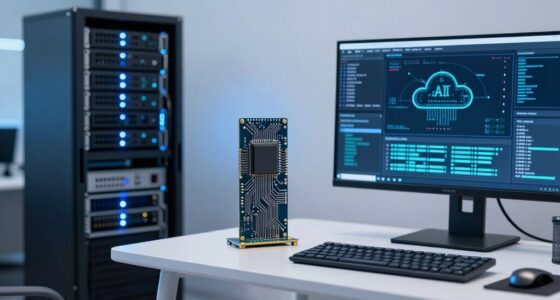
For AI developers and creators, choosing the right screen size depends on your workflow needs. If you handle lots of multitasking and detailed visualizations, a 27-inch or larger monitor can boost productivity and improve navigation. A 24-inch screen offers a good balance for smaller spaces and flexibility. Smaller laptops (13-15 inches) are portable but might limit multitasking, though external monitors can help. Keep hardware compatibility in mind to make certain of smooth performance—discover more about the best options to suit your setup.
Key Takeaways
- Larger screens (27-inch or bigger) enhance multitasking, detailed visualizations, and workflow efficiency for AI development and content creation.
- 24-inch monitors offer a balanced option for ample workspace and portability in smaller or shared environments.
- Smaller screens (13-15 inches) provide mobility but may require external displays for optimal multitasking and detailed work.
- Hardware compatibility is crucial; ensure graphics cards support the chosen screen size and resolution for smooth performance.
- Consider workspace size, portability, and specific work needs to select the optimal screen size for AI development and creative tasks.

Choosing the right screen size can substantially boost your productivity and creativity as an AI developer or creator. Your choice impacts how you interact with your user interface, the efficiency of your workflow, and how seamlessly your hardware works together. When selecting a screen, you need to think about how comfortably you can view multiple windows, code, and visual outputs without straining your eyes or hampering your focus.
A larger screen, such as a 27-inch or bigger monitor, offers substantial benefits if your work involves multitasking or detailed visualizations. With more screen real estate, you can have multiple windows open side-by-side, making it easier to compare datasets, write code, and monitor training processes simultaneously. This setup enhances your user interface experience by allowing for more intuitive navigation and less constant switching between tabs or windows. However, keep in mind that a bigger display requires compatible hardware, including a powerful graphics card and sufficient desk space. Verify your hardware compatibility supports the resolution and size you choose, so your system runs smoothly without lag or display issues.
On the other hand, a 24-inch screen strikes a good balance for many creators. It’s large enough to facilitate multitasking but compact enough for smaller workspaces. This size is ideal if you’re frequently mobile or working in shared environments, as it’s easier to transport and set up. Still, it provides enough space for a clear user interface, so you can see your code and visual outputs without feeling cramped. When evaluating this size, check your hardware compatibility, especially your graphics capabilities, to ensure ideal performance at the desired resolution.
If portability is a priority, a high-quality laptop with a 13- to 15-inch screen might be your best fit. While smaller screens can be limiting when it comes to multitasking, they offer convenience and flexibility. To make the most of these devices, focus on optimizing your user interface layout, such as utilizing split-screen features or external monitors when possible. Just remember that hardware compatibility becomes critical here; ensure your laptop’s graphics and processing power support your development tools and visualizations without slowing down.
Additionally, understanding monitor resolution and how it affects clarity can help you choose the optimal size and display quality for your needs. Ultimately, the ideal screen size depends on your specific needs, workspace, and hardware setup. Larger screens enhance multitasking and visual clarity but demand compatible hardware and more space. Smaller or portable screens provide flexibility but may require adjustments to your workflow. By choosing the right size, you create a more efficient environment that elevates your work as an AI developer or creator.

LG 27US500-W Ultrafine Monitor 27-Inch 4K UHD (3840×2160) HDR10 IPS Borderless Design Reader Mode Flicker Safe Switch App HDMI DisplayPort – White
4K UHD with 1000:1 Contrast Ratio – This UltraFine display with a 1000:1 contrast ratio displays deeper blacks…
As an affiliate, we earn on qualifying purchases.
As an affiliate, we earn on qualifying purchases.
Frequently Asked Questions
How Does Screen Size Impact Multitasking Efficiency?
A larger screen size enhances your multitasking efficiency by improving screen ergonomics and visual comfort. With more space, you can comfortably view multiple windows simultaneously, reducing eye strain and making it easier to switch between tasks. This setup helps you stay focused and organized. When your screen is appropriately sized, you experience less clutter and better overall productivity, allowing you to work more effectively without sacrificing comfort.
Are Larger Screens Better for Detailed AI Model Analysis?
Larger screens act like a magnifying glass, sharpening visual clarity and revealing intricate details in AI model analysis. They allow you to see data and code more clearly, reducing eye strain and enhancing ergonomic comfort. With more space, you can multitask effortlessly, keeping complex tasks organized. So, if precision and comfort are your goals, investing in a bigger screen helps you navigate detailed AI work with confidence and ease.
What Screen Size Is Ideal for Mobile AI App Development?
For mobile AI app development, a screen around 6 to 6.5 inches offers a good balance. You’ll benefit from excellent touch sensitivity, ensuring precise interactions, and high color accuracy for designing visually appealing interfaces. This size is portable yet provides enough space to test app functionality comfortably. Prioritize screens with responsive touch and true-to-life colors, so you can develop and refine your AI applications effectively on the go.
Do Curved Screens Improve Workflow for Creators?
Think of a curved screen as a gentle river guiding your creative flow. Yes, curved screens improve workflow for creators, thanks to better ergonomics and reduced strain. Their immersive viewing experience draws you into your work, making details pop and colors richer. This seamless immersion helps you stay focused and inspired, turning your workspace into a sanctuary where ideas ripple effortlessly, much like a tranquil river nurturing every creative current.
How Does Screen Resolution Relate to Screen Size?
Screen resolution directly affects screen clarity and how sharp images and text appear, regardless of size. As you choose larger screens, resolution scaling becomes important; a higher resolution guarantees details stay crisp and clear. A small screen with high resolution can offer better clarity than a large, low-resolution display. Balancing screen size with resolution lets you optimize both workspace and visual quality, making it easier to code, design, or create content.

Laptomo Laptop Screen Extender 15.6", 120% sRGB 1080P FHD Laptop Monitor Extender, Dual Screen for 13-17" Laotop, Plug and Play Portable Monitor with Windows/Mac/Android/Chrome/PS5
Boost Productivity Anywhere: Experience unmatched efficiency with our Laptop Screen Extender. This Portable Monitor for Laptop allows you…
As an affiliate, we earn on qualifying purchases.
As an affiliate, we earn on qualifying purchases.
Conclusion
Choosing the right screen size can boost your productivity and creativity as an AI developer or creator. For instance, imagine a developer using a 32-inch monitor to run multiple coding windows and visualize complex datasets simultaneously—leading to faster insights and smoother workflows. Remember, the ideal size depends on your specific needs and workspace. Invest in the right screen, and you’ll reveal your full potential, turning big ideas into reality effortlessly.

KYY Portable Monitor 15.6inch 1080P FHD USB-C, HDMI Computer Display HDR IPS Gaming Monitor w/Premium Smart Cover & Screen Protector, Speakers, for Laptop PC MAC Phone PS4 Xbox Switch
[ FHD 1080P PORTABLE MONITOR ]: KYY using a 15.6''(8.8"x14.2") advanced IPS screen with 178° wide viewing angle,…
As an affiliate, we earn on qualifying purchases.
As an affiliate, we earn on qualifying purchases.

MOUGOL AMD Radeon R7 350 4GB Low Profile Graphics Card, Dual HDMI Ports for Multi-Monitor, 4GB GDDR3 128-Bit, SFF Half-Height Video Card for Slim Desktop PC, Support Windows 10/8.1/7 Computer GPU
【Space-Saving Low Profile Design】: Specially engineered for Small Form Factor (SFF) and slim desktop PCs. This half-height graphics…
As an affiliate, we earn on qualifying purchases.
As an affiliate, we earn on qualifying purchases.