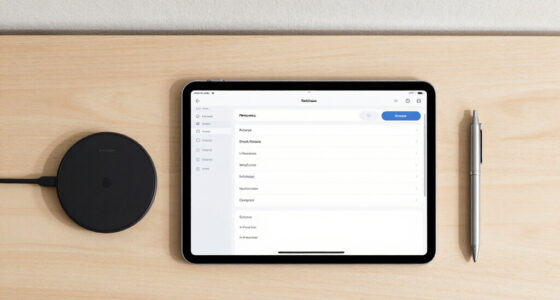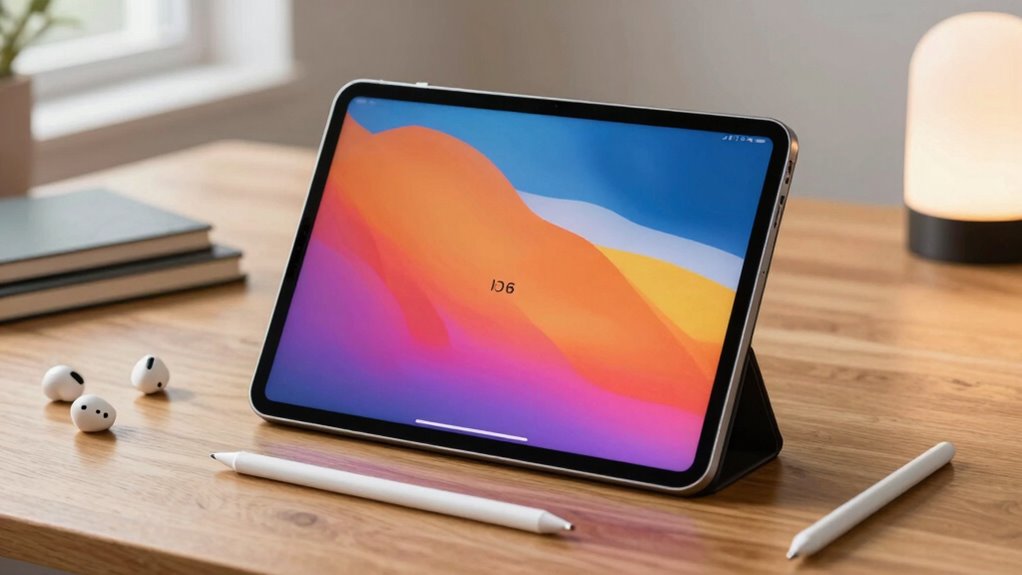

Students seeking tablets that excel at AI note summaries need devices that offer a blend of smart features, portability, and reliable AI integration. The iFlytek AINOTE 2 stands out as the best overall choice thanks to its advanced AI capabilities and versatile recording features. The TCL NXTPAPER 11 Plus appeals for its large display and fast performance, making it ideal for multitasking and detailed note review. Meanwhile, the VIWOODS AiPaper Mini provides a compact and affordable option for students new to AI note-taking. Each of these options balances core features with tradeoffs like price, usability, or hardware limitations. Keep reading to see how these and other options compare and which might be the best fit for your needs.

Get business pricing on tech for your team
- Business-only prices and quantity discounts
- Tax-exempt purchasing
- Multiple users, one account, clear invoices
Key Takeaways
- The best AI note-taking tablets offer a combination of reliable voice-to-text, handwriting recognition, and AI summaries, but no device excels in all areas.
- Large screens improve note review but often come with higher costs and reduced portability, making size a key tradeoff.
- Affordable models tend to sacrifice some AI sophistication or build quality, so consider your priority between cost and performance.
- Stylus quality and pressure sensitivity significantly influence note accuracy and usability, especially for handwritten summaries.
- Many devices bundle AI features with additional functionalities like recording or multi-language support, which can add value for diverse student needs.
| iFlytek AINOTE 2 10.65″ E Ink Tablet with Recording & AI Meeting Summaries |  | Best Overall for Long-Lasting, Paper-Like Note-Taking with AI Assistance | Display: 10.65-inch E Ink | Thickness: 4.2 mm | Battery Life: Up to 14 days | VIEW ON AMAZON | See Our Full Breakdown |
| iFLYTEK AINOTE Air 2 Bundle – 8.2″ E Ink AI Note-Taking Tablet with Stylus, 4096 Pressure Levels, Voice-to-Text Transcription, Multi-Language Support |  | Best for Precision Note-Taking with Advanced Stylus and Voice Features | Screen Size: 8.2 inches | Pressure Levels: 4096 | Languages Supported: 16 for transcription, 85 for handwriting | VIEW ON AMAZON | See Our Full Breakdown |
| iFLYTEK AINOTE Air 2, 8.2-Inch E Ink Tablet with Blue Folio Case |  | Best for Multilingual Meeting Notes and Portability | Display: 8.2-inch E Ink | Dimensions: 7.6 × 5.4 inches | Thickness: 5-6.5 mm | VIEW ON AMAZON | See Our Full Breakdown |
| iFLYTEK AINOTE Air 2 Bundle with Black Folio Case |  | Best for Study and Work with Document Scanning and Voice Transcription | Screen Size: 8.2 inches | Battery Life: 7 days | Storage: 32GB internal, 100GB cloud | VIEW ON AMAZON | See Our Full Breakdown |
| TCL NXTPAPER 11 Plus Android Tablet, 11.5″ 2.2K 120Hz Display, 8GB RAM, 256GB Storage |  | Best for Versatile Use with High-Resolution Display and Long Battery Life | Display: 11.5-inch 2.2K | Processor: MTK Helio G100 | RAM: 8GB | VIEW ON AMAZON | See Our Full Breakdown |
| VIWOODS AiPaper Mini 8.2″ AI E Ink Tablet, Digital Notebook Bundle with Pen |  | Best Overall for Portable E Ink Note-Taking and Reading | Display: 8.2 inches, 292 PPI E Ink | Weight: 230g | Storage: 128GB | VIEW ON AMAZON | See Our Full Breakdown |
| iFLYTEK AINOTE 2 AI Digital Notebook |  | Best for AI-Enhanced Note-Taking and Transcription on the Go | Display: 10.65-inch E Ink | Thickness: 4.2mm | Features: AI note-taking, voice transcription, handwriting recognition, multilingual support, cloud sync | VIEW ON AMAZON | See Our Full Breakdown |
| iFLYTEK AINOTE Air 2 Paper Tablet, 8.2″ AI Note Taking Digital Notebook |  | Best for Multi-Language Voice and Handwriting Recognition | Screen Size: 8.2 inches | Battery Life: Up to 7 days | Storage: 32GB internal, 100GB cloud | VIEW ON AMAZON | See Our Full Breakdown |
| iFlytek AINOTE Air 2, 8.2″ E Ink Tablet with Black Folio Case |  | Best for Multilingual Meeting Summaries and Portability | Display: 8.2-inch E Ink | Dimensions: 7.6 × 5.4 inches | Thickness: 5–6.5 mm | VIEW ON AMAZON | See Our Full Breakdown |
| iFLYTEK AINOTE Air 2 Bundle, 8.2-inch AI Note-Taking Tablet with Pen and Voice-to-Text |  | Best for All-in-One AI Note-Taking with Stylus and Voice | Display: 8.2-inch E-Ink | Storage: 32GB internal, 100GB cloud | Battery: 2600mAh, up to 7 days | VIEW ON AMAZON | See Our Full Breakdown |
| student tablets for ai note summarie | Display | Battery Life | Storage |
|---|---|---|---|
| iFlytek AINOTE 2 10.65" E Ink | 10.65-inch E Ink | Up to 14 days | — |
| iFLYTEK AINOTE Air 2 Bundle | — | Not specified but optimized for daily use | — |
| iFLYTEK AINOTE Air 2 | 8.2-inch E Ink | Power-efficient display | — |
| iFLYTEK AINOTE Air 2 Bundle wi | — | 7 days | 32GB internal, 100GB cloud |
| TCL NXTPAPER 11 Plus Android T | 11.5-inch 2.2K | — | 256GB |
| VIWOODS AiPaper Mini 8.2" AI E | 8.2 inches, 292 PPI E Ink | — | 128GB |
| iFLYTEK AINOTE 2 AI Digital No | 10.65-inch E Ink | — | — |
| iFLYTEK AINOTE Air 2 Paper Tab | — | Up to 7 days | 32GB internal, 100GB cloud |
| iFlytek AINOTE Air 2 | 8.2-inch E Ink | — | — |
| iFLYTEK AINOTE Air 2 Bundle | 8.2-inch E-Ink | — | 32GB internal, 100GB cloud |
More Details on Our Top Picks
iFlytek AINOTE 2 10.65″ E Ink Tablet with Recording & AI Meeting Summaries
The iFlytek AINOTE 2 stands out for its large, 10.65-inch E Ink display that closely mimics paper, making it a natural choice for students who prefer writing by hand. Its long battery life—up to 14 days—surpasses smaller devices like the AINOTE Air 2, reducing the need for frequent charging during intensive study sessions. The AI-powered features for meeting summaries and note organization are highly beneficial, though they depend on Wi-Fi, which could raise privacy concerns in sensitive settings. Compared to the compact AINOTE Air 2, this model offers a bigger canvas but sacrifices portability. Those seeking a device primarily for handwriting and extended use will find this ideal, but users needing offline access or multimedia playback should consider alternatives.
Pros:- Large 10.65-inch paper-like E Ink display for comfortable writing
- Up to 14 days of battery life reduces charging frequency
- AI assistance for note organization and meeting summaries
- Supports 18 languages for transcription and note translation
Cons:- Requires Wi-Fi for AI features, limiting offline use
- Limited multimedia capabilities due to E Ink technology
- Not suitable for low-light environments without external lighting
Best for: Students who prioritize extensive note-taking, AI summaries, and long battery life in a large, paper-like display.
Not ideal for: Users who need a lightweight, highly portable device or require offline functionality for confidential meetings.
- Display:10.65-inch E Ink
- Thickness:4.2 mm
- Battery Life:Up to 14 days
- Language Support:18 languages
- Connectivity:Wi-Fi required
- Compatibility:Google Calendar, AINOTE Mobile & PC apps
Our verdict“This device is best suited for students who value long-lasting, paper-like note-taking with AI features, but not for those needing offline access or multimedia use.”
iFLYTEK AINOTE Air 2 Bundle – 8.2″ E Ink AI Note-Taking Tablet with Stylus, 4096 Pressure Levels, Voice-to-Text Transcription, Multi-Language Support
The iFLYTEK AINOTE Air 2 Bundle excels with its high-pressure sensitivity of 4096 levels, making it ideal for detailed handwriting and sketches. Its 8.2-inch E Ink screen is more portable than the AINOTE 2 but offers slightly less space for extensive notes. The combination of voice-to-text and multi-language support simplifies capturing ideas quickly, yet these features cannot be used simultaneously, which may limit workflow flexibility. Unlike the AINOTE 2, it is less suited for prolonged reading or multimedia, focusing instead on precision and quick transcription. This model appeals to students and professionals needing accurate handwriting recognition and voice notes in a compact form, though it sacrifices some multitasking capacity.
Pros:- 4096 pressure levels for precise handwriting and sketching
- Supports multiple languages for voice-to-text and handwriting conversion
- Compact and lightweight for easy portability
- Includes stylus for detailed note-taking
Cons:- Cannot use voice transcription and handwriting conversion simultaneously
- Limited to E Ink display, less suitable for multimedia
- Smaller screen size may restrict extensive note-taking
Best for: Students who need high-pressure sensitivity for detailed notes, sketches, and fast voice transcription in a portable device.
Not ideal for: Users who require long-form reading, multimedia, or offline AI features, as the device is optimized for precise handwriting and voice input only.
- Screen Size:8.2 inches
- Pressure Levels:4096
- Languages Supported:16 for transcription, 85 for handwriting
- Features:Voice-to-text, meeting summaries
- Brightness Levels:Dual-color adjustable
- Battery Life:Not specified but optimized for daily use
Our verdict“This device is perfect for students needing detailed handwriting and voice transcription in a portable form but not for multimedia or multitasking.”
iFLYTEK AINOTE Air 2, 8.2-Inch E Ink Tablet with Blue Folio Case
The iFLYTEK AINOTE Air 2 with Blue Folio Case offers a slim, lightweight form factor ideal for on-the-go note-taking. Its 8.2-inch E Ink display provides a comfortable writing experience, while AI-powered multilingual transcription and translation support global study needs. The device’s compact size and light weight make it easy to carry, but the slower page refresh rate and occasional afterimages can hinder seamless scrolling, especially during extensive reading. It lacks the fluidity of LCD tablets like the TCL NXTPAPER, making it less suitable for multimedia or fast-paced note review. This model is a strong choice for students requiring multilingual transcription and easy portability but less so for those needing rapid navigation or multimedia features.
Pros:- Lightweight and slim for easy portability
- Supports 18 languages for transcription and 14 for translation
- AI meeting summaries and schedule management
- Comfortable, paper-like writing experience
Cons:- Page refreshes and afterimages during scrolling
- Slower scrolling compared to LCD tablets
- Limited multimedia capability
Best for: Students who need multilingual transcription, translation, and portability in a lightweight device for meeting notes and reading.
Not ideal for: Users who prioritize multimedia consumption, fast scrolling, or high-speed browsing, as the E Ink screen refresh rate is slower than LCD alternatives.
- Display:8.2-inch E Ink
- Dimensions:7.6 × 5.4 inches
- Thickness:5-6.5 mm
- Weight:8.1 oz
- Pressure Sensitivity:4,096 levels
- Battery Life:Power-efficient display
Our verdict“This device suits students needing multilingual AI transcription in a portable, paper-like format but not for multimedia-intensive tasks.”
iFLYTEK AINOTE Air 2 Bundle with Black Folio Case
The iFLYTEK AINOTE Air 2 Bundle combines portability with versatile note features, including handwriting recognition, voice transcription, and document scanning. Its 8.2-inch display is suitable for quick notes and reading, while the inclusion of a camera adds functionality for scanning documents into digital notes. Long battery life of seven days supports extended study or work sessions. However, the device’s reliance on E Ink technology limits multimedia capabilities, and users unfamiliar with digital note-taking may face a learning curve. Compared to larger or more advanced tablets like the TCL NXTPAPER, it offers a more dedicated note-taking experience with added document scanning, making it a strong choice for students balancing study and work tasks.
Pros:- Supports real-time voice-to-text and handwriting recognition
- Includes document scanning with 5MP camera
- Long battery life of 7 days
- Supports cloud storage for easy file management
Cons:- Limited to E Ink display, less suited for multimedia
- Requires familiarity with digital note-taking features
- Price not specified, which may impact value assessment
Best for: Students needing a compact device with voice transcription, handwriting recognition, and document scanning for study and professional use.
Not ideal for: Users seeking high-quality multimedia playback or fast scrolling, as the E Ink display and scanning features are optimized for document management, not entertainment.
- Screen Size:8.2 inches
- Battery Life:7 days
- Storage:32GB internal, 100GB cloud
- Languages Supported:18 voice, 14 translation
- Camera:5MP
- Battery Capacity:2600mAh
Our verdict“This device is ideal for students seeking a multifaceted note-taking tool with voice and scanning features in a portable package, but not for multimedia lovers.”
TCL NXTPAPER 11 Plus Android Tablet, 11.5″ 2.2K 120Hz Display, 8GB RAM, 256GB Storage
The TCL NXTPAPER 11 Plus offers a substantial 11.5-inch 2.2K display with 120Hz refresh for smooth visuals, making it a compelling choice for both study and entertainment. Its NXTPAPER technology reduces eye strain, which is advantageous for long study sessions, especially compared to the limited refresh rate of E Ink devices like the AINOTE series. The device’s performance—8GB RAM and 256GB storage—supports multitasking and multimedia use, though it lacks the specialized note-taking features of the AINOTE line. Its sizable screen and fast refresh rate make it ideal for students who want an all-in-one device for reading, drawing, and casual browsing, but it may be overkill for those solely seeking paper-like note-taking.
Pros:- High-resolution 2.2K display with 120Hz refresh rate for smooth visuals
- Eye-friendly NXTPAPER technology reduces eye strain
- Powerful performance with 8GB RAM and 256GB storage
- Long-lasting 8000mAh battery with fast and reverse charging
Cons:- Larger size may reduce portability compared to E Ink devices
- Charger not included in the package
- No microSD card support for expandable storage
Best for: Students who need a versatile, high-performance tablet for reading, drawing, and light note-taking with excellent display quality.
Not ideal for: Users primarily wanting an E Ink device for distraction-free note-taking or extended battery life, as this tablet consumes more power and is less optimized for paper-like writing.
- Display:11.5-inch 2.2K
- Processor:MTK Helio G100
- RAM:8GB
- Storage:256GB
- Battery:8000mAh
- Fast Charging:33W PD
Our verdict“This tablet is best for students wanting a versatile device with high-quality visuals and multitasking capabilities, but less suited for dedicated paper-like note-taking.”
VIWOODS AiPaper Mini 8.2″ AI E Ink Tablet, Digital Notebook Bundle with Pen
The VIWOODS AiPaper Mini stands out as a versatile, lightweight option for students prioritizing portability and extended note storage. Its 8.2-inch E Ink display offers a comfortable reading experience, especially with the adjustable warm light, making it ideal for long study sessions. Compared with the iFLYTEK AINOTE Air 2, it lacks advanced AI transcription but compensates with a larger storage capacity of 128GB, reducing the need for constant file management. The stylus provides precise handwriting and sketching, though the E Ink refresh latency can slow down rapid note-taking. It’s best suited for students who mainly read and annotate, rather than those needing instant AI summaries or voice features. The device’s setup complexity and reliance on cloud services might be a barrier for some users, but overall, it balances portability with functionality.
Pros:- Lightweight and highly portable at just 230g
- Large 128GB storage capacity for files and notes
- Adjustable warm light enhances reading comfort
Cons:- E Ink refresh latency affects rapid note-taking
- Limited multimedia capability—no color display or video support
- Requires setup and compatible cloud services for file transfer
Best for: Students who need a dedicated, portable device for reading, annotating, and organizing notes on the go.
Not ideal for: Users seeking quick AI-generated summaries or voice transcription without setup hassles, as this device focuses more on note storage and reading.
- Display:8.2 inches, 292 PPI E Ink
- Weight:230g
- Storage:128GB
- Included Accessories:Folio cover, W2 Stylus Pro, 5 replacement nibs, USB-C cable
Our verdict“This pick makes the most sense for students who want a simple, portable device primarily for reading and handwriting, rather than AI processing.”
iFLYTEK AINOTE 2 AI Digital Notebook
The iFLYTEK AINOTE 2 offers a larger 10.65-inch E Ink screen, making it better suited for extensive note-taking compared to the smaller VIWOODS AiPaper Mini. Its AI capabilities—such as voice transcription, multilingual recognition, and smart meeting summaries—push beyond simple note storage, making it ideal for busy students needing organized, AI-assisted notes. Unlike the iFLYTEK AINOTE Air 2, its AI features require a stable internet connection, and transcription accuracy can vary with audio quality, so it’s best for those with reliable connectivity. The ultra-slim design (4.2mm) adds portability, but the larger screen and AI functions mean a steeper learning curve and higher data dependency. It’s perfect for students seeking a powerful AI companion for note-taking and language support, though less ideal for offline use or quick sketches.
Pros:- Large 10.65-inch display for detailed notes and sketches
- AI features like voice transcription and multilingual recognition
- Thin, lightweight design enhances portability
Cons:- AI functions depend heavily on internet connectivity
- Transcription accuracy can be inconsistent with noisy environments
- Learning curve for mastering AI features
Best for: Students who want AI-powered note organization, transcription, and multilingual support in a larger, portable device.
Not ideal for: Students who prefer standalone devices without internet dependence or those needing ultra-light, pocket-sized options for simple reading.
- Display:10.65-inch E Ink
- Thickness:4.2mm
- Features:AI note-taking, voice transcription, handwriting recognition, multilingual support, cloud sync
Our verdict“This device is best for students who want AI-assisted note-taking and multilingual support in a larger format, accepting some reliance on connectivity.”
iFLYTEK AINOTE Air 2 Paper Tablet, 8.2″ AI Note Taking Digital Notebook
The iFLYTEK AINOTE Air 2 offers an 8.2-inch E Ink display, making it comparable in size to the VIWOODS AiPaper Mini but with a focus on AI functionality. Its support for multiple languages—including real-time voice-to-text and handwriting recognition—makes it ideal for multilingual students or those working across language barriers. The device’s long battery life (up to 7 days) is a significant advantage over larger tablets, and its pressure-sensitive stylus provides a natural writing experience. However, the smaller screen size limits extensive note layout, and some features require internet access, which could hinder offline use. For students who need multilingual AI transcription and translation, this device offers a compelling balance of portability and advanced features, though it may be less suitable for detailed diagramming or multimedia tasks.
Pros:- Supports real-time voice-to-text in multiple languages
- Long battery life of up to 7 days
- Pressure-sensitive stylus for natural writing
Cons:- Limited to 8.2-inch display size for detailed notes
- Some features require internet connectivity
- Faint afterimages can occur during page turns
Best for: Students needing multilingual voice transcription, translation, and handwriting recognition in a compact form.
Not ideal for: Those seeking a larger screen for detailed diagrams or multimedia content, as this device emphasizes text and language features.
- Screen Size:8.2 inches
- Battery Life:Up to 7 days
- Storage:32GB internal, 100GB cloud
- Languages Supported:Multiple including English, Chinese, Spanish, French, German, Japanese, Korean, Russian, Thai, Vietnamese, Hungarian, Italian, Dutch, Portuguese
Our verdict“Ideal for multilingual students who want AI transcription and handwriting support in a compact, portable device.”
iFlytek AINOTE Air 2, 8.2″ E Ink Tablet with Black Folio Case
The iFlytek AINOTE Air 2 with the black folio case offers a sleek 8.2-inch E Ink device optimized for note-taking, meeting summaries, and language translation. Its multilingual transcription (supporting 18 languages) and AI-driven meeting summaries make it well-suited for professionals and students attending international classes or meetings. Compared to the iFLYTEK AINOTE Air 2 Bundle, this version emphasizes the device’s portability with a slim profile and lightweight design, though it may lack some accessories. The pressure sensitivity and 24-level brightness adjustment deliver a paper-like experience, but page scrolling can feel less smooth than LCD/OLED tablets, and voice transcription and handwriting-to-text features cannot run simultaneously. It’s an excellent choice for users prioritizing language support and AI summaries over multimedia or fast-paced note-taking.
Pros:- Supports 18 languages for transcription and 14 for translation
- Light, portable design with a sleek profile
- Supports pressure sensitivity for natural handwriting
Cons:- Page refresh and scrolling less fluid than LCD/OLED devices
- Voice transcription and handwriting recognition cannot operate at the same time
- Faint afterimages during page turns possible
Best for: Students and professionals needing AI meeting summaries, multilingual transcription, and translation in a lightweight, portable format.
Not ideal for: Those requiring fluid page scrolling or simultaneous voice and handwriting features, as the device may have refresh limitations.
- Display:8.2-inch E Ink
- Dimensions:7.6 × 5.4 inches
- Thickness:5–6.5 mm
- Weight:8.1 oz (230 g)
- Pressure Sensitivity:4096 levels
- Languages Supported:18 for transcription, 14 for translation
Our verdict“Best suited for users who need multilingual AI summaries and translation, accepting some limitations in scrolling and multitasking.”
iFLYTEK AINOTE Air 2 Bundle, 8.2-inch AI Note-Taking Tablet with Pen and Voice-to-Text
The iFLYTEK AINOTE Air 2 Bundle combines the core features of the 8.2-inch E Ink device with added accessories, including a stylus and voice-to-text capabilities supporting 18 languages. Its dual features—handwriting recognition and voice input—make it highly versatile for students who prefer to switch between text entry modes seamlessly. Compared to the standalone AINOTE Air 2, the bundle offers a more complete package for note-taking and document annotation without needing additional purchases. Its support for multiple languages and up to 7 days of battery life enhance usability for diverse academic needs, but the device’s limited screen size and lack of Wi-Fi mention could restrict some functionalities. It’s ideal for students who want a comprehensive, language-rich note-taking tool that adapts to different workflows.
Pros:- Supports multiple languages for voice and handwriting recognition
- Long battery life up to 7 days
- Includes stylus and voice-to-text in the bundle for versatile input
Cons:- Limited to 8.2-inch display, restricting detailed note layouts
- Full functionality may depend on compatible apps and Wi-Fi
- No explicit mention of Wi-Fi connectivity in description
Best for: Students seeking an all-in-one device for handwriting, voice notes, and multilingual transcription in a portable format.
Not ideal for: Users requiring frequent internet-dependent features or larger screens for detailed diagrams, as the device emphasizes text and language features.
- Display:8.2-inch E-Ink
- Storage:32GB internal, 100GB cloud
- Battery:2600mAh, up to 7 days
- Languages for Voice-to-Text:18
- Languages for Handwriting Recognition:133
- Included Accessories:PU leather case
Our verdict“Ideal for students who want a compact, all-in-one AI note-taking device with language versatility, accepting some limitations in screen size and connectivity.”

How We Picked
We evaluated these tablets based on their AI note summarization capabilities, including speech recognition accuracy, AI-driven summarization, and handwriting recognition. Durability, screen quality, and ease of use were also key factors, since students need reliable devices that can handle daily use and multiple note-taking styles. Cost was considered to identify options offering the best value without sacrificing core AI features. We prioritized devices with positive reviews on software stability and AI performance, ranking them to reflect the best mix of functionality, affordability, and user experience.Factors to Consider When Choosing Student Tablets For Ai Note Summaries
Choosing the right student tablet for AI note summaries involves balancing several factors. Your decision should consider how the device handles AI features like transcription and summarization, as well as practical aspects like screen size, durability, and price. Understanding these tradeoffs ensures you pick a device that fits your study habits without unnecessary compromises. Here are the key considerations to guide your choice.AI Capabilities and Accuracy
Focus on how well the device transcribes voice, recognizes handwriting, and summarizes notes. High AI accuracy reduces editing time and improves overall productivity. Some devices offer multi-language support, which benefits multilingual students. Keep in mind, more advanced AI features often come at a higher price, so consider how much automation you truly need versus manual adjustments.
Display Size and Resolution
Choose a screen size that balances readability and portability. Larger displays facilitate reviewing lengthy notes but can be less portable for daily commutes. Resolution impacts clarity, especially for detailed handwriting or small text. Students should weigh the importance of a compact device versus ease of reading when selecting their ideal size.
Stylus and Input Options
A responsive stylus with good pressure sensitivity improves handwritten note quality and AI recognition. Some tablets support different stylus technologies, which can influence writing comfort and accuracy. Consider whether a bundled stylus or a separate purchase is better for your budget, as well as whether the stylus has features like tilt support or shortcut buttons.
Battery Life and Portability
Long-lasting battery life ensures the device can handle full days of classes and study sessions without frequent charging. Portability matters if you carry your tablet between classes or study groups. Larger screens often mean increased battery drain, so find a device that balances screen size with battery longevity suitable for your routine.
Price and Value
While premium models offer superior AI features and build quality, they come with higher costs. Budget options may lack advanced AI summarization but can still serve well for basic note-taking. Evaluate whether investing in more expensive models provides tangible benefits for your study efficiency, or if a mid-range device strikes the best balance.
Frequently Asked Questions
Can these tablets accurately transcribe lectures in noisy environments?
Many of these tablets, especially those with dedicated voice recognition software, perform well in quiet settings but may struggle in noisy environments. Features like noise suppression and multi-microphone arrays can improve transcription accuracy. Check if the device supports multi-language speech recognition, which can also enhance performance in diverse settings.
Are stylus-based note-taking features necessary for effective AI summaries?
While a stylus enhances handwriting accuracy and allows for more natural note-taking, AI summaries can be generated from typed or handwritten notes. Devices with high-pressure styluses improve recognition quality, but some AI features work equally well with typed input. If handwriting isn’t your main method, prioritize devices with strong keyboard and voice capabilities.
How much should I budget for a tablet with advanced AI note features?
Expect to spend at least $300-$500 for devices with robust AI note features. Higher-end models with better AI, larger screens, and premium styluses can cost $600 or more. Consider your use case—if AI note summaries are vital, investing in a higher-priced device may save time and improve accuracy, but budget options can suffice for simpler tasks.
Is a larger screen always better for AI note summaries?
Not necessarily. Larger screens improve readability and ease of editing, but they tend to be heavier and less portable. Smaller devices excel in portability and battery life but might make detailed review more cumbersome. Your choice should balance how often you’ll need to review lengthy notes versus mobility needs.
Do I need an internet connection for AI note features to work?
Most AI note features rely on cloud processing, so a stable internet connection enhances accuracy and speed. Some devices offer offline modes with limited capabilities, but for full functionality, consistent online access is usually necessary. Evaluate your typical study environment to decide whether offline features meet your needs.
Conclusion
For students seeking the best overall experience with AI note summaries, the iFlytek AINOTE 2 offers an excellent mix of AI sophistication and usability. Budget-conscious learners will appreciate the VIWOODS AiPaper Mini for its affordability, while those prioritizing large screens should consider the TCL NXTPAPER 11 Plus. Beginners or casual users may find the simpler models sufficient, but power users aiming for precise AI summaries should invest in devices with advanced recognition and AI features. Your choice ultimately depends on your study habits, budget, and need for portability or advanced AI tools.Halloween Picks
halloween
As an affiliate, we earn on qualifying purchases.