
🔍 Read the full analysis: Choosing Smart Home Devices That Use AI on ThorstenMeyerAI.com

Get business pricing on tech for your team
- Business-only prices and quantity discounts
- Tax-exempt purchasing
- Multiple users, one account, clear invoices
TL;DR
A ThorstenMeyerAI.com guide outlines how beginners can select and set up AI-enabled smart home devices, starting with a low-risk task such as controlling a lamp. It advises checking platform and network compatibility, securing accounts, reviewing data settings and testing automations; its product recommendations are editorial judgments, not independent comparative findings.
ThorstenMeyerAI.com has published a beginner’s guide to choosing and setting up AI-enabled smart home devices, advising readers to start with a low-risk device and verify compatibility, security and privacy settings before building automations, as detailed in the original guide. The guide covers systems such as smart speakers, lights, thermostats and plugs, and estimates that a small setup takes 45 to 90 minutes, depending on the number of devices and required app updates.
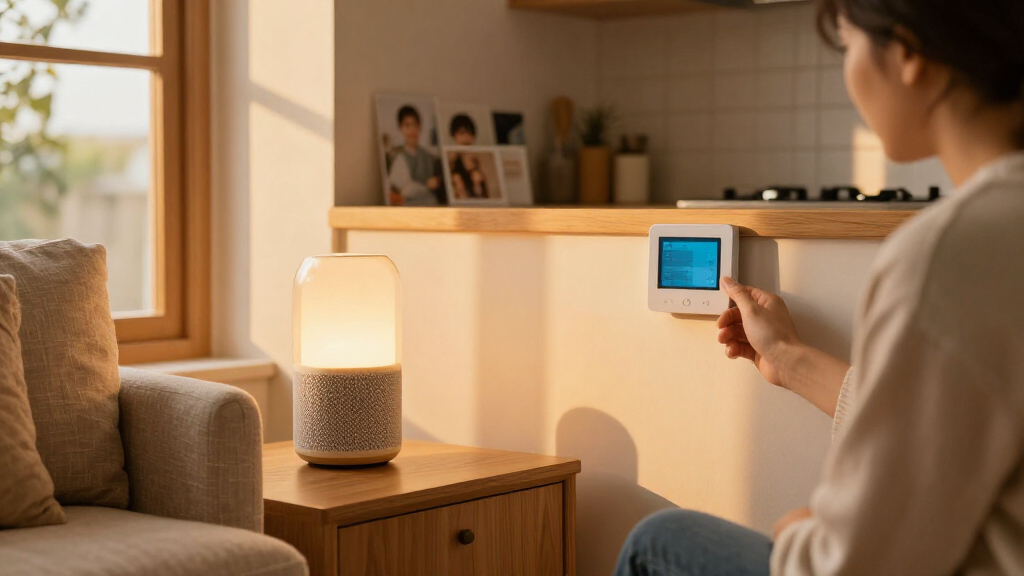
The guide recommends beginning with a single task, such as turning a lamp on by voice or putting a thermostat on a schedule. Before buying, readers are told to confirm that a specific device model works with their chosen platform and assistant, and to check whether it requires a hub, a particular Wi-Fi band or a subscription. For more smart home automation device options, readers can compare products suited to different setups. The guide cautions that voice control does not necessarily mean every routine or AI feature is supported.
For setup, the article advises using the manufacturer’s official app, installing available app and device updates, and connecting the device to the required home network or hub. It recommends a unique account password and multifactor authentication where offered, as well as checking router security and installing available updates through official router controls. Clear device names and room assignments can help household members and voice assistants select the intended device, including with Echo and Alexa smart home devices.
Privacy checks are part of the guide’s recommended setup. It tells readers to review voice recordings, activity history, data sharing and cloud processing, and to disable features they do not need. For devices with cameras or microphones, it advises checking how recording or listening can be paused and whether a physical switch is available. The guide also warns against starting with locks, alarms, heaters or other devices that can affect safety or access.
Compatibility and Privacy Shape Setup
AI features can involve more than a spoken command: depending on the product, they may rely on voice, sensor or usage data and may process information locally or send it to a cloud service. That makes product choice a decision about both convenience and data handling. The guide asks buyers to review these settings before turning features on, rather than assuming all devices handle information the same way.
Compatibility checks can also prevent a device from failing to connect or from lacking the routines a buyer expected. Confirming the model, platform, Wi-Fi band and hub requirements before purchase matters especially in a small household setup, where a single incompatible device can disrupt the intended automation. Starting with a lamp gives beginners a way to learn pairing and controls before connecting equipment with safety or access implications.
Account and network security matter because connected devices are managed through apps and online accounts. The guide’s advice on unique passwords, multifactor authentication and router updates offers practical safeguards, though it does not claim these steps eliminate every security risk.
Products Worth Considering

Bose QuietComfort Headphones (2nd Gen) – Wireless Over-Ear Noise Cancelling Headphones, Eucalyptus Green

LG UltraGear 32-inch QHD Curved Gaming Monitor, 180Hz, 1ms, AMD FreeSync

Samsung Odyssey G55C 32-Inch QHD 1000R Curved Gaming Monitor
As an affiliate, we earn on qualifying purchases.
A Small System, Step by Step
The source presents itself as a practical setup guide rather than a test of AI systems. Its intended reader is a beginner with a smartphone or tablet, a home Wi-Fi network and compatible devices. It says setup may take 45 to 90 minutes; the actual time can vary with the number of products, network requirements and app or firmware updates.
The guide also includes three product recommendations: Hubitat as its preferred option when local, multi-protocol automation and subscription-free AI-assisted routine building are priorities; SwitchBot for camera-aware, chat-based control and bundled storage, if its subscription and device limits suit the buyer; and Green as a local automation base for users who do not prioritize built-in AI features. These are the publisher’s recommendations. The supplied material does not provide comparative testing data or detailed evidence supporting a ranking.
Its setup sequence moves from choosing a task and checking compatibility to securing accounts, updating devices, connecting to Wi-Fi or a hub, naming devices, reviewing privacy controls and testing operation. The source also states that it earns commissions on qualifying Amazon purchases, a disclosure relevant to its product recommendations.
“We recommend Hubitat as the best overall choice when local, multi-protocol automation and subscription-free AI-assisted routine building matter more than beginner-friendly setup.”
— ThorstenMeyerAI.com, describing its Hubitat recommendation
Product Claims Need More Evidence
The supplied guide does not state when it was published, identify the exact device models or software versions assessed, or provide test methods, pricing comparisons or performance results for the three recommendations. Its product descriptions and rankings should therefore be read as the publisher’s judgments, not as independently established findings. Prices, subscriptions, compatibility and feature availability may vary by model, region and service terms.
The source says AI features may process data locally or send it to cloud services, but it does not specify how each recommended product handles particular categories of data, how long information is retained or what controls are available for every model. Readers need to check current manufacturer documentation and app settings. The guide also does not report whether its steps were tested across different routers, platforms or household configurations.
Check Requirements Before Buying
Before purchasing, readers should check the product page and packaging for platform, hub, Wi-Fi-band and regional compatibility, then review current subscription terms and privacy documentation. The guide recommends keeping manuals and the home Wi-Fi password available and using only an app or account confirmed as the manufacturer’s official service.
After setup, the practical next step is to test the device and its routine while monitoring what it controls. Readers adding devices that affect safety or access should follow manufacturer installation instructions and seek qualified help where required; the source specifically warns against modifying wiring without the necessary qualifications. No later report or product-testing milestone is specified in the supplied material.
Key Questions
How long does a beginner smart home setup take?
The guide estimates 45 to 90 minutes for a small setup. The time depends on how many devices are added and whether apps or device firmware need updates.
What should I check before buying an AI smart home device?
Check whether the exact model supports your chosen platform, whether it needs a hub or a specific Wi-Fi band, and whether the features you want require a subscription. Compatibility can vary by model and region.
Do AI smart home devices send data to the cloud?
It depends on the device and feature. The guide says some products process commands locally while others may send voice, sensor or usage data to a cloud service. Review the manufacturer’s current privacy settings and documentation before enabling features.
Which device should I set up first?
The guide recommends a low-risk first device, such as a lamp. It advises against beginning with locks, alarms, heaters or other equipment that can affect safety or access.
Are Hubitat, SwitchBot and Green independently rated in the guide?
The source gives editorial recommendations but the supplied material does not include comparative test data or methods. It also discloses that it earns commissions from qualifying Amazon purchases, so readers should verify current features, costs and terms themselves.
Source: ThorstenMeyerAI.com