To future-proof your AI desktop build, select components that support evolving workloads and new standards, like a motherboard with multiple PCIe slots and the latest RAM compatibility. Prioritize a high-core-count CPU and ample DDR5 memory for heavy processing, and choose GPUs optimized for AI tasks. Guarantee your network supports high-speed interfaces like 10Gb Ethernet and plan for cloud integration. Keeping an eye on emerging hardware trends will help your system stay relevant; discover how to do this effectively in the sections ahead.

Get business pricing on tech for your team
- Business-only prices and quantity discounts
- Tax-exempt purchasing
- Multiple users, one account, clear invoices
Key Takeaways
- Select a motherboard supporting the latest standards, multiple PCIe slots, and future CPU and RAM upgrades.
- Prioritize high-core-count CPUs and ample DDR5 RAM to handle increasing AI workloads efficiently.
- Use fast NVMe SSDs and scalable GPU options with hardware acceleration for demanding AI tasks.
- Incorporate high-speed networking (10Gb Ethernet or Wi-Fi 6) for seamless cloud integration and data transfer.
- Design with compatibility and scalability in mind, ensuring components support emerging AI hardware and software advancements.
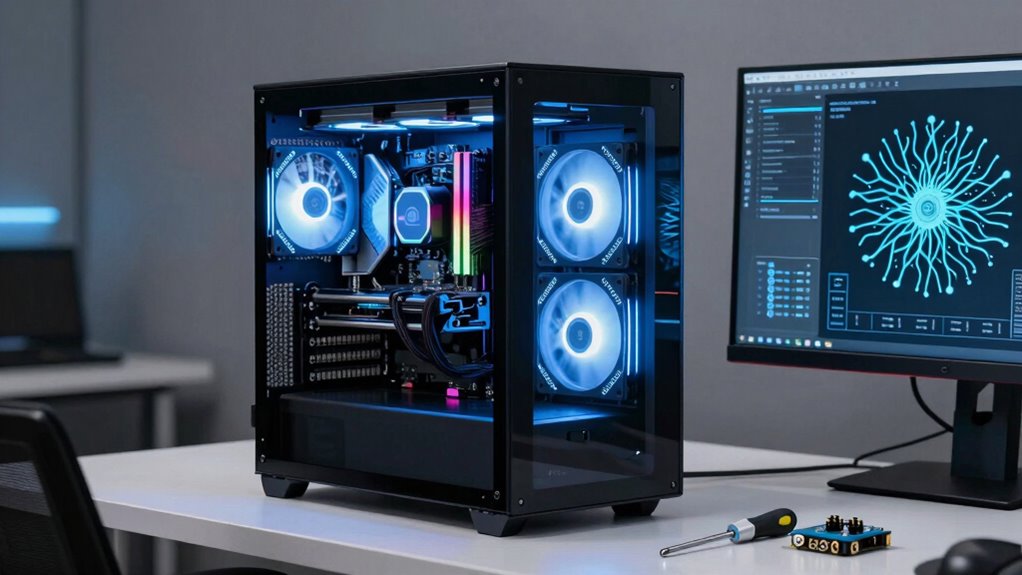
Building a future-proof AI desktop means selecting components that can handle evolving workloads and software advancements for years to come. The foundation starts with understanding how your system will grow, especially in terms of cloud integration and hardware compatibility. As AI workloads become more complex, you’ll want a setup that seamlessly connects with cloud services for scalable processing power, storage, and collaboration. Guaranteeing your motherboard supports the latest standards and has multiple PCIe slots allows you to add new GPUs or accelerators later, keeping your system adaptable to future AI demands.
When choosing your CPU, prioritize models with high core counts and strong multi-threading capabilities, as these will be essential for handling intensive computations. Pair that with ample RAM—preferably DDR5—to confirm your system can manage large datasets without bottlenecks. Compatibility is key here; verify that your motherboard supports the type and speed of RAM you select, avoiding future upgrade obstacles. For storage, opt for NVMe SSDs, which offer blazing-fast read/write speeds and are compatible with most modern motherboards, ensuring quick data access and smooth AI training processes.
GPU selection is critical, especially for AI tasks. Invest in the latest generation of GPUs that support hardware acceleration and are optimized for AI workloads. Look out for compatibility with your chosen motherboard and power supply, and consider adding multiple GPUs if your workload demands it. This multi-GPU setup can greatly boost processing power, and choosing components with robust power delivery guarantees stability as your AI projects grow. Additionally, staying informed about advancements in hardware acceleration can help you select components that maximize AI performance as new technologies emerge. Incorporating future compatibility considerations during component selection further ensures your system remains relevant as AI hardware evolves.
A vital aspect often overlooked is cloud integration. While your desktop provides raw processing power, integrating with cloud platforms allows you to offload heavy tasks, access additional storage, and utilize specialized AI services. Choose a system with network interfaces that support high-speed internet connections—like 10Gb Ethernet or Wi-Fi 6—to facilitate smooth cloud interactions. Compatibility with cloud APIs and SDKs also matters, so select hardware and operating systems that support these tools, making your setup adaptable and future-ready. Additionally, considering security and compliance features can ensure your system remains protected as cloud integration expands. Incorporating network scalability options can further enhance your system’s ability to handle increased data transfer needs as your AI infrastructure grows.
motherboard with PCIe slots for AI build
As an affiliate, we earn on qualifying purchases.
As an affiliate, we earn on qualifying purchases.
Frequently Asked Questions
Can I Upgrade My AI Desktop’s GPU Later?
Yes, you can upgrade your AI desktop’s GPU later, but you need to verify GPU compatibility with your current motherboard and power supply. Make sure your case has enough space for larger GPUs and that your cooling solutions can handle increased heat output. Upgrading later is possible if your system’s components are compatible and well-cooled, giving you flexibility to improve performance without rebuilding entirely.
What Is the Most Cost-Effective Way to Future-Proof an AI Build?
The most cost-effective way to future-proof your AI build is to prioritize AI optimization and guarantee hardware compatibility. Choose a high-quality, versatile CPU and motherboard that support future upgrades, like extra RAM or new GPUs. Invest in a power supply with extra capacity, and select scalable storage options. This approach allows you to upgrade components over time without replacing your entire system, saving money while keeping your setup ready for future AI demands.
How Often Should I Consider Upgrading Components?
Think of your build as a garden that needs tending—regularly, but not obsessively. You should consider upgrading components every 1 to 3 years, depending on your needs and technological advancements. Keep an eye on component compatibility and upgrade flexibility, as these will determine how smoothly future upgrades go. Don’t wait too long; staying current guarantees your AI desktop remains powerful, adaptable, and ready for what’s next.
Are There Specific Brands Better for Future-Proofing?
Some brands stand out for future-proofing because of their strong hardware compatibility and solid reputation. Look for manufacturers like ASUS, MSI, and Gigabyte, known for reliable motherboards and GPUs that support upcoming technologies. Choose components from brands with a proven track record for quality and updates, ensuring your system stays compatible with future AI advancements. Prioritizing reputable brands helps you build a durable, adaptable AI desktop that withstands technological shifts.
How Do I Balance Power Consumption and Performance?
To balance power consumption and performance, prioritize energy efficiency by choosing components with lower power draw and higher performance per watt. Invest in robust thermal management to keep components cool, which prevents overheating and maintains efficiency. You can also enable power-saving features in your system settings, ensuring your build runs ideal without unnecessary energy expenditure. This approach helps you achieve a future-proof setup that’s both powerful and energy-conscious.
DDR5 RAM for high-performance desktop
As an affiliate, we earn on qualifying purchases.
As an affiliate, we earn on qualifying purchases.
Conclusion
To truly thrive in the tech terrain, take time to tailor your tech tools. By balancing budget with build, and blending brains with brawn, you’ll bolster your bot’s brainpower and boost your brilliance. Future-proofing isn’t just about features — it’s about foresight, flexibility, and fine-tuning your tech toolkit. So step up, set standards, and stay savvy — your AI adventure awaits, armed and ready for whatever the future throws!
NVMe SSD for gaming and AI workloads
As an affiliate, we earn on qualifying purchases.
As an affiliate, we earn on qualifying purchases.
high-core-count CPU for AI processing
As an affiliate, we earn on qualifying purchases.
As an affiliate, we earn on qualifying purchases.
Fall Picks
fall essentials
As an affiliate, we earn on qualifying purchases.