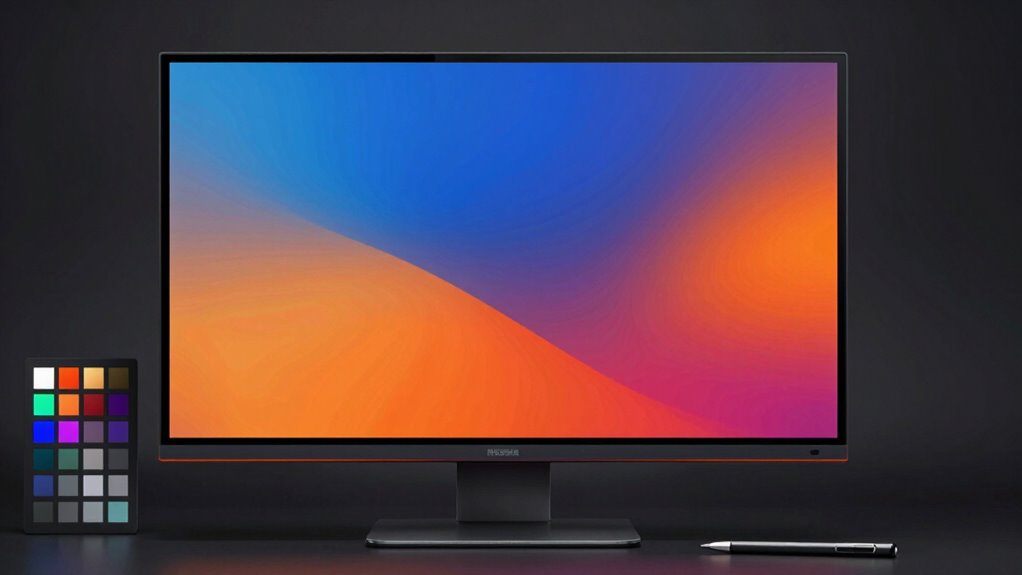

A good monitor for AI color work offers precise color accuracy and supports wide color gamuts like AdobeRGB or DCI-P3. It should have a high resolution, ideally 4K or higher, for clear detail and better visual inspection. IPS panels ensure consistent colors across angles, and regular calibration maintains accuracy over time. Ergonomic features and multiple inputs add comfort and versatility. Keep these essentials in mind, and you’ll discover how to select the ideal display for your needs.

Get business pricing on tech for your team
- Business-only prices and quantity discounts
- Tax-exempt purchasing
- Multiple users, one account, clear invoices
Key Takeaways
- Supports wide color gamuts like AdobeRGB or DCI-P3 for accurate color reproduction.
- Features high resolution (4K or higher) for detailed visual inspection and precise editing.
- Uses IPS panels for consistent color accuracy across different viewing angles.
- Offers hardware calibration tools or software compatibility to maintain color fidelity over time.
- Provides ergonomic design and multiple connectivity options for comfortable, flexible use.

Choosing the right monitor for AI color work is essential to guarantee your digital creations are accurate and vibrant. When you’re working with AI-driven design, color accuracy becomes paramount. You need a monitor that displays colors precisely, ensuring what you see on-screen matches the final output. The best monitors for AI work are calibrated to deliver consistent and true-to-life colors, reducing guesswork and rework. Look for models that offer high color fidelity, supporting a wide color gamut like AdobeRGB or DCI-P3, so your images don’t look dull or oversaturated. This is especially important when your AI models depend on subtle color distinctions for accuracy. Incorporating natural aesthetics can also help create a more inspiring workspace that promotes focus and creativity.
Choose monitors with high color fidelity and wide gamuts like AdobeRGB or DCI-P3 for accurate AI-driven design.
Screen resolution also plays a critical role in your ability to work efficiently. Higher resolutions, such as 4K or even 5K, provide sharper images, more detailed visuals, and a broader workspace. This allows you to see finer details in your designs and makes it easier to identify and correct issues early. When choosing a monitor, consider one with at least 3840×2160 pixels—4K resolution—so you can have a clear, crisp view of your work without pixelation. With increased screen resolution, you can comfortably run multiple windows side by side, compare different versions, and fine-tune your AI outputs with precision.
Beyond color accuracy and resolution, you should also pay attention to other features that support your workflow. An IPS panel, for example, offers better color consistency across viewing angles, so your colors won’t shift as you move around or change your position. Additionally, look for monitors with hardware calibration tools or compatibility with calibration software, enabling you to maintain color precision over time. A well-calibrated monitor ensures your AI models are working with true representations of color, which is essential for producing reliable results. Incorporating color management practices can further enhance the accuracy of your workflow and output quality. Regular calibration with hardware calibration tools helps sustain consistent color fidelity, especially over extended periods of use.
Finally, don’t overlook the importance of good connectivity options and ergonomic features. Multiple input ports, adjustable stands, and flicker-free screens improve your comfort and ease of use during long working sessions. When you invest in a monitor that combines high color accuracy, a high screen resolution, and user-friendly features, you’re setting yourself up for success in AI color work. It’s not just about viewing images; it’s about seeing them exactly as they are, so your AI models can learn, adapt, and produce with confidence. Paying attention to monitor calibration techniques can help you maintain consistent color fidelity over time, ensuring ongoing accuracy and reliability.
4K IPS monitor for color accuracy
As an affiliate, we earn on qualifying purchases.
As an affiliate, we earn on qualifying purchases.
Frequently Asked Questions
How Does Monitor Calibration Impact AI Color Accuracy?
Monitor calibration directly impacts AI color accuracy by ensuring your display shows true-to-life colors. When you use proper calibration techniques, you adjust the monitor’s settings for consistent color reproduction, reducing inaccuracies. This process helps your AI tools interpret colors correctly, leading to more precise results. Regular calibration maintains this accuracy over time, so you get reliable color output, essential for high-quality AI-powered color work.
What Is the Ideal Color Gamut for AI Color Work?
You need a monitor with an ultra-wide color gamut, like DCI-P3 or Adobe RGB, to achieve stunning AI color work. These color profiles cover almost every shade your project demands, making your colors pop with vibrancy. Choose display technology like OLED or IPS panels for precise, consistent color reproduction. Anything less is like trying to paint with a broken brush—your work deserves the full spectrum for perfection!
Do Refresh Rates Affect AI Color Rendering?
Higher refresh rates can positively impact AI color rendering, as they improve overall display responsiveness and reduce latency. Refresh rate implications mean smoother visual updates, which can aid in real-time AI rendering tasks. When your monitor has a higher refresh rate, you’ll notice quicker AI rendering speeds, making adjustments and previews more seamless. So, choosing a monitor with a fast refresh rate helps optimize AI color work by delivering more fluid and accurate visual feedback.
How Important Is Monitor Size for Detailed Color Editing?
Monitor size is quite important for detailed color editing because it impacts your ability to see subtle color differences clearly. A larger screen with high resolution enhances monitor ergonomics, reducing eye strain and allowing you to work comfortably for longer periods. With more screen real estate, you can better judge color accuracy and make precise adjustments, which is vital for AI color work. So, opt for a sizable, high-resolution monitor for best results.
Can Budget Monitors Be Suitable for AI Color Tasks?
Don’t judge a book by its cover—budget monitors can work if you know what to look for. While budget options often have limitations in color accuracy, some models deliver decent performance for AI color work. Focus on features like a good color gamut and calibration capabilities. With careful selection, you can make a budget monitor suitable for AI color tasks, but be prepared for some compromises along the way.
monitor with AdobeRGB DCI-P3 support
As an affiliate, we earn on qualifying purchases.
As an affiliate, we earn on qualifying purchases.
Conclusion
Choosing the right monitor for AI color work is like selecting a painter’s true palette—vivid, accurate, and true to life. When your screen displays colors with the clarity of a crystal lake, your creativity flows effortlessly, and your work shines with precision. With the perfect monitor as your trusty brush, you’ll craft digital masterpieces that captivate and inspire, turning your vision into a vibrant reality that’s as breathtaking as a sunrise painted across the horizon.
hardware calibration monitor for professionals
As an affiliate, we earn on qualifying purchases.
As an affiliate, we earn on qualifying purchases.
ergonomic monitor with multiple inputs
As an affiliate, we earn on qualifying purchases.
As an affiliate, we earn on qualifying purchases.
Halloween Picks
halloween
As an affiliate, we earn on qualifying purchases.