
📊 Full opportunity report: Quiet GPUs for Local AI: Acoustic and Thermal Roundup on ThorstenMeyerAI.com — validation score, market gap, and execution plan.
TL;DR
This article reviews the most quiet and thermally efficient GPUs for local AI in 2026, emphasizing undervolting, cooling designs, and VRAM tiers. The RTX 5090 stands out as the top choice for large models, with options for budget and mid-tier builds.
In 2026, the most effective GPUs for local AI are those optimized for low noise and heat, with the RTX 5090 leading as the top single-GPU solution when properly cooled and power-capped, despite its high TDP.
This roundup evaluates GPUs based on acoustic and thermal performance, emphasizing undervolting and cooling solutions that significantly reduce noise and heat output. The Quiet GPUs for Local AI: Acoustic and Thermal Roundup provides detailed insights into these aspects. The RTX 5090, with 32GB of GDDR7 memory, offers the best performance for large models at Q4 quantization, but its high power draw requires careful cooling and power management. The RTX 4090 and used RTX 3090 remain popular for budget-conscious builds, providing reliable VRAM and performance at lower costs, especially when paired with effective cooling and undervolting. Mid-tier options like the RTX 5080 and RTX 4060 Ti 16GB offer efficient performance for small to medium models, prioritizing low power consumption and heat. The RTX PRO 6000 Blackwell with 96GB VRAM is suited for professional applications requiring dense model deployment, with advanced cooling solutions.
Quiet GPUs
for local AI.
The GPU makes ~70% of your heat and most of your noise. But here’s the secret: the chip doesn’t decide how loud your card is — the cooler design and your power settings do. Match your VRAM tier in Part 2, then make it quiet.
Capping to 70–80% sheds a huge amount of heat for almost no inference loss — because inference is memory-bound. A capped 5090 is dramatically cooler & quieter than stock. Do this first.
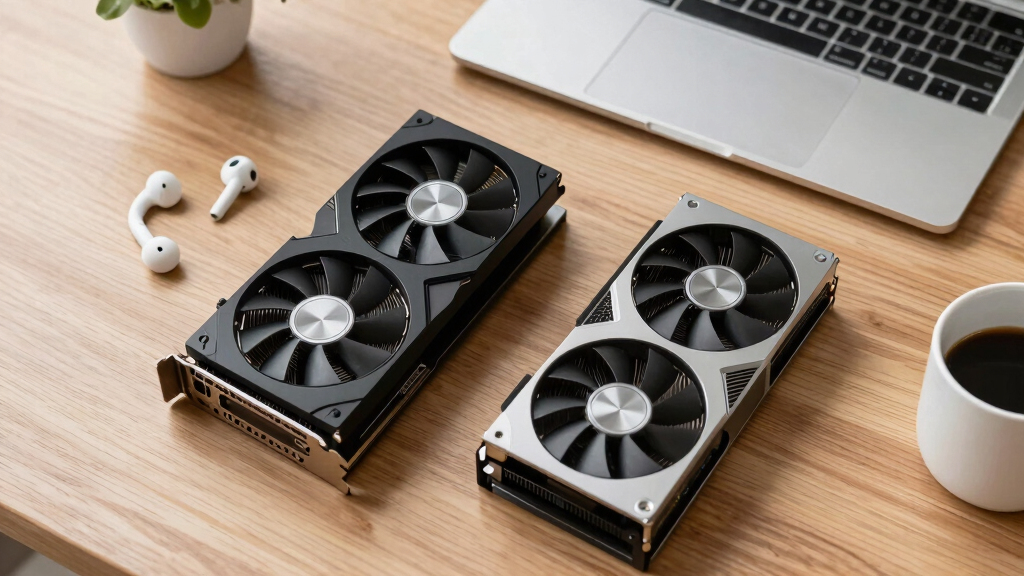
Within one GPU model, partner cards differ enormously. For a single card, a large triple-fan open-air with zero-RPM idle runs slow & quiet. For multi-GPU, the calculus flips →
With room to breathe, a large triple-fan open-air cooler spreads heat across a big fin stack and runs its fans slowly. The quietest choice — what most people should buy.
Implications of Quiet GPU Choices for Local AI Setups
Choosing GPUs optimized for low noise and heat is crucial for users running local AI models, especially in office or home environments. Proper cooling and undervolting can make high-performance GPUs manageable in terms of acoustics and thermal output, enabling longer sustained operation without excessive noise or overheating. For more on cooling strategies, see Best Thermal Paste and Pads for High-TDP GPUs. This impacts workflow efficiency, hardware longevity, and user comfort, making the right GPU selection and configuration a key factor in building effective local AI rigs.

WEELIAO OneXPlayer Super X Gaming Tablet with AMD Ryzen AI Max+ 395 CPU, 8060S GPU, 14-inch 120Hz OLED, Liquid Cooled, Magnetic Keyboard (Max+ 395 64G+1TB)
- Powerful CPU and GPU: AMD Ryzen AI Max+ 395 with 8060S GPU
- Ample Memory Support: 48GB RAM, up to 96GB VRAM
- Vivid OLED Display: 14-inch 120Hz 2.8K resolution
As an affiliate, we earn on qualifying purchases.
As an affiliate, we earn on qualifying purchases.
2026 GPU Landscape for Local AI: VRAM and Cooling Strategies
In 2026, GPU options for local AI are defined by VRAM tiers, from 16GB to 96GB, with performance and cost considerations guiding choices. The focus has shifted toward not only raw computational power but also thermal management and acoustic performance, driven by the need for quieter, cooler operation during sustained inference workloads. Undervolting and partner cooling designs are now standard tools for optimizing GPU noise levels, with power-capping being a widely adopted practice for thermal efficiency.
"Cooling design and partner implementation are key factors in GPU acoustics; a well-designed triple-fan cooler with zero-RPM idle mode can make even high-TDP cards surprisingly quiet."
— GPU manufacturer representative

ASRock Intel Arc Pro B70 Creator 32GB Workstation Graphics Card, Xe2-HPG, 32GB GDDR6, PCIe 5.0, 4X DP 2.1, Blower Fan, Vapor Chamber, Honeywell PTM7950
- System Compatibility: Requires specific chassis and PSU
- Customer Support: Direct Amazon contact for assistance
- Professional GPU Architecture: Built on Intel Xe2-HPG with 32 Xe cores
As an affiliate, we earn on qualifying purchases.
As an affiliate, we earn on qualifying purchases.
Remaining Questions on GPU Noise Optimization
While power-capping and cooling design are proven methods to reduce noise, the extent of how much these practices can optimize different GPU models in varied workloads remains partially unconfirmed. Specific performance impacts of undervolting at scale and long-term thermal stability are still under evaluation, with some models requiring custom cooling solutions for optimal quietness.

P4 8GB GPU Deep Learning Accelerated Computing Graphics Card
- GPU Model: P4 8GB
As an affiliate, we earn on qualifying purchases.
As an affiliate, we earn on qualifying purchases.
Upcoming Developments in Quiet GPU Technologies for AI
Future GPU releases are expected to further improve thermal and acoustic performance, with manufacturers exploring more advanced cooling technologies and smarter power management. Software updates for undervolting and thermal control are likely to become more integrated, enabling users to fine-tune their setups for maximum quietness without sacrificing performance. Additionally, new models with higher VRAM capacities will continue to expand options for large-scale local AI deployment in quieter environments.

K80 24GB Graphics GPU for accelerating Machine Learning
- Graphics Card Model: K80 24GB GPU
- Intended Use: Accelerates Machine Learning
As an affiliate, we earn on qualifying purchases.
As an affiliate, we earn on qualifying purchases.
Key Questions
How effective is undervolting in reducing GPU noise?
Undervolting can significantly lower heat output and fan speeds, resulting in quieter operation with minimal performance loss, especially during inference workloads. Learn more about undervolting techniques in our quiet GPU roundup.
Are cooling solutions more important than the GPU silicon itself for noise levels?
Yes, cooling design and partner implementation play a critical role; a well-designed cooler can make even high-TDP cards operate quietly.
Can I make a high-power GPU like the RTX 5090 run quietly without sacrificing performance?
Yes, by power-capping the GPU to around 70–80% and using a high-quality cooler, you can achieve near-silent operation while maintaining most of its inference capabilities.
What VRAM tiers are available for local AI GPUs in 2026?
Options range from 16GB for small to medium models, 24GB for more demanding tasks, up to 96GB for professional, dense deployments.
Will future GPU models further improve quietness and thermal management?
Yes, upcoming releases are expected to incorporate more advanced cooling and power management technologies to enhance quiet operation for AI workloads.
Source: ThorstenMeyerAI.com