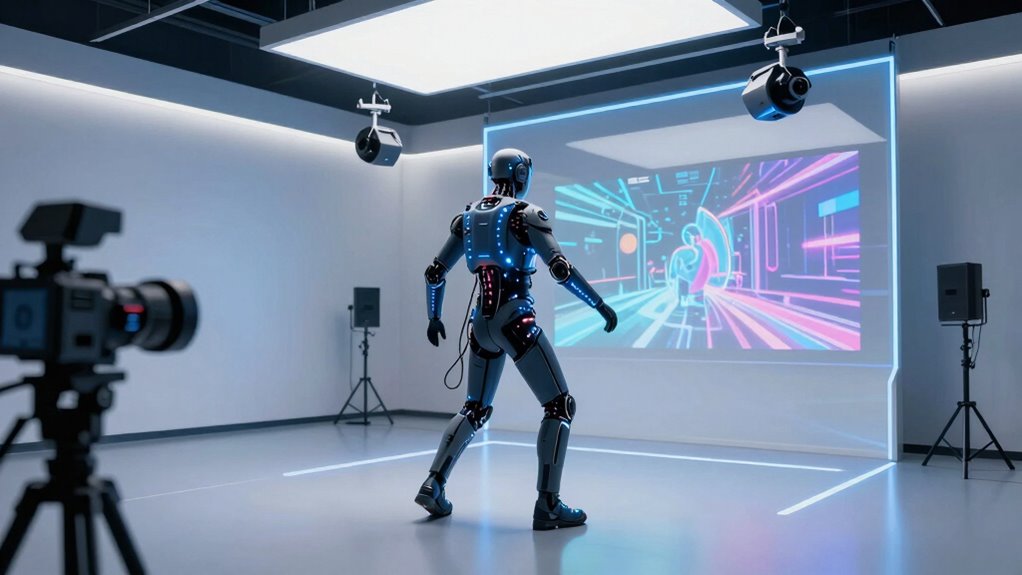

Choosing motion capture gear for AI animation means deciding whether you need recorded movement, tracked objects, or guidance for planning a capture workflow. My strongest practical pick is the Sony mocopi, a wearable system that records full-body movement with a compatible phone and no base stations. The OptiTrack Active Puck is a more specialized choice for tracking individual objects or body parts in a compatible optical setup, while Understanding Motion Capture for Computer Animation offers conceptual guidance rather than capture hardware.

Get business pricing on tech for your team
- Business-only prices and quantity discounts
- Tax-exempt purchasing
- Multiple users, one account, clear invoices
These four options are not interchangeable. Two are books, and the two hardware products serve different capture needs; neither product description promises direct AI integration or a complete animation pipeline. I rank them by how clearly they can support a buyer’s motion-to-animation workflow, how much setup or supporting equipment they imply, and how candidly their limitations are described. My main tradeoff is convenience versus specialization: mocopi is portable and self-contained at the sensor level, while the puck’s tracking depends on a broader OptiTrack setup.
Key Takeaways
- Sony mocopi is the most direct full-body capture option here: six wireless sensors work with a compatible iOS or Android phone and can run for up to 10 hours.
- OptiTrack Active Puck tracks objects, not a complete performer by itself: it offers six-degree-of-freedom tracking but is best treated as a component in a compatible optical system.
- The two books provide workflow or technical context, not capture hardware: neither listing supplies sensors, software, or a direct route to recorded motion.
- mocopi has the clearest access caveat: certain PC and editing-app features require a paid subscription after the trial, and phone compatibility is limited.
- None of the four listings confirms AI-specific export or model integration: check your target animation tools and file workflow before choosing hardware.
| Sony mocopi 3D Mobile Motion Capture System |  | Best Overall for Portable Full-Body Capture | Sensors: Six wireless sensors, about 8 g each | Battery life: Up to 10 hours | Phone compatibility: Compatible iOS and Android smartphones | VIEW ON AMAZON | See Our Full Breakdown |
| OptiTrack Active Puck for Motion Capture and VR Tracking |  | Best for Optical Object and Body-Part Tracking | Tracking: 6 DoF | Active tag: Factory-installed, with eight IR LEDs | IR spectrum: 850 nm | VIEW ON AMAZON | See Our Full Breakdown |
| Understanding Motion Capture for Computer Animation |  | Best Technical Reading for Animation Context | Format: Book | Subject: Motion capture for computer animation | Series: Morgan Kaufmann Series in Computer Graphics | VIEW ON AMAZON | See Our Full Breakdown |
| Motion Capture Animation: A Complete Project Guide |  | Best Project-Framed Introduction | Format: Not specified in the supplied product details | Stated subject: Motion capture animation | Orientation: Project guide, as indicated by the title | VIEW ON AMAZON | See Our Full Breakdown |
| motion capture gear for ai animation | Format | Capture sensors |
|---|---|---|
| Sony mocopi 3D Mobile Motion C | — | — |
| OptiTrack Active Puck for Moti | — | — |
| Understanding Motion Capture f | Book | Not applicable; this is a book |
| Motion Capture Animation: A Co | Not specified in the supplied product details | Not specified |
More Details on Our Top Picks
Sony mocopi 3D Mobile Motion Capture System
Sony mocopi is my top choice because it is the only option in this lineup described as a full-body motion capture system. Its six lightweight wireless sensors pair with a compatible iOS or Android phone, allowing a creator to record movement without base stations or a dedicated capture studio. That portable approach makes it a more direct starting point for AI animation than either book, and a broader motion source than the OptiTrack puck, which tracks particular objects or body parts.
The product’s up to 10-hour runtime and indoor-or-outdoor use support longer or less formal recording sessions. Minimal calibration and the included straps and charging case also reduce the amount of additional capture hardware suggested by the listing. For a solo animator making reference motion or exploring a capture-to-animation process, this is the clearest fit among the four.
There are meaningful limits. Phone compatibility is restricted to supported operating-system versions and specific devices, so I would confirm the exact handset before buying. The PC app requires a paid subscription after its 30-day trial, and the listing does not confirm which formats or AI animation tools can receive its output. Compared with the OptiTrack puck, mocopi is broader and more mobile, but it is not the better choice for a buyer who needs precisely described object tracking within an established optical setup.
Pros:- Six wireless sensors capture full-body movement without base stations.
- Up to 10 hours of stated battery life supports extended sessions.
- Designed for indoor and outdoor use with lightweight sensors.
- Includes body straps, a waist clip, and a charging case.
Cons:- Some PC and editing-app features require a paid subscription after the 30-day trial.
- Phone compatibility is limited to supported devices and operating-system versions.
- The supplied details do not specify export formats or AI animation integrations.
Best for: Creators who want portable, wearable full-body capture and already have a compatible iOS or Android phone.
Not ideal for: Buyers who need confirmed AI-platform integration, unrestricted PC app access, or compatibility with an unsupported phone.
- Sensors:Six wireless sensors, about 8 g each
- Battery life:Up to 10 hours
- Phone compatibility:Compatible iOS and Android smartphones
- Minimum operating systems:Android 11 or later; iOS 15.7.1 or later
- Resistance:Dustproof and water-resistant
- Included accessories:Head band, wrist and ankle bands, waist clip, charging case, extension bands, and manual
- PC app access:Paid subscription required after 30-day trial for stated PC app access
- Model:QMSS1/USCXA
Our verdict“I’d choose mocopi first for portable full-body capture, provided my phone and intended animation workflow are compatible.”
OptiTrack Active Puck for Motion Capture and VR Tracking
The OptiTrack Active Puck makes more sense when the job is tracking a specific object or body part, not capturing a performer’s entire body with one wearable kit. Its six-degree-of-freedom tracking and eight synchronized infrared LEDs are aimed at position and orientation data for items such as hands and feet. That narrower purpose distinguishes it from mocopi’s six-sensor full-body approach.
At 2.24 ounces, the puck is a compact tracking component, and its rechargeable battery is rated for up to 10 hours. Removable diffusers change its stated illumination angle, giving the active tag a defined optical-tracking role. If a buyer already has a compatible OptiTrack environment and needs to attach tracking to a prop or selected point, this could complement a wider animation setup more naturally than a mobile sensor system.
The central drawback is what the listing does not include: it does not describe a complete full-body kit, a standalone phone workflow, or integration with AI animation software. A buyer without compatible OptiTrack equipment should not assume the puck can provide mocopi-like capture on its own. It ranks behind mocopi for general-purpose movement acquisition, but above the books for actual tracking hardware. Its battery also needs charging, and the stated runtime is capped at up to 10 hours per charge.
Pros:- Provides stated six-degree-of-freedom tracking.
- Designed for hands, feet, and other tracked objects.
- Eight synchronized IR LEDs support active optical tracking.
- Rechargeable battery is rated for up to 10 hours per charge.
Cons:- The listing does not describe a complete full-body capture system.
- Compatibility with an existing OptiTrack setup should be checked before purchase.
- Battery runtime is limited to up to 10 hours per charge.
Best for: Creators or studios with a compatible optical tracking setup who need to track a hand, foot, prop, or other object.
Not ideal for: First-time buyers seeking an all-in-one full-body capture system or a confirmed standalone AI animation workflow.
- Tracking:6 DoF
- Active tag:Factory-installed, with eight IR LEDs
- IR spectrum:850 nm
- Illumination angle:±135° with diffuser; ±65° without diffuser
- Battery:Rechargeable lithium-ion
- Battery runtime:Up to 10 hours
- Item weight:2.24 ounces
- Manufacturer:OptiTrack
Our verdict“I’d select the Active Puck for targeted optical tracking in a compatible setup, not as a replacement for a full-body mocopi kit.”
Understanding Motion Capture for Computer Animation
This Morgan Kaufmann Series in Computer Graphics book is the most explicitly technical reading choice in the lineup. Its stated subject is motion-capture techniques and their use in computer animation, so it is a better match for someone trying to understand how captured movement relates to animated characters than the more general project-guide title. It can inform decisions around a capture workflow, but it is not gear and will not record movement.
Compared with mocopi and the OptiTrack puck, this book offers context rather than motion data. That distinction matters for AI animation: a reader may benefit from understanding capture concepts, yet still needs hardware or another source of movement and a compatible downstream pipeline. The supplied details identify the format as a book and name its series, but do not provide an edition, table of contents, software coverage, or any confirmation that it discusses current AI tools.
I place it behind the physical capture options for a buyer whose immediate goal is acquiring animation-ready movement. For someone comparing the two books, however, its computer-animation focus is clearer than the project guide’s description. I would choose it as supporting technical reading, not as a substitute for sensors or as proof of compatibility with a particular AI model.
Pros:- Directly addresses motion capture for computer animation.
- Part of the Morgan Kaufmann Series in Computer Graphics.
- Offers a learning-oriented alternative to hardware-only purchasing.
Cons:- It is a book, not a motion capture system.
- The supplied description does not specify edition, chapters, or software coverage.
- No AI-model compatibility or current export guidance is stated.
Best for: Readers who want a book specifically about motion-capture techniques and their use in computer animation.
Not ideal for: Buyers who need capture hardware, current software instructions, or confirmed coverage of AI animation tools.
- Format:Book
- Subject:Motion capture for computer animation
- Series:Morgan Kaufmann Series in Computer Graphics
- Product type:Educational reference
- Capture sensors:Not applicable; this is a book
- Software included:Not specified in the supplied product details
Our verdict“I’d pick this as the more clearly technical book in the lineup, while treating it as background rather than capture equipment.”
Motion Capture Animation: A Complete Project Guide
Motion Capture Animation: A Complete Project Guide is the broadest-sounding project-oriented resource in the group, making it a plausible starting point for readers who want to think about capture as part of making an animation. Its title suggests a project framing, while the Morgan Kaufmann book is more explicitly described as a technical treatment of capture techniques for computer animation. Because the listing provides no further details, I would not assume that the guide includes specific hardware instructions, software tutorials, or AI workflows.
Its place in this roundup is as a planning and learning resource, not as motion capture gear. That makes it a different kind of choice from the Sony mocopi and OptiTrack puck. If a buyer is still shaping a project, a guide may be more relevant than another tracking component; if the need is recorded movement, mocopi is the clear practical alternative among these four.
The limitation is substantial: the supplied description offers no format, contents, edition, technical depth, or named tools. That makes it harder to judge whether the guide will help with a particular AI animation pipeline than the Morgan Kaufmann title, whose subject is at least stated directly. I rank it fourth because the intended project scope sounds useful, but the information provided is too sparse to recommend it over actual capture hardware or the more specifically identified technical book.
Pros:- The title frames motion capture around an animation project.
- Could suit readers who want guidance before selecting a capture setup.
- Provides a non-hardware option for planning and learning.
Cons:- The listing supplies no additional product details or contents.
- No hardware, software, or AI animation integration is described.
- Its specific technical scope is less clear than the Morgan Kaufmann book.
Best for: Readers who want a project-framed introduction to motion capture animation and are comfortable verifying the book’s contents before buying.
Not ideal for: Anyone looking for wearable sensors, tracking hardware, software instructions, or documented AI workflow support.
- Format:Not specified in the supplied product details
- Stated subject:Motion capture animation
- Orientation:Project guide, as indicated by the title
- Capture sensors:Not specified
- Software coverage:Not specified
- AI workflow support:Not specified
Our verdict“I’d consider this only as a project-oriented reading option after checking its contents; it cannot replace capture hardware.”
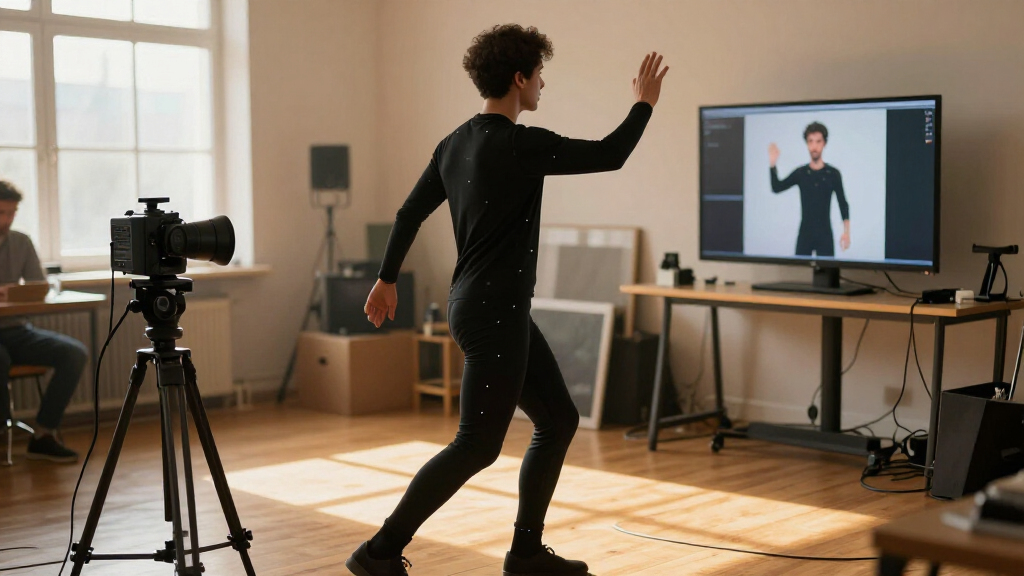
How We Picked
I ranked these options for the specific job implied by motion capture gear for AI animation: acquiring useful movement, understanding how motion capture fits computer animation, and matching the product’s actual scope to a buyer’s workflow. The supplied listings are uneven. Two describe books with few details, one describes a wearable full-body system, and one describes an optical tracking puck. I avoid treating them as equivalent hardware or filling gaps with unsupported claims.
For the hardware, I looked at what is tracked, the stated setup requirements, portability, runtime, and any ongoing access limits. That puts mocopi first as the most complete capture option in this group for a creator who wants full-body motion without a dedicated tracking studio. The OptiTrack puck ranks next for a narrower task: six-degree-of-freedom tracking of hands, feet, or objects, with the important caveat that its description does not establish that it works alone as a full-body capture system.
I included the books because they are part of the supplied comparison, but I score them as learning resources, not substitutes for sensors. The project guide earns a place for its practical framing, although its listing gives no chapter, format, or workflow details. The Morgan Kaufmann title describes motion-capture techniques for computer animation, making it the more explicitly technical reading pick. Buyers should verify current availability, edition details, and whether either book covers their preferred AI tools before relying on it.
My ranking is not a claim that every option can feed data straight into an AI animation model. The product information does not specify supported export formats, integrations, or model compatibility for any of the choices. I favor products with a clearly stated role, call out missing information, and treat pipeline verification as part of the purchase decision rather than assuming compatibility.
| motion capture gear for ai animation | Format | Capture sensors |
|---|---|---|
| Sony mocopi 3D Mobile Motion C | — | — |
| OptiTrack Active Puck for Moti | — | — |
| Understanding Motion Capture f | Book | Not applicable; this is a book |
| Motion Capture Animation: A Co | Not specified in the supplied product details | Not specified |
Factors to Consider When Choosing Motion Capture Gear For Ai Animation
These four listings divide into capture hardware and reading material, so I would start by identifying whether I need to record movement now or learn how a motion-capture project is structured. The product descriptions do not confirm direct AI integrations, which makes checking the output path just as important as choosing the capture device.
Choose by the motion you need to capture
If the goal is recording a person’s full-body movement, Sony mocopi is the most direct match in this comparison. It uses six wearable sensors and a compatible phone. The OptiTrack Active Puck instead describes six-degree-of-freedom tracking for individual objects or body parts, such as hands and feet. It may suit a targeted tracking task, but the listing does not establish it as a complete performer-capture system. The books provide no tracking at all.
Be specific about the movement you need: full-body performance, a hand-held prop, a foot position, or reference for later animation all imply different capture requirements. Don’t choose the puck just because it mentions motion capture, or a book because it discusses animation. Match the product’s stated task to the data you need.
Check the route from capture to AI animation
Motion data is useful only if your animation process can work with it. The supplied product details do not name export formats, supported AI models, or direct integrations for either hardware product. Before committing, check the exact app or software you plan to use, whether it accepts the capture output, and what conversion steps may be required. If those details are unavailable, ask the seller or software provider rather than assuming compatibility.
The books may help explain capture in relation to computer animation, but neither listing confirms current AI-focused instructions. I would use reading material to support planning, not to stand in for a verified technical pipeline.
Account for setup and ongoing access
mocopi’s wireless sensors and phone-based operation avoid base stations, and the description calls out minimal calibration. That makes it the less studio-dependent hardware option here. Still, a compatible phone is required, and certain PC and editing-app features require a paid subscription after a 30-day trial. Confirm which functions depend on that access before choosing it for a regular production workflow.
The Active Puck’s listing describes an optical active tag but does not detail the rest of the tracking environment needed. Check whether your existing system supports it and whether additional equipment or software is required. Its rechargeable battery gives up to 10 hours per charge, so plan around charging when capture sessions run long.
Use books as support, not substitutes
Understanding Motion Capture for Computer Animation is the more specifically described technical reading option: its stated subject connects capture techniques with computer animation, and it belongs to a computer-graphics series. The project guide has a broader project framing, but the supplied listing gives little information about its contents. Check edition, table of contents, and tool coverage before choosing either for a particular workflow.
If the immediate problem is obtaining movement, neither book solves it. If the challenge is planning a project or building conceptual understanding, a book may complement mocopi or an optical setup. That distinction explains why I rank both reading options below the hardware for buyers seeking actual capture.
Treat runtime and portability as workflow factors
Both hardware listings state up to 10 hours of battery runtime, but their use cases differ. mocopi’s sensors are designed for wearable full-body capture with indoor or outdoor use. The OptiTrack puck is a compact tracking tag for a defined object or body part. Runtime alone does not make them equivalent: consider the tracking coverage, compatible equipment, and whether the recording environment suits your animation work.
For mocopi, check phone operating-system and device compatibility before purchase. For the puck, verify the optical tracking setup and any required supporting components. Those checks matter more than a headline battery figure when trying to build a dependable capture pipeline.
Frequently Asked Questions
Which option is the best starting point for full-body motion capture?
Sony mocopi is the clearest fit in this group for full-body capture because its description specifies six wearable sensors and phone compatibility. The OptiTrack Active Puck is described for tracking individual objects or body parts, while the two books do not capture movement. Check that your phone is supported and confirm how mocopi’s output can reach your intended animation software.
Can the OptiTrack Active Puck capture a whole performer by itself?
The supplied description does not present the Active Puck as a complete full-body capture kit. It describes a six-degree-of-freedom tracking puck for items such as hands, feet, and other objects, with an active tag and infrared LEDs. I would treat it as a component for a compatible optical tracking environment and verify the required supporting equipment before purchasing.
Do any of these products confirm direct AI animation integration?
No. The provided information does not specify AI-model integrations or supported motion-data export formats for either hardware product. The two books are described as reading material, not software or integration tools. Before buying, check that your intended AI animation application can accept the capture data, either directly or through a conversion step.
What should I check before choosing Sony mocopi?
Confirm that your exact iOS or Android phone meets the stated compatibility requirements and that the sensors fit your intended capture sessions. Review which PC or editing-app features you need, since the listing says some require a paid subscription after a 30-day trial. Also verify that your target animation workflow can use mocopi’s output, as formats and AI integrations are not specified in the supplied details.
Which book is the more clearly technical choice?
Understanding Motion Capture for Computer Animation has the more explicit technical focus in the available descriptions: it covers motion-capture techniques and their use in computer animation and is part of the Morgan Kaufmann Series in Computer Graphics. The other title is framed as a complete project guide, but its listing gives no added contents or format details. Neither book replaces capture hardware, and current AI-tool coverage is not confirmed for either.
Conclusion
For portable full-body recording, I’d start with Sony mocopi, after confirming phone compatibility, app access, and the route into the intended AI animation tool. For a studio or creator who already has compatible optical tracking and needs to follow a prop, hand, or foot, the OptiTrack Active Puck is the more focused choice. If the priority is learning rather than recording, I’d choose Understanding Motion Capture for Computer Animation for its clearly stated technical subject, or consider Motion Capture Animation: A Complete Project Guide after checking its contents. None of these listings establishes a direct AI pipeline, so I would make output compatibility the final check before selecting hardware.
Halloween Picks
halloween
As an affiliate, we earn on qualifying purchases.