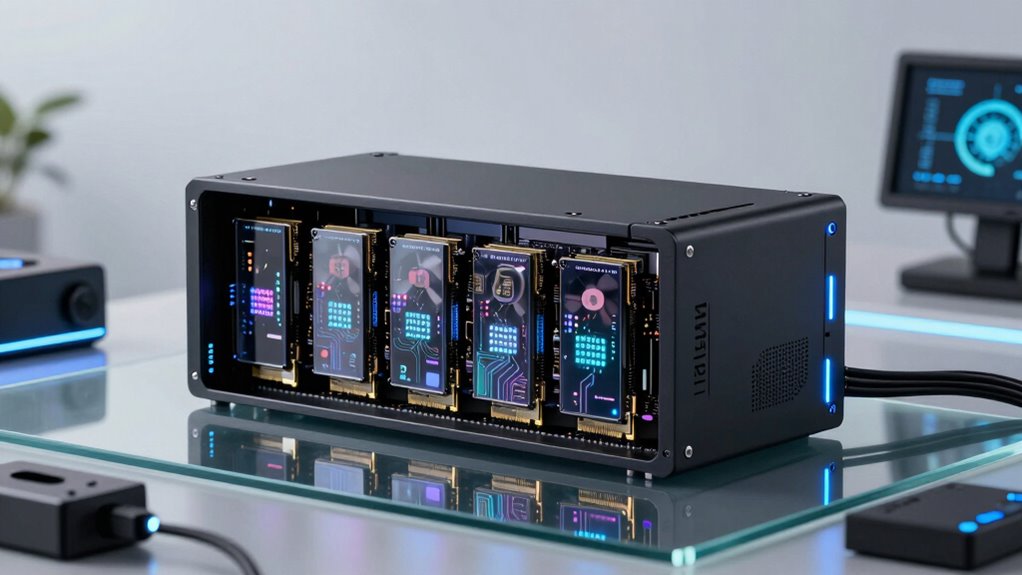

For AI systems that demand high-speed PCIe connectivity, choosing the right expansion enclosure is critical. The StarTech Thunderbolt 3 PCIe Expansion Chassis stands out as the best overall for its versatility and performance. The Sonnet Echo SE I T5 Thunderbolt 5 USB4 PCIe Enclosure offers cutting-edge Thunderbolt 5 support for future-proofing, while the Plugable Thunderbolt 5 AI eGPU Enclosure provides exceptional bandwidth at a competitive price. These options illustrate the main tradeoffs: balancing raw speed, compatibility, build quality, and cost. Continue reading for a full breakdown of these choices and more insights to help you make an informed decision.

Get tech for your team delivered free — and shop member deals
- Fast, free delivery on millions of items
- Access to Prime Big Deal Days deals on October 6–7
- Prime Video, Amazon Music and more included
Key Takeaways
- Top picks balance high bandwidth with broad compatibility, especially for AI workloads requiring fast data transfer.
- Thunderbolt 4 and 5 enclosures are increasingly future-proof but tend to come at a higher cost compared to Thunderbolt 3 options.
- Size and expandability vary significantly; some enclosures support multiple PCIe cards, while others are optimized for single-slot use.
- Build quality and TAA compliance are important for enterprise or professional environments but often increase price.
- Choosing between PCIe 3.0 and 4.0/5.0 support impacts performance, especially for data-heavy AI tasks.
| StarTech Thunderbolt 3 PCIe Expansion Chassis, TAA (TB31PCIEX16) |  | Best Overall for Thunderbolt 3/4 Users Needing Versatile PCIe Expansion | Interface: Thunderbolt 3/4 | PCIe Slot: 1 x PCIe 3.0 x16 | Video Support: Up to 4K/5K 60Hz | VIEW ON AMAZON | See Our Full Breakdown |
| Sonnet Echo SE I T5 Thunderbolt 5 USB4 PCIe Expansion Chassis for Mac and Windows |  | Best for High-Performance PCIe Cards with Thunderbolt 5 Support | Interface: Thunderbolt 5 / USB4 | PCIe Slot: 1 x PCIe 3.0 | Bandwidth: 40Gbps | VIEW ON AMAZON | See Our Full Breakdown |
| Thunderbolt 4/3 USB4 to PCIe Expansion Enclosure, 40Gbps External PCIe 3.0 x4 Dock for DeckLink Capture Card, Compatible with Laptop and Mini PC, Windows, macOS and Linux, VK-G2 |  | Best Silent Operation for PCIe Expansion in Noise-Sensitive Environments | Interface: Thunderbolt 3/4, USB4 | Max PCIe Slot Length: 145mm | Bandwidth: 40Gbps | VIEW ON AMAZON | See Our Full Breakdown |
| Thunderbolt 3/4 USB4 to PCIe Expansion Chassis for Laptop and Mini PC |  | Best for Dual PCIe Expansion with High Bandwidth and Versatility | Connectivity: Thunderbolt 3/4, USB4 | PCIe Slots: 2 x PCIe 3.0 x16 | Supported Cards: Half/full-height PCIe cards | VIEW ON AMAZON | See Our Full Breakdown |
| Sonnet Echo Express SEIIIe Thunderbolt 3 Edition 3-Slot PCIe Card Expansion Chassis |  | Best for Multi-Card High-Performance Workstations on Mac | Number of PCIe Slots: 3 | PCIe Version: 3.0 | Supported Card Length: up to 7.75 inches | VIEW ON AMAZON | See Our Full Breakdown |
| Sonnet Echo Express SE1 Thunderbolt 3 Expansion Chassis |  | Best Compact Thunderbolt 3 Enclosure for High-Bandwidth PCIe Cards | PCIe Slot: 1 x PCIe 3.0 x8 | Supported Card Length: up to 7.75 inches | Supported Card Height: full-height | VIEW ON AMAZON | See Our Full Breakdown |
| Thunderbolt 3 to PCIe Card Dock with PCIe 3.0 x16 Slot |  | Best Versatile PCIe Enclosure Supporting Multiple OS and Silent Operation | PCIe Slot: PCIe 3.0 x16 | Maximum Card Size: 163mm x 28mm x 121mm | Material: Aluminum alloy | VIEW ON AMAZON | See Our Full Breakdown |
| Plugable Thunderbolt 5 AI eGPU Enclosure & Dock: 80Gbps, TAA Compliant |  | Best High-Performance Thunderbolt 5 eGPU Enclosure for AI and Deep Learning | Data Transfer Speed: 80Gbps | GPU Compatibility: Up to 600W, 346mm x 170mm x 77mm | Ports: Ethernet, USB-A, USB-C, Thunderbolt 5 | VIEW ON AMAZON | See Our Full Breakdown |
| pcie expansion enclosures for ai system | PCIe Slot | Bandwidth | Cooling |
|---|---|---|---|
| StarTech Thunderbolt 3 PCIe Ex | 1 x PCIe 3.0 x16 | — | — |
| Sonnet Echo SE I T5 Thunderbol | 1 x PCIe 3.0 | 40Gbps | Air |
| Thunderbolt 4/3 USB4 to PCIe E | — | 40Gbps | Passive heatsink |
| Thunderbolt 3/4 USB4 to PCIe E | — | 40Gbps | Passive |
| Sonnet Echo Express SEIIIe Thu | — | 2750 MB/s | — |
| Sonnet Echo Express SE1 Thunde | 1 x PCIe 3.0 x8 | — | — |
| Thunderbolt 3 to PCIe Card Doc | PCIe 3.0 x16 | — | Passive, silent |
| Plugable Thunderbolt 5 AI eGPU | — | — | — |
More Details on Our Top Picks
StarTech Thunderbolt 3 PCIe Expansion Chassis, TAA (TB31PCIEX16)
This chassis excels at providing high-speed PCIe support for Thunderbolt 3/4 laptops and desktops, standing out for its compatibility with multiple Thunderbolt devices and daisy chaining capabilities. Unlike the Sonnet Echo SE I T5, which supports Thunderbolt 5 and more modern bandwidth, the StarTech model is better suited for users with Thunderbolt 3/4 systems but is limited to a single PCIe x16 slot and cannot support full GPU cards. Its active cooling and tool-less design make installation straightforward, yet it restricts users to cards up to 8 inches long, excluding larger GPUs. The TAA-compliance makes it suitable for government or enterprise use. Overall, it offers a reliable, expandable PCIe solution for those prioritizing Thunderbolt support and multiple video outputs, but it lacks GPU support for high-performance graphics.
Pros:- Supports high-speed PCIe cards and multiple 4K/5K video outputs
- Toolless installation for quick upgrades
- Universal power adapter compatible with multiple regions
Cons:- Does not support full-sized or GPU graphics cards
- Limited to single-width PCIe cards up to 8 inches long
- No dedicated GPU support limits high-performance graphics
Best for: Professionals needing to add high-speed PCIe cards with multiple video outputs to Thunderbolt 3/4 laptops or desktops.
Not ideal for: Users requiring full GPU support or large, high-power expansion cards, as it only supports cards up to 8 inches long and no GPU support.
- Interface:Thunderbolt 3/4
- PCIe Slot:1 x PCIe 3.0 x16
- Video Support:Up to 4K/5K 60Hz
- Power Delivery:25W via PCIe, 30W via LP4
- Compatibility:macOS, Windows
- Dimensions:Supports cards up to 8 inches long
Our verdict“This enclosure is ideal for users needing Thunderbolt 3/4 PCIe expansion with multiple video outputs, but not for GPU-intensive workflows.”
Sonnet Echo SE I T5 Thunderbolt 5 USB4 PCIe Expansion Chassis for Mac and Windows
The Sonnet Echo SE I T5 stands out for its support of Thunderbolt 5 and USB4, offering a significant bandwidth increase over older models like the Thunderbolt 4/3 enclosure. Its compact aluminum case and quiet cooling system make it suitable for professional environments where space and noise are concerns. Compared to the StarTech TB31PCIEX16, it provides faster data transfer rates, but it is limited to a single PCIe bay and a maximum power output of 60W, which may restrict some high-power cards. It’s best suited for users who want the latest Thunderbolt 5 connectivity and support for a wide range of PCIe cards, including storage, networking, or audio/video. However, its limited internal capacity and power output mean it’s less appropriate for high-power GPU workloads or larger cards.
Pros:- Supports Thunderbolt 5 with up to 6000 MB/s bandwidth
- Compact, lightweight, and quiet design
- Compatible with a broad range of PCIe cards and systems
Cons:- Limited to one PCIe bay, restricting expandability
- Maximum power output of 60W may limit high-power cards
- Requires Thunderbolt 5 port for optimal performance
Best for: Content creators or professionals needing Thunderbolt 5 support and multiple PCIe card flexibility in a compact form factor.
Not ideal for: Power users requiring multiple PCIe slots or high-power GPU support, as it only offers one bay and limited wattage.
- Interface:Thunderbolt 5 / USB4
- PCIe Slot:1 x PCIe 3.0
- Bandwidth:40Gbps
- Power Supply:60W
- Cooling:Air
- Dimensions:11.25″D x 3.5″H x 5.75″W
Our verdict“This enclosure is best for users seeking cutting-edge Thunderbolt 5 PCIe expansion, but not for those needing multiple slots or high wattage support.”
Thunderbolt 4/3 USB4 to PCIe Expansion Enclosure, 40Gbps External PCIe 3.0 x4 Dock for DeckLink Capture Card, Compatible with Laptop and Mini PC, Windows, macOS and Linux, VK-G2
This enclosure offers a quiet, passive cooling solution for adding PCIe 3.0 x4 cards to laptops and mini PCs, making it ideal for noise-sensitive environments like studios or labs. Unlike the Sonnet Echo SE I T5, which supports Thunderbolt 5, this model supports Thunderbolt 3/4 and USB4, broadening compatibility. Its all-aluminum chassis provides effective passive cooling, but it’s limited to PCIe cards up to 145mm in length, restricting larger cards. It’s perfect for high-speed video capture, NVMe SSDs, or networking cards where silent operation matters most. However, users should be aware that driverless plug-and-play might require additional setup for some cards, and it does not support GPU cards or larger PCIe devices.
Pros:- Silent, passive aluminum chassis for noise-sensitive settings
- Supports high-speed PCIe 3.0 x4 cards with up to 40Gbps bandwidth
- Driverless operation across multiple OS platforms
Cons:- Limited to PCIe cards up to 145mm in length
- No active cooling or support for high-power or GPU cards
- Requires compatible Thunderbolt 3/4 or USB4 device for operation
Best for: Audio/video professionals or researchers needing silent PCIe expansion for PCIe 3.0 x4 cards in noise-sensitive environments.
Not ideal for: High-power or GPU card users, due to size and cooling limitations, and those wanting multiple PCIe slots.
- Interface:Thunderbolt 3/4, USB4
- Max PCIe Slot Length:145mm
- Bandwidth:40Gbps
- Cooling:Passive heatsink
- Supported Cards:Video capture, NVMe SSDs, 10GbE
- Ports:2 Thunderbolt ports, 1 DisplayPort 1.4
Our verdict“This enclosure is ideal for professionals needing silent, high-speed PCIe expansion for specific PCIe 3.0 x4 cards, but not for GPU-intensive tasks.”
Thunderbolt 3/4 USB4 to PCIe Expansion Chassis for Laptop and Mini PC
This chassis supports two PCIe 3.0 x16 slots via Thunderbolt 3/4 or USB4, making it a strong choice for expanding connectivity for high-performance hardware. Compared to the Sonnet Echo SE IIIe, which supports three PCIe cards, this model offers more flexibility with dual slots, supporting larger or multiple cards simultaneously. Its all-aluminum passive cooling design ensures silent operation, and the inclusion of a DisplayPort 1.4 output adds display versatility. Limitations include the need to verify card sizes—supported cards must be half-length or full-height up to specified dimensions—and potential driver requirements for some PCIe cards. It is well suited for users wanting to expand multiple PCIe slots without GPU support or extensive power needs.
Pros:- Expands connectivity with two high-performance PCIe slots
- Supports multiple operating systems including Windows, MacOS, Linux
- Durable all-aluminum construction with passive cooling
Cons:- Requires verification of card size and dimensions before purchase
- No active cooling or GPU support for power-intensive cards
- Potential driver setup needed for some cards
Best for: Power users who need dual PCIe slots for high-performance storage, networking, or auxiliary cards on Thunderbolt or USB4 systems.
Not ideal for: Users needing GPU support or larger, full-length cards, as the enclosure is best suited for half-length or full-height cards within size limits.
- Connectivity:Thunderbolt 3/4, USB4
- PCIe Slots:2 x PCIe 3.0 x16
- Supported Cards:Half/full-height PCIe cards
- Bandwidth:40Gbps
- Material:All-aluminum
- Cooling:Passive
Our verdict“This dual-slot PCIe expansion chassis suits power users seeking high-bandwidth, silent expansion, but not GPU-heavy workloads.”
Sonnet Echo Express SEIIIe Thunderbolt 3 Edition 3-Slot PCIe Card Expansion Chassis
The Echo Express SEIIIe is designed for users needing to connect three full-height PCIe cards to Mac systems with Thunderbolt 3. It offers a robust bandwidth of 2750 MB/s, supporting demanding PCIe cards such as audio, video, or networking hardware. Compared with the Sonnet Echo SE I T5, which supports a single PCIe bay, this model provides expanded capacity for multi-card setups, ideal for complex workflows. Its two Thunderbolt 3 ports allow flexible daisy chaining, but it’s limited to PCIe 3.0 and depends on users having compatible Macs. The absence of detailed power supply specs can be a concern, and larger power-hungry cards may require external power solutions. It’s best suited for Mac users with multiple PCIe cards needing a reliable, high-bandwidth chassis.
Pros:- Supports three full-height PCIe cards simultaneously
- High data transfer bandwidth of 2750 MB/s
- Includes two Thunderbolt 3 ports for flexible connectivity
Cons:- Limited to PCIe 3.0, missing PCIe 4.0 support
- Requires compatible Mac with Thunderbolt 3 ports
- No detailed power supply specifications provided
Best for: Mac-based professionals managing multi-card setups, such as audio engineers or video editors requiring three PCIe cards.
Not ideal for: Windows users or those needing PCIe support beyond PCIe 3.0 or larger power cards, as it’s optimized for Mac and PCIe 3.0.
- Number of PCIe Slots:3
- PCIe Version:3.0
- Supported Card Length:up to 7.75 inches
- Bandwidth:2750 MB/s
- Thunderbolt Ports:2 (USB-C)
- Warranty:2 years
Our verdict“This expansion chassis is ideal for Mac users needing multi-card high-bandwidth support, but less suited for Windows or PCIe 4.0 workflows.”
Sonnet Echo Express SE1 Thunderbolt 3 Expansion Chassis
The Sonnet Echo Express SE1 stands out for its ultra-compact design, making it ideal for users who need PCIe expansion without cluttering their workspace. Unlike larger chassis such as the Plugable Thunderbolt 5 AI eGPU Enclosure, it offers only a single PCIe 3.0 x8 slot, which limits expansion options but keeps costs and size down. Its support for high-performance cards and full bandwidth ensures it handles demanding PCIe devices well, yet it’s not suited for GPU-heavy tasks or multi-card setups. The dual Thunderbolt 3 ports add flexibility for daisy-chaining displays or peripherals. This model excels for users who want a portable PCIe solution for specialized cards, like NVMe drives or capture cards, but not for GPU-intensive AI workloads.
Pros:- Supports high-performance PCIe cards with full bandwidth
- Compact, lightweight, and desktop space-saving design
- Daisy-chain capability for multiple devices and displays
Cons:- Limited to one PCIe card at a time, restricting multi-card setups
- Not suitable for GPU cards or AI training workloads
Best for: AI researchers or content creators needing a compact PCIe expansion for specific high-speed cards, such as NVMe or capture cards.
Not ideal for: Professional AI developers requiring multiple GPUs or GPU-intensive AI training, as it doesn’t support GPU cards and is limited to one PCIe slot.
- PCIe Slot:1 x PCIe 3.0 x8
- Supported Card Length:up to 7.75 inches
- Supported Card Height:full-height
- Connectivity:Thunderbolt 3 (40Gbps)
- Ports:2 Thunderbolt 3 (USB-C)
- Dimensions:Compact size, specifics not provided
Our verdict“This is a perfect choice for users needing a small, high-bandwidth PCIe slot for specific cards, not GPU-heavy AI systems.”
Thunderbolt 3 to PCIe Card Dock with PCIe 3.0 x16 Slot
Compared with the Sonnet Echo Express SE1, this dock offers a PCIe 3.0 x16 slot, enabling support for a wider range of expansion cards, including high-bandwidth NVMe drives and Ethernet adapters. Its all-aluminum chassis provides passive cooling, making it suitable for noise-sensitive environments, unlike the Sonnet’s more limited slot configuration. However, it explicitly doesn’t support GPU cards, which limits its use for GPU-heavy AI training. Its driverless compatibility across Windows, Linux, and macOS makes it more flexible for diverse workflows. While it’s not ideal for GPU-intensive AI workloads, it’s excellent for adding high-speed storage or networking cards in professional setups.
Pros:- Supports PCIe 3.0 x16 cards, ideal for high-bandwidth storage and networking
- Passive, silent cooling keeps noise levels low
- Driverless operation with cross-platform compatibility
Cons:- Does not support GPU cards, limiting AI training applications
- Limited to PCIe cards within specific size dimensions
Best for: AI specialists or developers needing a reliable PCIe expansion for storage, networking, or data acquisition cards across various OS platforms.
Not ideal for: Users requiring GPU support or multi-GPU setups for AI training, since it cannot support graphics cards and is limited by size dimensions.
- PCIe Slot:PCIe 3.0 x16
- Maximum Card Size:163mm x 28mm x 121mm
- Material:Aluminum alloy
- Cooling:Passive, silent
- Connectivity:Thunderbolt 3/4 or USB4
- Power Adapter:12V 3A (36W)
Our verdict“This dock is suited for users who need a quiet, versatile PCIe expansion for storage or network cards, not GPU-intensive AI workloads.”
Plugable Thunderbolt 5 AI eGPU Enclosure & Dock: 80Gbps, TAA Compliant
The Plugable Thunderbolt 5 AI eGPU Enclosure makes a compelling case for demanding AI workloads, supporting GPUs up to 600W—far surpassing the other options in raw power. Its 80Gbps data transfer speed ensures maximum throughput for large AI models or training datasets, outperforming the Thunderbolt 3 options like the Sonnet SE1. The inclusion of multiple ports, including Ethernet and USB-A, enhances workflow flexibility. Unlike the other enclosures, this system is explicitly designed for GPU-heavy AI tasks and offline model processing, making it a strong choice for professionals focused on deep learning and model training. However, it’s incompatible with macOS or Linux, and requires a Windows environment, which limits its versatility for some users.
Pros:- Supports GPUs up to 600W, suitable for the most demanding AI training tasks
- 80Gbps transfer speed maximizes data throughput for large models
- Multiple port options facilitate diverse AI workflows
Cons:- Limited to Windows 11, excluding macOS and Linux users
- High power and cost may be unnecessary for lighter workloads
Best for: AI researchers and professionals needing a dedicated, high-powered GPU enclosure for intensive training and offline AI model development on Windows systems.
Not ideal for: Mac users or those seeking a budget-friendly PCIe expansion for non-GPU cards, as it’s Windows-only and geared toward high-end AI workloads.
- Data Transfer Speed:80Gbps
- GPU Compatibility:Up to 600W, 346mm x 170mm x 77mm
- Ports:Ethernet, USB-A, USB-C, Thunderbolt 5
- Power Supply:850W ATX 3.1 PSU
- Compatibility:Windows 11, Thunderbolt 4, USB4
- TAA Compliance:Yes
Our verdict“This enclosure suits AI professionals who need maximum GPU power and bandwidth for training complex models, but it’s less suitable for casual or macOS users.”
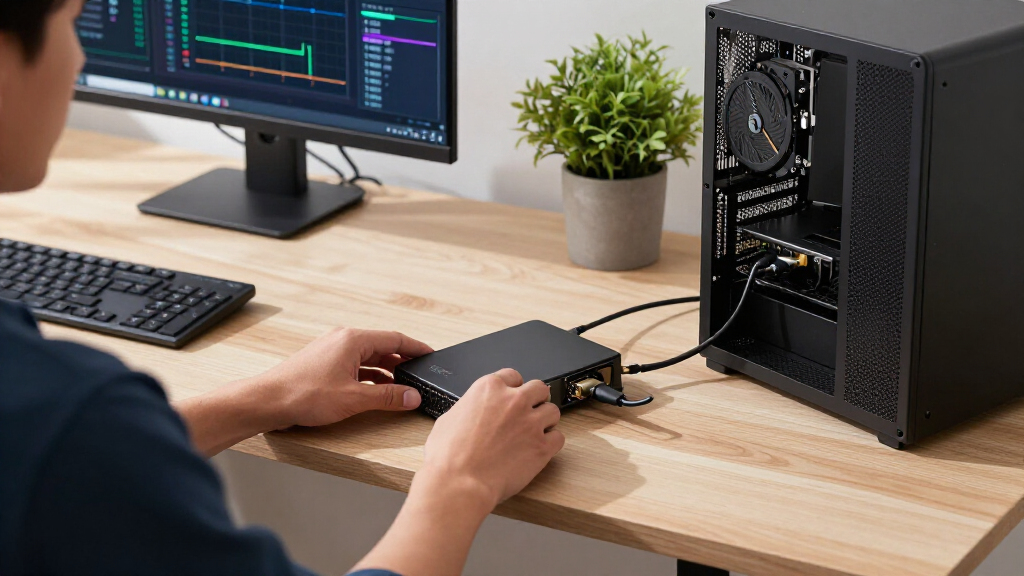
How We Picked
These products were evaluated based on key factors such as data transfer bandwidth, compatibility with major operating systems, build quality, expandability options, and overall value. Priority was given to models that support the latest Thunderbolt standards and PCIe versions, crucial for AI workloads. We also considered ease of setup, TAA compliance for professional use, and user feedback about reliability. The ranking reflects a balance between performance and cost, aiming to recommend options for different user needs—from professionals requiring maximum throughput to budget-conscious enthusiasts.| pcie expansion enclosures for ai system | Cooling |
|---|---|
| StarTech Thunderbolt 3 PCIe Ex | — |
| Sonnet Echo SE I T5 Thunderbol | Air |
| Thunderbolt 4/3 USB4 to PCIe E | Passive heatsink |
| Thunderbolt 3/4 USB4 to PCIe E | Passive |
| Sonnet Echo Express SEIIIe Thu | — |
| Sonnet Echo Express SE1 Thunde | — |
| Thunderbolt 3 to PCIe Card Doc | Passive, silent |
| Plugable Thunderbolt 5 AI eGPU | — |
Factors to Consider When Choosing Pcie Expansion Enclosures For Ai Systems
When selecting a PCIe expansion enclosure for AI systems, it’s vital to consider several factors that influence performance, compatibility, and future-proofing. These enclosures serve as a bridge between high-speed PCIe cards and your host system, making the right choice essential for workload efficiency. Beyond raw speed, ease of setup and expandability determine how well the enclosure integrates into your existing setup. The following sections highlight key considerations to help you make an informed purchase.Performance and PCIe Support
Performance is often dictated by the PCIe version supported—PCIe 3.0, 4.0, or 5.0—each offering different throughput levels. For AI systems processing large datasets or running GPU-intensive tasks, higher PCIe versions provide significant speed advantages. Be aware that not all enclosures support the latest PCIe standards; choosing one that matches or exceeds your GPU or expansion card’s capabilities minimizes bottlenecks. Also, check if the enclosure supports multiple PCIe cards simultaneously if your setup requires expansion beyond a single slot.
Connectivity and Compatibility
Most enclosures rely on Thunderbolt 3, 4, or 5 interfaces, with newer versions offering higher bandwidth (up to 80Gbps with Thunderbolt 5). Compatibility with your host system—whether Windows, macOS, or Linux—is essential, along with TAA compliance if used in professional environments. Keep in mind that some enclosures may require specific drivers or firmware updates, impacting ease of setup. Ensuring the enclosure supports your existing hardware or future upgrades will save headaches later.
Size, Expandability, and Form Factor
The physical dimensions and internal layout influence how many PCIe cards you can install and how the enclosure fits into your workspace. Larger, multi-slot enclosures often provide better cooling and expansion options but may be cumbersome. Compact models are easier to transport and integrate into tight spaces but may limit expandability. Consider your current and future needs—if you plan to add multiple GPUs or AI accelerators, prioritize enclosures with multiple PCIe slots and good airflow design.
Build Quality and Professional Features
Materials, cooling solutions, and compliance standards like TAA impact durability and reliability, especially in demanding environments. High-quality enclosures with robust construction tend to last longer and reduce risk of hardware failure. For enterprise or professional use, features like hot-swappable PCIe cards, advanced cooling, and compliance certifications matter. Be aware that these enhancements often come with higher price tags but can justify the investment in mission-critical applications.
Price and Value
Prices range from budget-friendly options supporting PCIe 3.0 to premium enclosures offering PCIe 5.0 and Thunderbolt 5 support. Evaluate whether the added cost aligns with your performance needs and future-proofing goals. Sometimes, opting for a slightly lower-spec enclosure now and upgrading later makes sense, especially if your current workload does not demand maximum bandwidth. Conversely, investing in a high-end enclosure early on can offer better longevity and compatibility with upcoming hardware releases.
Frequently Asked Questions
Will a PCIe expansion enclosure bottleneck my GPU performance?
Potential bottlenecks depend on both the PCIe version supported by the enclosure and your GPU’s data transfer needs. For most AI workloads, PCIe 4.0 or 5.0 enclosures provide ample bandwidth to prevent significant performance drops. However, using an enclosure with PCIe 3.0 support may limit high-end GPUs, especially during data-intensive tasks. Always match the PCIe support level of the enclosure with your GPU’s requirements to avoid performance constraints.
Can I use a PCIe enclosure with my existing laptop or mini PC?
Yes, many PCIe enclosures are designed for compatibility with laptops and mini PCs via Thunderbolt interfaces. However, verify that your system supports the required Thunderbolt version and has sufficient bandwidth. Additionally, check if your device’s firmware and drivers are compatible with the enclosure. While these enclosures extend connectivity options, their performance is limited by the host system’s CPU and storage bandwidth—consider these factors when planning your setup.
Is TAA compliance important for PCIe enclosures for AI work?
TAA compliance is crucial if you plan to use the enclosure in a professional or enterprise environment, particularly for government or regulated industries. It ensures the product meets specific standards for traceability, supply chain integrity, and legal compliance. For personal or hobbyist use, TAA compliance might be less critical, but investing in compliant models can future-proof your setup and reduce compatibility issues in professional contexts.
How do I choose between Thunderbolt 4 and Thunderbolt 5 enclosures?
Thunderbolt 5 offers higher bandwidth (up to 80Gbps) compared to Thunderbolt 4, making it better suited for the most demanding AI applications and multiple PCIe card setups. However, Thunderbolt 5 enclosures tend to be more expensive and may require newer host hardware. If your current system supports Thunderbolt 4 and your workload is manageable at PCIe 4.0 speeds, opting for a Thunderbolt 4 enclosure provides a good balance of performance and cost. For future-proofing and maximum throughput, Thunderbolt 5 is the way to go.
What is the typical lifespan of a PCIe enclosure in a professional AI environment?
The lifespan depends on build quality, cooling efficiency, and usage intensity. Well-constructed models with robust materials and adequate cooling can last many years, often exceeding five years in demanding environments. Regular firmware updates and proper maintenance also extend hardware longevity. Investing in higher-end, certified enclosures may cost more upfront but can offer better durability and support, crucial for critical AI workloads that require high reliability over time.
Conclusion
For users seeking the best overall performance with maximum compatibility, the StarTech Thunderbolt 3 PCIe Expansion Chassis remains a strong choice. Professionals needing future-proofing and cutting-edge speeds should consider the Sonnet Echo SE I T5 Thunderbolt 5 PCIe Enclosure. Budget-conscious buyers or those just starting with AI acceleration might prefer the Plugable Thunderbolt 5 AI eGPU Enclosure for its impressive bandwidth at a competitive price. Beginners or casual hobbyists will find simpler, more affordable options suitable, while enterprise users should prioritize models with TAA compliance and robust build quality. Choose based on your current setup, performance needs, and future plans to ensure a smooth, efficient expansion for your AI systems.
Halloween Picks
halloween
As an affiliate, we earn on qualifying purchases.